<?xml version="1.0"?>
<api><categories><category name="Ajax" slug="ajax">
    <desc>The jQuery library has a full suite of AJAX capabilities. The functions and methods therein allow us to load data from the server without a browser page refresh. </desc>
    <category name="Global Ajax Event Handlers" slug="global-ajax-event-handlers">
      <desc>These methods register handlers to be called when certain events, such as initialization or completion, take place for any AJAX request on the page. The global events are fired on each AJAX request if the <code>global</code> property in <a href="http://api.jquery.com/jQuery.ajaxSetup/"><code>jQuery.ajaxSetup()</code></a> is <code>true</code>, which it is by default. <em>Note: Global events are never fired for cross-domain script or JSONP requests, regardless of the value of <code>global</code>.</em></desc>
    </category>
    <category name="Helper Functions" slug="helper-functions">
      <desc>These functions assist with common idioms encountered when performing AJAX tasks.</desc>
    </category>
    <category name="Low-Level Interface" slug="low-level-interface">
      <desc>These methods can be used to make arbitrary AJAX requests.</desc>
    </category>
    <category name="Shorthand Methods" slug="shorthand-methods">
      <desc>These methods perform the more common types of AJAX requests in less code.</desc>
    </category>
  </category><category name="Attributes" slug="attributes">
    <desc>These methods get and set DOM attributes of elements.</desc>
  </category><category name="Callbacks Object" slug="callbacks-object">
    <desc>The <code>jQuery.Callbacks()</code> function, introduced in version 1.7, returns a multi-purpose object that provides a powerful way to manage callback lists. It supports adding, removing, firing, and disabling callbacks.</desc>
  </category><category name="Core" slug="core">
    <desc/>
  </category><category name="CSS" slug="css">
    <desc>These methods get and set CSS-related properties of elements.</desc>
  </category><category name="Data" slug="data">
    <desc>These methods allow us to associate arbitrary data with specific DOM elements.</desc>
  </category><category name="Deferred Object" slug="deferred-object">
    <desc><p>The Deferred object, introduced in jQuery 1.5, is a chainable utility object created by calling the <a href="/jQuery.Deferred/"><code>jQuery.Deferred()</code></a> method. It can register multiple callbacks into callback queues, invoke callback queues, and relay the success or failure state of any synchronous or asynchronous function.</p>
    <p>The Deferred object is chainable, similar to the way a jQuery object is chainable, but it has its own methods. After creating a Deferred object, you can use any of the methods below by either chaining directly from the object creation or saving the object in a variable and invoking one or more methods on that variable.</p></desc>
  </category><category name="Deprecated" slug="deprecated">
    <desc/>
    <category name="Deprecated 1.3" slug="deprecated-1.3">
      <desc>All the aspects of the API that were deprecated in the corresponding version of jQuery.
        <p>For more information, see the <a href="http://docs.jquery.com/Release:jQuery_1.3">jQuery 1.3 Release Notes</a>.</p>
      </desc>
    </category>
    <category name="Deprecated 1.4" slug="deprecated-1.4">
      <desc>All the aspects of the API that were deprecated in the corresponding version of jQuery.
        <p>For more information, see the <a href="http://jquery14.com/day-01/jquery-14">jQuery 1.4 Release Notes</a></p>
      </desc>
    </category>
    <category name="Deprecated 1.7" slug="deprecated-1.7">
      <desc>All the aspects of the API that were deprecated in the corresponding version of jQuery.
        <p>For more information, see the Release Notes/Changelog at <a href="http://blog.jquery.com/2011/11/03/jquery-1-7-released/">http://blog.jquery.com/2011/11/03/jquery-1-7-released/</a></p>
      </desc>
    </category>
    <category name="Deprecated 1.8" slug="deprecated-1.8">
      <desc>All the aspects of the API that were deprecated in the corresponding version of jQuery.
        <p>For more information, see the Release Notes/Changelog at <a href="http://blog.jquery.com/2012/08/09/jquery-1-8-released/">http://blog.jquery.com/2012/08/09/jquery-1-8-released/</a></p>
      </desc>
    </category>
  </category><category name="Dimensions" slug="dimensions">
	  <desc>These methods are used to get and set the CSS dimensions for the various properties.</desc>
  </category><category name="Effects" slug="effects">
    <desc>The jQuery library provides several techniques for adding animation to a web page. These include simple, standard animations that are frequently used, and the ability to craft sophisticated custom effects.</desc>
    <category name="Basics" slug="basics">
      <desc/>
    </category>
    <category name="Custom" slug="custom-effects">
      <desc>These methods allow you to create effects that are not provided "out of the box" by jQuery.</desc>
    </category>
    <category name="Fading" slug="fading">
      <desc>These methods adjust the opacity of elements.</desc>
    </category>
    <category name="Sliding" slug="sliding">
      <desc/>
    </category>
  </category><category name="Events" slug="events">
    <desc>These methods are used to register behaviors to take effect when the user interacts with the browser, and to further manipulate those registered behaviors.</desc>
    <category name="Browser Events" slug="browser-events">
      <desc/>
    </category>
    <category name="Document Loading" slug="document-loading">
      <desc/>
    </category>
    <category name="Event Handler Attachment" slug="event-handler-attachment">
      <desc/>
    </category>
    <category name="Event Object" slug="event-object">
      <desc>
        <p>jQuery's event system normalizes the event object according to <a href="http://www.w3.org/TR/2003/WD-DOM-Level-3-Events-20030331/ecma-script-binding.html">W3C standards</a>. The event object is guaranteed to be passed to the event handler. Most properties from the original event are copied over and normalized to the new event object.</p>
        <div class="longdesc">
          <h4>jQuery.Event Constructor</h4>
          <p>The <code>jQuery.Event</code> constructor is exposed and can be used when calling <a href="/trigger">trigger</a>. The <code>new</code> operator is optional.</p>
          <p>Check <a href="/trigger">trigger</a>'s documentation to see how to combine it with your own event object.</p>
          <p>Example:</p>
          <pre>
            <code>//Create a new jQuery.Event object without the "new" operator.
  var e = jQuery.Event("click");

  // trigger an artificial click event
  jQuery("body").trigger( e );
</code>
          </pre>
          <p>As of jQuery 1.6, you can also pass an object to <code>jQuery.Event()</code> and its properties will be set on the newly created Event object.</p>
          <p>Example:</p>
          <pre>
            <code>  // Create a new jQuery.Event object with specified event properties.
  var e = jQuery.Event("keydown", { keyCode: 64 });

  // trigger an artificial keydown event with keyCode 64
  jQuery("body").trigger( e );
</code>
          </pre>
          <h4>Event Properties</h4>
          <p>jQuery normalizes the following properties for cross-browser consistency:</p>
          <ul>
            <li>
              <code>target</code>
            </li>
            <li>
              <code>relatedTarget</code>
            </li>
            <li>
              <code>pageX</code>
            </li>
            <li>
              <code>pageY</code>
            </li>
            <li>
              <code>which</code>
            </li>
            <li>
              <code>metaKey</code>
            </li>
          </ul>
          <p>The following properties are also copied to the event object, though some of their values may be undefined depending on the event:</p>
          <p>altKey, bubbles, button, cancelable, charCode, clientX, clientY, ctrlKey, currentTarget, data, detail, eventPhase, metaKey, offsetX, offsetY, originalTarget, pageX, pageY, prevValue, relatedTarget, screenX, screenY, shiftKey, target, view, which</p>
          <h4>OtherProperties</h4>
          <p>Certain events may have properties specific to them. Those can be accessed as properties of the <code>event.originalEvent</code> object.</p>
          <p>Example:</p>
          <pre>
            <code>
  // add the dataTransfer property for use with the native `drop` event
  // to capture information about files dropped into the browser window
  jQuery.event.props.push("dataTransfer");
</code>
          </pre>
        </div>
      </desc>
    </category>
    <category name="Form Events" slug="form-events">
      <desc/>
    </category>
    <category name="Keyboard Events" slug="keyboard-events">
      <desc/>
    </category>
    <category name="Mouse Events" slug="mouse-events">
      <desc/>
    </category>
  </category><category name="Forms" slug="forms">
	  <desc>These methods and event handlers handle forms and their various elements.</desc>
  </category><category name="Internals" slug="internals">
    <desc>Although this category is referred to as 'internal', any methods documented within the API site should be considered public and may be freely used. </desc>
  </category><category name="Manipulation" slug="manipulation">
    <desc>All of the methods in this section manipulate the DOM in some manner. A few of them simply change one of the attributes of an element (also listed in the <a href="/category/attributes/">Attributes category</a>), while others set an element's style properties (also listed in the <a href="/category/css/">CSS category</a>). Still others modify entire elements (or groups of elements) themselves&#x2014;inserting, copying, removing, and so on. All of these methods are referred to as "setters," as they change the values of properties.
			A few of these methods&#x2014;such as <code>.attr()</code>, <code>.html()</code>, and <code>.val()</code>&#x2014;also act as "getters," retrieving information from DOM elements for later use.
		</desc>
    <category name="Class Attribute" slug="class-attribute">
      <desc>These methods inspect and manipulate the CSS classes assigned to elements.</desc>
    </category>
    <category name="Copying" slug="copying">
      <desc>This method allows us to make copies of elements.</desc>
    </category>
    <category name="DOM Insertion" slug="dom-insertion">
      <desc/>
    </category>
    <category name="DOM Insertion, Around" slug="dom-insertion-around">
      <desc>These methods allow us to insert new content surrounding existing content.</desc>
    </category>
    <category name="DOM Insertion, Inside" slug="dom-insertion-inside">
      <desc>These methods allow us to insert new content inside an existing element.</desc>
    </category>
    <category name="DOM Insertion, Outside" slug="dom-insertion-outside">
      <desc>These methods allow us to insert new content outside an existing element.</desc>
    </category>
    <category name="DOM Removal" slug="dom-removal">
      <desc>These methods allow us to delete elements from the DOM.</desc>
    </category>
    <category name="DOM Replacement" slug="dom-replacement">
      <desc>These methods are used to remove content from the DOM and replace it with new content.</desc>
    </category>
    <category name="General Attributes" slug="general-attributes">
      <desc>These methods get and set DOM attributes of elements</desc>
    </category>
    <category name="Style Properties" slug="style-properties">
      <desc>These methods get and set CSS-related properties of elements.</desc>
    </category>
  </category><category name="Miscellaneous" slug="miscellaneous">
    <desc/>
    <category name="Collection Manipulation" slug="collection-manipulation">
      <desc/>
    </category>
    <category name="Data Storage" slug="data-storage">
      <desc>These methods allow us to associate arbitrary data with specific DOM elements.</desc>
    </category>
    <category name="DOM Element Methods" slug="dom-element-methods">
      <desc/>
    </category>
    <category name="Setup Methods" slug="setup-methods">
      <desc/>
    </category>
  </category><category name="Offset" slug="offset">
    <desc/>
  </category><category name="Properties" slug="properties">
    <desc/>
    <category name="Properties of jQuery Object Instances" slug="jquery-object-instance-properties">
      <desc>Each jQuery object created with the jQuery() function contains a number of properties alongside its methods. These properties allow us to inspect various attributes of the object.</desc>
    </category>
    <category name="Properties of the Global jQuery Object" slug="global-jquery-object-properties">
      <desc>These properties are associated with the global jQuery object.</desc>
    </category>
  </category><category name="Removed" slug="removed">
    <desc/>
  </category><category name="Selectors" slug="selectors">
    <desc>
      <p>Borrowing from CSS 1&#x2013;3, and then adding its own, jQuery offers a powerful set of tools for matching a set of elements in a document.</p>
      <p>To use any of the meta-characters ( such as <code> !"#$%&amp;'()*+,./:;&lt;=&gt;?@[\]^`{|}~</code> ) as a literal part of a name, it must be escaped with with two backslashes: <code>\\</code>. For example, an element with <code>id="foo.bar"</code>, can use the selector <code>$("#foo\\.bar")</code>. The W3C CSS specification contains the <a href="http://www.w3.org/TR/CSS21/syndata.html#value-def-identifier">complete set of rules regarding valid CSS selectors</a>. Also useful is the blog entry by Mathias Bynens on <a href="http://mathiasbynens.be/notes/css-escapes">CSS character escape sequences for identifiers</a>.</p>
    </desc>
    <category name="Attribute" slug="attribute-selectors">
      <desc>
        <p>The CSS specification allows elements to be identified by their attributes. While not supported by some older browsers for the purpose of styling documents, jQuery allows you to employ them regardless of the browser being used.</p>
        <p>When using any of the following attribute selectors, you should account for attributes that have multiple, space-separated values. Since these selectors see attribute values as a single string, this selector, for example, <code>$("a[rel='nofollow']")</code>, will select <code>&lt;a href="example.html" rel="nofollow"&gt;Some text&lt;/a&gt;</code> but not <code>&lt;a href="example.html" rel="nofollow foe"&gt;Some text&lt;/a&gt;</code>.</p>
        <p>Attribute values in selector expressions <b>must</b> follow the rules for W3C CSS selectors; in general, that means anything other than a <a href="http://www.w3.org/TR/CSS21/syndata.html#value-def-identifier">valid identifier</a> should be surrounded by quotation marks.</p>
        <ul>
          <li>double quotes inside single quotes: <code>$('a[rel="nofollow self"]')</code></li>
          <li>single quotes inside double quotes: <code>$("a[rel='nofollow self']")</code></li>
          <li>escaped single quotes inside single quotes: <code>$('a[rel=\'nofollow self\']')</code></li>
          <li>escaped double quotes inside double quotes: <code>$("a[rel=\"nofollow self\"]")</code></li>
        </ul>
        <p>The variation you choose is generally a matter of style or convenience.</p>

        <p><strong>Note</strong>: In jQuery 1.3 <code>[@attr]</code> style selectors were removed (they were previously deprecated in jQuery 1.2). Simply remove the "@" symbol from your selectors in order to make them work again.</p>
        
      </desc>
    </category>
    <category name="Basic" slug="basic-css-selectors">
      <desc>The following selectors are based on the Cascading Style Sheet 1 specification, as outlined by the W3C. For more information about the specifications, visit <a href="http://www.w3.org/Style/CSS/#specs">http://www.w3.org/Style/CSS/#specs</a>. </desc>
    </category>
    <category name="Basic Filter" slug="basic-filter-selectors">
      <desc/>
    </category>
    <category name="Child Filter" slug="child-filter-selectors">
      <desc/>
    </category>
    <category name="Content Filter" slug="content-filter-selector">
      <desc/>
    </category>
    <category name="Form" slug="form-selectors">
      <desc/>
    </category>
    <category name="Hierarchy" slug="hierarchy-selectors">
      <desc/>
    </category>
    <category name="jQuery Extensions" slug="jquery-selector-extensions">
      <desc>jQuery has extended the CSS3 selectors with the following selectors.  Because these selectors are jQuery extension and not part of the CSS specification, queries using them cannot take advantage of the performance boost provided by the native DOM <code>querySelectorAll()</code> method. To achieve the best performance when using these selectors, first select some elements using a pure CSS selector, then use <a href="http://api.jquery.com/filter/"><code>.filter()</code></a>.</desc>
    </category>
    <category name="Visibility Filter" slug="visibility-filter-selectors">
      <desc/>
    </category>
  </category><category name="Traversing" slug="traversing">
    <desc/>
    <category name="Filtering" slug="filtering">
      <desc/>
    </category>
    <category name="Miscellaneous Traversing" slug="miscellaneous-traversal">
      <desc/>
    </category>
    <category name="Tree Traversal" slug="tree-traversal">
      <desc/>
    </category>
  </category><category name="Uncategorized" slug="uncategorized"/><category name="Utilities" slug="utilities">
    <desc/>
  </category><category name="Version" slug="version">
    <desc/>
    <category name="Version 1.0" slug="1.0">
      <desc>All the aspects of the API that were added, or had a new signature added, in the corresponding version of jQuery.
				<a href="http://blog.jquery.com/2006/08/26/jquery-10/">jQuery 1.0 Release Notes</a>.
			</desc>
    </category>
    <category name="Version 1.0.4" slug="1.0.4">
      <desc>All the aspects of the API that were added, or had a new signature added, in the corresponding version of jQuery.
				Release Notes: <a href="http://blog.jquery.com/2006/08/31/jquery-101/">1.0.1</a>, <a href="http://blog.jquery.com/2006/10/09/jquery-102/">1.0.2</a>, <a href="http://blog.jquery.com/2006/10/27/jquery-103/">1.0.3</a>, <a href="http://blog.jquery.com/2006/12/12/jquery-104/">1.0.4</a>.
			</desc>
    </category>
    <category name="Version 1.1" slug="1.1">
      <desc>All the aspects of the API that were added, or had a new signature added, in the corresponding version of jQuery.
				<a href="http://blog.jquery.com/2007/01/14/jquery-birthday-11-new-site-new-docs/">jQuery 1.1 Release Notes</a>.
			</desc>
    </category>
    <category name="Version 1.1.2" slug="1.1.2">
      <desc>All the aspects of the API that were added, or had a new signature added, in the corresponding version of jQuery.
				<a href="http://blog.jquery.com/2007/02/27/jquery-112/">jQuery 1.1.2 Release Notes</a>.
			</desc>
    </category>
    <category name="Version 1.1.3" slug="1.1.3">
      <desc>All the aspects of the API that were added, or had a new signature added, in the corresponding version of jQuery.
				<a href="http://blog.jquery.com/2007/07/01/jquery-113-800-faster-still-20kb/">jQuery 1.1.3 Release Notes</a>
			</desc>
    </category>
    <category name="Version 1.1.4" slug="1.1.4">
      <desc>All the aspects of the API that were added, or had a new signature added, in the corresponding version of jQuery.
				<a href="http://blog.jquery.com/2007/08/24/jquery-114-faster-more-tests-ready-for-12/">jQuery 1.1.4 Release Notes</a>.
			</desc>
    </category>
    <category name="Version 1.2" slug="1.2">
      <desc>All the aspects of the API that were added, or had a new signature added, in the corresponding version of jQuery.
				<a href="http://docs.jquery.com/Release:jQuery_1.2">jQuery 1.2 Release Notes</a>
			</desc>
    </category>
    <category name="Version 1.2.3" slug="1.2.3">
      <desc>All the aspects of the API that were added, or had a new signature added, in the corresponding version of jQuery.
				Release Notes: <a href="http://docs.jquery.com/Release:jQuery_1.2.1">1.2.1</a>, <a href="http://docs.jquery.com/Release:jQuery_1.2.2">1.2.2</a>, <a href="http://docs.jquery.com/Release:jQuery_1.2.3">1.2.3</a>.
			</desc>
    </category>
    <category name="Version 1.2.6" slug="1.2.6">
      <desc>All the aspects of the API that were added, or had a new signature added, in the corresponding version of jQuery.
				<a href="http://docs.jquery.com/Release:jQuery_1.2.6">jQuery 1.2.6 Release Notes</a>.
			</desc>
    </category>
    <category name="Version 1.3" slug="1.3">
      <desc>All the aspects of the API that were added, or had a new signature added, in the corresponding version of jQuery.
				Release Notes: <a href="http://docs.jquery.com/Release:jQuery_1.3">1.3</a>, <a href="http://docs.jquery.com/Release:jQuery_1.3.1">1.3.1</a>, <a href="http://docs.jquery.com/Release:jQuery_1.3.2">1.3.2</a>
			</desc>
    </category>
    <category name="Version 1.4" slug="1.4">
      <desc>All the aspects of the API that were added, or had a new signature added, in the corresponding version of jQuery.
				<a href="http://jquery14.com/day-01/jquery-14">jQuery 1.4 Release Notes</a>.
			</desc>
    </category>
    <category name="Version 1.4.1" slug="1.4.1">
      <desc>All the aspects of the API that were added, or had a new signature added, in the corresponding version of jQuery.
				<a href="http://jquery14.com/day-12/jquery-141-released">jQuery 1.4.1 Release Notes</a>.
			</desc>
    </category>
    <category name="Version 1.4.2" slug="1.4.2">
      <desc>All the aspects of the API that were added, or had a new signature added, in the corresponding version of jQuery.
				<a href="http://blog.jquery.com/2010/02/19/jquery-142-released/">jQuery 1.4.2 Release Notes</a>.
			</desc>
    </category>
    <category name="Version 1.4.3" slug="1.4.3">
      <desc>All the aspects of the API that were added, or had a new signature added, in the corresponding version of jQuery.
				<a href="http://blog.jquery.com/2010/10/16/jquery-143-released/">jQuery 1.4.3 Release Notes</a>.
			</desc>
    </category>
    <category name="Version 1.4.4" slug="1.4.4">
      <desc>All the aspects of the API that were added, or had a new signature added, in the corresponding version of jQuery. <a href="http://blog.jquery.com/2010/11/11/jquery-1-4-4-release-notes/">jQuery 1.4.4 Release Notes</a>.</desc>
    </category>
    <category name="Version 1.5" slug="1.5">
      <desc>
        <p>All the aspects of the API that were added, or had a new signature added, in the corresponding version of jQuery.</p>
        <p>jQuery 1.5 also includes a large rewrite of the Ajax module, which has a number of extensibility improvements. You can find out more about those improvements in the <a href="http://api.jquery.com/extending-ajax/">Extending Ajax</a> documentation.</p>
        <p>Additionally jQuery 1.5 includes a new Deferred callback management system you can learn more about in in the <a href="http://api.jquery.com/category/deferred-object/">Deferred Object</a> documentation.</p>
      </desc>
    </category>
    <category name="Version 1.5.1" slug="1.5.1">
      <desc>Aspects of the API that were changed in the corresponding version of jQuery. API changes in jQuery 1.5.1 dealt primarily with jQuery.ajax settings and jQuery.support properties.</desc>
    </category>
    <category name="Version 1.6" slug="1.6">
      <desc>All the aspects of the API that were added, or had a new signature added, in the corresponding version of jQuery.</desc>
    </category>
    <category name="Version 1.7" slug="1.7">
      <desc>
        <p>Aspects of the API that were changed in the corresponding version of jQuery. API changes in jQuery 1.7.0 dealt primarily with the new
				Event APIs: <code>.on()</code> and <code>.off()</code>
				Better Support for HTML5 in IE6/7/8
				<code>jQuery.Callbacks()</code>
				Toggling Animations Work Intuitively
				</p>
        <p>For more information, see the Release Notes/Changelog at <a href="http://blog.jquery.com/2011/11/03/jquery-1-7-released/">http://blog.jquery.com/2011/11/03/jquery-1-7-released/</a></p>
        <hr/>
      </desc>
    </category>
    <category name="Version 1.8" slug="1.8">
      <desc>
        <p>Aspects of the API that were changed in the corresponding version of jQuery. API changes in jQuery 1.8.0 dealt primarily with animations and the removal of some methods such as <code>deferred.isResolved()</code>, <code>deferred.isRejected()</code>, <code>$.curCSS()</code>, <code>$.attrFn()</code>, and <code>$(element).closest(Array)</code> returning Array.
        </p>
        <p>For more information, see the Release Notes/Changelog at <a href="http://blog.jquery.com/2012/08/09/jquery-1-8-released/">http://blog.jquery.com/2012/08/09/jquery-1-8-released/</a></p>
        <hr/>
      </desc>
    </category>
    <category name="Version 1.9" slug="1.9">
      <desc>
        <p>Aspects of the API that were changed in the corresponding version of jQuery. Changes in jQuery 1.9 dealt primarily removal or modification of several APIs that behaved inconsistently or inefficiently in the past. A <a href="https://github.com/jquery/jquery-migrate">jQuery Migrate Plugin</a> was offered to help developers with a transitional upgrade path.
        </p>
        <p>For more information, see the <a href="http://jquery.com/upgrade-guide/1.9/">jQuery Core 1.9 Upgrade guide</a> and the <a href="http://blog.jquery.com/2013/01/15/jquery-1-9-final-jquery-2-0-beta-migrate-final-released/">Release Notes/Changelog</a></p>
        <hr/>
      </desc>
    </category>
    <category name="All" slug="all"/>
  </category></categories><entries><entry type="method" name="add" return="jQuery">
  <title>.add()</title>
  <signature>
    <added>1.0</added>
    <argument name="selector" type="Selector">
      <desc>A string representing a selector expression to find additional elements to add to the set of matched elements.</desc>
    </argument>
  </signature>
  <signature>
    <added>1.0</added>
    <argument name="elements" type="Elements">
      <desc>One or more elements to add to the set of matched elements.</desc>
    </argument>
  </signature>
  <signature>
    <added>1.0</added>
    <argument name="html" type="htmlString">
      <desc>An HTML fragment to add to the set of matched elements.</desc>
    </argument>
  </signature>
  <signature>
    <added>1.3.2</added>
    <argument name="jQuery object" type="jQuery object ">
      <desc>An existing jQuery object to add to the set of matched elements.</desc>
    </argument>
  </signature>
  <signature>
    <added>1.4</added>
    <argument name="selector" type="Selector">
      <desc>A string representing a selector expression to find additional elements to add to the set of matched elements.</desc>
    </argument>
    <argument name="context" type="Element">
      <desc>The point in the document at which the selector should begin matching; similar to the context argument of the <code>$(selector, context)</code> method.</desc>
    </argument>
  </signature>
  <desc>Add elements to the set of matched elements.</desc>
  <longdesc>
    <p>Given a jQuery object that represents a set of DOM elements, the <code>.add()</code> method constructs a new jQuery object from the union of those elements and the ones passed into the method. The argument to <code>.add()</code> can be pretty much anything that  <code>$()</code> accepts, including a jQuery selector expression, references to DOM elements, or an HTML snippet.</p>
	<p>Do not assume that this method appends the elements to the existing collection in the order they are passed to the <code>.add()</code> method. When all elements are members of the same document, the resulting collection from <code>.add()</code> will be sorted in document order; that is, in order of each element's appearance in the document. If the collection consists of elements from different documents or ones not in any document, the sort order is undefined. To create a jQuery object with elements in a well-defined order, use the <code>$(array_of_DOM_elements)</code> signature.</p>
    <p>The updated set of elements can be used in a following (chained) method, or assigned to a variable for later use. For example:</p>
    <pre>
      <code>
$("p").add("div").addClass("widget");
var pdiv = $("p").add("div");
</code>
    </pre>
    <p>The following will <em>not</em> save the added elements, because the <code>.add()</code> method creates a new set and leaves the original set in pdiv unchanged:</p>
    <pre>
      <code>
var pdiv = $("p");
pdiv.add("div");  // WRONG, pdiv will not change
</code>
    </pre>
    <p>Consider a page with a simple list and a paragraph following it:</p>
    <pre>
      <code>&lt;ul&gt;
  &lt;li&gt;list item 1&lt;/li&gt;
  &lt;li&gt;list item 2&lt;/li&gt;
  &lt;li&gt;list item 3&lt;/li&gt;
&lt;/ul&gt;
&lt;p&gt;a paragraph&lt;/p&gt;</code>
    </pre>
    <p>We can select the list items and then the paragraph by using either a selector or a reference to the DOM element itself as the <code>.add()</code> method's argument:</p>
    <pre>
      <code>$('li').add('p').css('background-color', 'red');</code>
    </pre>
    <p>Or:</p>
    <pre>
      <code>$('li').add(document.getElementsByTagName('p')[0])
  .css('background-color', 'red');</code>
    </pre>
    <p>The result of this call is a red background behind all four elements.
Using an HTML snippet as the <code>.add()</code> method's argument (as in the third version), we can create additional elements on the fly and add those elements to the matched set of elements. Let's say, for example, that we want to alter the background of the list items along with a newly created paragraph:</p>
    <pre>
      <code>$('li').add('&lt;p id="new"&gt;new paragraph&lt;/p&gt;')
  .css('background-color', 'red');</code>
    </pre>
    <p>Although the new paragraph has been created and its background color changed, it still does not appear on the page. To place it on the page, we could add one of the insertion methods to the chain.</p>
    <p>As of jQuery 1.4 the results from .add() will always be returned in document order (rather than a simple concatenation).</p>
    <p><strong>Note:</strong> To reverse the <code>.add()</code> you can use <a href="http://api.jquery.com/not"><code>.not( elements | selector )</code></a> to remove elements from the jQuery results, or <a href="http://api.jquery.com/end"><code>.end()</code></a> to return to the selection before you added.</p>
  </longdesc>
  <example>
    <desc>Finds all divs and makes a border.  Then adds all paragraphs to the jQuery object to set their backgrounds yellow.</desc>
    <code>

$("div").css("border", "2px solid red")
        .add("p")
        .css("background", "yellow");
</code>
    <css>
 div { width:60px; height:60px; margin:10px; float:left; }
 p { clear:left; font-weight:bold; font-size:16px;
     color:blue; margin:0 10px; padding:2px; }
 </css>
    <html>&lt;div&gt;&lt;/div&gt;

  &lt;div&gt;&lt;/div&gt;
  &lt;div&gt;&lt;/div&gt;
  &lt;div&gt;&lt;/div&gt;
  &lt;div&gt;&lt;/div&gt;
  &lt;div&gt;&lt;/div&gt;

  &lt;p&gt;Added this... (notice no border)&lt;/p&gt;</html>
  </example>
  <example>
    <desc>Adds more elements, matched by the given expression, to the set of matched elements.</desc>
    <code>$("p").add("span").css("background", "yellow");</code>
    <html>&lt;p&gt;Hello&lt;/p&gt;&lt;span&gt;Hello Again&lt;/span&gt;</html>
  </example>
  <example>
    <desc>Adds more elements, created on the fly, to the set of matched elements.</desc>
    <code>$("p").clone().add("&lt;span&gt;Again&lt;/span&gt;").appendTo(document.body);</code>
    <html>&lt;p&gt;Hello&lt;/p&gt;</html>
  </example>
  <example>
    <desc>Adds one or more Elements to the set of matched elements.</desc>
    <code>$("p").add(document.getElementById("a")).css("background", "yellow");</code>
    <html>&lt;p&gt;Hello&lt;/p&gt;&lt;span id="a"&gt;Hello Again&lt;/span&gt;</html>
  </example>
  <example>
    <desc>Demonstrates how to add (or push) elements to an existing collection</desc>
    <code>var collection = $("p");
// capture the new collection
collection = collection.add(document.getElementById("a"));
collection.css("background", "yellow");</code>
    <html>&lt;p&gt;Hello&lt;/p&gt;&lt;span id="a"&gt;Hello Again&lt;/span&gt;</html>
  </example>
  <category slug="traversing/miscellaneous-traversal"/>
  <category slug="version/1.0"/>
  <category slug="version/1.4"/>
</entry><entry type="method" name="addClass" return="jQuery">
  <title>.addClass()</title>
  <signature>
    <added>1.0</added>
    <argument name="className" type="String">
      <desc>One or more space-separated classes to be added to the class attribute of each matched element.</desc>
    </argument>
  </signature>
  <signature>
    <added>1.4</added>
    <argument name="function(index, currentClass)" type="Function">
      <desc>A function returning one or more space-separated class names to be added to the existing class name(s). Receives the index position of the element in the set and the existing class name(s) as arguments. Within the function, <code>this</code> refers to the current element in the set.</desc>
    </argument>
  </signature>
  <desc>Adds the specified class(es) to each of the set of matched elements.</desc>
  <longdesc>
    <p>It's important to note that this method does not replace a class. It simply adds the class, appending it to any which may already be assigned to the elements.</p>
    <p>More than one class may be added at a time, separated by a space, to the set of matched elements, like so:</p>
    <pre><code>$("p").addClass("myClass yourClass");</code></pre>
    <p>This method is often used with <code>.removeClass()</code> to switch elements' classes from one to another, like so:</p>
    <pre><code>$("p").removeClass("myClass noClass").addClass("yourClass");</code></pre>
    <p>Here, the <code>myClass</code> and <code>noClass</code> classes are removed from all paragraphs, while <code>yourClass</code> is added.</p>
    <p>As of jQuery 1.4, the <code>.addClass()</code> method's argument can receive a function.</p>
    <pre><code>$("ul li").addClass(function(index) {
  return "item-" + index;
});</code></pre>
    <p>Given an unordered list with two <code>&lt;li&gt;</code> elements, this example adds the class "item-0" to the first <code>&lt;li&gt;</code> and "item-1" to the second.</p>
  </longdesc>
  <example>
    <desc>Add the class "selected" to the matched elements.</desc>
    <code>
  $("p").last().addClass("selected");
  </code>
    <css>
  p { margin: 8px; font-size:16px; }
  .selected { color:blue; }
  .highlight { background:yellow; }
  </css>
    <html>
  &lt;p&gt;Hello&lt;/p&gt;
  &lt;p&gt;and&lt;/p&gt;
  &lt;p&gt;Goodbye&lt;/p&gt;
  </html>
  </example>
  <example>
    <desc>Add the classes "selected" and "highlight" to the matched elements.</desc>
    <code>
  $("p:last").addClass("selected highlight");
  </code>
    <css>
  p { margin: 8px; font-size:16px; }
  .selected { color:red; }
  .highlight { background:yellow; }
  </css>
    <html>&lt;p&gt;Hello&lt;/p&gt;
  &lt;p&gt;and&lt;/p&gt;
  &lt;p&gt;Goodbye&lt;/p&gt;</html>
  </example>
  <example>
    <desc>Pass in a function to <code>.addClass()</code> to add the "green" class to a div that already has a "red" class.</desc>
    <code>
  $("div").addClass(function(index, currentClass) {
    var addedClass;

    if ( currentClass === "red" ) {
      addedClass = "green";
      $("p").text("There is one green div");
    }

    return addedClass;
  });
</code>
    <css>
  div { background: white; }
  .red { background: red; }
  .red.green { background: green; }
  </css>
    <html>
 &lt;div&gt;This div should be white&lt;/div&gt;
 &lt;div class="red"&gt;This div will be green because it now has the "green" and "red" classes.
   It would be red if the addClass function failed.&lt;/div&gt;
 &lt;div&gt;This div should be white&lt;/div&gt;
 &lt;p&gt;There are zero green divs&lt;/p&gt;
</html>
  </example>
  <category slug="attributes"/>
  <category slug="manipulation/class-attribute"/>
  <category slug="css"/>
  <category slug="version/1.0"/>
  <category slug="version/1.4"/>
</entry><entry type="method" name="after" return="jQuery">
  <title>.after()</title>
  <signature>
    <added>1.0</added>
    <argument name="content">
      <desc>HTML string, DOM element, or jQuery object to insert after each element in the set of matched elements.</desc>
      <type name="htmlString"/>
      <type name="Element"/>
      <type name="jQuery"/>
    </argument>
    <argument name="content" optional="true">
      <desc>One or more additional DOM elements, arrays of elements, HTML strings, or jQuery objects to insert after each element in the set of matched elements.</desc>
      <type name="htmlString"/>
      <type name="Element"/>
      <type name="Array"/>
      <type name="jQuery"/>
    </argument>
  </signature>
  <signature>
    <added>1.4</added>
    <argument name="function(index)" type="Function">
      <desc>A function that returns an HTML string, DOM element(s), or jQuery object to insert after each element in the set of matched elements. Receives the index position of the element in the set as an argument. Within the function, <code>this</code> refers to the current element in the set.</desc>
    </argument>
  </signature>
  <desc>Insert content, specified by the parameter, after each element in the set of matched elements.</desc>
  <longdesc>
    <p>The <code>.after()</code> and <code><a href="/insertAfter">.insertAfter()</a></code> methods perform the same task. The major difference is in the syntax—specifically, in the placement of the content and target. With<code> .after()</code>, the selector expression preceding the method is the container after which the content is inserted. With <code>.insertAfter()</code>, on the other hand, the content precedes the method, either as a selector expression or as markup created on the fly, and it is inserted after the target container.</p>
    <p>Using the following HTML:</p>
    <pre><code>&lt;div class="container"&gt;
  &lt;h2&gt;Greetings&lt;/h2&gt;
  &lt;div class="inner"&gt;Hello&lt;/div&gt;
  &lt;div class="inner"&gt;Goodbye&lt;/div&gt;
&lt;/div&gt;</code></pre>
    <p>Content can be created and then inserted after several elements at once:</p>
    <pre><code>$('.inner').after('&lt;p&gt;Test&lt;/p&gt;');</code></pre>
    <p>Each inner <code>&lt;div&gt;</code> element gets this new content:</p>
    <pre><code>&lt;div class="container"&gt;
  &lt;h2&gt;Greetings&lt;/h2&gt;
  &lt;div class="inner"&gt;Hello&lt;/div&gt;
  &lt;p&gt;Test&lt;/p&gt;
  &lt;div class="inner"&gt;Goodbye&lt;/div&gt;
  &lt;p&gt;Test&lt;/p&gt;
&lt;/div&gt;</code></pre>
    <p>An element in the DOM can also be selected and inserted after another element:</p>
    <pre><code>$('.container').after($('h2'));</code></pre>
    <p>If an element selected this way is inserted into a single location elsewhere in the DOM, it will be moved rather than cloned:</p>
    <pre><code>&lt;div class="container"&gt;
  &lt;div class="inner"&gt;Hello&lt;/div&gt;
  &lt;div class="inner"&gt;Goodbye&lt;/div&gt;
&lt;/div&gt;
&lt;h2&gt;Greetings&lt;/h2&gt;</code></pre>
    <p>If there is more than one target element, however, cloned copies of the inserted element will be created for each target after the first.</p>
    <h4 id="disconnected-dom-nodes">Inserting Disconnected DOM nodes</h4>
    <p>As of jQuery 1.4, <code>.before()</code> and <code>.after()</code> will also work on disconnected DOM nodes. For example, given the following code:</p>
    <pre><code>$('&lt;div/&gt;').after('&lt;p&gt;&lt;/p&gt;');</code></pre>
    <p>The result is a jQuery set containing a div and a paragraph, in that order. That set can be further manipulated, even before it is inserted in the document.</p>
    <pre><code>$('&lt;div/&gt;').after('&lt;p&gt;&lt;/p&gt;').addClass('foo')
  .filter('p').attr('id', 'bar').html('hello')
.end()
.appendTo('body');</code></pre>
    <p>This results in the following elements inserted just before the closing <code>&lt;/body&gt;</code> tag:</p>
    <pre><code>
&lt;div class="foo"&gt;&lt;/div&gt;
&lt;p class="foo" id="bar"&gt;hello&lt;/p&gt;
</code></pre>
    <h4 id="passing-a-function">Passing a Function</h4>
    <p>As of jQuery 1.4, <code>.after()</code> supports passing a function that returns the elements to insert.</p>
    <pre><code>$('p').after(function() {
  return '&lt;div&gt;' + this.className + '&lt;/div&gt;';
});</code></pre>
    <p>This example inserts a <code>&lt;div&gt;</code> after each paragraph, with each new <code>&lt;div&gt;</code> containing the class name(s) of its preceding paragraph.</p>
    <h4 id="additional-arguments">Additional Arguments</h4>
    <p>Similar to other content-adding methods such as <code><a href="http://api.jquery.com/prepend/">.prepend()</a></code> and <code><a href="http://api.jquery.com/before/">.before()</a></code>, <code>.after()</code> also supports passing in multiple arguments as input. Supported input includes DOM elements, jQuery objects, HTML strings, and arrays of DOM elements.</p>
    <p>For example, the following will insert two new <code>&lt;div&gt;</code>s and an existing <code>&lt;div&gt;</code> after the first paragraph:</p>
    <pre><code>var $newdiv1 = $('&lt;div id="object1"/&gt;'),
    newdiv2 = document.createElement('div'),
    existingdiv1 = document.getElementById('foo');

$('p').first().after($newdiv1, [newdiv2, existingdiv1]);
</code></pre>
    <p>Since <code>.after()</code> can accept any number of additional arguments, the same result can be achieved by passing in the three <code>&lt;div&gt;</code>s as three separate arguments, like so: <code>$('p').first().after($newdiv1, newdiv2, existingdiv1)</code>. The type and number of arguments will largely depend on the elements that are collected in the code.</p>
  </longdesc>
  <example>
    <desc>Inserts some HTML after all paragraphs.</desc>
    <code>$("p").after("&lt;b&gt;Hello&lt;/b&gt;");</code>
    <css>p { background:yellow; }</css>
    <html>&lt;p&gt;I would like to say: &lt;/p&gt;</html>
  </example>
  <example>
    <desc>Inserts a DOM element after all paragraphs.</desc>
    <code>$("p").after( document.createTextNode("Hello") );</code>
    <css>p { background:yellow; }</css>
    <html>&lt;p&gt;I would like to say: &lt;/p&gt;</html>
  </example>
  <example>
    <desc>Inserts a jQuery object (similar to an Array of DOM Elements) after all paragraphs.</desc>
    <code>$("p").after( $("b") );</code>
    <css>p { background:yellow; }</css>
    <html>&lt;b&gt;Hello&lt;/b&gt;&lt;p&gt;I would like to say: &lt;/p&gt;</html>
  </example>
  <category slug="manipulation/dom-insertion-outside"/>
  <category slug="version/1.0"/>
  <category slug="version/1.4"/>
</entry><entry type="method" name="ajaxComplete" return="jQuery">
  <title>.ajaxComplete()</title>
  <signature>
    <added>1.0</added>
    <argument name="handler(event, XMLHttpRequest, ajaxOptions)" type="Function">
      <desc>The function to be invoked.</desc>
    </argument>
  </signature>
  <desc>Register a handler to be called when Ajax requests complete. This is an <a href="/Ajax_Events">AjaxEvent</a>.</desc>
  <longdesc>
    <p>Whenever an Ajax request completes, jQuery triggers the <code>ajaxComplete</code> event. Any and all handlers that have been registered with the <code>.ajaxComplete()</code> method are executed at this time.</p>
    <p>To observe this method in action, set up a basic Ajax load request:</p>
    <pre><code>&lt;div class="trigger"&gt;Trigger&lt;/div&gt;
&lt;div class="result"&gt;&lt;/div&gt;
&lt;div class="log"&gt;&lt;/div&gt;
</code></pre>
    <p>Attach the event handler to the document:</p>
    <pre><code>$(document).ajaxComplete(function() {
  $( ".log" ).text( "Triggered ajaxComplete handler." );
});
</code></pre>
    <p>Now, make an Ajax request using any jQuery method:</p>
    <pre><code>$( ".trigger" ).click(function() {
  $( ".result" ).load( "ajax/test.html" );
});</code></pre>
    <p>When the user clicks the element with class <code>trigger</code> and the Ajax request completes, the log message is displayed.</p>
    <p><strong>As of jQuery 1.8, the <code>.ajaxComplete()</code> method should only be attached to <code>document</code>.</strong></p>
    <p>All <code>ajaxComplete</code> handlers are invoked, regardless of what Ajax request was completed. If you must differentiate between the requests, use the parameters passed to the handler. Each time an <code>ajaxComplete</code> handler is executed, it is passed the event object, the <code>XMLHttpRequest</code> object, and the settings object that was used in the creation of the request. For example, you can restrict the callback to only handling events dealing with a particular URL:</p>
    <pre><code>$(document).ajaxComplete(function(event, xhr, settings) {
  if ( settings.url === "ajax/test.html" ) {
    $( ".log" ).text( "Triggered ajaxComplete handler. The result is " +
                     xhr.responseHTML );
  }
});</code></pre>
    <p><strong>Note:</strong> You can get the returned ajax contents by looking at <code>xhr.responseXML</code> or <code>xhr.responseHTML</code> for xml and html respectively.</p>
  </longdesc>
  <note>
			If <code><a href="/jQuery.Ajax/">$.ajax()</a></code> or <code><a href="/jQuery.ajaxSetup/">$.ajaxSetup()</a></code> is called with the <code>global</code> option set to <code>false</code>, the <code>.ajaxComplete()</code> method will not fire.
		</note>
  <example>
    <desc>Show a message when an Ajax request completes.</desc>
    <code>$(document).ajaxComplete(function(event,request, settings) {
   $( "#msg" ).append( "&lt;li&gt;Request Complete.&lt;/li&gt;" );
 });</code>
  </example>
  <category slug="ajax/global-ajax-event-handlers"/>
  <category slug="version/1.0"/>
</entry><entry type="method" name="ajaxError" return="jQuery">
  <title>.ajaxError()</title>
  <signature>
    <added>1.0</added>
    <argument name="handler(event, jqXHR, ajaxSettings, thrownError)" type="Function">
      <desc>The function to be invoked.</desc>
    </argument>
  </signature>
  <desc>Register a handler to be called when Ajax requests complete with an error. This is an <a href="/Ajax_Events">Ajax Event</a>.</desc>
  <longdesc>
    <p>Whenever an Ajax request completes with an error, jQuery triggers the <code>ajaxError</code> event. Any and all handlers that have been registered with the <code>.ajaxError()</code> method are executed at this time. <strong>Note:</strong> <em>This handler is not called for cross-domain script and cross-domain JSONP requests.</em></p>
    <p>To observe this method in action, set up a basic Ajax load request.</p>
    <pre><code>&lt;button class="trigger"&gt;Trigger&lt;/button&gt;
&lt;div class="result"&gt;&lt;/div&gt;
&lt;div class="log"&gt;&lt;/div&gt;</code></pre>
    <p>Attach the event handler to the document:</p>
    <pre><code>$(document).ajaxError(function() {
  $( "div.log" ).text( "Triggered ajaxError handler." );
});</code></pre>
    <p>Now, make an Ajax request using any jQuery method:</p>
    <pre><code>$( "button.trigger" ).on( "click", function() {
  $( "div.result" ).load( "ajax/missing.html" );
});</code></pre>
    <p>When the user clicks the button and the Ajax request fails, because the requested file is missing, the log message is displayed.</p>
    <p><strong>As of jQuery 1.8, the <code>.ajaxError()</code> method should only be attached to <code>document</code>.</strong></p>
    <p>All <code>ajaxError</code> handlers are invoked, regardless of what Ajax request was completed. To differentiate between the requests, use the parameters passed to the handler. Each time an <code>ajaxError</code> handler is executed, it is passed the event object, the <code>jqXHR</code> object (prior to jQuery 1.5, the <code><abbr title="XMLHttpRequest">XHR</abbr></code> object), and the settings object that was used in the creation of the request. When an HTTP error occurs, the fourth argument (<code>thrownError</code>) receives the textual portion of the HTTP status, such as "Not Found" or "Internal Server Error." For example, to restrict the error callback to only handling events dealing with a particular URL:</p>
    <pre><code>$( document ).ajaxError(function(event, jqxhr, settings, exception) {
  if ( settings.url == "ajax/missing.html" ) {
    $( "div.log" ).text( "Triggered ajaxError handler." );
  }
});</code></pre>
  </longdesc>
  <note>
			If <code><a href="/jQuery.Ajax/">$.ajax()</a></code> or <code><a href="/jQuery.ajaxSetup/">$.ajaxSetup()</a></code> is called with the <code>global</code> option set to <code>false</code>, the <code>.ajaxError()</code> method will not fire.
		</note>
  <example>
    <desc>Show a message when an Ajax request fails.</desc>
    <code>$(document).ajaxError(function(event, request, settings) {
  $( "#msg" ).append( "&lt;li&gt;Error requesting page " + settings.url + "&lt;/li&gt;" );
});</code>
  </example>
  <category slug="ajax/global-ajax-event-handlers"/>
  <category slug="version/1.0"/>
</entry><entry type="method" name="ajaxSend" return="jQuery">
  <title>.ajaxSend()</title>
  <signature>
    <added>1.0</added>
    <argument name="handler(event, jqXHR, ajaxOptions)" type="Function">
      <desc>The function to be invoked.</desc>
    </argument>
  </signature>
  <desc>Attach a function to be executed before an Ajax request is sent. This is an <a href="/Ajax_Events">Ajax Event</a>.</desc>
  <longdesc>
    <p>Whenever an Ajax request is about to be sent, jQuery triggers the <code>ajaxSend</code> event. Any and all handlers that have been registered with the <code>.ajaxSend()</code> method are executed at this time.</p>
    <p>To observe this method in action, set up a basic Ajax load request:</p>
    <pre><code>&lt;div class="trigger"&gt;Trigger&lt;/div&gt;
&lt;div class="result"&gt;&lt;/div&gt;
&lt;div class="log"&gt;&lt;/div&gt;</code></pre>
    <p>Attach the event handler to the document:</p>
    <pre><code>$(document).ajaxSend(function() {
  $( ".log" ).text( "Triggered ajaxSend handler." );
});</code></pre>
    <p>Now, make an Ajax request using any jQuery method:</p>
    <pre><code>$( ".trigger" ).click(function() {
  $( ".result" ).load( "ajax/test.html" );
});</code></pre>
    <p>When the user clicks the element with class <code>trigger</code> and the Ajax request is about to begin, the log message is displayed.</p>
    <p><strong>As of jQuery 1.8, the <code>.ajaxSend()</code> method should only be attached to <code>document</code>.</strong></p>
    <p>All <code>ajaxSend</code> handlers are invoked, regardless of what Ajax request is to be sent. If you must differentiate between the requests, use the parameters passed to the handler. Each time an <code>ajaxSend</code> handler is executed, it is passed the event object, the <code>jqXHR</code> object (in version 1.4, <code>XMLHttpRequest</code>object), and the <a href="http://api.jquery.com/jQuery.ajax/">settings object</a> that was used in the creation of the Ajax request. For example, you can restrict the callback to only handling events dealing with a particular URL:</p>
    <pre><code>$(document).ajaxSend(function(event, jqxhr, settings) {
  if ( settings.url == "ajax/test.html" ) {
    $( ".log" ).text( "Triggered ajaxSend handler." );
  }
});</code></pre>
  </longdesc>
  <note>
			If <code><a href="/jQuery.Ajax/">$.ajax()</a></code> or <code><a href="/jQuery.ajaxSetup/">$.ajaxSetup()</a></code> is called with the <code>global</code> option set to <code>false</code>, the <code>.ajaxSend()</code> method will not fire.
		</note>
  <example>
    <desc>Show a message before an Ajax request is sent.</desc>
    <code>$(document).ajaxSend(function(event, request, settings) {
    $( "#msg" ).append( "&lt;li&gt;Starting request at " + settings.url + "&lt;/li&gt;" );
});</code>
  </example>
  <category slug="ajax/global-ajax-event-handlers"/>
  <category slug="version/1.0"/>
</entry><entry type="method" name="ajaxStart" return="jQuery">
  <title>.ajaxStart()</title>
  <signature>
    <added>1.0</added>
    <argument name="handler()" type="Function">
      <desc>The function to be invoked.</desc>
    </argument>
  </signature>
  <desc>Register a handler to be called when the first Ajax request begins. This is an <a href="/Ajax_Events">Ajax Event</a>.</desc>
  <longdesc>
    <p>Whenever an Ajax request is about to be sent, jQuery checks whether there are any other outstanding Ajax requests. If none are in progress, jQuery triggers the <code>ajaxStart</code> event. Any and all handlers that have been registered with the <code>.ajaxStart()</code> method are executed at this time.</p>
    <p>To observe this method in action, set up a basic Ajax load request:</p>
    <pre><code>&lt;div class="trigger"&gt;Trigger&lt;/div&gt;
&lt;div class="result"&gt;&lt;/div&gt;
&lt;div class="log"&gt;&lt;/div&gt;</code></pre>
    <p>Attach the event handler to any element:</p>
    <pre><code>$(document).ajaxStart(function() {
  $( ".log" ).text( "Triggered ajaxStart handler." );
});</code></pre>
    <p>Now, make an Ajax request using any jQuery method:</p>
    <pre><code>$( ".trigger" ).click(function() {
  $( ".result" ).load("ajax/test.html");
});</code></pre>
    <p>When the user clicks the element with class <code>trigger</code> and the Ajax request is sent, the log message is displayed.</p>
    <p><strong>As of jQuery 1.8, the <code>.ajaxStart()</code> method should only be attached to <code>document</code>.</strong></p>
  </longdesc>
  <note>
			If <code><a href="/jQuery.Ajax/">$.ajax()</a></code> or <code><a href="/jQuery.ajaxSetup/">$.ajaxSetup()</a></code> is called with the <code>global</code> option set to <code>false</code>, the <code>.ajaxStart()</code> method will not fire.
		</note>
  <example>
    <desc>Show a loading message whenever an Ajax request starts (and none is already active).</desc>
    <code>$(document).ajaxStart(function() {
   $( "#loading" ).show();
 });</code>
  </example>
  <category slug="ajax/global-ajax-event-handlers"/>
  <category slug="version/1.0"/>
</entry><entry type="method" name="ajaxStop" return="jQuery">
  <title>.ajaxStop()</title>
  <desc>Register a handler to be called when all Ajax requests have completed. This is an <a href="/Ajax_Events">Ajax Event</a>.</desc>
  <signature>
    <added>1.0</added>
    <argument name="handler()" type="Function">
      <desc>The function to be invoked.</desc>
    </argument>
  </signature>
  <longdesc>
    <p>Whenever an Ajax request completes, jQuery checks whether there are any other outstanding Ajax requests. If none remain, jQuery triggers the <code>ajaxStop</code> event. Any and all handlers that have been registered with the <code>.ajaxStop()</code> method are executed at this time. The <code>ajaxStop</code> event is also triggered if the last outstanding Ajax request is cancelled by returning false within the <code>beforeSend</code> callback function. </p>
    <p>To observe this method in action, set up a basic Ajax load request:</p>
    <pre><code>&lt;div class="trigger"&gt;Trigger&lt;/div&gt;
&lt;div class="result"&gt;&lt;/div&gt;
&lt;div class="log"&gt;&lt;/div&gt;</code></pre>
    <p>Attach the event handler to the document:</p>
    <pre><code>$( ".log" ).ajaxStop(function() {
  $(this).text( "Triggered ajaxStop handler." );
});</code></pre>
    <p>Now, make an Ajax request using any jQuery method:</p>
    <pre><code>$( ".trigger" ).click(function() {
  $( ".result" ).load( "ajax/test.html" );
});</code></pre>
    <p>When the user clicks the element with class <code>trigger</code> and the Ajax request completes, the log message is displayed.</p>
    <p><strong>As of jQuery 1.8, the <code>.ajaxStop()</code> method should only be attached to <code>document</code>.</strong></p>
  </longdesc>
  <note>
			If <code><a href="/jQuery.Ajax/">$.ajax()</a></code> or <code><a href="/jQuery.ajaxSetup/">$.ajaxSetup()</a></code> is called with the <code>global</code> option set to <code>false</code>, the <code>.ajaxStop()</code> method will not fire.
		</note>
  <example>
    <desc>Hide a loading message after all the Ajax requests have stopped.</desc>
    <code>$(document).ajaxStop(function() {
      $( "#loading" ).hide();
});</code>
  </example>
  <category slug="ajax/global-ajax-event-handlers"/>
  <category slug="version/1.0"/>
</entry><entry type="method" name="ajaxSuccess" return="jQuery">
  <title>.ajaxSuccess()</title>
  <signature>
    <added>1.0</added>
    <argument name="handler(event, XMLHttpRequest, ajaxOptions)" type="Function">
      <desc>The function to be invoked.</desc>
    </argument>
  </signature>
  <desc>Attach a function to be executed whenever an Ajax request completes successfully. This is an <a href="/Ajax_Events">Ajax Event</a>.</desc>
  <longdesc>
    <p>Whenever an Ajax request completes successfully, jQuery triggers the <code>ajaxSuccess</code> event. Any and all handlers that have been registered with the <code>.ajaxSuccess()</code> method are executed at this time.</p>
    <p>To observe this method in action, set up a basic Ajax load request:</p>
    <pre><code>&lt;div class="trigger"&gt;Trigger&lt;/div&gt;
&lt;div class="result"&gt;&lt;/div&gt;
&lt;div class="log"&gt;&lt;/div&gt;</code></pre>
    <p>Attach the event handler to any element:</p>
    <pre><code>$(document).ajaxSuccess(function() {
  $( ".log" ).text( "Triggered ajaxSuccess handler." );
});</code></pre>
    <p>Now, make an Ajax request using any jQuery method:</p>
    <pre><code>$( ".trigger" ).on("click", function() {
  $( ".result" ).load( "ajax/test.html" );
});</code></pre>
    <p>When the user clicks the element with class <code>trigger</code> and the Ajax request completes successfully, the log message is displayed.</p>
    <p><strong>As of jQuery 1.8, the <code>.ajaxSuccess()</code> method should only be attached to <code>document</code>.</strong></p>
    <p>All <code>ajaxSuccess</code> handlers are invoked, regardless of what Ajax request was completed. If you must differentiate between the requests, you can use the parameters passed to the handler. Each time an <code>ajaxSuccess</code> handler is executed, it is passed the event object, the <code>XMLHttpRequest</code> object, and the settings object that was used in the creation of the request. For example, you can restrict the callback to only handling events dealing with a particular URL:</p>
    <pre><code>$(document).ajaxSuccess(function(event, xhr, settings) {
  if ( settings.url == "ajax/test.html" ) {
    $( ".log" ).text( "Triggered ajaxSuccess handler. The ajax response was: " +
                      xhr.responseText );
  }
});</code></pre>
    <p><strong>Note:</strong> You can get the returned ajax contents by looking at <code>xhr.responseXML</code> or <code>xhr.responseText</code> for xml and html respectively.</p>
  </longdesc>
  <note>
			If <code><a href="/jQuery.Ajax/">$.ajax()</a></code> or <code><a href="/jQuery.ajaxSetup/">$.ajaxSetup()</a></code> is called with the <code>global</code> option set to <code>false</code>, the <code>.ajaxSuccess()</code> method will not fire.
		</note>
  <example>
    <desc>Show a message when an Ajax request completes successfully.</desc>
    <code>$(document).ajaxSuccess(function(event, request, settings) {
      $( "#msg" ).append( "&lt;li&gt;Successful Request!&lt;/li&gt;" );
      });</code>
  </example>
  <category slug="ajax/global-ajax-event-handlers"/>
  <category slug="version/1.0"/>
</entry><entry type="selector" name="all" return="">
  <title>All Selector ("*")</title>
  <sample>*</sample>
  <signature>
    <added>1.0</added>
  </signature>
  <desc>Selects all elements.</desc>
  <longdesc>
    <p>Caution: The all, or universal, selector is extremely slow, except when used by itself.</p>
  </longdesc>
  <example>
    <desc>Find every element (including head, body, etc) in the document. Note that if your browser has an extension/add-on enabled that inserts a <code>&lt;script&gt;</code> or <code>&lt;link&gt;</code> element into the DOM, that element will be counted as well.</desc>
    <code>var elementCount = $("*").css("border","3px solid red").length;
$("body").prepend("&lt;h3&gt;" + elementCount + " elements found&lt;/h3&gt;");</code>
    <html>&lt;div&gt;DIV&lt;/div&gt;

  &lt;span&gt;SPAN&lt;/span&gt;
  &lt;p&gt;P &lt;button&gt;Button&lt;/button&gt;&lt;/p&gt;</html>
    <css>
  h3 { margin: 0; }
  div,span,p {
    width: 80px;
    height: 40px;
    float:left;
    padding: 10px;
    margin: 10px;
    background-color: #EEEEEE;
  }
  </css>
  </example>
  <example>
    <desc>Find all elements within document.body so elements like head, script, etc. are excluded.</desc>
    <code>
var elementCount = $("#test").find("*").css("border","3px solid red").length;
$("body").prepend("&lt;h3&gt;" + elementCount + " elements found&lt;/h3&gt;");</code>
    <html>&lt;div id="test"&gt;
  &lt;div&gt;DIV&lt;/div&gt;
  &lt;span&gt;SPAN&lt;/span&gt;
  &lt;p&gt;P &lt;button&gt;Button&lt;/button&gt;&lt;/p&gt;
&lt;/div&gt;</html>
    <css>
  h3 { margin: 0; }
  div,span,p {
    width: 80px;
    height: 40px;
    float:left;
    padding: 10px;
    margin: 10px;
    background-color: #EEEEEE;
  }
  #test {
    width: auto; height: auto; background-color: transparent;
  }
  </css>
  </example>
  <category slug="selectors/basic-css-selectors"/>
  <category slug="version/1.0"/>
</entry><entry type="method" name="andSelf" return="jQuery" deprecated="1.8">
  <title>.andSelf()</title>
  <signature>
    <added>1.2</added>
  </signature>
  <desc>Add the previous set of elements on the stack to the current set.</desc>
  <longdesc>
    <p><strong>Note:</strong> This function has been deprecated and is now an alias for <a href="/addBack/"><code>.addBack()</code></a>, which should be used with jQuery 1.8 and later.</p>
    <p>As described in the discussion for <code><a href="http://api.jquery.com/end/">.end()</a></code>, jQuery objects maintain an internal stack that keeps track of changes to the matched set of elements. When one of the DOM traversal methods is called, the new set of elements is pushed onto the stack. If the previous set of elements is desired as well, <code>.andSelf()</code> can help.</p>
    <p>Consider a page with a simple list on it:</p>
    <pre><code>
&lt;ul&gt;
   &lt;li&gt;list item 1&lt;/li&gt;
   &lt;li&gt;list item 2&lt;/li&gt;
   &lt;li class="third-item"&gt;list item 3&lt;/li&gt;
   &lt;li&gt;list item 4&lt;/li&gt;
   &lt;li&gt;list item 5&lt;/li&gt;
&lt;/ul&gt;
</code></pre>
    <p>The result of the following code is a red background behind items 3, 4 and 5:</p>
    <pre><code>$('li.third-item').nextAll().andSelf()
  .css('background-color', 'red');
</code></pre>
    <p>First, the initial selector locates item 3, initializing the stack with the set containing just this item. The call to <code>.nextAll()</code> then pushes the set of items 4 and 5 onto the stack. Finally, the <code>.andSelf()</code> invocation merges these two sets together, creating a jQuery object that points to all three items in document order: <code>{[&lt;li.third-item&gt;,&lt;li&gt;,&lt;li&gt; ]}</code>.</p>
  </longdesc>
  <example>
    <desc>The <code>.andSelf()</code> method causes the previous set of DOM elements in the traversal stack to be added to the current set. In the first example, the top stack contains the set resulting from <code>.find("p")</code>. In the second example, <code>.andSelf()</code> adds the previous set of elements on the stack — in this case <code>$("div.after-andself")</code> — to the current set, selecting both the div and its enclosed paragraphs.</desc>
    <code>
$("div.left, div.right").find("div, div &gt; p").addClass("border");

// First Example
$("div.before-andself").find("p").addClass("background");

// Second Example
$("div.after-andself").find("p").andSelf().addClass("background");
</code>
    <css>
p, div { margin:5px; padding:5px; }
.border { border: 2px solid red; }
.background { background:yellow; }
.left, .right { width: 45%; float: left;}
.right { margin-left:3%; }
    </css>
    <html>
&lt;div class="left"&gt;
  &lt;p&gt;&lt;strong&gt;Before &lt;code&gt;andSelf()&lt;/code&gt;&lt;/strong&gt;&lt;/p&gt;
  &lt;div class="before-andself"&gt;
    &lt;p&gt;First Paragraph&lt;/p&gt;
    &lt;p&gt;Second Paragraph&lt;/p&gt;
  &lt;/div&gt;
&lt;/div&gt;
&lt;div class="right"&gt;
  &lt;p&gt;&lt;strong&gt;After &lt;code&gt;andSelf()&lt;/code&gt;&lt;/strong&gt;&lt;/p&gt;
  &lt;div class="after-andself"&gt;
    &lt;p&gt;First Paragraph&lt;/p&gt;
    &lt;p&gt;Second Paragraph&lt;/p&gt;
  &lt;/div&gt;
&lt;/div&gt;
</html>
  </example>
  <category slug="traversing/miscellaneous-traversal"/>
  <category slug="version/1.2"/>
  <category slug="deprecated/deprecated-1.8"/>
</entry><entry type="method" name="animate" return="jQuery">
  <title>.animate()</title>
  <desc>Perform a custom animation of a set of CSS properties.</desc>
  <signature>
    <added>1.0</added>
    <argument name="properties" type="PlainObject">
      <desc>An object of CSS properties and values that the animation will move toward.</desc>
    </argument>
    <argument name="duration" default="400" optional="true">
	<desc>A string or number determining how long the animation will run.</desc>
	<type name="Number"/>
	<type name="String"/>
</argument>
    <argument name="easing" type="String" default="swing" optional="true">
	<desc>A string indicating which easing function to use for the transition.</desc>
</argument>
    <argument name="complete" type="Function" optional="true">
	<desc>A function to call once the animation is complete.</desc>
</argument>
  </signature>
  <signature>
    <added>1.0</added>
    <argument name="properties" type="PlainObject">
      <desc>An object of CSS properties and values that the animation will move toward.</desc>
    </argument>
    <argument name="options" type="PlainObject">
	<desc>A map of additional options to pass to the method.</desc>
	<property name="duration" default="400">
		<desc>A string or number determining how long the animation will run.</desc>
		<type name="Number"/>
		<type name="String"/>
	</property>
	<property name="easing" type="String" default="swing">
		<desc>A string indicating which easing function to use for the transition.</desc>
	</property>
	<property name="queue" default="true">
		<desc>A Boolean indicating whether to place the animation in the effects queue. If false, the animation will begin immediately. <strong>As of jQuery 1.7</strong>, the queue option can also accept a string, in which case the animation is added to the queue represented by that string. When a custom queue name is used the animation does not automatically start; you must call <code>.dequeue("queuename")</code> to start it.</desc>
		<type name="Boolean"/>
		<type name="String"/>
	</property>
	<property name="specialEasing" type="PlainObject" added="1.4">
		<desc>A map of one or more of the CSS properties defined by the properties argument and their corresponding easing functions.</desc>
	</property>

	<property name="step" type="Function">
		<desc>A function to be called for each animated property of each animated element. This function provides an opportunity to modify the Tween object to change the value of the property before it is set.</desc>
		<argument name="now" type="Number">
			<desc>The numeric value of the property being animated at each step</desc>
		</argument>
		<argument name="tween" type="Tween">
			<desc>An object of properties related to the animation and the element being animated. For information about the tween object and its properties, see <a href="/jQuery.Tween/">jQuery.Tween</a></desc>
		</argument>
	</property>

	<property name="progress" type="Function" added="1.8">
		<desc>A function to be called after each step of the animation, only once per animated element regardless of the number of animated properties.</desc>
		<argument name="animation" type="Promise">
			<desc>An enhanced Promise object with additional properties for the animation</desc>
		</argument>
		<argument name="progress" type="Number">
			<desc>A number from 0 to 1 indicating the progress of the animation</desc>
		</argument>
		<argument name="remainingMs" type="Number">
			<desc>A number indicating the remaining number of milliseconds until the scheduled end of the animation</desc>
		</argument>
	</property>
	<property name="complete" type="Function">
		<desc>A function to call once the animation is complete.</desc>
		
	</property>
	<property name="done" type="Function" added="1.8">
		<desc>A function to be called when the animation completes (its Promise object is resolved).</desc>
		<argument name="animation" type="Promise">
			<desc>An enhanced Promise object with additional properties for the animation</desc>
		</argument>
		<argument name="jumpedToEnd" type="Boolean">
			<desc>Indicates whether the animation jumped to the end</desc>
		</argument>
	</property>
	<property name="fail" type="Function" added="1.8">
		<desc>A function to be called when the animation fails to complete (its Promise object is rejected).</desc>
		<argument name="animation" type="Promise">
			<desc>An enhanced Promise object with additional properties for the animation</desc>
		</argument>
		<argument name="jumpedToEnd" type="Boolean">
			<desc>Indicates whether the animation jumped to the end</desc>
		</argument>
	</property>
	<property name="always" type="Function" added="1.8">
		<desc>A function to be called when the animation completes or stops without completing (its Promise object is either resolved or rejected).</desc>
		<argument name="animation" type="Promise">
			<desc>An enhanced Promise object with additional properties for the animation</desc>
		</argument>
		<argument name="jumpedToEnd" type="Boolean">
			<desc>Indicates whether the animation jumped to the end</desc>
		</argument>
	</property>

</argument>
  </signature>

  <longdesc>
    <p>The <code>.animate()</code> method allows us to create animation effects on any numeric CSS property. The only required parameter is a plain object of CSS properties. This object is similar to the one that can be sent to the <code>.css()</code> method, except that the range of properties is more restrictive.</p>
    <h4 id="animation-properties">Animation Properties and Values</h4>
    <p>All animated properties should be animated to a <em>single numeric value</em>, except as noted below; most properties that are non-numeric cannot be animated using basic jQuery functionality (For example, <code>width</code>, <code>height</code>, or <code>left</code> can be animated but <code>background-color</code> cannot be, unless the <a href="https://github.com/jquery/jquery-color">jQuery.Color()</a> plugin is used). Property values are treated as a number of pixels unless otherwise specified. The units <code>em</code> and <code>%</code> can be specified where applicable.</p>
    <p>In addition to style properties, some non-style properties such as <code>scrollTop</code> and <code>scrollLeft</code>, as well as custom properties, can be animated.</p>
    <p>Shorthand CSS properties (e.g. font, background, border) are not fully supported. For example, if you want to animate the rendered border width, at least a border style and border width other than "auto" must be set in advance. Or, if you want to animate font size, you would use <code>fontSize</code> or the CSS equivalent <code>'font-size'</code> rather than simply <code>'font'</code>. </p>
    <p>In addition to numeric values, each property can take the strings <code>'show'</code>, <code>'hide'</code>, and <code>'toggle'</code>. These shortcuts allow for custom hiding and showing animations that take into account the display type of the element. In order to use jQuery's built-in toggle state tracking, the <code>'toggle'</code> keyword must be consistently given as the value of the property being animated.</p>
    <p>Animated properties can also be relative. If a value is supplied with a leading <code>+=</code> or <code>-=</code> sequence of characters, then the target value is computed by adding or subtracting the given number from the current value of the property.</p>
    <div class="warning">
      <p><strong>Note:</strong> Unlike shorthand animation methods such as <code>.slideDown()</code> and <code>.fadeIn()</code>, the <code>.animate()</code> method does <em>not</em> make hidden elements visible as part of the effect. For example, given <code>$('someElement').hide().animate({height:'20px'}, 500)</code>, the animation will run, but <em>the element will remain hidden</em>.</p>
    </div>
    <h4 id="duration">Duration</h4>
    <p>Durations are given in milliseconds; higher values indicate slower animations, not faster ones. The default duration is <code>400</code> milliseconds. The strings <code>'fast'</code> and <code>'slow'</code> can be supplied to indicate durations of <code>200</code> and <code>600</code> milliseconds, respectively.</p>
    <h4 id="complete">Complete Function</h4>
    <p>If supplied, the <code>complete</code> callback function is fired once the animation is complete. This can be useful for stringing different animations together in sequence. The callback is not sent any arguments, but <code>this</code> is set to the DOM element being animated. If multiple elements are animated, the callback is executed once per matched element, not once for the animation as a whole.</p>
    <h4 id="basic-usage">Basic Usage</h4>
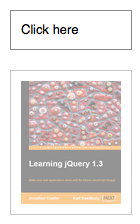
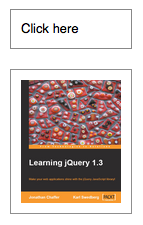
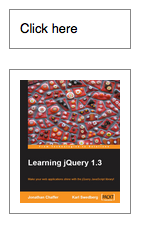
    <p>To animate any element, such as a simple image:</p>
    <pre><code>&lt;div id="clickme"&gt;
  Click here
&lt;/div&gt;
&lt;img id="book" src="book.png" alt="" width="100" height="123"
  style="position: relative; left: 10px;" /&gt;</code></pre>
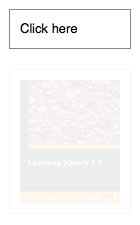
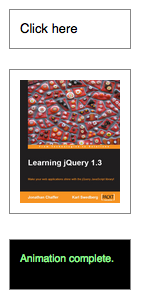
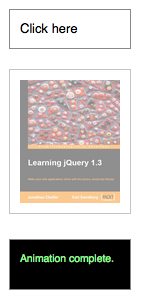
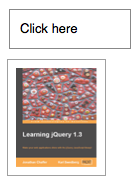
    <p>To animate the opacity, left offset, and height of the image simultaneously:</p>
    <pre><code>$('#clickme').click(function() {
  $('#book').animate({
    opacity: 0.25,
    left: '+=50',
    height: 'toggle'
  }, 5000, function() {
    // Animation complete.
  });
});
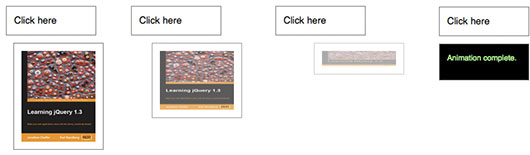
</code></pre>
    <p class="image">
      <img src="/resources/animate-1.jpg" alt=""/>
    </p>
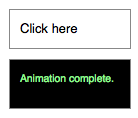
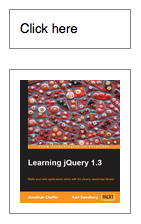
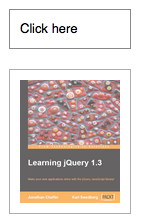
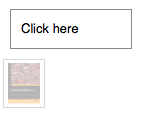
    <p>Note that the target value of the <code>height</code> property is <code>'toggle'</code>. Since the image was visible before, the animation shrinks the height to 0 to hide it. A second click then reverses this transition:
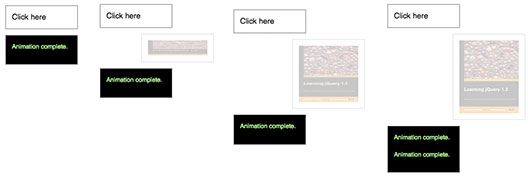
</p>
    <p class="image">
      <img src="/resources/animate-2.jpg" alt=""/>
    </p>
    <p>The <code>opacity</code> of the image is already at its target value, so this property is not animated by the second click. Since the target value for <code>left</code> is a relative value, the image moves even farther to the right during this second animation.</p>
    <p>Directional properties (<code>top</code>, <code>right</code>, <code>bottom</code>, <code>left</code>) have no discernible effect on elements if their  <code>position</code> style property is <code>static</code>, which it is by default.</p>
    <div class="warning">
      <p><strong>Note: </strong>The <a href="http://jqueryui.com">jQuery UI</a> project extends the <code>.animate()</code> method by allowing some non-numeric styles such as colors to be animated. The project also includes mechanisms for specifying animations through CSS classes rather than individual attributes.</p>
    </div>
    <div class="warning">
      <p><strong>Note:</strong> if attempting to animate an element with a height or width of 0px, where contents of the element are visible due to overflow, jQuery may clip this overflow during animation. By fixing the dimensions of the original element being hidden however, it is possible to ensure that the animation runs smoothly. A <a href="http://www.google.com/search?q=clearfix">clearfix</a> can be used to automatically fix the dimensions of your main element without the need to set this manually.</p>
    </div>
    <h4 id="step">Step Function</h4>
    <p>The second version of <code>.animate()</code> provides a <code>step</code> option — a callback function that is fired at each step of the animation. This function is useful for enabling custom animation types or altering the animation as it is occurring. It accepts two arguments (<code>now</code> and <code>fx</code>), and <code>this</code> is set to the DOM element being animated.
</p>
    <ul>
      <li><code>now</code>: the numeric value of the property being animated at each step</li>
      <li><code>fx</code>: a reference to the <code>jQuery.fx</code> prototype object, which contains a number of properties such as <code>elem</code> for the animated element, <code>start</code> and <code>end</code> for the first and last value of the animated property, respectively, and <code>prop</code> for the property being animated.</li>
    </ul>
    <p>Note that the <code>step</code> function is called for each animated property on each animated element. For example, given two list items, the <code>step</code> function fires four times at each step of the animation:  </p>
    <pre><code>$('li').animate({
  opacity: .5,
  height: '50%'
},
{
  step: function(now, fx) {
    var data = fx.elem.id + ' ' + fx.prop + ': ' + now;
    $('body').append('&lt;div&gt;' + data + '&lt;/div&gt;');
  }
});</code></pre>
    <h4 id="easing">Easing</h4>
    <p>The remaining parameter of <code>.animate()</code> is a string naming an easing function to use. An easing function specifies the speed at which the animation progresses at different points within the animation. The only easing implementations in the jQuery library are the default, called <code>swing</code>, and one that progresses at a constant pace, called <code>linear</code>. More easing functions are available with the use of plug-ins, most notably the <a href="http://jqueryui.com/">jQuery UI suite</a>.</p>
    <h4 id="per-property-easing">Per-property Easing</h4>
    <p>As of jQuery version 1.4, you can set per-property easing functions within a single <code>.animate()</code> call. In the first version of <code>.animate()</code>, each property can take an array as its value: The first member of the array is the CSS property and the second member is an easing function.  If a per-property easing function is not defined for a particular property, it uses the value of the <code>.animate()</code> method's optional easing argument. If the easing argument is not defined, the default <code>swing</code> function is used.</p>
    <p>For example, to simultaneously animate the width and height with the <code>swing</code> easing function and the opacity with the <code>linear</code> easing function:</p>
    <pre><code>$('#clickme').click(function() {
  $('#book').animate({
    width: ['toggle', 'swing'],
    height: ['toggle', 'swing'],
    opacity: 'toggle'
  }, 5000, 'linear', function() {
      $(this).after('&lt;div&gt;Animation complete.&lt;/div&gt;');
  });
});</code></pre>
    <p>In the second version of <code>.animate()</code>, the options object can include the <code>specialEasing</code> property, which is itself an object of CSS properties and their corresponding easing functions.  For example, to simultaneously animate the width using the <code>linear</code> easing function and the height using the <code>easeOutBounce</code> easing function:</p>
    <pre><code>$('#clickme').click(function() {
  $('#book').animate({
    width: 'toggle',
    height: 'toggle'
  }, {
    duration: 5000,
    specialEasing: {
      width: 'linear',
      height: 'easeOutBounce'
    },
    complete: function() {
      $(this).after('&lt;div&gt;Animation complete.&lt;/div&gt;');
    }
  });
});</code></pre>
    <p>As previously noted, a plugin is required for the <code>easeOutBounce</code> function.</p>
  </longdesc>
  <note>
			All jQuery effects, including <code>.animate()</code>, can be turned off globally by setting <code>jQuery.fx.off = true</code>, which effectively sets the duration to 0. For more information, see <a href="http://api.jquery.com/jquery.fx.off">jQuery.fx.off</a>.
		</note>
  <example>
    <desc>Click the button to animate the div with a number of different properties.</desc>
    <code>

/* Using multiple unit types within one animation. */

$("#go").click(function(){
  $("#block").animate({
    width: "70%",
    opacity: 0.4,
    marginLeft: "0.6in",
    fontSize: "3em",
    borderWidth: "10px"
  }, 1500 );
});
</code>
    <html>&lt;button id="go"&gt;&amp;raquo; Run&lt;/button&gt;

&lt;div id="block"&gt;Hello!&lt;/div&gt;</html>
    <css>
div {
background-color:#bca;
width:100px;
border:1px solid green;
}
</css>
  </example>
  <example>
    <desc>Animates a div's left property with a relative value. Click several times on the buttons to see the relative animations queued up.</desc>
    <code>
$("#right").click(function(){
  $(".block").animate({"left": "+=50px"}, "slow");
});

$("#left").click(function(){
  $(".block").animate({"left": "-=50px"}, "slow");
});

</code>
    <html>&lt;button id="left"&gt;&amp;laquo;&lt;/button&gt; &lt;button id="right"&gt;&amp;raquo;&lt;/button&gt;
&lt;div class="block"&gt;&lt;/div&gt;
</html>
    <css>
div {
  position:absolute;
  background-color:#abc;
  left:50px;
  width:90px;
  height:90px;
  margin:5px;
}
</css>
  </example>
  <example>
    <desc>The first button shows how an unqueued animation works.  It expands the div out to 90% width <strong>while</strong> the font-size is increasing. Once the font-size change is complete, the border animation will begin.

The second button starts a traditional chained animation, where each animation will start once the previous animation on the element has completed.</desc>
    <code>

$( "#go1" ).click(function(){
  $( "#block1" ).animate( { width: "90%" }, { queue: false, duration: 3000 })
     .animate({ fontSize: "24px" }, 1500 )
     .animate({ borderRightWidth: "15px" }, 1500 );
});

$( "#go2" ).click(function(){
  $( "#block2" ).animate({ width: "90%" }, 1000 )
     .animate({ fontSize: "24px" }, 1000 )
     .animate({ borderLeftWidth: "15px" }, 1000 );
});

$( "#go3" ).click(function(){
  $( "#go1" ).add( "#go2" ).click();
});

$( "#go4" ).click(function(){
  $( "div" ).css({ width: "", fontSize: "", borderWidth: "" });
});

</code>
    <html>&lt;button id="go1"&gt;&amp;raquo; Animate Block1&lt;/button&gt;
&lt;button id="go2"&gt;&amp;raquo; Animate Block2&lt;/button&gt;
&lt;button id="go3"&gt;&amp;raquo; Animate Both&lt;/button&gt;

&lt;button id="go4"&gt;&amp;raquo; Reset&lt;/button&gt;
&lt;div id="block1"&gt;Block1&lt;/div&gt;
&lt;div id="block2"&gt;Block2&lt;/div&gt;</html>
    <css>
div {
  background-color:#bca;
  width:200px;
  height:1.1em;
  text-align:center;
  border:2px solid green;
  margin:3px;
  font-size:14px;
}
button {
  font-size:14px;
}
</css>
  </example>
  <example>
    <desc>Animates the first div's left property and synchronizes the remaining divs, using the step function to set their left properties at each stage of the animation. </desc>
    <code>
$( "#go" ).click(function(){
  $( ".block:first" ).animate({
    left: 100
  }, {
    duration: 1000,
    step: function( now, fx ){
      $( ".block:gt(0)" ).css( "left", now );
    }
  });
});
</code>
    <css>
div {
   position: relative;
   background-color: #abc;
   width: 40px;
   height: 40px;
   float: left;
   margin: 5px;
}
</css>
    <html>
&lt;p&gt;&lt;button id="go"&gt;Run »&lt;/button&gt;&lt;/p&gt;
&lt;div class="block"&gt;&lt;/div&gt; &lt;div class="block"&gt;&lt;/div&gt;
</html>
  </example>
  <example>
    <desc>Animate all paragraphs to toggle both height and opacity, completing the animation within 600 milliseconds.</desc>
    <code>$( "p" ).animate({
  height: "toggle", opacity: "toggle"
}, "slow" );</code>
  </example>
  <example>
    <desc>Animate all paragraphs to a left style of 50 and opacity of 1 (opaque, visible), completing the animation within 500 milliseconds.</desc>
    <code>$( "p" ).animate({
  left: 50, opacity: 1
}, 500 );
</code>
  </example>
  <example>
    <desc>Animate the left and opacity style properties of all paragraphs; run the animation <em>outside</em> the queue, so that it will automatically start without waiting for its turn.</desc>
    <code>$( "p" ).animate({
  left: "50px", opacity: 1
}, { duration: 500, queue: false });</code>
  </example>
  <example>
    <desc>An example of using an 'easing' function to provide a different style of animation. This will only work if you have a plugin that provides this easing function.  Note, this code will do nothing unless the paragraph element is hidden.</desc>
    <code>$( "p" ).animate({
  opacity: "show"
}, "slow", "easein" );</code>
  </example>
  <example>
    <desc>Animates all paragraphs to toggle both height and opacity, completing the animation within 600 milliseconds.</desc>
    <code>$( "p" ).animate({
  height: "toggle", opacity: "toggle"
}, { duration: "slow" });</code>
  </example>
  <example>
    <desc>Use an easing function to provide a different style of animation. This will only work if you have a plugin that provides this easing function.</desc>
    <code>$( "p" ).animate({
  opacity: "show"
}, { duration: "slow", easing: "easein" });</code>
  </example>
  <example>
    <desc>Animate all paragraphs and execute a callback function when the animation is complete.  The first argument is an object of CSS properties, the second specifies that the animation should take 1000 milliseconds to complete, the third states the easing type, and the fourth argument is an anonymous callback function. </desc>
    <code>$( "p" ).animate({
  height: 200, width: 400, opacity: 0.5
}, 1000, "linear", function() {
  alert("all done");
});
</code>
  </example>
  <category slug="effects/custom-effects"/>
  <category slug="version/1.0"/>
</entry><entry type="selector" name="animated" return="">
  <title>:animated Selector</title>
  <sample>:animated</sample>
  <signature>
    <added>1.2</added>
  </signature>
  <desc>Select all elements that are in the progress of an animation at the time the selector is run.</desc>
  <longdesc>
    <p><strong>Note:</strong> If you use a custom jQuery build <em>without the effects module</em>, the <code>:animated</code> selector will throw an error. </p>
  </longdesc>
  <note>
			Because <code>:animated</code> is a jQuery extension and not part of the CSS specification, queries using <code>:animated</code> cannot take advantage of the performance boost provided by the native DOM <code>querySelectorAll()</code> method. To achieve the best performance when using <code>:animated</code> to select elements, first select the elements using a pure CSS selector, then use <a href="http://api.jquery.com/filter/"><code>.filter(":animated")</code></a>.
		</note>
  <example>
    <desc>Change the color of any div that is animated.</desc>
    <code>

    $("#run").click(function(){
      $("div:animated").toggleClass("colored");
    });
    function animateIt() {
      $("#mover").slideToggle("slow", animateIt);
    }
    animateIt();
</code>
    <html>&lt;button id="run"&gt;Run&lt;/button&gt;

  &lt;div&gt;&lt;/div&gt;
  &lt;div id="mover"&gt;&lt;/div&gt;
  &lt;div&gt;&lt;/div&gt;</html>
    <css>
  div { background:yellow; border:1px solid #AAA; width:80px; height:80px; margin:0 5px; float:left; }
  div.colored { background:green; }
  </css>
  </example>
  <category slug="selectors/basic-filter-selectors"/>
  <category slug="selectors/jquery-selector-extensions"/>
  <category slug="version/1.2"/>
</entry><entry type="method" name="append" return="jQuery">
  <title>.append()</title>
  <signature>
    <added>1.0</added>
    <argument name="content">
      <desc>DOM element, HTML string, or jQuery object to insert at the end of each element in the set of matched elements.</desc>
      <type name="htmlString"/>
      <type name="Element"/>
      <type name="jQuery"/>
    </argument>
    <argument name="content" optional="true">
      <desc>One or more additional DOM elements, arrays of elements, HTML strings, or jQuery objects to insert at the end of each element in the set of matched elements.</desc>
      <type name="htmlString"/>
      <type name="Element"/>
      <type name="Array"/>
      <type name="jQuery"/>
    </argument>
  </signature>
  <signature>
    <added>1.4</added>
    <argument name="function(index, html)" type="Function">
      <desc>A function that returns an HTML string, DOM element(s), or jQuery object to insert at the end of each element in the set of matched elements. Receives the index position of the element in the set and the old HTML value of the element as arguments. Within the function, <code>this</code> refers to the current element in the set.
</desc>
    </argument>
  </signature>
  <desc>Insert content, specified by the parameter, to the end of each element in the set of matched elements.</desc>
  <longdesc>
    <p>The <code>.append()</code> method inserts the  specified content as the last child of each element in the jQuery collection (To insert it as the <em>first</em> child, use <a href="http://api.jquery.com/prepend/"><code>.prepend()</code></a>). </p>
    <p>The <code>.append()</code> and <code><a href="/appendTo">.appendTo()</a></code> methods perform the same task. The major difference is in the syntax-specifically, in the placement of the content and target. With<code> .append()</code>, the selector expression preceding the method is the container into which the content is inserted. With <code>.appendTo()</code>, on the other hand, the content precedes the method, either as a selector expression or as markup created on the fly, and it is inserted into the target container.</p>
    <p>Consider the following HTML:</p>
    <pre><code>&lt;h2&gt;Greetings&lt;/h2&gt;
&lt;div class="container"&gt;
  &lt;div class="inner"&gt;Hello&lt;/div&gt;
  &lt;div class="inner"&gt;Goodbye&lt;/div&gt;
&lt;/div&gt;
</code></pre>
    <p>You can create content and insert it into several elements at once:</p>
    <pre><code>$('.inner').append('&lt;p&gt;Test&lt;/p&gt;');
</code></pre>
    <p>Each inner <code>&lt;div&gt;</code> element gets this new content:</p>
    <pre><code>&lt;h2&gt;Greetings&lt;/h2&gt;
&lt;div class="container"&gt;
  &lt;div class="inner"&gt;
    Hello
    &lt;p&gt;Test&lt;/p&gt;
  &lt;/div&gt;
  &lt;div class="inner"&gt;
    Goodbye
    &lt;p&gt;Test&lt;/p&gt;
  &lt;/div&gt;
&lt;/div&gt;
</code></pre>
    <p>You can also select an element on the page and insert it into another:</p>
    <pre><code>$('.container').append($('h2'));
</code></pre>
    <p>If an element selected this way is inserted into a single location elsewhere in the DOM, it will be moved into the target (not cloned):</p>
    <pre><code>&lt;div class="container"&gt;
  &lt;div class="inner"&gt;Hello&lt;/div&gt;
  &lt;div class="inner"&gt;Goodbye&lt;/div&gt;
  &lt;h2&gt;Greetings&lt;/h2&gt;
&lt;/div&gt;
</code></pre>
    <p>If there is more than one target element, however, cloned copies of the inserted element will be created for each target after the first.</p>
    <h4 id="additional-arguments">Additional Arguments</h4>
    <p>Similar to other content-adding methods such as <code><a href="http://api.jquery.com/prepend/">.prepend()</a></code> and <code><a href="http://api.jquery.com/before/">.before()</a></code>, <code>.append()</code> also supports passing in multiple arguments as input. Supported input includes DOM elements, jQuery objects, HTML strings, and arrays of DOM elements.</p>
    <p>For example, the following will insert two new <code>&lt;div&gt;</code>s and an existing <code>&lt;div&gt;</code> as the last three child nodes of the body:</p>
    <pre><code>var $newdiv1 = $('&lt;div id="object1"/&gt;'),
    newdiv2 = document.createElement('div'),
    existingdiv1 = document.getElementById('foo');

$('body').append($newdiv1, [newdiv2, existingdiv1]);
</code></pre>
    <p>Since <code>.append()</code> can accept any number of additional arguments, the same result can be achieved by passing in the three <code>&lt;div&gt;</code>s as three separate arguments, like so: <code>$('body').append($newdiv1, newdiv2, existingdiv1)</code>. The type and number of arguments will largely depend on how you collect the elements in your code.</p>
  </longdesc>
  <example>
    <desc>Appends some HTML to all paragraphs.</desc>
    <code>
  $("p").append("&lt;strong&gt;Hello&lt;/strong&gt;");
</code>
    <css>
  p { background:yellow; }
</css>
    <html>&lt;p&gt;I would like to say: &lt;/p&gt;</html>
  </example>
  <example>
    <desc>Appends an Element to all paragraphs.</desc>
    <code>
  $("p").append(document.createTextNode("Hello"));
</code>
    <css>
  p { background:yellow; }
</css>
    <html>&lt;p&gt;I would like to say: &lt;/p&gt;
</html>
  </example>
  <example>
    <desc>Appends a jQuery object (similar to an Array of DOM Elements) to all paragraphs.</desc>
    <code>
  $("p").append( $("strong") );
</code>
    <css>
  p { background:yellow; }
</css>
    <html>&lt;strong&gt;Hello world!!!&lt;/strong&gt;&lt;p&gt;I would like to say: &lt;/p&gt;</html>
  </example>
  <category slug="manipulation/dom-insertion-inside"/>
  <category slug="version/1.0"/>
  <category slug="version/1.4"/>
</entry><entry type="method" name="appendTo" return="jQuery">
  <title>.appendTo()</title>
  <signature>
    <added>1.0</added>
    <argument name="target">
      <desc>A selector, element, HTML string, or jQuery object; the matched set of elements will be inserted at the end of the element(s) specified by this parameter.</desc>
      <type name="Selector"/>
      <type name="htmlString"/>
      <type name="Element"/>
      <type name="jQuery"/>
    </argument>
  </signature>
  <desc>Insert every element in the set of matched elements to the end of the target.</desc>
  <longdesc>
    <p>The <code><a href="/append">.append()</a></code> and <code>.appendTo()</code> methods perform the same task. The major difference is in the syntax-specifically, in the placement of the content and target. With<code> .append()</code>, the selector expression preceding the method is the container into which the content is inserted. With <code>.appendTo()</code>, on the other hand, the content precedes the method, either as a selector expression or as markup created on the fly, and it is inserted into the target container.</p>
    <p>Consider the following HTML:</p>
    <pre><code>&lt;h2&gt;Greetings&lt;/h2&gt;
&lt;div class="container"&gt;
  &lt;div class="inner"&gt;Hello&lt;/div&gt;
  &lt;div class="inner"&gt;Goodbye&lt;/div&gt;
&lt;/div&gt;
</code></pre>
    <p>We can create content and insert it into several elements at once:</p>
    <pre><code>$('&lt;p&gt;Test&lt;/p&gt;').appendTo('.inner');
</code></pre>
    <p>Each inner <code>&lt;div&gt;</code> element gets this new content:</p>
    <pre><code>&lt;h2&gt;Greetings&lt;/h2&gt;
&lt;div class="container"&gt;
  &lt;div class="inner"&gt;
    Hello
    &lt;p&gt;Test&lt;/p&gt;
  &lt;/div&gt;
  &lt;div class="inner"&gt;
    Goodbye
    &lt;p&gt;Test&lt;/p&gt;
  &lt;/div&gt;
&lt;/div&gt;
</code></pre>
    <p>We can also select an element on the page and insert it into another:</p>
    <pre><code>$('h2').appendTo($('.container'));
</code></pre>
    <p>If an element selected this way is inserted into a single location elsewhere in the DOM, it will be moved into the target (not cloned) and a new set consisting of the inserted element is returned:</p>
    <pre><code>&lt;div class="container"&gt;
  &lt;div class="inner"&gt;Hello&lt;/div&gt;
  &lt;div class="inner"&gt;Goodbye&lt;/div&gt;
  &lt;h2&gt;Greetings&lt;/h2&gt;
&lt;/div&gt;
</code></pre>
    <p>If there is more than one target element, however, cloned copies of the inserted element will be created for each target after the first, and that new set (the original element plus clones) is returned.</p>
	<p><strong>Before jQuery 1.9,</strong> the append-to-single-element case did not create a new set, but instead returned the original set which made it difficult to use the <code>.end()</code> method reliably when being used with an unknown number of elements.</p>
  </longdesc>
  <example>
    <desc>Append all spans to the element with the ID "foo" (Check append() documentation for more examples)</desc>
    <code>
$("span").appendTo("#foo");
</code>
    <css>#foo { background:yellow; }</css>
    <html>&lt;span&gt;I have nothing more to say... &lt;/span&gt;

  &lt;div id="foo"&gt;FOO! &lt;/div&gt;</html>
  </example>
  <category slug="manipulation/dom-insertion-inside"/>
  <category slug="version/1.0"/>
</entry><entry type="method" name="attr" return="String">
    <title>.attr()</title>
    <signature>
      <added>1.0</added>
      <argument name="attributeName" type="String">
        <desc>The name of the attribute to get.</desc>
      </argument>
    </signature>
    <desc>Get the value of an attribute for the first element in the set of matched elements.</desc>
    <longdesc>
      <p>The <code>.attr()</code> method gets the attribute value for only the <em>first</em> element in the matched set. To get the value for each element individually, use a looping construct such as jQuery's <code>.each()</code> or <code>.map()</code> method.</p>
      <p>Using jQuery's <code>.attr()</code> method to get the value of an element's attribute has two main benefits:</p>
      <ol>
        <li><strong>Convenience</strong>: It can be called directly on a jQuery object and chained to other jQuery methods.</li>
        <li><strong>Cross-browser consistency</strong>: The values of some attributes are reported inconsistently across browsers, and even across versions of a single browser. The <code>.attr()</code> method reduces such inconsistencies.</li>
      </ol>
      <div class="warning">
        <p><strong>Note:</strong> Attribute values are strings with the exception of a few attributes such as value and tabindex.</p>
      </div>
      <div class="warning">
        <p><strong>Note:</strong> Attempting to change the <code>type</code> attribute (or property) of an <code>input</code> element created via HTML or already in an HTML document will result in an error being thrown by Internet Explorer 6, 7, or 8.</p>
      </div>
      <p>As of jQuery 1.6, the <code>.attr()</code> method returns <code>undefined</code> for attributes that have not been set. <strong>To retrieve and change DOM properties such as the <code>checked</code>, <code>selected</code>, or <code>disabled</code> state of form elements, use the <a href="http://api.jquery.com/prop/">.prop()</a> method.</strong></p>

      <h4>Attributes vs. Properties</h4>
      <p>The difference between <em>attributes</em> and <em>properties</em> can be important in specific situations. <strong>Before jQuery 1.6</strong>, the <code>.attr()</code> method sometimes took property values into account when retrieving some attributes, which could cause inconsistent behavior. <strong>As of jQuery 1.6</strong>, the <code>.prop()</code> method provides a way to explicitly retrieve property values, while <code>.attr()</code> retrieves attributes.</p>
      <p>For example, <code>selectedIndex</code>, <code>tagName</code>, <code>nodeName</code>, <code>nodeType</code>, <code>ownerDocument</code>, <code>defaultChecked</code>, and <code>defaultSelected</code> should be retrieved and set with the <code><a href="http://api.jquery.com/prop/">.prop()</a></code> method. Prior to jQuery 1.6, these properties were retrievable with the <code>.attr()</code> method, but this was not within the scope of <code>attr</code>. These do not have corresponding attributes and are only properties.</p>
      <p>Concerning boolean attributes, consider a DOM element defined by the HTML markup <code>&lt;input type="checkbox" checked="checked" /&gt;</code>, and assume it is in a JavaScript variable named <code>elem</code>:</p>
      <table>
        <tr>
          <th>
            <code>elem.checked</code>
          </th>
          <td><code>true</code> (Boolean) Will change with checkbox state</td>
        </tr>
        <tr>
          <th>
            <code>$(elem).prop("checked")</code>
          </th>
          <td><code>true</code> (Boolean) Will change with checkbox state</td>
        </tr>
        <tr>
          <th>
            <code>elem.getAttribute("checked")</code>
          </th>
          <td><code>"checked"</code> (String) Initial state of the checkbox; does not change</td>
        </tr>
        <tr>
          <th>
            <code>$(elem).attr("checked")</code>
            <em>(1.6)</em>
          </th>
          <td><code>"checked"</code> (String) Initial state of the checkbox; does not change</td>
        </tr>
        <tr>
          <th>
            <code>$(elem).attr("checked")</code>
            <em>(1.6.1+)</em>
          </th>
          <td><code>"checked"</code> (String) Will change with checkbox state</td>
        </tr>
        <tr>
          <th>
            <code>$(elem).attr("checked")</code>
            <em>(pre-1.6)</em>
          </th>
          <td><code>true</code> (Boolean) Changed with checkbox state</td>
        </tr>
      </table>
      <br/>
      <p>According to the <a href="http://www.w3.org/TR/html401/interact/forms.html#h-17.4">W3C forms specification</a>, the <code>checked</code> attribute is a <em><a href="http://www.w3.org/TR/html4/intro/sgmltut.html#h-3.3.4.2">boolean attribute</a></em>, which means the corresponding property is <strong>true</strong> if the attribute is present at all—even if, for example, the attribute has no value or is set to empty string value or even "false". This is true of all boolean attributes.</p>
      <p>Nevertheless, the most important concept to remember about the <code>checked</code> attribute is that it does not correspond to the <code>checked</code> property. The attribute actually corresponds to the <code>defaultChecked</code> property and should be used only to set the <em>initial</em> value of the checkbox. The <code>checked</code> attribute value does not change with the state of the checkbox, while the <code>checked</code> property does. Therefore, the cross-browser-compatible way to determine if a checkbox is checked is to use the property:</p>
      <ul>
        <li>
          <code>if ( elem.checked )</code>
        </li>
        <li>
          <code>if ( $(elem).prop("checked") )</code>
        </li>
        <li>
          <code>if ( $(elem).is(":checked") )</code>
        </li>
      </ul>
      <p>The same is true for other dynamic attributes, such as <code>selected</code> and <code>value</code>.</p>
    </longdesc>
    <note>
			In Internet Explorer prior to version 9, using <code><a href="http://api.jquery.com/prop/">.prop()</a></code> to set a DOM element property to anything other than a simple primitive value (number, string, or boolean) can cause memory leaks if the property is not removed (using <a href="http://api.jquery.com/removeProp/"><code>.removeProp()</code></a>) before the DOM element is removed from the document. To safely set values on DOM objects without memory leaks, use <a href="http://api.jquery.com/data/"><code>.data()</code></a>.
		</note>
    <example>
      <desc>Display the checked attribute and property of a checkbox as it changes.</desc>
      <code>
$("input").change(function() {
  var $input = $(this);
  $("p").html(".attr('checked'): &lt;b&gt;" + $input.attr('checked') + "&lt;/b&gt;&lt;br&gt;"
              + ".prop('checked'): &lt;b&gt;" + $input.prop('checked') + "&lt;/b&gt;&lt;br&gt;"
              + ".is(':checked'): &lt;b&gt;" + $input.is(':checked') ) + "&lt;/b&gt;";
}).change();
</code>
      <css>
  p { margin: 20px 0 0 }
  b { color: blue; }
</css>
      <html>
&lt;input id="check1" type="checkbox" checked="checked"&gt;
&lt;label for="check1"&gt;Check me&lt;/label&gt;
&lt;p&gt;&lt;/p&gt;
</html>
    </example>
    <br/>
    <example>
      <desc>Find the title attribute of the first &lt;em&gt; in the page.</desc>
      <code>
var title = $("em").attr("title");
  $("div").text(title);
</code>
      <css>
  em { color:blue; font-weight:bold; }
  div { color:red; }
</css>
      <html>
&lt;p&gt;
  Once there was a &lt;em title="huge, gigantic"&gt;large&lt;/em&gt; dinosaur...
&lt;/p&gt;

  The title of the emphasis is:&lt;div&gt;&lt;/div&gt;
</html>
    </example>
    <category slug="attributes"/>
    <category slug="manipulation/general-attributes"/>
    <category slug="version/1.0"/>
    <category slug="version/1.1"/>
    <category slug="version/1.6"/>
  </entry><entry type="method" name="attr" return="jQuery">
    <signature>
      <added>1.0</added>
      <argument name="attributeName" type="String">
        <desc>The name of the attribute to set.</desc>
      </argument>
      <argument name="value">
        <type name="String"/>
        <type name="Number"/>
        <desc>A value to set for the attribute.</desc>
      </argument>
    </signature>
    <signature>
      <added>1.0</added>
      <argument name="attributes" type="PlainObject">
        <desc>An object of attribute-value pairs to set.</desc>
      </argument>
    </signature>
    <signature>
      <added>1.1</added>
      <argument name="attributeName" type="String">
        <desc>The name of the attribute to set.</desc>
      </argument>
      <argument name="function(index, attr)" type="Function">
        <desc>A function returning the value to set. <code>this</code> is the current element. Receives the index position of the element in the set and the old attribute value as arguments.</desc>
      </argument>
    </signature>
    <desc>Set one or more attributes for the set of matched elements.</desc>
    <longdesc>
      <p>The <code>.attr()</code> method is a convenient way to set the value of attributes—especially when setting multiple attributes or using values returned by a function. Consider the following image:</p>
      <pre><code>&lt;img id="greatphoto" src="brush-seller.jpg" alt="brush seller" /&gt;</code></pre>
      <h4 id="setting-simple-attr">Setting a simple attribute</h4>
      <p>To change the <code>alt</code> attribute, simply pass the name of the attribute and its new value to the <code>.attr()</code> method:</p>
      <pre><code>$('#greatphoto').attr('alt', 'Beijing Brush Seller');</code></pre>
      <p><em>Add</em> an attribute the same way:</p>
      <pre><code>$('#greatphoto')
.attr('title', 'Photo by Kelly Clark');</code></pre>
      <h4 id="setting-several-attrs">Setting several attributes at once</h4>
      <p>To change the <code>alt</code> attribute and add the <code>title</code> attribute at the same time, pass both sets of names and values into the method at once using a plain JavaScript object. Each key-value pair in the object adds or modifies an attribute:</p>
      <pre><code>$('#greatphoto').attr({
  alt: 'Beijing Brush Seller',
  title: 'photo by Kelly Clark'
});</code></pre>
      <p>When setting multiple attributes, the quotes around attribute names are optional.</p>
      <p><strong>WARNING</strong>: When setting the 'class' attribute, you must always use quotes!</p>
      <p><strong>Note</strong>: jQuery prohibits changing the <code>type</code> attribute on an <code>&lt;input&gt;</code> or <code>&lt;button&gt;</code> element and will throw an error in all browsers. This is because the <code>type</code> attribute cannot be changed in Internet Explorer.</p>
      <h4 id="computed-attr-values">Computed attribute values</h4>
      <p>By using a function to set attributes, you can compute the value based on other properties of the element. For example, to concatenate a new value with an existing value:</p>
      <pre><code>$('#greatphoto').attr('title', function(i, val) {
  return val + ' - photo by Kelly Clark'
});</code></pre>
      <p>This use of a function to compute attribute values can be particularly useful when modifying the attributes of multiple elements at once.</p>
      <p><strong>Note: </strong>If nothing is returned in the setter function (ie. <code>function(index, attr){})</code>, or if <code>undefined</code> is returned, the current value is not changed. This is useful for selectively setting values only when certain criteria are met.</p>
    </longdesc>
    <example>
      <desc>Set some attributes for all &lt;img&gt;s in the page.</desc>
      <code>
$("img").attr({
  src: "/resources/hat.gif",
  title: "jQuery",
  alt: "jQuery Logo"
});
$("div").text($("img").attr("alt"));
</code>
      <css>
  img { padding:10px; }
  div { color:red; font-size:24px; }
</css>
      <html>
  &lt;img /&gt;
  &lt;img /&gt;
  &lt;img /&gt;

  &lt;div&gt;&lt;B&gt;Attribute of Ajax&lt;/B&gt;&lt;/div&gt;
</html>
    </example>
    <example>
      <desc>Set the id for divs based on the position in the page.</desc>
      <code>
$("div").attr("id", function (arr) {
  return "div-id" + arr;
})
.each(function () {
  $("span", this).html("(ID = '&lt;b&gt;" + this.id + "&lt;/b&gt;')");
});
</code>
      <css>
  div { color:blue; }
  span { color:red; }
  b { font-weight:bolder; }
        </css>
      <html>
  &lt;div&gt;Zero-th &lt;span&gt;&lt;/span&gt;&lt;/div&gt;
  &lt;div&gt;First &lt;span&gt;&lt;/span&gt;&lt;/div&gt;
  &lt;div&gt;Second &lt;span&gt;&lt;/span&gt;&lt;/div&gt;
</html>
    </example>
    <example>
      <desc>Set the src attribute from title attribute on the image.</desc>
      <code>
$("img").attr("src", function() {
    return "/resources/" + this.title;
});
</code>
      <html>
&lt;img title="hat.gif"/&gt;
</html>
    </example>
    <category slug="attributes"/>
    <category slug="manipulation/general-attributes"/>
    <category slug="version/1.0"/>
    <category slug="version/1.1"/>
    <category slug="version/1.6"/>
  </entry><entry type="selector" name="attributeContainsPrefix" return="">
  <title>Attribute Contains Prefix Selector [name|="value"]</title>
  <sample>[attribute|='value']</sample>
  <signature>
    <added>1.0</added>
    <argument name="attribute" type="String">
      <desc>An attribute name.</desc>
    </argument>
    <argument name="value" type="String">
      <desc>An attribute value. Can be either an unquoted single word or a quoted string.</desc>
    </argument>
  </signature>
  <desc>Selects elements that have the specified attribute with a value either equal to a given string or starting with that string followed by a hyphen (-).</desc>
  <longdesc>
    <p>This selector was introduced into the CSS specification to handle language attributes.</p>
  </longdesc>
  <example>
    <desc>Finds all links with an hreflang attribute that is english.</desc>
    <code>
$('a[hreflang|="en"]').css('border','3px dotted green');
</code>
    <html>
  &lt;a href="example.html" hreflang="en"&gt;Some text&lt;/a&gt; 

  &lt;a href="example.html" hreflang="en-UK"&gt;Some other text&lt;/a&gt;

  &lt;a href="example.html" hreflang="english"&gt;will not be outlined&lt;/a&gt;
  </html>
    <css>
a { display: inline-block; }
  </css>
  </example>
  <category slug="selectors/attribute-selectors"/>
  <category slug="version/1.0"/>
</entry><entry type="selector" name="attributeContains" return="">
  <title>Attribute Contains Selector [name*="value"]</title>
  <sample>[attribute*='value']</sample>
  <signature>
    <added>1.0</added>
    <argument name="attribute" type="String">
      <desc>An attribute name.</desc>
    </argument>
    <argument name="value" type="String">
      <desc>An attribute value. Can be either an unquoted single word or a quoted string.</desc>
    </argument>
  </signature>
  <desc>Selects elements that have the specified attribute with a value containing the a given substring.</desc>
  <longdesc>
    <p>This is the most generous of the jQuery attribute selectors that match against a value. It will select an element if the selector's string appears anywhere within the element's attribute value. Compare this selector with the Attribute Contains Word selector (e.g. [attr~="word"]), which is more appropriate in many cases.</p>
  </longdesc>
  <example>
    <desc>Finds all inputs with a name attribute that contains 'man' and sets the value with some text.</desc>
    <code>$('input[name*="man"]').val('has man in it!');</code>
    <html>&lt;input name="man-news" /&gt;

  &lt;input name="milkman" /&gt;
  &lt;input name="letterman2" /&gt;
  &lt;input name="newmilk" /&gt;</html>
  </example>
  <category slug="selectors/attribute-selectors"/>
  <category slug="version/1.0"/>
</entry><entry type="selector" name="attributeContainsWord" return="">
  <title>Attribute Contains Word Selector [name~="value"]</title>
  <sample>[attribute~='value']</sample>
  <signature>
    <added>1.0</added>
    <argument name="attribute" type="String">
      <desc>An attribute name.</desc>
    </argument>
    <argument name="value" type="String">
      <desc>An attribute value. Can be either an unquoted single word or a quoted string.</desc>
    </argument>
  </signature>
  <desc>Selects elements that have the specified attribute with a value containing a given word, delimited by spaces.</desc>
  <longdesc>
    <p>This selector matches the test string against each word in the attribute value, where a "word" is defined as a string delimited by whitespace. The selector matches if the test string is exactly equal to any of the words.</p>
  </longdesc>
  <example>
    <desc>Finds all inputs with a name attribute that contains the word 'man' and sets the value with some text.</desc>
    <code>$('input[name~="man"]').val('mr. man is in it!');</code>
    <html>&lt;input name="man-news" /&gt;

  &lt;input name="milk man" /&gt;
  &lt;input name="letterman2" /&gt;
  &lt;input name="newmilk" /&gt;</html>
  </example>
  <category slug="selectors/attribute-selectors"/>
  <category slug="version/1.0"/>
</entry><entry type="selector" name="attributeEndsWith" return="">
  <title>Attribute Ends With Selector [name$="value"]</title>
  <sample>[attribute$='value']</sample>
  <signature>
    <added>1.0</added>
    <argument name="attribute" type="String">
      <desc>An attribute name.</desc>
    </argument>
    <argument name="value" type="String">
      <desc>An attribute value. Can be either an unquoted single word or a quoted string.</desc>
    </argument>
  </signature>
  <desc>Selects elements that have the specified attribute with a value ending exactly with a given string. The comparison is case sensitive.</desc>
  <longdesc/>
  <example>
    <desc>Finds all inputs with an attribute name that ends with 'letter' and puts text in them.</desc>
    <code>$('input[name$="letter"]').val('a letter');</code>
    <html>&lt;input name="newsletter" /&gt;

  &lt;input name="milkman" /&gt;
  &lt;input name="jobletter" /&gt;</html>
  </example>
  <category slug="selectors/attribute-selectors"/>
  <category slug="version/1.0"/>
</entry><entry type="selector" name="attributeEquals" return="">
  <title>Attribute Equals Selector [name="value"]</title>
  <sample>[attribute='value']</sample>
  <signature>
    <added>1.0</added>
    <argument name="attribute" type="String">
      <desc>An attribute name.</desc>
    </argument>
    <argument name="value" type="String">
      <desc>An attribute value. <strong>Can be either an unquoted single word or a quoted string.</strong></desc>
    </argument>
  </signature>
  <desc>Selects elements that have the specified attribute with a value exactly equal to a certain value.</desc>
  <longdesc/>
  <example>
    <desc>Finds all inputs with a value of "Hot Fuzz" and changes the text of the next sibling span.</desc>
    <code>$('input[value="Hot Fuzz"]').next().text(" Hot Fuzz");</code>
    <html>&lt;div&gt;
    &lt;label&gt;
      &lt;input type="radio" name="newsletter" value="Hot Fuzz" /&gt;
      &lt;span&gt;name?&lt;/span&gt;
    &lt;/label&gt;
  &lt;/div&gt;
  &lt;div&gt;
    &lt;label&gt;
      &lt;input type="radio" name="newsletter" value="Cold Fusion" /&gt;
      &lt;span&gt;value?&lt;/span&gt;
    &lt;/label&gt;
  &lt;/div&gt;
  &lt;div&gt;
    &lt;label&gt;
      &lt;input type="radio" name="newsletter" value="Evil Plans" /&gt;
      &lt;span&gt;value?&lt;/span&gt;
    &lt;/label&gt;
  &lt;/div&gt;</html>
  </example>
  <category slug="selectors/attribute-selectors"/>
  <category slug="version/1.0"/>
</entry><entry type="selector" name="attributeNotEqual" return="">
  <title>Attribute Not Equal Selector [name!="value"]</title>
  <sample>[attribute!='value']</sample>
  <signature>
    <added>1.0</added>
    <argument name="attribute" type="String">
      <desc>An attribute name.</desc>
    </argument>
    <argument name="value" type="String">
      <desc>An attribute value. Can be either an unquoted single word or a quoted string.</desc>
    </argument>
  </signature>
  <desc>Select elements that either don't have the specified attribute, or do have the specified attribute but not with a certain value.</desc>
  <longdesc>
    <p>This selector is equivalent to <code>:not([attr="value"])</code>.</p>
  </longdesc>
  <note>
			Because <code>[name!="value"]</code> is a jQuery extension and not part of the CSS specification, queries using <code>[name!="value"]</code> cannot take advantage of the performance boost provided by the native DOM <code>querySelectorAll()</code> method. For better performance in modern browsers, use <code>$("your-pure-css-selector").not('[name="value"]')</code> instead.
		</note>
  <example>
    <desc>Finds all inputs that don't have the name 'newsletter' and appends text to the span next to it.</desc>
    <code>$('input[name!="newsletter"]').next().append('&lt;b&gt;; not newsletter&lt;/b&gt;');</code>
    <html>&lt;div&gt;

    &lt;input type="radio" name="newsletter" value="Hot Fuzz" /&gt;
    &lt;span&gt;name is newsletter&lt;/span&gt;

  &lt;/div&gt;
  &lt;div&gt;
    &lt;input type="radio" value="Cold Fusion" /&gt;
    &lt;span&gt;no name&lt;/span&gt;

  &lt;/div&gt;
  &lt;div&gt;
    &lt;input type="radio" name="accept" value="Evil Plans" /&gt;

    &lt;span&gt;name is accept&lt;/span&gt;
  &lt;/div&gt;</html>
  </example>
  <category slug="selectors/attribute-selectors"/>
  <category slug="selectors/jquery-selector-extensions"/>
  <category slug="version/1.0"/>
</entry><entry type="selector" name="attributeStartsWith" return="">
  <title>Attribute Starts With Selector [name^="value"]</title>
  <sample>[attribute^='value']</sample>
  <signature>
    <added>1.0</added>
    <argument name="attribute" type="String">
      <desc>An attribute name.</desc>
    </argument>
    <argument name="value" type="String">
      <desc>An attribute value. Can be either an unquoted single word or a quoted string.</desc>
    </argument>
  </signature>
  <desc>Selects elements that have the specified attribute with a value beginning exactly with a given string.</desc>
  <longdesc>
    <p>This selector can be useful for identifying elements in pages produced by server-side frameworks that produce HTML with systematic element IDs. However it will be slower than using a class selector so leverage classes, if you can, to group like elements.</p>
  </longdesc>
  <example>
    <desc>Finds all inputs with an attribute name that starts with 'news' and puts text in them.</desc>
    <code>$('input[name^="news"]').val('news here!');</code>
    <html>&lt;input name="newsletter" /&gt;

  &lt;input name="milkman" /&gt;
  &lt;input name="newsboy" /&gt;</html>
  </example>
  <category slug="selectors/attribute-selectors"/>
  <category slug="version/1.0"/>
</entry><entry type="method" name="before" return="jQuery">
  <title>.before()</title>
  <signature>
    <added>1.0</added>
    <argument name="content">
      <desc>HTML string, DOM element, or jQuery object to insert before each element in the set of matched elements.</desc>
      <type name="htmlString"/>
      <type name="Element"/>
      <type name="jQuery"/>
    </argument>
    <argument name="content" optional="true">
      <desc>One or more additional DOM elements, arrays of elements, HTML strings, or jQuery objects to insert before each element in the set of matched elements.</desc>
      <type name="htmlString"/>
      <type name="Element"/>
      <type name="Array"/>
      <type name="jQuery"/>
    </argument>
  </signature>
  <signature>
    <added>1.4</added>
    <argument name="function" type="Function">
      <desc>A function that returns an HTML string, DOM element(s), or jQuery object to insert before each element in the set of matched elements. Receives the index position of the element in the set as an argument. Within the function, <code>this</code> refers to the current element in the set.
      </desc>
    </argument>
  </signature>
  <desc>Insert content, specified by the parameter, before each element in the set of matched elements.</desc>
  <longdesc>
    <p>The <code>.before()</code> and <code><a href="/insertBefore">.insertBefore()</a></code> methods perform the same task. The major difference is in the syntax-specifically, in the placement of the content and target. With<code> .before()</code>, the selector expression preceding the method is the container before which the content is inserted. With <code>.insertBefore()</code>, on the other hand, the content precedes the method, either as a selector expression or as markup created on the fly, and it is inserted before the target container.</p>
    <p>Consider the following HTML:</p>
    <pre><code>&lt;div class="container"&gt;
  &lt;h2&gt;Greetings&lt;/h2&gt;
  &lt;div class="inner"&gt;Hello&lt;/div&gt;
  &lt;div class="inner"&gt;Goodbye&lt;/div&gt;
&lt;/div&gt;</code></pre>
    <p>You can create content and insert it before several elements at once:</p>
    <pre><code>$('.inner').before('&lt;p&gt;Test&lt;/p&gt;');</code></pre>
    <p>Each inner <code>&lt;div&gt;</code> element gets this new content:</p>
    <pre><code>&lt;div class="container"&gt;
  &lt;h2&gt;Greetings&lt;/h2&gt;
  &lt;p&gt;Test&lt;/p&gt;
  &lt;div class="inner"&gt;Hello&lt;/div&gt;
  &lt;p&gt;Test&lt;/p&gt;
  &lt;div class="inner"&gt;Goodbye&lt;/div&gt;
&lt;/div&gt;</code></pre>
    <p>You can also select an element on the page and insert it before another:</p>
    <pre><code>$('.container').before($('h2'));</code></pre>
    <p>If an element selected this way is inserted into a single location elsewhere in the DOM, it will be moved before the target (not cloned):</p>
    <pre><code>&lt;h2&gt;Greetings&lt;/h2&gt;
&lt;div class="container"&gt;
  &lt;div class="inner"&gt;Hello&lt;/div&gt;
  &lt;div class="inner"&gt;Goodbye&lt;/div&gt;
&lt;/div&gt;</code></pre>
    <p>If there is more than one target element, however, cloned copies of the inserted element will be created for each target after the first.</p>
    <p>In jQuery 1.4, <code>.before()</code> and <code>.after()</code> will also work on disconnected DOM nodes:</p>
    <pre><code>$("&lt;div/&gt;").before("&lt;p&gt;&lt;/p&gt;");</code></pre>
    <p>The result is a jQuery set that contains a paragraph and a div (in that order).</p>
    <h4 id="additional-arguments">Additional Arguments</h4>
    <p>Similar to other content-adding methods such as <code><a href="http://api.jquery.com/prepend/">.prepend()</a></code> and <code><a href="http://api.jquery.com/after/">.after()</a></code>, <code>.before()</code> also supports passing in multiple arguments as input. Supported input includes DOM elements, jQuery objects, HTML strings, and arrays of DOM elements.</p>
    <p>For example, the following will insert two new <code>&lt;div&gt;</code>s and an existing <code>&lt;div&gt;</code> before the first paragraph:</p>
    <pre><code>var $newdiv1 = $('&lt;div id="object1"/&gt;'),
    newdiv2 = document.createElement('div'),
    existingdiv1 = document.getElementById('foo');

$('p').first().before($newdiv1, [newdiv2, existingdiv1]);
</code></pre>
    <p>Since <code>.before()</code> can accept any number of additional arguments, the same result can be achieved by passing in the three <code>&lt;div&gt;</code>s as three separate arguments, like so: <code>$('p').first().before($newdiv1, newdiv2, existingdiv1)</code>. The type and number of arguments will largely depend on how you collect the elements in your code.</p>
  </longdesc>
  <example>
    <desc>Inserts some HTML before all paragraphs.</desc>
    <code>$("p").before("&lt;b&gt;Hello&lt;/b&gt;");</code>
    <css>p { background:yellow; }</css>
    <html>&lt;p&gt; is what I said...&lt;/p&gt;</html>
  </example>
  <example>
    <desc>Inserts a DOM element before all paragraphs.</desc>
    <code>$("p").before( document.createTextNode("Hello") );</code>
    <css>p { background:yellow; }</css>
    <html>&lt;p&gt; is what I said...&lt;/p&gt;</html>
  </example>
  <example>
    <desc>Inserts a jQuery object (similar to an Array of DOM Elements) before all paragraphs.</desc>
    <code>$("p").before( $("b") );</code>
    <css>p { background:yellow; }</css>
    <html>&lt;p&gt; is what I said...&lt;/p&gt;&lt;b&gt;Hello&lt;/b&gt;</html>
  </example>
  <category slug="manipulation/dom-insertion-outside"/>
  <category slug="version/1.0"/>
  <category slug="version/1.4"/>
</entry><entry type="method" name="bind" return="jQuery">
  <title>.bind()</title>
  <signature>
    <added>1.0</added>
    <argument name="eventType" type="String">
      <desc>A string containing one or more DOM event types, such as "click" or "submit," or custom event names.</desc>
    </argument>
    <argument name="eventData" type="Object" optional="true">
      <desc>An object containing data that will be passed to the event handler.</desc>
    </argument>
    <argument name="handler(eventObject)" type="Function">
      <desc>A function to execute each time the event is triggered.</desc>
    </argument>
  </signature>
  <signature>
    <added>1.4.3</added>
    <argument name="eventType" type="String">
      <desc>A string containing one or more DOM event types, such as "click" or "submit," or custom event names.</desc>
    </argument>
    <argument name="eventData" type="Object" optional="true">
      <desc>An object containing data that will be passed to the event handler.</desc>
    </argument>
    <argument name="preventBubble" type="Boolean">
      <desc>Setting the third argument to false will attach a function that prevents the default action from occurring and stops the event from bubbling. The default is true.</desc>
    </argument>
  </signature>
  <signature>
    <added>1.4</added>
    <argument name="events" type="Object">
      <desc>An object containing one or more DOM event types and functions to execute for them.</desc>
    </argument>
  </signature>
  <desc>Attach a handler to an event for the elements.</desc>
  <longdesc>
    <p>As of jQuery 1.7, the <a href="http://api.jquery.com/on"><code>.on()</code></a> method is the preferred method for attaching event handlers to a document. For earlier versions, the <code>.bind()</code> method is used for attaching an event handler directly to elements. Handlers are attached to the currently selected elements in the jQuery object, so those elements <em>must exist</em> at the point the call to <code>.bind()</code> occurs. For more flexible event binding, see the discussion of event delegation in <a href="http://api.jquery.com/on"><code>.on()</code></a> or <a href="http://api.jquery.com/delegate"><code>.delegate()</code></a>.</p>
    <p>Any string is legal for <code>eventType</code>; if the string is not the name of a native DOM event, then the handler is bound to a custom event. These events are never called by the browser, but may be triggered manually from other JavaScript code using <code>.trigger()</code> or <code>.triggerHandler()</code>.</p>
    <p>If the <code>eventType</code> string contains a period (<code>.</code>) character, then the event is namespaced. The period character separates the event from its namespace. For example, in the call <code>.bind('click.name', handler)</code>, the string <code>click</code> is the event type, and the string <code>name</code> is the namespace. Namespacing allows us to unbind or trigger some events of a type without affecting others. See the discussion of <code>.unbind()</code> for more information.</p>
    <p>There are shorthand methods for some standard browser events such as <a href="/click"><code>.click()</code></a> that can be used to attach or trigger event handlers. For a complete list of shorthand methods, see the <a href="http://api.jquery.com/category/events/">events category</a>.</p>
    <p>When an event reaches an element, all handlers bound to that event type for the element are fired. If there are multiple handlers registered, they will always execute in the order in which they were bound. After all handlers have executed, the event continues along the normal event propagation path.</p>
    <p>A basic usage of <code>.bind()</code> is:</p>
    <pre><code>
$('#foo').bind('click', function() {
  alert('User clicked on "foo."');
});
</code></pre>
    <p>This code will cause the element with an ID of <code>foo</code> to respond to the <code>click</code> event. When a user clicks inside this element thereafter, the alert will be shown.</p>
    <h4 id="multiple-events">Multiple Events</h4>
    <p>Multiple event types can be bound at once by including each one separated by a space:</p>
    <pre><code>
$('#foo').bind('mouseenter mouseleave', function() {
  $(this).toggleClass('entered');
});
</code></pre>
    <p>The effect of this on <code>&lt;div id="foo"&gt;</code> (when it does not initially have the "entered" class) is to add the "entered" class when the mouse enters the <code>&lt;div&gt;</code> and remove the class when the mouse leaves. </p>
    <p>As of jQuery 1.4 we can bind multiple event handlers simultaneously by passing an object of event type/handler pairs:</p>
    <pre><code>
$('#foo').bind({
  click: function() {
    // do something on click
  },
  mouseenter: function() {
    // do something on mouseenter
  }
});
</code></pre>
    <h4 id="event-handlers">Event Handlers</h4>
    <p>The <code>handler</code> parameter takes a callback function, as shown above. Within the handler, the keyword <code>this</code> refers to the DOM element to which the handler is bound. To make use of the element in jQuery, it can be passed to the normal <code>$()</code> function. For example:</p>
    <pre><code>$('#foo').bind('click', function() {
  alert($(this).text());
});
</code></pre>
    <p>After this code is executed, when the user clicks inside the element with an ID of <code>foo</code>, its text contents will be shown as an alert.
    </p>
    <p>As of jQuery 1.4.2 duplicate event handlers can be bound to an element instead of being discarded. This is useful when the event data feature is being used, or when other unique data resides in a closure around the event handler function.</p>
    <p>In jQuery 1.4.3 you can now pass in <code>false</code> in place of an event handler. This will bind an event handler equivalent to: <code>function(){ return false; }</code>. This function can be removed at a later time by calling: <code>.unbind( eventName, false )</code>.</p>
    <h4 id="event-object">
      <a href="http://api.jquery.com/category/events/event-object/">The Event object</a>
    </h4>
    <p>The <code>handler</code> callback function can also take parameters. When the function is called, the event object will be passed to the first parameter.</p>
    <p>The event object is often unnecessary and the parameter omitted, as sufficient context is usually available when the handler is bound to know exactly what needs to be done when the handler is triggered. However, at times it becomes necessary to gather more information about the user's environment at the time the event was initiated. <a href="http://api.jquery.com/category/events/event-object/">View the full Event Object</a>.</p>
    <p>Returning <code>false</code> from a handler is equivalent to calling both <code>.preventDefault()</code> and <code>.stopPropagation()</code> on the event object.</p>
    <p>Using the event object in a handler looks like this:</p>
    <pre><code>$(document).ready(function() {
  $('#foo').bind('click', function(event) {
    alert('The mouse cursor is at ('
      + event.pageX + ', ' + event.pageY + ')');
  });
});
</code></pre>
    <p>Note the parameter added to the anonymous function. This code will cause a click on the element with ID <code>foo</code> to report the page coordinates of the mouse cursor at the time of the click.</p>
    <h4 id="passing-event-data">Passing Event Data</h4>
    <p>The optional <code>eventData</code> parameter is not commonly used. When provided, this argument allows us to pass additional information to the handler. One handy use of this parameter is to work around issues caused by closures. For example, suppose we have two event handlers that both refer to the same external variable:</p>
    <pre><code>var message = 'Spoon!';
$('#foo').bind('click', function() {
  alert(message);
});
message = 'Not in the face!';
$('#bar').bind('click', function() {
  alert(message);
});
</code></pre>
    <p>Because the handlers are closures that both have <code>message</code> in their environment, both will display the message <samp>Not in the face!</samp> when triggered. The variable's value has changed. To sidestep this, we can pass the message in using <code>eventData</code>:
    </p>
    <pre><code>var message = 'Spoon!';
$('#foo').bind('click', {msg: message}, function(event) {
  alert(event.data.msg);
});
message = 'Not in the face!';
$('#bar').bind('click', {msg: message}, function(event) {
  alert(event.data.msg);
});
</code></pre>
    <p>This time the variable is not referred to directly within the handlers; instead, the variable is passed in <em>by value</em> through <code>eventData</code>, which fixes the value at the time the event is bound. The first handler will now display <samp>Spoon!</samp> while the second will alert <samp>Not in the face!</samp>
    </p>
    <div class="warning">
      <p>Note that objects are passed to functions <em>by reference</em>, which further complicates this scenario.</p>
    </div>
    <p>If <code>eventData</code> is present, it is the second argument to the <code>.bind()</code> method; if no additional data needs to be sent to the handler, then the callback is passed as the second and final argument.</p>
    <div class="warning">
      <p>See the <code>.trigger()</code> method reference for a way to pass data to a handler at the time the event happens rather than when the handler is bound.</p>
    </div>
    <p>As of jQuery 1.4 we can no longer attach data (and thus, events) to object, embed, or applet elements because critical errors occur when attaching data to Java applets.</p>
    <p><strong>Note: </strong>Although demonstrated in the next example, it is inadvisable to bind handlers to both the <code>click</code> and <code>dblclick</code> events for the same element. The sequence of events triggered varies from browser to browser, with some receiving two click events before the <code>dblclick</code> and others only one. Double-click sensitivity (maximum time between clicks that is detected as a double click) can vary by operating system and browser, and is often user-configurable.</p>
  </longdesc>
  <example>
    <desc>Handle click and double-click for the paragraph.  Note: the coordinates are window relative, so in this case relative to the demo iframe.</desc>
    <code>
$("p").bind("click", function(event){
var str = "( " + event.pageX + ", " + event.pageY + " )";
$("span").text("Click happened! " + str);
});
$("p").bind("dblclick", function(){
$("span").text("Double-click happened in " + this.nodeName);
});
$("p").bind("mouseenter mouseleave", function(event){
$(this).toggleClass("over");
});

</code>
    <css>
p { background:yellow; font-weight:bold; cursor:pointer;
padding:5px; }
p.over { background: #ccc; }
span { color:red; }
</css>
    <html>&lt;p&gt;Click or double click here.&lt;/p&gt;
&lt;span&gt;&lt;/span&gt;</html>
  </example>
  <example>
    <desc>To display each paragraph's text in an alert box whenever it is clicked:</desc>
    <code>$("p").bind("click", function(){
alert( $(this).text() );
});</code>
  </example>
  <example>
    <desc>You can pass some extra data before the event handler:</desc>
    <code>function handler(event) {
alert(event.data.foo);
}
$("p").bind("click", {foo: "bar"}, handler)</code>
  </example>
  <example>
    <desc>Cancel a default action and prevent it from bubbling up by returning <code>false</code>:</desc>
    <code>$("form").bind("submit", function() { return false; })</code>
  </example>
  <example>
    <desc>Cancel only the default action by using the .preventDefault() method.</desc>
    <code>$("form").bind("submit", function(event) {
event.preventDefault();
});</code>
  </example>
  <example>
    <desc>Stop an event from bubbling without preventing the default action by using the .stopPropagation() method.</desc>
    <code>$("form").bind("submit", function(event) {
  event.stopPropagation();
});</code>
  </example>
  <example>
    <desc>Bind custom events.</desc>
    <code>

$("p").bind("myCustomEvent", function(e, myName, myValue){
$(this).text(myName + ", hi there!");
$("span").stop().css("opacity", 1)
.text("myName = " + myName)
.fadeIn(30).fadeOut(1000);
});
$("button").click(function () {
$("p").trigger("myCustomEvent", [ "John" ]);
});

</code>
    <css>
p { color:red; }
span { color:blue; }
</css>
    <html>&lt;p&gt;Has an attached custom event.&lt;/p&gt;
&lt;button&gt;Trigger custom event&lt;/button&gt;
&lt;span style="display:none;"&gt;&lt;/span&gt;</html>
  </example>
  <example>
    <desc>Bind multiple events simultaneously.</desc>
    <code>$("div.test").bind({
  click: function(){
    $(this).addClass("active");
  },
  mouseenter: function(){
    $(this).addClass("inside");
  },
  mouseleave: function(){
    $(this).removeClass("inside");
  }
});</code>
  </example>
  <category slug="events/event-handler-attachment"/>
  <category slug="version/1.0"/>
  <category slug="version/1.4"/>
  <category slug="version/1.4.3"/>
</entry><entry type="method" name="blur" return="jQuery">
  <title>.blur()</title>
  <desc>Bind an event handler to the "blur" JavaScript event, or trigger that event on an element.</desc>
  <signature>
    <added>1.0</added>
    <argument name="handler(eventObject)" type="Function">
      <desc>A function to execute each time the event is triggered.</desc>
    </argument>
  </signature>
  <signature>
    <added>1.4.3</added>
    <argument name="eventData" type="Object" optional="true">
      <desc>An object containing data that will be passed to the event handler.</desc>
    </argument>
    <argument name="handler(eventObject)" type="Function">
      <desc>A function to execute each time the event is triggered.</desc>
    </argument>
  </signature>
  <signature>
    <added>1.0</added>
  </signature>
  <longdesc>
    <p>This method is a shortcut for <code>.on('blur', handler)</code> in the first two variations, and <code>.trigger('blur')</code> in the third.</p>
    <p>The <code>blur</code> event is sent to an element when it loses focus. Originally, this event was only applicable to form elements, such as <code>&lt;input&gt;</code>. In recent browsers, the domain of the event has been extended to include all element types. An element can lose focus via keyboard commands, such as the Tab key, or by mouse clicks elsewhere on the page.</p>
    <p>For example, consider the HTML:</p>
    <pre><code>&lt;form&gt;
  &lt;input id="target" type="text" value="Field 1" /&gt;
  &lt;input type="text" value="Field 2" /&gt;
&lt;/form&gt;
&lt;div id="other"&gt;
  Trigger the handler
&lt;/div&gt;
The event handler can be bound to the first input field:
$('#target').blur(function() {
  alert('Handler for .blur() called.');
});</code></pre>
    <p>Now if the first field has the focus, clicking elsewhere or tabbing away from it displays the alert:</p>
    <p>
      <samp>Handler for .blur() called.</samp>
    </p>
    <p>To trigger the event programmatically, apply <code>.blur()</code> without an argument:</p>
    <pre><code>$('#other').click(function() {
  $('#target').blur();
});</code></pre>
    <p>After this code executes, clicks on <samp>Trigger the handler</samp> will also alert the message.</p>
    <p>The <code>blur</code> event does not bubble in Internet Explorer. Therefore, scripts that rely on event delegation with the <code>blur</code> event will not work consistently across browsers. As of version 1.4.2, however, jQuery works around this limitation by mapping <code>blur</code> to the <code>focusout</code> event in its event delegation methods, <a href="http://api.jquery.com/live/"><code>.live()</code></a> and <a href="http://api.jquery.com/delegate/"><code>.delegate()</code></a>.</p>
  </longdesc>
  <example>
    <desc>To trigger the blur event on all paragraphs:</desc>
    <code>$("p").blur();</code>
  </example>
  <category slug="events/form-events"/>
  <category slug="forms"/>
  <category slug="version/1.0"/>
  <category slug="version/1.4.3"/>
</entry><entry type="selector" name="button" return="">
  <title>:button Selector</title>
  <sample>:button</sample>
  <signature>
    <added>1.0</added>
  </signature>
  <desc>Selects all button elements and elements of type button.</desc>
  <longdesc>
    <p>An equivalent selector to <code>$(":button")</code> using valid CSS is <code>$("button, input[type='button']")</code>.</p>
  </longdesc>
  <note>
			Because <code>:button</code> is a jQuery extension and not part of the CSS specification, queries using <code>:button</code> cannot take advantage of the performance boost provided by the native DOM <code>querySelectorAll()</code> method. To achieve the best performance when using <code>:button</code> to select elements, first select the elements using a pure CSS selector, then use <a href="http://api.jquery.com/filter/"><code>.filter(":button")</code></a>.
		</note>
  <example>
    <desc>Find all button inputs and mark them.</desc>
    <code>
  var input = $(":button").addClass("marked");
  $("div").text( "For this type jQuery found " + input.length + "." );
  $("form").submit(function () { return false; }); // so it won't submit
</code>
    <css>
  textarea { height:35px; }
  div { color: red; }
  fieldset { margin: 0; padding: 0; border-width: 0; }
  .marked { background-color: yellow; border: 3px red solid; }
</css>
    <html>&lt;form&gt;
  &lt;fieldset&gt;
    &lt;input type="button" value="Input Button"/&gt;
    &lt;input type="checkbox" /&gt;

    &lt;input type="file" /&gt;
    &lt;input type="hidden" /&gt;
    &lt;input type="image" /&gt;

    &lt;input type="password" /&gt;
    &lt;input type="radio" /&gt;
    &lt;input type="reset" /&gt;

    &lt;input type="submit" /&gt;
    &lt;input type="text" /&gt;
    &lt;select&gt;&lt;option&gt;Option&lt;option/&gt;&lt;/select&gt;

    &lt;textarea&gt;&lt;/textarea&gt;
    &lt;button&gt;Button&lt;/button&gt;
  &lt;/fieldset&gt;
&lt;/form&gt;

&lt;div&gt;
&lt;/div&gt;</html>
  </example>
  <category slug="selectors/form-selectors"/>
  <category slug="selectors/jquery-selector-extensions"/>
  <category slug="version/1.0"/>
</entry><entry name="callbacks.add" type="method" return="Callbacks">
  <title>callbacks.add()</title>
  <signature>
    <added>1.7</added>
    <argument name="callbacks">
      <desc>A function, or array of functions, that are to be added to the callback list.</desc>
      <type name="Function"/>
      <type name="Array"/>
    </argument>
  </signature>
  <desc>Add a callback or a collection of callbacks to a callback list.</desc>
  <longdesc>
    <p>This method returns the Callbacks object onto which it is attached (<code>this</code>). </p>
    <h2 id="example-1">Example</h2>
    <p>Use <code>callbacks.add()</code> to add new callbacks to a callback list:</p>
    <pre><code>// a sample logging function to be added to a callbacks list
var foo = function( value ) {
  console.log( "foo: " + value );
};

// another function to also be added to the list
var bar = function( value ){
  console.log( "bar: " + value );
};

var callbacks = $.Callbacks();

// add the function "foo" to the list
callbacks.add( foo );

// fire the items on the list
callbacks.fire( "hello" );
// outputs: "foo: hello"

// add the function "bar" to the list
callbacks.add( bar );

// fire the items on the list again
callbacks.fire( "world" );

// outputs:
// "foo: world"
// "bar: world"
</code>
</pre>
  </longdesc>
  <category slug="callbacks-object"/>
  <category slug="version/1.7"/>
</entry><entry name="callbacks.disable" type="method" return="Callbacks">
  <title>callbacks.disable()</title>
  <signature>
    <added>1.7</added>
  </signature>
  <desc>Disable a callback list from doing anything more.</desc>
  <longdesc>
    <p>This method returns the Callbacks object onto which it is attached (<code>this</code>). </p>
    <h2 id="example-1">Example</h2>
    <p>Use <code>callbacks.disable()</code> to disable further calls to a callback list:</p>
    <pre><code>// a sample logging function to be added to a callbacks list
var foo = function( value ) {
  console.log( value );
};

var callbacks = $.Callbacks();

// add the above function to the list
callbacks.add( foo );

// fire the items on the list
callbacks.fire( "foo" );
// outputs: foo

// disable further calls being possible
callbacks.disable();

// attempt to fire with "foobar" as an argument
callbacks.fire( "foobar" );
// foobar isn't output
</code></pre>
  </longdesc>
  <category slug="callbacks-object"/>
  <category slug="version/1.7"/>
</entry><entry name="callbacks.empty" type="method" return="Callbacks">
  <title>callbacks.empty()</title>
  <signature>
    <added>1.7</added>
  </signature>
  <desc>Remove all of the callbacks from a list.</desc>
  <longdesc>
    <p>This method returns the Callbacks object onto which it is attached (<code>this</code>). </p>
    <h2 id="example-1">Example</h2>
    <p>Use <code>callbacks.empty()</code> to empty a list of callbacks:</p>
    <pre><code>// a sample logging function to be added to a callbacks list
var foo = function( value1, value2 ) {
  console.log( "foo: " + value1 + "," + value2 );
}

// another function to also be added to the list
var bar = function( value1, value2 ){
    console.log( "bar: " + value1 + "," + value2 );
}

var callbacks = $.Callbacks();

// add the two functions
callbacks.add( foo );
callbacks.add( bar );

// empty the callbacks list
callbacks.empty();

// check to ensure all callbacks have been removed
console.log( callbacks.has( foo ) );
// false
console.log( callbacks.has( bar ) );
// false
</code></pre>
  </longdesc>
  <category slug="callbacks-object"/>
  <category slug="version/1.7"/>
</entry><entry name="callbacks.fire" type="method" return="Callbacks">
  <title>callbacks.fire()</title>
  <signature>
    <added>1.7</added>
    <argument name="arguments" type="Anything">
      <desc>The argument or list of arguments to pass back to the callback list.</desc>
    </argument>
  </signature>
  <desc>Call all of the callbacks with the given arguments</desc>
  <longdesc>
    <p>This method returns the Callbacks object onto which it is attached (<code>this</code>). </p>
    <h2 id="example-1">Example</h2>
    <p>Use <code>callbacks.fire()</code> to invoke the callbacks in a list with any arguments that have been passed:</p>
    <pre><code>
// a sample logging function to be added to a callbacks list
var foo = function( value ) {
  console.log( "foo:" + value );
}

var callbacks = $.Callbacks();

// add the function "foo" to the list
callbacks.add( foo );

// fire the items on the list
callbacks.fire( "hello" ); // outputs: "foo: hello"
callbacks.fire( "world" ); // outputs: "foo: world"

// add another function to the list
var bar = function( value ){
    console.log( "bar:" + value );
}

// add this function to the list
callbacks.add( bar );

// fire the items on the list again
callbacks.fire( "hello again" );
// outputs:
// "foo: hello again"
// "bar: hello again"
</code></pre>
  </longdesc>
  <category slug="callbacks-object"/>
  <category slug="version/1.7"/>
</entry><entry name="callbacks.fireWith" type="method" return="Callbacks">
  <title>callbacks.fireWith()</title>
  <signature>
    <added>1.7</added>
    <argument name="context" optional="true">
      <desc>A reference to the context in which the callbacks in the list should be fired.</desc>
    </argument>
    <argument name="args" optional="true">
      <desc>An argument, or array of arguments, to pass to the callbacks in the list.</desc>
    </argument>
  </signature>
  <desc>Call all callbacks in a list with the given context and arguments.</desc>
  <longdesc>
    <p>This method returns the Callbacks object onto which it is attached (<code>this</code>). </p>
    <h2 id="example-1">Example</h2>
    <p>Use <code>callbacks.fireWith()</code> to fire a list of callbacks with a specific context and an array of arguments:</p>
    <pre><code>// a sample logging function to be added to a callbacks list
var log = function( value1, value2 ) {
  console.log( "Received: " + value1 + "," + value2 );
};

var callbacks = $.Callbacks();

// add the log method to the callbacks list
callbacks.add( log );

// fire the callbacks on the list using the context "window"
// and an arguments array

callbacks.fireWith( window, ["foo","bar"]);

// outputs: "Received: foo, bar"
</code></pre>
  </longdesc>
  <category slug="callbacks-object"/>
  <category slug="version/1.7"/>
</entry><entry name="callbacks.fired" type="method" return="Boolean">
  <title>callbacks.fired()</title>
  <signature>
    <added>1.7</added>
  </signature>
  <desc>Determine if the callbacks have already been called at least once.</desc>
  <longdesc>
    <h2 id="example-1">Example</h2>
    <p>Use <code>callbacks.fired()</code> to determine if the callbacks in a list have been called at least once:</p>
    <pre><code>// a sample logging function to be added to a callbacks list
var foo = function( value ) {
  console.log( "foo:" + value );
};

var callbacks = $.Callbacks();

// add the function "foo" to the list
callbacks.add( foo );

// fire the items on the list
callbacks.fire( "hello" ); // outputs: "foo: hello"
callbacks.fire( "world" ); // outputs: "foo: world"

// test to establish if the callbacks have been called
console.log( callbacks.fired() );
</code></pre>
  </longdesc>
  <category slug="callbacks-object"/>
  <category slug="version/1.7"/>
</entry><entry name="callbacks.has" type="method" return="Boolean">
  <title>callbacks.has()</title>
  <signature>
    <added>1.7</added>
    <argument name="callback" type="Function">
      <desc>The callback to search for.</desc>
    </argument>
  </signature>
  <desc>Determine whether a supplied callback is in a list</desc>
  <longdesc/>
  <example>
    <desc>Use <code>callbacks.has()</code> to check if a callback list contains a specific callback:</desc>
    <code>// a sample logging function to be added to a callbacks list
var foo = function( value1, value2 ) {
  console.log( "Received: " + value1 + "," + value2 );
};

// a second function which will not be added to the list
var bar = function( value1, value2 ) {
  console.log( "foobar" );
}

var callbacks = $.Callbacks();

// add the log method to the callbacks list
callbacks.add( foo );

// determine which callbacks are in the list

console.log( callbacks.has( foo ) );
// true
console.log( callbacks.has( bar ) );
// false
</code>
  </example>
  <category slug="callbacks-object"/>
  <category slug="version/1.7"/>
</entry><entry name="callbacks.lock" type="method" return="Callbacks">
  <title>callbacks.lock()</title>
  <signature>
    <added>1.7</added>
  </signature>
  <desc>Lock a callback list in its current state.</desc>
  <longdesc>
    <p>This method returns the Callbacks object onto which it is attached (<code>this</code>). </p>
    <p>If the Callbacks object is created with the <code>"memory"</code> flag as its argument, additional functions may be added and fired after the callback list is locked.</p>
  </longdesc>
  <example>
    <desc>Use <code>callbacks.lock()</code> to lock a callback list to avoid further changes being made to the list state:</desc>
    <code>// a sample logging function to be added to a callbacks list
var foo = function( value ) {
  console.log( "foo:" + value );
};

var callbacks = $.Callbacks();

// add the logging function to the callback list
callbacks.add( foo );

// fire the items on the list, passing an argument
callbacks.fire( "hello" );
// outputs "foo: hello"

// lock the callbacks list
callbacks.lock();

// try firing the items again
callbacks.fire( "world" );

// as the list was locked, no items
// were called, so "world" isn"t logged
</code>
  </example>
  <example>
    <desc>Use <code>callbacks.lock()</code> to lock a callback list with "memory," and then resume using the list:</desc>
    <html>&lt;div id="log"&gt;&lt;/div&gt;</html>
    <code>// simple function for logging results
var log = function( value) {
  $( "#log" ).append( "&lt;p&gt;" + value + "&lt;/p&gt;" );
};

// two sample functions to be added to a callbacks list
var foo = function( value ) {
  log( "foo: " + value );
};
var bar = function( value ) {
  log( "bar: " + value );
};

// create the callbacks object with the "memory" flag
var callbacks = $.Callbacks( "memory" );

// add the foo logging function to the callback list
callbacks.add( foo );

// fire the items on the list, passing an argument
callbacks.fire( "hello" );
// outputs "foo: hello"

// lock the callbacks list
callbacks.lock();

// try firing the items again
callbacks.fire( "world" );
// as the list was locked, no items were called,
// so "foo: world" isn't logged

// add the foo function to the callback list again
callbacks.add( foo );

// try firing the items again
callbacks.fire( "silentArgument" );
// outputs "foo: hello" because the argument value was stored in memory

// add the bar function to the callback list
callbacks.add( bar );

callbacks.fire( "youHadMeAtHello" );
// outputs "bar: hello" because the list is still locked,
// and the argument value is still stored in memory
</code>
  </example>

  <category slug="callbacks-object"/>
  <category slug="version/1.7"/>
</entry><entry name="callbacks.locked" type="method" return="Boolean">
  <title>callbacks.locked()</title>
  <signature>
    <added>1.7</added>
  </signature>
  <desc>Determine if the callbacks list has been locked.</desc>
  <longdesc/>
  <example>
    <desc>Use <code>callbacks.locked()</code> to determine the lock-state of a callback list:</desc>
    <code>// a sample logging function to be added to a callbacks list
var foo = function( value ) {
  console.log( "foo: " + value);
};

var callbacks = $.Callbacks();

// add the logging function to the callback list
callbacks.add( foo );

// fire the items on the list, passing an argument
callbacks.fire( "hello" );
// outputs "foo: hello"

// lock the callbacks list
callbacks.lock();

// test the lock-state of the list
console.log ( callbacks.locked() );
// true
</code>
  </example>
  <category slug="callbacks-object"/>
  <category slug="version/1.7"/>
</entry><entry name="callbacks.remove" type="method" return="Callbacks">
  <title>callbacks.remove()</title>
  <signature>
    <added>1.7</added>
    <argument name="callbacks">
      <desc>A function, or array of functions, that are to be removed from the callback list.</desc>
      <type name="Function"/>
      <type name="Array"/>
    </argument>
  </signature>
  <desc>Remove a callback or a collection of callbacks from a callback list.</desc>
  <longdesc>
    <p>This method returns the Callbacks object onto which it is attached (<code>this</code>). </p>
  </longdesc>
  <example>
    <desc>Use <code>callbacks.remove()</code> to remove callbacks from a callback list:</desc>
    <code>// a sample logging function to be added to a callbacks list
var foo = function( value ) {
  console.log( "foo: " + value );
};

var callbacks = $.Callbacks();

// add the function "foo" to the list
callbacks.add( foo );

// fire the items on the list
callbacks.fire( "hello" );
// outputs: "foo: hello"

// remove "foo" from the callback list
callbacks.remove( foo );

// fire the items on the list again
callbacks.fire( "world" );

// nothing output as "foo" is no longer in the list
</code>
  </example>
  <category slug="callbacks-object"/>
  <category slug="version/1.7"/>
</entry><entry type="method" name="change" return="jQuery">
  <title>.change()</title>
  <desc>Bind an event handler to the "change" JavaScript event, or trigger that event on an element.</desc>
  <signature>
    <added>1.0</added>
    <argument name="handler(eventObject)" type="Function">
      <desc>A function to execute each time the event is triggered.</desc>
    </argument>
  </signature>
  <signature>
    <added>1.4.3</added>
    <argument name="eventData" type="Object" optional="true">
      <desc>An object containing data that will be passed to the event handler.</desc>
    </argument>
    <argument name="handler(eventObject)" type="Function">
      <desc>A function to execute each time the event is triggered.</desc>
    </argument>
  </signature>
  <signature>
    <added>1.0</added>
  </signature>
  <longdesc>
    <p>This method is a shortcut for <code>.on('change', handler)</code> in the first two variations, and <code>.trigger('change')</code> in the third.</p>
    <p>The <code>change</code> event is sent to an element when its value changes. This event is limited to <code>&lt;input&gt;</code> elements, <code>&lt;textarea&gt;</code> boxes and <code>&lt;select&gt;</code> elements. For select boxes, checkboxes, and radio buttons, the event is fired immediately when the user makes a selection with the mouse, but for the other element types the event is deferred until the element loses focus.</p>
    <p>For example, consider the HTML:</p>
    <pre><code>&lt;form&gt;
  &lt;input class="target" type="text" value="Field 1" /&gt;
  &lt;select class="target"&gt;
    &lt;option value="option1" selected="selected"&gt;Option 1&lt;/option&gt;
    &lt;option value="option2"&gt;Option 2&lt;/option&gt;
  &lt;/select&gt;
&lt;/form&gt;
&lt;div id="other"&gt;
  Trigger the handler
&lt;/div&gt;</code></pre>
    <p>The event handler can be bound to the text input and the select box:</p>
    <pre><code>$('.target').change(function() {
  alert('Handler for .change() called.');
});</code></pre>
    <p>Now when the second option is selected from the dropdown, the alert is displayed. It is also displayed if you change the text in the field and then click away. If the field loses focus without the contents having changed, though, the event is not triggered. To trigger the event manually, apply <code>.change()</code> without arguments:</p>
    <pre><code>$('#other').click(function() {
  $('.target').change();
});</code></pre>
    <p>After this code executes, clicks on <samp>Trigger the handler</samp> will also alert the message. The message will display twice, because the handler has been bound to the <code>change</code> event on both of the form elements.</p>
    <p>As of jQuery 1.4, the <code>change</code> event bubbles in Internet Explorer, behaving consistently with the event in other modern browsers.</p>
  </longdesc>
  <example>
    <desc>Attaches a change event to the select that gets the text for each selected option and writes them in the div.  It then triggers the event for the initial text draw.</desc>
    <code>
$("select").change(function () {
  var str = "";
  $("select option:selected").each(function () {
            str += $(this).text() + " ";
  });
  $("div").text(str);
})
.change();
</code>
    <css>
  div { color:red; }
  </css>
    <html>&lt;select name="sweets" multiple="multiple"&gt;
    &lt;option&gt;Chocolate&lt;/option&gt;
    &lt;option selected="selected"&gt;Candy&lt;/option&gt;

    &lt;option&gt;Taffy&lt;/option&gt;
    &lt;option selected="selected"&gt;Caramel&lt;/option&gt;
    &lt;option&gt;Fudge&lt;/option&gt;
    &lt;option&gt;Cookie&lt;/option&gt;

  &lt;/select&gt;
  &lt;div&gt;&lt;/div&gt;</html>
  </example>
  <example>
    <desc>To add a validity test to all text input elements:</desc>
    <code>$("input[type='text']").change( function() {
  // check input ($(this).val()) for validity here
});</code>
  </example>
  <category slug="events/form-events"/>
  <category slug="forms"/>
  <category slug="version/1.0"/>
  <category slug="version/1.4.3"/>
</entry><entry type="selector" name="checkbox" return="">
  <title>:checkbox Selector</title>
  <sample>:checkbox</sample>
  <signature>
    <added>1.0</added>
  </signature>
  <desc>Selects all elements of type checkbox.</desc>
  <longdesc>
    <p><code>$(':checkbox')</code> is equivalent to <code>$('[type=checkbox]')</code>. As with other pseudo-class selectors (those that begin with a ":") it is recommended to precede it with a tag name or some other selector; otherwise, the universal selector ("*") is implied. In other words, the bare <code>$(':checkbox')</code> is equivalent to <code>$('*:checkbox')</code>, so <code>$('input:checkbox')</code> should be used instead. </p>
  </longdesc>
  <note>
			Because <code>:checkbox</code> is a jQuery extension and not part of the CSS specification, queries using <code>:checkbox</code> cannot take advantage of the performance boost provided by the native DOM <code>querySelectorAll()</code> method. For better performance in modern browsers, use <code>[type="checkbox"]</code> instead.
		</note>
  <example>
    <desc>Finds all checkbox inputs.</desc>
    <code>

    var input = $("form input:checkbox").wrap('&lt;span&gt;&lt;/span&gt;').parent().css({background:"yellow", border:"3px red solid"});
    $("div").text("For this type jQuery found " + input.length + ".")
            .css("color", "red");
    $("form").submit(function () { return false; }); // so it won't submit

</code>
    <css>
  textarea { height:25px; }
  </css>
    <html>&lt;form&gt;
    &lt;input type="button" value="Input Button"/&gt;
    &lt;input type="checkbox" /&gt;

    &lt;input type="checkbox" /&gt;
    &lt;input type="file" /&gt;
    &lt;input type="hidden" /&gt;

    &lt;input type="image" /&gt;
    &lt;input type="password" /&gt;
    &lt;input type="radio" /&gt;

    &lt;input type="reset" /&gt;
    &lt;input type="submit" /&gt;
    &lt;input type="text" /&gt;

    &lt;select&gt;&lt;option&gt;Option&lt;option/&gt;&lt;/select&gt;
    &lt;textarea&gt;&lt;/textarea&gt;
    &lt;button&gt;Button&lt;/button&gt;
  &lt;/form&gt;

  &lt;div&gt;
  &lt;/div&gt;</html>
  </example>
  <category slug="selectors/form-selectors"/>
  <category slug="selectors/jquery-selector-extensions"/>
  <category slug="version/1.0"/>
</entry><entry type="selector" name="checked" return="">
  <title>:checked Selector</title>
  <sample>:checked</sample>
  <signature>
    <added>1.0</added>
  </signature>
  <desc>Matches all elements that are checked or selected.</desc>
  <longdesc>
    <p>The <code>:checked</code> selector works for checkboxes, radio buttons, and select elements. For select elements only, use the <code>:selected</code> selector.</p>
  </longdesc>
  <example>
    <desc>Determine how many input elements are checked.</desc>
    <code>
var countChecked = function() {
  var n = $( "input:checked" ).length;
  $( "div" ).text( n + (n === 1 ? " is" : " are") + " checked!" );
};
countChecked();

$( "input[type=checkbox]" ).on( "click", countChecked );
</code>
    <css>
  div { color:red; }
  </css>
    <html>
&lt;form&gt;
  &lt;p&gt;
    &lt;input type="checkbox" name="newsletter" value="Hourly" checked="checked"&gt;

    &lt;input type="checkbox" name="newsletter" value="Daily"&gt;
    &lt;input type="checkbox" name="newsletter" value="Weekly"&gt;

    &lt;input type="checkbox" name="newsletter" value="Monthly" checked&gt;
    &lt;input type="checkbox" name="newsletter" value="Yearly"&gt;
  &lt;/p&gt;
&lt;/form&gt;
&lt;div&gt;&lt;/div&gt;
</html>
  </example>
  <example>
    <desc>Identify the checked radio input.</desc>
    <code>
$( "input" ).on( "click", function() {
  $( "#log" ).html( $("input:checked").val() + " is checked!" );
});
</code>
    <css>
input, label { line-height: 1.5em; }
</css>
    <html>
&lt;form&gt;
  &lt;div&gt;
    &lt;input type="radio" name="fruit" value="orange" id="orange"&gt;
    &lt;label for="orange"&gt;orange&lt;/label&gt;
  &lt;/div&gt;
  &lt;div&gt;
    &lt;input type="radio" name="fruit" value="apple" id="apple"&gt;
    &lt;label for="apple"&gt;apple&lt;/label&gt;
  &lt;/div&gt;
  &lt;div&gt;
    &lt;input type="radio" name="fruit" value="banana" id="banana"&gt;
    &lt;label for="banana"&gt;banana&lt;/label&gt;
  &lt;/div&gt;
  &lt;div id="log"&gt;&lt;/div&gt;
&lt;/form&gt;
</html>
  </example>
  <category slug="selectors/form-selectors"/>
  <category slug="version/1.0"/>
</entry><entry type="selector" name="child" return="">
  <title>Child Selector ("parent &gt; child")</title>
  <sample>parent &gt; child</sample>
  <signature>
    <added>1.0</added>
    <argument name="parent" type="Selector">
      <desc>Any valid selector.</desc>
    </argument>
    <argument name="child" type="Selector">
      <desc>A selector to filter the child elements.</desc>
    </argument>
  </signature>
  <desc>Selects all direct child elements specified by "child" of elements specified by "parent".</desc>
  <longdesc>
    <p>As a CSS selector, the child combinator is supported by all modern web browsers including Safari, Firefox, Opera, Chrome, and Internet Explorer 7 and above, but notably not by Internet Explorer versions 6 and below. However, in jQuery, this selector (along with all others) works across all supported browsers, including IE6.</p>
    <p>The child combinator (E <strong>&gt;</strong> F) can be thought of as a more specific form of the descendant combinator (E F) in that it selects only first-level descendants.</p>
  </longdesc>
  <example>
    <desc>Places a border around all list items that are children of &lt;ul class="topnav"&gt; .</desc>
    <code>$("ul.topnav &gt; li").css("border", "3px double red");</code>
    <css>
body { font-size:14px; }
</css>
    <html>
&lt;ul class="topnav"&gt;
  &lt;li&gt;Item 1&lt;/li&gt;
  &lt;li&gt;Item 2
    &lt;ul&gt;&lt;li&gt;Nested item 1&lt;/li&gt;&lt;li&gt;Nested item 2&lt;/li&gt;&lt;li&gt;Nested item 3&lt;/li&gt;&lt;/ul&gt;
  &lt;/li&gt;
  &lt;li&gt;Item 3&lt;/li&gt;
&lt;/ul&gt;
</html>
  </example>
  <category slug="selectors/hierarchy-selectors"/>
  <category slug="version/1.0"/>
</entry><entry type="method" name="children" return="jQuery">
  <title>.children()</title>
  <signature>
    <added>1.0</added>
    <argument name="selector" optional="true" type="Selector">
      <desc>A string containing a selector expression to match elements against.</desc>
    </argument>
  </signature>
  <desc>Get the children of each element in the set of matched elements, optionally filtered by a selector.</desc>
  <longdesc>
    <p>Given a jQuery object that represents a set of DOM elements, the <code>.children()</code> method allows us to search through the children of these elements in the DOM tree and construct a new jQuery object from the matching elements. The <code>.children()</code> method differs from <code><a href="http://api.jquery.com/find/">.find()</a></code> in that <code>.children()</code> only travels a single level down the DOM tree while <code>.find()</code> can traverse down multiple levels to select descendant elements (grandchildren, etc.) as well. Note also that like most jQuery methods, <code>.children()</code> does not return text nodes; to get <em>all</em> children including text and comment nodes, use <code><a href="http://api.jquery.com/contents">.contents()</a></code>.</p>
    <p>The <code>.children()</code> method optionally accepts a selector expression of the same type that we can pass to the <code>$()</code> function. If the selector is supplied, the elements will be filtered by testing whether they match it.</p>
    <p>Consider a page with a basic nested list on it:</p>
    <pre><code>
&lt;ul class="level-1"&gt;
  &lt;li class="item-i"&gt;I&lt;/li&gt;
  &lt;li class="item-ii"&gt;II
    &lt;ul class="level-2"&gt;
      &lt;li class="item-a"&gt;A&lt;/li&gt;
      &lt;li class="item-b"&gt;B
        &lt;ul class="level-3"&gt;
          &lt;li class="item-1"&gt;1&lt;/li&gt;
          &lt;li class="item-2"&gt;2&lt;/li&gt;
          &lt;li class="item-3"&gt;3&lt;/li&gt;
        &lt;/ul&gt;
      &lt;/li&gt;
      &lt;li class="item-c"&gt;C&lt;/li&gt;
    &lt;/ul&gt;
  &lt;/li&gt;
  &lt;li class="item-iii"&gt;III&lt;/li&gt;
&lt;/ul&gt;
</code></pre>
    <p>If we begin at the level-2 list, we can find its children:</p>
    <pre><code>$('ul.level-2').children().css('background-color', 'red');</code></pre>
    <p>The result of this call is a red background behind items A, B, and C. Since we do not supply a selector expression, all of the children are part of the returned jQuery object. If we had supplied one, only the matching items among these three would be included.</p>
  </longdesc>
  <example>
    <desc>Find all children of the clicked element.</desc>
    <code>

    $("#container").click(function (e) {
      $("*").removeClass("hilite");
      var $kids = $(e.target).children();
      var len = $kids.addClass("hilite").length;

      $("#results span:first").text(len);
      $("#results span:last").text(e.target.tagName);

      e.preventDefault();
      return false;
    });
</code>
    <css>
  body { font-size:16px; font-weight:bolder; }
  div { width:130px; height:82px; margin:10px; float:left;
        border:1px solid blue; padding:4px; }
  #container { width:auto; height:105px; margin:0; float:none;
        border:none; }
  .hilite { border-color:red; }
  #results { display:block; color:red; }
  p { margin:10px; border:1px solid transparent; }
  span { color:blue; border:1px solid transparent; }
  input { width:100px; }
  em { border:1px solid transparent; }
  a { border:1px solid transparent; }
  b { border:1px solid transparent; }
  button { border:1px solid transparent; }
  </css>
    <html>&lt;div id="container"&gt;

    &lt;div&gt;
      &lt;p&gt;This &lt;span&gt;is the &lt;em&gt;way&lt;/em&gt; we&lt;/span&gt;
      write &lt;em&gt;the&lt;/em&gt; demo,&lt;/p&gt;

    &lt;/div&gt;
    &lt;div&gt;
      &lt;a href="#"&gt;&lt;b&gt;w&lt;/b&gt;rit&lt;b&gt;e&lt;/b&gt;&lt;/a&gt; the &lt;span&gt;demo,&lt;/span&gt; &lt;button&gt;write
      the&lt;/button&gt; demo,
    &lt;/div&gt;

    &lt;div&gt;
      This &lt;span&gt;the way we &lt;em&gt;write&lt;/em&gt; the &lt;em&gt;demo&lt;/em&gt; so&lt;/span&gt;

      &lt;input type="text" value="early" /&gt; in
    &lt;/div&gt;
    &lt;p&gt;
      &lt;span&gt;t&lt;/span&gt;he &lt;span&gt;m&lt;/span&gt;orning.
      &lt;span id="results"&gt;Found &lt;span&gt;0&lt;/span&gt; children in &lt;span&gt;TAG&lt;/span&gt;.&lt;/span&gt;

    &lt;/p&gt;
  &lt;/div&gt;</html>
  </example>
  <example>
    <desc>Find all children of each div.</desc>
    <code>$("div").children().css("border-bottom", "3px double red");</code>
    <css>
  body { font-size:16px; font-weight:bolder; }
  span { color:blue; }
  p { margin:5px 0; }
  </css>
    <html>&lt;p&gt;Hello (this is a paragraph)&lt;/p&gt;

  &lt;div&gt;&lt;span&gt;Hello Again (this span is a child of the a div)&lt;/span&gt;&lt;/div&gt;
  &lt;p&gt;And &lt;span&gt;Again&lt;/span&gt; (in another paragraph)&lt;/p&gt;

  &lt;div&gt;And One Last &lt;span&gt;Time&lt;/span&gt; (most text directly in a div)&lt;/div&gt;</html>
  </example>
  <example>
    <desc>Find all children with a class "selected" of each div.</desc>
    <code>$("div").children(".selected").css("color", "blue");</code>
    <css>

  body { font-size:16px; font-weight:bolder; }
  p { margin:5px 0; }
  </css>
    <html>&lt;div&gt;
    &lt;span&gt;Hello&lt;/span&gt;
    &lt;p class="selected"&gt;Hello Again&lt;/p&gt;
    &lt;div class="selected"&gt;And Again&lt;/div&gt;

    &lt;p&gt;And One Last Time&lt;/p&gt;
  &lt;/div&gt;</html>
  </example>
  <category slug="traversing/tree-traversal"/>
  <category slug="version/1.0"/>
</entry><entry type="selector" name="class" return="">
  <title>Class Selector (".class")</title>
  <sample>.class</sample>
  <signature>
    <added>1.0</added>
    <argument name="class" type="String">
      <desc>A class to search for. An element can have multiple classes; only one of them must match.</desc>
    </argument>
  </signature>
  <desc>Selects all elements with the given class. </desc>
  <longdesc>
    <p>For class selectors, jQuery uses JavaScript's native <code>getElementsByClassName()</code> function if the browser supports it.</p>
  </longdesc>
  <example>
    <desc>Finds the element with the class "myClass".</desc>
    <code>$(".myClass").css("border","3px solid red");</code>
    <html>&lt;div class="notMe"&gt;div class="notMe"&lt;/div&gt;

  &lt;div class="myClass"&gt;div class="myClass"&lt;/div&gt;
  &lt;span class="myClass"&gt;span class="myClass"&lt;/span&gt;</html>
    <css>
  div,span {
    width: 100px;
    height: 40px;
    float:left;
    padding: 10px;
    margin: 10px;
    background-color: #EEEEEE;
  }
  </css>
  </example>
  <example>
    <desc>Finds the element with both "myclass" and "otherclass" classes.</desc>
    <code>$(".myclass.otherclass").css("border","13px solid red");</code>
    <html>&lt;div class="myclass"&gt;div class="notMe"&lt;/div&gt;

  &lt;div class="myclass otherclass"&gt;div class="myClass"&lt;/div&gt;
  &lt;span class="myclass otherclass"&gt;span class="myClass"&lt;/span&gt;</html>
    <css>
  div,span {
    width: 100px;
    height: 40px;
    float:left;
    padding: 10px;
    margin: 10px;
    background-color: #EEEEEE;
  }
  </css>
  </example>
  <category slug="selectors/basic-css-selectors"/>
  <category slug="version/1.0"/>
</entry><entry type="method" name="clearQueue" return="jQuery">
  <title>.clearQueue()</title>
  <signature>
    <added>1.4</added>
    <argument name="queueName" optional="true" type="String">
      <desc>A string containing the name of the queue. Defaults to <code>fx</code>, the standard effects queue.</desc>
    </argument>
  </signature>
  <desc>Remove from the queue all items that have not yet been run.</desc>
  <longdesc>
    <p>When the <code>.clearQueue()</code> method is called, all functions on the queue that have not been executed are removed from the queue. When used without an argument, <code>.clearQueue()</code> removes the remaining functions from <code>fx</code>, the standard effects queue. In this way it is similar to <code>.stop(true)</code>. However,  while the <code>.stop()</code> method is meant to be used only with animations, <code>.clearQueue()</code> can also be used to remove any function that has been added to a generic jQuery queue with the <code>.queue()</code> method. </p>
  </longdesc>
  <example>
    <desc>Empty the queue.</desc>
    <code>
$("#start").click(function () {

  var myDiv = $("div");
  myDiv.show("slow");
  myDiv.animate({left:'+=200'},5000);
  myDiv.queue(function () {
    var _this = $(this);
    _this.addClass("newcolor");
    _this.dequeue();
  });

  myDiv.animate({left:'-=200'},1500);
  myDiv.queue(function () {
    var _this = $(this);
    _this.removeClass("newcolor");
    _this.dequeue();
  });
  myDiv.slideUp();

});

$("#stop").click(function () {
  var myDiv = $("div");
  myDiv.clearQueue();
  myDiv.stop();
});</code>
    <css>
div { margin:3px; width:40px; height:40px;
    position:absolute; left:0px; top:30px;
    background:green; display:none; }
div.newcolor { background:blue; }
</css>
    <html>&lt;button id="start"&gt;Start&lt;/button&gt;
&lt;button id="stop"&gt;Stop&lt;/button&gt;
&lt;div&gt;&lt;/div&gt;</html>
  </example>
  <category slug="effects/custom-effects"/>
  <category slug="data"/>
  <category slug="utilities"/>
  <category slug="version/1.4"/>
</entry><entry type="method" name="click" return="jQuery">
  <title>.click()</title>
  <desc>Bind an event handler to the "click" JavaScript event, or trigger that event on an element.</desc>
  <signature>
    <added>1.0</added>
    <argument name="handler(eventObject)" type="Function">
      <desc>A function to execute each time the event is triggered.</desc>
    </argument>
  </signature>
  <signature>
    <added>1.4.3</added>
    <argument name="eventData" type="Object" optional="true">
      <desc>An object containing data that will be passed to the event handler.</desc>
    </argument>
    <argument name="handler(eventObject)" type="Function">
      <desc>A function to execute each time the event is triggered.</desc>
    </argument>
  </signature>
  <signature>
    <added>1.0</added>
  </signature>
  <longdesc>
    <p>This method is a shortcut for <code>.on('click', handler)</code> in the first two variations, and <code>.trigger('click')</code> in the third.
    The <code>click</code> event is sent to an element when the mouse pointer is over the element, and the mouse button is pressed and released. Any HTML element can receive this event.
    For example, consider the HTML:</p>
    <pre><code>&lt;div id="target"&gt;
  Click here
&lt;/div&gt;
&lt;div id="other"&gt;
  Trigger the handler
&lt;/div&gt;</code></pre>
    <p class="image">
      <img src="/resources/0042_05_03.png" alt=""/>
    </p>
    <p>The event handler can be bound to any <code>&lt;div&gt;</code>:</p>
    <pre><code>$("#target").click(function() {
  alert("Handler for .click() called.");
});</code></pre>
    <p>Now if we click on this element, the alert is displayed:</p>
    <p>
      <samp>Handler for .click() called.</samp>
    </p>
    <p>We can also trigger the event when a different element is clicked:</p>
    <pre><code>$("#other").click(function() {
  $("#target").click();
});</code></pre>
    <p>After this code executes, clicks on <samp>Trigger the handler</samp> will also alert the message.</p>
    <p>The <code>click</code> event is only triggered after this exact series of events:</p>
    <ul>
      <li>The mouse button is depressed while the pointer is inside the element.</li>
      <li>The mouse button is released while the pointer is inside the element.</li>
    </ul>
    <p>This is usually the desired sequence before taking an action. If this is not required, the <code>mousedown</code> or <code>mouseup</code> event may be more suitable.</p>
  </longdesc>
  <example>
    <desc>Hide paragraphs on a page when they are clicked:</desc>
    <code>
    $("p").click(function () {
      $(this).slideUp();
    });
</code>
    <css>
  p { color:red; margin:5px; cursor:pointer; }
  p:hover { background:yellow; }
  </css>
    <html>&lt;p&gt;First Paragraph&lt;/p&gt;

  &lt;p&gt;Second Paragraph&lt;/p&gt;
  &lt;p&gt;Yet one more Paragraph&lt;/p&gt;</html>
  </example>
  <example>
    <desc>Trigger the click event on all of the paragraphs on the page:</desc>
    <code>$("p").click();</code>
  </example>
  <category slug="events/mouse-events"/>
  <category slug="version/1.0"/>
  <category slug="version/1.4.3"/>
</entry><entry type="method" name="clone" return="jQuery">
  <title>.clone()</title>
  <signature>
    <added>1.0</added>
    <argument name="withDataAndEvents" optional="true" type="Boolean" default="false">
      <desc>A Boolean indicating whether event handlers should be copied along with the elements. As of jQuery 1.4, element data will be copied as well.</desc>
    </argument>
  </signature>
  <signature>
    <added>1.5</added>
    <argument name="withDataAndEvents" optional="true" type="Boolean" default="false">
      <desc>A Boolean indicating whether event handlers and data should be copied along with the elements. The default value is <code>false</code>. <em>*In jQuery 1.5.0 the default value was incorrectly <code>true</code>; it was changed back to <code>false</code> in 1.5.1 and up.</em></desc>
    </argument>
    <argument name="deepWithDataAndEvents" optional="true" type="Boolean" default="value of withDataAndEvents">
      <desc>A Boolean indicating whether event handlers and data for all children of the cloned element should be copied. By default its value matches the first argument's value (which defaults to <code>false</code>).</desc>
    </argument>
  </signature>
  <desc>Create a deep copy of the set of matched elements.</desc>
  <longdesc>
    <p>The <code>.clone()</code> method performs a <em>deep</em> copy of the set of matched elements, meaning that it copies the matched elements as well as all of their descendant elements and text nodes. For performance reasons, the dynamic state of form elements (e.g., user data typed into <code>input</code>, and <code>textarea</code> or user selections made to a <code>select</code>) is not copied to the cloned elemements. The clone operation sets these fields to their default values as specified in the HTML.</p>
	<p>When used in conjunction with one of the insertion methods, <code>.clone()</code> is a convenient way to duplicate elements on a page. Consider the following HTML:</p>
    <pre><code>&lt;div class="container"&gt;
  &lt;div class="hello"&gt;Hello&lt;/div&gt;
  &lt;div class="goodbye"&gt;Goodbye&lt;/div&gt;
&lt;/div&gt;</code></pre>
    <p>As shown in the discussion for <code><a href="http://api.jquery.com/append/">.append()</a></code>,  normally when an element is inserted somewhere in the DOM, it is moved from its old location. So, given the code:</p>
    <pre><code>$('.hello').appendTo('.goodbye');</code></pre>
    <p>The resulting DOM structure would be:</p>
    <pre><code>&lt;div class="container"&gt;
  &lt;div class="goodbye"&gt;
    Goodbye
    &lt;div class="hello"&gt;Hello&lt;/div&gt;
  &lt;/div&gt;
&lt;/div&gt;</code></pre>
    <p>To prevent this and instead create a copy of the element, you could write the following:</p>
    <pre><code>$('.hello').clone().appendTo('.goodbye');</code></pre>
    <p>This would produce:</p>
    <pre><code>&lt;div class="container"&gt;
  &lt;div class="hello"&gt;Hello&lt;/div&gt;
  &lt;div class="goodbye"&gt;
    Goodbye
    &lt;div class="hello"&gt;Hello&lt;/div&gt;
  &lt;/div&gt;
&lt;/div&gt;</code></pre>
    <div class="warning">
      <p><strong>Note:</strong> When using the <code>.clone()</code> method, you can modify the cloned elements or their contents before (re-)inserting them into the document.</p>
    </div>
    <p>Normally, any event handlers bound to the original element are <em>not</em> copied to the clone. The optional <code>withDataAndEvents</code> parameter allows us to change this behavior, and to instead make copies of all of the event handlers as well, bound to the new copy of the element. As of jQuery 1.4, all element data (attached by the <code>.data()</code> method) is also copied to the new copy. </p>
    <p>However, objects and arrays within element data are not copied and will continue to be shared between the cloned element and the original element. To deep copy all data, copy each one manually:</p>
    <pre><code>var $elem = $('#elem').data( "arr": [ 1 ] ), // Original element with attached data
    $clone = $elem.clone( true )
    .data( "arr", $.extend( [], $elem.data("arr") ) ); // Deep copy to prevent data sharing
</code></pre>
    <p>As of jQuery 1.5, <code>withDataAndEvents</code> can be optionally enhanced with <code>deepWithDataAndEvents </code> to copy the events and data for all children of the cloned element.</p>
    <div class="warning">
      <p><strong>Note:</strong> Using <code>.clone()</code> has the side-effect of producing elements with duplicate <code>id</code> attributes, which are supposed to be unique. Where possible, it is recommended to avoid cloning elements with this attribute or using <code>class</code> attributes as identifiers instead.</p>
    </div>
  </longdesc>
  <example>
    <desc>Clones all b elements (and selects the clones) and prepends them to all paragraphs.</desc>
    <code>
  $("b").clone().prependTo("p");
</code>
    <html>
  &lt;b&gt;Hello&lt;/b&gt;&lt;p&gt;, how are you?&lt;/p&gt;
</html>
  </example>
  <example>
    <desc>When using <code>.clone()</code> to clone a collection of elements that are not attached to the DOM, their order when inserted into the DOM is not guaranteed. However, it may be possible to preserve sort order with a workaround, as demonstrated:</desc>
    <css>
  #orig, #copy, #copy-correct {
    float: left;
    width: 20%;
  }
</css>
    <code>
// sort order is not guaranteed here and may vary with browser
$('#copy').append($('#orig .elem')
          .clone()
          .children('a')
          .prepend('foo - ')
          .parent()
          .clone());

// correct way to approach where order is maintained
$('#copy-correct')
          .append($('#orig .elem')
          .clone()
          .children('a')
          .prepend('bar - ')
          .end());
</code>
    <html>
&lt;div id="orig"&gt;
    &lt;div class="elem"&gt;&lt;a&gt;1&lt;/a&gt;&lt;/div&gt;
    &lt;div class="elem"&gt;&lt;a&gt;2&lt;/a&gt;&lt;/div&gt;
    &lt;div class="elem"&gt;&lt;a&gt;3&lt;/a&gt;&lt;/div&gt;
    &lt;div class="elem"&gt;&lt;a&gt;4&lt;/a&gt;&lt;/div&gt;
    &lt;div class="elem"&gt;&lt;a&gt;5&lt;/a&gt;&lt;/div&gt;
&lt;/div&gt;
&lt;div id="copy"&gt;&lt;/div&gt;
&lt;div id="copy-correct"&gt;&lt;/div&gt;
</html>
  </example>
  <category slug="manipulation/copying"/>
  <category slug="version/1.0"/>
  <category slug="version/1.5"/>
</entry><entry type="method" name="closest" return="jQuery">
    <title>.closest()</title>
    <signature>
      <added>1.3</added>
      <argument name="selector" type="Selector">
        <desc>A string containing a selector expression to match elements against.</desc>
      </argument>
    </signature>
    <signature>
      <added>1.4</added>
      <argument name="selector" type="Selector">
        <desc>A string containing a selector expression to match elements against.</desc>
      </argument>
      <argument name="context" optional="true" type="Element">
        <desc>A DOM element within which a matching element may be found. If no context is passed in then the context of the jQuery set will be used instead.</desc>
      </argument>
    </signature>
    <signature>
      <added>1.6</added>
      <argument name="jQuery object" type="jQuery">
        <desc>A jQuery object to match elements against.</desc>
      </argument>
    </signature>
    <signature>
      <added>1.6</added>
      <argument name="element" type="Element">
        <desc>An element to match elements against.</desc>
      </argument>
    </signature>
    <desc>For each element in the set, get the first element that matches the selector by testing the element itself and traversing up through its ancestors in the DOM tree.</desc>
    <longdesc>
      <p>Given a jQuery object that represents a set of DOM elements, the <code>.closest()</code> method searches through these elements and their ancestors in the DOM tree and constructs a new jQuery object from the matching elements. The <a href="/parents/"><code>.parents()</code></a> and <code>.closest()</code> methods are similar in that they both traverse up the DOM tree. The differences between the two, though subtle, are significant:</p>
      <table>
        <thead>
          <tr>
            <th>
              <code>.closest()</code>
            </th>
            <th>
              <a href="/parents/">
                <code>.parents()</code>
              </a>
            </th>
          </tr>
        </thead>
        <tbody>
          <tr>
            <td>Begins with the current element</td>
            <td>Begins with the parent element</td>
          </tr>
          <tr>
            <td>Travels up the DOM tree until it finds a match for the supplied selector</td>
            <td>Travels up the DOM tree to the document's root element, adding each ancestor element to a temporary collection; it then filters that collection based on a selector if one is supplied </td>
          </tr>
          <tr>
            <td>The returned jQuery object contains zero or one element for each element in the original set, in document order</td>
            <td>The returned jQuery object contains zero or more elements for each element in the original set, in reverse document order</td>
          </tr>
        </tbody>
      </table>
      <pre><code>
&lt;ul id="one" class="level-1"&gt;
  &lt;li class="item-i"&gt;I&lt;/li&gt;
  &lt;li id="ii" class="item-ii"&gt;II
  &lt;ul class="level-2"&gt;
    &lt;li class="item-a"&gt;A&lt;/li&gt;
    &lt;li class="item-b"&gt;B
      &lt;ul class="level-3"&gt;
        &lt;li class="item-1"&gt;1&lt;/li&gt;
        &lt;li class="item-2"&gt;2&lt;/li&gt;
        &lt;li class="item-3"&gt;3&lt;/li&gt;
      &lt;/ul&gt;
    &lt;/li&gt;
    &lt;li class="item-c"&gt;C&lt;/li&gt;
  &lt;/ul&gt;
  &lt;/li&gt;
  &lt;li class="item-iii"&gt;III&lt;/li&gt;
&lt;/ul&gt;
</code></pre>
      <p>Suppose we perform a search for <code>&lt;ul&gt;</code> elements starting at item A:</p>
      <pre><code>
$('li.item-a').closest('ul')
  .css('background-color', 'red');
</code></pre>
      <p>This will change the color of the level-2 <code>&lt;ul&gt;</code>, since it is the first encountered when traveling up the DOM tree.</p>
      <p>Suppose we search for an <code>&lt;li&gt;</code> element instead:</p>
      <pre><code>$('li.item-a').closest('li')
  .css('background-color', 'red');
</code></pre>
      <p>This will change the color of list item A. The <code>.closest()</code> method begins its search <em>with the element itself</em> before progressing up the DOM tree, and stops when item A matches the selector.</p>
      <p>We can pass in a DOM element as the context within which to search for the closest element.</p>
      <pre><code>var listItemII = document.getElementById('ii');
$('li.item-a').closest('ul', listItemII)
  .css('background-color', 'red');
$('li.item-a').closest('#one', listItemII)
  .css('background-color', 'green');</code></pre>
      <p>This will change the color of the level-2 <code>&lt;ul&gt;</code>, because it is both the first <code>&lt;ul&gt;</code> ancestor of list item A and a descendant of list item II. It will not change the color of the level-1 <code>&lt;ul&gt;</code>, however, because it is not a descendant of list item II.</p>
    </longdesc>
    <example>
      <desc>Show how event delegation can be done with closest. The closest list element toggles a yellow background when it or its descendent is clicked.</desc>
      <code>
  $( document ).on("click", function( e ) {
    $( e.target ).closest("li").toggleClass("hilight");
  });
</code>
      <css>
  li { margin: 3px; padding: 3px; background: #EEEEEE; }
  li.hilight { background: yellow; }
  </css>
      <html>&lt;ul&gt;
    &lt;li&gt;&lt;b&gt;Click me!&lt;/b&gt;&lt;/li&gt;
    &lt;li&gt;You can also &lt;b&gt;Click me!&lt;/b&gt;&lt;/li&gt;
  &lt;/ul&gt;</html>
    </example>
    <example>
      <desc>Pass a jQuery object to closest. The closest list element toggles a yellow background when it or its descendent is clicked.</desc>
      <code>
  var $listElements = $("li").css("color", "blue");
  $( document ).on("click", function( e ) {
    $( e.target ).closest( $listElements ).toggleClass("hilight");
  });
</code>
      <css>
  li { margin: 3px; padding: 3px; background: #EEEEEE; }
  li.hilight { background: yellow; }
  </css>
      <html>&lt;ul&gt;
    &lt;li&gt;&lt;b&gt;Click me!&lt;/b&gt;&lt;/li&gt;
    &lt;li&gt;You can also &lt;b&gt;Click me!&lt;/b&gt;&lt;/li&gt;
  &lt;/ul&gt;</html>
    </example>
    <category slug="traversing/tree-traversal"/>
    <category slug="version/1.3"/>
    <category slug="version/1.4"/>
    <category slug="version/1.6"/>
  </entry><entry type="method" name="closest" return="Array" deprecated="1.7" removed="1.8">
    <signature>
      <added>1.4</added>
      <argument name="selectors" type="Array">
        <desc>An array or string containing a selector expression to match elements against (can also be a jQuery object).</desc>
      </argument>
      <argument name="context" optional="true" type="Element">
        <desc>A DOM element within which a matching element may be found. If no context is passed in then the context of the jQuery set will be used instead.</desc>
      </argument>
    </signature>
    <desc>Get an array of all the elements and selectors matched against the current element up through the DOM tree.</desc>
    <longdesc>
      <p><strong>This signature (only!) is deprecated as of jQuery 1.7 and <em>removed</em> in jQuery 1.8</strong>. It was primarily meant to be used internally or by plugin authors.</p>
    </longdesc>
    <category slug="traversing/tree-traversal"/>
    <category slug="version/1.3"/>
    <category slug="version/1.4"/>
    <category slug="version/1.6"/>
  </entry><entry type="selector" name="contains" return="">
  <title>:contains() Selector</title>
  <sample>:contains(text)</sample>
  <signature>
    <added>1.1.4</added>
    <argument name="text" type="String">
      <desc>A string of text to look for. It's case sensitive.</desc>
    </argument>
  </signature>
  <desc>Select all elements that contain the specified text.</desc>
  <longdesc>
    <p>The matching text can appear directly within the selected element, in any of that element's descendants, or a combination thereof. As with attribute value selectors, text inside the parentheses of <code>:contains()</code> can be written as a bare word or surrounded by quotation marks. The text must have matching case to be selected.</p>
  </longdesc>
  <example>
    <desc>Finds all divs containing "John" and underlines them.</desc>
    <code>
$("div:contains('John')").css("text-decoration", "underline");</code>
    <html>
&lt;div&gt;John Resig&lt;/div&gt;

&lt;div&gt;George Martin&lt;/div&gt;
&lt;div&gt;Malcom John Sinclair&lt;/div&gt;
&lt;div&gt;J. Ohn&lt;/div&gt;
      </html>
  </example>
  <category slug="selectors/content-filter-selector"/>
  <category slug="version/1.1.4"/>
</entry><entry type="method" name="contents" return="jQuery">
  <title>.contents()</title>
  <signature>
    <added>1.2</added>
  </signature>
  <desc>Get the children of each element in the set of matched elements, including text and comment nodes.</desc>
  <longdesc>
    <p>Given a jQuery object that represents a set of DOM elements, the <code>.contents()</code> method allows us to search throughthe immediate children of these elements in the DOM tree and construct a new jQuery object from the matching elements. The <code>.contents()</code> and <code>.children()</code> methods are similar, except that the former includes text nodes as well as HTML elements in the resulting jQuery object.</p>
    <p>The <code>.contents()</code> method can also be used to get the content document of an iframe, if the iframe is on the same domain as the main page.</p>
    <p>Consider a simple <code>&lt;div&gt;</code> with a number of text nodes, each of which is separated by two line break elements (<code>&lt;br /&gt;</code>):</p>
    <pre><code>&lt;div class="container"&gt;
  Lorem ipsum dolor sit amet, consectetur adipisicing elit, sed 
  do eiusmod tempor incididunt ut labore et dolore magna aliqua. 
  &lt;br /&gt;&lt;br /&gt;
  Ut enim ad minim veniam, quis nostrud exercitation ullamco 
  laboris nisi ut aliquip ex ea commodo consequat.
  &lt;br /&gt; &lt;br /&gt;
  Duis aute irure dolor in reprehenderit in voluptate velit 
  esse cillum dolore eu fugiat nulla pariatur.
&lt;/div&gt;
</code></pre>
    <p>We can employ the <code>.contents()</code> method to help convert this blob of text into three well-formed paragraphs:</p>
    <pre><code>
$('.container').contents().filter(function() {
  return this.nodeType == 3;
})
  .wrap('&lt;p&gt;&lt;/p&gt;')
.end()
.filter('br')
  .remove();
</code></pre>
    <p>This code first retrieves the contents  of <code>&lt;div class="container"&gt;</code> and then filters it for text nodes, which are wrapped in paragraph tags. This is accomplished by testing the <a href="https://developer.mozilla.org/en/nodeType"><code>.nodeType</code> property</a> of the element. This DOM property holds a numeric code indicating the node's type; text nodes use the code 3. The contents are again filtered, this time for <code>&lt;br /&gt;</code> elements, and these elements are removed.</p>
  </longdesc>
  <example>
    <desc>Find all the text nodes inside a paragraph and wrap them with a bold tag.</desc>
    <code>$("p").contents().filter(function(){ return this.nodeType != 1; }).wrap("&lt;b/&gt;");</code>
    <html>&lt;p&gt;Hello &lt;a href="http://ejohn.org/"&gt;John&lt;/a&gt;, how are you doing?&lt;/p&gt;</html>
  </example>
  <example>
    <desc>Change the background colour of links inside of an iframe.</desc>
    <code>$("#frameDemo").contents().find("a").css("background-color","#BADA55");</code>
    <html>&lt;iframe src="http://api.jquery.com/" width="80%" height="600" id='frameDemo'&gt;&lt;/iframe&gt; </html>
  </example>
  <category slug="traversing/miscellaneous-traversal"/>
  <category slug="version/1.2"/>
</entry><entry type="property" name="context" return="Element">
  <title>.context</title>
  <signature>
    <added>1.3</added>
  </signature>
  <desc>The DOM node context originally passed to <code>jQuery()</code>; if none was passed then context will likely be the document.</desc>
  <longdesc>
    <p>The <code>.live()</code> method for binding event handlers uses this property to determine the root element to use for its event delegation needs.</p>
    <p>The value of this property is typically equal to <code>document</code>, as this is the default context for jQuery objects if none is supplied. The context may differ if, for example, the object was created by searching within an <code>&lt;iframe&gt;</code> or XML document.</p>
    <p>Note that the context property may only apply to the elements originally selected by <code>jQuery()</code>, as it is possible for the user to add elements to the collection via methods such as <code>.add()</code> and these may have a different context.</p>
  </longdesc>
  <example>
    <desc>Determine the exact context used.</desc>
    <code>$("ul")
  .append("&lt;li&gt;" + $("ul").context + "&lt;/li&gt;")
  .append("&lt;li&gt;" + $("ul", document.body).context.nodeName + "&lt;/li&gt;");

</code>
    <css>
  body { cursor:pointer; }
  div { width:50px; height:30px; margin:5px; float:left;
        background:green; }
  span { color:red; }
  </css>
    <html>Context:&lt;ul&gt;&lt;/ul&gt;</html>
  </example>
  <category slug="internals"/>
  <category slug="properties/jquery-object-instance-properties"/>
  <category slug="version/1.3"/>
</entry><entry type="method" name="css" return="String">
    <title>.css()</title>
    <signature>
      <added>1.0</added>
      <argument name="propertyName" type="String">
        <desc>A CSS property.</desc>
      </argument>
    </signature>
    <signature>
      <added>1.9</added>
      <argument name="propertyNames" type="Array">
        <desc>An array of one or more CSS properties.</desc>
      </argument>
    </signature>
    <desc>Get the value of style properties for the first element in the set of matched elements.</desc>
    <longdesc>
      <p>The <code>.css()</code> method is a convenient way to get a style property from the first matched element, especially in light of the different ways browsers access most of those properties (the <code>getComputedStyle()</code> method in standards-based browsers versus the <code>currentStyle</code> and <code>runtimeStyle</code> properties in Internet Explorer) and the different terms browsers use for certain properties. For example, Internet Explorer's DOM implementation refers to the <code>float</code> property as <code>styleFloat</code>, while W3C standards-compliant browsers refer to it as <code>cssFloat</code>. For consistency, you can simply use <code>"float"</code>, and jQuery will translate it to the correct value for each browser.</p>
      <p>Also, jQuery can equally interpret the CSS and DOM formatting of multiple-word properties. For example, jQuery understands and returns the correct value for both <code>.css('background-color')</code> and <code>.css('backgroundColor')</code>. Different browsers may return CSS color values that are logically but not textually equal, e.g., #FFF, #ffffff, and rgb(255,255,255).</p>
      <p>Shorthand CSS properties (e.g. margin, background, border) are not supported. For example, if you want to retrieve the rendered margin, use: <code>$(elem).css('marginTop')</code> and <code>$(elem).css('marginRight')</code>, and so on.</p>
      <p><strong>As of jQuery 1.9</strong>, passing an array of style properties to <code>.css()</code> will result in an object of property-value pairs.</p>
    </longdesc>
    <example>
      <desc>Get the background color of a clicked div.</desc>
      <code>
$("div").click(function () {
  var color = $(this).css("background-color");
  $("#result").html("That div is &lt;span style='color:" +
                     color + ";'&gt;" + color + "&lt;/span&gt;.");
});

</code>
      <css>
div { width:60px; height:60px; margin:5px; float:left; }
  </css>
      <html>
&lt;span id="result"&gt;&amp;nbsp;&lt;/span&gt;
&lt;div style="background-color:blue;"&gt;&lt;/div&gt;
&lt;div style="background-color:rgb(15,99,30);"&gt;&lt;/div&gt;

&lt;div style="background-color:#123456;"&gt;&lt;/div&gt;
&lt;div style="background-color:#f11;"&gt;&lt;/div&gt;</html>
    </example>

    <example>
      <desc>Get the width, height, text color, and background color of a clicked div.</desc>
      <code>
$("div").click(function () {
  var html = ["The clicked div has the following styles:"];

  var styleProps = $(this).css( ["width", "height", "color", "background-color"] );
  $.each( styleProps, function( prop, value ) {
    html.push( prop + ": " + value );
  });

  $( "#result" ).html( html.join( "&lt;br&gt;" ) );
});

</code>
      <css>
div { height: 50px; margin: 5px; padding: 5px; float: left; }

#box1 { width: 50px; color: yellow; background-color: blue; }
#box2 { width: 80px; color: rgb(255,255,255); background-color: rgb(15,99,30); }
#box3 { width: 40px; color: #fcc; background-color: #123456; }
#box4 { width: 70px; background-color: #f11; }
</css>
      <html>
&lt;p id="result"&gt;&amp;nbsp;&lt;/p&gt;
&lt;div id="box1"&gt;1&lt;/div&gt;
&lt;div id="box2"&gt;2&lt;/div&gt;
&lt;div id="box3"&gt;3&lt;/div&gt;
&lt;div id="box4"&gt;4&lt;/div&gt;</html>
    </example>
    <category slug="css"/>
    <category slug="manipulation/style-properties"/>
    <category slug="version/1.0"/>
    <category slug="version/1.4"/>
    <category slug="version/1.9"/>
  </entry><entry type="method" name="css" return="jQuery">
    <signature>
      <added>1.0</added>
      <argument name="propertyName" type="String">
        <desc>A CSS property name.</desc>
      </argument>
      <argument name="value">
        <desc>A value to set for the property.</desc>
        <type name="String"/>
        <type name="Number"/>
      </argument>
    </signature>
    <signature>
      <added>1.4</added>
      <argument name="propertyName" type="String">
        <desc>A CSS property name.</desc>
      </argument>
      <argument name="function(index, value)" type="Function">
        <desc>A function returning the value to set. <code>this</code> is the current element. Receives the index position of the element in the set and the old value as arguments.</desc>
      </argument>
    </signature>
    <signature>
      <added>1.0</added>
      <argument name="properties" type="PlainObject">
        <desc>An object of property-value pairs to set.</desc>
      </argument>
    </signature>
    <desc>Set one or more CSS properties for the set of matched elements.</desc>
    <longdesc>
      <p>As with the <code>.prop()</code> method, the <code>.css()</code> method makes setting properties of elements quick and easy. This method can take either a property name and value as separate parameters, or a single object of key-value pairs.</p>
      <p>Also, jQuery can equally interpret the CSS and DOM formatting of multiple-word properties. For example, jQuery understands and returns the correct value for both <code>.css({'background-color': '#ffe', 'border-left': '5px solid #ccc'})</code> and <code>.css({backgroundColor: '#ffe', borderLeft: '5px solid #ccc'})</code>. Notice that with the DOM notation, quotation marks around the property names are optional, but with CSS notation they're required due to the hyphen in the name.</p>
      <p>When using <code>.css()</code> as a setter, jQuery modifies the element's <code>style</code> property. For example,  <code>$('#mydiv').css('color', 'green')</code> is equivalent to <code>document.getElementById('mydiv').style.color = 'green'</code>. Setting the value of a style property to an empty string — e.g. <code>$('#mydiv').css('color', '')</code> — removes that property from an element if it has already been directly applied, whether in the HTML style attribute, through jQuery's <code>.css()</code> method, or through direct DOM manipulation of the <code>style</code> property. It does not, however, remove a style that has been applied with a CSS rule in a stylesheet or <code>&lt;style&gt;</code> element. <strong>Warning:</strong> one notable exception is that, for IE 8 and below, removing a shorthand property such as <code>border</code> or <code>background&gt;</code> will remove that style entirely from the element, regardless of what is set in a stylesheet or <code>&lt;style&gt;</code> element.</p>
      <p>As of jQuery 1.6, <code>.css()</code> accepts relative values similar to <code>.animate()</code>. Relative values are a string starting with <code>+=</code> or <code>-=</code> to increment or decrement the current value. For example, if an element's padding-left was 10px, <code>.css( "padding-left", "+=15" )</code> would result in a total padding-left of 25px.</p>
      <p>As of jQuery 1.4, <code>.css()</code> allows us to pass a function as the property value:</p>
      <pre><code>$('div.example').css('width', function(index) {
  return index * 50;
});</code></pre>
      <p>This example sets the widths of the matched elements to incrementally larger values.</p>
      <p><strong>Note: </strong>If nothing is returned in the setter function (ie. <code>function(index, style){})</code>, or if <code>undefined</code> is returned, the current value is not changed. This is useful for selectively setting values only when certain criteria are met.</p>
    </longdesc>
    <example>
      <desc>Change the color of any paragraph to red on mouseover event.</desc>
      <code>
  $("p").on( "mouseover", function() {
    $(this).css( "color", "red" );
  });
</code>
      <css>
  p { color:blue; width:200px; font-size:14px; }
  </css>
      <html>
  &lt;p&gt;Just roll the mouse over me.&lt;/p&gt;

  &lt;p&gt;Or me to see a color change.&lt;/p&gt;
  </html>
    </example>
    <example>
      <desc>Increase the width of #box by 200 pixels the first time it is clicked.</desc>
      <code>
  $("#box").one( "click", function() {
    $( this ).css( "width", "+=200" );
  });
</code>
      <css>
  #box { background: black; color: snow; width:100px; padding:10px; }
  </css>
      <html>
  &lt;div id="box"&gt;Click me to grow&lt;/div&gt;
  </html>
    </example>
    <example>
      <desc>Highlight a clicked word in the paragraph.</desc>
      <code>
  var words = $("p").first().text().split( /\s+/ );
  var text = words.join( "&lt;/span&gt; &lt;span&gt;" );
  $("p").first().html( "&lt;span&gt;" + text + "&lt;/span&gt;" );
  $("span").on( "click", function() {
    $(this).css( "background-color", "yellow" );
  });

</code>
      <css>
  p { color:blue; font-weight:bold; cursor:pointer; }
  </css>
      <html>
&lt;p&gt;
  Once upon a time there was a man
  who lived in a pizza parlor. This
  man just loved pizza and ate it all
  the time.  He went on to be the
  happiest man in the world.  The end.
&lt;/p&gt;</html>
    </example>
    <example>
      <desc>Change the font weight and background color on mouseenter and mouseleave.</desc>
      <code>
$("p")
.on( "mouseenter", function() {
  $(this).css({
    "background-color": "yellow",
    "font-weight": "bolder"
  });
})
.on( "mouseleave", function() {
  var styles = {
    backgroundColor : "#ddd",
    fontWeight: ""
  };
  $(this).css( styles );
});
</code>
      <css>
  p { color:green; }
</css>
      <html>
  &lt;p&gt;Move the mouse over a paragraph.&lt;/p&gt;
  &lt;p&gt;Like this one or the one above.&lt;/p&gt;
</html>
    </example>
    <example>
      <desc>Increase the size of a div when you click it.</desc>
      <code>
$("div").on( "click", function() {
  $(this).css({
    width: function( index, value ) {
      return parseFloat( value ) * 1.2;
    },
    height: function( index, value ) {
      return parseFloat( value ) * 1.2;
    }
  });
});
</code>
      <css>
  div { width: 20px; height: 15px; background-color: #f33; }
  </css>
      <html>
  &lt;div&gt;click&lt;/div&gt;
  &lt;div&gt;click&lt;/div&gt;
</html>
    </example>
    <category slug="css"/>
    <category slug="manipulation/style-properties"/>
    <category slug="version/1.0"/>
    <category slug="version/1.4"/>
  </entry><entry type="method" name="data" return="jQuery">
    <title>.data()</title>
    <signature>
      <added>1.2.3</added>
      <argument name="key" type="String">
        <desc>A string naming the piece of data to set.</desc>
      </argument>
      <argument name="value" type="Object">
        <desc>The new data value; it can be any Javascript type including Array or Object.</desc>
      </argument>
    </signature>
    <signature>
      <added>1.4.3</added>
      <argument name="obj" type="Object">
        <desc>An object of key-value pairs of data to update.</desc>
      </argument>
    </signature>
    <desc>Store arbitrary data associated with the matched elements.</desc>
    <longdesc>
      <p>The <code>.data()</code> method allows us to attach data of any type to DOM elements in a way that is safe from circular references and therefore from memory leaks.</p>
      <p> We can set several distinct values for a single element and retrieve them later:</p>
      <pre><code>
$("body").data("foo", 52);
$("body").data("bar", { myType: "test", count: 40 });
$("body").data({ baz: [ 1, 2, 3 ] });

$("body").data("foo"); // 52
$("body").data(); // { foo: 52, bar: { myType: "test", count: 40 }, baz: [ 1, 2, 3 ] }
</code></pre>
      <p>In jQuery 1.4.3 setting an element's data object with <code>.data(obj)</code> extends the data previously stored with that element. jQuery itself uses the <code>.data()</code> method to save information under the names 'events' and 'handle', and also reserves any data name starting with an underscore ('_') for internal use.</p>
      <p>Prior to jQuery 1.4.3 (starting in jQuery 1.4) the .data() method completely replaced all data, instead of just extending the data object. If you are using third-party plugins it may not be advisable to completely replace the element's data object, since plugins may have also set data.</p>
      <p>Due to the way browsers interact with plugins and external code, the <code>.data()</code> method cannot be used on <code>&lt;object&gt;</code> (unless it's a Flash plugin), <code>&lt;applet&gt;</code> or <code>&lt;embed&gt;</code> elements.</p>
    </longdesc>
    <note>
			Note that this method currently does not provide cross-platform support for setting data on XML documents, as Internet Explorer does not allow data to be attached via expando properties.
		</note>
    <example>
      <desc>Store then retrieve a value from the div element.</desc>
      <code>
$("div").data("test", { first: 16, last: "pizza!" });
$("span:first").text($("div").data("test").first);
$("span:last").text($("div").data("test").last);
</code>
      <css>
  div { color:blue; }
  span { color:red; }
  </css>
      <html>&lt;div&gt;
    The values stored were
    &lt;span&gt;&lt;/span&gt;
    and
    &lt;span&gt;&lt;/span&gt;
  &lt;/div&gt;</html>
    </example>
    <category slug="data"/>
    <category slug="miscellaneous/data-storage"/>
    <category slug="version/1.2.3"/>
    <category slug="version/1.4"/>
    <category slug="version/1.4.3"/>
  </entry><entry type="method" name="data" return="Object">
    <signature>
      <added>1.2.3</added>
      <argument name="key" type="String">
        <desc>Name of the data stored.</desc>
      </argument>
    </signature>
    <signature>
      <added>1.4</added>
    </signature>
    <desc>Return the value at the named data store for the first element in the jQuery collection, as set by data(name, value) or by an HTML5 data-* attribute.</desc>
    <longdesc>
      <p>The <code>.data()</code> method allows us to attach data of any type to DOM elements in a way that is safe from circular references and therefore from memory leaks. We can retrieve several distinct values for a single element one at a time, or as a set:</p>
      <pre><code>
alert($('body').data('foo'));
alert($('body').data());
</code></pre>
      <p>The above lines alert the data values that were set on the <code>body</code> element. If no data at all was set on that element, <code>undefined</code> is returned.</p>
      <pre><code>
alert( $("body").data("foo")); //undefined
$("body").data("bar", "foobar");
alert( $("body").data("bar")); //foobar
</code></pre>
      <h4 id="data-html5">
        <a href="#data-html5">HTML5 data-* Attributes</a>
      </h4>
      <p>As of jQuery 1.4.3 <a href="http://ejohn.org/blog/html-5-data-attributes/">HTML 5 data- attributes</a> will be automatically pulled in to jQuery's data object. The treatment of attributes with embedded dashes was changed in jQuery 1.6 to conform to the <a href="http://www.w3.org/TR/html5/dom.html#embedding-custom-non-visible-data-with-the-data-*-attributes">W3C HTML5 specification</a>.</p>
      <p>For example, given the following HTML:</p>
      <pre><code>&lt;div data-role="page" data-last-value="43" data-hidden="true" data-options='{"name":"John"}'&gt;&lt;/div&gt;</code></pre>
      <p>All of the following jQuery code will work.</p>
      <pre><code>$("div").data("role") === "page";
$("div").data("lastValue") === 43;
$("div").data("hidden") === true;
$("div").data("options").name === "John";</code></pre>
      <p>Every attempt is made to convert the string to a JavaScript value (this includes booleans, numbers, objects, arrays, and null). A value is only converted to a number if doing so doesn't change the value's representation. For example, "1E02" and "100.000" are equivalent as numbers (numeric value 100) but converting them would alter their representation so they are left as strings. The string value "100" is converted to the number 100.</p>
	  <p>When the data attribute is an object (starts with '{') or array (starts with '[') then <code>jQuery.parseJSON</code> is used to parse the string; it must follow <a href="http://en.wikipedia.org/wiki/JSON#Data_types.2C_syntax_and_example">valid JSON syntax</a> <em>including quoted property names</em>. If the value isn't parseable as a JavaScript value, it is left as a string.</p>
	  <p>To retrieve the value's attribute as a string without any attempt to convert it, use the <code><a href="/attr/">attr()</a></code> method.</p>
	  <p>The data- attributes are pulled in the first time the data property is accessed and then are no longer accessed or mutated (all data values are then stored internally in jQuery).</p>
      <p>Calling <code>.data()</code> with no parameters retrieves all of the values as a JavaScript object. This object can be safely cached in a variable as long as a new object is not set with <code>.data(obj)</code>. Using the object directly to get or set values is faster than making individual calls to <code>.data()</code> to get or set each value:</p>
      <pre><code>
var mydata = $("#mydiv").data();
if ( mydata.count &lt; 9 ) {
    mydata.count = 43;
    mydata.status = "embiggened";
}
</code></pre>
    </longdesc>
    <note>
			Note that this method currently does not provide cross-platform support for setting data on XML documents, as Internet Explorer does not allow data to be attached via expando properties.
		</note>
    <example>
      <desc>Get the data named "blah" stored at for an element.</desc>
      <code>
$("button").click(function(e) {
  var value;

  switch ($("button").index(this)) {
    case 0 :
      value = $("div").data("blah");
      break;
    case 1 :
      $("div").data("blah", "hello");
      value = "Stored!";
      break;
    case 2 :
      $("div").data("blah", 86);
      value = "Stored!";
      break;
    case 3 :
      $("div").removeData("blah");
      value = "Removed!";
      break;
  }

  $("span").text("" + value);
});

</code>
      <css>
  div { margin:5px; background:yellow; }
  button { margin:5px; font-size:14px; }
  p { margin:5px; color:blue; }
  span { color:red; }
  </css>
      <html>&lt;div&gt;A div&lt;/div&gt;
  &lt;button&gt;Get "blah" from the div&lt;/button&gt;
  &lt;button&gt;Set "blah" to "hello"&lt;/button&gt;

  &lt;button&gt;Set "blah" to 86&lt;/button&gt;
  &lt;button&gt;Remove "blah" from the div&lt;/button&gt;
  &lt;p&gt;The "blah" value of this div is &lt;span&gt;?&lt;/span&gt;&lt;/p&gt;</html>
    </example>
    <category slug="data"/>
    <category slug="miscellaneous/data-storage"/>
    <category slug="version/1.2.3"/>
    <category slug="version/1.4"/>
    <category slug="version/1.4.3"/>
  </entry><entry type="method" name="dblclick" return="jQuery">
  <title>.dblclick()</title>
  <desc>Bind an event handler to the "dblclick" JavaScript event, or trigger that event on an element.</desc>
  <signature>
    <added>1.0</added>
    <argument name="handler(eventObject)" type="Function">
      <desc>A function to execute each time the event is triggered.</desc>
    </argument>
  </signature>
  <signature>
    <added>1.4.3</added>
    <argument name="eventData" type="Object" optional="true">
      <desc>An object containing data that will be passed to the event handler.</desc>
    </argument>
    <argument name="handler(eventObject)" type="Function">
      <desc>A function to execute each time the event is triggered.</desc>
    </argument>
  </signature>
  <signature>
    <added>1.0</added>
  </signature>
  <longdesc>
    <p>This method is a shortcut for <code>.on('dblclick', handler)</code> in the first two variations, and <code>.trigger('dblclick')</code> in the third.
    The <code>dblclick</code> event is sent to an element when the element is double-clicked. Any HTML element can receive this event.
    For example, consider the HTML:</p>
    <pre><code>&lt;div id="target"&gt;
  Double-click here
&lt;/div&gt;
&lt;div id="other"&gt;
  Trigger the handler
&lt;/div&gt;</code></pre>
    <p class="image">
      <img src="/resources/0042_05_04.png" alt=""/>
    </p>
    <p>The event handler can be bound to any <code>&lt;div&gt;</code>:</p>
    <pre><code>$('#target').dblclick(function() {
  alert('Handler for .dblclick() called.');
});</code></pre>
    <p>Now double-clicking on this element displays the alert:</p>
    <p>
      <samp>Handler for .dblclick() called.</samp>
    </p>
    <p>To trigger the event manually, apply <code>.dblclick()</code> without an argument:</p>
    <pre><code>$('#other').click(function() {
  $('#target').dblclick();
});</code></pre>
    <p>After this code executes, (single) clicks on <samp>Trigger the handler</samp> will also alert the message.</p>
    <p>The <code>dblclick</code> event is only triggered after this exact series of events:</p>
    <ul>
      <li>The mouse button is depressed while the pointer is inside the element.</li>
      <li>The mouse button is released while the pointer is inside the element.</li>
      <li>The mouse button is depressed again while the pointer is inside the element, within a time window that is system-dependent.</li>
      <li>The mouse button is released while the pointer is inside the element.</li>
    </ul>
    <p>It is inadvisable to bind handlers to both the <code>click</code> and <code>dblclick</code> events for the same element. The sequence of events triggered varies from browser to browser, with some receiving two <code>click</code> events before the <code>dblclick</code> and others only one. Double-click sensitivity (maximum time between clicks that is detected as a double click) can vary by operating system and browser, and is often user-configurable.
    </p>
  </longdesc>
  <example>
    <desc>To bind a "Hello World!" alert box the dblclick event on every paragraph on the page:</desc>
    <code>$("p").dblclick( function () { alert("Hello World!"); });</code>
  </example>
  <example>
    <desc>Double click to toggle background color.</desc>
    <code>
  var divdbl = $("div:first");
  divdbl.dblclick(function () {
    divdbl.toggleClass('dbl');
  });
</code>
    <css>
  div { background:blue;
        color:white;
        height:100px;
        width:150px;
 }
  div.dbl { background:yellow;color:black; }
  </css>
    <html>&lt;div&gt;&lt;/div&gt;&lt;span&gt;Double click the block&lt;/span&gt;</html>
  </example>
  <category slug="events/mouse-events"/>
  <category slug="version/1.0"/>
  <category slug="version/1.4.3"/>
</entry><entry name="deferred.always" type="method" return="Deferred">
  <title>deferred.always()</title>
  <signature>
    <added>1.6</added>
    <argument name="alwaysCallbacks" type="Function">
      <desc>
        A function, or array of functions, that is called when the Deferred is resolved or rejected.
      </desc>
    </argument>
    <argument name="alwaysCallbacks" type="Function" optional="true">
      <desc>
        Optional additional functions, or arrays of functions, that are called when the Deferred is resolved or rejected.
      </desc>
    </argument>
  </signature>
  <desc> Add handlers to be called when the Deferred object is either resolved or rejected. </desc>
  <longdesc>
    <p>The argument can be either a single function or an array of functions. When the Deferred is resolved or rejected, the <code>alwaysCallbacks</code> are called. Since <code>deferred.always()</code> returns the Deferred object, other methods of the Deferred object can be chained to this one, including additional <code>.always()</code> methods. When the Deferred is resolved or rejected, callbacks are executed in the order they were added, using the arguments provided to the <a href="/deferred.resolve/"><code>resolve</code></a>, <a href="/deferred.reject/"><code>reject</code></a>, <a href="/deferred.resolveWith/"><code>resolveWith</code></a> or <a href="/deferred.rejectWith/"><code>rejectWith</code></a> method calls. For more information, see the documentation for <a href="/category/deferred-object/">Deferred object</a>.</p>
  </longdesc>
  <example>
    <desc>Since the <a href="http://api.jquery.com/jQuery.get/"><code>jQuery.get()</code></a> method returns a <code>jqXHR</code> object, which is derived from a Deferred object, we can attach a callback for both success and error using the <code>deferred.always()</code> method.</desc>
    <code>
$.get("test.php").always( function() {
  alert("$.get completed with success or error callback arguments");
} );
</code>
  </example>
  <category slug="deferred-object"/>
  <category slug="version/1.6"/>
</entry><entry name="deferred.done" type="method" return="Deferred">
  <title>deferred.done()</title>
  <signature>
    <added>1.5</added>
    <argument name="doneCallbacks" type="Function">
      <desc>
        A function, or array of functions, that are called when the Deferred is resolved.
      </desc>
    </argument>
    <argument name="doneCallbacks" type="Function" optional="true">
      <desc>
        Optional additional functions, or arrays of functions, that are called when the Deferred is resolved.
      </desc>
    </argument>
  </signature>
  <desc> Add handlers to be called when the Deferred object is resolved. </desc>
  <longdesc>
    <p>The <code>deferred.done()</code> method accepts one or more arguments, all of which can be either a single function or an array of functions. When the Deferred is resolved, the doneCallbacks are called. Callbacks are executed in the order they were added. Since <code>deferred.done()</code> returns the deferred object, other methods of the deferred object can be chained to this one, including additional <code>.done()</code> methods. When the Deferred is resolved, doneCallbacks are executed using the arguments provided to the <a href="/deferred.resolve/"><code>resolve</code></a> or <a href="/deferred.resolveWith/"><code>resolveWith</code></a> method call in the order they were added. For more information, see the documentation for <a href="/category/deferred-object/">Deferred object</a>.</p>
  </longdesc>
  <example>
    <desc>Since the <a href="/jQuery.get"><code>jQuery.get</code></a> method returns a jqXHR object, which is derived from a Deferred object, we can attach a success callback using the <code>.done()</code> method.</desc>
    <code>
$.get("test.php").done(function() {
  alert("$.get succeeded");
});
</code>
  </example>
  <example>
    <desc>Resolve a Deferred object when the user clicks a button, triggering a number of callback functions:</desc>
    <code>
/* 3 functions to call when the Deferred object is resolved */
function fn1() {
  $("p").append(" 1 ");
}
function fn2() {
  $("p").append(" 2 ");
}
function fn3(n) {
  $("p").append(n + " 3 " + n);
}

/* create a deferred object */
var dfd = $.Deferred();

/* add handlers to be called when dfd is resolved */
dfd
/* .done() can take any number of functions or arrays of functions */
.done( [fn1, fn2], fn3, [fn2, fn1] )
/* we can chain done methods, too */
.done(function(n) {
  $("p").append(n + " we're done.");
});

/* resolve the Deferred object when the button is clicked */
$("button").on("click", function() {
  dfd.resolve("and");
});
</code>
    <html>
 &lt;button&gt;Go&lt;/button&gt;
 &lt;p&gt;Ready...&lt;/p&gt;
</html>
  </example>
  <category slug="deferred-object"/>
  <category slug="version/1.5"/>
</entry><entry name="deferred.fail" type="method" return="Deferred">
  <title>deferred.fail()</title>
  <signature>
    <added>1.5</added>
    <argument name="failCallbacks" type="Function">
      <desc>
        A function, or array of functions, that are called when the Deferred is rejected.
      </desc>
    </argument>
    <argument name="failCallbacks" type="Function" optional="true">
      <desc>
        Optional additional functions, or arrays of functions, that are called when the Deferred is rejected.
      </desc>
    </argument>
  </signature>
  <desc> Add handlers to be called when the Deferred object is rejected. </desc>
  <longdesc>
    <p>The <code>deferred.fail()</code> method accepts one or more arguments, all of which can be either a single function or an array of functions. When the Deferred is rejected, the failCallbacks are called. Callbacks are executed in the order they were added. Since <code>deferred.fail()</code> returns the deferred object, other methods of the deferred object can be chained to this one, including additional <code>deferred.fail()</code> methods. The failCallbacks are executed using the arguments provided to the <a href="deferred.reject"><code>deferred.reject()</code></a> or <a href="deferred.rejectWith"><code>deferred.rejectWith()</code></a> method call in the order they were added. For more information, see the documentation for <a href="/category/deferred-object/">Deferred object</a>.</p>
  </longdesc>
  <example>
    <desc>Since the <a href="http://api.jquery.com/jQuery.get/"><code>jQuery.get</code></a> method returns a jqXHR object, which is derived from a Deferred, you can attach a success and failure callback using the <code>deferred.done()</code> and <code>deferred.fail()</code> methods.</desc>
    <code>
$.get("test.php")
  .done(function(){ alert("$.get succeeded"); })
  .fail(function(){ alert("$.get failed!"); });
</code>
  </example>
  <category slug="deferred-object"/>
  <category slug="version/1.5"/>
</entry><entry name="deferred.isRejected" type="method" return="Boolean" deprecated="1.7" removed="1.8">
  <title>deferred.isRejected()</title>
  <signature>
    <added>1.5</added>
  </signature>
  <desc> Determine whether a Deferred object has been rejected. </desc>
  <longdesc>
    <p>As of jQuery 1.7 this API has been deprecated; please use <a href="http://api.jquery.com/deferred.state"><code>deferred.state()</code></a> instead.</p>
    <p>Returns <code>true</code> if the Deferred object is in the rejected state, meaning that either <a href="http://api.jquery.com/deferred.reject/"><code>deferred.reject()</code></a> or <a href="http://api.jquery.com/deferred.rejectWith/"><code>deferred.rejectWith()</code></a> has been called for the object and the failCallbacks have been called (or are in the process of being called).</p>
    <p>Note that a Deferred object can be in one of three states: pending, resolved, or rejected; use <a href="http://api.jquery.com/deferred.isResolved/"><code>deferred.isResolved()</code></a> to determine whether the Deferred object is in the resolved state. These methods are primarily useful for debugging, for example to determine whether a Deferred has already been resolved even though you are inside code that intended to reject it.</p>
  </longdesc>
  <category slug="deferred-object"/>
  <category slug="version/1.5"/>
  <category slug="deprecated/deprecated-1.7"/>
</entry><entry name="deferred.isResolved" type="method" return="Boolean" deprecated="1.7" removed="1.8">
  <title>deferred.isResolved()</title>
  <signature>
    <added>1.5</added>
  </signature>
  <desc> Determine whether a Deferred object has been resolved. </desc>
  <longdesc>
    <p>This API is <code>deprecated</code> as of jQuery 1.7 and <code>removed</code> as of jQuery 1.8; please use <a href="http://api.jquery.com/deferred.state"><code>deferred.state()</code></a> instead.</p>
    <p>Returns <code>true</code> if the Deferred object is in the resolved state, meaning that either <a href="http://api.jquery.com/deferred.resolve/"><code>deferred.resolve()</code></a> or <a href="http://api.jquery.com/deferred.resolveWith/"><code>deferred.resolveWith()</code></a> has been called for the object and the doneCallbacks have been called (or are in the process of being called).</p>
    <p>Note that a Deferred object can be in one of three states: pending, resolved, or rejected; use <a href="http://api.jquery.com/deferred.isRejected/"><code>deferred.isRejected()</code></a> to determine whether the Deferred object is in the rejected state. These methods are primarily useful for debugging, for example to determine whether a Deferred has already been resolved even though you are inside code that intended to reject it.</p>
  </longdesc>
  <category slug="deferred-object"/>
  <category slug="version/1.5"/>
  <category slug="deprecated/deprecated-1.7"/>
</entry><entry name="deferred.notify" type="method" return="Deferred">
  <title>deferred.notify()</title>
  <signature>
    <added>1.7</added>
    <argument name="args" type="Object">
      <desc>
        Optional arguments that are passed to the progressCallbacks.
      </desc>
    </argument>
  </signature>
  <desc> Call the progressCallbacks on a Deferred object with the given <code>args</code>. </desc>
  <longdesc>
    <p>Normally, only the creator of a Deferred should call this method; you can prevent other code from changing the Deferred's state or reporting status by returning a restricted Promise object through deferred.promise().</p>
    <p>When <code>deferred.notify</code> is called, any progressCallbacks added by <a href="http://api.jquery.com/deferred.then/"><code>deferred.then</code></a> or <a href="http://api.jquery.com/deferred.progress/"><code>deferred.progress</code></a> are called. Callbacks are executed in the order they were added. Each callback is passed the <code>args</code> from the <code>.notify()</code>. Any calls to <code>.notify()</code> after a Deferred is resolved or rejected (or any progressCallbacks added after that) are ignored. For more information, see the documentation for <a href="http://api.jquery.com/category/deferred-object/">Deferred object</a>.</p>
  </longdesc>
  <category slug="deferred-object"/>
  <category slug="version/1.7"/>
</entry><entry name="deferred.notifyWith" type="method" return="Deferred">
  <title>deferred.notifyWith()</title>
  <signature>
    <added>1.7</added>
    <argument name="context" type="Object">
      <desc>
        Context passed to the progressCallbacks as the <code>this</code> object.
      </desc>
    </argument>
    <argument name="args" type="Object" optional="true">
      <desc>
        Optional arguments that are passed to the progressCallbacks.
      </desc>
    </argument>
  </signature>
  <desc> Call the progressCallbacks on a Deferred object with the given context and <code>args</code>. </desc>
  <longdesc>
    <p>Normally, only the creator of a Deferred should call this method; you can prevent other code from changing the Deferred's state or reporting status by returning a restricted Promise object through deferred.promise().</p>
    <p>When <code>deferred.notifyWith</code> is called, any progressCallbacks added by <a href="http://api.jquery.com/deferred.then/"><code>deferred.then</code></a> or <a href="http://api.jquery.com/deferred.progress/"><code>deferred.progress</code></a> are called. Callbacks are executed in the order they were added. Each callback is passed the <code>args</code> from the <code>.notifyWith()</code>. Any calls to <code>.notifyWith()</code> after a Deferred is resolved or rejected (or any progressCallbacks added after that) are ignored. For more information, see the documentation for <a href="http://api.jquery.com/category/deferred-object/">Deferred object</a>.</p>
  </longdesc>
  <category slug="deferred-object"/>
  <category slug="version/1.7"/>
</entry><entry name="deferred.pipe" type="method" return="Promise" deprecated="1.8">
  <title>deferred.pipe()</title>
  <signature>
    <added>1.6</added>
    <argument name="doneFilter" type="Function" optional="true">
      <desc>
        An optional function that is called when the Deferred is resolved.
      </desc>
    </argument>
    <argument name="failFilter" type="Function" optional="true">
      <desc>
        An optional function that is called when the Deferred is rejected.
      </desc>
    </argument>
  </signature>
  <signature>
    <added>1.7</added>
    <argument name="doneFilter" type="Function" optional="true">
      <desc>
        An optional function that is called when the Deferred is resolved.
      </desc>
    </argument>
    <argument name="failFilter" type="Function" optional="true">
      <desc>
        An optional function that is called when the Deferred is rejected.
      </desc>
    </argument>
    <argument name="progressFilter" type="Function" optional="true">
      <desc>
        An optional function that is called when progress notifications are sent to the Deferred.
      </desc>
    </argument>
  </signature>
  <desc> Utility method to filter and/or chain Deferreds.  </desc>
  <longdesc>
    <p><strong>Deprecation Notice:</strong>As of jQuery 1.8, the deferred.pipe() method is deprecated. The <code>deferred.then()</code> method, which replaces it, should be used instead.</p>
    <p>The <code>deferred.pipe()</code> method returns a new promise that filters the status and values of a deferred through a function.  The <code>doneFilter</code> and <code>failFilter</code> functions filter the original deferred's resolved / rejected status and values. <strong>As of jQuery 1.7</strong>, the method also accepts a <code>progressFilter</code> function to filter any calls to the original deferred's <code>notify</code> or <code>notifyWith</code> methods. These filter functions can return a new value to be passed along to the piped promise's <code>done()</code> or <code>fail()</code> callbacks, or they can return another observable object (Deferred, Promise, etc) which will pass its resolved / rejected status and values to the piped promise's callbacks. If the filter function used is <code>null</code>, or not specified, the piped promise will be resolved or rejected with the same values as the original.</p>
  </longdesc>
  <example>
    <desc>Filter resolve value:</desc>
    <code>
var defer = $.Deferred(),
    filtered = defer.pipe(function( value ) {
      return value * 2;
    });

defer.resolve( 5 );
filtered.done(function( value ) {
  alert( "Value is ( 2*5 = ) 10: " + value );
});
</code>
  </example>
  <example>
    <desc>Filter reject value:</desc>
    <code>
var defer = $.Deferred(),
    filtered = defer.pipe( null, function( value ) {
      return value * 3;
    });

defer.reject( 6 );
filtered.fail(function( value ) {
  alert( "Value is ( 3*6 = ) 18: " + value );
});
</code>
  </example>
  <example>
    <desc>Chain tasks:</desc>
    <code>
var request = $.ajax( url, { dataType: "json" } ),
    chained = request.pipe(function( data ) {
      return $.ajax( url2, { data: { user: data.userId } } );
    });

chained.done(function( data ) {
  // data retrieved from url2 as provided by the first request
});

</code>
  </example>
  <category slug="deferred-object"/>
  <category slug="version/1.6"/>
  <category slug="version/1.7"/>
  <category slug="version/1.8"/>
  <category slug="deprecated/deprecated-1.8"/>
</entry><entry name="deferred.progress" type="method" return="Deferred">
  <title>deferred.progress()</title>
  <signature>
    <added>1.7</added>
    <argument name="progressCallbacks">
      <type name="Function"/>
      <type name="Array"/>
      <desc>
        A function, or array of functions, to be called when the Deferred generates progress notifications.
      </desc>
    </argument>
  </signature>
  <desc> Add handlers to be called when the Deferred object generates progress notifications.</desc>
  <longdesc>
    <p>The argument can be either a single function or an array of functions. When the Deferred generates progress notifications by calling <code>notify</code> or <code>notifyWith</code>, the <code>progressCallbacks</code> are called. Since <code>deferred.progress()</code> returns the Deferred object, other methods of the Deferred object can be chained to this one. When the Deferred is resolved or rejected, progress callbacks will no longer be called, with the exception that any <code>progressCallbacks</code> added after the Deferred enters the resolved or rejected state are executed immediately when they are added, using the arguments that were passed to the <code>.notify()</code> or <code>notifyWith()</code> call. For more information, see the documentation for <a href="/jQuery.Deferred/">jQuery.Deferred()</a>.</p>
  </longdesc>
  <category slug="deferred-object"/>
  <category slug="version/1.7"/>
</entry><entry name="deferred.promise" type="method" return="Promise">
  <title>deferred.promise()</title>
  <signature>
    <added>1.5</added>
    <argument name="target" type="Object" optional="true">
      <desc>Object onto which the promise methods have to be attached</desc>
    </argument>
  </signature>
  <desc> Return a Deferred's Promise object. </desc>
  <longdesc>
    <p>The <code>deferred.promise()</code> method allows an asynchronous function to prevent other code from interfering with the progress or status of its internal request. The Promise exposes only the Deferred methods needed to attach additional handlers or determine the state (<code>then</code>, <code>done</code>, <code>fail</code>, <code>always</code>, <code>pipe</code>, <code>progress</code>, and <code>state</code>), but not ones that change the state (<code>resolve</code>, <code>reject</code>, <code>notify</code>, <code>resolveWith</code>, <code>rejectWith</code>, and <code>notifyWith</code>).</p>
    <p>If <code>target</code> is provided, <code>deferred.promise()</code> will attach the methods onto it and then return this object rather than create a new one. This can be useful to attach the Promise behavior to an object that already exists.</p>
    <p>If you are creating a Deferred, keep a reference to the Deferred so that it can be resolved or rejected at some point. Return <em>only</em> the Promise object via <code>deferred.promise()</code> so other code can register callbacks or inspect the current state.</p>
    <p>For more information, see the documentation for <a href="/category/deferred-object/">Deferred object</a>.</p>
  </longdesc>
  <example>
    <desc>Create a Deferred and set two timer-based functions to either resolve or reject the Deferred after a random interval. Whichever one fires first "wins" and will call one of the callbacks. The second timeout has no effect since the Deferred is already complete (in a resolved or rejected state) from the first timeout action. Also set a timer-based progress notification function, and call a progress handler that adds "working..." to the document body.</desc>
    <code>
function asyncEvent(){
    var dfd = new jQuery.Deferred();

    // Resolve after a random interval
    setTimeout(function(){
        dfd.resolve("hurray");
    }, Math.floor(400+Math.random()*2000));

    // Reject after a random interval
    setTimeout(function(){
        dfd.reject("sorry");
    }, Math.floor(400+Math.random()*2000));

    // Show a "working..." message every half-second
    setTimeout(function working(){
        if ( dfd.state() === "pending" ) {
            dfd.notify("working... ");
            setTimeout(working, 500);
        }
    }, 1);

    // Return the Promise so caller can't change the Deferred
    return dfd.promise();
}

// Attach a done, fail, and progress handler for the asyncEvent
$.when( asyncEvent() ).then(
    function(status){
        alert( status+', things are going well' );
    },
    function(status){
        alert( status+', you fail this time' );
    },
    function(status){
        $("body").append(status);
    }
);
</code>
  </example>
  <example>
    <desc>Use the target argument to promote an existing object to a Promise:</desc>
    <code>
// Existing object
var obj = {
  hello: function( name ) {
    alert( "Hello " + name );
  }
},
// Create a Deferred
defer = $.Deferred();

// Set object as a promise
defer.promise( obj );

// Resolve the deferred
defer.resolve( "John" );

// Use the object as a Promise
obj.done(function( name ) {
  obj.hello( name ); // will alert "Hello John"
}).hello( "Karl" ); // will alert "Hello Karl"
</code>
  </example>
  <category slug="deferred-object"/>
  <category slug="version/1.5"/>
</entry><entry name="deferred.reject" type="method" return="Deferred">
  <title>deferred.reject()</title>
  <signature>
    <added>1.5</added>
    <argument name="args" type="Anything" optional="true">
      <desc>
        Optional arguments that are passed to the failCallbacks.
      </desc>
    </argument>
  </signature>
  <desc> Reject a Deferred object and call any failCallbacks with the given <code>args</code>. </desc>
  <longdesc>
    <p>Normally, only the creator of a Deferred should call this method; you can prevent other code from changing the Deferred's state by returning a restricted Promise object through <a href="http://api.jquery.com/deferred.promise/"><code>deferred.promise()</code></a>.</p>
    <p>When the Deferred is rejected, any failCallbacks added by <a href="http://api.jquery.com/deferred.then/"><code>deferred.then()</code></a> or <a href="http://api.jquery.com/deferred.fail/"><code>deferred.fail()</code></a> are called. Callbacks are executed in the order they were added. Each callback is passed the <code>args</code> from the <code>deferred.reject()</code> call. Any failCallbacks added after the Deferred enters the rejected state are executed immediately when they are added, using the arguments that were passed to the <code>deferred.reject()</code> call. For more information, see the documentation for <a href="/jQuery.Deferred/">jQuery.Deferred()</a>.</p>
  </longdesc>
  <category slug="deferred-object"/>
  <category slug="version/1.5"/>
</entry><entry name="deferred.rejectWith" type="method" return="Deferred">
  <title>deferred.rejectWith()</title>
  <signature>
    <added>1.5</added>
    <argument name="context" type="Object">
      <desc>
        Context passed to the failCallbacks as the <code>this</code> object.
      </desc>
    </argument>
    <argument name="args" type="Array" optional="true">
      <desc>
        An optional array of arguments that are passed to the failCallbacks.
      </desc>
    </argument>
  </signature>
  <desc> Reject a Deferred object and call any failCallbacks with the given <code>context</code> and <code>args</code>. </desc>
  <longdesc>
    <p>Normally, only the creator of a Deferred should call this method; you can prevent other code from changing the Deferred's state by returning a restricted Promise object through <a href="http://api.jquery.com/deferred.promise/"><code>deferred.promise()</code></a>.</p>
    <p>When the Deferred is rejected, any failCallbacks added by <a href="/deferred.then/"><code>deferred.then</code></a> or <a href="/deferred.fail/"><code>deferred.fail</code></a> are called. Callbacks are executed in the order they were added. Each callback is passed the <code>args</code> from the <code>deferred.reject()</code> call. Any failCallbacks added after the Deferred enters the rejected state are executed immediately when they are added, using the arguments that were passed to the <code>.reject()</code> call. For more information, see the documentation for <a href="/category/deferred-object/">Deferred object</a>.</p>
  </longdesc>
  <category slug="deferred-object"/>
  <category slug="version/1.5"/>
</entry><entry name="deferred.resolve" type="method" return="Deferred">
  <title>deferred.resolve()</title>
  <signature>
    <added>1.5</added>
    <argument name="args" type="Anything" optional="true">
      <desc>
        Optional arguments that are passed to the doneCallbacks.
      </desc>
    </argument>
  </signature>
  <desc> Resolve a Deferred object and call any doneCallbacks with the given <code>args</code>. </desc>
  <longdesc>
    <p>When the Deferred is resolved, any doneCallbacks added by <a href="/deferred.then/"><code>deferred.then()</code></a> or <a href="/deferred.done/"><code>deferred.done()</code></a> are called. Callbacks are executed in the order they were added. Each callback is passed the <code>args</code> from the <code>deferred.resolve()</code>. Any doneCallbacks added after the Deferred enters the resolved state are executed immediately when they are added, using the arguments that were passed to the <code>deferred.resolve()</code> call. For more information, see the documentation for <a href="/jQuery.Deferred/">jQuery.Deferred()</a>.</p>
  </longdesc>
  <category slug="deferred-object"/>
  <category slug="version/1.5"/>
</entry><entry name="deferred.resolveWith" type="method" return="Deferred">
  <title>deferred.resolveWith()</title>
  <signature>
    <added>1.5</added>
    <argument name="context" type="Object">
      <desc>
        Context passed to the doneCallbacks as the <code>this</code> object.
      </desc>
    </argument>
    <argument name="args" type="Array" optional="true">
      <desc>
        An optional array of arguments that are passed to the doneCallbacks.
      </desc>
    </argument>
  </signature>
  <desc> Resolve a Deferred object and call any doneCallbacks with the given <code>context</code> and <code>args</code>. </desc>
  <longdesc>
    <p>Normally, only the creator of a Deferred should call this method; you can prevent other code from changing the Deferred's state by returning a restricted Promise object through <a href="http://api.jquery.com/deferred.promise/"><code>deferred.promise()</code></a>.</p>
    <p>When the Deferred is resolved, any doneCallbacks added by <a href="/deferred.then/"><code>deferred.then</code></a> or <a href="/deferred.done/"><code>deferred.done</code></a> are called. Callbacks are executed in the order they were added. Each callback is passed the <code>args</code> from the <code>.resolve()</code>. Any doneCallbacks added after the Deferred enters the resolved state are executed immediately when they are added, using the arguments that were passed to the <code>.resolve()</code> call. For more information, see the documentation for <a href="/category/deferred-object/">Deferred object</a>.</p>
  </longdesc>
  <category slug="deferred-object"/>
  <category slug="version/1.5"/>
</entry><entry name="deferred.state" type="method" return="String">
  <title>deferred.state()</title>
  <signature>
    <added>1.7</added>
  </signature>
  <desc>Determine the current state of a Deferred object. </desc>
  <longdesc>
    <p>The deferred.state() method returns a string representing the current state of the Deferred object. The Deferred object can be in one of three states:</p>
    <ul>
      <li><strong>"pending"</strong>: The Deferred object is not yet in a completed state (neither "rejected" nor "resolved").</li>
      <li><strong>"resolved"</strong>: The Deferred object is in the resolved state, meaning that either <a href="http://api.jquery.com/deferred.resolve/"><code>deferred.resolve()</code></a> or <a href="http://api.jquery.com/deferred.resolveWith/"><code>deferred.resolveWith()</code></a> has been called for the object and the doneCallbacks have been called (or are in the process of being called). </li>
      <li><strong>"rejected"</strong>: The Deferred object is in the rejected state, meaning that either <a href="http://api.jquery.com/deferred.reject/"><code>deferred.reject()</code></a> or <a href="http://api.jquery.com/deferred.rejectWith/"><code>deferred.rejectWith()</code></a> has been called for the object and the failCallbacks have been called (or are in the process of being called).</li>
    </ul>
    <p>This method is primarily useful for debugging to determine, for example, whether a Deferred has already been resolved even though you are inside code that intended to reject it.</p>
  </longdesc>
  <category slug="deferred-object"/>
  <category slug="version/1.7"/>
</entry><entry name="deferred.then" type="method" return="Promise">
  <title>deferred.then()</title>
  <signature>
    <added>1.8</added>
    <argument name="doneFilter" type="Function">
      <desc>
        A function that is called when the Deferred is resolved.
      </desc>
    </argument>
    <argument name="failFilter" type="Function" optional="true">
      <desc>
        An optional function that is called when the Deferred is rejected.
      </desc>
    </argument>
    <argument name="progressFilter" type="Function" optional="true">
      <desc>
        An optional function that is called when progress notifications are sent to the Deferred.
      </desc>
    </argument>
  </signature>
  <signature>
    <added>1.5</added>
    <removed>1.8</removed>
    <argument name="doneCallbacks" type="Function">
      <desc>
        A function, or array of functions, called when the Deferred is resolved.
      </desc>
    </argument>
    <argument name="failCallbacks" type="Function">
      <desc>
        A function, or array of functions, called when the Deferred is rejected.
      </desc>
    </argument>
  </signature>
  <signature>
    <added>1.7</added>
    <removed>1.8</removed>
    <argument name="doneCallbacks" type="Function">
      <desc>
        A function, or array of functions, called when the Deferred is resolved.
      </desc>
    </argument>
    <argument name="failCallbacks" type="Function">
      <desc>
        A function, or array of functions, called when the Deferred is rejected.
      </desc>
    </argument>
    <argument name="progressCallbacks" type="Function" optional="true">
      <desc>
        A function, or array of functions, called when the Deferred notifies progress.
      </desc>
    </argument>
  </signature>
  <desc>Add handlers to be called when the Deferred object is resolved, rejected, or still in progress. </desc>

  <longdesc>
    <p><strong>Prior to jQuery 1.8</strong>, the arguments could be a function or an array of functions.</p>
    <p>For all signatures, the arguments can be <code>null</code> if no callback of that type is desired. Alternatively, use <code>.done()</code>, <code>.fail()</code> or <code>.progress()</code> to set only one type of callback without filtering status or values. </p>

    <p><strong>As of jQuery 1.8</strong>, the <code>deferred.then()</code> method returns a new promise that can filter the status and values of a deferred through a function, replacing the now-deprecated <code>deferred.pipe()</code> method. The <code>doneFilter</code> and <code>failFilter</code> functions filter the original deferred's resolved / rejected status and values. The <code>progressFilter</code> function filters any calls to the original deferred's <code>notify</code> or <code>notifyWith</code> methods. These filter functions can return a new value to be passed along to the promise's <code>.done()</code> or <code>.fail()</code> callbacks, or they can return another observable object (Deferred, Promise, etc) which will pass its resolved / rejected status and values to the promise's callbacks. If the filter function used is <code>null</code>, or not specified, the promise will be resolved or rejected with the same values as the original.</p>

    <p>Callbacks are executed in the order they were added. Since
      <code>deferred.then</code> returns a Promise, other methods of the
      Promise object can be chained to this one, including additional
      <code>.then()</code> methods.
    </p>
  </longdesc>
  <example>
    <desc>Since the <a href="/jQuery.get"><code>jQuery.get</code></a> method returns a jqXHR object, which is derived from a Deferred object, we can attach handlers using the <code>.then</code> method.</desc>
    <code>
$.get("test.php").then(
    function(){ alert("$.get succeeded"); },
    function(){ alert("$.get failed!"); }
);
</code>
  </example>
  <example>
    <desc>Filter the resolve value:</desc>
    <html>
&lt;button&gt;Filter Resolve&lt;/button&gt;
&lt;p&gt;&lt;/p&gt;
</html>
    <code>
var filterResolve = function() {

  var defer = $.Deferred(),
      filtered = defer.then(function( value ) {
        return value * 2;
      });

  defer.resolve( 5 );
  filtered.done(function( value ) {
    $( "p" ).html( "Value is ( 2*5 = ) 10: " + value );
  });
};

$( "button" ).on( "click", filterResolve );
</code>

  </example>
  <example>
    <desc>Filter reject value:</desc>
    <code>
var defer = $.Deferred(),
    filtered = defer.then( null, function( value ) {
      return value * 3;
    });

defer.reject( 6 );
filtered.fail(function( value ) {
  alert( "Value is ( 3*6 = ) 18: " + value );
});
</code>
  </example>
  <example>
    <desc>Chain tasks:</desc>
    <code>
var request = $.ajax( url, { dataType: "json" } ),
    chained = request.then(function( data ) {
      return $.ajax( url2, { data: { user: data.userId } } );
    });

chained.done(function( data ) {
  // data retrieved from url2 as provided by the first request
});

</code>
  </example>
  <category slug="deferred-object"/>
  <category slug="version/1.5"/>
  <category slug="version/1.7"/>
</entry><entry type="method" name="delay" return="jQuery">
  <title>.delay()</title>
  <signature>
    <added>1.4</added>
    <argument name="duration" type="Integer">
      <desc>An integer indicating the number of milliseconds to delay execution of the next item in the queue.</desc>
    </argument>
    <argument name="queueName" optional="true" type="String">
      <desc>A string containing the name of the queue. Defaults to <code>fx</code>, the standard effects queue.</desc>
    </argument>
  </signature>
  <desc>Set a timer to delay execution of subsequent items in the queue.</desc>
  <longdesc>
    <p>Added to jQuery in version 1.4, the <code>.delay()</code> method allows us to delay the execution of functions that follow it in the queue. It can be used with the standard effects queue or with a custom queue. Only subsequent events in a queue are delayed; for example this will <em>not</em> delay the no-arguments forms of <code>.show()</code> or <code>.hide()</code>  which do not use the effects queue.</p>
    <p>Durations are given in milliseconds; higher values indicate slower animations, not faster ones. The strings <code>'fast'</code> and <code>'slow'</code> can be supplied to indicate durations of 200 and 600 milliseconds, respectively.</p>
    <p>Using the standard effects queue, we can, for example, set an 800-millisecond delay between the <code>.slideUp()</code> and <code>.fadeIn()</code> of <code>&lt;div id="foo"&gt;</code>:</p>
    <pre><code>$('#foo').slideUp(300).delay(800).fadeIn(400);</code></pre>
    <p>When this statement is executed, the element slides up for 300 milliseconds and then pauses for 800 milliseconds before fading in for 400 milliseconds.</p>
    <div class="warning">
      <p>
        <strong>The <code>.delay()</code> method is best for delaying between queued jQuery effects. Because it is limited—it doesn't, for example, offer a way to cancel the delay—<code>.delay()</code> is not a replacement for JavaScript's native <a href="https://developer.mozilla.org/en/DOM/window.setTimeout">setTimeout</a> function, which may be more appropriate for certain use cases.</strong>
      </p>
    </div>
  </longdesc>
  <example>
    <desc>Animate the hiding and showing of two divs, delaying the first before showing it.</desc>
    <css>
div { position: absolute; width: 60px; height: 60px; float: left; }
.first { background-color: #3f3; left: 0;}
.second { background-color: #33f; left: 80px;}
</css>
    <code>
    $("button").click(function() {
      $("div.first").slideUp(300).delay(800).fadeIn(400);
      $("div.second").slideUp(300).fadeIn(400);
    });</code>
    <html>
&lt;p&gt;&lt;button&gt;Run&lt;/button&gt;&lt;/p&gt;
&lt;div class="first"&gt;&lt;/div&gt;
&lt;div class="second"&gt;&lt;/div&gt;</html>
  </example>
  <category slug="effects/custom-effects"/>
  <category slug="version/1.4"/>
</entry><entry type="method" name="delegate" return="jQuery">
  <title>.delegate()</title>
  <desc>Attach a handler to one or more events for all elements that match the selector, now or in the future, based on a specific set of root elements.</desc>
  <signature>
    <added>1.4.2</added>
    <argument name="selector" type="String">
      <desc>A selector to filter the elements that trigger the event.</desc>
    </argument>
    <argument name="eventType" type="String">
      <desc>A string containing one or more space-separated JavaScript event types, such as "click" or "keydown," or custom event names.</desc>
    </argument>
    <argument name="handler(eventObject)" type="Function">
      <desc>A function to execute at the time the event is triggered.</desc>
    </argument>
  </signature>
  <signature>
    <added>1.4.2</added>
    <argument name="selector" type="String">
      <desc>A selector to filter the elements that trigger the event.</desc>
    </argument>
    <argument name="eventType" type="String">
      <desc>A string containing one or more space-separated JavaScript event types, such as "click" or "keydown," or custom event names.</desc>
    </argument>
    <argument name="eventData" type="Object">
      <desc>An object containing data that will be passed to the event handler.</desc>
    </argument>
    <argument name="handler(eventObject)" type="Function">
      <desc>A function to execute at the time the event is triggered.</desc>
    </argument>
  </signature>
  <signature>
    <added>1.4.3</added>
    <argument name="selector" type="String">
      <desc>A selector to filter the elements that trigger the event.</desc>
    </argument>
    <argument name="events" type="PlainObject">
      <desc>A plain object of one or more event types and functions to execute for them.</desc>
    </argument>
  </signature>
  <longdesc>
    <p>As of jQuery 1.7, <code>.delegate()</code> has been superseded by the <a href="http://api.jquery.com/on">.on()</a> method. For earlier versions, however, it remains the most effective means to use event delegation. More information on event binding and delegation is in the <a href="http://api.jquery.com/on">.on()</a> method. In general, these are the equivalent templates for the two methods:</p>
    <pre><code>
// jQuery 1.4.3+
$(elements).delegate( selector, events, data, handler );
// jQuery 1.7+
$(elements).on( events, selector, data, handler );
 </code></pre>
    <p>For example, the following <code>.delegate()</code> code:</p>
    <pre><code>$("table").delegate("td", "click", function() {
  $(this).toggleClass("chosen");
});</code></pre>
    <p>is equivalent to the following code written using <code>.on()</code>:</p>
    <pre><code>$("table").on("click", "td", function() {
  $(this).toggleClass("chosen");
});</code></pre>
    <p>To remove events attached with <code>delegate()</code>, see  the <a href="http://api.jquery.com/undelegate">.undelegate()</a> method.</p>
    <p>Passing and handling event data works the same way as it does for <code>.on()</code>.</p>
  </longdesc>
  <note>
			Since the <a href="http://api.jquery.com/live"><code>.live()</code></a> method handles events once they have propagated to the top of the document, it is not possible to stop propagation of live events. Similarly, events handled by <code><a href="http://api.jquery.com/delegate/">.delegate()</a></code> will propagate to the elements to which they are delegated; event handlers bound on any elements below it in the DOM tree will already have been executed by the time the delegated event handler is called. These handlers, therefore, may prevent the delegated handler from triggering by calling <code><a href="http://api.jquery.com/event.stopPropagation/">event.stopPropagation()</a></code> or returning <code>false</code>.
		</note>
  <example>
    <desc>Click a paragraph to add another. Note that .delegate() attaches a click event handler to all paragraphs - even new ones.</desc>
    <code>
    $("body").delegate("p", "click", function(){
      $(this).after("&lt;p&gt;Another paragraph!&lt;/p&gt;");
    });
</code>
    <css>
  p { background:yellow; font-weight:bold; cursor:pointer;
      padding:5px; }
  p.over { background: #ccc; }
  span { color:red; }
  </css>
    <html>&lt;p&gt;Click me!&lt;/p&gt;

  &lt;span&gt;&lt;/span&gt;</html>
  </example>
  <example>
    <desc>To display each paragraph's text in an alert box whenever it is clicked:</desc>
    <code>$("body").delegate("p", "click", function(){
  alert( $(this).text() );
});</code>
  </example>
  <example>
    <desc>To cancel a default action and prevent it from bubbling up, return false:</desc>
    <code>$("body").delegate("a", "click", function() { return false; })</code>
  </example>
  <example>
    <desc>To cancel only the default action by using the preventDefault method.</desc>
    <code>$("body").delegate("a", "click", function(event){
  event.preventDefault();
});</code>
  </example>
  <example>
    <desc>Can bind custom events too.</desc>
    <code>

    $("body").delegate("p", "myCustomEvent", function(e, myName, myValue){
      $(this).text("Hi there!");
      $("span").stop().css("opacity", 1)
               .text("myName = " + myName)
               .fadeIn(30).fadeOut(1000);
    });
    $("button").click(function () {
      $("p").trigger("myCustomEvent");
    });

</code>
    <css>
  p { color:red; }
  span { color:blue; }
  </css>
    <html>&lt;p&gt;Has an attached custom event.&lt;/p&gt;
  &lt;button&gt;Trigger custom event&lt;/button&gt;
  &lt;span style="display:none;"&gt;&lt;/span&gt;</html>
  </example>
  <category slug="events/event-handler-attachment"/>
  <category slug="version/1.4.2"/>
  <category slug="version/1.4.3"/>
</entry><entry type="method" name="dequeue" return="jQuery">
  <title>.dequeue()</title>
  <signature>
    <added>1.2</added>
    <argument name="queueName" optional="true" type="String">
      <desc>A string containing the name of the queue. Defaults to <code>fx</code>, the standard effects queue.</desc>
    </argument>
  </signature>
  <desc>Execute the next function on the queue for the matched elements.</desc>
  <longdesc>
    <p>When <code>.dequeue()</code> is called, the next function on the queue is removed from the queue, and then executed. This function should in turn (directly or indirectly) cause <code>.dequeue()</code> to be called, so that the sequence can continue.</p>
  </longdesc>
  <example>
    <desc>Use dequeue to end a custom queue function which allows the queue to keep going.</desc>
    <code>
$("button").click(function () {
  $("div").animate({left:'+=200px'}, 2000);
  $("div").animate({top:'0px'}, 600);
  $("div").queue(function () {
    $(this).toggleClass("red");
    $(this).dequeue();
  });
  $("div").animate({left:'10px', top:'30px'}, 700);
});
</code>
    <css>
  div { margin:3px; width:50px; position:absolute;
  height:50px; left:10px; top:30px;
  background-color:yellow; }
  div.red { background-color:red; }
</css>
    <html>&lt;button&gt;Start&lt;/button&gt;
&lt;div&gt;&lt;/div&gt;</html>
  </example>
  <category slug="effects/custom-effects"/>
  <category slug="data"/>
  <category slug="utilities"/>
  <category slug="version/1.2"/>
</entry><entry type="selector" name="descendant" return="">
  <title>Descendant Selector ("ancestor descendant")</title>
  <sample>ancestor descendant</sample>
  <signature>
    <added>1.0</added>
    <argument name="ancestor" type="Selector">
      <desc>Any valid selector.</desc>
    </argument>
    <argument name="descendant" type="Selector">
      <desc>A selector to filter the descendant elements.</desc>
    </argument>
  </signature>
  <desc>Selects all elements that are descendants of a given ancestor.</desc>
  <longdesc>
    <p>A descendant of an element could be a child, grandchild, great-grandchild, and so on, of that element.</p>
  </longdesc>
  <example>
    <desc>Mark all inputs that are descendants of a form with a dotted blue border. Give a yellow background to inputs that are descendants of a fieldset that is a descendant of a form.</desc>
    <code>
$( "form input" ).css( "border", "2px dotted blue" );
$( "form fieldset input" ).css( "backgroundColor", "yellow" );
</code>
    <css>

  body { font-size: 14px; }
  form { border: 2px green solid; padding: 2px;
         margin: 0; background: #efe; }
  div { color: red; }
  fieldset { margin: 1px; padding: 3px; }
  </css>
    <html>&lt;form&gt;
  &lt;div&gt;Form is surrounded by the green border.&lt;/div&gt;

  &lt;label&gt;Child of form:&lt;/label&gt;
  &lt;input name="name"&gt;

  &lt;fieldset&gt;
    &lt;label&gt;Grandchild of form, child of fieldset:&lt;/label&gt;
    &lt;input name="newsletter"&gt;
  &lt;/fieldset&gt;
&lt;/form&gt;
Sibling to form: &lt;input name="none"&gt;
</html>
  </example>
  <category slug="selectors/hierarchy-selectors"/>
  <category slug="version/1.0"/>
</entry><entry type="method" name="detach" return="jQuery">
  <title>.detach()</title>
  <signature>
    <added>1.4</added>
    <argument name="selector" optional="true" type="Selector">
      <desc>A selector expression that filters the set of matched elements to be removed.</desc>
    </argument>
  </signature>
  <desc>Remove the set of matched elements from the DOM.</desc>
  <longdesc>
    <p>The <code>.detach()</code> method is the same as <code><a href="/remove">.remove()</a></code>, except that <code>.detach()</code> keeps all jQuery data associated with the removed elements. This method is useful when removed elements are to be reinserted into the DOM at a later time.</p>
  </longdesc>
  <example>
    <desc>Detach all paragraphs from the DOM</desc>
    <code>
    $("p").click(function(){
      $(this).toggleClass("off");
    });
    var p;
    $("button").click(function(){
      if ( p ) {
        p.appendTo("body");
        p = null;
      } else {
        p = $("p").detach();
      }
    });</code>
    <css>p { background:yellow; margin:6px 0; } p.off { background: black; }</css>
    <html>&lt;p&gt;Hello&lt;/p&gt;
  how are
  &lt;p&gt;you?&lt;/p&gt;
  &lt;button&gt;Attach/detach paragraphs&lt;/button&gt;</html>
  </example>
  <category slug="manipulation/dom-removal"/>
  <category slug="version/1.4"/>
</entry><entry type="method" name="die" return="jQuery" deprecated="1.7" removed="1.9">
  <title>.die()</title>
  <desc>Remove event handlers previously attached using <code>.live()</code> from the elements.</desc>
  <signature>
    <added>1.4.1</added>
  </signature>
  <signature>
    <added>1.3</added>
    <argument name="eventType" type="String">
      <desc>A string containing a JavaScript event type, such as <code>click</code> or <code>keydown</code>.</desc>
    </argument>
    <argument name="handler" optional="true" type="String">
      <desc>The function that is no longer to be executed.</desc>
    </argument>
  </signature>
  <signature>
    <added>1.4.3</added>
    <argument name="events" type="PlainObject">
      <desc>A plain object of one or more event types, such as <code>click</code> or <code>keydown</code> and their corresponding functions that are no longer to be executed.</desc>
    </argument>
  </signature>
  <longdesc>
    <p>Any handler that has been attached with <code>.live()</code> can be removed with <code>.die()</code>. This method is analogous to calling <code>.off()</code> with no arguments, which is used to remove all handlers attached with <code>.on()</code>.
  See the discussions of <code>.live()</code> and <code>.off()</code> for further details.</p>
    <p>If used without an argument, .die() removes <em>all</em> event handlers previously attached using <code>.live()</code> from the elements.</p>
    <p><strong>As of jQuery 1.7</strong>, use of <code>.die()</code> (and its complementary method, <code>.live()</code>) is not recommended. Instead, use <a href="http://api.jquery.com/off/"><code>.off()</code></a> to remove event handlers bound with <a href="http://api.jquery.com/on/"><code>.on()</code></a></p>
    <p><strong>Note:</strong> In order for .die() to function correctly, the selector used with it must match exactly the selector initially used with .live().</p>
  </longdesc>
  <example>
    <desc>To unbind all live events from all paragraphs, write:</desc>
    <code>$("p").die()</code>
  </example>
  <example>
    <desc>To unbind all live click events from all paragraphs, write:</desc>
    <code>$("p").die( "click" )</code>
  </example>
  <example>
    <desc>To unbind just one previously bound handler, pass the function in as the second argument:</desc>
    <code>var foo = function () {
  // code to handle some kind of event
};

$("p").live("click", foo); // ... now foo will be called when paragraphs are clicked ...

$("p").die("click", foo); // ... foo will no longer be called.</code>
  </example>
  <category slug="events/event-handler-attachment"/>
  <category slug="version/1.3"/>
  <category slug="version/1.4.1"/>
  <category slug="version/1.4.3"/>
  <category slug="deprecated/deprecated-1.7"/>
  <category slug="removed"/>
</entry><entry type="selector" name="disabled" return="">
  <title>:disabled Selector</title>
  <sample>:disabled</sample>
  <signature>
    <added>1.0</added>
  </signature>
  <desc>Selects all elements that are disabled.</desc>
  <longdesc>
    <p>As with other pseudo-class selectors (those that begin with a ":"), it is recommended to precede it with a tag name or some other selector; otherwise, the universal selector ("*") is implied. In other words, the bare <code>$(':disabled')</code> is equivalent to <code>$('*:disabled')</code>, so <code>$('input:disabled')</code> or similar should be used instead. </p>

    <p>Although their resulting selections are usually the same, the <code>:disabled</code> selector is subtly different from the <code>[disabled]</code> attribute selector; <code>:disabled</code> checks the boolean (true/false) value of the element's disabled property while <code>[disabled]</code> checks for the existence of the disabled attribute.</p>

    <p>The <code>:disabled</code> selector should only be used for selecting HTML elements that support the <code>disabled</code> attribute (<code>&lt;button&gt;</code>, <code>&lt;input&gt;</code>, <code>&lt;optgroup&gt;</code>, <code>&lt;option&gt;</code>, <code>&lt;select&gt;</code>, and <code>&lt;textarea&gt;</code>).</p>

  </longdesc>
  <example>
    <desc>Finds all input elements that are disabled.</desc>
    <code>$("input:disabled").val("this is it");</code>
    <html>&lt;form&gt;

    &lt;input name="email" disabled="disabled" /&gt;
    &lt;input name="id" /&gt;
  &lt;/form&gt;</html>
  </example>
  <category slug="selectors/form-selectors"/>
  <category slug="version/1.0"/>
</entry><entry type="method" name="each" return="jQuery">
  <title>.each()</title>
  <signature>
    <added>1.0</added>
    <argument name="function(index, Element)" type="Function">
      <desc>A function to execute for each matched element.</desc>
    </argument>
  </signature>
  <desc>Iterate over a jQuery object, executing a function for each matched element. </desc>
  <longdesc>
    <p>The <code>.each()</code> method is designed to make DOM looping constructs concise and less error-prone. When called it iterates over the DOM elements that are part of the jQuery object. Each time the callback runs, it is passed the current loop iteration, beginning from 0. More importantly, the callback is fired in the context of the current DOM element, so the keyword <code>this</code> refers to the element.</p>
    <p>Suppose you have a simple unordered list on the page:</p>
    <pre><code>&lt;ul&gt;
    &lt;li&gt;foo&lt;/li&gt;
    &lt;li&gt;bar&lt;/li&gt;
&lt;/ul&gt;
    </code></pre>
    <p>You can select the list items and iterate across them:</p>
<pre><code>$( "li" ).each(function( index ) {
  console.log( index + ": " + $(this).text() );
});
  </code></pre>
    <p>A message is thus logged for each item in the list:</p>
    <p>
      <samp>0: foo</samp>
      <br/>
      <samp>1: bar</samp>
    </p>
    <p>You can stop the loop from within the callback function by returning <code>false</code>.</p>
    <p>Note: most jQuery methods that return a jQuery object also loop through the set of elements in the jQuery collection — a process known as <i>implicit iteration</i>. When this occurs, it is often unnecessary to <i>explicitly</i> iterate with the <code>.each()</code> method:</p>
<pre><code>// The .each() method is unnecessary here:
$( "li" ).each(function() {
  $(this).addClass( "foo" );
});

// Instead, you should rely on implicit iteration:
$( "li" ).addClass( "bar" );
</code></pre>
  </longdesc>
  <example>
    <desc>Iterate over three divs and sets their color property.</desc>
    <code>
    $(document.body).click(function () {
      $( "div" ).each(function (i) {
        if ( this.style.color != "blue" ) {
          this.style.color = "blue";
        } else {
          this.style.color = "";
        }
      });
    });
</code>
    <css>
  div { color:red; text-align:center; cursor:pointer;
        font-weight:bolder; width:300px; }
  </css>
    <html>&lt;div&gt;Click here&lt;/div&gt;
  &lt;div&gt;to iterate through&lt;/div&gt;
  &lt;div&gt;these divs.&lt;/div&gt;</html>
  </example>
  <example>
    <desc>To access a jQuery object instead of the regular DOM element, use <code>$(this)</code>. For example:</desc>
    <code>
    $( "span" ).click(function () {
      $( "li" ).each(function(){
        $( this ).toggleClass( "example" );
      });
    });

</code>
    <css>
  ul { font-size:18px; margin:0; }
  span { color:blue; text-decoration:underline; cursor:pointer; }
  .example { font-style:italic; }
  </css>
    <html>To do list: &lt;span&gt;(click here to change)&lt;/span&gt;
  &lt;ul&gt;
    &lt;li&gt;Eat&lt;/li&gt;
    &lt;li&gt;Sleep&lt;/li&gt;

    &lt;li&gt;Be merry&lt;/li&gt;
  &lt;/ul&gt;</html>
  </example>
  <example>
    <desc>Use "return" to break out of each() loops early.</desc>
    <code>
    $( "button" ).click(function () {
      $( "div" ).each(function ( index, domEle) {
        // domEle == this
        $( domEle ).css( "backgroundColor", "yellow" );
        if ( $(this).is( "#stop" ) ) {
          $( "span" ).text( "Stopped at div index #" + index );
          return false;
        }
      });
    });

</code>
    <css>
  div { width:40px; height:40px; margin:5px; float:left;
        border:2px blue solid; text-align:center; }
  span { color:red; }
  </css>
    <html>&lt;button&gt;Change colors&lt;/button&gt;
  &lt;span&gt;&lt;/span&gt;
  &lt;div&gt;&lt;/div&gt;
  &lt;div&gt;&lt;/div&gt;

  &lt;div&gt;&lt;/div&gt;
  &lt;div&gt;&lt;/div&gt;
  &lt;div id="stop"&gt;Stop here&lt;/div&gt;
  &lt;div&gt;&lt;/div&gt;

  &lt;div&gt;&lt;/div&gt;
  &lt;div&gt;&lt;/div&gt;</html>
  </example>
  <category slug="miscellaneous/collection-manipulation"/>
  <category slug="traversing"/>
  <category slug="version/1.0"/>
</entry><entry type="selector" name="element" return="">
  <title>Element Selector ("element")</title>
  <sample>element</sample>
  <signature>
    <added>1.0</added>
    <argument name="element" type="String">
      <desc>An element to search for. Refers to the tagName of DOM nodes.</desc>
    </argument>
  </signature>
  <desc>Selects all elements with the given tag name.</desc>
  <longdesc>
    <p>JavaScript's <code>getElementsByTagName()</code> function is called to return the appropriate elements when this expression is used.</p>
  </longdesc>
  <example>
    <desc>Finds every DIV element.</desc>
    <code>$("div").css("border","9px solid red");</code>
    <html>&lt;div&gt;DIV1&lt;/div&gt;

  &lt;div&gt;DIV2&lt;/div&gt;
  &lt;span&gt;SPAN&lt;/span&gt;</html>
    <css>
  div,span {
    width: 60px;
    height: 60px;
    float:left;
    padding: 10px;
    margin: 10px;
    background-color: #EEEEEE;
  }
  </css>
  </example>
  <category slug="selectors/basic-css-selectors"/>
  <category slug="version/1.0"/>
</entry><entry type="selector" name="empty" return="">
  <title>:empty Selector</title>
  <sample>:empty</sample>
  <signature>
    <added>1.0</added>
  </signature>
  <desc>Select all elements that have no children (including text nodes).</desc>
  <longdesc>
    <p>This is the inverse of <code>:parent</code>. </p>
    <p>One important thing to note with :empty (and :parent) is that child elements include text nodes.</p>
    <p>The W3C recommends that the <code>&lt;p&gt;</code> element have at least one child node, even if that child is merely text (see http://www.w3.org/TR/html401/struct/text.html#edef-P). Some other elements, on the other hand, are empty (i.e. have no children) by definition: &lt;input&gt;, &lt;img&gt;, &lt;br&gt;, and &lt;hr&gt;, for example.</p>
  </longdesc>
  <example>
    <desc>Finds all elements that are empty - they don't have child elements or text.</desc>
    <code>$("td:empty").text("Was empty!").css('background', 'rgb(255,220,200)');</code>
    <css>

  td { text-align:center; }
  </css>
    <html>&lt;table border="1"&gt;
    &lt;tr&gt;&lt;td&gt;TD #0&lt;/td&gt;&lt;td&gt;&lt;/td&gt;&lt;/tr&gt;
    &lt;tr&gt;&lt;td&gt;TD #2&lt;/td&gt;&lt;td&gt;&lt;/td&gt;&lt;/tr&gt;

    &lt;tr&gt;&lt;td&gt;&lt;/td&gt;&lt;td&gt;TD#5&lt;/td&gt;&lt;/tr&gt;
  &lt;/table&gt;</html>
  </example>
  <category slug="selectors/content-filter-selector"/>
  <category slug="version/1.0"/>
</entry><entry type="method" name="empty" return="jQuery">
  <title>.empty()</title>
  <signature>
    <added>1.0</added>
  </signature>
  <desc>Remove all child nodes of the set of matched elements from the DOM.</desc>
  <longdesc>
    <p>This method removes not only child (and other descendant) elements, but also any text within the set of matched elements. This is because, according to the DOM specification, any string of text within an element is considered a child node of that element. Consider the following HTML:</p>
    <pre><code>&lt;div class="container"&gt;
  &lt;div class="hello"&gt;Hello&lt;/div&gt;
  &lt;div class="goodbye"&gt;Goodbye&lt;/div&gt;
&lt;/div&gt;</code></pre>
    <p>We can target any element for removal:</p>
    <pre><code>$('.hello').empty();</code></pre>
    <p>This will result in a DOM structure with the <code>Hello</code> text deleted:</p>
    <pre><code>&lt;div class="container"&gt;
  &lt;div class="hello"&gt;&lt;/div&gt;
  &lt;div class="goodbye"&gt;Goodbye&lt;/div&gt;
&lt;/div&gt;</code></pre>
    <p>If we had any number of nested elements inside <code>&lt;div class="hello"&gt;</code>, they would be removed, too. </p>
    <p>To avoid memory leaks, jQuery removes other constructs such as data and event handlers from the child elements before removing the elements themselves.</p>
    <p>If you want to remove elements without destroying their data or event handlers (so they can be re-added later), use <a href="/detach/"><code>.detach()</code></a> instead.</p>
  </longdesc>
  <example>
    <desc>Removes all child nodes (including text nodes) from all paragraphs</desc>
    <code>
  $("button").click(function () {
    $("p").empty();
  });
</code>
    <css>
  p { background:yellow; }
</css>
    <html>&lt;p&gt;
  Hello, &lt;span&gt;Person&lt;/span&gt; &lt;a href="javascript:;"&gt;and person&lt;/a&gt;
&lt;/p&gt;

&lt;button&gt;Call empty() on above paragraph&lt;/button&gt;</html>
  </example>
  <category slug="manipulation/dom-removal"/>
  <category slug="version/1.0"/>
</entry><entry type="selector" name="enabled" return="">
  <title>:enabled Selector</title>
  <sample>:enabled</sample>
  <signature>
    <added>1.0</added>
  </signature>
  <desc>Selects all elements that are enabled.</desc>
  <longdesc>
    <p>As with other pseudo-class selectors (those that begin with a ":") it is recommended to precede it with a tag name or some other selector; otherwise, the universal selector ("*") is implied. In other words, the bare <code>$(':enabled')</code> is equivalent to <code>$('*:enabled')</code>, so <code>$('input:enabled')</code> or similar should be used instead. </p>

    <p>Although their resulting selections are usually the same, <code>:enabled</code> selector is subtly different from <code>:not([disabled])</code>; <code>:enabled</code> selects elements that have their boolean disabled property strictly equal to false, while <code>:not([disabled])</code> selects elements that do not have a disabled <em>attribute</em> set (regardless of its value).</p>

    <p>The <code>:enabled</code> selector should only be used for selecting HTML elements that support the <code>disabled</code> attribute (<code>&lt;button&gt;</code>, <code>&lt;input&gt;</code>, <code>&lt;optgroup&gt;</code>, <code>&lt;option&gt;</code>, <code>&lt;select&gt;</code>, and <code>&lt;textarea&gt;</code>).</p>

  </longdesc>
  <example>
    <desc>Find all input elements that are enabled.</desc>
    <code>$("input:enabled").val("this is it");</code>
    <html>&lt;form&gt;

      &lt;input name="email" disabled="disabled" /&gt;
      &lt;input name="id" /&gt;
    &lt;/form&gt;</html>
  </example>
  <category slug="selectors/form-selectors"/>
  <category slug="version/1.0"/>
</entry><entry type="method" name="end" return="jQuery">
  <title>.end()</title>
  <signature>
    <added>1.0</added>
  </signature>
  <desc>End the most recent filtering operation in the current chain and return the set of matched elements to its previous state.</desc>
  <longdesc>
    <p>Most of jQuery's <a href="http://api.jquery.com/category/traversing">DOM traversal</a> methods operate on a jQuery object instance and produce a new one, matching a different set of DOM elements. When this happens, it is as if the new set of elements is pushed onto a stack that is maintained inside the object. Each successive filtering method pushes a new element set onto the stack. If we need an older element set, we can use <code>end()</code> to pop the sets back off of the stack.</p>
    <p>Suppose we have a couple short lists on a page:</p>
    <pre><code>
&lt;ul class="first"&gt;
   &lt;li class="foo"&gt;list item 1&lt;/li&gt;
   &lt;li&gt;list item 2&lt;/li&gt;
   &lt;li class="bar"&gt;list item 3&lt;/li&gt;
&lt;/ul&gt;
&lt;ul class="second"&gt;
   &lt;li class="foo"&gt;list item 1&lt;/li&gt;
   &lt;li&gt;list item 2&lt;/li&gt;
   &lt;li class="bar"&gt;list item 3&lt;/li&gt;
&lt;/ul&gt;
</code></pre>
    <p>The <code>end()</code> method is useful primarily when exploiting jQuery's chaining properties. When not using chaining, we can usually just call up a previous object by variable name, so we don't need to manipulate the stack. With <code>end()</code>, though, we can string all the method calls together:</p>
    <pre><code>
$('ul.first').find('.foo').css('background-color', 'red')
  .end().find('.bar').css('background-color', 'green');
</code></pre>
    <p>This chain searches for items with the class <code>foo</code> within the first list only and turns their backgrounds red. Then <code>end()</code> returns the object to its state before the call to <code>find()</code>, so the second <code>find()</code> looks for '.bar' inside <code>&lt;ul class="first"&gt;</code>, not just inside that list's <code>&lt;li class="foo"&gt;</code>, and turns the matching elements' backgrounds green. The net result is that items 1 and 3 of the first list have a colored background, and none of the items from the second list do.</p>
    <p>A long jQuery chain can be visualized as a structured code block, with filtering methods providing the openings of nested blocks and <code>end()</code> methods closing them:</p>
    <pre><code>
$('ul.first').find('.foo')
  .css('background-color', 'red')
.end().find('.bar')
  .css('background-color', 'green')
.end();
</code></pre>
    <p>The last <code>end()</code> is unnecessary, as we are discarding the jQuery object immediately thereafter. However, when the code is written in this form, the <code>end()</code> provides visual symmetry and a sense of completion —making the program, at least to the eyes of some developers, more readable, at the cost of a slight hit to performance as it is an additional function call.</p>
  </longdesc>
  <example>
    <desc>Selects all paragraphs, finds span elements inside these, and reverts the selection back to the paragraphs.</desc>
    <code>
jQuery.fn.showTags = function (n) {
  var tags = this.map(function () {
                          return this.tagName;
                        })
                    .get().join(", ");
  $("b:eq(" + n + ")").text(tags);
  return this;
};

$("p").showTags(0)
      .find("span")
      .showTags(1)
      .css("background", "yellow")
      .end()
      .showTags(2)
      .css("font-style", "italic");

</code>
    <css>
  p, div { margin:1px; padding:1px; font-weight:bold;
           font-size:16px; }
  div { color:blue; }
  b { color:red; }
  </css>
    <html>&lt;p&gt;
    Hi there &lt;span&gt;how&lt;/span&gt; are you &lt;span&gt;doing&lt;/span&gt;?
  &lt;/p&gt;

  &lt;p&gt;
    This &lt;span&gt;span&lt;/span&gt; is one of
    several &lt;span&gt;spans&lt;/span&gt; in this
    &lt;span&gt;sentence&lt;/span&gt;.
  &lt;/p&gt;

  &lt;div&gt;
    Tags in jQuery object initially: &lt;b&gt;&lt;/b&gt;
  &lt;/div&gt;
  &lt;div&gt;
    Tags in jQuery object after find: &lt;b&gt;&lt;/b&gt;

  &lt;/div&gt;
  &lt;div&gt;
    Tags in jQuery object after end: &lt;b&gt;&lt;/b&gt;
  &lt;/div&gt;</html>
  </example>
  <example>
    <desc>Selects all paragraphs, finds span elements inside these, and reverts the selection back to the paragraphs.</desc>
    <code>$("p").find("span").end().css("border", "2px red solid");</code>
    <css>p { margin:10px; padding:10px; }</css>
    <html>&lt;p&gt;&lt;span&gt;Hello&lt;/span&gt;, how are you?&lt;/p&gt;</html>
  </example>
  <category slug="traversing/miscellaneous-traversal"/>
  <category slug="version/1.0"/>
</entry><entry type="selector" name="eq" return="">
  <title>:eq() Selector</title>
  <signature>
    <sample>:eq(index)</sample>
    <added>1.0</added>
    <argument name="index" type="Number">
      <desc>Zero-based index of the element to match.</desc>
    </argument>
  </signature>
  <signature>
    <sample>:eq(-index)</sample>
    <added>1.8</added>
    <argument name="-index" type="Integer">
      <desc>Zero-based index of the element to match, counting backwards from the last element. </desc>
    </argument>
  </signature>
  <desc>Select the element at index <code>n</code> within the matched set.</desc>
  <longdesc>
    <p>The index-related selectors (<code>:eq()</code>, <code>:lt()</code>, <code>:gt()</code>, <code>:even</code>, <code>:odd</code>) filter the set of elements that have matched the expressions that precede them. They narrow the set down based on the order of the elements within this matched set. For example, if elements are first selected with a class selector (<code>.myclass</code>) and four elements are returned, these elements are given indices <code>0</code> through <code>3</code> for the purposes of these selectors.</p>
    <p>Note that since JavaScript arrays use <em>0-based indexing</em>, these selectors reflect that fact. This is why <code>$('.myclass:eq(1)')</code> selects the second element in the document with the class myclass, rather than the first. In contrast, <code>:nth-child(n)</code> uses <em>1-based indexing</em> to conform to the CSS specification.</p>
    <p>Prior to jQuery 1.8, the <code>:eq(index)</code> selector did <em>not</em> accept a negative value for <code>index</code> (though the <a href="/eq/"><code>.eq(index)</code></a> method did).</p>
  </longdesc>
  <note>
			Because <code>:eq()</code> is a jQuery extension and not part of the CSS specification, queries using <code>:eq()</code> cannot take advantage of the performance boost provided by the native DOM <code>querySelectorAll()</code> method. For better performance in modern browsers, use <code>$("your-pure-css-selector").eq(index)</code> instead.
		</note>
  <example>
    <desc>Finds the third td.</desc>
    <code>$("td:eq(2)").css("color", "red");</code>
    <html>&lt;table border="1"&gt;
  &lt;tr&gt;&lt;td&gt;TD #0&lt;/td&gt;&lt;td&gt;TD #1&lt;/td&gt;&lt;td&gt;TD #2&lt;/td&gt;&lt;/tr&gt;
  &lt;tr&gt;&lt;td&gt;TD #3&lt;/td&gt;&lt;td&gt;TD #4&lt;/td&gt;&lt;td&gt;TD #5&lt;/td&gt;&lt;/tr&gt;
  &lt;tr&gt;&lt;td&gt;TD #6&lt;/td&gt;&lt;td&gt;TD #7&lt;/td&gt;&lt;td&gt;TD #8&lt;/td&gt;&lt;/tr&gt;
&lt;/table&gt;</html>
  </example>
  <example>
    <height>160</height>
    <desc>Apply three different styles to list items to demonstrate that <code>:eq()</code> is designed to select a single element while <code>:nth-child()</code> or <code>:eq()</code> within a looping construct such as <code>.each()</code> can select multiple elements.</desc>
    <code>
/* applies yellow background color to a single &lt;li&gt; */
$("ul.nav li:eq(1)").css( "backgroundColor", "#ff0" );

/* applies italics to text of the second &lt;li&gt; within each &lt;ul class="nav"&gt; */
$("ul.nav").each(function(index) {
  $(this).find("li:eq(1)").css( "fontStyle", "italic" );
});

/* applies red text color to descendants of &lt;ul class="nav"&gt; */
/* for each &lt;li&gt; that is the second child of its parent */
$("ul.nav li:nth-child(2)").css( "color", "red" );
</code>
    <html>&lt;ul class="nav"&gt;
   &lt;li&gt;List 1, item 1&lt;/li&gt;
   &lt;li&gt;List 1, item 2&lt;/li&gt;
   &lt;li&gt;List 1, item 3&lt;/li&gt;
&lt;/ul&gt;
&lt;ul class="nav"&gt;
  &lt;li&gt;List 2, item 1&lt;/li&gt;
  &lt;li&gt;List 2, item 2&lt;/li&gt;
  &lt;li&gt;List 2, item 3&lt;/li&gt;
&lt;/ul&gt;
</html>
  </example>
  <example>
    <desc>Add a class to List 2, item 2 by targeting the second to last &lt;li&gt; </desc>
    <css>
.foo {
  color: blue;
  background-color: yellow;
}
</css>
    <code>
$( "li:eq(-2)" ).addClass( "foo" )
    </code>
    <html>&lt;ul class="nav"&gt;
   &lt;li&gt;List 1, item 1&lt;/li&gt;
   &lt;li&gt;List 1, item 2&lt;/li&gt;
   &lt;li&gt;List 1, item 3&lt;/li&gt;
&lt;/ul&gt;
&lt;ul class="nav"&gt;
  &lt;li&gt;List 2, item 1&lt;/li&gt;
  &lt;li&gt;List 2, item 2&lt;/li&gt;
  &lt;li&gt;List 2, item 3&lt;/li&gt;
&lt;/ul&gt;
</html>
  </example>
  <category slug="selectors/basic-filter-selectors"/>
  <category slug="selectors/jquery-selector-extensions"/>
  <category slug="version/1.0"/>
  <category slug="version/1.8"/>
</entry><entry type="method" name="eq" return="jQuery">
  <title>.eq()</title>
  <signature>
    <added>1.1.2</added>
    <argument name="index" type="Integer">
      <desc>An integer indicating the 0-based position of the element. </desc>
    </argument>
  </signature>
  <signature>
    <added>1.4</added>
    <argument name="-index" type="Integer">
      <desc>An integer indicating the position of the element, counting backwards  from the last element in the set. </desc>
    </argument>
  </signature>
  <desc>Reduce the set of matched elements to the one at the specified index.</desc>
  <longdesc>
    <p>Given a jQuery object that represents a set of DOM elements, the <code>.eq()</code> method constructs a new jQuery object from one element within that set. The supplied index identifies the position of this element in the set. </p>
    <p>Consider a page with a simple list on it:</p>
    <pre><code>
  &lt;ul&gt;
    &lt;li&gt;list item 1&lt;/li&gt;
    &lt;li&gt;list item 2&lt;/li&gt;
    &lt;li&gt;list item 3&lt;/li&gt;
    &lt;li&gt;list item 4&lt;/li&gt;
    &lt;li&gt;list item 5&lt;/li&gt;
  &lt;/ul&gt;
</code></pre>
    <p>We can apply this method to the set of list items:</p>
    <pre><code>
  $('li').eq(2).css('background-color', 'red');
</code></pre>
    <p>The result of this call is a red background for item 3. Note that the supplied index is zero-based, and refers to the position of the element within the jQuery object, not within the DOM tree.</p>
    <p>Providing a negative number indicates a position starting from the end of the set, rather than the beginning. For example:</p>
    <pre><code>
  $('li').eq(-2).css('background-color', 'red');
</code></pre>
    <p>This time list item 4 is turned red, since it is two from the end of the set.</p>
    <p>If an element cannot be found at the specified zero-based index, the method constructs a new jQuery object with an empty set and a <code>length</code> property of 0. </p>
    <pre><code>
  $('li').eq(5).css('background-color', 'red');
</code></pre>
    <p>Here, none of the list items is turned red, since <code>.eq(5)</code> indicates the sixth of five list items.</p>
  </longdesc>
  <example>
    <desc>Turn the div with index 2 blue by adding an appropriate class.</desc>
    <code>
$("body").find("div").eq(2).addClass("blue");
</code>
    <css>
  div { width:60px; height:60px; margin:10px; float:left;
        border:2px solid blue; }
  .blue { background:blue; }
  </css>
    <html>&lt;div&gt;&lt;/div&gt;
  &lt;div&gt;&lt;/div&gt;
  &lt;div&gt;&lt;/div&gt;

  &lt;div&gt;&lt;/div&gt;
  &lt;div&gt;&lt;/div&gt;
  &lt;div&gt;&lt;/div&gt;</html>
  </example>
  <category slug="traversing/filtering"/>
  <category slug="version/1.1.2"/>
</entry><entry type="method" name="error" return="jQuery" deprecated="1.8">
  <title>.error()</title>
  <desc>Bind an event handler to the "error" JavaScript event.</desc>
  <signature>
    <added>1.0</added>
    <argument name="handler(eventObject)" type="Function">
      <desc>A function to execute when the event is triggered.</desc>
    </argument>
  </signature>
  <signature>
    <added>1.4.3</added>
    <argument name="eventData" type="Object" optional="true">
      <desc>An object containing data that will be passed to the event handler.</desc>
    </argument>
    <argument name="handler(eventObject)" type="Function">
      <desc>A function to execute each time the event is triggered.</desc>
    </argument>
  </signature>
  <longdesc>
    <p>This method is a shortcut for <code>.on('error', handler)</code>.</p>
    <p>The <code>error</code> event is sent to elements, such as images, that are referenced by a document and loaded by the browser. It is called if the element was not loaded correctly.</p>
    <p>For example, consider a page with a simple image element:</p>
    <pre><code>&lt;img alt="Book" id="book" /&gt;</code></pre>
    <p>The event handler can be bound to the image:</p>
    <pre><code>$('#book')
  .error(function() {
    alert('Handler for .error() called.')
  })
  .attr("src", "missing.png");
    </code></pre>
    <p>If the image cannot be loaded (for example, because it is not present at the supplied URL), the alert  is displayed:</p>
    <p>
      <samp>Handler for .error() called.</samp>
    </p>
    <div class="warning">
      <p>The event handler <em>must</em> be attached before the browser fires the error event, which is why the example sets the src attribute after attaching the handler. Also, the error event may not be correctly fired when the page is served locally; <code>error</code> relies on HTTP status codes and will generally not be triggered if the URL uses the <code>file:</code> protocol.</p>
    </div>
    <p>Note: A jQuery error event handler should not be attached to the window object. The browser fires the window's error event when a script error occurs. However, the window error event receives different arguments and has different return value requirements than conventional event handlers. Use <code>window.onerror</code> instead.</p>
  </longdesc>
  <example>
    <desc>To hide the "broken image" icons for IE users, you can try:</desc>
    <code>$("img")
  .error(function(){
    $(this).hide();
  })
  .attr("src", "missing.png");</code>
  </example>
  <category slug="events/browser-events"/>
  <category slug="version/1.0"/>
  <category slug="version/1.4.3"/>
  <category slug="deprecated/deprecated-1.8"/>
</entry><entry type="selector" name="even" return="">
  <title>:even Selector</title>
  <sample>:even</sample>
  <signature>
    <added>1.0</added>
  </signature>
  <desc>Selects even elements, zero-indexed.  See also <a href="/Selectors/odd">odd</a>.</desc>
  <longdesc>
    <p>In particular, note that the <em>0-based indexing</em> means that, counter-intuitively, <code>:even</code> selects the first element, third element, and so on within the matched set.</p>
  </longdesc>
  <note>
			Because <code>:even</code> is a jQuery extension and not part of the CSS specification, queries using <code>:even</code> cannot take advantage of the performance boost provided by the native DOM <code>querySelectorAll()</code> method. To achieve the best performance when using <code>:even</code> to select elements, first select the elements using a pure CSS selector, then use <a href="http://api.jquery.com/filter/"><code>.filter(":even")</code></a>.
		</note>
  <note>
			Selected elements are in the order of their appearance in the document.
		</note>
  <example>
    <desc>Finds even table rows, matching the first, third and so on (index 0, 2, 4 etc.).</desc>
    <code>$("tr:even").css("background-color", "#bbbbff");</code>
    <css>
  table {
    background:#eeeeee;
  }
  </css>
    <html>&lt;table border="1"&gt;
    &lt;tr&gt;&lt;td&gt;Row with Index #0&lt;/td&gt;&lt;/tr&gt;
    &lt;tr&gt;&lt;td&gt;Row with Index #1&lt;/td&gt;&lt;/tr&gt;

    &lt;tr&gt;&lt;td&gt;Row with Index #2&lt;/td&gt;&lt;/tr&gt;
    &lt;tr&gt;&lt;td&gt;Row with Index #3&lt;/td&gt;&lt;/tr&gt;
  &lt;/table&gt;</html>
  </example>
  <category slug="selectors/basic-filter-selectors"/>
  <category slug="selectors/jquery-selector-extensions"/>
  <category slug="version/1.0"/>
</entry><entry type="property" name="event.currentTarget" return="Element">
  <title>event.currentTarget</title>
  <signature>
    <added>1.3</added>
  </signature>
  <desc> The current DOM element within the event bubbling phase.  </desc>
  <longdesc>
    <p>This property will typically be equal to the <code>this</code> of the function.</p>
    <p>
      <em>If you are using <a href="/jQuery.proxy">jQuery.proxy</a> or another form of scope manipulation, <code>this</code> will be equal to whatever context you have provided, not <code>event.currentTarget</code></em>
    </p>
  </longdesc>
  <example>
    <desc>Alert that currentTarget matches the `this` keyword.</desc>
    <code>$("p").click(function(event) {
  alert( event.currentTarget === this ); // true
});  </code>
  </example>
  <category slug="events/event-object"/>
  <category slug="version/1.3"/>
</entry><entry type="property" name="event.data" return="Object">
  <title>event.data</title>
  <signature>
    <added>1.1</added>
  </signature>
  <desc>An optional object of data passed to an event method when the current executing handler is bound.  </desc>
  <longdesc/>
  <example>
    <desc>Within a <code>for</code> loop, pass the value of <code>i</code> to the <code>.on()</code> method so that the current iteration's value is preserved. </desc>
    <html>
&lt;button&gt; 0 &lt;/button&gt;
&lt;button&gt; 1 &lt;/button&gt;
&lt;button&gt; 2 &lt;/button&gt;
&lt;button&gt; 3 &lt;/button&gt;
&lt;button&gt; 4 &lt;/button&gt;

&lt;div id="log"&gt;&lt;/div&gt;
</html>
    <code>
var logDiv = $("#log");

/* Note: This code is for demonstration purposes only. */
for (var i = 0; i &lt; 5; i++) {
  $("button").eq(i).on("click", {value: i}, function(event) {
    var msgs = [
      "button = " + $(this).index(),
      "event.data.value = " + event.data.value,
      "i = " + i
    ];
    logDiv.append( msgs.join(", ") + "&lt;br&gt;" );
  });
}
</code>
  </example>
  <category slug="events/event-object"/>
  <category slug="version/1.1"/>
</entry><entry type="property" name="event.delegateTarget" return="Element">
  <title>event.delegateTarget</title>
  <signature>
    <added>1.7</added>
  </signature>
  <desc>The element where the currently-called jQuery event handler was attached.</desc>
  <longdesc>
    <p>This property is most often useful in delegated events attached by <a href="/delegate"><code>.delegate()</code></a> or <a href="/on"><code>.on()</code></a>, where the event handler is attached at an ancestor of the element being processed. It can be used, for example, to identify and remove event handlers at the delegation point.</p>
    <p>For non-delegated event handlers attached directly to an element, <code>event.delegateTarget</code> will always be equal to <code>event.currentTarget</code>.</p>
  </longdesc>
  <example>
    <desc>When a button in any box class is clicked, change the box's background color to red.</desc>
    <code>$(".box").on("click", "button", function(event) {
  $(event.delegateTarget).css("background-color", "red");
});  </code>
  </example>
  <category slug="events/event-object"/>
  <category slug="events"/>
  <category slug="version/1.7"/>
</entry><entry type="method" name="event.isDefaultPrevented" return="Boolean">
  <title>event.isDefaultPrevented()</title>
  <signature>
    <added>1.3</added>
  </signature>
  <desc>Returns whether <a href="/event.preventDefault">event.preventDefault()</a> was ever called on this event object. </desc>
  <longdesc>   </longdesc>
  <example>
    <desc>Checks whether event.preventDefault() was called.</desc>
    <code>$("a").click(function(event){
  alert( event.isDefaultPrevented() ); // false
  event.preventDefault();
  alert( event.isDefaultPrevented() ); // true
});  </code>
  </example>
  <category slug="events/event-object"/>
  <category slug="version/1.3"/>
</entry><entry type="method" name="event.isImmediatePropagationStopped" return="Boolean">
  <title>event.isImmediatePropagationStopped()</title>
  <signature>
    <added>1.3</added>
  </signature>
  <desc>  Returns whether event.stopImmediatePropagation() was ever called on this event object. </desc>
  <longdesc>
    <p>This property was introduced in <a href="http://www.w3.org/TR/2003/NOTE-DOM-Level-3-Events-20031107/events.html#Events-Event-isImmediatePropagationStopped">DOM level 3</a>.</p>
  </longdesc>
  <example>
    <desc>Checks whether event.stopImmediatePropagation() was called.</desc>
    <code>

function immediatePropStopped(e) {
  var msg = "";
  if ( e.isImmediatePropagationStopped() ) {
    msg =  "called"
  } else {
    msg = "not called";
  }
  $("#stop-log").append( "&lt;div&gt;" + msg + "&lt;/div&gt;" );
}

$("button").click(function(event) {
  immediatePropStopped(event);
  event.stopImmediatePropagation();
  immediatePropStopped(event);
});
</code>
    <html>
  &lt;button&gt;click me&lt;/button&gt;
  &lt;div id="stop-log"&gt;&lt;/div&gt;
  </html>
  </example>
  <category slug="events/event-object"/>
  <category slug="version/1.3"/>
</entry><entry type="method" name="event.isPropagationStopped" return="Boolean">
  <title>event.isPropagationStopped()</title>
  <signature>
    <added>1.3</added>
  </signature>
  <desc>  Returns whether <a href="/event.stopPropagation">event.stopPropagation()</a> was ever called on this event object. </desc>
  <longdesc>
    <p>This event method is described in the <a href="http://www.w3.org/TR/2003/WD-DOM-Level-3-Events-20030331/events.html#Events-Event-isPropagationStopped">W3C DOM Level 3 specification</a>.</p>
  </longdesc>
  <example>
    <desc>Checks whether event.stopPropagation() was called</desc>
    <code>

function propStopped(e) {
  var msg = "";
  if ( e.isPropagationStopped() ) {
    msg =  "called"
  } else {
    msg = "not called";
  }
  $("#stop-log").append( "&lt;div&gt;" + msg + "&lt;/div&gt;" );
}

$("button").click(function(event) {
  propStopped(event);
  event.stopPropagation();
  propStopped(event);
});
</code>
    <html>
  &lt;button&gt;click me&lt;/button&gt;
  &lt;div id="stop-log"&gt;&lt;/div&gt;
  </html>
  </example>
  <category slug="events/event-object"/>
  <category slug="version/1.3"/>
</entry><entry type="property" name="event.namespace" return="String">
  <title>event.namespace</title>
  <signature>
    <added>1.4.3</added>
  </signature>
  <desc>The namespace specified when the event was triggered.</desc>
  <longdesc>
    <p>This will likely be used primarily by plugin authors who wish to handle tasks differently depending on the event namespace used.</p>
  </longdesc>
  <example>
    <desc>Determine the event namespace used.</desc>
    <code>
$("p").on("test.something", function(event) {
  alert( event.namespace );
});
$("button").click(function(event) {
  $("p").trigger("test.something");
});
</code>
    <html>
&lt;button&gt;display event.namespace&lt;/button&gt;
&lt;p&gt;&lt;/p&gt;
</html>
  </example>
  <category slug="events/event-object"/>
  <category slug="version/1.4.3"/>
</entry><entry type="property" name="event.pageX" return="Number">
  <title>event.pageX</title>
  <signature>
    <added>1.0.4</added>
  </signature>
  <desc>The mouse position relative to the left edge of the document. </desc>
  <longdesc>   </longdesc>
  <example>
    <desc>Show the mouse position relative to the left and top edges of the document (within the iframe).</desc>
    <css>body {background-color: #eef; }
    div { padding: 20px; }</css>
    <html>&lt;div id="log"&gt;&lt;/div&gt;</html>
    <code>$(document).on('mousemove',function(e){
          $("#log").text("e.pageX: " + e.pageX + ", e.pageY: " + e.pageY);
}); </code>
  </example>
  <category slug="events/event-object"/>
  <category slug="version/1.0.4"/>
</entry><entry type="property" name="event.pageY" return="Number">
  <title>event.pageY</title>
  <signature>
    <added>1.0.4</added>
  </signature>
  <desc>The mouse position relative to the top edge of the document. </desc>
  <longdesc>   </longdesc>
  <example>
    <desc>Show the mouse position relative to the left and top edges of the document (within this iframe).</desc>
    <css>body {background-color: #eef; }
      div { padding: 20px; }
    </css>
    <html>&lt;div id="log"&gt;&lt;/div&gt;</html>
    <code>
$(document).on('mousemove',function(e){
  $("#log").text("e.pageX: " + e.pageX + ", e.pageY: " + e.pageY);
});
    </code>
  </example>
  <category slug="events/event-object"/>
  <category slug="version/1.0.4"/>
</entry><entry name="event.preventDefault" type="method" return="undefined">
  <title>event.preventDefault()</title>
  <signature>
    <added>1.0</added>
  </signature>
  <desc> If this method is called, the default action of the event will not be triggered. </desc>
  <longdesc>
    <p>For example, clicked anchors will not take the browser to a new URL. We can use <code>event.isDefaultPrevented()</code> to determine if this method has been called by an event handler that was triggered by this event.</p>
  </longdesc>
  <example>
    <desc>Cancel the default action (navigation) of the click.</desc>
    <code>
$("a").click(function(event) {
  event.preventDefault();
  $('&lt;div/&gt;')
    .append('default ' + event.type + ' prevented')
    .appendTo('#log');
});
</code>
    <html>
&lt;a href="http://jquery.com"&gt;default click action is prevented&lt;/a&gt;
&lt;div id="log"&gt;&lt;/div&gt;
</html>
  </example>
  <category slug="events/event-object"/>
  <category slug="version/1.0"/>
</entry><entry type="property" name="event.relatedTarget" return="Element">
  <title>event.relatedTarget</title>
  <signature>
    <added>1.1.4</added>
  </signature>
  <desc>The other DOM element involved in the event, if any. </desc>
  <longdesc>
    <p>For <code>mouseout</code>, indicates the element being entered; for <code>mouseover</code>, indicates the element being exited. </p>
  </longdesc>
  <example>
    <desc>On mouseout of anchors, alert the element type being entered.</desc>
    <code>$("a").mouseout(function(event) {
  alert(event.relatedTarget.nodeName); // "DIV"
});  </code>
  </example>
  <category slug="events/event-object"/>
  <category slug="version/1.1.4"/>
</entry><entry type="property" name="event.result" return="Object">
  <title>event.result</title>
  <signature>
    <added>1.3</added>
  </signature>
  <desc>The last value returned by an event handler that was triggered by this event, unless the value was <code>undefined</code>.</desc>
  <longdesc>
    <p>This property can be useful for getting previous return values of custom events. </p>
  </longdesc>
  <example>
    <desc>Display previous handler's return value</desc>
    <code>
$("button").click(function(event) {
  return "hey";
});
$("button").click(function(event) {
  $("p").html( event.result );
});
</code>
    <html>
&lt;button&gt;display event.result&lt;/button&gt;
&lt;p&gt;&lt;/p&gt;
</html>
  </example>
  <category slug="events/event-object"/>
  <category slug="version/1.3"/>
</entry><entry type="method" name="event.stopImmediatePropagation" return="">
  <title>event.stopImmediatePropagation()</title>
  <signature>
    <added>1.3</added>
  </signature>
  <desc> Keeps the rest of the handlers from being executed and prevents the event from bubbling up the DOM tree.</desc>
  <longdesc>
    <p>In addition to keeping any additional handlers on an element from being executed, this method also stops the bubbling by implicitly calling <code>event.stopPropagation()</code>. To simply prevent the event from bubbling to ancestor elements but allow other event handlers to execute on the same element, we can use <code><a href="http://api.jquery.com/event.stopPropagation">event.stopPropagation()</a></code> instead.</p>
    <p>Use <code><a href="http://api.jquery.com/event.isImmediatePropagationStopped">event.isImmediatePropagationStopped()</a></code> to know whether this method was ever called (on that event object).</p>
  </longdesc>
  <note>
			Since the <a href="http://api.jquery.com/live"><code>.live()</code></a> method handles events once they have propagated to the top of the document, it is not possible to stop propagation of live events. Similarly, events handled by <code><a href="http://api.jquery.com/delegate/">.delegate()</a></code> will propagate to the elements to which they are delegated; event handlers bound on any elements below it in the DOM tree will already have been executed by the time the delegated event handler is called. These handlers, therefore, may prevent the delegated handler from triggering by calling <code><a href="http://api.jquery.com/event.stopPropagation/">event.stopPropagation()</a></code> or returning <code>false</code>.
		</note>
  <example>
    <desc>Prevents other event handlers from being called.</desc>
    <css>
p { height: 30px; width: 150px; background-color: #ccf; }
div {height: 30px; width: 150px; background-color: #cfc; }
</css>
    <code>
$("p").click(function(event){
  event.stopImmediatePropagation();
});
$("p").click(function(event){
  // This function won't be executed
  $(this).css("background-color", "#f00");
});
$("div").click(function(event) {
  // This function will be executed
    $(this).css("background-color", "#f00");
});</code>
    <html>&lt;p&gt;paragraph&lt;/p&gt;
&lt;div&gt;division&lt;/div&gt;</html>
  </example>
  <category slug="events/event-object"/>
  <category slug="version/1.3"/>
</entry><entry type="method" name="event.stopPropagation" return="">
  <title>event.stopPropagation()</title>
  <signature>
    <added>1.0</added>
  </signature>
  <desc>Prevents the event from bubbling up the DOM tree, preventing any parent handlers from being notified of the event.   </desc>
  <longdesc>
    <p>We can use <code><a href="/event.isPropagationStopped">event.isPropagationStopped()</a></code> to determine if this method was ever called (on that event object). </p>
    <p>This method works for custom events triggered with <a href="/trigger">trigger()</a>, as well.</p>
    <p>Note that this will not prevent other handlers <em>on the same element</em> from running. </p>
  </longdesc>
  <note>
			Since the <a href="http://api.jquery.com/live"><code>.live()</code></a> method handles events once they have propagated to the top of the document, it is not possible to stop propagation of live events. Similarly, events handled by <code><a href="http://api.jquery.com/delegate/">.delegate()</a></code> will propagate to the elements to which they are delegated; event handlers bound on any elements below it in the DOM tree will already have been executed by the time the delegated event handler is called. These handlers, therefore, may prevent the delegated handler from triggering by calling <code><a href="http://api.jquery.com/event.stopPropagation/">event.stopPropagation()</a></code> or returning <code>false</code>.
		</note>
  <example>
    <desc>Kill the bubbling on the click event.</desc>
    <code>$("p").click(function(event){
  event.stopPropagation();
  // do something
});  </code>
  </example>
  <category slug="events/event-object"/>
  <category slug="version/1.0"/>
</entry><entry type="property" name="event.target" return="Element">
  <title>event.target</title>
  <signature>
    <added>1.0</added>
  </signature>
  <desc> The DOM element that initiated the event.  </desc>
  <longdesc>
    <p>The <code>target</code> property can be the element that registered for the event or a descendant of it.  It is often useful to compare <code>event.target</code> to <code>this</code> in order to determine if the event is being handled due to event bubbling. This property is very useful in event delegation, when events bubble.</p>
  </longdesc>
  <example>
    <desc>Display the tag's name on click</desc>
    <code>$("body").click(function(event) {
  $("#log").html("clicked: " + event.target.nodeName);
});  </code>
    <css>
span, strong, p {
  padding: 8px; display: block; border: 1px solid #999;  }
    </css>
    <html>
&lt;div id="log"&gt;&lt;/div&gt;
&lt;div&gt;
  &lt;p&gt;
    &lt;strong&gt;&lt;span&gt;click&lt;/span&gt;&lt;/strong&gt;
  &lt;/p&gt;
&lt;/div&gt;</html>
  </example>
  <example>
    <desc>Implements a simple event delegation: The click handler is added to an unordered list, and the children of its li children are hidden. Clicking one of the li children toggles (see toggle()) their children.</desc>
    <code>function handler(event) {
  var $target = $(event.target);
  if( $target.is("li") ) {
    $target.children().toggle();
  }
}
$("ul").click(handler).find("ul").hide();</code>
    <html>
&lt;ul&gt;
  &lt;li&gt;item 1
    &lt;ul&gt;
      &lt;li&gt;sub item 1-a&lt;/li&gt;
      &lt;li&gt;sub item 1-b&lt;/li&gt;
    &lt;/ul&gt;
  &lt;/li&gt;
  &lt;li&gt;item 2
    &lt;ul&gt;
      &lt;li&gt;sub item 2-a&lt;/li&gt;
      &lt;li&gt;sub item 2-b&lt;/li&gt;
    &lt;/ul&gt;
  &lt;/li&gt;
&lt;/ul&gt;</html>
  </example>
  <category slug="events/event-object"/>
  <category slug="version/1.0"/>
</entry><entry type="property" name="event.timeStamp" return="Number">
  <title>event.timeStamp</title>
  <signature>
    <added>1.2.6</added>
  </signature>
  <desc>The difference in milliseconds between the time the browser created the event and January 1, 1970.</desc>
  <longdesc>
    <p>This property can be useful for profiling event performance by getting the <code>event.timeStamp</code> value at two points in the code and noting the difference. To simply determine the current time inside an event handler, use <code>(new Date).getTime()</code> instead.</p>
    <p>Note: Due to a <a href="https://bugzilla.mozilla.org/show_bug.cgi?id=238041">bug open since 2004</a>, this value is not populated correctly in Firefox and it is not possible to know the time the event was created in that browser.</p>
  </longdesc>
  <example>
    <desc>Display the time since the click handler last executed.</desc>
    <css>
div { height: 100px; width: 300px; margin: 10px;
      background-color: #ffd; overflow: auto; }
</css>
    <code>
var last, diff;
$('div').click(function(event) {
  if ( last ) {
    diff = event.timeStamp - last
    $('div').append('time since last event: ' + diff + '&lt;br/&gt;');
  } else {
    $('div').append('Click again.&lt;br/&gt;');
  }
  last = event.timeStamp;
});
</code>
    <html>
&lt;div&gt;Click.&lt;/div&gt;</html>
  </example>
  <category slug="events/event-object"/>
  <category slug="version/1.2.6"/>
</entry><entry type="property" name="event.type" return="String">
  <title>event.type</title>
  <signature>
    <added>1.0</added>
  </signature>
  <desc> Describes the nature of the event.  </desc>
  <longdesc>   </longdesc>
  <example>
    <desc>On all anchor clicks, alert the event type.</desc>
    <code>$("a").click(function(event) {
  alert(event.type); // "click"
}); </code>
  </example>
  <category slug="events/event-object"/>
  <category slug="version/1.0"/>
</entry><entry type="property" name="event.which" return="Number">
  <title>event.which</title>
  <signature>
    <added>1.1.3</added>
  </signature>
  <desc> For key or mouse events, this property indicates the specific key or button that was pressed.  </desc>
  <longdesc>
    <p>The <code>event.which</code> property normalizes <code>event.keyCode</code> and <code>event.charCode</code>. It is recommended to watch <code>event.which</code> for keyboard key input. For more detail, read about <a href="https://developer.mozilla.org/en/DOM/event.charCode#Notes">event.charCode on the MDC</a>. </p>
    <p><code>event.which</code> also normalizes button presses (<code>mousedown</code> and <code>mouseup</code>events), reporting <code>1</code> for left button, <code>2</code> for middle, and <code>3</code> for right. Use <code>event.which</code> instead of <code>event.button</code>.  </p>
  </longdesc>
  <example>
    <desc>Log which key was depressed.</desc>
    <code>$('#whichkey').on('keydown',function(e){
  $('#log').html(e.type + ': ' +  e.which );
});  </code>
    <html>
&lt;input id="whichkey" value="type something"&gt;
&lt;div id="log"&gt;&lt;/div&gt;</html>
  </example>
  <example>
    <desc>Log which mouse button was depressed.</desc>
    <code>
$('#whichkey').on('mousedown',function(e){
  $('#log').html(e.type + ': ' +  e.which );
});
</code>
    <html>
&lt;input id="whichkey" value="type something"&gt;
&lt;div id="log"&gt;&lt;/div&gt;</html>
  </example>
  <category slug="events/event-object"/>
  <category slug="version/1.1.3"/>
</entry><entry type="method" name="fadeIn" return="jQuery">
  <title>.fadeIn()</title>
  <desc>Display the matched elements by fading them to opaque.</desc>
  <signature>
    <added>1.0</added>
    <argument name="duration" default="400" optional="true">
	<desc>A string or number determining how long the animation will run.</desc>
	<type name="Number"/>
	<type name="String"/>
</argument>
    <argument name="complete" type="Function" optional="true">
	<desc>A function to call once the animation is complete.</desc>
</argument>
  </signature>
  <signature>
    <added>1.0</added>
    <argument name="options" type="PlainObject">
	<desc>A map of additional options to pass to the method.</desc>
	<property name="duration" default="400">
		<desc>A string or number determining how long the animation will run.</desc>
		<type name="Number"/>
		<type name="String"/>
	</property>
	<property name="easing" type="String" default="swing">
		<desc>A string indicating which easing function to use for the transition.</desc>
	</property>
	<property name="queue" default="true">
		<desc>A Boolean indicating whether to place the animation in the effects queue. If false, the animation will begin immediately. <strong>As of jQuery 1.7</strong>, the queue option can also accept a string, in which case the animation is added to the queue represented by that string. When a custom queue name is used the animation does not automatically start; you must call <code>.dequeue("queuename")</code> to start it.</desc>
		<type name="Boolean"/>
		<type name="String"/>
	</property>
	<property name="specialEasing" type="PlainObject" added="1.4">
		<desc>A map of one or more of the CSS properties defined by the properties argument and their corresponding easing functions.</desc>
	</property>

	<property name="step" type="Function">
		<desc>A function to be called for each animated property of each animated element. This function provides an opportunity to modify the Tween object to change the value of the property before it is set.</desc>
		<argument name="now" type="Number">
			<desc>The numeric value of the property being animated at each step</desc>
		</argument>
		<argument name="tween" type="Tween">
			<desc>An object of properties related to the animation and the element being animated. For information about the tween object and its properties, see <a href="/jQuery.Tween/">jQuery.Tween</a></desc>
		</argument>
	</property>

	<property name="progress" type="Function" added="1.8">
		<desc>A function to be called after each step of the animation, only once per animated element regardless of the number of animated properties.</desc>
		<argument name="animation" type="Promise">
			<desc>An enhanced Promise object with additional properties for the animation</desc>
		</argument>
		<argument name="progress" type="Number">
			<desc>A number from 0 to 1 indicating the progress of the animation</desc>
		</argument>
		<argument name="remainingMs" type="Number">
			<desc>A number indicating the remaining number of milliseconds until the scheduled end of the animation</desc>
		</argument>
	</property>
	<property name="complete" type="Function">
		<desc>A function to call once the animation is complete.</desc>
		
	</property>
	<property name="done" type="Function" added="1.8">
		<desc>A function to be called when the animation completes (its Promise object is resolved).</desc>
		<argument name="animation" type="Promise">
			<desc>An enhanced Promise object with additional properties for the animation</desc>
		</argument>
		<argument name="jumpedToEnd" type="Boolean">
			<desc>Indicates whether the animation jumped to the end</desc>
		</argument>
	</property>
	<property name="fail" type="Function" added="1.8">
		<desc>A function to be called when the animation fails to complete (its Promise object is rejected).</desc>
		<argument name="animation" type="Promise">
			<desc>An enhanced Promise object with additional properties for the animation</desc>
		</argument>
		<argument name="jumpedToEnd" type="Boolean">
			<desc>Indicates whether the animation jumped to the end</desc>
		</argument>
	</property>
	<property name="always" type="Function" added="1.8">
		<desc>A function to be called when the animation completes or stops without completing (its Promise object is either resolved or rejected).</desc>
		<argument name="animation" type="Promise">
			<desc>An enhanced Promise object with additional properties for the animation</desc>
		</argument>
		<argument name="jumpedToEnd" type="Boolean">
			<desc>Indicates whether the animation jumped to the end</desc>
		</argument>
	</property>

</argument>
  </signature>
  <signature>
    <added>1.4.3</added>
    <argument name="duration" default="400" optional="true">
	<desc>A string or number determining how long the animation will run.</desc>
	<type name="Number"/>
	<type name="String"/>
</argument>
    <argument name="easing" type="String" default="swing" optional="true">
	<desc>A string indicating which easing function to use for the transition.</desc>
</argument>
    <argument name="complete" type="Function" optional="true">
	<desc>A function to call once the animation is complete.</desc>
</argument>
  </signature>

  <longdesc>
    <p>The <code>.fadeIn()</code> method animates the opacity of the matched elements. It is similar to the <code><a href="/fadeTo/">.fadeTo()</a></code> method but that method does not unhide the element and can specify the final opacity level.</p>
    <p>Durations are given in milliseconds; higher values indicate slower animations, not faster ones. The strings <code>'fast'</code> and <code>'slow'</code> can be supplied to indicate durations of <code>200</code> and <code>600</code> milliseconds, respectively. If any other string is supplied, or if the <code>duration</code> parameter is omitted, the default duration of  <code>400</code> milliseconds is used.</p>
    <p>We can animate any element, such as a simple image:</p>
    <pre><code>&lt;div id="clickme"&gt;
      Click here
    &lt;/div&gt;
    &lt;img id="book" src="book.png" alt="" width="100" height="123" /&gt;
    With the element initially hidden, we can show it slowly:
    $('#clickme').click(function() {
      $('#book').fadeIn('slow', function() {
        // Animation complete
      });
    });</code></pre>
    <p class="image four-across">
      <img src="/resources/0042_06_33.png" alt=""/>
      <img src="/resources/0042_06_34.png" alt=""/>
      <img src="/resources/0042_06_35.png" alt=""/>
      <img src="/resources/0042_06_36.png" alt=""/>
    </p>
    <h4 id="easing">Easing</h4>
    <p><strong>As of jQuery 1.4.3</strong>, an optional string naming an easing function may be used. Easing functions specify the speed at which the animation progresses at different points within the animation. The only easing implementations in the jQuery library are the default, called <code>swing</code>, and one that progresses at a constant pace, called <code>linear</code>. More easing functions are available with the use of plug-ins, most notably the <a href="http://jqueryui.com">jQuery UI suite</a>.</p>
    <h4 id="callback-function">Callback Function</h4>
    <p>If supplied, the callback is fired once the animation is complete. This can be useful for stringing different animations together in sequence. The callback is not sent any arguments, but <code>this</code> is set to the DOM element being animated. If multiple elements are animated, it is important to note that the callback is executed once per matched element, not once for the animation as a whole. </p>
    <p><strong>As of jQuery 1.6</strong>, the <code><a href="http://api.jquery.com/promise/">.promise()</a></code> method can be used in conjunction with the <code><a href="http://api.jquery.com/deferred.done/">deferred.done()</a></code> method to execute a single callback for the animation as a whole when <em>all</em> matching elements have completed their animations ( See the <a href="http://api.jquery.com/promise/#example-1">example for .promise()</a> ).  </p>
  </longdesc>
  <note>
			All jQuery effects, including <code>.fadeIn()</code>, can be turned off globally by setting <code>jQuery.fx.off = true</code>, which effectively sets the duration to 0. For more information, see <a href="http://api.jquery.com/jquery.fx.off">jQuery.fx.off</a>.
		</note>
  <example>
    <desc>Animates hidden divs to fade in one by one, completing each animation within 600 milliseconds.</desc>
    <code>
$(document.body).click(function () {
  $("div:hidden:first").fadeIn("slow");
});
    </code>
    <css>
span { color:red; cursor:pointer; }
div { margin:3px; width:80px; display:none;
  height:80px; float:left; }
  div#one { background:#f00; }
  div#two { background:#0f0; }
  div#three { background:#00f; }
</css>
    <html>&lt;span&gt;Click here...&lt;/span&gt;

    &lt;div id="one"&gt;&lt;/div&gt;
    &lt;div id="two"&gt;&lt;/div&gt;
    &lt;div id="three"&gt;&lt;/div&gt;</html>
  </example>
  <example>
    <desc>Fades a red block in over the text. Once the animation is done, it quickly fades in more text on top.</desc>
    <code>
$("a").click(function () {
  $("div").fadeIn(3000, function () {
    $("span").fadeIn(100);
  });
  return false;
});
</code>
    <css>
    p { position:relative; width:400px; height:90px; }
    div { position:absolute; width:400px; height:65px;
      font-size:36px; text-align:center;
      color:yellow; background:red;
      padding-top:25px;
      top:0; left:0; display:none; }
      span { display:none; }
    </css>
    <html>&lt;p&gt;
      Let it be known that the party of the first part
      and the party of the second part are henceforth
      and hereto directed to assess the allegations
      for factual correctness... (&lt;a href="#"&gt;click!&lt;/a&gt;)
      &lt;div&gt;&lt;span&gt;CENSORED!&lt;/span&gt;&lt;/div&gt;

    &lt;/p&gt;</html>
  </example>
  <category slug="effects/fading"/>
  <category slug="version/1.0"/>
  <category slug="version/1.4.3"/>
</entry><entry type="method" name="fadeOut" return="jQuery">
  <title>.fadeOut()</title>
  <desc>Hide the matched elements by fading them to transparent.</desc>
  <signature>
    <added>1.0</added>
    <argument name="duration" default="400" optional="true">
	<desc>A string or number determining how long the animation will run.</desc>
	<type name="Number"/>
	<type name="String"/>
</argument>
    <argument name="complete" type="Function" optional="true">
	<desc>A function to call once the animation is complete.</desc>
</argument>
  </signature>
  <signature>
    <added>1.0</added>
    <argument name="options" type="PlainObject">
	<desc>A map of additional options to pass to the method.</desc>
	<property name="duration" default="400">
		<desc>A string or number determining how long the animation will run.</desc>
		<type name="Number"/>
		<type name="String"/>
	</property>
	<property name="easing" type="String" default="swing">
		<desc>A string indicating which easing function to use for the transition.</desc>
	</property>
	<property name="queue" default="true">
		<desc>A Boolean indicating whether to place the animation in the effects queue. If false, the animation will begin immediately. <strong>As of jQuery 1.7</strong>, the queue option can also accept a string, in which case the animation is added to the queue represented by that string. When a custom queue name is used the animation does not automatically start; you must call <code>.dequeue("queuename")</code> to start it.</desc>
		<type name="Boolean"/>
		<type name="String"/>
	</property>
	<property name="specialEasing" type="PlainObject" added="1.4">
		<desc>A map of one or more of the CSS properties defined by the properties argument and their corresponding easing functions.</desc>
	</property>

	<property name="step" type="Function">
		<desc>A function to be called for each animated property of each animated element. This function provides an opportunity to modify the Tween object to change the value of the property before it is set.</desc>
		<argument name="now" type="Number">
			<desc>The numeric value of the property being animated at each step</desc>
		</argument>
		<argument name="tween" type="Tween">
			<desc>An object of properties related to the animation and the element being animated. For information about the tween object and its properties, see <a href="/jQuery.Tween/">jQuery.Tween</a></desc>
		</argument>
	</property>

	<property name="progress" type="Function" added="1.8">
		<desc>A function to be called after each step of the animation, only once per animated element regardless of the number of animated properties.</desc>
		<argument name="animation" type="Promise">
			<desc>An enhanced Promise object with additional properties for the animation</desc>
		</argument>
		<argument name="progress" type="Number">
			<desc>A number from 0 to 1 indicating the progress of the animation</desc>
		</argument>
		<argument name="remainingMs" type="Number">
			<desc>A number indicating the remaining number of milliseconds until the scheduled end of the animation</desc>
		</argument>
	</property>
	<property name="complete" type="Function">
		<desc>A function to call once the animation is complete.</desc>
		
	</property>
	<property name="done" type="Function" added="1.8">
		<desc>A function to be called when the animation completes (its Promise object is resolved).</desc>
		<argument name="animation" type="Promise">
			<desc>An enhanced Promise object with additional properties for the animation</desc>
		</argument>
		<argument name="jumpedToEnd" type="Boolean">
			<desc>Indicates whether the animation jumped to the end</desc>
		</argument>
	</property>
	<property name="fail" type="Function" added="1.8">
		<desc>A function to be called when the animation fails to complete (its Promise object is rejected).</desc>
		<argument name="animation" type="Promise">
			<desc>An enhanced Promise object with additional properties for the animation</desc>
		</argument>
		<argument name="jumpedToEnd" type="Boolean">
			<desc>Indicates whether the animation jumped to the end</desc>
		</argument>
	</property>
	<property name="always" type="Function" added="1.8">
		<desc>A function to be called when the animation completes or stops without completing (its Promise object is either resolved or rejected).</desc>
		<argument name="animation" type="Promise">
			<desc>An enhanced Promise object with additional properties for the animation</desc>
		</argument>
		<argument name="jumpedToEnd" type="Boolean">
			<desc>Indicates whether the animation jumped to the end</desc>
		</argument>
	</property>

</argument>
  </signature>
  <signature>
    <added>1.4.3</added>
    <argument name="duration" default="400" optional="true">
	<desc>A string or number determining how long the animation will run.</desc>
	<type name="Number"/>
	<type name="String"/>
</argument>
    <argument name="easing" type="String" default="swing" optional="true">
	<desc>A string indicating which easing function to use for the transition.</desc>
</argument>
    <argument name="complete" type="Function" optional="true">
	<desc>A function to call once the animation is complete.</desc>
</argument>
  </signature>

  <longdesc>
    <p>The <code>.fadeOut()</code> method animates the opacity of the matched elements. Once the opacity reaches 0, the <code>display</code> style property is set to <code>none</code>, so the element no longer affects the layout of the page.</p>
    <p>Durations are given in milliseconds; higher values indicate slower animations, not faster ones. The strings <code>'fast'</code> and <code>'slow'</code> can be supplied to indicate durations of <code>200</code> and <code>600</code> milliseconds, respectively. If any other string is supplied, or if the <code>duration</code> parameter is omitted, the default duration of  <code>400</code> milliseconds is used.</p>
    <p>We can animate any element, such as a simple image:</p>
    <pre><code>&lt;div id="clickme"&gt;
  Click here
&lt;/div&gt;
&lt;img id="book" src="book.png" alt="" width="100" height="123" /&gt;</code></pre>
    <p>With the element initially shown, we can hide it slowly:</p>
    <pre><code>$('#clickme').click(function() {
  $('#book').fadeOut('slow', function() {
    // Animation complete.
  });
});</code></pre>
    <p class="image four-across">
      <img src="/resources/0042_06_37.png" alt=""/>
      <img src="/resources/0042_06_38.png" alt=""/>
      <img src="/resources/0042_06_39.png" alt=""/>
      <img src="/resources/0042_06_40.png" alt=""/>
    </p>
    <div class="warning">
      <p><strong>Note: </strong>To avoid unnecessary DOM manipulation, <code>.fadeOut()</code> will not hide an element that is already considered hidden. For information on which elements jQuery considers hidden, see <a href="http://api.jquery.com/hidden-selector"> :hidden Selector</a>.</p>
    </div>
    <h4 id="easing">Easing</h4>
    <p><strong>As of jQuery 1.4.3</strong>, an optional string naming an easing function may be used. Easing functions specify the speed at which the animation progresses at different points within the animation. The only easing implementations in the jQuery library are the default, called <code>swing</code>, and one that progresses at a constant pace, called <code>linear</code>. More easing functions are available with the use of plug-ins, most notably the <a href="http://jqueryui.com">jQuery UI suite</a>.</p>
    <h4 id="callback-function">Callback Function</h4>
    <p>If supplied, the callback is fired once the animation is complete. This can be useful for stringing different animations together in sequence. The callback is not sent any arguments, but <code>this</code> is set to the DOM element being animated. If multiple elements are animated, it is important to note that the callback is executed once per matched element, not once for the animation as a whole.</p>
    <p><strong>As of jQuery 1.6</strong>, the <code><a href="http://api.jquery.com/promise/">.promise()</a></code> method can be used in conjunction with the <code><a href="http://api.jquery.com/deferred.done/">deferred.done()</a></code> method to execute a single callback for the animation as a whole when <em>all</em> matching elements have completed their animations ( See the <a href="http://api.jquery.com/promise/#example-1">example for .promise()</a> ).  </p>
  </longdesc>
  <note>
			All jQuery effects, including <code>.fadeOut()</code>, can be turned off globally by setting <code>jQuery.fx.off = true</code>, which effectively sets the duration to 0. For more information, see <a href="http://api.jquery.com/jquery.fx.off">jQuery.fx.off</a>.
		</note>
  <example>
    <desc>Animates all paragraphs to fade out, completing the animation within 600 milliseconds.</desc>
    <code>
  $("p").click(function () {
  $("p").fadeOut("slow");
  });
  </code>
    <css>
  p { font-size:150%; cursor:pointer; }
  </css>
    <html>&lt;p&gt;
  If you click on this paragraph
  you'll see it just fade away.
  &lt;/p&gt;</html>
  </example>
  <example>
    <desc>Fades out spans in one section that you click on.</desc>
    <code>

  $("span").click(function () {
  $(this).fadeOut(1000, function () {
  $("div").text("'" + $(this).text() + "' has faded!");
  $(this).remove();
  });
  });
  $("span").hover(function () {
  $(this).addClass("hilite");
  }, function () {
  $(this).removeClass("hilite");
  });

  </code>
    <css>
  span { cursor:pointer; }
  span.hilite { background:yellow; }
  div { display:inline; color:red; }
  </css>
    <html>&lt;h3&gt;Find the modifiers - &lt;div&gt;&lt;/div&gt;&lt;/h3&gt;
  &lt;p&gt;
  If you &lt;span&gt;really&lt;/span&gt; want to go outside
  &lt;span&gt;in the cold&lt;/span&gt; then make sure to wear
  your &lt;span&gt;warm&lt;/span&gt; jacket given to you by
  your &lt;span&gt;favorite&lt;/span&gt; teacher.
  &lt;/p&gt;</html>
  </example>
  <example>
    <desc>Fades out two divs, one with a "linear" easing and one with the default, "swing," easing.</desc>
    <code>
$("#btn1").click(function() {
  function complete() {
    $("&lt;div/&gt;").text(this.id).appendTo("#log");
  }

  $("#box1").fadeOut(1600, "linear", complete);
  $("#box2").fadeOut(1600, complete);
});

$("#btn2").click(function() {
  $("div").show();
  $("#log").empty();
});

</code>
    <css>
.box,
button { float:left; margin:5px 10px 5px 0; }
.box { height:80px; width:80px; background:#090; }
#log { clear:left; }

</css>
    <html>
&lt;button id="btn1"&gt;fade out&lt;/button&gt;
&lt;button id="btn2"&gt;show&lt;/button&gt;

&lt;div id="log"&gt;&lt;/div&gt;

&lt;div id="box1" class="box"&gt;linear&lt;/div&gt;
&lt;div id="box2" class="box"&gt;swing&lt;/div&gt;
</html>
  </example>
  <category slug="effects/fading"/>
  <category slug="version/1.0"/>
  <category slug="version/1.4.3"/>
</entry><entry type="method" name="fadeTo" return="jQuery">
  <title>.fadeTo()</title>
  <desc>Adjust the opacity of the matched elements.</desc>
  <signature>
    <added>1.0</added>
    <argument name="duration">
      <desc>A string or number determining how long the animation will run.</desc>
      <type name="String"/>
      <type name="Number"/>
    </argument>
    <argument name="opacity" type="Number">
      <desc>A number between 0 and 1 denoting the target opacity.</desc>
    </argument>
    <argument name="complete" type="Function" optional="true">
      <desc>A function to call once the animation is complete.</desc>
    </argument>
  </signature>
  <signature>
    <added>1.4.3</added>
    <argument name="duration">
      <desc>A string or number determining how long the animation will run.</desc>
      <type name="String"/>
      <type name="Number"/>
    </argument>
    <argument name="opacity" type="Number">
      <desc>A number between 0 and 1 denoting the target opacity.</desc>
    </argument>
    <argument name="easing" type="String" optional="true">
      <desc>A string indicating which easing function to use for the transition.</desc>
    </argument>
    <argument name="complete" type="Function" optional="true">
      <desc>A function to call once the animation is complete.</desc>
    </argument>
  </signature>
  <longdesc>
    <p>The <code>.fadeTo()</code> method animates the opacity of the matched elements. It is similar to the <code><a href="/fadeIn/">.fadeIn()</a></code> method but that method unhides the element and always fades to 100% opacity.</p>
    <p>Durations are given in milliseconds; higher values indicate slower animations, not faster ones. The strings <code>'fast'</code> and <code>'slow'</code> can be supplied to indicate durations of <code>200</code> and <code>600</code> milliseconds, respectively. If any other string is supplied, the default duration of  <code>400</code> milliseconds is used. Unlike the other effect methods, <code>.fadeTo()</code> requires that <code>duration</code> be explicitly specified.</p>
    <p>If supplied, the callback is fired once the animation is complete. This can be useful for stringing different animations together in sequence. The callback is not sent any arguments, but <code>this</code> is set to the DOM element being animated. If multiple elements are animated, it is important to note that the callback is executed once per matched element, not once for the animation as a whole.</p>
    <p>We can animate any element, such as a simple image:</p>
    <pre><code>&lt;div id="clickme"&gt;
    Click here
  &lt;/div&gt;
  &lt;img id="book" src="book.png" alt="" width="100" height="123" /&gt;
  With the element initially shown, we can dim it slowly:
  $('#clickme').click(function() {
    $('#book').fadeTo('slow', 0.5, function() {
      // Animation complete.
    });
  });
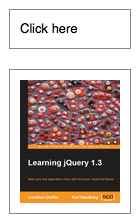
  </code></pre>
    <p class="image four-across">
      <img src="/resources/0042_06_41.png" alt=""/>
      <img src="/resources/0042_06_42.png" alt=""/>
      <img src="/resources/0042_06_43.png" alt=""/>
      <img src="/resources/0042_06_44.png" alt=""/>
    </p>
    <p>With <code>duration</code> set to <code>0</code>, this method just changes the <code>opacity</code> CSS property, so <code>.fadeTo(0, opacity)</code> is the same as <code>.css('opacity', opacity)</code>.</p>
  </longdesc>
  <note>
			All jQuery effects, including <code>.fadeTo()</code>, can be turned off globally by setting <code>jQuery.fx.off = true</code>, which effectively sets the duration to 0. For more information, see <a href="http://api.jquery.com/jquery.fx.off">jQuery.fx.off</a>.
		</note>
  <example>
    <desc>Animates first paragraph to fade to an opacity of 0.33 (33%, about one third visible), completing the animation within 600 milliseconds.</desc>
    <code>
$("p:first").click(function () {
$(this).fadeTo("slow", 0.33);
});
</code>
    <html>&lt;p&gt;
Click this paragraph to see it fade.
&lt;/p&gt;

&lt;p&gt;
Compare to this one that won't fade.
&lt;/p&gt;</html>
  </example>
  <example>
    <desc>Fade div to a random opacity on each click, completing the animation within 200 milliseconds.</desc>
    <code>
$("div").click(function () {
$(this).fadeTo("fast", Math.random());
});
</code>
    <css>
p { width:80px; margin:0; padding:5px; }
div { width:40px; height:40px; position:absolute; }
div#one { top:0; left:0; background:#f00; }
div#two { top:20px; left:20px; background:#0f0; }
div#three { top:40px; left:40px; background:#00f; }
</css>
    <html>&lt;p&gt;And this is the library that John built...&lt;/p&gt;

&lt;div id="one"&gt;&lt;/div&gt;
&lt;div id="two"&gt;&lt;/div&gt;
&lt;div id="three"&gt;&lt;/div&gt;</html>
  </example>
  <example>
    <desc>Find the right answer!  The fade will take 250 milliseconds and change various styles when it completes.</desc>
    <code>
var getPos = function (n) {
  return (Math.floor(n) * 90) + "px";
};
$("p").each(function (n) {
  var r = Math.floor(Math.random() * 3);
  var tmp = $(this).text();
  $(this).text($("p:eq(" + r + ")").text());
  $("p:eq(" + r + ")").text(tmp);
  $(this).css("left", getPos(n));
});
$("div").each(function (n) {
  $(this).css("left", getPos(n));
})
.css("cursor", "pointer")
.click(function () {
    $(this).fadeTo(250, 0.25, function () {
      $(this).css("cursor", "")
        .prev().css({"font-weight": "bolder",
                     "font-style": "italic"});
        });
    });

</code>
    <css>
div, p { width:80px; height:40px; top:0; margin:0;
position:absolute; padding-top:8px; }
p { background:#fcc; text-align:center; }
div { background:blue; }
</css>
    <html>&lt;p&gt;Wrong&lt;/p&gt;
&lt;div&gt;&lt;/div&gt;
&lt;p&gt;Wrong&lt;/p&gt;
&lt;div&gt;&lt;/div&gt;

&lt;p&gt;Right!&lt;/p&gt;
&lt;div&gt;&lt;/div&gt;</html>
  </example>
  <category slug="effects/fading"/>
  <category slug="version/1.0"/>
  <category slug="version/1.4.3"/>
</entry><entry type="method" name="fadeToggle" return="jQuery">
  <title>.fadeToggle()</title>
  <desc>Display or hide the matched elements by animating their opacity.</desc>
  <signature>
    <added>1.4.4</added>
    <argument name="duration" default="400" optional="true">
	<desc>A string or number determining how long the animation will run.</desc>
	<type name="Number"/>
	<type name="String"/>
</argument>
    <argument name="easing" type="String" default="swing" optional="true">
	<desc>A string indicating which easing function to use for the transition.</desc>
</argument>
    <argument name="complete" type="Function" optional="true">
	<desc>A function to call once the animation is complete.</desc>
</argument>
  </signature>
  <signature>
    <added>1.4.4</added>
    <argument name="options" type="PlainObject">
	<desc>A map of additional options to pass to the method.</desc>
	<property name="duration" default="400">
		<desc>A string or number determining how long the animation will run.</desc>
		<type name="Number"/>
		<type name="String"/>
	</property>
	<property name="easing" type="String" default="swing">
		<desc>A string indicating which easing function to use for the transition.</desc>
	</property>
	<property name="queue" default="true">
		<desc>A Boolean indicating whether to place the animation in the effects queue. If false, the animation will begin immediately. <strong>As of jQuery 1.7</strong>, the queue option can also accept a string, in which case the animation is added to the queue represented by that string. When a custom queue name is used the animation does not automatically start; you must call <code>.dequeue("queuename")</code> to start it.</desc>
		<type name="Boolean"/>
		<type name="String"/>
	</property>
	<property name="specialEasing" type="PlainObject" added="1.4">
		<desc>A map of one or more of the CSS properties defined by the properties argument and their corresponding easing functions.</desc>
	</property>

	<property name="step" type="Function">
		<desc>A function to be called for each animated property of each animated element. This function provides an opportunity to modify the Tween object to change the value of the property before it is set.</desc>
		<argument name="now" type="Number">
			<desc>The numeric value of the property being animated at each step</desc>
		</argument>
		<argument name="tween" type="Tween">
			<desc>An object of properties related to the animation and the element being animated. For information about the tween object and its properties, see <a href="/jQuery.Tween/">jQuery.Tween</a></desc>
		</argument>
	</property>

	<property name="progress" type="Function" added="1.8">
		<desc>A function to be called after each step of the animation, only once per animated element regardless of the number of animated properties.</desc>
		<argument name="animation" type="Promise">
			<desc>An enhanced Promise object with additional properties for the animation</desc>
		</argument>
		<argument name="progress" type="Number">
			<desc>A number from 0 to 1 indicating the progress of the animation</desc>
		</argument>
		<argument name="remainingMs" type="Number">
			<desc>A number indicating the remaining number of milliseconds until the scheduled end of the animation</desc>
		</argument>
	</property>
	<property name="complete" type="Function">
		<desc>A function to call once the animation is complete.</desc>
		
	</property>
	<property name="done" type="Function" added="1.8">
		<desc>A function to be called when the animation completes (its Promise object is resolved).</desc>
		<argument name="animation" type="Promise">
			<desc>An enhanced Promise object with additional properties for the animation</desc>
		</argument>
		<argument name="jumpedToEnd" type="Boolean">
			<desc>Indicates whether the animation jumped to the end</desc>
		</argument>
	</property>
	<property name="fail" type="Function" added="1.8">
		<desc>A function to be called when the animation fails to complete (its Promise object is rejected).</desc>
		<argument name="animation" type="Promise">
			<desc>An enhanced Promise object with additional properties for the animation</desc>
		</argument>
		<argument name="jumpedToEnd" type="Boolean">
			<desc>Indicates whether the animation jumped to the end</desc>
		</argument>
	</property>
	<property name="always" type="Function" added="1.8">
		<desc>A function to be called when the animation completes or stops without completing (its Promise object is either resolved or rejected).</desc>
		<argument name="animation" type="Promise">
			<desc>An enhanced Promise object with additional properties for the animation</desc>
		</argument>
		<argument name="jumpedToEnd" type="Boolean">
			<desc>Indicates whether the animation jumped to the end</desc>
		</argument>
	</property>

</argument>
  </signature>

  <longdesc>
    <p>The <code>.fadeToggle()</code> method animates the opacity of the matched elements. When called on a visible element, the element's <code>display</code> style property is set to <code>none</code> once the opacity reaches 0, so the element no longer affects the layout of the page.</p>
    <p>Durations are given in milliseconds; higher values indicate slower animations, not faster ones. The strings <code>'fast'</code> and <code>'slow'</code> can be supplied to indicate durations of <code>200</code> and <code>600</code> milliseconds, respectively.</p>
    <h4 id="easing">Easing</h4>
    <p>The string representing an easing function specifies the speed at which the animation progresses at different points within the animation. The only easing implementations in the jQuery library are the default, called <code>swing</code>, and one that progresses at a constant pace, called <code>linear</code>. More easing functions are available with the use of plug-ins, most notably the <a href="http://jqueryui.com">jQuery UI suite</a>.</p>
    <h4 id="callback-function">Callback Function</h4>
    <p>If supplied, the callback is fired once the animation is complete. This can be useful for stringing different animations together in sequence. The callback is not sent any arguments, but <code>this</code> is set to the DOM element being animated. If multiple elements are animated, it is important to note that the callback is executed once per matched element, not once for the animation as a whole.</p>
    <p><strong>As of jQuery 1.6</strong>, the <code><a href="http://api.jquery.com/promise/">.promise()</a></code> method can be used in conjunction with the <code><a href="http://api.jquery.com/deferred.done/">deferred.done()</a></code> method to execute a single callback for the animation as a whole when <em>all</em> matching elements have completed their animations ( See the <a href="http://api.jquery.com/promise/#example-1">example for .promise()</a> ).  </p>
  </longdesc>
  <note>
			All jQuery effects, including <code>.fadeToggle()</code>, can be turned off globally by setting <code>jQuery.fx.off = true</code>, which effectively sets the duration to 0. For more information, see <a href="http://api.jquery.com/jquery.fx.off">jQuery.fx.off</a>.
		</note>
  <example>
    <desc>Fades first paragraph in or out, completing the animation within 600 milliseconds and using a linear easing. Fades last paragraph in or out for 200 milliseconds, inserting a "finished" message upon completion. </desc>
    <code>
$("button:first").click(function() {
  $("p:first").fadeToggle("slow", "linear");
});
$("button:last").click(function () {
  $("p:last").fadeToggle("fast", function () {
    $("#log").append("&lt;div&gt;finished&lt;/div&gt;");
  });
});
</code>
    <html>
&lt;button&gt;fadeToggle p1&lt;/button&gt;
&lt;button&gt;fadeToggle p2&lt;/button&gt;
&lt;p&gt;This paragraph has a slow, linear fade.&lt;/p&gt;

&lt;p&gt;This paragraph has a fast animation.&lt;/p&gt;
&lt;div id="log"&gt;&lt;/div&gt;
</html>
  </example>
  <category slug="effects"/>
  <category slug="effects/fading"/>
  <category slug="version/1.4.4"/>
</entry><entry type="selector" name="file" return="">
  <title>:file Selector</title>
  <sample>:file</sample>
  <signature>
    <added>1.0</added>
  </signature>
  <desc>Selects all elements of type file.</desc>
  <longdesc>
    <p><code>:file</code> is equivalent to <code>[type="file"]</code>. As with other pseudo-class selectors (those that begin with a ":") it is recommended to precede it with a tag name or some other selector; otherwise, the universal selector ("*") is implied. In other words, the bare <code>$(':file')</code> is equivalent to <code>$('*:file')</code>, so <code>$('input:file')</code> should be used instead. </p>
  </longdesc>
  <note>
			Because <code>:file</code> is a jQuery extension and not part of the CSS specification, queries using <code>:file</code> cannot take advantage of the performance boost provided by the native DOM <code>querySelectorAll()</code> method. For better performance in modern browsers, use <code>[type="file"]</code> instead.
		</note>
  <example>
    <desc>Finds all file inputs.</desc>
    <code>

    var input = $("input:file").css({background:"yellow", border:"3px red solid"});
    $("div").text("For this type jQuery found " + input.length + ".")
            .css("color", "red");
    $("form").submit(function () { return false; }); // so it won't submit

</code>
    <css>
  textarea { height:45px; }
  </css>
    <html>&lt;form&gt;
    &lt;input type="button" value="Input Button"/&gt;
    &lt;input type="checkbox" /&gt;

    &lt;input type="file" /&gt;
    &lt;input type="hidden" /&gt;
    &lt;input type="image" /&gt;

    &lt;input type="password" /&gt;
    &lt;input type="radio" /&gt;
    &lt;input type="reset" /&gt;

    &lt;input type="submit" /&gt;
    &lt;input type="text" /&gt;
    &lt;select&gt;&lt;option&gt;Option&lt;option/&gt;&lt;/select&gt;

    &lt;textarea&gt;&lt;/textarea&gt;
    &lt;button&gt;Button&lt;/button&gt;
  &lt;/form&gt;
  &lt;div&gt;
  &lt;/div&gt;</html>
  </example>
  <category slug="selectors/form-selectors"/>
  <category slug="selectors/jquery-selector-extensions"/>
  <category slug="version/1.0"/>
</entry><entry type="method" name="filter" return="jQuery">
  <title>.filter()</title>
  <signature>
    <added>1.0</added>
    <argument name="selector" type="Selector">
      <desc>A string containing a selector expression to match the current set of elements against.</desc>
    </argument>
  </signature>
  <signature>
    <added>1.0</added>
    <argument name="function(index)" type="Function">
      <desc>A function used as a test for each element in the set. <code>this</code> is the current DOM element.</desc>
    </argument>
  </signature>
  <signature>
    <added>1.4</added>
    <argument name="element" type="Element">
      <desc>An element to match the current set of elements against.</desc>
    </argument>
  </signature>
  <signature>
    <added>1.4</added>
    <argument name="jQuery object" type="Object">
      <desc>An existing jQuery object to match the current set of elements against.</desc>
    </argument>
  </signature>
  <desc>Reduce the set of matched elements to those that match the selector or pass the function's test. </desc>
  <longdesc><p>Given a jQuery object that represents a set of DOM elements, the <code>.filter()</code> method constructs a new jQuery object from a subset of the matching elements. The supplied selector is tested against each element; all elements matching the selector will be included in the result.</p><p>Consider a page with a simple list on it:</p>
<pre><code>
&lt;ul&gt;
  &lt;li&gt;list item 1&lt;/li&gt;
  &lt;li&gt;list item 2&lt;/li&gt;
  &lt;li&gt;list item 3&lt;/li&gt;
  &lt;li&gt;list item 4&lt;/li&gt;
  &lt;li&gt;list item 5&lt;/li&gt;
  &lt;li&gt;list item 6&lt;/li&gt;
&lt;/ul&gt;
</code></pre>
<p>We can apply this method to the set of list items:</p>
<pre><code>
  $('li').filter(':even').css('background-color', 'red');
</code></pre>
<p>The result of this call is a red background for items 1, 3, and 5, as they match the selector (recall that <code>:even</code> and <code>:odd</code> use 0-based indexing).</p>
<h4 id="using-filter-function">Using a Filter Function</h4>
<p>The second form of this method allows us to filter elements against a function rather than a selector. For each element, if the function returns <code>true</code> (or a "truthy" value), the element will be included in the filtered set; otherwise, it will be excluded. Suppose we have a somewhat more involved HTML snippet:</p>
<pre><code>
&lt;ul&gt;
  &lt;li&gt;&lt;strong&gt;list&lt;/strong&gt; item 1 -
    one strong tag&lt;/li&gt;
  &lt;li&gt;&lt;strong&gt;list&lt;/strong&gt; item &lt;strong&gt;2&lt;/strong&gt; -
    two &lt;span&gt;strong tags&lt;/span&gt;&lt;/li&gt;
  &lt;li&gt;list item 3&lt;/li&gt;
  &lt;li&gt;list item 4&lt;/li&gt;
  &lt;li&gt;list item 5&lt;/li&gt;
  &lt;li&gt;list item 6&lt;/li&gt;
&lt;/ul&gt;
</code></pre>
<p>We can select the list items, then filter them based on their contents:</p>
<pre><code>
$('li').filter(function(index) {
  return $('strong', this).length == 1;
}).css('background-color', 'red');
</code></pre>
<p>This code will alter the first list item only, as it contains exactly one <code>&lt;strong&gt;</code> tag. Within the filter function, <code>this</code> refers to each DOM element in turn. The parameter passed to the function tells us the index of that DOM element within the set matched by the jQuery object.</p>
<p>We can also take advantage of the <code>index</code> passed through the function, which indicates the 0-based position of the element within the unfiltered set of matched elements:</p>
<pre><code>
$('li').filter(function(index) {
  return index % 3 == 2;
}).css('background-color', 'red');
</code></pre>
<p>This alteration to the code will cause the third and sixth list items to be highlighted, as it uses the modulus operator (<code>%</code>) to select every item with an <code>index</code> value that, when divided by 3, has a remainder of <code>2</code>.</p>
</longdesc>
  <example>
    <desc>Change the color of all divs; then add a border to those with a "middle" class.</desc>
    <code>

    $("div").css("background", "#c8ebcc")
            .filter(".middle")
            .css("border-color", "red");
</code>
    <css>
  div { width:60px; height:60px; margin:5px; float:left;
        border:2px white solid;}
  </css>
    <html>&lt;div&gt;&lt;/div&gt;

  &lt;div class="middle"&gt;&lt;/div&gt;
  &lt;div class="middle"&gt;&lt;/div&gt;
  &lt;div class="middle"&gt;&lt;/div&gt;
  &lt;div class="middle"&gt;&lt;/div&gt;

  &lt;div&gt;&lt;/div&gt;</html>
  </example>
  <example>
    <desc>Change the color of all divs; then add a border to the second one (index == 1) and the div with an id of "fourth."</desc>
    <code>
    $("div").css("background", "#b4b0da")
            .filter(function (index) {
                  return index == 1 || $(this).attr("id") == "fourth";
                })
            .css("border", "3px double red");

</code>
    <css>
  div { width:60px; height:60px; margin:5px; float:left;
        border:3px white solid; }
  </css>
    <html>
  &lt;div id="first"&gt;&lt;/div&gt;
  &lt;div id="second"&gt;&lt;/div&gt;
  &lt;div id="third"&gt;&lt;/div&gt;

  &lt;div id="fourth"&gt;&lt;/div&gt;
  &lt;div id="fifth"&gt;&lt;/div&gt;
  &lt;div id="sixth"&gt;&lt;/div&gt;</html>
  </example>
  <example>
    <desc>Select all divs and filter the selection with a DOM element, keeping only the one with an id of "unique".</desc>
    <code>$("div").filter( document.getElementById("unique") )</code>
  </example>
  <example>
    <desc>Select all divs and filter the selection with a jQuery object, keeping only the one with an id of "unique".</desc>
    <code>
$("div").filter( $("#unique") )</code>
  </example>
  <category slug="traversing/filtering"/>
  <category slug="version/1.0"/>
  <category slug="version/1.4"/>
</entry><entry type="method" name="find" return="jQuery">
  <title>.find()</title>
  <signature>
    <added>1.0</added>
    <argument name="selector" type="Selector">
      <desc>A string containing a selector expression to match elements against.</desc>
    </argument>
  </signature>
  <signature>
    <added>1.6</added>
    <argument name="jQuery object" type="Object">
      <desc>A jQuery object to match elements against.</desc>
    </argument>
  </signature>
  <signature>
    <added>1.6</added>
    <argument name="element" type="Element">
      <desc>An element to match elements against.</desc>
    </argument>
  </signature>
  <desc>Get the descendants of each element in the current set of matched elements, filtered by a selector, jQuery object, or element.</desc>
  <longdesc>
    <p>Given a jQuery object that represents a set of DOM elements, the <code>.find()</code> method allows us to search through the descendants of these elements in the DOM tree and construct a new jQuery object from the matching elements. The <code>.find()</code> and <code>.children()</code> methods are similar, except that the latter only travels a single level down the DOM tree.</p>
    <p>The first signature for the <code>.find()</code>method accepts a selector expression of the same type that we can pass to the <code>$()</code> function. The elements will be filtered by testing whether they match this selector.</p>
    <p>Consider a page with a basic nested list on it:</p>
    <pre><code>
&lt;ul class="level-1"&gt;
  &lt;li class="item-i"&gt;I&lt;/li&gt;
  &lt;li class="item-ii"&gt;II
    &lt;ul class="level-2"&gt;
      &lt;li class="item-a"&gt;A&lt;/li&gt;
      &lt;li class="item-b"&gt;B
        &lt;ul class="level-3"&gt;
          &lt;li class="item-1"&gt;1&lt;/li&gt;
          &lt;li class="item-2"&gt;2&lt;/li&gt;
          &lt;li class="item-3"&gt;3&lt;/li&gt;
        &lt;/ul&gt;
      &lt;/li&gt;
      &lt;li class="item-c"&gt;C&lt;/li&gt;
    &lt;/ul&gt;
  &lt;/li&gt;
  &lt;li class="item-iii"&gt;III&lt;/li&gt;
&lt;/ul&gt;
</code></pre>
    <p>If we begin at item II, we can find list items within it:</p>
    <pre><code>$('li.item-ii').find('li').css('background-color', 'red');</code></pre>
    <p>The result of this call is a red background on items A, B, 1, 2, 3, and C. Even though item II matches the selector expression, it is not included in the results; only descendants are considered candidates for the match.</p>
    <div class="warning">
      <p>Unlike in the rest of the tree traversal methods, the selector expression is required in a call to <code>.find()</code>. If we need to retrieve all of the descendant elements, we can pass in the universal selector <code>'*'</code> to accomplish this.</p>
    </div>
    <p><a href="http://api.jquery.com/jquery/#selector-context">Selector context</a> is implemented with the <code>.find()</code> <code>method;</code> therefore, <code>$('li.item-ii').find('li')</code> is equivalent to <code>$('li', 'li.item-ii')</code>.</p>
    <p><strong>As of jQuery 1.6</strong>, we can also filter the selection with a given jQuery collection or element. With the same nested list as above, if we start with:</p>
    <pre><code>var $allListElements = $('li');</code></pre>
    <p>And then pass this jQuery object to find:</p>
    <pre><code>$('li.item-ii').find( $allListElements );</code></pre>
    <p>This will return a jQuery collection which contains only the list elements that are descendants of item II.</p>
    <p>Similarly, an element may also be passed to find:</p>
    <pre><code>
var item1 = $('li.item-1')[0];
$('li.item-ii').find( item1 ).css('background-color', 'red');
</code></pre>
    <p>The result of this call would be a red background on item 1.</p>
  </longdesc>
  <example>
    <desc>Starts with all paragraphs and searches for descendant span elements, same as $("p span")</desc>
    <code>
  $("p").find("span").css('color','red');
</code>
    <html>&lt;p&gt;&lt;span&gt;Hello&lt;/span&gt;, how are you?&lt;/p&gt;
&lt;p&gt;Me? I'm &lt;span&gt;good&lt;/span&gt;.&lt;/p&gt;</html>
  </example>
  <example>
    <desc>A selection using a jQuery collection of all span tags. Only spans within p tags are changed to red while others are left blue.</desc>
    <css>
    span { color: blue; }
  </css>
    <code>
  var $spans = $('span');
  $("p").find( $spans ).css('color','red');
</code>
    <html>&lt;p&gt;&lt;span&gt;Hello&lt;/span&gt;, how are you?&lt;/p&gt;
  &lt;p&gt;Me? I'm &lt;span&gt;good&lt;/span&gt;.&lt;/p&gt;
  &lt;div&gt;Did you &lt;span&gt;eat&lt;/span&gt; yet?&lt;/div&gt;</html>
  </example>
  <example>
    <desc>Add spans around each word then add a hover and italicize words with the letter <strong>t</strong>.</desc>
    <code>
  var newText = $("p").text().split(" ").join("&lt;/span&gt; &lt;span&gt;");
  newText = "&lt;span&gt;" + newText + "&lt;/span&gt;";

  $("p").html( newText )
    .find('span')
    .hover(function() { 
      $(this).addClass("hilite"); 
    },
      function() { $(this).removeClass("hilite"); 
    })
  .end()
    .find(":contains('t')")
    .css({"font-style":"italic", "font-weight":"bolder"});

</code>
    <css>
  p { font-size:20px; width:200px; cursor:default; 
      color:blue; font-weight:bold; margin:0 10px; }
  .hilite { background:yellow; }
  </css>
    <html>&lt;p&gt;
  When the day is short
  find that which matters to you
  or stop believing
  &lt;/p&gt;</html>
  </example>
  <category slug="traversing/tree-traversal"/>
  <category slug="version/1.0"/>
  <category slug="version/1.6"/>
</entry><entry type="selector" name="first-child" return="">
  <title>:first-child Selector</title>
  <sample>:first-child</sample>
  <signature>
    <added>1.1.4</added>
  </signature>
  <desc>Selects all elements that are the first child of their parent.</desc>
  <longdesc>
    <p>While <a href="/first-selector">:first</a> matches only a single element, the <code>:first-child</code> selector can match more than one: one for each parent. This is equivalent to <code>:nth-child(1)</code>.</p>
  </longdesc>
  <example>
    <desc>Finds the first span in each matched div to underline and add a hover state.</desc>
    <code>
$("div span:first-child")
    .css("text-decoration", "underline")
    .hover(function () {
          $(this).addClass("sogreen");
        }, function () {
          $(this).removeClass("sogreen");
        });
</code>
    <css>
  span { color:#008; }
  span.sogreen { color:green; font-weight: bolder; }
  </css>
    <html>&lt;div&gt;
    &lt;span&gt;John,&lt;/span&gt;
    &lt;span&gt;Karl,&lt;/span&gt;
    &lt;span&gt;Brandon&lt;/span&gt;

  &lt;/div&gt;
  &lt;div&gt;
    &lt;span&gt;Glen,&lt;/span&gt;
    &lt;span&gt;Tane,&lt;/span&gt;
    &lt;span&gt;Ralph&lt;/span&gt;

  &lt;/div&gt;</html>
  </example>
  <category slug="selectors/child-filter-selectors"/>
  <category slug="version/1.1.4"/>
</entry><entry type="selector" name="first" return="">
  <title>:first Selector</title>
  <sample>:first</sample>
  <signature>
    <added>1.0</added>
  </signature>
  <desc>Selects the first matched element.</desc>
  <longdesc>
    <p>The <code>:first</code> pseudo-class is equivalent to <code>:eq(0)</code>. It could also be written as <code>:lt(1)</code>. While this matches only a single element, <a href="first-child-selector">:first-child</a> can match more than one: One for each parent.</p>
  </longdesc>
  <note>
			Because <code>:first</code> is a jQuery extension and not part of the CSS specification, queries using <code>:first</code> cannot take advantage of the performance boost provided by the native DOM <code>querySelectorAll()</code> method. To achieve the best performance when using <code>:first</code> to select elements, first select the elements using a pure CSS selector, then use <a href="http://api.jquery.com/filter/"><code>.filter(":first")</code></a>.
		</note>
  <note>
			Selected elements are in the order of their appearance in the document.
		</note>
  <example>
    <desc>Finds the first table row.</desc>
    <code>$("tr:first").css("font-style", "italic");</code>
    <css>

  td { color:blue; font-weight:bold; }
  </css>
    <html>&lt;table&gt;
    &lt;tr&gt;&lt;td&gt;Row 1&lt;/td&gt;&lt;/tr&gt;
    &lt;tr&gt;&lt;td&gt;Row 2&lt;/td&gt;&lt;/tr&gt;

    &lt;tr&gt;&lt;td&gt;Row 3&lt;/td&gt;&lt;/tr&gt;
  &lt;/table&gt;</html>
  </example>
  <category slug="selectors/basic-filter-selectors"/>
  <category slug="selectors/jquery-selector-extensions"/>
  <category slug="version/1.0"/>
</entry><entry type="method" name="first" return="jQuery">
  <title>.first()</title>
  <signature>
    <added>1.4</added>
  </signature>
  <desc>Reduce the set of matched elements to the first in the set.</desc>
  <longdesc><p>Given a jQuery object that represents a set of DOM elements, the <code>.first()</code> method constructs a new jQuery object from the first element in that set.</p>
<p>Consider a page with a simple list on it:</p>
<pre><code>
&lt;ul&gt;
  &lt;li&gt;list item 1&lt;/li&gt;
  &lt;li&gt;list item 2&lt;/li&gt;
  &lt;li&gt;list item 3&lt;/li&gt;
  &lt;li&gt;list item 4&lt;/li&gt;
  &lt;li&gt;list item 5&lt;/li&gt;
&lt;/ul&gt;
</code></pre>
<p>We can apply this method to the set of list items:</p>
<pre><code>$('li').first().css('background-color', 'red');</code></pre>
<p>The result of this call is a red background for the first item.</p></longdesc>
  <example>
    <desc>Highlight the first span in a paragraph.</desc>
    <css>.highlight{background-color: yellow}</css>
    <code>$("p span").first().addClass('highlight');</code>
    <html>&lt;p&gt;&lt;span&gt;Look:&lt;/span&gt; &lt;span&gt;This is some text in a paragraph.&lt;/span&gt; &lt;span&gt;This is a note about it.&lt;/span&gt;&lt;/p&gt;</html>
  </example>
  <category slug="traversing/filtering"/>
  <category slug="version/1.4"/>
</entry><entry type="selector" name="focus" return="">
  <title>:focus Selector</title>
  <sample>:focus</sample>
  <signature>
    <added>1.6</added>
  </signature>
  <desc>Selects element if it is currently focused.</desc>
  <longdesc>
    <p>As with other pseudo-class selectors (those that begin with a ":"), it is recommended to precede <code>:focus</code> with a tag name or some other selector; otherwise, the universal selector ("*") is implied. In other words, the bare <code>$(':focus')</code> is equivalent to <code>$('*:focus')</code>.  If you are looking for the currently focused element, <code>$( document.activeElement )</code> will retrieve it without having to search the whole DOM tree.</p>
  </longdesc>
  <example>
    <desc>Adds the focused class to whatever element has focus</desc>
    <code>
$( "#content" ).delegate( "*", "focus blur", function( event ) {
    var elem = $( this );
    setTimeout(function() {
       elem.toggleClass( "focused", elem.is( ":focus" ) );
    }, 0);
});
</code>
    <css>
.focused {
    background: #abcdef;
}
</css>
    <html>
&lt;div id="content"&gt;
    &lt;input tabIndex="1"&gt;
    &lt;input tabIndex="2"&gt;
    &lt;select tabIndex="3"&gt;
        &lt;option&gt;select menu&lt;/option&gt;
    &lt;/select&gt;
    &lt;div tabIndex="4"&gt;
        a div
    &lt;/div&gt;
&lt;/div&gt;
</html>
  </example>
  <category slug="selectors/basic-filter-selectors"/>
  <category slug="selectors/form-selectors"/>
  <category slug="version/1.6"/>
</entry><entry type="method" name="focus" return="jQuery">
  <title>.focus()</title>
  <desc>Bind an event handler to the "focus" JavaScript event, or trigger that event on an element.</desc>
  <signature>
    <added>1.0</added>
    <argument name="handler(eventObject)" type="Function">
      <desc>A function to execute each time the event is triggered.</desc>
    </argument>
  </signature>
  <signature>
    <added>1.4.3</added>
    <argument name="eventData" type="Object" optional="true">
      <desc>An object containing data that will be passed to the event handler.</desc>
    </argument>
    <argument name="handler(eventObject)" type="Function">
      <desc>A function to execute each time the event is triggered.</desc>
    </argument>
  </signature>
  <signature>
    <added>1.0</added>
  </signature>
  <longdesc>
    <ul>
      <li>This method is a shortcut for <code>.on('focus', handler)</code> in the first and second variations, and <code>.trigger('focus')</code> in the third.</li>
      <li>The <code>focus</code> event is sent to an element when it gains focus. This event is implicitly applicable to a limited set of elements, such as  form elements (<code>&lt;input&gt;</code>, <code>&lt;select&gt;</code>, etc.) and links (<code>&lt;a href&gt;</code>). In recent browser versions, the event can be extended to include all element types by explicitly setting the element's <code>tabindex</code> property. An element can gain focus via keyboard commands, such as the Tab key, or by mouse clicks on the element.</li>
      <li>Elements with focus are usually highlighted in some way by the browser, for example with a dotted line surrounding the element. The focus is used to determine which element is the first to receive keyboard-related events.</li>
    </ul>
    <div class="warning">
      <p>Attempting to set focus to a hidden element causes an error in Internet Explorer. Take care to only use <code>.focus()</code> on elements that are visible. To run an element's focus event handlers without setting focus to the element, use <code>.triggerHandler("focus")</code> instead of <code>.focus()</code>.</p>
    </div>
    <p>For example, consider the HTML:</p>
    <pre><code>&lt;form&gt;
  &lt;input id="target" type="text" value="Field 1" /&gt;
  &lt;input type="text" value="Field 2" /&gt;
&lt;/form&gt;
&lt;div id="other"&gt;
  Trigger the handler
&lt;/div&gt;
</code></pre>
    <p>The event handler can be bound to the first input field:</p>
    <pre><code>$('#target').focus(function() {
  alert('Handler for .focus() called.');
});</code></pre>
    <p>Now clicking on the first field, or tabbing to it from another field, displays the alert:</p>
    <p>
      <samp>Handler for .focus() called.</samp>
    </p>
    <p>We can trigger the event when another element is clicked:</p>
    <pre><code>$('#other').click(function() {
  $('#target').focus();
});</code></pre>
    <p>After this code executes, clicks on <samp>Trigger the handler</samp> will also alert the message.</p>
    <p>The <code>focus</code> event does not bubble in Internet Explorer. Therefore, scripts that rely on event delegation with the <code>focus</code> event will not work consistently across browsers. As of version 1.4.2, however, jQuery works around this limitation by mapping <code>focus</code> to the <code>focusin</code> event in its event delegation methods, <a href="http://api.jquery.com/live/"><code>.live()</code></a> and <a href="http://api.jquery.com/delegate/"><code>.delegate()</code></a>.</p>
  </longdesc>
  <example>
    <desc>Fire focus.</desc>
    <css>span {display:none;}</css>
    <code>
$("input").focus(function () {
  $(this).next("span").css('display','inline').fadeOut(1000);
});
</code>
    <html>&lt;p&gt;&lt;input type="text" /&gt; &lt;span&gt;focus fire&lt;/span&gt;&lt;/p&gt;
&lt;p&gt;&lt;input type="password" /&gt; &lt;span&gt;focus fire&lt;/span&gt;&lt;/p&gt;</html>
  </example>
  <example>
    <desc>To stop people from writing in text input boxes, try:</desc>
    <code>$("input[type=text]").focus(function(){
  $(this).blur();
});</code>
  </example>
  <example>
    <desc>To focus on a login input box with id 'login' on page startup, try:</desc>
    <code>$(document).ready(function(){
  $("#login").focus();
});</code>
  </example>
  <category slug="events/form-events"/>
  <category slug="forms"/>
  <category slug="version/1.0"/>
  <category slug="version/1.4.3"/>
</entry><entry type="method" name="focusin" return="jQuery">
  <title>.focusin()</title>
  <desc>Bind an event handler to the "focusin" event.</desc>
  <signature>
    <added>1.4</added>
    <argument name="handler(eventObject)" type="Function">
      <desc>A function to execute each time the event is triggered.</desc>
    </argument>
  </signature>
  <signature>
    <added>1.4.3</added>
    <argument name="eventData" type="Object" optional="true">
      <desc>An object containing data that will be passed to the event handler.</desc>
    </argument>
    <argument name="handler(eventObject)" type="Function">
      <desc>A function to execute each time the event is triggered.</desc>
    </argument>
  </signature>
  <longdesc>
    <p>This method is a shortcut for <code>.on('focusin', handler)</code>.</p>
    <p>The <code>focusin</code> event is sent to an element when it, or any element inside of it, gains focus. This is distinct from the <a href="/focus">focus</a> event in that it supports detecting the focus event on parent elements (in other words, it supports event bubbling).</p>
    <p>This event will likely be used together with the <a href="/focusout">focusout</a> event.</p>
  </longdesc>
  <example>
    <desc>Watch for a focus to occur within the paragraphs on the page.</desc>
    <css>span {display:none;}</css>
    <code>
$("p").focusin(function() {
  $(this).find("span").css('display','inline').fadeOut(1000);
});
</code>
    <html>&lt;p&gt;&lt;input type="text" /&gt; &lt;span&gt;focusin fire&lt;/span&gt;&lt;/p&gt;
&lt;p&gt;&lt;input type="password" /&gt; &lt;span&gt;focusin fire&lt;/span&gt;&lt;/p&gt;</html>
  </example>
  <category slug="events/form-events"/>
  <category slug="version/1.4"/>
  <category slug="version/1.4.3"/>
</entry><entry type="method" name="focusout" return="jQuery">
  <title>.focusout()</title>
  <desc>Bind an event handler to the "focusout" JavaScript event.</desc>
  <signature>
    <added>1.4</added>
    <argument name="handler(eventObject)" type="Function">
      <desc>A function to execute each time the event is triggered.</desc>
    </argument>
  </signature>
  <signature>
    <added>1.4.3</added>
    <argument name="eventData" type="Object" optional="true">
      <desc>An object containing data that will be passed to the event handler.</desc>
    </argument>
    <argument name="handler(eventObject)" type="Function">
      <desc>A function to execute each time the event is triggered.</desc>
    </argument>
  </signature>
  <longdesc>
    <p>This method is a shortcut for <code>.on('focusout', handler)</code> when passed arguments, and <code>.trigger('focusout')</code> when no arguments are passed.</p>
    <p>The <code>focusout</code> event is sent to an element when it, or any element inside of it, loses focus. This is distinct from the <a href="/blur">blur</a> event in that it supports detecting the loss of focus on descendant elements (in other words, it supports event bubbling).</p>
    <p>This event will likely be used together with the <a href="/focusin">focusin</a> event.</p>
  </longdesc>
  <example>
    <desc>Watch for a loss of focus to occur inside paragraphs and note the difference between the <code>focusout</code> count and the <code>blur</code> count. (The <code>blur</code> count does not change because those events do not bubble.)</desc>
    <css>
.inputs { float: left; margin-right: 1em; }
.inputs p { margin-top: 0; }
</css>
    <code>
var fo = 0, b = 0;
$("p").focusout(function() {
  fo++;
  $("#fo")
    .text("focusout fired: " + fo + "x");
}).blur(function() {
  b++;
  $("#b")
    .text("blur fired: " + b + "x");

});
</code>
    <html>
&lt;div class="inputs"&gt;
  &lt;p&gt;
    &lt;input type="text" /&gt;&lt;br /&gt;
    &lt;input type="text" /&gt;
  &lt;/p&gt;
  &lt;p&gt;
    &lt;input type="password" /&gt;
  &lt;/p&gt;
&lt;/div&gt;
&lt;div id="fo"&gt;focusout fire&lt;/div&gt;
&lt;div id="b"&gt;blur fire&lt;/div&gt;
</html>
  </example>
  <category slug="events/keyboard-events"/>
  <category slug="events/mouse-events"/>
  <category slug="version/1.4"/>
  <category slug="version/1.4.3"/>
</entry><entry type="method" name="get" return="Element">
    <title>.get()</title>
    <signature>
      <added>1.0</added>
      <argument name="index" type="Integer">
        <desc>A zero-based integer indicating which element to retrieve.</desc>
      </argument>
    </signature>
    <desc>Retrieve one of the DOM elements matched by the jQuery object.</desc>
    <longdesc>
      <p>The <code>.get()</code> method grants us access to the DOM nodes underlying each jQuery object. Consider a simple unordered list:</p>
      <pre><code>
  &lt;ul&gt;
    &lt;li id="foo"&gt;foo&lt;/li&gt;
    &lt;li id="bar"&gt;bar&lt;/li&gt;
  &lt;/ul&gt;
      </code></pre>
      <p>With an index specified, <code>.get(index)</code> retrieves a single element:</p>
      <pre><code>console.log( $( "li" ).get( 0 ) );</code></pre>
      <p>Since the index is zero-based, the first list item is returned:</p>
      <p>
        <samp>&lt;li id="foo"&gt;</samp>
      </p>

      <p>Each jQuery object also masquerades as an array, so we can use the array dereferencing operator to get at the list item instead:</p>
      <pre><code>console.log( $( "li" )[0] );</code></pre>
      <p>However, this syntax lacks some of the additional capabilities of .get(), such as specifying a negative index:</p>
      <pre><code>console.log( $( "li" ).get(-1) );</code></pre>
      <p>A negative index is counted from the end of the matched set, so this example returns the last item in the list:</p>
      <p>
        <samp>&lt;li id="bar"&gt;</samp>
      </p>
    </longdesc>
    <example>
      <desc>Display the tag name of the click element.</desc>
      <code>
  $( "*", document.body).click(function( e ) {
    e.stopPropagation();
    var domEl = $( this ).get( 0 );
    $( "span:first" ).text( "Clicked on - " + domEl.nodeName );
  });
  </code>
      <css>
    span { color:red; }
    div { background:yellow; }
    </css>
      <html>&lt;span&gt;&amp;nbsp;&lt;/span&gt;
    &lt;p&gt;In this paragraph is an &lt;span&gt;important&lt;/span&gt; section&lt;/p&gt;

    &lt;div&gt;&lt;input type="text" /&gt;&lt;/div&gt;</html>
    </example>
    <category slug="miscellaneous/dom-element-methods"/>
    <category slug="version/1.0"/>
  </entry><entry type="method" name="get" return="Array">
    <title>.get()</title>
    <signature>
      <added>1.0</added>
    </signature>
    <desc>Retrieve the DOM elements matched by the jQuery object.</desc>
    <longdesc>
      <p>Consider a simple unordered list:</p>
      <pre><code>
  &lt;ul&gt;
    &lt;li id="foo"&gt;foo&lt;/li&gt;
    &lt;li id="bar"&gt;bar&lt;/li&gt;
  &lt;/ul&gt;
      </code></pre>
      <p>Without a parameter, <code>.get()</code> returns an array of all of the elements:</p>
      <pre><code>console.log( $( "li" ).get() );</code></pre>
      <p>All of the matched DOM nodes are returned by this call, contained in a standard array:</p>
      <p>
        <span class="result">[&lt;li id="foo"&gt;, &lt;li id="bar"&gt;]</span>
      </p>
    </longdesc>
    <example>
      <desc>Select all divs in the document and return the DOM Elements as an Array; then use the built-in reverse() method to reverse that array.</desc>
      <code>
  function disp(divs) {
    var a = [];
    for ( var i = 0; i &lt; divs.length; i++) {
      a.push( divs[i].innerHTML );
    }
    $( "span" ).text( a.join(" ") );
  }
  disp( $( "div" ).get().reverse() );
  </code>
      <css>
    span { color:red; }
    </css>
      <html>Reversed - &lt;span&gt;&lt;/span&gt;

    &lt;div&gt;One&lt;/div&gt;
    &lt;div&gt;Two&lt;/div&gt;
    &lt;div&gt;Three&lt;/div&gt;</html>
    </example>
    <category slug="miscellaneous/dom-element-methods"/>
    <category slug="version/1.0"/>
  </entry><entry type="selector" name="gt" return="">
  <title>:gt() Selector</title>
  <signature>
    <sample>:gt(index)</sample>
    <added>1.0</added>
    <argument name="index" type="Number">
      <desc>Zero-based index.</desc>
    </argument>
  </signature>
  <signature>
    <sample>:gt(-index)</sample>
    <added>1.8</added>
    <argument name="-index" type="Integer">
      <desc>Zero-based index, counting backwards from the last element. </desc>
    </argument>
  </signature>
  <desc>Select all elements at an index greater than <code>index</code> within the matched set.</desc>
  <longdesc>
    <p>
      <strong>index-related selectors</strong>
    </p>
    <p>The index-related selector expressions (including this "greater than" selector) filter the set of elements that have matched the expressions that precede them. They narrow the set down based on the order of the elements within this matched set. For example, if elements are first selected with a class selector (<code>.myclass</code>) and four elements are returned, these elements are given indices 0 through 3 for the purposes of these selectors.</p>
    <p>Note that since JavaScript arrays use <em>0-based indexing</em>, these selectors reflect that fact. This is why <code>$('.myclass:gt(1)')</code> selects elements after the second element in the document with the class <code>myclass</code>, rather than after the first. In contrast, <code>:nth-child(n)</code> uses <em>1-based indexing</em> to conform to the CSS specification.</p>
    <p>Prior to jQuery 1.8, the <code>:gt(index)</code> selector did <em>not</em> accept a negative value for <code>index</code></p>
  </longdesc>
  <note>
			Because <code>:gt()</code> is a jQuery extension and not part of the CSS specification, queries using <code>:gt()</code> cannot take advantage of the performance boost provided by the native DOM <code>querySelectorAll()</code> method. For better performance in modern browsers, use <code>$("your-pure-css-selector").slice(index)</code> instead.
		</note>
  <example>
    <desc>Give TD #5 and higher a yellow background and TD #8 a red text color.</desc>
    <code>
$( "td:gt(4)" ).css( "backgroundColor", "yellow" );
$( "td:gt(-2)" ).css( "color", "red" );
</code>
    <html>
&lt;table border="1"&gt;
  &lt;tr&gt;&lt;td&gt;TD #0&lt;/td&gt;&lt;td&gt;TD #1&lt;/td&gt;&lt;td&gt;TD #2&lt;/td&gt;&lt;/tr&gt;
  &lt;tr&gt;&lt;td&gt;TD #3&lt;/td&gt;&lt;td&gt;TD #4&lt;/td&gt;&lt;td&gt;TD #5&lt;/td&gt;&lt;/tr&gt;
  &lt;tr&gt;&lt;td&gt;TD #6&lt;/td&gt;&lt;td&gt;TD #7&lt;/td&gt;&lt;td&gt;TD #8&lt;/td&gt;&lt;/tr&gt;
&lt;/table&gt;</html>
  </example>
  <category slug="selectors/basic-filter-selectors"/>
  <category slug="selectors/jquery-selector-extensions"/>
  <category slug="version/1.0"/>
</entry><entry type="selector" name="attributeHas" return="">
  <title>Has Attribute Selector [name]</title>
  <sample>[attribute]</sample>
  <signature>
    <added>1.0</added>
    <argument name="attribute" type="String">
      <desc>An attribute name.</desc>
    </argument>
  </signature>
  <desc>Selects elements that have the specified attribute, with any value. </desc>
  <longdesc/>
  <example>
    <desc>Bind a single click that adds the div id to its text.</desc>
    <code>
$('div[id]').one('click', function(){
  var idString = $(this).text() + ' = ' + $(this).attr('id');
  $(this).text(idString);
});
</code>
    <html>&lt;div&gt;no id&lt;/div&gt;
  &lt;div id="hey"&gt;with id&lt;/div&gt;

  &lt;div id="there"&gt;has an id&lt;/div&gt;
  &lt;div&gt;nope&lt;/div&gt;</html>
  </example>
  <category slug="selectors/attribute-selectors"/>
  <category slug="version/1.0"/>
</entry><entry type="selector" name="has" return="">
  <title>:has() Selector</title>
  <sample>:has(selector)</sample>
  <signature>
    <added>1.1.4</added>
    <argument name="selector" type="Selector">
      <desc>Any selector.</desc>
    </argument>
  </signature>
  <desc>Selects elements which contain at least one element that matches the specified selector.</desc>
  <longdesc>
    <p>The expression <code>$('div:has(p)')</code> matches a <code>&lt;div&gt;</code> if a <code>&lt;p&gt;</code> exists anywhere among its descendants, not just as a direct child.</p>
  </longdesc>
  <note>
			Because <code>:has()</code> is a jQuery extension and not part of the CSS specification, queries using <code>:has()</code> cannot take advantage of the performance boost provided by the native DOM <code>querySelectorAll()</code> method. For better performance in modern browsers, use <code>$("your-pure-css-selector").has(selector/DOMElement)</code> instead.
		</note>
  <example>
    <desc>Adds the class "test" to all divs that have a paragraph inside of them.</desc>
    <code>$("div:has(p)").addClass("test");</code>
    <html>&lt;div&gt;&lt;p&gt;Hello in a paragraph&lt;/p&gt;&lt;/div&gt;

  &lt;div&gt;Hello again! (with no paragraph)&lt;/div&gt;</html>
    <css>
  .test{ border: 3px inset red; }
  </css>
  </example>
  <category slug="selectors/content-filter-selector"/>
  <category slug="selectors/jquery-selector-extensions"/>
  <category slug="version/1.1.4"/>
</entry><entry type="method" name="has" return="jQuery">
  <title>.has()</title>
  <signature>
    <added>1.4</added>
    <argument name="selector" type="String">
      <desc>A string containing a selector expression to match elements against.</desc>
    </argument>
  </signature>
  <signature>
    <added>1.4</added>
    <argument name="contained" type="Element">
      <desc>A DOM element to match elements against.</desc>
    </argument>
  </signature>
  <desc>Reduce the set of matched elements to those that have a descendant that matches the selector or DOM element.</desc>
  <longdesc>
    <p>Given a jQuery object that represents a set of DOM elements, the <code>.has()</code> method constructs a new jQuery object from a subset of the matching elements. The supplied selector is tested against the descendants of the matching elements; the element will be included in the result if any of its descendant elements matches the selector.</p>
    <p>Consider a page with a nested list as follows:</p>
    <pre><code>
 &lt;ul&gt;
  &lt;li&gt;list item 1&lt;/li&gt;
  &lt;li&gt;list item 2
    &lt;ul&gt;
      &lt;li&gt;list item 2-a&lt;/li&gt;
      &lt;li&gt;list item 2-b&lt;/li&gt;
    &lt;/ul&gt;
  &lt;/li&gt;
  &lt;li&gt;list item 3&lt;/li&gt;
  &lt;li&gt;list item 4&lt;/li&gt;
&lt;/ul&gt;
</code></pre>
    <p>We can apply this method to the set of list items as follows:</p>
    <pre><code>$('li').has('ul').css('background-color', 'red');</code></pre>
    <p>The result of this call is a red background for item 2, as it is the only <code>&lt;li&gt;</code> that has a <code>&lt;ul&gt;</code> among its descendants.</p>
  </longdesc>
  <example>
    <desc>Check if an element is inside another.</desc>
    <code>
  $("ul").append("&lt;li&gt;" + ($("ul").has("li").length ? "Yes" : "No") + "&lt;/li&gt;");
  $("ul").has("li").addClass("full");
</code>
    <css>
  .full { border: 1px solid red; }
</css>
    <html>
&lt;ul&gt;&lt;li&gt;Does the UL contain an LI?&lt;/li&gt;&lt;/ul&gt;
</html>
  </example>
  <category slug="traversing/filtering"/>
  <category slug="version/1.4"/>
</entry><entry type="method" name="hasClass" return="Boolean">
  <title>.hasClass()</title>
  <signature>
    <added>1.2</added>
    <argument name="className" type="String">
      <desc>The class name to search for.</desc>
    </argument>
  </signature>
  <desc>Determine whether any of the matched elements are assigned the given class.</desc>
  <longdesc>
    <p>Elements may have more than one class assigned to them. In HTML, this is represented by separating the class names with a space:</p>
    <pre><code>&lt;div id="mydiv" class="foo bar"&gt;&lt;/div&gt;</code></pre>
    <p>The <code>.hasClass()</code> method will return <code>true</code> if the class is assigned to an element, even if other classes also are. For example, given the HTML above, the following will return <code>true</code>:</p>
    <pre><code>$('#mydiv').hasClass('foo')</code></pre>
    <p>As would:</p>
    <pre><code>$('#mydiv').hasClass('bar')</code></pre>
    <p>While this would return <code>false</code>:</p>
    <pre><code>$('#mydiv').hasClass('quux')</code></pre>
  </longdesc>
  <example>
    <desc>Looks for the paragraph that contains 'selected' as a class.</desc>
    <code>
$("div#result1").append($("p:first").hasClass("selected").toString());
$("div#result2").append($("p:last").hasClass("selected").toString());
$("div#result3").append($("p").hasClass("selected").toString());
</code>
    <css>
  p { margin: 8px; font-size:16px; }
  .selected { color:red; }
  </css>
    <html>
  &lt;p&gt;This paragraph is black and is the first paragraph.&lt;/p&gt;
  &lt;p class="selected"&gt;This paragraph is red and is the second paragraph.&lt;/p&gt;

  &lt;div id="result1"&gt;First paragraph has selected class: &lt;/div&gt;
  &lt;div id="result2"&gt;Second paragraph has selected class: &lt;/div&gt;
  &lt;div id="result3"&gt;At least one paragraph has selected class: &lt;/div&gt;</html>
  </example>
  <category slug="attributes"/>
  <category slug="manipulation/class-attribute"/>
  <category slug="css"/>
  <category slug="version/1.2"/>
</entry><entry type="selector" name="header" return="">
  <title>:header Selector</title>
  <sample>:header</sample>
  <signature>
    <added>1.2</added>
  </signature>
  <desc>Selects all elements that are headers, like h1, h2, h3 and so on.</desc>
  <longdesc/>
  <note>
			Because <code>:header</code> is a jQuery extension and not part of the CSS specification, queries using <code>:header</code> cannot take advantage of the performance boost provided by the native DOM <code>querySelectorAll()</code> method. To achieve the best performance when using <code>:header</code> to select elements, first select the elements using a pure CSS selector, then use <a href="http://api.jquery.com/filter/"><code>.filter(":header")</code></a>.
		</note>
  <example>
    <desc>Adds a background and text color to all the headers on the page.</desc>
    <code>$(":header").css({ background:'#CCC', color:'blue' });</code>
    <html>&lt;h1&gt;Header 1&lt;/h1&gt;

  &lt;p&gt;Contents 1&lt;/p&gt;
  &lt;h2&gt;Header 2&lt;/h2&gt;
  &lt;p&gt;Contents 2&lt;/p&gt;</html>
    <css>
  body { font-size: 10px; font-family: Arial; }
  h1, h2 { margin: 3px 0; }
  </css>
  </example>
  <category slug="selectors/basic-filter-selectors"/>
  <category slug="selectors/jquery-selector-extensions"/>
  <category slug="version/1.2"/>
</entry><entry type="method" name="height" return="Integer">
    <title>.height()</title>
    <signature>
      <added>1.0</added>
    </signature>
    <desc>Get the current computed height for the first element in the set of matched elements.</desc>
    <longdesc>
      <p>The difference between <code>.css('height')</code> and <code>.height()</code> is that the latter returns a unit-less pixel value (for example, <code>400</code>) while the former returns a value with units intact (for example, <code>400px</code>). The <code>.height()</code> method is recommended when an element's height needs to be used in a mathematical calculation.</p>
      <p class="image">
        <img src="/resources/0042_04_01.png"/>
      </p>
      <p>This method is also able to find the height of the window and document.</p>
      <pre><code>$(window).height();   // returns height of browser viewport
$(document).height(); // returns height of HTML document</code></pre>
      <p>Note that <code>.height()</code> will always return the content height, regardless of the value of the CSS <code>box-sizing</code> property. As of jQuery 1.8, this may require retrieving the CSS height plus <code>box-sizing</code> property and then subtracting any potential border and padding on each element when the element has <code>box-sizing: border-box</code>. To avoid this penalty, use <code>.css("height")</code> rather than <code>.height()</code>.</p>
      <div class="warning">
        <p><strong>Note:</strong> Although <code>style</code> and <code>script</code> tags will report a value for <code>.width()</code> or <code>height()</code> when absolutely positioned and given <code>display:block</code>, it is strongly discouraged to call those methods on these tags. In addition to being a bad practice, the results may also prove unreliable.</p>
      </div>
    </longdesc>
    <example>
      <desc>Show various heights.  Note the values are from the iframe so might be smaller than you expected.  The yellow highlight shows the iframe body.</desc>
      <code>
    function showHeight(ele, h) {
      $("div").text("The height for the " + ele +
                    " is " + h + "px.");
    }
    $("#getp").click(function () {
      showHeight("paragraph", $("p").height());
    });
    $("#getd").click(function () {
      showHeight("document", $(document).height());
    });
    $("#getw").click(function () {
      showHeight("window", $(window).height());
    });

</code>
      <css>
  body { background:yellow; }
  button { font-size:12px; margin:2px; }
  p { width:150px; border:1px red solid; }
  div { color:red; font-weight:bold; }
  </css>
      <html>&lt;button id="getp"&gt;Get Paragraph Height&lt;/button&gt;
  &lt;button id="getd"&gt;Get Document Height&lt;/button&gt;
  &lt;button id="getw"&gt;Get Window Height&lt;/button&gt;

  &lt;div&gt;&amp;nbsp;&lt;/div&gt;
  &lt;p&gt;
    Sample paragraph to test height
  &lt;/p&gt;</html>
    </example>
    <category slug="css"/>
    <category slug="dimensions"/>
    <category slug="manipulation/style-properties"/>
    <category slug="version/1.0"/>
    <category slug="version/1.4.1"/>
  </entry><entry type="method" name="height" return="jQuery">
    <signature>
      <added>1.0</added>
      <argument name="value">
        <desc>An integer representing the number of pixels, or an integer with an optional unit of measure appended (as a string).</desc>
        <type name="String"/>
        <type name="Number"/>
      </argument>
    </signature>
    <signature>
      <added>1.4.1</added>
      <argument name="function(index, height)" type="Function">
        <desc>A function returning the height to set. Receives the index position of the element in the set and the old height as arguments. Within the function, <code>this</code> refers to the current element in the set.</desc>
      </argument>
    </signature>
    <desc>Set the CSS height of every matched element.</desc>
    <longdesc>
      <p>When calling <code>.height(value)</code>, the value can be either a string (number and unit) or a number. If only a number is provided for the value, jQuery assumes a pixel unit. If a string is provided, however, a valid CSS measurement must be provided for the height (such as <code>100px</code>, <code>50%</code>, or <code>auto</code>). Note that in modern browsers, the CSS height property does not include padding, border, or margin.</p>
      <p>If no explicit unit was specified (like 'em' or '%') then "px" is concatenated to the value.</p>
      <p>Note that <code>.height(value)</code> sets the content height of the box regardless of the value of the CSS <code>box-sizing</code> property.</p>
    </longdesc>
    <example>
      <desc>To set the height of each div on click to 30px plus a color change.</desc>
      <code>$("div").one('click', function () {
      $(this).height(30)
             .css({cursor:"auto", backgroundColor:"green"});
    });</code>
      <css>div { width:50px; height:70px; float:left; margin:5px;
        background:rgb(255,140,0); cursor:pointer; }  </css>
      <html>&lt;div&gt;&lt;/div&gt;
  &lt;div&gt;&lt;/div&gt;

  &lt;div&gt;&lt;/div&gt;
  &lt;div&gt;&lt;/div&gt;
  &lt;div&gt;&lt;/div&gt;</html>
    </example>
    <category slug="css"/>
    <category slug="dimensions"/>
    <category slug="manipulation/style-properties"/>
    <category slug="version/1.0"/>
    <category slug="version/1.4.1"/>
  </entry><entry type="selector" name="hidden" return="">
  <title>:hidden Selector</title>
  <sample>:hidden</sample>
  <signature>
    <added>1.0</added>
  </signature>
  <desc>Selects all elements that are hidden.</desc>
  <longdesc>
    <p>Elements can be considered hidden for several reasons:</p>
    <ul>
      <li>They have a CSS <code>display</code> value of <code>none</code>.</li>
      <li>They are form elements with <code>type="hidden"</code>.</li>
      <li>Their width and height are explicitly set to 0.</li>
      <li>An ancestor element is hidden, so the element is not shown on the page.</li>
    </ul>
    <p>Elements with <code>visibility: hidden</code> or <code>opacity: 0</code> are considered to be visible, since they still consume space in the layout. During animations that hide an element, the element is considered to be visible until the end of the animation.</p>
	<p>Elements that are not in a document are not considered to be visible; jQuery does not have a way to know if they will be visible when appended to a document since it depends on the applicable styles.</p>
	<p>During animations to show an element, the element is considered to be visible at the start of the animation.</p>
    <p>How <code>:hidden</code> is determined was changed in jQuery 1.3.2. An element is assumed to be hidden if it or any of its parents consumes no space in the document. CSS visibility isn't taken into account (therefore <code>$(elem).css('visibility','hidden').is(':hidden') == false</code>). The <a href="http://docs.jquery.com/Release:jQuery_1.3.2#:visible.2F:hidden_Overhauled">release notes</a> outline the changes in more detail.</p>
  </longdesc>
  <note>
			Because <code>:hidden</code> is a jQuery extension and not part of the CSS specification, queries using <code>:hidden</code> cannot take advantage of the performance boost provided by the native DOM <code>querySelectorAll()</code> method. To achieve the best performance when using <code>:hidden</code> to select elements, first select the elements using a pure CSS selector, then use <a href="http://api.jquery.com/filter/"><code>.filter(":hidden")</code></a>.
		</note>
  <example>
    <desc>Shows all hidden divs and counts hidden inputs.</desc>
    <code>
// in some browsers :hidden includes head, title, script, etc...
var hiddenEls = $("body").find(":hidden").not("script");

$("span:first").text("Found " + hiddenEls.length + " hidden elements total.");
$("div:hidden").show(3000);
$("span:last").text("Found " + $("input:hidden").length + " hidden inputs.");
</code>
    <css>
  div { width:70px; height:40px; background:#ee77ff; margin:5px; float:left; }
  span { display:block; clear:left; color:red; }
  .starthidden { display:none; }
  </css>
    <html>&lt;span&gt;&lt;/span&gt;
  &lt;div&gt;&lt;/div&gt;
  &lt;div style="display:none;"&gt;Hider!&lt;/div&gt;
  &lt;div&gt;&lt;/div&gt;

  &lt;div class="starthidden"&gt;Hider!&lt;/div&gt;
  &lt;div&gt;&lt;/div&gt;
  &lt;form&gt;
    &lt;input type="hidden" /&gt;

    &lt;input type="hidden" /&gt;
    &lt;input type="hidden" /&gt;
  &lt;/form&gt;
  &lt;span&gt;

  &lt;/span&gt;</html>
  </example>
  <category slug="selectors/jquery-selector-extensions"/>
  <category slug="version/1.0"/>
  <category slug="selectors/visibility-filter-selectors"/>
</entry><entry type="method" name="hide" return="jQuery">
  <title>.hide()</title>
  <desc>Hide the matched elements.</desc>
  <signature>
    <added>1.0</added>
  </signature>
  <signature>
    <added>1.0</added>
    <argument name="duration" default="400" optional="true">
	<desc>A string or number determining how long the animation will run.</desc>
	<type name="Number"/>
	<type name="String"/>
</argument>
    <argument name="complete" type="Function" optional="true">
	<desc>A function to call once the animation is complete.</desc>
</argument>
  </signature>
  <signature>
    <added>1.0</added>
    <argument name="options" type="PlainObject">
	<desc>A map of additional options to pass to the method.</desc>
	<property name="duration" default="400">
		<desc>A string or number determining how long the animation will run.</desc>
		<type name="Number"/>
		<type name="String"/>
	</property>
	<property name="easing" type="String" default="swing">
		<desc>A string indicating which easing function to use for the transition.</desc>
	</property>
	<property name="queue" default="true">
		<desc>A Boolean indicating whether to place the animation in the effects queue. If false, the animation will begin immediately. <strong>As of jQuery 1.7</strong>, the queue option can also accept a string, in which case the animation is added to the queue represented by that string. When a custom queue name is used the animation does not automatically start; you must call <code>.dequeue("queuename")</code> to start it.</desc>
		<type name="Boolean"/>
		<type name="String"/>
	</property>
	<property name="specialEasing" type="PlainObject" added="1.4">
		<desc>A map of one or more of the CSS properties defined by the properties argument and their corresponding easing functions.</desc>
	</property>

	<property name="step" type="Function">
		<desc>A function to be called for each animated property of each animated element. This function provides an opportunity to modify the Tween object to change the value of the property before it is set.</desc>
		<argument name="now" type="Number">
			<desc>The numeric value of the property being animated at each step</desc>
		</argument>
		<argument name="tween" type="Tween">
			<desc>An object of properties related to the animation and the element being animated. For information about the tween object and its properties, see <a href="/jQuery.Tween/">jQuery.Tween</a></desc>
		</argument>
	</property>

	<property name="progress" type="Function" added="1.8">
		<desc>A function to be called after each step of the animation, only once per animated element regardless of the number of animated properties.</desc>
		<argument name="animation" type="Promise">
			<desc>An enhanced Promise object with additional properties for the animation</desc>
		</argument>
		<argument name="progress" type="Number">
			<desc>A number from 0 to 1 indicating the progress of the animation</desc>
		</argument>
		<argument name="remainingMs" type="Number">
			<desc>A number indicating the remaining number of milliseconds until the scheduled end of the animation</desc>
		</argument>
	</property>
	<property name="complete" type="Function">
		<desc>A function to call once the animation is complete.</desc>
		
	</property>
	<property name="done" type="Function" added="1.8">
		<desc>A function to be called when the animation completes (its Promise object is resolved).</desc>
		<argument name="animation" type="Promise">
			<desc>An enhanced Promise object with additional properties for the animation</desc>
		</argument>
		<argument name="jumpedToEnd" type="Boolean">
			<desc>Indicates whether the animation jumped to the end</desc>
		</argument>
	</property>
	<property name="fail" type="Function" added="1.8">
		<desc>A function to be called when the animation fails to complete (its Promise object is rejected).</desc>
		<argument name="animation" type="Promise">
			<desc>An enhanced Promise object with additional properties for the animation</desc>
		</argument>
		<argument name="jumpedToEnd" type="Boolean">
			<desc>Indicates whether the animation jumped to the end</desc>
		</argument>
	</property>
	<property name="always" type="Function" added="1.8">
		<desc>A function to be called when the animation completes or stops without completing (its Promise object is either resolved or rejected).</desc>
		<argument name="animation" type="Promise">
			<desc>An enhanced Promise object with additional properties for the animation</desc>
		</argument>
		<argument name="jumpedToEnd" type="Boolean">
			<desc>Indicates whether the animation jumped to the end</desc>
		</argument>
	</property>

</argument>
  </signature>
  <signature>
    <added>1.4.3</added>
    
    <argument name="duration" default="400">
      <desc>A string or number determining how long the animation will run.</desc>
      <type name="Number"/>
      <type name="String"/>
    </argument>
    <argument name="easing" type="String" default="swing" optional="true">
	<desc>A string indicating which easing function to use for the transition.</desc>
</argument>
    <argument name="complete" type="Function" optional="true">
	<desc>A function to call once the animation is complete.</desc>
</argument>
  </signature>

  <longdesc>
    <p>With no parameters, the <code>.hide()</code> method is the simplest way to hide an element:</p>
    <pre><code>$('.target').hide();
    </code></pre>
    <p>The matched elements will be hidden immediately, with no animation. This is roughly equivalent to calling <code>.css('display', 'none')</code>, except that the value of the <code>display</code> property is saved in jQuery's data cache so that <code>display</code> can later be restored to its initial value. If an element has a <code>display</code> value of <code>inline</code>, then is hidden and shown, it will once again be displayed <code>inline</code>.</p>
    <p>When a duration, a plain object, or a "complete" function is provided, <code>.hide()</code> becomes an animation method. The <code>.hide()</code> method animates the width, height, and opacity of the matched elements simultaneously. When these properties reach 0, the <code>display</code> style property is set to <code>none</code> to ensure that the element no longer affects the layout of the page.</p>
    <p>Durations are given in milliseconds; higher values indicate slower animations, not faster ones. The strings <code>'fast'</code> and <code>'slow'</code> can be supplied to indicate durations of <code>200</code> and <code>600</code> milliseconds, respectively.</p>
    <p>Note that <code>.hide()</code> is fired immediately and will override the animation queue if no duration or a duration of 0 is specified.</p>
    <p>As of jQuery <strong>1.4.3</strong>, an optional string naming an easing function may be used. Easing functions specify the speed at which the animation progresses at different points within the animation. The only easing implementations in the jQuery library are the default, called <code>swing</code>, and one that progresses at a constant pace, called <code>linear</code>. More easing functions are available with the use of plug-ins, most notably the <a href="http://jqueryui.com">jQuery UI suite</a>.</p>
    <p>If supplied, the callback is fired once the animation is complete. This can be useful for stringing different animations together in sequence. The callback is not sent any arguments, but <code>this</code> is set to the DOM element being animated. If multiple elements are animated, it is important to note that the callback is executed once per matched element, not once for the animation as a whole.</p>
    <p>We can animate any element, such as a simple image:</p>
    <pre><code>&lt;div id="clickme"&gt;
  Click here
&lt;/div&gt;
&lt;img id="book" src="book.png" alt="" width="100" height="123" /&gt;
With the element initially shown, we can hide it slowly:
$('#clickme').click(function() {
  $('#book').hide('slow', function() {
    alert('Animation complete.');
  });
});</code></pre>
    <p class="image four-across">
      <img src="/resources/0042_06_05.png" alt=""/>
      <img src="/resources/0042_06_06.png" alt=""/>
      <img src="/resources/0042_06_07.png" alt=""/>
      <img src="/resources/0042_06_08.png" alt=""/>
    </p>
  </longdesc>
  <note>
			All jQuery effects, including <code>.hide()</code>, can be turned off globally by setting <code>jQuery.fx.off = true</code>, which effectively sets the duration to 0. For more information, see <a href="http://api.jquery.com/jquery.fx.off">jQuery.fx.off</a>.
		</note>
  <example>
    <desc>Hides all paragraphs then the link on click.</desc>
    <code>
    $("p").hide();
    $("a").click(function ( event ) {
      event.preventDefault();
      $(this).hide();
    });
</code>
    <html>&lt;p&gt;Hello&lt;/p&gt;
  &lt;a href="#"&gt;Click to hide me too&lt;/a&gt;
  &lt;p&gt;Here is another paragraph&lt;/p&gt;</html>
  </example>
  <example>
    <desc>Animates all shown paragraphs to hide slowly, completing the animation within 600 milliseconds.</desc>
    <code>
    $("button").click(function () {
      $("p").hide("slow");
    });
</code>
    <css>
  p { background:#dad; font-weight:bold; }
  </css>
    <html>&lt;button&gt;Hide 'em&lt;/button&gt;

  &lt;p&gt;Hiya&lt;/p&gt;
  &lt;p&gt;Such interesting text, eh?&lt;/p&gt;</html>
  </example>
  <example>
    <desc>Animates all spans (words in this case) to hide fastly, completing each animation within 200 milliseconds. Once each animation is done, it starts the next one.</desc>
    <code>
$("#hidr").click(function () {
  $("span:last-child").hide("fast", function () {
    // use callee so don't have to name the function
    $(this).prev().hide("fast", arguments.callee);
  });
});
$("#showr").click(function () {
  $("span").show(2000);
});
</code>
    <css>
  span { background:#def3ca; padding:3px; float:left; }
  </css>
    <html>&lt;button id="hidr"&gt;Hide&lt;/button&gt;
&lt;button id="showr"&gt;Show&lt;/button&gt;
&lt;div&gt;

  &lt;span&gt;Once&lt;/span&gt; &lt;span&gt;upon&lt;/span&gt; &lt;span&gt;a&lt;/span&gt;
  &lt;span&gt;time&lt;/span&gt; &lt;span&gt;there&lt;/span&gt; &lt;span&gt;were&lt;/span&gt;
  &lt;span&gt;three&lt;/span&gt; &lt;span&gt;programmers...&lt;/span&gt;

&lt;/div&gt;</html>
  </example>
  <example>
    <desc>Hides the divs when clicked over 2 seconds, then removes the div element when its hidden.  Try clicking on more than one box at a time.</desc>
    <code>
for (var i = 0; i &lt; 5; i++) {
  $("&lt;div&gt;").appendTo(document.body);
}
$("div").click(function () {
  $(this).hide(2000, function () {
    $(this).remove();
  });
});
</code>
    <css>
  div { background:#ece023; width:30px;
        height:40px; margin:2px; float:left; }
  </css>
    <html>&lt;div&gt;&lt;/div&gt;</html>
  </example>
  <category slug="effects/basics"/>
  <category slug="version/1.0"/>
  <category slug="version/1.4.3"/>
</entry><entry type="method" name="hover" return="jQuery">
    <title>.hover()</title>
    <desc>Bind two handlers to the matched elements, to be executed when the mouse pointer enters and leaves the elements.</desc>
    <signature>
      <added>1.0</added>
      <argument name="handlerIn(eventObject)" type="Function">
        <desc>A function to execute when the mouse pointer enters the element.</desc>
      </argument>
      <argument name="handlerOut(eventObject)" type="Function">
        <desc>A function to execute when the mouse pointer leaves the element.</desc>
      </argument>
    </signature>
    <longdesc>
      <p>The <code>.hover()</code> method binds handlers for both <code>mouseenter</code> and <code>mouseleave</code> events. You can use it to simply apply behavior to an element during the time the mouse is within the element.</p>
      <p>Calling <code>$(selector).hover(handlerIn, handlerOut)</code> is shorthand for:</p>
      <pre><code>$(selector).mouseenter(handlerIn).mouseleave(handlerOut);</code></pre>
      <p>See the discussions for <code><a href="/mouseenter">.mouseenter()</a></code> and <code><a href="/mouseleave">.mouseleave()</a></code> for more details.</p>
    </longdesc>
    <example>
      <desc>To add a special style to list items that are being hovered over, try:</desc>
      <code>
$("li").hover(
  function () {
    $(this).append($("&lt;span&gt; ***&lt;/span&gt;"));
  },
  function () {
    $(this).find("span:last").remove();
  }
);

//li with fade class
$("li.fade").hover(function(){$(this).fadeOut(100);$(this).fadeIn(500);});

</code>
      <css>
  ul { margin-left:20px; color:blue; }
  li { cursor:default; }
  span { color:red; }
</css>
      <html>&lt;ul&gt;
    &lt;li&gt;Milk&lt;/li&gt;
    &lt;li&gt;Bread&lt;/li&gt;
    &lt;li class='fade'&gt;Chips&lt;/li&gt;

    &lt;li class='fade'&gt;Socks&lt;/li&gt;
  &lt;/ul&gt;</html>
    </example>
    <example>
      <desc>To add a special style to table cells that are being hovered over, try:</desc>
      <code>$("td").hover(
  function () {
    $(this).addClass("hover");
  },
  function () {
    $(this).removeClass("hover");
  }
);</code>
    </example>
    <example>
      <desc>To unbind the above example use:</desc>
      <code>$("td").off('mouseenter mouseleave');</code>
    </example>
    <category slug="events/mouse-events"/>
    <category slug="version/1.0"/>
  </entry><entry type="method" name="hover" return="jQuery">
    <desc>Bind a single handler to the matched elements, to be executed when the mouse pointer enters or leaves the elements.</desc>
    <signature>
      <added>1.4</added>
      <argument name="handlerInOut(eventObject)" type="Function">
        <desc>A function to execute when the mouse pointer enters or leaves the element.</desc>
      </argument>
    </signature>
    <longdesc>
      <p>The <code>.hover()</code> method, when passed a single function, will execute that handler for both <code>mouseenter</code> and <code>mouseleave</code> events. This allows the user to use jQuery's various toggle methods within the handler or to respond differently within the handler depending on the <code>event.type</code>.</p>
      <p>Calling <code>$(selector).hover(handlerInOut)</code> is shorthand for:</p>
      <pre><code>$(selector).on("mouseenter mouseleave", handlerInOut);</code></pre>
      <p>See the discussions for <code><a href="/mouseenter">.mouseenter()</a></code> and <code><a href="/mouseleave">.mouseleave()</a></code> for more details.</p>
    </longdesc>
    <example>
      <desc>Slide the next sibling LI up or down on hover, and toggle a class.</desc>
      <code>
$("li")
.filter(":odd")
.hide()
 .end()
.filter(":even")
.hover(
  function () {
    $(this).toggleClass("active")
      .next().stop(true, true).slideToggle();
  }
);
</code>
      <css>
  ul { margin-left:20px; color:blue; }
  li { cursor:default; }
  li.active { background:black;color:white; }
  span { color:red; }
  </css>
      <html>&lt;ul&gt;
    &lt;li&gt;Milk&lt;/li&gt;
    &lt;li&gt;White&lt;/li&gt;
    &lt;li&gt;Carrots&lt;/li&gt;
    &lt;li&gt;Orange&lt;/li&gt;
    &lt;li&gt;Broccoli&lt;/li&gt;
    &lt;li&gt;Green&lt;/li&gt;
  &lt;/ul&gt;</html>
    </example>
    <category slug="events/mouse-events"/>
    <category slug="version/1.0"/>
  </entry><entry type="method" name="html" return="String">
    <title>.html()</title>
    <signature>
      <added>1.0</added>
    </signature>
    <desc>Get the HTML contents of the first element in the set of matched elements.</desc>
    <longdesc>
      <p>This method is not available on XML documents.</p>
      <p>In an HTML document, <code>.html()</code> can be used to get the contents of any element. If the selector expression matches more than one element, only the first match will have its HTML content returned. Consider this code:</p>
      <pre><code>$('div.demo-container').html();</code></pre>
      <p>In order for the following <code>&lt;div&gt;</code>'s content to be retrieved, it would have to be the first one with <code>class="demo-container"</code> in the document:</p>
      <pre><code>&lt;div class="demo-container"&gt;
  &lt;div class="demo-box"&gt;Demonstration Box&lt;/div&gt;
  &lt;/div&gt;</code></pre>
      <p>The result would look like this:</p>
      <pre><code>&lt;div class="demo-box"&gt;Demonstration Box&lt;/div&gt;</code></pre>
      <p>This method uses the browser's <code>innerHTML</code> property. Some browsers may not return HTML that exactly replicates the HTML source in an original document. For example, Internet Explorer sometimes leaves off the quotes around attribute values if they contain only alphanumeric characters.</p>
    </longdesc>
    <example>
      <desc>Click a paragraph to convert it from html to text.</desc>
      <code>
$("p").click(function () {
  var htmlStr = $(this).html();
  $(this).text(htmlStr);
});
</code>
      <css>
  p { margin:8px; font-size:20px; color:blue;
      cursor:pointer; }
  b { text-decoration:underline; }
  button { cursor:pointer; }
  </css>
      <html>&lt;p&gt;
    &lt;b&gt;Click&lt;/b&gt; to change the &lt;span id="tag"&gt;html&lt;/span&gt;
  &lt;/p&gt;
  &lt;p&gt;
    to a &lt;span id="text"&gt;text&lt;/span&gt; node.
  &lt;/p&gt;
  &lt;p&gt;
    This &lt;button name="nada"&gt;button&lt;/button&gt; does nothing.
  &lt;/p&gt;</html>
    </example>
    <category slug="attributes"/>
    <category slug="manipulation/dom-insertion-inside"/>
    <category slug="version/1.0"/>
    <category slug="version/1.4"/>
  </entry><entry type="method" name="html" return="jQuery">
    <signature>
      <added>1.0</added>
      <argument name="htmlString" type="htmlString">
        <desc>A string of HTML to set as the content of each matched element.</desc>
      </argument>
    </signature>
    <signature>
      <added>1.4</added>
      <argument name="function(index, oldhtml)" type="Function">
        <desc>A function returning the HTML content to set. Receives the
          index position of the element in the set and the old HTML value as arguments.
          jQuery empties the element before calling the function;
          use the oldhtml argument to reference the previous content.
          Within the function, <code>this</code> refers to the current element in the set.</desc>
      </argument>
    </signature>
    <desc>Set the HTML contents of each element in the set of matched elements.</desc>
    <longdesc>
      <p>The <code>.html()</code> method is not available in XML documents. </p>
      <p>When <code>.html()</code> is used to set an element's content,
      any content that was in that element is completely replaced by the new content.
      Additionally, jQuery removes other constructs such as data and event
      handlers from child elements before replacing those elements with the new content.</p>

      <p>Consider the following HTML:</p>
      <pre><code>&lt;div class="demo-container"&gt;
  &lt;div class="demo-box"&gt;Demonstration Box&lt;/div&gt;
&lt;/div&gt;</code></pre>
      <p>The content of <code>&lt;div class="demo-container"&gt;</code> can be set like this:</p>
      <pre><code>$('div.demo-container')
  .html('&lt;p&gt;All new content. &lt;em&gt;You bet!&lt;/em&gt;&lt;/p&gt;');</code></pre>
      <p>That line of code will replace everything inside <code>&lt;div class="demo-container"&gt;</code>:</p>
      <pre><code>&lt;div class="demo-container"&gt;
  &lt;p&gt;All new content. &lt;em&gt;You bet!&lt;/em&gt;&lt;/p&gt;
&lt;/div&gt;</code></pre>
      <p>As of jQuery 1.4, the <code>.html()</code> method allows the HTML content to be set by passing in a function.</p>
      <pre><code>$('div.demo-container').html(function() {
  var emph = '&lt;em&gt;' + $('p').length + ' paragraphs!&lt;/em&gt;';
  return '&lt;p&gt;All new content for ' + emph + '&lt;/p&gt;';
});</code></pre>
      <p>Given a document with six paragraphs, this example will set the HTML of <code>&lt;div class="demo-container"&gt;</code> to <code>&lt;p&gt;All new content for &lt;em&gt;6 paragraphs!&lt;/em&gt;&lt;/p&gt;</code>.</p>
      <p>This method uses the browser's <code>innerHTML</code> property. Some browsers may not generate a DOM that exactly replicates the HTML source provided. For example, Internet Explorer prior to version 8 will convert all <code>href</code> properties on links to absolute URLs, and Internet Explorer prior to version 9 will not correctly handle HTML5 elements without the addition of a separate <a href="http://code.google.com/p/html5shiv/">compatibility layer</a>.</p>
      <p><strong>Note:</strong> In Internet Explorer up to and including version 9, setting the text content of an HTML element may corrupt the text nodes of its children that are being removed from the document as a result of the operation. If you are keeping references to these DOM elements and need them to be unchanged, use <code>.empty().html(string)</code> instead of <code>.html(string)</code> so that the elements are removed from the document before the new string is assigned to the element.</p>
    </longdesc>
    <example>
      <desc>Add some html to each div.</desc>
      <code>$("div").html("&lt;span class='red'&gt;Hello &lt;b&gt;Again&lt;/b&gt;&lt;/span&gt;");</code>
      <css>
  .red { color:red; }
  </css>
      <html>&lt;span&gt;Hello&lt;/span&gt;
  &lt;div&gt;&lt;/div&gt;
  &lt;div&gt;&lt;/div&gt;
  &lt;div&gt;&lt;/div&gt;</html>
    </example>
    <example>
      <desc>Add some html to each div then immediately do further manipulations to the inserted html.</desc>
      <code>
    $("div").html("&lt;b&gt;Wow!&lt;/b&gt; Such excitement...");
    $("div b").append(document.createTextNode("!!!"))
              .css("color", "red");
</code>
      <css>
  div { color:blue; font-size:18px; }
  </css>
      <html>&lt;div&gt;&lt;/div&gt;
  &lt;div&gt;&lt;/div&gt;
  &lt;div&gt;&lt;/div&gt;</html>
    </example>
    <category slug="attributes"/>
    <category slug="manipulation/dom-insertion-inside"/>
    <category slug="version/1.0"/>
    <category slug="version/1.4"/>
  </entry><entry type="selector" name="id" return="">
  <title>ID Selector ("#id")</title>
  <sample>#id</sample>
  <signature>
    <added>1.0</added>
    <argument name="id" type="String">
      <desc>An ID to search for, specified via the id attribute of an element.</desc>
    </argument>
  </signature>
  <desc>Selects a single element with the given id attribute. </desc>
  <longdesc>
    <p>For id selectors, jQuery uses the JavaScript function <code>document.getElementById()</code>, which is extremely efficient. When another selector is attached to the id selector, such as <code>h2#pageTitle</code>, jQuery performs an additional check before identifying the element as a match.</p>
    <p>Calling <code>jQuery()</code> (or <code>$()</code>) with an id selector as its argument will return a jQuery object containing a collection of either zero or one DOM element.</p>
    <p>Each <code>id</code> value must be used only once within a document. If more than one element has been assigned the same ID, queries that use that ID will only select the first matched element in the DOM. This behavior should not be relied on, however; a document with more than one element using the same ID is invalid.</p>
    <p>If the id contains characters like periods or colons you have to <a href="http://learn.jquery.com/faq/how-do-i-select-an-element-by-an-id-that-has-characters-used-in-css-notation/">escape those characters with backslashes</a>.</p>
  </longdesc>
  <example>
    <desc>Select the element with the id "myDiv" and give it a red border.</desc>
    <code>
$( "#myDiv" ).css( "border","3px solid red" );
</code>
    <html>&lt;div id="notMe"&gt;&lt;p&gt;id="notMe"&lt;/p&gt;&lt;/div&gt;

  &lt;div id="myDiv"&gt;id="myDiv"&lt;/div&gt;</html>
    <css>
  div {
    width: 90px;
    height: 90px;
    float:left;
    padding: 5px;
    margin: 5px;
    background-color: #EEEEEE;
  }
  </css>
  </example>
  <example>
    <desc>Select the element with the id "myID.entry[1]" and give it a red border. Note how certain characters must be escaped with backslashes.</desc>
    <code>
$( "#myID\\.entry\\[1\\]" ).css( "border", "3px solid red" );
</code>
    <html>&lt;div id="myID.entry[0]"&gt;id="myID.entry[0]"&lt;/div&gt;

  &lt;div id="myID.entry[1]"&gt;id="myID.entry[1]"&lt;/div&gt;
  &lt;div id="myID.entry[2]"&gt;id="myID.entry[2]"&lt;/div&gt;</html>
    <css>
  div {
    width: 300px;
    float:left;
    padding: 2px;
    margin: 3px;
    background-color: #EEEEEE;
  }
  </css>
  </example>
  <category slug="selectors/basic-css-selectors"/>
  <category slug="version/1.0"/>
</entry><entry type="selector" name="image" return="">
  <title>:image Selector</title>
  <sample>:image</sample>
  <signature>
    <added>1.0</added>
  </signature>
  <desc>Selects all elements of type image.</desc>
  <longdesc>
    <p><code>:image</code> is equivalent to <code>[type="image"]</code></p>
  </longdesc>
  <note>
			Because <code>:image</code> is a jQuery extension and not part of the CSS specification, queries using <code>:image</code> cannot take advantage of the performance boost provided by the native DOM <code>querySelectorAll()</code> method. For better performance in modern browsers, use <code>[type="image"]</code> instead.
		</note>
  <example>
    <desc>Finds all image inputs.</desc>
    <code>
var input = $("input:image").css({background:"yellow", border:"3px red solid"});
$("div").text("For this type jQuery found " + input.length + ".")
        .css("color", "red");
$("form").submit(function () { return false; }); // so it won't submit
</code>
    <css>
  textarea { height:45px; }
  </css>
    <html>&lt;form&gt;
  &lt;input type="button" value="Input Button"/&gt;
  &lt;input type="checkbox" /&gt;

  &lt;input type="file" /&gt;
  &lt;input type="hidden" /&gt;
  &lt;input type="image" /&gt;

  &lt;input type="password" /&gt;
  &lt;input type="radio" /&gt;
  &lt;input type="reset" /&gt;

  &lt;input type="submit" /&gt;
  &lt;input type="text" /&gt;
  &lt;select&gt;&lt;option&gt;Option&lt;option/&gt;&lt;/select&gt;

  &lt;textarea&gt;&lt;/textarea&gt;
  &lt;button&gt;Button&lt;/button&gt;
&lt;/form&gt;
&lt;div&gt;
&lt;/div&gt;</html>
  </example>
  <category slug="selectors/form-selectors"/>
  <category slug="selectors/jquery-selector-extensions"/>
  <category slug="version/1.0"/>
</entry><entry type="method" name="index" return="Number">
  <title>.index()</title>
  <signature>
    <added>1.4</added>
  </signature>
  <signature>
    <added>1.4</added>
    <argument name="selector" type="Selector">
      <desc>A selector representing a jQuery collection in which to look for an element.</desc>
    </argument>
  </signature>
  <signature>
    <added>1.0</added>
    <argument name="element">
      <desc>The DOM element or first element within the jQuery object to look for.</desc>
      <type name="Element"/>
      <type name="jQuery"/>
    </argument>
  </signature>
  <desc>Search for a given element from among the matched elements.</desc>
  <longdesc>
    <h4>Return Values</h4>
    <p>If no argument is passed to the <code>.index()</code> method, the return value is an integer indicating the position of the first element within the jQuery object relative to its sibling elements.</p>
    <p>If <code>.index()</code> is called on a collection of elements and a DOM element or jQuery object is passed in, <code>.index()</code> returns an integer indicating the position of the passed element relative to the original collection.</p>
    <p>If a selector string is passed as an argument, <code>.index()</code> returns an integer indicating the position of the first element within the jQuery object relative to the elements matched by the selector. If the element is not found, <code>.index()</code> will return -1.</p>
    <h4>Detail</h4>
    <p>The complementary operation to <code>.get()</code>, which accepts an index and returns a DOM node, <code>.index()</code> can take a DOM node and returns an index. Suppose we have a simple unordered list on the page:</p>
    <pre><code>
&lt;ul&gt;
  &lt;li id="foo"&gt;foo&lt;/li&gt;
  &lt;li id="bar"&gt;bar&lt;/li&gt;
  &lt;li id="baz"&gt;baz&lt;/li&gt;
&lt;/ul&gt;
</code></pre>
    <p>If we retrieve one of the three list items (for example, through a DOM function or as the context to an event handler), <code>.index()</code> can search for this list item within the set of matched elements:</p>
    <pre><code>
var listItem = document.getElementById('bar');
alert('Index: ' + $('li').index(listItem));
We get back the zero-based position of the list item:
</code></pre>
    <p>
      <samp>Index: 1</samp>
    </p>
    <p>Similarly, if we retrieve a jQuery object consisting of one of the three list items, <code>.index()</code> will search for that list item:</p>
    <pre><code>
var listItem = $('#bar');
alert('Index: ' + $('li').index(listItem));
</code></pre>
    <p>We get back the zero-based position of the list item:</p>
    <p>
      <samp>Index: 1</samp>
    </p>
    <p>Note that if the jQuery collection used as the <code>.index()</code> method's argument contains more than one element, the first element within the matched set of elements will be used.</p>
    <pre><code>
var listItems = $('li:gt(0)');
alert('Index: ' + $('li').index(listItems));
</code></pre>
    <p>We get back the zero-based position of the first list item within the matched set:</p>
    <p>
      <samp>Index: 1</samp>
    </p>
    <p>If we use a string as the <code>.index()</code> method's argument, it is interpreted as a jQuery selector string. The first element among the object's matched elements which also matches this selector is located.</p>
    <pre><code>
var listItem = $('#bar');
alert('Index: ' + listItem.index('li'));
</code></pre>
    <p>We get back the zero-based position of the list item:</p>
    <p>
      <samp>Index: 1</samp>
    </p>
    <p>If we omit the argument, <code>.index()</code> will return the position of the first element within the set of matched elements in relation to its siblings:</p>
    <pre><code>alert('Index: ' + $('#bar').index());</code></pre>
    <p>Again, we get back the zero-based position of the list item:</p>
    <p>
      <samp>Index: 1</samp>
    </p>
  </longdesc>
  <example>
    <desc>On click, returns the index (based zero) of that div in the page.</desc>
    <code>
$("div").click(function () {
  // this is the dom element clicked
  var index = $("div").index(this);
  $("span").text("That was div index #" + index);
});
</code>
    <css>
div { background:yellow; margin:5px; }
span { color:red; }
</css>
    <html>&lt;span&gt;Click a div!&lt;/span&gt;
&lt;div&gt;First div&lt;/div&gt;
&lt;div&gt;Second div&lt;/div&gt;
&lt;div&gt;Third div&lt;/div&gt;</html>
  </example>
  <example>
    <desc>Returns the index for the element with ID bar.</desc>
    <css>div { font-weight: bold; color: #090; }</css>
    <code>var listItem = $('#bar');
    $('div').html( 'Index: ' + $('li').index(listItem) );</code>
    <html>&lt;ul&gt;
  &lt;li id="foo"&gt;foo&lt;/li&gt;
  &lt;li id="bar"&gt;bar&lt;/li&gt;
  &lt;li id="baz"&gt;baz&lt;/li&gt;
&lt;/ul&gt;
&lt;div&gt;&lt;/div&gt;</html>
  </example>
  <example>
    <desc>Returns the index for the first item in the jQuery collection.</desc>
    <css>div { font-weight: bold; color: #090; }</css>
    <code>var listItems = $('li:gt(0)');
$('div').html( 'Index: ' + $('li').index(listItems) );
</code>
    <html>&lt;ul&gt;
  &lt;li id="foo"&gt;foo&lt;/li&gt;
  &lt;li id="bar"&gt;bar&lt;/li&gt;
  &lt;li id="baz"&gt;baz&lt;/li&gt;
&lt;/ul&gt;
&lt;div&gt;&lt;/div&gt;</html>
  </example>
  <example>
    <desc>Returns the index for the element with ID bar in relation to all &lt;li&gt; elements.</desc>
    <css>div { font-weight: bold; color: #090; }</css>
    <code>$('div').html('Index: ' +  $('#bar').index('li') );</code>
    <html>&lt;ul&gt;
  &lt;li id="foo"&gt;foo&lt;/li&gt;
  &lt;li id="bar"&gt;bar&lt;/li&gt;
  &lt;li id="baz"&gt;baz&lt;/li&gt;
&lt;/ul&gt;
&lt;div&gt;&lt;/div&gt;</html>
  </example>
  <example>
    <desc>Returns the index for the element with ID bar in relation to its siblings.</desc>
    <css>div { font-weight: bold; color: #090; }</css>
    <code>var barIndex = $('#bar').index();
$('div').html( 'Index: ' +  barIndex );</code>
    <html>&lt;ul&gt;
  &lt;li id="foo"&gt;foo&lt;/li&gt;
  &lt;li id="bar"&gt;bar&lt;/li&gt;
  &lt;li id="baz"&gt;baz&lt;/li&gt;
&lt;/ul&gt;
&lt;div&gt;&lt;/div&gt;</html>
  </example>
  <example>
    <desc>Returns -1, as there is no element with ID foobar.</desc>
    <css>div { font-weight: bold; color: #090; }</css>
    <code>var foobar = $("li").index( $('#foobar') );
$('div').html('Index: ' + foobar);</code>
    <html>&lt;ul&gt;
  &lt;li id="foo"&gt;foo&lt;/li&gt;
  &lt;li id="bar"&gt;bar&lt;/li&gt;
  &lt;li id="baz"&gt;baz&lt;/li&gt;
&lt;/ul&gt;
&lt;div&gt;&lt;/div&gt;</html>
  </example>
  <category slug="miscellaneous/dom-element-methods"/>
  <category slug="version/1.0"/>
  <category slug="version/1.4"/>
</entry><entry type="method" name="innerHeight" return="Integer">
  <title>.innerHeight()</title>
  <signature>
    <added>1.2.6</added>
  </signature>
  <desc>Get the current computed height for the first element in the set of matched elements, including padding but not border.</desc>
  <longdesc>
    <p>This method returns the height of the element, including top and bottom padding, in pixels.</p>
    <p>This method is not applicable to <code>window</code> and <code>document</code> objects; for these, use <code><a href="/height">.height()</a></code> instead.</p>
    <p class="image">
      <img src="/resources/0042_04_02.png"/>
    </p>
  </longdesc>
  <example>
    <desc>Get the innerHeight of a paragraph.</desc>
    <code>var p = $("p:first");
$("p:last").text( "innerHeight:" + p.innerHeight() );</code>
    <css>p { margin:10px;padding:5px;border:2px solid #666; }</css>
    <html>&lt;p&gt;Hello&lt;/p&gt;&lt;p&gt;&lt;/p&gt;</html>
  </example>
  <category slug="css"/>
  <category slug="dimensions"/>
  <category slug="manipulation/style-properties"/>
  <category slug="version/1.2.6"/>
</entry><entry type="method" name="innerWidth" return="Integer">
  <title>.innerWidth()</title>
  <signature>
    <added>1.2.6</added>
  </signature>
  <desc>Get the current computed width for the first element in the set of matched elements, including padding but not border.</desc>
  <longdesc>
    <p>This method returns the width of the element, including left and right padding, in pixels.</p>
    <p>This method is not applicable to <code>window</code> and <code>document</code> objects; for these, use <code><a href="/width">.width()</a></code> instead.</p>
    <p class="image">
      <img src="/resources/0042_04_05.png"/>
    </p>
  </longdesc>
  <example>
    <desc>Get the innerWidth of a paragraph.</desc>
    <code>var p = $("p:first");
$("p:last").text( "innerWidth:" + p.innerWidth() );</code>
    <css>p { margin:10px;padding:5px;border:2px solid #666; } </css>
    <html>&lt;p&gt;Hello&lt;/p&gt;&lt;p&gt;&lt;/p&gt;</html>
  </example>
  <category slug="css"/>
  <category slug="dimensions"/>
  <category slug="manipulation/style-properties"/>
  <category slug="version/1.2.6"/>
</entry><entry type="selector" name="input" return="">
  <title>:input Selector</title>
  <sample>:input</sample>
  <signature>
    <added>1.0</added>
  </signature>
  <desc>Selects all input, textarea, select and button elements.</desc>
  <longdesc>
    <p>The <code>:input</code> selector basically selects all form controls.</p>
  </longdesc>
  <note>
			Because <code>:input</code> is a jQuery extension and not part of the CSS specification, queries using <code>:input</code> cannot take advantage of the performance boost provided by the native DOM <code>querySelectorAll()</code> method. To achieve the best performance when using <code>:input</code> to select elements, first select the elements using a pure CSS selector, then use <a href="http://api.jquery.com/filter/"><code>.filter(":input")</code></a>.
		</note>
  <example>
    <desc>Finds all input elements.</desc>
    <code>
var allInputs = $(":input");
var formChildren = $("form &gt; *");
$("#messages").text("Found " + allInputs.length + " inputs and the form has " +
                         formChildren.length + " children.");

// so it won't submit
$("form").submit(function () { return false; });

</code>
    <css>
  textarea { height:25px; }
  </css>
    <html>&lt;form&gt;
    &lt;input type="button" value="Input Button"/&gt;
    &lt;input type="checkbox" /&gt;

    &lt;input type="file" /&gt;
    &lt;input type="hidden" /&gt;
    &lt;input type="image" /&gt;

    &lt;input type="password" /&gt;
    &lt;input type="radio" /&gt;
    &lt;input type="reset" /&gt;

    &lt;input type="submit" /&gt;
    &lt;input type="text" /&gt;
    &lt;select&gt;&lt;option&gt;Option&lt;/option&gt;&lt;/select&gt;

    &lt;textarea&gt;&lt;/textarea&gt;
    &lt;button&gt;Button&lt;/button&gt;
  &lt;/form&gt;
  &lt;div id="messages"&gt;
  &lt;/div&gt;</html>
  </example>
  <category slug="selectors/form-selectors"/>
  <category slug="selectors/jquery-selector-extensions"/>
  <category slug="version/1.0"/>
</entry><entry type="method" name="insertAfter" return="jQuery">
  <title>.insertAfter()</title>
  <signature>
    <added>1.0</added>
    <argument name="target">
      <desc>A selector, element, HTML string, or jQuery object; the matched set of elements will be inserted after the element(s) specified by this parameter.</desc>
      <type name="Selector"/>
      <type name="htmlString"/>
      <type name="Element"/>
      <type name="jQuery"/>
    </argument>
  </signature>
  <desc>Insert every element in the set of matched elements after the target.</desc>
  <longdesc>
    <p>The <code><a href="/after">.after()</a></code> and <code>.insertAfter()</code> methods perform the same task. The major difference is in the syntax-specifically, in the placement of the content and target. With<code> .after()</code>, the selector expression preceding the method is the container after which the content is inserted. With <code>.insertAfter()</code>, on the other hand, the content precedes the method, either as a selector expression or as markup created on the fly, and it is inserted after the target container.</p>
    <p>Consider the following HTML:</p>
    <pre><code>&lt;div class="container"&gt;
  &lt;h2&gt;Greetings&lt;/h2&gt;
  &lt;div class="inner"&gt;Hello&lt;/div&gt;
  &lt;div class="inner"&gt;Goodbye&lt;/div&gt;
&lt;/div&gt;</code></pre>
    <p>We can create content and insert it after several elements at once:</p>
    <pre><code>$('&lt;p&gt;Test&lt;/p&gt;').insertAfter('.inner');</code></pre>
    <p>Each inner <code>&lt;div&gt;</code> element gets this new content:</p>
    <pre><code>&lt;div class="container"&gt;
  &lt;h2&gt;Greetings&lt;/h2&gt;
  &lt;div class="inner"&gt;Hello&lt;/div&gt;
  &lt;p&gt;Test&lt;/p&gt;
  &lt;div class="inner"&gt;Goodbye&lt;/div&gt;
  &lt;p&gt;Test&lt;/p&gt;
&lt;/div&gt;</code></pre>
    <p>We can also select an element on the page and insert it after another:</p>
    <pre><code>$('h2').insertAfter($('.container'));</code></pre>
    <p>If an element selected this way is inserted into a single location elsewhere in the DOM, it will be moved after the target (not cloned) and a new set consisting of the inserted element is returned:</p>
    <pre><code>&lt;div class="container"&gt;
  &lt;div class="inner"&gt;Hello&lt;/div&gt;
  &lt;div class="inner"&gt;Goodbye&lt;/div&gt;
&lt;/div&gt;
&lt;h2&gt;Greetings&lt;/h2&gt;</code></pre>
    <p>If there is more than one target element, however, cloned copies of the inserted element will be created for each target after the first, and that new set (the original element plus clones) is returned.</p>
	<p><strong>Before jQuery 1.9,</strong> the append-to-single-element case did not create a new set, but instead returned the original set which made it difficult to use the <code>.end()</code> method reliably when being used with an unknown number of elements.</p>
  </longdesc>
  <example>
    <desc>Insert all paragraphs after an element with id of "foo". Same as $("#foo").after("p")</desc>
    <code>
$("p").insertAfter("#foo");
</code>
    <css>#foo { background:yellow; }</css>
    <html>&lt;p&gt; is what I said... &lt;/p&gt;&lt;div id="foo"&gt;FOO!&lt;/div&gt;</html>
  </example>
  <category slug="manipulation/dom-insertion-outside"/>
  <category slug="version/1.0"/>
</entry><entry type="method" name="insertBefore" return="jQuery">
  <title>.insertBefore()</title>
  <signature>
    <added>1.0</added>
    <argument name="target">
      <desc>A selector, element, HTML string, or jQuery object; the matched set of elements will be inserted before the element(s) specified by this parameter.</desc>
      <type name="Selector"/>
      <type name="htmlString"/>
      <type name="Element"/>
      <type name="jQuery"/>
    </argument>
  </signature>
  <desc>Insert every element in the set of matched elements before the target.</desc>
  <longdesc>
    <p>The <code><a href="/before">.before()</a></code> and <code>.insertBefore()</code> methods perform the same task. The major difference is in the syntax-specifically, in the placement of the content and target. With<code> .before()</code>, the selector expression preceding the method is the container before which the content is inserted. With <code>.insertBefore()</code>, on the other hand, the content precedes the method, either as a selector expression or as markup created on the fly, and it is inserted before the target container.</p>
    <p>Consider the following HTML:</p>
    <pre><code>&lt;div class="container"&gt;
  &lt;h2&gt;Greetings&lt;/h2&gt;
  &lt;div class="inner"&gt;Hello&lt;/div&gt;
  &lt;div class="inner"&gt;Goodbye&lt;/div&gt;
&lt;/div&gt;</code></pre>
    <p>We can create content and insert it before several elements at once:</p>
    <pre><code>$('&lt;p&gt;Test&lt;/p&gt;').insertBefore('.inner');</code></pre>
    <p>Each inner <code>&lt;div&gt;</code> element gets this new content:</p>
    <pre><code>&lt;div class="container"&gt;
  &lt;h2&gt;Greetings&lt;/h2&gt;
  &lt;p&gt;Test&lt;/p&gt;
  &lt;div class="inner"&gt;Hello&lt;/div&gt;
  &lt;p&gt;Test&lt;/p&gt;
  &lt;div class="inner"&gt;Goodbye&lt;/div&gt;
&lt;/div&gt;</code></pre>
    <p>We can also select an element on the page and insert it before another:</p>
    <pre><code>$('h2').insertBefore($('.container'));</code></pre>
    <p>If an element selected this way is inserted into a single location elsewhere in the DOM, it will be moved before the target (not cloned) and a new set consisting of the inserted element is returned:</p>
    <pre><code>&lt;h2&gt;Greetings&lt;/h2&gt;
&lt;div class="container"&gt;
  &lt;div class="inner"&gt;Hello&lt;/div&gt;
  &lt;div class="inner"&gt;Goodbye&lt;/div&gt;
&lt;/div&gt;</code></pre>
    <p>If there is more than one target element, however, cloned copies of the inserted element will be created for each target after the first, and that new set (the original element plus clones) is returned.</p>
	<p><strong>Before jQuery 1.9,</strong> the append-to-single-element case did not create a new set, but instead returned the original set which made it difficult to use the <code>.end()</code> method reliably when being used with an unknown number of elements.</p>
  </longdesc>
  <example>
    <desc>Insert all paragraphs before an element with id of "foo". Same as $("#foo").before("p")</desc>
    <code>
$("p").insertBefore("#foo");
</code>
    <css>#foo { background:yellow; }</css>
    <html>&lt;div id="foo"&gt;FOO!&lt;/div&gt;&lt;p&gt;I would like to say: &lt;/p&gt;</html>
  </example>
  <category slug="manipulation/dom-insertion-outside"/>
  <category slug="version/1.0"/>
</entry><entry type="method" name="is" return="Boolean">
  <title>.is()</title>
  <signature>
    <added>1.0</added>
    <argument name="selector" type="Selector">
      <desc>A string containing a selector expression to match elements against.</desc>
    </argument>
  </signature>
  <signature>
    <added>1.6</added>
    <argument name="function(index)" type="Function">
      <desc>A function used as a test for the set of elements. It accepts one argument, <code>index</code>, which is the element's index in the jQuery collection.Within the function, <code>this</code> refers to the current DOM element. </desc>
    </argument>
  </signature>
  <signature>
    <added>1.6</added>
    <argument name="jQuery object" type="Object">
      <desc>An existing jQuery object to match the current set of elements against.</desc>
    </argument>
  </signature>
  <signature>
    <added>1.6</added>
    <argument name="element" type="Element">
      <desc>An element to match the current set of elements against.</desc>
    </argument>
  </signature>
  <desc>Check the current matched set of elements against a selector, element, or jQuery object and return <code>true</code> if at least one of these elements matches the given arguments.</desc>
  <longdesc>
    <p>Unlike other filtering methods, <code>.is()</code> does not create a new jQuery object. Instead, it allows you to test the contents of a jQuery object without modification. This is often useful inside callbacks, such as event handlers.</p>
    <p>Suppose you have a list, with two of its items containing a child element:</p>
    <pre><code>
&lt;ul&gt;
  &lt;li&gt;list &lt;strong&gt;item 1&lt;/strong&gt;&lt;/li&gt;
  &lt;li&gt;&lt;span&gt;list item 2&lt;/span&gt;&lt;/li&gt;
  &lt;li&gt;list item 3&lt;/li&gt;
&lt;/ul&gt;
</code></pre>
    <p>You can attach a click handler to the &lt;ul&gt; element, and then limit the code to be triggered only when a list item itself, not one of its children, is clicked:</p>
    <pre><code>$("ul").click(function(event) {
  var $target = $(event.target);
  if ( $target.is("li") ) {
    $target.css("background-color", "red");
  }
});</code></pre>
    <p>Now, when the user clicks on the word "list" in the first item or anywhere in the third item, the clicked list item will be given a red background. However, when the user clicks on item 1 in the first item or anywhere in the second item, nothing will occur, because in those cases the target of the event would be <code>&lt;strong&gt;</code> or <code>&lt;span&gt;</code>, respectively.
</p>
    <p>Prior to jQuery 1.7, in selector strings with positional selectors such as <code>:first</code>, <code>:gt()</code>, or <code>:even</code>, the positional filtering is done against the jQuery object passed to <code>.is()</code>, <em>not</em> against the containing document. So for the HTML shown above, an expression such as <code>$("li:first").is("li:last")</code> returns <code>true</code>, but <code>$("li:first-child").is("li:last-child")</code> returns <code>false</code>. In addition, a bug in Sizzle prevented many positional selectors from working properly. These two factors made positional selectors almost unusable in filters.</p>
    <p>Starting with jQuery 1.7, selector strings with positional selectors apply the selector against the document, and then determine whether the first element of the current jQuery set matches any of the resulting elements. So for the HTML shown above, an expression such as <code>$("li:first").is("li:last")</code> returns <code>false</code>. Note that since positional selectors are jQuery additions and not W3C standard, we recommend using the W3C selectors whenever feasible.</p>
    <h4>Using a Function</h4>
    <p>The second form of this method evaluates expressions related to elements based on a function rather than a selector. For each element, if the function returns <code>true</code>, <code>.is()</code> returns <code>true</code> as well. For example, given a somewhat more involved HTML snippet:</p>
    <pre><code>
&lt;ul&gt;
  &lt;li&gt;&lt;strong&gt;list&lt;/strong&gt; item 1 - one strong tag&lt;/li&gt;
  &lt;li&gt;&lt;strong&gt;list&lt;/strong&gt; item &lt;strong&gt;2&lt;/strong&gt; -
    two &lt;span&gt;strong tags&lt;/span&gt;&lt;/li&gt;
  &lt;li&gt;list item 3&lt;/li&gt;
  &lt;li&gt;list item 4&lt;/li&gt;
  &lt;li&gt;list item 5&lt;/li&gt;
&lt;/ul&gt;
</code></pre>
    <p>You can attach a click handler to every <code>&lt;li&gt;</code> that evaluates the number of <code>&lt;strong&gt;</code> elements within the clicked <code>&lt;li&gt;</code> at that time like so:</p>
    <pre><code>
$("li").click(function() {
  var $li = $(this),
    isWithTwo = $li.is(function() {
      return $('strong', this).length === 2;
    });
  if ( isWithTwo ) {
    $li.css("background-color", "green");
  } else {
    $li.css("background-color", "red");
  }
});
</code></pre>
  </longdesc>
  <example>
    <desc>Shows a few ways is() can be used inside an event handler.</desc>
    <code>
  $("div").one('click', function () {
    if ($(this).is(":first-child")) {
      $("p").text("It's the first div.");
    } else if ($(this).is(".blue,.red")) {
      $("p").text("It's a blue or red div.");
    } else if ($(this).is(":contains('Peter')")) {
      $("p").text("It's Peter!");
    } else {
      $("p").html("It's nothing &lt;em&gt;special&lt;/em&gt;.");
    }
    $("p").hide().slideDown("slow");
    $(this).css({"border-style": "inset", cursor:"default"});
  });
</code>
    <css>
  div { width:60px; height:60px; margin:5px; float:left;
      border:4px outset; background:green; text-align:center;
      font-weight:bolder; cursor:pointer; }
  .blue { background:blue; }
  .red { background:red; }
  span { color:white; font-size:16px; }
  p { color:red; font-weight:bolder; background:yellow;
      margin:3px; clear:left; display:none; }
</css>
    <html>&lt;div&gt;&lt;/div&gt;
&lt;div class="blue"&gt;&lt;/div&gt;
&lt;div&gt;&lt;/div&gt;
&lt;div class="red"&gt;&lt;/div&gt;

&lt;div&gt;&lt;br/&gt;&lt;span&gt;Peter&lt;/span&gt;&lt;/div&gt;
&lt;div class="blue"&gt;&lt;/div&gt;
&lt;p&gt;&amp;nbsp;&lt;/p&gt;</html>
  </example>
  <example>
    <desc>Returns true, because the parent of the input is a form element.</desc>
    <code>
  var isFormParent = $("input[type='checkbox']").parent().is("form");
  $("div").text("isFormParent = " + isFormParent);
</code>
    <css>div { color:red; }</css>
    <html>&lt;form&gt;&lt;input type="checkbox" /&gt;&lt;/form&gt;
&lt;div&gt;&lt;/div&gt;</html>
  </example>
  <example>
    <desc>Returns false, because the parent of the input is a p element.</desc>
    <code>
  var isFormParent = $("input[type='checkbox']").parent().is("form");
  $("div").text("isFormParent = " + isFormParent);
</code>
    <css>div { color:red; }</css>
    <html>&lt;form&gt;&lt;p&gt;&lt;input type="checkbox" /&gt;&lt;/p&gt;&lt;/form&gt;
  &lt;div&gt;&lt;/div&gt;</html>
  </example>
  <example>
    <desc>Checks against an existing collection of alternating list elements. Blue, alternating list elements slide up while others turn red.</desc>
    <code>
  var $alt = $("#browsers li:nth-child(2n)").css("background", "#00FFFF");
  $('li').click(function() {
    var $li = $(this);
    if ( $li.is( $alt ) ) {
      $li.slideUp();
    } else {
      $li.css("background", "red");
    }
  });
</code>
    <css>li { cursor:pointer; }</css>
    <html>
&lt;ul id="browsers"&gt;
  &lt;li&gt;Chrome&lt;/li&gt;
  &lt;li&gt;Safari&lt;/li&gt;
  &lt;li&gt;Firefox&lt;/li&gt;
  &lt;li&gt;Opera&lt;/li&gt;
&lt;/ul&gt;</html>
  </example>
  <example>
    <desc>An alternate way to achieve the above example using an element rather than a jQuery object. Checks against an existing collection of alternating list elements. Blue, alternating list elements slide up while others turn red.</desc>
    <code>
  var $alt = $("#browsers li:nth-child(2n)").css("background", "#00FFFF");
  $('li').click(function() {
    if ( $alt.is( this ) ) {
      $(this).slideUp();
    } else {
      $(this).css("background", "red");
    }
  });
</code>
    <css>li { cursor:pointer; }</css>
    <html>
&lt;ul id="browsers"&gt;
  &lt;li&gt;Chrome&lt;/li&gt;
  &lt;li&gt;Safari&lt;/li&gt;
  &lt;li&gt;Firefox&lt;/li&gt;
  &lt;li&gt;Opera&lt;/li&gt;
&lt;/ul&gt;</html>
  </example>
  <category slug="traversing/filtering"/>
  <category slug="version/1.0"/>
  <category slug="version/1.6"/>
  <category slug="version/1.7"/>
</entry><entry name="jQuery.Callbacks" type="method" return="Callbacks">
  <title>jQuery.Callbacks()</title>
  <signature>
    <added>1.7</added>
    <argument name="flags" type="String">
      <desc>An optional list of space-separated flags that change how the callback list behaves.</desc>
    </argument>
  </signature>
  <desc>A multi-purpose callbacks list object that provides a powerful way to manage callback lists.</desc>
  <longdesc>
    <p>The <code>$.Callbacks()</code> function is internally used to provide the base functionality behind the jQuery <code>$.ajax()</code> and <code>$.Deferred()</code> components. It can be used as a similar base to define functionality for new components.</p>
    <p><code>$.Callbacks()</code> supports a number of methods including <code><a href="/callbacks.add/">callbacks.add()</a></code>,<code><a href="/callbacks.remove/">callbacks.remove()</a></code>, <code><a href="/callbacks.fire/">callbacks.fire()</a></code> and <code><a href="/callbacks.disable/">callbacks.disable()</a></code>.</p>
    <h3 id="getting-started">Getting started</h3>
    <p>The following are two sample methods named <code>fn1</code> and <code>fn2</code>:</p>
    <pre><code>
function fn1( value ) {
    console.log( value );
}

function fn2( value ) {
    console.log("fn2 says: " + value);
    return false;
}
</code></pre>
    <p>These can be added as callbacks to a <code>$.Callbacks</code> list and invoked as follows:</p>
    <pre><code>
var callbacks = $.Callbacks();
callbacks.add( fn1 );

// outputs: foo!
callbacks.fire( "foo!" );

callbacks.add( fn2 );

// outputs: bar!, fn2 says: bar!
callbacks.fire( "bar!" );
</code></pre>
    <p>The result of this is that it becomes simple to construct complex lists of callbacks where input values can be passed through to as many functions as needed with ease.</p>
    <p>Two specific methods were being used above: <code>.add()</code> and <code>.fire()</code>. The <code>.add()</code> method supports adding new callbacks to the callback list, while the <code>.fire()</code> method executes the added functions and provides a way to pass arguments to be processed by the callbacks in the same list.</p>
    <p>Another method supported by <code>$.Callbacks</code> is <code>.remove()</code>, which has the ability to remove a particular callback from the callback list. Here"s a practical example of <code>.remove()</code> being used:</p>
    <pre><code>
var callbacks = $.Callbacks();
callbacks.add( fn1 );

// outputs: foo!
callbacks.fire( "foo!" );

callbacks.add( fn2 );

// outputs: bar!, fn2 says: bar!
callbacks.fire( "bar!" );

callbacks.remove( fn2 );

// only outputs foobar, as fn2 has been removed.
callbacks.fire( "foobar" );
</code></pre>
    <h3 id="supported-flags">Supported Flags</h3>
    <p>The <code>flags</code> argument is an optional argument to <code>$.Callbacks()</code>, structured as a list of space-separated strings that change how the callback list behaves (eg. <code>$.Callbacks( "unique stopOnFalse" )</code>).</p>
    <h2>Possible flags:</h2>
    <ul>
      <li><code>once</code>: Ensures the callback list can only be fired once (like a Deferred).</li>
      <li><code>memory</code>: Keeps track of previous values and will call any callback added after the list has been fired right away with the latest "memorized" values (like a Deferred).</li>
      <li><code>unique</code>: Ensures a callback can only be added once (so there are no duplicates in the list).</li>
      <li><code>stopOnFalse</code>: Interrupts callings when a callback returns false.</li>
    </ul>
    <p>By default a callback list will act like an event callback list and can be "fired" multiple times.</p>
    <p>For examples of how <code>flags</code> should ideally be used, see below:</p>
    <h2 id="once"><code>$.Callbacks( "once" )</code>:</h2>
    <pre><code>
var callbacks = $.Callbacks( "once" );
callbacks.add( fn1 );
callbacks.fire( "foo" );
callbacks.add( fn2 );
callbacks.fire( "bar" );
callbacks.remove( fn2 );
callbacks.fire( "foobar" );

/*
output:
foo
*/
</code></pre>
    <h2 id="memory"><code>$.Callbacks( "memory" )</code>:</h2>
    <pre><code>var callbacks = $.Callbacks( "memory" );
callbacks.add( fn1 );
callbacks.fire( "foo" );
callbacks.add( fn2 );
callbacks.fire( "bar" );
callbacks.remove( fn2 );
callbacks.fire( "foobar" );

/*
output:
foo
fn2 says:foo
bar
fn2 says:bar
foobar
*/
</code></pre>
    <h2 id="unique"><code>$.Callbacks( "unique" )</code>:</h2>
    <pre><code>var callbacks = $.Callbacks( "unique" );
callbacks.add( fn1 );
callbacks.fire( "foo" );
callbacks.add( fn1 ); // repeat addition
callbacks.add( fn2 );
callbacks.fire( "bar" );
callbacks.remove( fn2 );
callbacks.fire( "foobar" );

/*
output:
foo
bar
fn2 says:bar
foobar
*/
</code></pre>
    <h2 id="stopOnFalse"><code>$.Callbacks( "stopOnFalse" )</code>:</h2>
    <pre><code>
function fn1( value ){
    console.log( value );
    return false;
}

function fn2( value ){
    fn1( "fn2 says: " + value );
    return false;
}

var callbacks = $.Callbacks( "stopOnFalse" );
callbacks.add( fn1 );
callbacks.fire( "foo" );
callbacks.add( fn2 );
callbacks.fire( "bar" );
callbacks.remove( fn2 );
callbacks.fire( "foobar" );

/*
output:
foo
bar
foobar
*/
</code></pre>
    <p>Because <code>$.Callbacks()</code> supports a list of flags rather than just one, setting several flags has a cumulative effect similar to "&amp;&amp;". This means it's possible to combine flags to create callback lists that, say, both are <i>unique</i> and <i>ensure if list was already fired, adding more callbacks will have it called with the latest fired value</i> (i.e. <code>$.Callbacks("unique memory")</code>).</p>
    <h2 id="unique-memory"><code>$.Callbacks( 'unique memory' )</code>:</h2>
    <pre><code>
function fn1( value ) {
    console.log( value );
    return false;
}

function fn2( value ) {
    fn1( "fn2 says: " + value );
    return false;
}

var callbacks = $.Callbacks( "unique memory" );
callbacks.add( fn1 );
callbacks.fire( "foo" );
callbacks.add( fn1 ); // repeat addition
callbacks.add( fn2 );
callbacks.fire( "bar" );
callbacks.add( fn2 );
callbacks.fire( "baz" );
callbacks.remove( fn2 );
callbacks.fire( "foobar" );

/*
output:
foo
fn2 says:foo
bar
fn2 says:bar
baz
fn2 says:baz
foobar
*/
</code></pre>
    <p>Flag combinations with <code>$.Callbacks()</code> are internally in jQuery for the <code>.done()</code> and <code>.fail()</code> functions on a Deferred — both of which use <code>$.Callbacks('memory once')</code>.</p>
    <p>The methods of <code>$.Callbacks</code> can also be detached, should there be a need to define short-hand versions for convenience:</p>
    <pre><code>
var callbacks = $.Callbacks(),
    add = callbacks.add,
    remove = callbacks.remove,
    fire = callbacks.fire;

add( fn1 );
fire( "hello world" );
remove( fn1 );
</code></pre>
    <h3 id="pubsub">$.Callbacks, $.Deferred and Pub/Sub</h3>
    <p>The general idea behind pub/sub (Publish/Subscribe, or, the Observer pattern) is the promotion of loose coupling in applications. Rather than single objects calling on the methods of other objects, an object instead subscribes to a specific task or activity of another object and is notified when it occurs. Observers are also called Subscribers, and we refer to the object being observed as the Publisher (or the subject). Publishers notify subscribers when events occur.</p>
    <p>To demonstrate the component-creation capabilities of <code>$.Callbacks()</code>, it's possible to implement a Pub/Sub system using only callback lists. Using <code>$.Callbacks</code> as a topics queue, a system for publishing and subscribing to topics can be implemented as follows:</p>
    <pre><code>var topics = {};

jQuery.Topic = function( id ) {
    var callbacks,
        method,
        topic = id &amp;&amp; topics[ id ];

    if ( !topic ) {
        callbacks = jQuery.Callbacks();
        topic = {
            publish: callbacks.fire,
            subscribe: callbacks.add,
            unsubscribe: callbacks.remove
        };
        if ( id ) {
            topics[ id ] = topic;
        }
    }
    return topic;
};
</code></pre>
    <p>This can then be used by parts of your application to publish and subscribe to events of interest quite easily:</p>
    <pre><code>// Subscribers
$.Topic( "mailArrived" ).subscribe( fn1 );
$.Topic( "mailArrived" ).subscribe( fn2 );
$.Topic( "mailSent" ).subscribe( fn1 );

// Publisher
$.Topic( "mailArrived" ).publish( "hello world!" );
$.Topic( "mailSent" ).publish( "woo! mail!" );

// Here, "hello world!" gets pushed to fn1 and fn2
// when the "mailArrived" notification is published
// with "woo! mail!" also being pushed to fn1 when
// the "mailSent" notification is published.

/*
output:
hello world!
fn2 says: hello world!
woo! mail!
*/
</code></pre>
    <p>While this is useful, the implementation can be taken further. Using <code>$.Deferreds</code>,  it's possible to ensure publishers only publish notifications for subscribers once particular tasks have been completed (resolved). See the below code sample for some further comments on how this could be used in practice:</p>
    <pre><code>// subscribe to the mailArrived notification
$.Topic( "mailArrived" ).subscribe( fn1 );

// create a new instance of Deferreds
var dfd = $.Deferred();

// define a new topic (without directly publishing)
var topic = $.Topic( "mailArrived" );

// when the deferred has been resolved, publish a
// notification to subscribers
dfd.done( topic.publish );

// Here the Deferred is being resolved with a message
// that will be passed back to subscribers. It's possible to
// easily integrate this into a more complex routine
// (eg. waiting on an ajax call to complete) so that
// messages are only published once the task has actually
// finished.
dfd.resolve( "it's been published!" );
</code></pre>
  </longdesc>
  <category slug="callbacks-object"/>
  <category slug="version/1.7"/>
</entry><entry type="method" name="jQuery.ajax" return="jqXHR">
  <title>jQuery.ajax()</title>
  <signature>
    <added>1.5</added>
    <argument name="url" type="String">
      <desc>A string containing the URL to which the request is sent.</desc>
    </argument>
    <argument name="settings" type="PlainObject" optional="true">
      <desc>A set of key/value pairs that configure the Ajax request. All settings are optional. A default can be set for any option with <a href="/jQuery.ajaxSetup">$.ajaxSetup()</a>. See <a href="#jQuery-ajax-settings">jQuery.ajax( settings )</a> below for a complete list of all settings. </desc>
    </argument>
  </signature>
  <signature>
    <added>1.0</added>
    <argument name="settings" type="PlainObject" optional="true">
      <desc>A set of key/value pairs that configure the Ajax request. All settings are optional. A default can be set for any option with <a href="/jQuery.ajaxSetup">$.ajaxSetup()</a>.</desc>
      <property default="depends on DataType" name="accepts" type="PlainObject">
        <desc>The content type sent in the request header that tells the server what kind of response it will accept in return. If the <code>accepts</code> setting needs modification, it is recommended to do so once in the <code>$.ajaxSetup()</code> method.</desc>
      </property>
      <property default="true" name="async" type="Boolean">
        <desc>By default, all requests are sent asynchronously (i.e. this is set to <code>true</code> by default). If you need synchronous requests, set this option to <code>false</code>. Cross-domain requests and <code>dataType: "jsonp"</code> requests do not support synchronous operation. Note that synchronous requests may temporarily lock the browser, disabling any actions while the request is active. <strong>As of jQuery 1.8, the use of <code> async: false </code> with jqXHR (<code>$.Deferred</code>) is deprecated; you must use the success/error/complete callback options instead of the corresponding methods of the jqXHR object such as <code>jqXHR.done()</code> or the deprecated <code>jqXHR.success()</code>.</strong></desc>
      </property>
      <property name="beforeSend" type="Function">
        <argument name="jqXHR" type="jqXHR"/>
        <argument name="settings" type="PlainObject"/>
        <desc>A pre-request callback function that can be used to modify the jqXHR (in jQuery 1.4.x, XMLHTTPRequest) object before it is sent. Use this to set custom headers, etc. The jqXHR and settings objects are passed as arguments. This is an <a href="/Ajax_Events">Ajax Event</a>. Returning <code>false</code> in the <code>beforeSend</code> function will cancel the request. <strong>As of jQuery 1.5</strong>, the <code>beforeSend</code> option will be called regardless of the type of request.</desc>
      </property>
      <property name="cache" default="true, false for dataType 'script' and 'jsonp'" type="Boolean">
        <desc>If set to <code>false</code>, it will force requested pages not to be cached by the browser. <strong>Note:</strong> Setting <code>cache</code> to false will only work correctly with HEAD and GET requests. It works by appending "_={timestamp}" to the GET parameters. The parameter is not needed for other types of requests, except in IE8 when a POST is made to a URL that has already been requested by a GET.</desc>
      </property>
      <property name="complete" type="Function">
        <argument name="jqXHR" type="jqXHR"/>
        <argument name="textStatus" type="String"/>
        <desc>A function to be called when the request finishes (after <code>success</code> and <code>error</code> callbacks are executed). The function gets passed two arguments: The jqXHR (in jQuery 1.4.x, XMLHTTPRequest) object and a string categorizing the status of the request (<code>"success"</code>, <code>"notmodified"</code>, <code>"error"</code>, <code>"timeout"</code>, <code>"abort"</code>, or <code>"parsererror"</code>). <strong>As of jQuery 1.5</strong>, the <code>complete</code> setting can accept an array of functions. Each function will be called in turn. This is an <a href="/Ajax_Events">Ajax Event</a>.</desc>
      </property>
      <property name="contents" type="PlainObject" added="1.5">
        <desc>An object of string/regular-expression pairs that determine how jQuery will parse the response, given its content type.</desc>
      </property>
      <property default="'application/x-www-form-urlencoded; charset=UTF-8'" name="contentType" type="String">
        <desc>When sending data to the server, use this content type. Default is "application/x-www-form-urlencoded; charset=UTF-8", which is fine for most cases. If you explicitly pass in a content-type to <code>$.ajax()</code>, then it is always sent to the server (even if no data is sent). The W3C XMLHttpRequest specification dictates that the charset is always UTF-8; specifying another charset will not force the browser to change the encoding.</desc>
      </property>
      <property name="context" type="PlainObject">
        <desc>This object will be made the context of all Ajax-related callbacks. By default, the context is an object that represents the ajax settings used in the call (<code>$.ajaxSettings</code> merged with the settings passed to <code>$.ajax</code>). For example,  specifying a DOM element as the context will make that the context for the <code>complete</code> callback of a request, like so: <pre><code>$.ajax({
  url: "test.html",
  context: document.body
}).done(function() {
  $(this).addClass("done");
});</code></pre></desc>
      </property>
      <property name="converters" type="PlainObject" default="{&quot;* text&quot;: window.String, &quot;text html&quot;: true, &quot;text json&quot;: jQuery.parseJSON, &quot;text xml&quot;: jQuery.parseXML}" added="1.5">
        <desc>An object containing dataType-to-dataType converters. Each converter's value is a function that returns the transformed value of the response.</desc>
      </property>
      <property name="crossDomain" type="Boolean" default="false for same-domain requests, true for cross-domain requests" added="1.5">
        <desc>If you wish to force a crossDomain request (such as JSONP) on the same domain, set the value of crossDomain to <code>true</code>. This allows, for example, server-side redirection to another domain.</desc>
      </property>
      <property name="data">
        <type name="PlainObject"/>
        <type name="String"/>
        <desc>Data to be sent to the server. It is converted to a query string, if not already a string. It's appended to the url for GET-requests. See <code>processData</code> option to prevent this automatic processing. Object must be Key/Value pairs. If value is an Array, jQuery serializes multiple values with same key based on the value of the <code>traditional</code> setting (described below).</desc>
      </property>
      <property name="dataFilter" type="Function">
        <argument name="data" type="String"/>
        <argument name="type" type="String"/>
        <return type="Object"/>
        <desc>A function to be used to handle the raw response data of XMLHttpRequest.This is a pre-filtering function to sanitize the response. You should return the sanitized data. The function accepts two arguments: The raw data returned from the server and the 'dataType' parameter.</desc>
      </property>
      <property name="dataType" default="Intelligent Guess (xml, json, script, or html)" type="String">
        <desc>The type of data that you're expecting back from the server. If none is specified, jQuery will try to infer it based on the MIME type of the response (an XML MIME type will yield XML, in 1.4 JSON will yield a JavaScript object, in 1.4 script will execute the script, and anything else will be returned as a string). The available types (and the result passed as the first argument to your success callback) are:
          <ul><li>"xml": Returns a XML document that can be processed via jQuery.</li><li>"html": Returns HTML as plain text; included script tags are evaluated when inserted in the DOM.</li><li>"script": Evaluates the response as JavaScript and returns it as plain text. Disables caching by appending a query string parameter, "_=[TIMESTAMP]", to the URL unless the <code>cache</code> option is set to <code>true</code>. <strong>Note:</strong> This will turn POSTs into GETs for remote-domain requests. </li><li>"json": Evaluates the response as JSON and returns a JavaScript object. The JSON data is parsed in a strict manner; any malformed JSON is rejected and a parse error is thrown. As of jQuery 1.9, an empty response is also rejected; the server should return a response of <code>null</code> or <code>{}</code> instead. (See <a href="http://json.org/">json.org</a> for more information on proper JSON formatting.)</li><li>"jsonp": Loads in a JSON block using <a href="http://bob.pythonmac.org/archives/2005/12/05/remote-json-jsonp/">JSONP</a>. Adds an extra "?callback=?" to the end of your URL to specify the callback. Disables caching by appending a query string parameter, "_=[TIMESTAMP]", to the URL unless the <code>cache</code> option is set to <code>true</code>.</li><li>"text": A plain text string.</li><li>multiple, space-separated values: <strong>As of jQuery 1.5</strong>, jQuery can convert a dataType from what it received in the Content-Type header to what you require. For example, if you want a text response to be treated as XML, use "text xml" for the dataType. You can also make a JSONP request, have it received as text, and interpreted by jQuery as XML: "jsonp text xml." Similarly, a shorthand string such as "jsonp xml" will first attempt to convert from jsonp to xml, and, failing that, convert from jsonp to text, and then from text to xml.
            </li></ul></desc>
      </property>
      <property name="error" type="Function">
        <argument name="jqXHR" type="jqXHR"/>
        <argument name="textStatus" type="String"/>
        <argument name="errorThrown" type="String"/>
        <desc>A function to be called if the request fails. The function receives three arguments: The jqXHR (in jQuery 1.4.x, XMLHttpRequest) object, a string describing the type of error that occurred and an optional exception object, if one occurred. Possible values for the second argument (besides <code>null</code>) are <code>"timeout"</code>, <code>"error"</code>, <code>"abort"</code>, and <code>"parsererror"</code>. When an HTTP error occurs, <code>errorThrown</code> receives the textual portion of the HTTP status, such as "Not Found" or "Internal Server Error."  <strong>As of jQuery 1.5</strong>, the <code>error</code> setting can accept an array of functions. Each function will be called in turn.  <strong>Note:</strong> <em>This handler is not called for cross-domain script and cross-domain JSONP requests.</em> This is an <a href="/Ajax_Events">Ajax Event</a>. </desc>
      </property>
      <property default="true" name="global" type="Boolean">
        <desc>Whether to trigger global Ajax event handlers for this request. The default is <code>true</code>. Set to <code>false</code> to prevent the global handlers like <code>ajaxStart</code> or <code>ajaxStop</code> from being triggered. This can be used to control various <a href="/Ajax_Events">Ajax Events</a>.</desc>
      </property>
      <property name="headers" type="PlainObject" default="{}" added="1.5">
        <desc>An object of additional header key/value pairs to send along with requests using the XMLHttpRequest transport. The header <code>X-Requested-With: XMLHttpRequest</code> is always added, but its default <code>XMLHttpRequest</code> value can be changed here.  Values in the <code>headers</code> setting can also be overwritten from within the <code>beforeSend</code> function.</desc>
      </property>
      <property default="false" name="ifModified" type="Boolean">
        <desc>Allow the request to be successful only if the response has changed since the last request. This is done by checking the Last-Modified header. Default value is <code>false</code>, ignoring the header. In jQuery 1.4 this technique also checks the 'etag' specified by the server to catch unmodified data.</desc>
      </property>
      <property default="depends on current location protocol" name="isLocal" type="Boolean" added="1.5.1">
        <desc>Allow the current environment to be recognized as "local," (e.g. the filesystem), even if jQuery does not recognize it as such by default. The following protocols are currently recognized as local: <code>file</code>, <code>*-extension</code>, and <code>widget</code>. If the <code>isLocal</code> setting needs modification, it is recommended to do so once in the <code>$.ajaxSetup()</code> method.  </desc>
      </property>
      <property name="jsonp" type="String">
        <desc>Override the callback function name in a jsonp request.  This value will be used instead of 'callback' in the 'callback=?' part of the query string in the url.  So <code>{jsonp:'onJSONPLoad'}</code> would result in <code>'onJSONPLoad=?'</code> passed to the server. <strong>As of jQuery 1.5</strong>, setting the <code>jsonp</code> option to <code>false</code> prevents jQuery from adding the "?callback" string to the URL or attempting to use "=?" for transformation. In this case, you should also explicitly set the <code>jsonpCallback</code> setting. For example, <code>{ jsonp: false, jsonpCallback: "callbackName" }</code></desc>
      </property>
      <property name="jsonpCallback">
        <type name="String"/>
        <type name="Function"/>
        <desc>Specify the callback function name for a JSONP request.  This value will be used instead of the random name automatically generated by jQuery. It is preferable to let jQuery generate a unique name as it'll make it easier to manage the requests and provide callbacks and error handling. You may want to specify the callback when you want to enable better browser caching of GET requests. <strong>As of jQuery 1.5</strong>, you can also use a function for this setting, in which case the value of <code>jsonpCallback</code> is set to the return value of that function. </desc>
      </property>
      <property name="mimeType" type="String" added="1.5.1">
        <desc>A mime type to override the <abbr title="XMLHttpRequest">XHR</abbr> mime type.</desc>
      </property>
      <property name="password" type="String">
        <desc>A password to be used with XMLHttpRequest in response to an HTTP access authentication request.</desc>
      </property>
      <property default="true" name="processData" type="Boolean">
        <desc>By default, data passed in to the data option as an object (technically, anything other than a string) will be processed and transformed into a query string, fitting to the default content-type "application/x-www-form-urlencoded". If you want to send a DOMDocument, or other non-processed data, set this option to <code>false</code>.</desc>
      </property>
      <property name="scriptCharset" type="String">
        <desc>Only applies when the "script" transport is used (e.g., cross-domain requests with "jsonp" or "script" dataType and "GET" type). Sets the <code>charset</code> attribute on the script tag used in the request. Used when the character set on the local page is not the same as the one on the remote script.</desc>
      </property>
      <property name="statusCode" type="PlainObject" default="{}" added="1.5">
        <desc>
          <p>An object of numeric HTTP codes and functions to be called when the response has the corresponding code. For example, the following will alert when the response status is a 404:</p>
          <pre><code>$.ajax({
  statusCode: {
    404: function() {
      alert("page not found");
    }
  }
});</code></pre>
          <p>If the request is successful, the status code functions take the same parameters as the success callback; if it results in an error (including 3xx redirect), they take the same parameters as the <code>error</code> callback.</p>
        </desc>
      </property>
      <property name="success" type="Function">
        <argument name="data" type="PlainObject"/>
        <argument name="textStatus" type="String"/>
        <argument name="jqXHR" type="jqXHR"/>
        <desc>A function to be called if the request succeeds. The function gets passed three arguments: The data returned from the server, formatted according to the <code>dataType</code> parameter; a string describing the status; and the <code>jqXHR</code> (in jQuery 1.4.x, XMLHttpRequest) object. <strong>As of jQuery 1.5</strong>, <em>the success setting can accept an array of functions. Each function will be called in turn.</em> This is an <a href="/Ajax_Events">Ajax Event</a>.</desc>
      </property>
      <property name="timeout" type="Number">
        <desc>Set a timeout (in milliseconds) for the request. This will override any global timeout set with <a href="http://api.jquery.com/jQuery.ajaxSetup">$.ajaxSetup()</a>. The timeout period starts at the point the <code>$.ajax</code> call is made; if several other requests are in progress and the browser has no connections available, it is possible for a request to time out before it can be sent. <strong>In jQuery 1.4.x and below,</strong> the XMLHttpRequest object will be in an invalid state if the request times out; accessing any object members may throw an exception. <strong>In Firefox 3.0+ only,</strong> script and JSONP requests cannot be cancelled by a timeout; the script will run even if it arrives after the timeout period.</desc>
      </property>
      <property name="traditional" type="Boolean">
        <desc>Set this to <code>true</code> if you wish to use the traditional style of <a href="/jQuery.param">param serialization</a>.</desc>
      </property>
      <property default="'GET'" name="type" type="String">
        <desc>The type of request to make ("POST" or "GET"), default is "GET". <strong>Note:</strong> Other HTTP request methods, such as PUT and DELETE, can also be used here, but they are not supported by all browsers.</desc>
      </property>
      <property default="The current page" name="url" type="String">
        <desc> A string containing the URL to which the request is sent.</desc>
      </property>
      <property name="username" type="String">
        <desc>A username to be used with XMLHttpRequest in response to an HTTP access authentication request.</desc>
      </property>
      <property name="xhr" type="Function" default="ActiveXObject when available (IE), the XMLHttpRequest otherwise">
        <desc>Callback for creating the XMLHttpRequest object. Defaults to the ActiveXObject when available (IE), the XMLHttpRequest otherwise. Override to provide your own implementation for XMLHttpRequest or enhancements to the factory.</desc>
      </property>
      <property name="xhrFields" type="PlainObject" added="1.5.1">
        <desc>
          <p>An object of fieldName-fieldValue pairs to set on the native <code><abbr title="XMLHttpRequest">XHR</abbr></code> object. For example, you can use it to set <code>withCredentials</code> to <code>true</code> for cross-domain requests if needed.
<pre><code>$.ajax({
   url: a_cross_domain_url,
   xhrFields: {
      withCredentials: true
   }
});</code></pre>
<p><strong>In jQuery 1.5</strong>, the <code>withCredentials</code> property was not propagated to the native <code>XHR</code> and thus CORS requests requiring it would ignore this flag. For this reason, we recommend using jQuery 1.5.1+ should you require the use of it.
</p>
</p>
        </desc>
      </property>
    </argument>
  </signature>
  <desc>Perform an asynchronous HTTP (Ajax) request.</desc>
  <longdesc>
    <p>The <code>$.ajax()</code> function underlies all Ajax requests sent by jQuery.  It is often unnecessary to directly call this function, as several higher-level alternatives like <code><a href="/jQuery.get">$.get()</a></code> and <code><a href="/load">.load()</a></code> are available and are easier to use. If less common options are required, though, <code>$.ajax()</code> can be used more flexibly.</p>
    <p>At its simplest, the <code>$.ajax()</code> function can be called with no arguments:</p>
    <pre><code>$.ajax();</code></pre>
    <p><strong>Note:</strong> Default settings can be set globally by using the <code><a href="/jQuery.ajaxSetup">$.ajaxSetup()</a></code> function.</p>
    <p>This example, using no options, loads the contents of the current page, but does nothing with the result. To use the result, you can implement one of the callback functions.</p>
    <h4 id="jqXHR">The jqXHR Object</h4>
    <p>The jQuery XMLHttpRequest (jqXHR) object returned by <code>$.ajax()</code> <strong>as of jQuery 1.5</strong> is a superset of the browser's native XMLHttpRequest object. For example, it contains <code>responseText</code> and <code>responseXML</code> properties, as well as a <code>getResponseHeader()</code> method. When the transport mechanism is something other than XMLHttpRequest (for example, a script tag for a JSONP request) the <code>jqXHR</code> object simulates native XHR functionality where possible. </p>
    <p><strong>As of jQuery 1.5.1</strong>, the <code>jqXHR</code> object also contains the <code>overrideMimeType()</code> method (it was available in jQuery 1.4.x, as well, but was temporarily removed in jQuery 1.5). The <code>.overrideMimeType()</code> method may be used in the <code>beforeSend()</code> callback function, for example, to modify the response content-type header:</p>
    <pre><code>
$.ajax({
  url: "http://fiddle.jshell.net/favicon.png",
  beforeSend: function ( xhr ) {
    xhr.overrideMimeType("text/plain; charset=x-user-defined");
  }
}).done(function ( data ) {
  if( console &amp;&amp; console.log ) {
    console.log("Sample of data:", data.slice(0, 100));
  }
});
</code></pre>
    <p>The jqXHR objects returned by <code>$.ajax()</code> as of jQuery 1.5 implement the Promise interface, giving them all the properties, methods, and behavior of a Promise (see <a href="http://api.jquery.com/category/deferred-object/">Deferred object</a> for more information). These methods take one or more function arguments that are called when the <code>$.ajax()</code> request terminates. This allows you to assign multiple callbacks on a single request, and even to assign callbacks after the request may have completed. (If the request is already complete, the callback is fired immediately.) Available Promise methods of the jqXHR object include: </p>
    <ul>
      <li>
        <strong>jqXHR.done(function(data, textStatus, jqXHR) {});</strong>
        <p>An alternative construct to the success callback option, the <code>.done()</code> method replaces the deprecated <code>jqXHR.success()</code> method. Refer to <code><a href="/deferred.done/">deferred.done()</a></code> for implementation details.</p>
      </li>
      <li>
        <strong>jqXHR.fail(function(jqXHR, textStatus, errorThrown) {});</strong>
        <p>An alternative construct to the error callback option, the <code>.fail()</code> method replaces the deprecated <code>.error()</code> method. Refer to <code><a href="/deferred.fail/">deferred.fail()</a></code> for implementation details.
        </p>
      </li>
      <li>
        <strong>jqXHR.always(function(data|jqXHR, textStatus, jqXHR|errorThrown) { });</strong>
        <p>An alternative construct to the complete callback option, the <code>.always()</code> method replaces the deprecated <code>.complete()</code> method.</p>
        <p>In response to a successful request, the function's arguments are the same as those of <code>.done()</code>: data, textStatus, and the jqXHR object. For failed requests the arguments are the same as those of <code>.fail()</code>: the jqXHR object, textStatus, and errorThrown. Refer to <code><a href="/deferred.always/">deferred.always()</a></code> for implementation details.</p>
      </li>
      <li>
        <strong>jqXHR.then(function(data, textStatus, jqXHR) {}, function(jqXHR, textStatus, errorThrown) {});</strong>
        <p>Incorporates the functionality of the <code>.done()</code> and <code>.fail()</code> methods, allowing (as of jQuery 1.8) the underlying Promise to be manipulated. Refer to <a href="/deferred.then/"><code>deferred.then()</code></a> for implementation details.
        </p>
      </li>
    </ul>
    <div class="warning">
      <p><strong>Deprecation Notice:</strong> The <code>jqXHR.success()</code>, <code>jqXHR.error()</code>, and <code>jqXHR.complete()</code> callbacks are deprecated as of jQuery 1.8. To prepare your code for their eventual removal, use <code>jqXHR.done()</code>, <code>jqXHR.fail()</code>, and <code>jqXHR.always()</code> instead.</p>
    </div>
    <pre><code>// Assign handlers immediately after making the request,
// and remember the jqxhr object for this request
var jqxhr = $.ajax( "example.php" )
    .done(function() { alert("success"); })
    .fail(function() { alert("error"); })
    .always(function() { alert("complete"); });

// perform other work here ...

// Set another completion function for the request above
jqxhr.always(function() { alert("second complete"); });</code></pre>
    <p>The <code>this</code> reference within all callbacks is the object in the <code>context</code> option passed to <code>$.ajax</code> in the settings; if <code>context</code> is not specified, <code>this</code> is a reference to the Ajax settings themselves.</p>
    <p>For backward compatibility with <code>XMLHttpRequest</code>, a <code>jqXHR</code> object will expose the following properties and methods:</p>
    <ul>
      <li>
        <code>readyState</code>
      </li>
      <li>
        <code>status</code>
      </li>
      <li>
        <code>statusText</code>
      </li>
      <li><code>responseXML</code> and/or <code>responseText</code> when the underlying request responded with xml and/or text, respectively</li>
      <li><code>setRequestHeader(name, value)</code> which departs from the standard by replacing the old value with the new one rather than concatenating the new value to the old one</li>
      <li>
        <code>getAllResponseHeaders()</code>
      </li>
      <li>
        <code>getResponseHeader()</code>
      </li>
      <li>
        <code>statusCode()</code>
      </li>
      <li>
        <code>abort()</code>
      </li>
    </ul>
    <p>No <code>onreadystatechange</code> mechanism is provided, however, since <code>done</code>, <code>fail</code>, <code>always</code>, and <code>statusCode</code> cover all conceivable requirements.</p>
    <h4 id="callback-functions">Callback Function Queues</h4>
    <p>The <code>beforeSend</code>, <code>error</code>, <code>dataFilter</code>, <code>success</code> and <code>complete</code> options all accept callback functions that are invoked at the appropriate times.</p>
    <p><strong>As of jQuery 1.5</strong>, the <code>fail</code> and <code>done</code>, and, as of jQuery 1.6, <code>always</code> callback hooks are first-in, first-out managed queues, allowing for more than one callback for each hook. See <a href="http://api.jquery.com/category/deferred-object/">Deferred object methods</a>, which are implemented internally for these <code>$.ajax()</code> callback hooks.</p>
    <p>The callback hooks provided by <code>$.ajax()</code> are as follows:</p>
    <ol>
      <li><code>beforeSend</code> callback option is invoked; it receives the <code>jqXHR</code> object and the <code>settings</code> object as parameters.</li>
      <li><code>error</code> callback option is invoked, if the request fails. It receives the <code>jqXHR</code>, a string indicating the error type, and an exception object if applicable. Some built-in errors will provide a string as the exception object: "abort", "timeout", "No Transport".</li>
      <li><code>dataFilter</code> callback option is invoked immediately upon successful receipt of response data. It receives the returned data and the value of <code>dataType</code>, and must return the (possibly altered) data to pass on to <code>success</code>.</li>
      <li><code>success</code> callback option is invoked, if the request succeeds. It receives the returned data, a string containing the success code, and the <code>jqXHR</code> object.</li>
      <li><strong>Promise callbacks</strong> — <code>.done()</code>, <code>.fail()</code>, <code>.always()</code>, and <code>.then()</code> — are invoked, in the order they are registered. </li>
      <li><code>complete</code> callback option fires, when the request finishes, whether in failure or success. It receives the <code>jqXHR</code> object, as well as a string containing the success or error code.</li>
    </ol>

    <h4 id="data-types">Data Types</h4>
    <p>The <code>$.ajax()</code> function relies on the server to provide information about the retrieved data. If the server reports the return data as XML, the result can be traversed using normal XML methods or jQuery's selectors. If another type is detected, such as HTML in the example above, the data is treated as text.</p>
    <p>Different data handling can be achieved by using the <code>dataType</code> option. Besides plain <code>xml</code>, the <code>dataType</code> can be <code>html</code>, <code>json</code>, <code>jsonp</code>, <code>script</code>, or <code>text</code>.</p>
    <p>The <code>text</code> and <code>xml</code> types return the data with no processing. The data is simply passed on to the success handler, either through the <code>responseText</code> or <code>responseXML</code> property of the <code>jqXHR</code> object, respectively.</p>
    <p><strong>Note:</strong> We must ensure that the MIME type reported by the web server matches our choice of <code>dataType</code>. In particular, XML must be declared by the server as <code>text/xml</code> or <code>application/xml</code> for consistent results.</p>
    <p>If <code>html</code> is specified, any embedded JavaScript inside the retrieved data is executed before the HTML is returned as a string. Similarly, <code>script</code> will execute the JavaScript that is pulled back from the server, then return nothing.</p>
    <p>The <code>json</code> type parses the fetched data file as a JavaScript object and returns the constructed object as the result data. To do so, it uses <code>jQuery.parseJSON()</code> when the browser supports it; otherwise it uses a <code>Function</code> <strong>constructor</strong>. Malformed JSON data will throw a parse error (see <a href="http://json.org/">json.org</a> for more information). JSON data is convenient for communicating structured data in a way that is concise and easy for JavaScript to parse. If the fetched data file exists on a remote server, specify the <code>jsonp</code> type instead.</p>
    <p>The <code>jsonp</code> type appends a query string parameter of <code>callback=?</code> to the URL. The server should prepend the JSON data with the callback name to form a valid JSONP response. We can specify a parameter name other than <code>callback</code> with the <code>jsonp</code> option to <code>$.ajax()</code>.</p>
    <p><strong>Note:</strong> JSONP is an extension of the JSON format, requiring some server-side code to detect and handle the query string parameter. More information about it can be found in the <a href="http://bob.pythonmac.org/archives/2005/12/05/remote-json-jsonp/">original post detailing its use</a>.</p>
    <p>When data is retrieved from remote servers (which is only possible using the <code>script</code> or <code>jsonp</code> data types), the <code>error</code> callbacks and global events will never be fired.</p>
    <h4 id="sending-data-to-server">Sending Data to the Server</h4>
    <p>By default, Ajax requests are sent using the GET HTTP method. If the POST method is required, the method can be specified by setting a value for the <code>type</code> option. This option affects how the contents of the <code>data</code> option are sent to the server. POST data will always be transmitted to the server using UTF-8 charset, per the W3C XMLHTTPRequest standard.</p>
    <p>The <code>data</code> option can contain either a query string of the form <code>key1=value1&amp;key2=value2</code>, or an object of the form <code>{key1: 'value1', key2: 'value2'}</code>. If the latter form is used, the data is converted into a query string using <code><a href="http://api.jquery.com/jQuery.param/">jQuery.param()</a></code> before it is sent. This processing can be circumvented by setting <code>processData</code> to <code>false</code>.  The processing might be undesirable if you wish to send an XML object to the server; in this case, change the <code>contentType</code> option from <code>application/x-www-form-urlencoded</code> to a more appropriate MIME type.</p>
    <h4 id="advanced-options">Advanced Options</h4>
    <p>The <code>global</code> option prevents handlers registered using <code><a href="/ajaxSend">.ajaxSend()</a></code>, <code><a href="/ajaxError">.ajaxError()</a></code>, and similar methods from firing when this request would trigger them. This can be useful to, for example, suppress a loading indicator that was implemented with <code><a href="/ajaxSend">.ajaxSend()</a></code> if the requests are frequent and brief. With cross-domain script and JSONP requests, the global option is automatically set to <code>false</code>. See the descriptions of these methods below for more details.  See the descriptions of these methods below for more details.</p>
    <p>If the server performs HTTP authentication before providing a response, the user name and password pair can be sent via the <code>username</code> and <code>password</code> options.</p>
    <p>Ajax requests are time-limited, so errors can be caught and handled to provide a better user experience. Request timeouts are usually either left at their default or set as a global default using <code><a href="/jQuery.ajaxSetup">$.ajaxSetup()</a></code> rather than being overridden for specific requests with the <code>timeout</code> option.</p>
    <p>By default, requests are always issued, but the browser may serve results out of its cache. To disallow use of the cached results, set <code>cache</code> to <code>false</code>. To cause the request to report failure if the asset has not been modified since the last request, set <code>ifModified</code> to <code>true</code>.</p>
    <p>The <code>scriptCharset</code> allows the character set to be explicitly specified for requests that use a <code>&lt;script&gt;</code> tag (that is, a type of <code>script</code> or <code>jsonp</code>). This is useful if the script and host page have differing character sets.</p>
    <p>The first letter in Ajax stands for "asynchronous," meaning that the operation occurs in parallel and the order of completion is not guaranteed. The <code>async</code> option to <code>$.ajax()</code> defaults to <code>true</code>, indicating that code execution can continue after the request is made. Setting this option to <code>false</code> (and thus making the call no longer asynchronous) is strongly discouraged, as it can cause the browser to become unresponsive.</p>
    <p>The <code>$.ajax()</code> function returns the <code>XMLHttpRequest</code> object that it creates. Normally jQuery handles the creation of this object internally, but a custom function for manufacturing one can be specified using the <code>xhr</code> option. The returned object can generally be discarded, but does provide a lower-level interface for observing and manipulating the request. In particular, calling <code>.abort()</code> on the object will halt the request before it completes.</p>
    <p><strong>At present</strong>, due to a bug in Firefox where <code>.getAllResponseHeaders()</code> returns the empty string although <code>.getResponseHeader('Content-Type')</code> returns a non-empty string, automatically decoding JSON CORS responses in Firefox with jQuery is not supported.</p>
    <p>A workaround to this is possible by overriding <code>jQuery.ajaxSettings.xhr</code> as follows:</p>
    <pre><code>
(function () {
  var _super = jQuery.ajaxSettings.xhr,
    xhrCorsHeaders = [ "Cache-Control", "Content-Language", "Content-Type", "Expires", "Last-Modified", "Pragma" ];

  jQuery.ajaxSettings.xhr = function () {
    var xhr = _super(),
      getAllResponseHeaders = xhr.getAllResponseHeaders;

    xhr.getAllResponseHeaders = function () {
      var allHeaders = "";
      try {
        allHeaders = getAllResponseHeaders.apply( xhr );
        if ( allHeaders ) {
          return allHeaders;
        }
      } catch ( e ) {
      }

      $.each( xhrCorsHeaders, function ( i, headerName ) {
        if ( xhr.getResponseHeader( headerName ) ) {
          allHeaders += headerName + ": " + xhr.getResponseHeader( headerName ) + "\n";
        }
      });
      return allHeaders;
    };

    return xhr;
  };
})();
</code></pre>

    <h4 id="extending-ajax">Extending Ajax</h4>
    <p><strong>As of jQuery 1.5</strong>, jQuery's Ajax implementation includes <a href="/jQuery.ajaxPrefilter/">prefilters</a>, <a href="/jQuery.ajaxTransport/">transports</a>, and converters that allow you to extend Ajax with a great deal of flexibility.</p>

    <h4 id="using-converters">Using Converters</h4>
    <p><code>$.ajax()</code> converters support mapping data types to other data types. If, however, you want to map a custom data type to a known type (e.g <code>json</code>), you must add a correspondance between the response Content-Type and the actual data type using the <code>contents</code> option:</p>
    <pre><code>
$.ajaxSetup({
  contents: {
    mycustomtype: /mycustomtype/
  },
  converters: {
    "mycustomtype json": function ( result ) {
      // do stuff
      return newresult;
    }
  }
});
</code></pre>
    <p>This extra object is necessary because the response Content-Types and data types never have a strict one-to-one correspondance (hence the regular expression).</p>
    <p>To convert from a supported type (e.g <code>text</code>, <code>json</code>) to a custom data type and back again, use another pass-through converter:</p>
    <pre><code>
$.ajaxSetup({
  contents: {
    mycustomtype: /mycustomtype/
  },
  converters: {
    "text mycustomtype": true,
    "mycustomtype json": function ( result ) {
      // do stuff
      return newresult;
    }
  }
});
</code></pre>
    <p>The above now allows passing from <code>text</code> to <code>mycustomtype</code> and then <code>mycustomtype</code> to <code>json</code>.</p>
  </longdesc>
  <note>
			Due to browser security restrictions, most "Ajax" requests are subject to the <a title="Same Origin Policy on Wikipedia" href="http://en.wikipedia.org/wiki/Same_origin_policy">same origin policy</a>; the request can not successfully retrieve data from a different domain, subdomain, or protocol.
		</note>
  <note>
			Script and JSONP requests are not subject to the same origin policy restrictions.
		</note>
  <example>
    <desc>Save some data to the server and notify the user once it's complete.</desc>
    <code>$.ajax({
  type: "POST",
  url: "some.php",
  data: { name: "John", location: "Boston" }
}).done(function( msg ) {
  alert( "Data Saved: " + msg );
});</code>
  </example>
  <example>
    <desc>Retrieve the latest version of an HTML page.</desc>
    <code>$.ajax({
  url: "test.html",
  cache: false
}).done(function( html ) {
  $("#results").append(html);
});</code>
  </example>
  <example>
    <desc>Send an xml document as data to the server. By setting the processData
    option to <code>false</code>, the automatic conversion of data to strings is prevented.</desc>
    <code>var xmlDocument = [create xml document];
var xmlRequest = $.ajax({
  url: "page.php",
  processData: false,
  data: xmlDocument
});

xmlRequest.done(handleResponse);</code>
  </example>
  <example>
    <desc>Send an id as data to the server, save some data to the server, and notify the user once it's complete. If the request fails, alert the user.</desc>
    <code>var menuId = $("ul.nav").first().attr("id");
var request = $.ajax({
  url: "script.php",
  type: "POST",
  data: {id : menuId},
  dataType: "html"
});

request.done(function(msg) {
  $("#log").html( msg );
});

request.fail(function(jqXHR, textStatus) {
  alert( "Request failed: " + textStatus );
});</code>
  </example>
  <example>
    <desc>Load and execute a JavaScript file.</desc>
    <code>$.ajax({
  type: "GET",
  url: "test.js",
  dataType: "script"
});</code>
  </example>
  <category slug="ajax/low-level-interface"/>
  <category slug="version/1.0"/>
  <category slug="version/1.5"/>
  <category slug="version/1.5.1"/>
</entry><entry type="method" name="jQuery.ajaxPrefilter" return="undefined">
  <title>jQuery.ajaxPrefilter()</title>
  <desc>Handle custom Ajax options or modify existing options before each request is sent and before they are processed by <code>$.ajax()</code>.</desc>
  <signature>
    <added>1.5</added>
    <argument name="dataTypes" optional="true" type="String">
      <desc>An optional string containing one or more space-separated dataTypes</desc>
    </argument>
    <argument name="handler(options, originalOptions, jqXHR)" type="Function">
      <desc>A handler to set default values for future Ajax requests.</desc>
    </argument>
  </signature>
  <longdesc>
    <p>A typical prefilter registration using <code>$.ajaxPrefilter()</code> looks like this:</p>
    <pre><code>
$.ajaxPrefilter( function( options, originalOptions, jqXHR ) {
  // Modify options, control originalOptions, store jqXHR, etc
});
</code></pre>
    <p>where:</p>
    <ul>
      <li><code>options</code> are the request options</li>
      <li><code>originalOptions</code> are the options as provided to the ajax method, unmodified and, thus, without defaults from <code>ajaxSettings</code></li>
      <li><code>jqXHR</code> is the jqXHR object of the request</li>
    </ul>
    <p>Prefilters are a perfect fit when custom options need to be handled.  Given the following code, for example, a call to <code>$.ajax()</code> would automatically abort a request to the same URL if the custom <code>abortOnRetry</code> option is set to <code>true</code>:</p>
    <pre><code>
var currentRequests = {};

$.ajaxPrefilter(function( options, originalOptions, jqXHR ) {
  if ( options.abortOnRetry ) {
    if ( currentRequests[ options.url ] ) {
      currentRequests[ options.url ].abort();
    }
    currentRequests[ options.url ] = jqXHR;
  }
});
</code></pre>
    <p>Prefilters can also be used to modify existing options. For example, the following proxies cross-domain requests through http://mydomain.net/proxy/:</p>
    <pre><code>
$.ajaxPrefilter( function( options ) {
  if ( options.crossDomain ) {
    options.url = "http://mydomain.net/proxy/" + encodeURIComponent( options.url );
    options.crossDomain = false;
  }
});
</code></pre>
    <p>If the optional <code>dataTypes</code> argument is supplied, the prefilter will be only be applied to requests with the indicated dataTypes. For example, the following only applies the given prefilter to JSON and script requests:</p>
    <pre><code>
$.ajaxPrefilter( "json script", function( options, originalOptions, jqXHR ) {
  // Modify options, control originalOptions, store jqXHR, etc
});
</code></pre>
    <p>The <code>$.ajaxPrefilter()</code> method can also redirect a request to another dataType by returning that dataType. For example, the following sets a request as "script" if the URL has some specific properties defined in a custom <code>isActuallyScript()</code> function:</p>
    <pre><code>
$.ajaxPrefilter(function( options ) {
  if ( isActuallyScript( options.url ) ) {
    return "script";
  }
});
</code></pre>
    <p>This would ensure not only that the request is considered "script" but also that all the prefilters specifically attached to the script dataType would be applied to it.</p>
  </longdesc>
  <category slug="ajax/low-level-interface"/>
  <category slug="version/1.5"/>
</entry><entry type="method" name="jQuery.ajaxSetup" return="">
  <title>jQuery.ajaxSetup()</title>
  <signature>
    <added>1.1</added>
    <argument name="options" type="PlainObject">
      <desc>A set of key/value pairs that configure the default Ajax request. All options are optional. </desc>
    </argument>
  </signature>
  <desc>Set default values for future Ajax requests. Its use is not recommended.</desc>
  <longdesc>
    <p>For details on the settings available for <code>$.ajaxSetup()</code>, see <code><a href="/jQuery.ajax">$.ajax()</a></code>. </p>
    <p>All subsequent Ajax calls using any function will use the new settings, unless overridden by the individual calls, until the next invocation of <code>$.ajaxSetup()</code>.</p>
	<p><strong>Note:</strong> The settings specified here will affect <em>all</em> calls to <code>$.ajax</code> or AJAX-based derivatives such as <code>$.get()</code>. This can cause undesirable behavior since other callers (for example, plugins) may be expecting the normal default settings. For that reason we <em>strongly recommend against using this API</em>. Instead, set the options explicitly in the call or define a simple plugin to do so.</p>
    <p>For example, the following sets a default for the <code>url</code> parameter before pinging the server repeatedly:</p>
    <pre><code>$.ajaxSetup({
  url: 'ping.php'
});</code></pre>
    <p>Now each time an Ajax request is made, the "ping.php" URL will be used automatically:</p>
    <pre><code>$.ajax({
  // url not set here; uses ping.php
  data: {'name': 'Dan'}
});</code></pre>
    <div class="warning">
      <p>Note: Global callback functions should be set with their respective global Ajax event handler methods—<code><a href="/ajaxStart">.ajaxStart()</a></code>, <code><a href="/ajaxStop">.ajaxStop()</a></code>, <code><a href="/ajaxComplete">.ajaxComplete()</a></code>, <code><a href="/ajaxError">.ajaxError()</a></code>, <code><a href="/ajaxSuccess">.ajaxSuccess()</a></code>, <code><a href="/ajaxSend">.ajaxSend()</a></code>—rather than within the <code>options</code> object for <code>$.ajaxSetup()</code>.</p>
    </div>
  </longdesc>
  <example>
    <desc>Sets the defaults for Ajax requests to the url "/xmlhttp/", disables global handlers and uses POST instead of GET. The following Ajax requests then sends some data without having to set anything else.</desc>
    <code>$.ajaxSetup({
   url: "/xmlhttp/",
   global: false,
   type: "POST"

 });
 $.ajax({ data: myData });</code>
  </example>
  <category slug="ajax/low-level-interface"/>
  <category slug="version/1.1"/>
</entry><entry type="method" name="jQuery.ajaxTransport" return="undefined">
  <title>jQuery.ajaxTransport()</title>
  <desc>Creates an object that handles the actual transmission of Ajax data.</desc>
  <signature>
    <added>1.5</added>
    <argument name="dataType" type="String">
      <desc>A string identifying the data type to use</desc>
    </argument>
    <argument name="handler(options, originalOptions, jqXHR)" type="Function">
      <desc>A handler to return the new transport object to use with the data type provided in the first argument.</desc>
    </argument>
  </signature>
  <longdesc>
    <p>A transport is an object that provides two methods, <code>send</code> and <code>abort</code>, that are used internally by <code>$.ajax()</code> to issue requests. A transport is the most advanced way to enhance <code>$.ajax()</code> and should be used only as a last resort when prefilters and converters are insufficient.</p>
    <p>Since each request requires its own transport object instance, transports cannot be registered directly. Therefore, you should provide a function that returns a transport instead.</p>
    <p>Transports factories are registered using <code>$.ajaxTransport()</code>. A typical registration looks like this:</p>
    <pre><code>
$.ajaxTransport( function( options, originalOptions, jqXHR ) {
  if( /* transportCanHandleRequest */ ) {
    return {
      send: function( headers, completeCallback ) {
        /* send code */
      },
      abort: function() {
        /* abort code */
      }
    };
  }
});
</code></pre>
    <p>where:</p>
    <ul>
      <li><code>options</code> are the request options</li>
      <li><code>originalOptions</code> are the options as provided to the ajax method, unmodified and, thus, without defaults from ajaxSettings</li>
      <li><code>jqXHR</code> is the jqXHR object of the request</li>
      <li><code>headers</code> is an object of (key-value) request headers that the transport can transmit if it supports it</li>
      <li><code>completeCallback</code> is the callback used to notify ajax of the completion of the request</li>
    </ul>
    <p><code>completeCallback</code> has the following signature:</p>
    <pre><code>
function( status, statusText, responses, headers ) {}
</code></pre>
    <p>where:</p>
    <ul>
      <li><code>status</code> is the HTTP status code of the response, like  200 for a typical success, or 404 for when the resource is not found.</li>
      <li><code>statusText</code> is the statusText of the response.</li>
      <li><code>responses</code> (Optional) is An object containing dataType/value that contains the response in all the formats the transport could provide (for instance, a native XMLHttpRequest object would set reponses to <code>{ xml: XMLData, text: textData }</code> for a response that is an XML document)</li>
      <li><code>headers</code> (Optional) is a string containing all the response headers if the transport has access to them (akin to what <code>XMLHttpRequest.getAllResponseHeaders()</code> would provide).</li>
    </ul>
    <p>Just like prefilters, a transport's factory function can be attached to a specific dataType:</p>
    <pre><code>
$.ajaxTransport( "script", function( options, originalOptions, jqXHR ) {
    /* Will only be called for script requests */
});
</code></pre>
    <p>The following example shows how a minimal image transport could be implemented:</p>
    <pre><code>
$.ajaxTransport( "image", function( s ) {

  if ( s.type === "GET" &amp;&amp; s.async ) {

    var image;

    return {

      send: function( _ , callback ) {

        image = new Image();

        function done( status ) {
          if ( image ) {
            var statusText = ( status == 200 ) ? "success" : "error",
            tmp = image;
            image = image.onreadystatechange = image.onerror = image.onload = null;
            callback( status, statusText, { image: tmp } );
          }
        }

        image.onreadystatechange = image.onload = function() {
          done( 200 );
        };
        image.onerror = function() {
          done( 404 );
        };

        image.src = s.url;
      },

      abort: function() {
        if ( image ) {
          image = image.onreadystatechange = image.onerror = image.onload = null;
        }
      }
    };
  }
});
</code></pre>
    <h4 id="handling-custom-data-types">Handling Custom Data Types</h4>
    <p>The jQuery Ajax implementation comes with a set of standard dataTypes, such as text, json, xml, and html.</p>
    <p>Use the <code>converters</code> option in <code><a href="/jQuery.ajaxSetup">$.ajaxSetup()</a></code> to augment or modify the data type conversion strategies used by <code>$.ajax()</code>.</p>
    <p> The unminified jQuery source itself includes a list of default converters, which effectively illustrates how they can be used: </p>
    <pre><code>
// List of data converters
// 1) key format is "source_type destination_type"
//    (a single space in-between)
// 2) the catchall symbol "*" can be used for source_type
converters: {

  // Convert anything to text
  "* text": window.String,

  // Text to html (true = no transformation)
  "text html": true,

  // Evaluate text as a json expression
  "text json": jQuery.parseJSON,

  // Parse text as xml
  "text xml": jQuery.parseXML
}
</code></pre>
    <p>When you specify a <code>converters</code> option globally in <code>$.ajaxSetup()</code> or per call in <code>$.ajax()</code>, the object will map onto the default converters, overwriting those you specify and leaving the others intact.</p>
    <p>For example, the jQuery source uses <code>$.ajaxSetup()</code> to  add a converter for "text script":</p>
    <pre><code>jQuery.ajaxSetup({
  accepts: {
    script: "text/javascript, application/javascript"
  },
  contents: {
    script: /javascript/
  },
  converters: {
    "text script": jQuery.globalEval
  }
});</code></pre>
  </longdesc>
  <category slug="ajax/low-level-interface"/>
  <category slug="version/1.5"/>
</entry><entry type="property" name="jQuery.boxModel" return="Boolean" deprecated="1.3">
  <title>jQuery.boxModel</title>
  <signature>
    <added>1.0</added>
  </signature>
  <desc><strong>Deprecated in jQuery 1.3 (see <a href="/jQuery.support">jQuery.support</a>)</strong>. States if the current page, in the user's browser, is being rendered using the <a href="http://www.w3.org/TR/REC-CSS2/box.html">W3C CSS Box Model</a>.</desc>
  <longdesc/>
  <example>
    <desc>Returns the box model for the iframe.</desc>
    <code>
$("p").html("The box model for this iframe is: &lt;span&gt;" +
            jQuery.boxModel + "&lt;/span&gt;");
</code>
    <css>

  p { color:blue; margin:20px; }
  span { color:red; }
  </css>
    <html>&lt;p&gt;
  &lt;/p&gt;</html>
  </example>
  <example>
    <desc>Returns false if the page is in Quirks Mode in Internet Explorer</desc>
    <code>$.boxModel</code>
    <results>false</results>
  </example>
  <category slug="utilities"/>
  <category slug="version/1.0"/>
  <category slug="deprecated/deprecated-1.3"/>
</entry><entry type="property" name="jQuery.browser" return="PlainObject" deprecated="1.3" removed="1.9">
    <title>jQuery.browser</title>
    <signature>
      <added>1.0</added>
    </signature>
    <desc>Contains flags for the useragent, read from navigator.userAgent. <strong>This property was removed in jQuery 1.9</strong> and is available only through the jQuery.migrate plugin. Please try to use feature detection instead.</desc>
    <longdesc>
      <p>The <code>$.browser</code> property provides information about the web browser that is accessing the page, as reported by the browser itself. It contains flags for each of the four most prevalent browser classes (Internet Explorer, Mozilla, Webkit, and Opera) as well as version information.</p>
      <p>Available flags are:</p>
      <ul>
        <li>webkit (as of jQuery 1.4)</li>
        <li>safari (deprecated)</li>
        <li>opera</li>
        <li>msie</li>
        <li>mozilla</li>
      </ul>
      <p>This property is available immediately. It is therefore safe to use it to determine whether or not to call <code>$(document).ready()</code>.
    The <code>$.browser</code> property is deprecated in jQuery 1.3, and its functionality may be moved to a team-supported plugin in a future release of jQuery.</p>
      <p>Because <code>$.browser</code> uses <code>navigator.userAgent</code> to determine the platform, it is vulnerable to spoofing by the user or misrepresentation by the browser itself. It is always best to avoid browser-specific code entirely where possible. The <code><a href="http://api.jquery.com/jQuery.support/">$.support</a></code> property is available for detection of support for particular features rather than relying on <code>$.browser</code>. </p>
    </longdesc>
    <example>
      <desc>Show the browser info.</desc>
      <code>
jQuery.each(jQuery.browser, function(i, val) {
  $("&lt;div&gt;" + i + " : &lt;span&gt;" + val + "&lt;/span&gt;")
  .appendTo( document.body );
});</code>
    </example>
    <example>
      <desc>Return true if the current useragent is some version of Microsoft's Internet Explorer. <strong>Will not work in jQuery 1.9 or later</strong> unless the <a href="https://github.com/jquery/jquery-migrate/#readme">jQuery Migrate</a> plugin is included.</desc>
      <code>
  $.browser.msie;
</code>
    </example>
    <example>
      <desc>Alert "this is WebKit!" only for WebKit browsers. <strong>Will not work in jQuery 1.9 or later</strong> unless the <a href="https://github.com/jquery/jquery-migrate/#readme">jQuery Migrate</a> plugin is included.</desc>
      <code>
  if ($.browser.webkit) {
    alert( "this is webkit!" );
  }
</code>
    </example>
    <category slug="properties/global-jquery-object-properties"/>
    <category slug="utilities"/>
    <category slug="version/1.0"/>
    <category slug="version/1.1.3"/>
    <category slug="deprecated/deprecated-1.3"/>
  </entry><entry type="property" name="jQuery.browser.version" return="String" deprecated="1.3" removed="1.9">
    <signature>
      <added>1.1.3</added>
    </signature>
    <desc>The version number of the rendering engine for the user's browser. <strong>This property was removed in jQuery 1.9</strong> and is available only through the jQuery.migrate plugin.</desc>
    <longdesc>
      <p>Here are some typical results:</p>
      <ul>
        <li>Internet Explorer: 6.0, 7.0, 8.0</li>
        <li>Mozilla/Firefox/Flock/Camino: 1.7.12, 1.8.1.3, 1.9</li>
        <li>Opera: 10.06, 11.01</li>
        <li>Safari/Webkit: 312.8, 418.9</li>
      </ul>
      <p>Note that IE8 claims to be 7 in Compatibility View.</p>
    </longdesc>
    <example>
      <desc>Return the version number of the rendering engine used by the user's current browser. For example, FireFox 4 returns 2.0 (the version of the Gecko rendering engine it utilizes). <strong>Will not work in jQuery 1.9 or later</strong> unless the <a href="https://github.com/jquery/jquery-migrate/#readme">jQuery Migrate</a> plugin is included.</desc>
      <code>
$("p").html( "The version # of the browser's rendering engine is: &lt;span&gt;" +
                $.browser.version + "&lt;/span&gt;" );
</code>
    </example>
    <example>
      <desc>Alert the version of IE's rendering engine that is being used. <strong>Will not work in jQuery 1.9 or later</strong> unless the <a href="https://github.com/jquery/jquery-migrate/#readme">jQuery Migrate</a> plugin is included.</desc>
      <code>
if ( $.browser.msie ) {
  alert( $.browser.version );
}
</code>
    </example>
    <category slug="properties/global-jquery-object-properties"/>
    <category slug="utilities"/>
    <category slug="version/1.0"/>
    <category slug="version/1.1.3"/>
    <category slug="deprecated/deprecated-1.3"/>
    <category slug="removed"/>
  </entry><entry type="method" name="jQuery.contains" return="Boolean">
  <title>jQuery.contains()</title>
  <signature>
    <added>1.4</added>
    <argument name="container" type="Element">
      <desc>The DOM element that may contain the other element.</desc>
    </argument>
    <argument name="contained" type="Element">
      <desc>The DOM element that may be contained by (a descendant of) the other element.</desc>
    </argument>
  </signature>
  <desc>Check to see if a DOM element is a descendant of another DOM element.</desc>
  <longdesc>
    <p>The <code>$.contains()</code> method returns <code>true</code> if the DOM element provided by the second argument is a descendant of the DOM element provided by the first argument, whether it is a direct child or nested more deeply. Otherwise, it returns <code>false</code>. Only <em>element</em> nodes are supported; if the second argument is a text or comment node, <code>$.contains()</code> will return <code>false</code>.</p>
    <div class="warning">
      <p><strong>Note:</strong> The first argument <em>must</em> be a DOM element, not a jQuery object or plain JavaScript object.</p>
    </div>
  </longdesc>
  <example>
    <desc>Check if an element is a descendant of another.</desc>
    <code>$.contains( document.documentElement, document.body ); // true
$.contains( document.body, document.documentElement ); // false</code>
  </example>
  <category slug="utilities"/>
  <category slug="version/1.4"/>
</entry><entry type="property" name="jQuery.cssHooks" return="Object">
  <title>jQuery.cssHooks</title>
  <signature>
    <added>1.4.3</added>
  </signature>
  <desc>Hook directly into jQuery to override how particular CSS properties are retrieved or set, normalize CSS property naming, or create custom properties.</desc>
  <longdesc>
    <p>The <code>$.cssHooks</code> object provides a way to define functions for getting and setting particular CSS values. It can also be used to create new cssHooks for normalizing CSS3 features such as box shadows and gradients. </p>
    <p>For example, some versions of Webkit-based browsers require <code>-webkit-border-radius</code> to set the <code>border-radius</code> on an element, while earlier Firefox versions require <code>-moz-border-radius</code>. A css hook can normalize these vendor-prefixed properties to let <code>.css()</code> accept a single, standard property name (<code>border-radius</code>, or with DOM property syntax, <code>borderRadius</code>).</p>
    <p>In addition to providing fine-grained control over how specific style properties are handled, <code>$.cssHooks</code> also extends the set of properties available to the <code>.animate()</code> method.</p>
    <p>Defining a new css hook is straight-forward. The skeleton template below can serve as a guide to creating your own. </p>
    <pre>
      <code>(function($) {
  // first, check to see if cssHooks are supported
  if ( !$.cssHooks ) {
    // if not, output an error message
    throw("jQuery 1.4.3 or above is required for this plugin to work");
    return;
  }

  // Wrap in a document ready call, because jQuery writes
  // cssHooks at this time and will blow away your functions
  // if they exist.
  $(function () {
    $.cssHooks["someCSSProp"] = {
      get: function( elem, computed, extra ) {
        // handle getting the CSS property
      },
      set: function( elem, value ) {
        // handle setting the CSS value
      }
    };
  });
})(jQuery);
</code>
    </pre>
    <h4 id="feature-testing">Feature Testing</h4>
    <p>Before normalizing a vendor-specific CSS property, first determine whether the browser supports the standard property or a vendor-prefixed variation. For example, to check for support of the <code>border-radius</code> property, see if any variation is a member of a temporary element's <code>style</code> object.</p>
    <pre>
      <code>(function($) {
  function styleSupport( prop ) {
    var vendorProp, supportedProp,

        // capitalize first character of the prop to test vendor prefix
        capProp = prop.charAt(0).toUpperCase() + prop.slice(1),
        prefixes = [ "Moz", "Webkit", "O", "ms" ],
        div = document.createElement( "div" );

    if ( prop in div.style ) {

      // browser supports standard CSS property name
      supportedProp = prop;
    } else {

      // otherwise test support for vendor-prefixed property names
      for ( var i = 0; i &lt; prefixes.length; i++ ) {
        vendorProp = prefixes[i] + capProp;
        if ( vendorProp in div.style ) {
          supportedProp = vendorProp;
          break;
        }
      }
    }

    // avoid memory leak in IE
    div = null;

    // add property to $.support so it can be accessed elsewhere
    $.support[ prop ] = supportedProp;

    return supportedProp;
  }

  // call the function, e.g. testing for "border-radius" support:
  styleSupport( "borderRadius" );
})(jQuery);
</code>
    </pre>
    <h4 id="defining-complete-csshook">Defining a complete css hook</h4>
    <p>To define a complete css hook, combine the support test with a filled-out version of the skeleton template provided in the first example:</p>
    <pre>
      <code>(function($) {
  if ( !$.cssHooks ) {
    throw("jQuery 1.4.3+ is needed for this plugin to work");
    return;
  }

  function styleSupport( prop ) {
    var vendorProp, supportedProp,
        capProp = prop.charAt(0).toUpperCase() + prop.slice(1),
        prefixes = [ "Moz", "Webkit", "O", "ms" ],
        div = document.createElement( "div" );

    if ( prop in div.style ) {
      supportedProp = prop;
    } else {
      for ( var i = 0; i &lt; prefixes.length; i++ ) {
        vendorProp = prefixes[i] + capProp;
        if ( vendorProp in div.style ) {
          supportedProp = vendorProp;
          break;
        }
      }
    }

    div = null;
    $.support[ prop ] = supportedProp
    return supportedProp;
  }

  var borderRadius = styleSupport( "borderRadius" );

  // Set cssHooks only for browsers that
  // support a vendor-prefixed border radius
  if ( borderRadius &amp;&amp; borderRadius !== "borderRadius" ) {
    $.cssHooks.borderRadius = {
      get: function( elem, computed, extra ) {
        return $.css( elem, borderRadius );
      },
      set: function( elem, value) {
        elem.style[ borderRadius ] = value;
      }
    };
  }
})(jQuery);
</code>
    </pre>
    <p>You can then set the border radius in a supported browser using either the DOM (camelCased) style or the CSS (hyphenated) style:</p>
    <pre>
      <code>
$("#element").css("borderRadius", "10px");
$("#another").css("border-radius", "20px");
</code>
    </pre>
    <p>If the browser lacks support for any form of the CSS property, vendor-prefixed or not, the style is not applied to the element. However, if the browser supports a proprietary alternative, it can be applied to the cssHooks instead. </p>
    <pre>
      <code>
 (function($) {
  // feature test for support of a CSS property
  // and a proprietary alternative
  // ...


 if ( $.support.someCSSProp &amp;&amp; $.support.someCSSProp !== "someCSSProp" ) {

    // Set cssHooks for browsers that
    // support only a vendor-prefixed someCSSProp
    $.cssHooks.someCSSProp = {
      get: function( elem, computed, extra ) {
        return $.css( elem, $.support.someCSSProp );
      },
      set: function( elem, value) {
        elem.style[ $.support.someCSSProp ] = value;
      }
    };
  } else if ( supportsProprietaryAlternative ) {
    $.cssHooks.someCSSProp = {
      get: function( elem, computed, extra ) {
        // Handle crazy conversion from the proprietary alternative
      },
      set: function( elem, value ) {
        // Handle crazy conversion to the proprietary alternative
      }
    }
  }

})(jQuery);
</code>
    </pre>
    <h4 id="special-units">Special units</h4>
    <p>By default, jQuery adds a "px" unit to the values passed to the <code>.css()</code> method. This behavior can be prevented by adding the property to the <code>jQuery.cssNumber</code> object</p>
    <pre>
      <code>$.cssNumber["someCSSProp"] = true;</code>
    </pre>
    <h4 id="animating">Animating with cssHooks</h4>
    <p>A css hook can also hook into jQuery's animation mechanism by adding a property to the <code>jQuery.fx.step</code> object:</p>
    <pre>
      <code>$.fx.step["someCSSProp"] = function(fx){
  $.cssHooks["someCSSProp"].set( fx.elem, fx.now + fx.unit );
};
</code>
    </pre>
    <p>Note that this works best for simple numeric-value animations. More custom code may be required depending on the CSS property, the type of value it returns, and the animation's complexity.</p>
  </longdesc>
  <category slug="css"/>
  <category slug="version/1.4.3"/>
</entry><entry type="method" name="jQuery.data" return="Object">
    <title>jQuery.data()</title>
    <signature>
      <added>1.2.3</added>
      <argument name="element" type="Element">
        <desc>The DOM element to associate with the data.</desc>
      </argument>
      <argument name="key" type="String">
        <desc>A string naming the piece of data to set.</desc>
      </argument>
      <argument name="value" type="Object">
        <desc>The new data value.</desc>
      </argument>
    </signature>
    <desc>Store arbitrary data associated with the specified element. Returns the value that was set.</desc>
    <longdesc>
      <p><strong>Note:</strong> This is a low-level method; a more convenient <code><a href="/data">.data()</a></code> is also available.</p>
      <p>The <code>jQuery.data()</code> method allows us to attach data of any type to DOM elements in a way that is safe from circular references and therefore free from memory leaks. jQuery ensures that the data is removed when DOM elements are removed via jQuery methods, and when the user leaves the page. We can set several distinct values for a single element and retrieve them later:</p>
      <pre><code>
jQuery.data(document.body, 'foo', 52);
jQuery.data(document.body, 'bar', 'test');
</code></pre>
      <p><em>Note:</em> this method currently does not provide cross-platform support for setting data on XML documents, as Internet Explorer does not allow data to be attached via expando properties.</p>
    </longdesc>
    <example>
      <desc>Store then retrieve a value from the div element.</desc>
      <code>var div = $("div")[0];
    jQuery.data(div, "test", { first: 16, last: "pizza!" });
    $("span:first").text(jQuery.data(div, "test").first);
    $("span:last").text(jQuery.data(div, "test").last);</code>
      <css>
  div { color:blue; }
  span { color:red; }
  </css>
      <html>&lt;div&gt;
  The values stored were
  &lt;span&gt;&lt;/span&gt;
  and
  &lt;span&gt;&lt;/span&gt;
&lt;/div&gt;</html>
    </example>
    <category slug="data"/>
    <category slug="utilities"/>
    <category slug="version/1.2.3"/>
    <category slug="version/1.4"/>
    <category slug="version/1.4.3"/>
  </entry><entry type="method" name="jQuery.data" return="Object">
    <signature>
      <added>1.2.3</added>
      <argument name="element" type="Element">
        <desc>The DOM element to query for the data.</desc>
      </argument>
      <argument name="key" type="String">
        <desc>Name of the data stored.</desc>
      </argument>
    </signature>
    <signature>
      <added>1.4</added>
      <argument name="element" type="Element">
        <desc>The DOM element to query for the data.</desc>
      </argument>
    </signature>
    <desc>Returns value at named data store for the element, as set by <code>jQuery.data(element, name, value)</code>, or the full data store for the element.</desc>
    <longdesc>
      <p><strong>Note:</strong> This is a low-level method; a more convenient <code><a href="/data">.data()</a></code> is also available.</p>
      <p><strong>Regarding HTML5 data-* attributes:</strong> This low-level method does NOT retrieve the <code>data-*</code> attributes unless the more convenient <code><a href="/data">.data()</a></code> method has already retrieved them.</p>
      <p>The <code>jQuery.data()</code> method allows us to attach data of any type to DOM elements in a way that is safe from circular references and therefore from memory leaks. We can retrieve several distinct values for a single element one at a time, or as a set:</p>
      <pre><code>alert(jQuery.data( document.body, 'foo' ));
alert(jQuery.data( document.body ));</code></pre>
      <p>The above lines alert the data values that were set on the <code>body</code> element. If nothing was set on that element, an empty string is returned.</p>
      <p>Calling <code>jQuery.data(element)</code> retrieves all of the element's associated values as a JavaScript object. Note that jQuery itself uses this method to store data for internal use, such as event handlers, so do not assume that it contains only data that your own code has stored.</p>
      <p><em>Note:</em> this method currently does not provide cross-platform support for setting data on XML documents, as Internet Explorer does not allow data to be attached via expando properties.</p>
    </longdesc>
    <example>
      <desc>Get the data named "blah" stored at for an element.</desc>
      <code>
$("button").click(function(e) {
  var value, div = $("div")[0];

  switch ($("button").index(this)) {
    case 0 :
      value = jQuery.data(div, "blah");
      break;
    case 1 :
      jQuery.data(div, "blah", "hello");
      value = "Stored!";
      break;
    case 2 :
      jQuery.data(div, "blah", 86);
      value = "Stored!";
      break;
    case 3 :
      jQuery.removeData(div, "blah");
      value = "Removed!";
      break;
  }

  $("span").text("" + value);
});

</code>
      <css>
div { margin:5px; background:yellow; }
button { margin:5px; font-size:14px; }
p { margin:5px; color:blue; }
span { color:red; }
  </css>
      <html>&lt;div&gt;A div&lt;/div&gt;
&lt;button&gt;Get "blah" from the div&lt;/button&gt;
&lt;button&gt;Set "blah" to "hello"&lt;/button&gt;

&lt;button&gt;Set "blah" to 86&lt;/button&gt;
&lt;button&gt;Remove "blah" from the div&lt;/button&gt;
&lt;p&gt;The "blah" value of this div is &lt;span&gt;?&lt;/span&gt;&lt;/p&gt;</html>
    </example>
    <category slug="data"/>
    <category slug="utilities"/>
    <category slug="version/1.2.3"/>
    <category slug="version/1.4"/>
    <category slug="version/1.4.3"/>
  </entry><entry type="method" name="jQuery.dequeue" return="undefined">
  <title>jQuery.dequeue()</title>
  <signature>
    <added>1.3</added>
    <argument name="element" type="Element">
      <desc>A DOM element from which to remove and execute a queued function.</desc>
    </argument>
    <argument name="queueName" optional="true" type="String">
      <desc>A string containing the name of the queue. Defaults to <code>fx</code>, the standard effects queue.</desc>
    </argument>
  </signature>
  <desc>Execute the next function on the queue for the matched element.</desc>
  <longdesc>
    <p><strong>Note:</strong> This is a low-level method, you should probably use <code><a href="/dequeue">.dequeue()</a></code> instead.</p>
    <p>When <code>jQuery.dequeue()</code> is called, the next function on the queue is removed from the queue, and then executed. This function should in turn (directly or indirectly) cause <code>jQuery.dequeue()</code> to be called, so that the sequence can continue.</p>
  </longdesc>
  <example>
    <desc>Use jQuery.dequeue() to end a custom queue function which allows the queue to keep going.</desc>
    <code>$("button").click(function () {
  $("div").animate({left:'+=200px'}, 2000);
  $("div").animate({top:'0px'}, 600);
  $("div").queue(function () {
    $(this).toggleClass("red");
     $.dequeue( this );
          });
  $("div").animate({left:'10px', top:'30px'}, 700);
});</code>
    <css>div {
  margin:3px; width:50px; position:absolute;
  height:50px; left:10px; top:30px;
  background-color:yellow;
}
div.red { background-color:red; }  </css>
    <html>&lt;button&gt;Start&lt;/button&gt;  &lt;div&gt;&lt;/div&gt;</html>
  </example>
  <category slug="data"/>
  <category slug="utilities"/>
  <category slug="version/1.3"/>
</entry><entry type="method" name="jQuery.each" return="Object">
  <title>jQuery.each()</title>
  <signature>
    <added>1.0</added>
    <argument name="collection" type="Object">
      <desc>The object or array to iterate over.</desc>
    </argument>
    <argument name="callback(indexInArray, valueOfElement)" type="Function">
      <desc>The function that will be executed on every object.</desc>
    </argument>
  </signature>
  <desc>A generic iterator function, which can be used to seamlessly iterate over both objects and arrays. Arrays and array-like objects with a length property (such as a function's arguments object) are iterated by numeric index, from 0 to length-1. Other objects are iterated via their named properties.</desc>
  <longdesc>
    <p>The <code>$.each()</code> function is not the same as <a href="/each/">$(selector).each()</a>, which is used to iterate, exclusively, over a jQuery object. The <code>$.each()</code> function can be used to iterate over any collection, whether it is an object or an array. In the case of an array, the callback is passed an array index and a corresponding array value each time. (The value can also be accessed through the <code>this</code> keyword, but Javascript will always wrap the <code>this</code> value as an <code>Object</code> even if it is a simple string or number value.) The method returns its first argument, the object that was iterated.</p>
    <pre><code>$.each([52, 97], function(index, value) {
  alert(index + ': ' + value);
});
</code></pre>
    <p>This produces two messages:</p>
    <p>
      <samp>0: 52</samp>
      <br/>
      <samp>1: 97</samp>
    </p>
    <p>If an object is used as the collection, the callback is passed a key-value pair each time:</p>
    <pre><code>var obj = {
  "flammable": "inflammable",
  "duh": "no duh"
};
$.each( obj, function( key, value ) {
  alert( key + ": " + value );
});</code></pre>
    <p>Once again, this produces two messages:</p>
    <p>
      <samp>flammable: inflammable</samp>
      <br/>
      <samp>duh: no duh</samp>
    </p>
    <p>We can break the <code>$.each()</code> loop at a particular iteration by making the callback function return <code>false</code>. Returning <em>non-false</em> is the same as a <code>continue</code> statement in a for loop; it will skip immediately to the next iteration.</p>
  </longdesc>
  <example>
    <desc>Iterates through the array displaying each number as both a word and numeral</desc>
    <code>
    var arr = [ "one", "two", "three", "four", "five" ];
    var obj = { one:1, two:2, three:3, four:4, five:5 };

    jQuery.each(arr, function() {
      $("#" + this).text("Mine is " + this + ".");
       return (this != "three"); // will stop running after "three"
   });

    jQuery.each(obj, function(i, val) {
      $("#" + i).append(document.createTextNode(" - " + val));
    });
</code>
    <css>
  div { color:blue; }
  div#five { color:red; }
  </css>
    <html>
  &lt;div id="one"&gt;&lt;/div&gt;
  &lt;div id="two"&gt;&lt;/div&gt;
  &lt;div id="three"&gt;&lt;/div&gt;
  &lt;div id="four"&gt;&lt;/div&gt;
  &lt;div id="five"&gt;&lt;/div&gt;</html>
  </example>
  <example>
    <desc>Iterates over items in an array, accessing both the current item and its index.</desc>
    <code>$.each( ['a','b','c'], function(i, l){
   alert( "Index #" + i + ": " + l );
 });</code>
  </example>
  <example>
    <desc>Iterates over the properties in an object, accessing both the current item and its key.</desc>
    <code>$.each( { name: "John", lang: "JS" }, function(k, v){
   alert( "Key: " + k + ", Value: " + v );
 });</code>
  </example>
  <category slug="utilities"/>
  <category slug="version/1.0"/>
</entry><entry type="method" name="jQuery.error" return="">
  <title>jQuery.error()</title>
  <signature>
    <added>1.4.1</added>
    <argument name="message" type="String">
      <desc>The message to send out.</desc>
    </argument>
  </signature>
  <desc>Takes a string and throws an exception containing it.</desc>
  <longdesc>
    <p>This method exists primarily for plugin developers who wish to override it and provide a better display (or more information) for the error messages.</p>
  </longdesc>
  <example>
    <desc>Override jQuery.error for display in Firebug.</desc>
    <code>jQuery.error = console.error;</code>
  </example>
  <category slug="internals"/>
  <category slug="version/1.4.1"/>
</entry><entry type="method" name="jQuery.extend" return="Object">
  <title>jQuery.extend()</title>
  <signature>
    <added>1.0</added>
    <argument name="target" type="Object">
      <desc> An object that will receive the new properties if additional objects are passed in or that will extend the jQuery namespace if it is the sole argument.</desc>
    </argument>
    <argument name="object1" type="Object" optional="true">
      <desc>An object containing additional properties to merge in.</desc>
    </argument>
    <argument name="objectN" optional="true" type="Object">
      <desc>Additional objects containing properties to merge in.</desc>
    </argument>
  </signature>
  <signature>
    <added>1.1.4</added>
    <argument name="deep" optional="true" type="Boolean">
      <desc>If true, the merge becomes recursive (aka. deep copy).</desc>
    </argument>
    <argument name="target" type="Object">
      <desc>The object to extend. It will receive the new properties.</desc>
    </argument>
    <argument name="object1" type="Object">
      <desc>An object containing additional properties to merge in.</desc>
    </argument>
    <argument name="objectN" optional="true" type="Object">
      <desc>Additional objects containing properties to merge in.</desc>
    </argument>
  </signature>
  <desc>Merge the contents of two or more objects together into the first object.</desc>
  <longdesc>
    <p>When two or more object arguments are supplied to <code>$.extend()</code>, properties from all of the objects are added to the target object. Arguments that are <code>null</code> or <code>undefined</code> are ignored.</p>
    <p>If only one argument is supplied to <code>$.extend()</code>, this means the target argument was omitted. In this case, the jQuery object itself is assumed to be the target. By doing this, you can add new functions to the jQuery namespace. This can be useful for plugin authors wishing to add new methods to JQuery.</p>
    <p>Keep in mind that the target object (first argument) will be modified, and will also be returned from <code>$.extend()</code>. If, however, you want to preserve both of the original objects, you can do so by passing an empty object as the target:</p>
    <pre><code>var object = $.extend({}, object1, object2);</code></pre>
    <p>The merge performed by <code>$.extend()</code> is not recursive by default; if a property of the first object is itself an object or array, it will be completely overwritten by a property with the same key in the second or subsequent object. The values are not merged. This can be seen in the example below by examining the value of banana. However, by passing <code>true</code> for the first function argument, objects will be recursively merged.</p>
    <p><strong>Warning</strong>: Passing <code>false</code> for the first argument is not supported.</p>
    <p>Undefined properties are not copied. However, properties inherited from the object's prototype <em>will</em> be copied over. Properties that are an object constructed via <code>new MyCustomObject(args)</code>, or built-in JavaScript types such as Date or RegExp, are not re-constructed and will appear as plain Objects in the resulting object or array.</p>
    <p>On a <code>deep</code> extend, Object and Array are extended, but object wrappers on primitive types such as String, Boolean, and Number are not.</p>
    <p>For needs that fall outside of this behavior, write a custom extend method instead. </p>
  </longdesc>
  <example>
    <desc>Merge two objects, modifying the first.</desc>
    <code>
var object1 = {
  apple: 0,
  banana: {weight: 52, price: 100},
  cherry: 97
};
var object2 = {
  banana: {price: 200},
  durian: 100
};

/* merge object2 into object1 */
$.extend(object1, object2);

var printObj = typeof JSON != "undefined" ? JSON.stringify : function(obj) {
  var arr = [];
  $.each(obj, function(key, val) {
    var next = key + ": ";
    next += $.isPlainObject(val) ? printObj(val) : val;
    arr.push( next );
  });
  return "{ " +  arr.join(", ") + " }";
};

$("#log").append( printObj(object1) );
</code>
    <html>
&lt;div id="log"&gt;&lt;/div&gt;
</html>
  </example>
  <example>
    <desc>Merge two objects recursively, modifying the first.</desc>
    <code>
var object1 = {
  apple: 0,
  banana: {weight: 52, price: 100},
  cherry: 97
};
var object2 = {
  banana: {price: 200},
  durian: 100
};

/* merge object2 into object1, recursively */
$.extend(true, object1, object2);

var printObj = typeof JSON != "undefined" ? JSON.stringify : function(obj) {
  var arr = [];
  $.each(obj, function(key, val) {
    var next = key + ": ";
    next += $.isPlainObject(val) ? printObj(val) : val;
    arr.push( next );
  });
  return "{ " +  arr.join(", ") + " }";
};

$("#log").append( printObj(object1) );
</code>
    <html>
&lt;div id="log"&gt;&lt;/div&gt;
</html>
  </example>
  <example>
    <desc>Merge defaults and options, without modifying the defaults. This is a common plugin development pattern.</desc>
    <code>
var defaults = { validate: false, limit: 5, name: "foo" };
var options = { validate: true, name: "bar" };

/* merge defaults and options, without modifying defaults */
var settings = $.extend({}, defaults, options);

var printObj = typeof JSON != "undefined" ? JSON.stringify : function(obj) {
  var arr = [];
  $.each(obj, function(key, val) {
    var next = key + ": ";
    next += $.isPlainObject(val) ? printObj(val) : val;
    arr.push( next );
  });
  return "{ " +  arr.join(", ") + " }";
};


$("#log").append( "&lt;div&gt;&lt;b&gt;defaults -- &lt;/b&gt;" + printObj(defaults) + "&lt;/div&gt;" );
$("#log").append( "&lt;div&gt;&lt;b&gt;options -- &lt;/b&gt;" + printObj(options) + "&lt;/div&gt;" );
$("#log").append( "&lt;div&gt;&lt;b&gt;settings -- &lt;/b&gt;" + printObj(settings) + "&lt;/div&gt;" );

</code>
    <html>
&lt;div id="log"&gt;&lt;/div&gt;
</html>
  </example>
  <category slug="utilities"/>
  <category slug="version/1.0"/>
</entry><entry type="property" name="jQuery.fx.interval" return="Number">
  <title>jQuery.fx.interval</title>
  <desc>The rate (in milliseconds) at which animations fire.</desc>
  <signature>
    <added>1.4.3</added>
  </signature>
  <longdesc>
    <p>This property can be manipulated to adjust the number of frames per second at which animations will run. The default is 13 milliseconds. Making this a lower number could make the animations run smoother in faster browsers (such as Chrome) but there may be performance and CPU implications of doing so.</p>
    <p>Since jQuery uses one global interval, no animation should be running or all animations should stop for the change of this property to take effect.</p>
    <p><strong>Note:</strong><code>jQuery.fx.interval</code> currently has no effect in browsers that support the <code>requestAnimationFrame</code> property, such as Google Chrome 11. This behavior is subject to change in a future release.</p>
  </longdesc>
  <example>
    <desc>Cause all animations to run with less frames.</desc>
    <code>
jQuery.fx.interval = 100;

$("input").click(function(){
  $("div").toggle( 3000 );
});
  </code>
    <css>
div { width:50px; height:30px; margin:5px; float:left;
      background:green; }
</css>
    <html>&lt;p&gt;&lt;input type="button" value="Run"/&gt;&lt;/p&gt;
&lt;div&gt;&lt;/div&gt;</html>
  </example>
  <category slug="effects/custom-effects"/>
  <category slug="properties/global-jquery-object-properties"/>
  <category slug="version/1.4.3"/>
</entry><entry type="property" name="jQuery.fx.off" return="Boolean">
  <title>jQuery.fx.off</title>
  <desc>Globally disable all animations.</desc>
  <signature>
    <added>1.3</added>
  </signature>
  <longdesc>
    <p>When this property is set to <code>true</code>, all animation methods will immediately set elements to their final state when called, rather than displaying an effect. This may be desirable for a couple reasons:</p>
    <ul>
      <li>jQuery is being used on a low-resource device.</li>
      <li>Users are encountering accessibility problems with the animations (see the article <a href="http://www.jdeegan.phlegethon.org/turn_off_animation.html">Turn Off Animation</a> for more information).</li>
    </ul>
    <p>Animations can be turned back on by setting the property to <code>false</code>.</p>
  </longdesc>
  <example>
    <desc>Toggle animation on and off</desc>
    <code>
var toggleFx = function() {
  $.fx.off = !$.fx.off;
};
toggleFx();

$("button").click(toggleFx)

$("input").click(function(){
  $("div").toggle("slow");
});
  </code>
    <css>
    div { width:50px; height:30px; margin:5px; float:left;
          background:green; }
  </css>
    <html>&lt;p&gt;&lt;input type="button" value="Run"/&gt; &lt;button&gt;Toggle fx&lt;/button&gt;&lt;/p&gt;
&lt;div&gt;&lt;/div&gt;</html>
  </example>
  <category slug="effects/custom-effects"/>
  <category slug="properties/global-jquery-object-properties"/>
  <category slug="version/1.3"/>
</entry><entry type="method" name="jQuery.get" return="jqXHR">
  <title>jQuery.get()</title>
  <signature>
    <added>1.0</added>
    <argument name="url" type="String">
      <desc>A string containing the URL to which the request is sent.</desc>
    </argument>
    <argument name="data" optional="true">
      <type name="PlainObject"/>
      <type name="String"/>
      <desc>A plain object or string that is sent to the server with the request.</desc>
    </argument>
    <argument name="success(data, textStatus, jqXHR)" optional="true" type="Function">
      <desc>A callback function that is executed if the request succeeds.</desc>
    </argument>
    <argument name="dataType" optional="true" type="String">
      <desc>The type of data expected from the server. Default: Intelligent Guess (xml, json, script, or html).</desc>
    </argument>
  </signature>
  <desc>Load data from the server using a HTTP GET request.</desc>
  <longdesc>
    <p>This is a shorthand Ajax function, which is equivalent to:</p>
    <pre><code>$.ajax({
  url: url,
  data: data,
  success: success,
  dataType: dataType
});
</code></pre>
    <p>The <code>success</code> callback function is passed the returned data, which will be an XML root element, text string, JavaScript file, or JSON object, depending on the MIME type of the response. It is also passed the text status of the response. </p>
    <p><strong>As of jQuery 1.5</strong>, the <code>success</code> callback function is also passed a <a href="/#jqxhr-object">"jqXHR" object</a> (in <strong>jQuery 1.4</strong>, it was passed the <code>XMLHttpRequest</code> object). However, since JSONP and cross-domain GET requests do not use <abbr title="XMLHTTPRequest">XHR</abbr>,  in those cases the <code>jqXHR</code> and <code>textStatus</code> parameters passed to the success callback are undefined.</p>
    <p>Most implementations will specify a success handler:</p>
    <pre><code>$.get('ajax/test.html', function(data) {
  $('.result').html(data);
  alert('Load was performed.');
});
</code></pre>
    <p>This example fetches the requested HTML snippet and inserts it on the page.</p>
    <h4 id="jqxhr-object">The jqXHR Object</h4>
    <p><strong>As of jQuery 1.5</strong>, all of jQuery's Ajax methods return  a superset of the <code>XMLHTTPRequest</code> object. This jQuery XHR object, or "jqXHR," returned by <code>$.get()</code> implements the Promise interface, giving it all the properties, methods, and behavior of a Promise (see <a href="/category/deferred-object/">Deferred object</a> for more information). The <code>jqXHR.done()</code> (for success), <code>jqXHR.fail()</code> (for error), and <code>jqXHR.always()</code> (for completion, whether success or error) methods take a function argument that is called when the request terminates. For information about the arguments this function receives, see the <a href="/jQuery.ajax/#jqXHR">jqXHR Object</a> section of the $.ajax() documentation.</p>
    <p>The Promise interface also allows jQuery's Ajax methods, including <code>$.get()</code>, to chain multiple <code>.done()</code>, <code>.fail()</code>, and <code>.always()</code> callbacks on a single request, and even to assign these callbacks after the request may have completed. If the request is already complete, the callback is fired immediately.</p>
    <pre><code>// Assign handlers immediately after making the request,
// and remember the jqxhr object for this request
var jqxhr = $.get("example.php", function() {
  alert("success");
})
.done(function() { alert("second success"); })
.fail(function() { alert("error"); })
.always(function() { alert("finished"); });

// perform other work here ...

// Set another completion function for the request above
jqxhr.always(function(){ alert("second finished"); });
</code></pre>
    <h4>Deprecation Notice</h4>
    <p>The <code>jqXHR.success()</code>, <code>jqXHR.error()</code>, and <code>jqXHR.complete()</code> callback methods introduced in jQuery 1.5 are <strong>deprecated as of jQuery 1.8</strong>. To prepare your code for their eventual removal, use <code>jqXHR.done()</code>, <code>jqXHR.fail()</code>, and <code>jqXHR.always()</code> instead.</p>
  </longdesc>
  <note>
			Due to browser security restrictions, most "Ajax" requests are subject to the <a title="Same Origin Policy on Wikipedia" href="http://en.wikipedia.org/wiki/Same_origin_policy">same origin policy</a>; the request can not successfully retrieve data from a different domain, subdomain, or protocol.
		</note>
  <note>
			If a request with jQuery.get() returns an error code, it will fail silently unless the script has also called the global <a href="http://api.jquery.com/ajaxError/">.ajaxError() </a> method. Alternatively, as of jQuery 1.5, the <code>.error()</code> method of the <code>jqXHR</code> object returned by jQuery.get() is also available for error handling.
		</note>
  <note>
			Script and JSONP requests are not subject to the same origin policy restrictions.
		</note>
  <example>
    <desc>Request the test.php page, but ignore the return results.</desc>
    <code>$.get("test.php");</code>
  </example>
  <example>
    <desc>Request the test.php page and send some additional data along (while still ignoring the return results).</desc>
    <code>$.get("test.php", { name: "John", time: "2pm" } );</code>
  </example>
  <example>
    <desc>Pass arrays of data to the server (while still ignoring the return results).</desc>
    <code>$.get("test.php", { 'choices[]': ["Jon", "Susan"]} );</code>
  </example>
  <example>
    <desc>Alert the results from requesting test.php (HTML or XML, depending on what was returned).</desc>
    <code>$.get("test.php", function(data) {
  alert("Data Loaded: " + data);
});</code>
  </example>
  <example>
    <desc>Alert the results from requesting test.cgi with an additional payload of data (HTML or XML, depending on what was returned).</desc>
    <code>$.get("test.cgi", { name: "John", time: "2pm" })
.done(function(data) {
  alert("Data Loaded: " + data);
});</code>
  </example>
  <example>
    <desc> Get the test.php page contents, which has been returned in json format (&lt;?php echo json_encode(array("name"=&gt;"John","time"=&gt;"2pm")); ?&gt;), and add it to the page.</desc>
    <code>$.get("test.php",
   function(data) {
     $('body').append( "Name: " + data.name ) // John
              .append( "Time: " + data.time ); //  2pm
   }, "json");</code>
  </example>
  <category slug="ajax/shorthand-methods"/>
  <category slug="version/1.0"/>
  <category slug="version/1.5"/>
</entry><entry type="method" name="jQuery.getJSON" return="jqXHR">
  <title>jQuery.getJSON()</title>
  <signature>
    <added>1.0</added>
    <argument name="url" type="String">
      <desc>A string containing the URL to which the request is sent.</desc>
    </argument>
    <argument name="data" optional="true" type="PlainObject">
      <desc>A plain object or string that is sent to the server with the request.</desc>
    </argument>
    <argument name="success(data, textStatus, jqXHR)" optional="true" type="Function">
      <desc>A callback function that is executed if the request succeeds.</desc>
    </argument>
  </signature>
  <desc>Load JSON-encoded data from the server using a GET HTTP request.</desc>
  <longdesc>
    <p>This is a shorthand Ajax function, which is equivalent to:</p>
    <pre><code>$.ajax({
  dataType: "json",
  url: url,
  data: data,
  success: success
});
</code></pre>
    <p>Data that is sent to the server is appended to the URL as a query string. If the value of the <code>data</code> parameter is a plain object, it is converted to a string and url-encoded before it is appended to the URL.</p>
    <p>Most implementations will specify a success handler:</p>
    <pre><code>$.getJSON('ajax/test.json', function(data) {
  var items = [];

  $.each(data, function(key, val) {
    items.push('&lt;li id="' + key + '"&gt;' + val + '&lt;/li&gt;');
  });

  $('&lt;ul/&gt;', {
    'class': 'my-new-list',
    html: items.join('')
  }).appendTo('body');
});
</code></pre>
    <p>This example, of course, relies on the structure of the JSON file:</p>
    <pre><code>{
  "one": "Singular sensation",
  "two": "Beady little eyes",
  "three": "Little birds pitch by my doorstep"
}
</code></pre>
    <p>Using this structure, the example loops through the requested data, builds an unordered list, and appends it to the body.</p>
    <p>The <code>success</code> callback is passed the returned data, which is typically a JavaScript object or array as defined by the JSON structure and parsed using the <code><a href="/jQuery.parseJSON">$.parseJSON()</a></code> method. It is also passed the text status of the response.</p>
    <p><strong>As of jQuery 1.5</strong>, the <code>success</code> callback function receives a <a href="http://api.jquery.com/jQuery.get/#jqxhr-object">"jqXHR" object</a> (in <strong>jQuery 1.4</strong>, it received the <code>XMLHttpRequest</code> object). However, since JSONP and cross-domain GET requests do not use <abbr title="XMLHTTPRequest">XHR</abbr>, in those cases the <code>jqXHR</code> and <code>textStatus</code> parameters passed to the success callback are undefined.</p>
    <div class="warning">
      <p><strong>Important:</strong> As of jQuery 1.4, if the JSON file contains a syntax error, the request will usually fail silently. Avoid frequent hand-editing of JSON data for this reason. JSON is a data-interchange format with syntax rules that are stricter than those of JavaScript's object literal notation. For example, all strings represented in JSON, whether they are properties or values, must be enclosed in double-quotes. For details on the JSON format, see <a href="http://json.org/">http://json.org/</a>.</p>
    </div>
    <h4 id="jsonp">JSONP</h4>
    <p>If the URL includes the string "callback=?" (or similar, as defined by the server-side API), the request is treated as JSONP instead. See the discussion of the <code>jsonp</code> data type in <code><a href="http://api.jquery.com/jQuery.ajax/">$.ajax()</a></code> for more details.</p>
    <h4 id="jqxhr-object">The jqXHR Object</h4>
    <p><strong>As of jQuery 1.5</strong>, all of jQuery's Ajax methods return  a superset of the <code>XMLHTTPRequest</code> object. This jQuery XHR object, or "jqXHR," returned by <code>$.getJSON()</code> implements the Promise interface, giving it all the properties, methods, and behavior of a Promise (see <a href="/category/deferred-object/">Deferred object</a> for more information). The <code>jqXHR.done()</code> (for success), <code>jqXHR.fail()</code> (for error), and <code>jqXHR.always()</code> (for completion, whether success or error) methods take a function argument that is called when the request terminates. For information about the arguments this function receives, see the <a href="/jQuery.ajax/#jqXHR">jqXHR Object</a> section of the $.ajax() documentation.</p>
    <p>The Promise interface in jQuery 1.5 also allows jQuery's Ajax methods, including <code>$.getJSON()</code>, to chain multiple <code>.done()</code>, <code>.always()</code>, and <code>.fail()</code> callbacks on a single request, and even to assign these callbacks after the request may have completed. If the request is already complete, the callback is fired immediately.</p>
    <pre><code>// Assign handlers immediately after making the request,
// and remember the jqxhr object for this request
var jqxhr = $.getJSON( "example.json", function() {
  console.log( "success" );
})
.done(function() { console.log( "second success" ); })
.fail(function() { console.log( "error" ); })
.always(function() { console.log( "complete" ); });

// perform other work here ...

// Set another completion function for the request above
jqxhr.complete(function() { console.log( "second complete" ); });</code></pre>
<h4>Deprecation Notice</h4>
<p>The <code>jqXHR.success()</code>, <code>jqXHR.error()</code>, and <code>jqXHR.complete()</code> callback methods introduced in jQuery 1.5 are <strong>deprecated as of jQuery 1.8</strong>. To prepare your code for their eventual removal, use <code>jqXHR.done()</code>, <code>jqXHR.fail()</code>, and <code>jqXHR.always()</code> instead.</p>
  </longdesc>
  <note>
			Due to browser security restrictions, most "Ajax" requests are subject to the <a title="Same Origin Policy on Wikipedia" href="http://en.wikipedia.org/wiki/Same_origin_policy">same origin policy</a>; the request can not successfully retrieve data from a different domain, subdomain, or protocol.
		</note>
  <note>
			Script and JSONP requests are not subject to the same origin policy restrictions.
		</note>
  <example>
    <desc>Loads the four most recent pictures of Mount Rainier from the Flickr JSONP API.</desc>
    <code>
(function() {
  var flickerAPI = "http://api.flickr.com/services/feeds/photos_public.gne?jsoncallback=?";
  $.getJSON( flickerAPI, {
    tags: "mount rainier",
    tagmode: "any",
    format: "json"
  })
  .done(function( data ) {
    $.each( data.items, function( i, item ) {
      $( "&lt;img/&gt;" ).attr( "src", item.media.m ).appendTo( "#images" );
      if ( i === 3 ) {
        return false;
      }
    });
  });
})();
</code>
    <html>&lt;div id="images"&gt;

&lt;/div&gt;</html>
    <css>img{ height: 100px; float: left; }</css>
  </example>
  <example>
    <desc>Load the JSON data from test.js and access a name from the returned JSON data.</desc>
    <code>$.getJSON( "test.js", function( json ) {
   console.log( "JSON Data: " + json.users[3].name );
 });</code>
  </example>
  <example>
    <desc>Load the JSON data from test.js, passing along additional data, and access a name from the returned JSON data.
      If an error occurs, log an error message instead.</desc>
    <code>$.getJSON( "test.js", { name: "John", time: "2pm" } )
.done(function( json ) {
  console.log( "JSON Data: " + json.users[3].name );
})
.fail(function( jqxhr, textStatus, error ) {
  var err = textStatus + ', ' + error;
  console.log( "Request Failed: " + err);
});</code>
  </example>
  <category slug="ajax/shorthand-methods"/>
  <category slug="version/1.0"/>
  <category slug="version/1.5"/>
</entry><entry type="method" name="jQuery.getScript" return="jqXHR">
  <title>jQuery.getScript()</title>
  <signature>
    <added>1.0</added>
    <argument name="url" type="String">
      <desc>A string containing the URL to which the request is sent.</desc>
    </argument>
    <argument name="success(script, textStatus, jqXHR)" optional="true" type="Function">
      <desc>A callback function that is executed if the request succeeds.</desc>
    </argument>
  </signature>
  <desc>Load a JavaScript file from the server using a GET HTTP request, then execute it.</desc>
  <longdesc>
    <p>This is a shorthand Ajax function, which is equivalent to:</p>
    <pre><code>$.ajax({
  url: url,
  dataType: "script",
  success: success
});
</code></pre>
    <p>The script is executed in the global context, so it can refer to other variables and use jQuery functions. Included scripts can have some impact on the current page.</p>
    <h4 id="success-callback">
        Success Callback
      </h4>
    <p>The callback is fired once the script has been loaded but not necessarily executed.</p>
    <pre><code>$(".result").html("&lt;p&gt;Lorem ipsum dolor sit amet.&lt;/p&gt;");</code></pre>
    <p>Scripts are included and run by referencing the file name:</p>
    <pre><code>$.getScript("ajax/test.js", function(data, textStatus, jqxhr) {
   console.log(data); //data returned
   console.log(textStatus); //success
   console.log(jqxhr.status); //200
   console.log('Load was performed.');
});</code></pre>
    <h4 id="handling-errors">Handling Errors</h4>
    <p>As of jQuery 1.5, you may use <a href="http://api.jquery.com/deferred.fail/"><code>.fail()</code></a> to account for errors:</p>
    <pre><code>
$.getScript("ajax/test.js")
.done(function(script, textStatus) {
  console.log( textStatus );
})
.fail(function(jqxhr, settings, exception) {
  $( "div.log" ).text( "Triggered ajaxError handler." );
});
</code></pre>
    <p>Prior to jQuery 1.5, the global <code>.ajaxError()</code> callback event had to be used in order to handle <code>$.getScript()</code> errors:</p>
    <pre><code>
$( "div.log" ).ajaxError(function(e, jqxhr, settings, exception) {
  if (settings.dataType=='script') {
    $(this).text( "Triggered ajaxError handler." );
  }
});
</code></pre>
    <h4 id="caching-requests">Caching Responses</h4>
    <p>By default, <code>$.getScript()</code> sets the cache setting to <code>false</code>. This appends a timestamped query parameter to the request URL to ensure that the browser downloads the script each time it is requested. You can override this feature by setting the cache property globally using <a href="http://api.jquery.com/jquery.ajaxsetup/"><code>$.ajaxSetup()</code></a>: </p>
    <pre><code>
$.ajaxSetup({
  cache: true
});
</code></pre>
    <p>Alternatively, you could define a new method that uses the more flexible <code>$.ajax()</code> method.</p>
  </longdesc>
  <example>
    <desc>Define a $.cachedScript() method that allows fetching a cached script:</desc>
    <code>jQuery.cachedScript = function(url, options) {

  // allow user to set any option except for dataType, cache, and url
  options = $.extend(options || {}, {
    dataType: "script",
    cache: true,
    url: url
  });

  // Use $.ajax() since it is more flexible than $.getScript
  // Return the jqXHR object so we can chain callbacks
  return jQuery.ajax(options);
};

// Usage
$.cachedScript("ajax/test.js").done(function(script, textStatus) {
  console.log( textStatus );
});
</code>
  </example>
  <example>
    <desc>Load the <a href="http://github.com/jquery/jquery-color">official jQuery Color Animation plugin</a> dynamically and bind some color animations to occur once the new functionality is loaded.</desc>
    <code>
(function() {
  var url = "https://raw.github.com/jquery/jquery-color/master/jquery.color.js";
  $.getScript(url, function() {
    $("#go").click(function(){
      $(".block")
        .animate( { backgroundColor: "rgb(255, 180, 180)" }, 1000 )
        .delay(500)
        .animate( { backgroundColor: "olive" }, 1000 )
        .delay(500)
        .animate( { backgroundColor: "#00f" }, 1000 );
    });
  });
})();
</code>
    <html>
&lt;button id="go"&gt;&amp;raquo; Run&lt;/button&gt;

&lt;div class="block"&gt;&lt;/div&gt;
</html>
    <css>
.block {
   background-color: blue;
   width: 150px;
   height: 70px;
   margin: 10px;
}</css>
  </example>
  <category slug="ajax/shorthand-methods"/>
  <category slug="version/1.0"/>
  <category slug="version/1.5"/>
</entry><entry type="method" name="jQuery.globalEval" return="">
  <title>jQuery.globalEval()</title>
  <signature>
    <added>1.0.4</added>
    <argument name="code" type="String">
      <desc>The JavaScript code to execute.</desc>
    </argument>
  </signature>
  <desc>Execute some JavaScript code globally.</desc>
  <longdesc>
    <p>This method behaves differently from using a normal JavaScript <code>eval()</code> in that it's executed within the global context (which is important for loading external scripts dynamically).</p>
  </longdesc>
  <example>
    <desc>Execute a script in the global context.</desc>
    <code>function test(){
    jQuery.globalEval("var newVar = true;")
    }
    test();
    // newVar === true
  </code>
  </example>
  <category slug="utilities"/>
  <category slug="version/1.0.4"/>
</entry><entry type="method" name="jQuery.grep" return="Array">
  <title>jQuery.grep()</title>
  <desc>Finds the elements of an array which satisfy a filter function. The original array is not affected.</desc>
  <signature>
    <added>1.0</added>
    <argument name="array" type="Array">
      <desc>The array to search through.</desc>
    </argument>
    <argument name="function(elementOfArray, indexInArray)" type="Function">
      <desc>The function to process each item against.  The first argument to the function is the item, and the second argument is the index.  The function should return a Boolean value.  <code>this</code> will be the global window object.</desc>
    </argument>
    <argument name="invert" optional="true" type="Boolean">
      <desc>If "invert" is false, or not provided, then the function returns an array consisting of all elements for which "callback" returns true.  If "invert" is true, then the function returns an array consisting of all elements for which "callback" returns false.</desc>
    </argument>
  </signature>
  <longdesc>
    <p>The <code>$.grep()</code> method removes items from an array as necessary so that all remaining items pass a provided test. The test is a function that is passed an array item and the index of the item within the array. Only if the test returns true will the item be in the result array.</p>
    <p> The filter function will be passed two arguments: the current array item and its index. The filter function must return 'true' to include the item in the result array.</p>
  </longdesc>
  <example>
    <desc>Filters the original array of numbers leaving that are not 5 and have an index greater than 4.  Then it removes all 9s.</desc>
    <code>
var arr = [ 1, 9, 3, 8, 6, 1, 5, 9, 4, 7, 3, 8, 6, 9, 1 ];
$("div").text(arr.join(", "));

arr = jQuery.grep(arr, function(n, i){
  return (n != 5 &amp;&amp; i &gt; 4);
});
$("p").text(arr.join(", "));

arr = jQuery.grep(arr, function (a) { return a != 9; });
$("span").text(arr.join(", "));

</code>
    <css>
  div { color:blue; }
  p { color:green; margin:0; }
  span { color:red; }
  </css>
    <html>&lt;div&gt;&lt;/div&gt;
  &lt;p&gt;&lt;/p&gt;
  &lt;span&gt;&lt;/span&gt;
  </html>
  </example>
  <example>
    <desc>Filter an array of numbers to include only numbers bigger then zero.</desc>
    <code>$.grep( [0,1,2], function(n,i){
   return n &gt; 0;
 });</code>
    <results>[1, 2] </results>
  </example>
  <example>
    <desc>Filter an array of numbers to include numbers that are not bigger than zero.</desc>
    <code>$.grep( [0,1,2], function(n,i){
    return n &gt; 0;
},true);</code>
    <results>[0] </results>
  </example>
  <category slug="utilities"/>
  <category slug="version/1.0"/>
</entry><entry type="method" name="jQuery.hasData" return="Boolean">
  <title>jQuery.hasData()</title>
  <signature>
    <added>1.5</added>
    <argument name="element" type="Element">
      <desc>A DOM element to be checked for data.</desc>
    </argument>
  </signature>
  <desc>Determine whether an element has any jQuery data associated with it.</desc>
  <longdesc>
    <p>The <code>jQuery.hasData()</code> method provides a way to determine if an element currently has any values that were set using <code><a href="/jQuery.data">jQuery.data()</a></code>. If no data is associated with an element (there is no data object at all or the data object is empty), the method returns <code>false</code>; otherwise it returns <code>true</code>.</p>
    <p>The primary advantage of <code>jQuery.hasData(element)</code> is that it does not create and associate a data object with the element if none currently exists. In contrast, <code>jQuery.data(element)</code> always returns a data object to the caller, creating one if no data object previously existed.
</p>
    <p>Note that jQuery's event system uses the jQuery data API to store event handlers. Therefore, binding an event to an element using <code>.on()</code>, <code>.bind()</code>, <code>.live()</code>, <code>.delegate()</code>, or one of the shorthand event methods also associates a data object with that element.
</p>
  </longdesc>
  <example>
    <desc>Set data on an element and see the results of hasData.</desc>
    <code>
var $p = jQuery("p"), p = $p[0];
$p.append(jQuery.hasData(p)+" "); /* false */

$.data(p, "testing", 123);
$p.append(jQuery.hasData(p)+" "); /* true*/

$.removeData(p, "testing");
$p.append(jQuery.hasData(p)+" "); /* false */

$p.on('click', function() {});
$p.append(jQuery.hasData(p)+" "); /* true */

$p.off('click');
$p.append(jQuery.hasData(p)+" "); /* false */

</code>
    <html>&lt;p&gt;Results: &lt;/p&gt;</html>
  </example>
  <category slug="data"/>
  <category slug="version/1.5"/>
</entry><entry type="method" name="jQuery.holdReady" return="undefined">
  <title>jQuery.holdReady()</title>
  <desc>Holds or releases the execution of jQuery's ready event.</desc>
  <signature>
    <added>1.6</added>
    <argument name="hold" type="Boolean">
      <desc>Indicates whether the ready hold is being requested or released</desc>
    </argument>
  </signature>
  <longdesc>
    <p>The <code>$.holdReady()</code> method allows the caller to delay jQuery's ready event. This <em>advanced feature</em> would typically be used by dynamic script loaders that want to load additional JavaScript such as jQuery plugins before allowing the ready event to occur, even though the DOM may be ready. This method must be called early in the document, such as in the <code>&lt;head&gt;</code> immediately after the jQuery script tag. Calling this method after the ready event has already fired will have no effect. </p>
    <p>To delay the ready event, first call <code>$.holdReady(true)</code>. When the ready event should be released to execute, call <code>$.holdReady(false)</code>. Note that multiple holds can be put on the ready event, one for each <code>$.holdReady(true)</code> call. The ready event will not actually fire until all holds have been released with a corresponding number of <code>$.holdReady(false)</code> calls <em>and</em> the normal document ready conditions are met. (See <a href="http://api.jquery.com/ready/"><code>ready</code></a> for more information.)</p>
  </longdesc>
  <example>
    <desc>Delay the ready event until a custom plugin has loaded.</desc>
    <code>
$.holdReady(true);
$.getScript("myplugin.js", function() {
  $.holdReady(false);
});
</code>
  </example>
  <category slug="core"/>
  <category slug="version/1.6"/>
</entry><entry type="method" name="jQuery.inArray" return="Number">
  <title>jQuery.inArray()</title>
  <signature>
    <added>1.2</added>
    <argument name="value" type="Anything">
      <desc>The value to search for.</desc>
    </argument>
    <argument name="array" type="Array">
      <desc>An array through which to search.</desc>
    </argument>
    <argument name="fromIndex" type="Number" optional="true">
      <desc>The index of the array at which to begin the search. The default is 0, which will search the whole array.</desc>
    </argument>
  </signature>
  <desc>Search for a specified value within an array and return its index (or -1 if not found).</desc>
  <longdesc>
    <p>The <code>$.inArray()</code> method is similar to JavaScript's native <code>.indexOf()</code> method in that it returns -1 when it doesn't find a match. If the first element within the array matches <code>value</code>, <code>$.inArray()</code> returns 0.</p>
    <p>Because JavaScript treats 0 as loosely equal to false (i.e. 0 == false, but 0 !== false), if we're checking for the presence of <code>value</code> within <code>array</code>, we need to check if it's not equal to (or greater than) -1.</p>
  </longdesc>
  <example>
    <desc>Report the index of some elements in the array.</desc>
    <code>var arr = [ 4, "Pete", 8, "John" ];
var $spans = $("span");
$spans.eq(0).text(jQuery.inArray("John", arr));
$spans.eq(1).text(jQuery.inArray(4, arr));
$spans.eq(2).text(jQuery.inArray("Karl", arr));
$spans.eq(3).text(jQuery.inArray("Pete", arr, 2));
</code>
    <css>
  div { color:blue; }
  span { color:red; }
</css>
    <html>
&lt;div&gt;"John" found at &lt;span&gt;&lt;/span&gt;&lt;/div&gt;
&lt;div&gt;4 found at &lt;span&gt;&lt;/span&gt;&lt;/div&gt;
&lt;div&gt;"Karl" not found, so &lt;span&gt;&lt;/span&gt;&lt;/div&gt;
&lt;div&gt;"Pete" is in the array, but not at or after index 2, so &lt;span&gt;&lt;/span&gt;&lt;/div&gt;</html>
  </example>
  <category slug="utilities"/>
  <category slug="version/1.2"/>
</entry><entry type="method" name="jQuery.isArray" return="boolean">
  <title>jQuery.isArray()</title>
  <signature>
    <added>1.3</added>
    <argument name="obj" type="Object">
      <desc>Object to test whether or not it is an array.</desc>
    </argument>
  </signature>
  <desc>Determine whether the argument is an array.</desc>
  <longdesc>
    <p><code>$.isArray()</code> returns a Boolean indicating whether the object is a JavaScript array (not an array-like object, such as a jQuery object).</p>
  </longdesc>
  <example>
    <desc>Finds out if the parameter is an array.</desc>
    <code>$("b").append( "" + $.isArray([]) );</code>
    <html>Is [] an Array? &lt;b&gt;&lt;/b&gt;</html>
  </example>
  <category slug="utilities"/>
  <category slug="version/1.3"/>
</entry><entry type="method" name="jQuery.isEmptyObject" return="Boolean">
  <title>jQuery.isEmptyObject()</title>
  <signature>
    <added>1.4</added>
    <argument name="object" type="Object">
      <desc>The object that will be checked to see if it's empty.</desc>
    </argument>
  </signature>
  <desc>Check to see if an object is empty (contains no enumerable properties).</desc>
  <longdesc>
    <p>As of jQuery 1.4 this method checks both properties on the object itself and properties inherited from prototypes (in that it doesn't use hasOwnProperty). The argument should always be a plain JavaScript <code>Object</code> as other types of object (DOM elements, primitive strings/numbers, host objects) may not give consistent results across browsers. To determine if an object is a plain JavaScript object, use <a href="http://api.jquery.com/jQuery.isPlainObject"><code>$.isPlainObject()</code></a></p>
  </longdesc>
  <example>
    <desc>Check an object to see if it's empty.</desc>
    <code>jQuery.isEmptyObject({}) // true
      jQuery.isEmptyObject({ foo: "bar" }) // false
    </code>
  </example>
  <category slug="utilities"/>
  <category slug="version/1.4"/>
</entry><entry type="method" name="jQuery.isFunction" return="boolean">
  <title>jQuery.isFunction()</title>
  <signature>
    <added>1.2</added>
    <argument name="obj" type="PlainObject">
      <desc>Object to test whether or not it is a function.</desc>
    </argument>
  </signature>
  <desc>Determine if the argument passed is a Javascript function object. </desc>
  <longdesc>
    <p><strong>Note:</strong> As of jQuery 1.3, functions provided by the browser like <code>alert()</code> and DOM element methods like <code>getAttribute()</code> are not guaranteed to be detected as functions in browsers such as Internet Explorer.</p>
  </longdesc>
  <example>
    <desc>Test a few parameter examples.</desc>
    <code>
function stub() {
}
var objs = [
      function () {},
      { x:15, y:20 },
      null,
      stub,
      "function"
    ];

jQuery.each(objs, function (i) {
  var isFunc = jQuery.isFunction(objs[i]);
  $("span").eq(i).text(isFunc);
});
</code>
    <css>
  div { color:blue; margin:2px; font-size:14px; }
  span { color:red; }
  </css>
    <html>
  &lt;div&gt;jQuery.isFunction(objs[0]) = &lt;span&gt;&lt;/span&gt;&lt;/div&gt;

  &lt;div&gt;jQuery.isFunction(objs[1]) = &lt;span&gt;&lt;/span&gt;&lt;/div&gt;
  &lt;div&gt;jQuery.isFunction(objs[2]) = &lt;span&gt;&lt;/span&gt;&lt;/div&gt;
  &lt;div&gt;jQuery.isFunction(objs[3]) = &lt;span&gt;&lt;/span&gt;&lt;/div&gt;

  &lt;div&gt;jQuery.isFunction(objs[4]) = &lt;span&gt;&lt;/span&gt;&lt;/div&gt;
  </html>
  </example>
  <example>
    <desc>Finds out if the parameter is a function.</desc>
    <code>$.isFunction(function(){});</code>
    <results>true</results>
  </example>
  <category slug="utilities"/>
  <category slug="version/1.2"/>
</entry><entry type="method" name="jQuery.isNumeric" return="Boolean">
  <title>jQuery.isNumeric()</title>
  <desc>Determines whether its argument is a number.</desc>
  <signature>
    <added>1.7</added>
    <argument name="value" type="PlainObject">
      <desc>The value to be tested.</desc>
    </argument>
  </signature>
  <longdesc>
    <p>The <code>$.isNumeric()</code> method checks whether its argument represents a numeric value. If so, it returns <code>true</code>. Otherwise it returns <code>false</code>. The argument can be of any type.</p>
  </longdesc>
  <example>
    <desc>Sample return values of $.isNumeric with various inputs.</desc>
    <code>
$.isNumeric("-10");  // true
$.isNumeric(16);     // true
$.isNumeric(0xFF);   // true
$.isNumeric("0xFF"); // true
$.isNumeric("8e5");  // true (exponential notation string)
$.isNumeric(3.1415); // true
$.isNumeric(+10);    // true
$.isNumeric(0144);   // true (octal integer literal)
$.isNumeric("");     // false
$.isNumeric({});     // false (empty object)
$.isNumeric(NaN);    // false
$.isNumeric(null);   // false
$.isNumeric(true);   // false
$.isNumeric(Infinity); // false
$.isNumeric(undefined); // false
</code>
  </example>
  <category slug="utilities"/>
  <category slug="version/1.7"/>
</entry><entry type="method" name="jQuery.isPlainObject" return="Boolean">
  <title>jQuery.isPlainObject()</title>
  <signature>
    <added>1.4</added>
    <argument name="object" type="PlainObject">
      <desc>The object that will be checked to see if it's a plain object.</desc>
    </argument>
  </signature>
  <desc>Check to see if an object is a plain object (created using "{}" or "new Object").</desc>
  <longdesc>
    <p><strong>Note:</strong> Host objects (or objects used by browser host environments to complete the execution environment of ECMAScript) have a number of inconsistencies which are difficult to robustly feature detect cross-platform. As a result of this,  <code>$.isPlainObject()</code> may evaluate inconsistently across browsers in certain instances.</p>
    <p>An example of this is a test against <code>document.location</code> using <code>$.isPlainObject()</code> as follows:</p>
    <pre><code>
  console.log($.isPlainObject(document.location));
</code></pre>
    <p>which throws an invalid pointer exception in IE8. With this in mind, it's important to be aware of any of the gotchas involved in using <code>$.isPlainObject()</code> against older browsers. A couple basic examples that do function correctly cross-browser can be found below.</p>
  </longdesc>
  <example>
    <desc>Check an object to see if it's a plain object.</desc>
    <code>jQuery.isPlainObject({}) // true
jQuery.isPlainObject("test") // false</code>
  </example>
  <category slug="utilities"/>
  <category slug="version/1.4"/>
</entry><entry type="method" name="jQuery.isWindow" return="boolean">
  <title>jQuery.isWindow()</title>
  <signature>
    <added>1.4.3</added>
    <argument name="obj" type="PlainObject">
      <desc>Object to test whether or not it is a window.</desc>
    </argument>
  </signature>
  <desc>Determine whether the argument is a window.</desc>
  <longdesc>
    <p>This is used in a number of places in jQuery to determine if we're operating against a browser window (such as the current window or an iframe).</p>
  </longdesc>
  <example>
    <desc>Finds out if the parameter is a window.</desc>
    <code>$("b").append( "" + $.isWindow(window) );</code>
    <html>Is 'window' a window? &lt;b&gt;&lt;/b&gt;</html>
  </example>
  <category slug="utilities"/>
  <category slug="version/1.4.3"/>
</entry><entry type="method" name="jQuery.isXMLDoc" return="Boolean">
  <title>jQuery.isXMLDoc()</title>
  <signature>
    <added>1.1.4</added>
    <argument name="node" type="Element">
      <desc>The DOM node that will be checked to see if it's in an XML document.</desc>
    </argument>
  </signature>
  <desc>Check to see if a DOM node is within an XML document (or is an XML document).</desc>
  <longdesc/>
  <example>
    <desc>Check an object to see if it's in an XML document.</desc>
    <code>jQuery.isXMLDoc(document) // false
    jQuery.isXMLDoc(document.body) // false</code>
  </example>
  <category slug="utilities"/>
  <category slug="version/1.1.4"/>
</entry><entry type="method" name="jQuery.makeArray" return="Array">
  <title>jQuery.makeArray()</title>
  <signature>
    <added>1.2</added>
    <argument name="obj" type="PlainObject">
      <desc>Any object to turn into a native Array.</desc>
    </argument>
  </signature>
  <desc>Convert an array-like object into a true JavaScript array.</desc>
  <longdesc>
    <p>Many methods, both in jQuery and in JavaScript in general, return objects that are array-like. For example, the jQuery factory function <code>$()</code> returns a jQuery object that has many of the properties of an array (a length, the <code>[]</code> array access operator, etc.), but is not exactly the same as an array and lacks some of an array's built-in methods (such as <code>.pop()</code> and <code>.reverse()</code>).</p>
    <p>Note that after the conversion, any special features the object had (such as the jQuery methods in our example) will no longer be present. The object is now a plain array.</p>
  </longdesc>
  <example>
    <desc>Turn a collection of HTMLElements into an Array of them.</desc>
    <code>
    var elems = document.getElementsByTagName("div"); // returns a nodeList
    var arr = jQuery.makeArray(elems);
    arr.reverse(); // use an Array method on list of dom elements
    $(arr).appendTo(document.body);
</code>
    <css>
  div { color:red; }
  </css>
    <html>&lt;div&gt;First&lt;/div&gt;
  &lt;div&gt;Second&lt;/div&gt;
  &lt;div&gt;Third&lt;/div&gt;

  &lt;div&gt;Fourth&lt;/div&gt;</html>
  </example>
  <example>
    <desc>Turn a jQuery object into an array</desc>
    <code>
    var obj = $('li');
    var arr = $.makeArray(obj);
</code>
    <results>(typeof obj === 'object' &amp;&amp; obj.jquery) === true;
jQuery.isArray(arr) === true;</results>
  </example>
  <category slug="utilities"/>
  <category slug="version/1.2"/>
</entry><entry type="method" name="jQuery.map" return="Array">
  <title>jQuery.map()</title>
  <signature>
    <added>1.0</added>
    <argument name="array" type="Array">
      <desc>The Array to translate.</desc>
    </argument>
    <argument name="callback(elementOfArray, indexInArray)" type="Function">
      <desc>The function to process each item against.  The first argument to the function is the array item, the second argument is the index in array The function can return any value. Within the function, <code>this</code> refers to the global (window) object.</desc>
    </argument>
  </signature>
  <signature>
    <added>1.6</added>
    <argument name="arrayOrObject">
      <type name="Array"/>
      <type name="Object"/>
      <desc>The Array or Object to translate.</desc>
    </argument>
    <argument name="callback( value, indexOrKey )" type="Function">
      <desc>The function to process each item against.  The first argument to the function is the value; the second argument is the index or key of the array or object property. The function can return any value to add to the array. A returned array will be flattened into the resulting array. Within the function, <code>this</code> refers to the global (window) object. </desc>
    </argument>
  </signature>
  <desc>Translate all items in an array or object to new array of items.</desc>
  <longdesc>
    <p>If you wish to process a jQuery object — for example, <code>$('div').map( callback );</code> — use <a href="/map/">.map()</a> instead. </p>
    <p>The <code>$.map()</code> method applies a function to each item in an array or object and maps the results into a new array. <strong>Prior to jQuery 1.6</strong>, <code>$.map()</code> supports traversing <em>arrays only</em>. <strong>As of jQuery 1.6</strong> it also traverses objects.</p>
    <p>Array-like objects — those with a <code>.length</code> property <em>and</em> a value on the <code>.length - 1</code> index — must be converted to actual arrays before being passed to <code>$.map()</code>. The jQuery library provides <a href="http://api.jquery.com/jQuery.makeArray/">$.makeArray()</a> for such conversions.</p>
    <pre>
      <code>
// The following object masquerades as an array.
var fakeArray = {"length": 1, 0: "Addy", 1: "Subtracty"};

// Therefore, convert it to a real array
var realArray = $.makeArray( fakeArray )

// Now it can be used reliably with $.map()
$.map( realArray, function(val, i) {
  // do something
});
</code>
    </pre>
    <p>The translation function that is provided to this method is called for each top-level element in the array or object and is passed two arguments: The element's value and its index or key within the array or object.</p>
    <p>The function can return:</p>
    <ul>
      <li>the translated value, which will be mapped to the resulting array</li>
      <li><code>null</code> or <code>undefined</code>, to remove the item</li>
      <li>an array of values, which will be flattened into the full array</li>
    </ul>
  </longdesc>
  <example>
    <desc>Use $.map() to change the values of an array.</desc>
    <code>
    var arr = [ "a", "b", "c", "d", "e" ];
    $("div").text(arr.join(", "));

    arr = jQuery.map(arr, function(n, i){
      return (n.toUpperCase() + i);
    });
    $("p").text(arr.join(", "));

    arr = jQuery.map(arr, function (a) {
      return a + a;
    });
    $("span").text(arr.join(", "));

</code>
    <css>
  div { color:blue; }
  p { color:green; margin:0; }
  span { color:red; }
  </css>
    <html>&lt;div&gt;&lt;/div&gt;
  &lt;p&gt;&lt;/p&gt;
  &lt;span&gt;&lt;/span&gt;
  </html>
  </example>
  <example>
    <desc>Map the original array to a new one and add 4 to each value.</desc>
    <code>$.map( [0,1,2], function(n){
  return n + 4;
});</code>
    <results>[4, 5, 6] </results>
  </example>
  <example>
    <desc>Map the original array to a new one, adding 1 to each value if it is bigger then zero and removing it if not.</desc>
    <code>$.map( [0,1,2], function(n){
  return n &gt; 0 ? n + 1 : null;
});</code>
    <results>[2, 3] </results>
  </example>
  <example>
    <desc>Map the original array to a new one; each element is added with its original value and the value plus one.</desc>
    <code>$.map( [0,1,2], function(n){
    return [ n, n + 1 ];
});</code>
    <results>[0, 1, 1, 2, 2, 3] </results>
  </example>
  <example>
    <desc>Map the original object to a new array and double each value.</desc>
    <code>
var dimensions = { width: 10, height: 15, length: 20 };
dimensions = $.map( dimensions, function( value, index ) {
  return value * 2;
}); </code>
    <results> [20, 30, 40] </results>
  </example>
  <example>
    <desc>Map an object's keys to an array.</desc>
    <code>
var dimensions = { width: 10, height: 15, length: 20 };
var keys = $.map( dimensions, function( value, key ) {
  return key;
}); </code>
    <results>["width", "height", "length"] </results>
  </example>
  <example>
    <desc>Map the original array to a new one; each element is squared.</desc>
    <code>
$.map( [0,1,2,3], function (a) {
  return a * a;
});</code>
    <results>[0, 1, 4, 9] </results>
  </example>
  <example>
    <desc>Map the original array to a new one, removing numbers less than 50 by returning <code>null</code> and subtracting 45 from the rest.</desc>
    <code>
$.map( [0, 1, 52, 97], function (a) {
  return (a &gt; 50 ? a - 45 : null);
});</code>
    <results>[7, 52] </results>
  </example>
  <example>
    <desc>Augment the resulting array by returning an array inside the function.</desc>
    <code>var array = [0, 1, 52, 97];
array = $.map(array, function(a, index) {
  return [a - 45, index];
}); </code>
    <results>[-45, 0, -44, 1, 7, 2, 52, 3] </results>
  </example>
  <category slug="utilities"/>
  <category slug="version/1.0"/>
  <category slug="version/1.6"/>
</entry><entry type="method" name="jQuery.merge" return="Array">
  <title>jQuery.merge()</title>
  <desc>Merge the contents of two arrays together into the first array. </desc>
  <signature>
    <added>1.0</added>
    <argument name="first" type="Array">
      <desc>The first array to merge, the elements of second added.</desc>
    </argument>
    <argument name="second" type="Array">
      <desc>The second array to merge into the first, unaltered.</desc>
    </argument>
  </signature>
  <longdesc>
    <p>The <code>$.merge()</code> operation forms an array that contains all elements from the two arrays. The orders of items in the arrays are preserved, with items from the second array appended. The <code>$.merge()</code> function is destructive. It alters the first parameter to add the items from the second.  </p>
    <p>If you need the original first array, make a copy of it before calling <code>$.merge()</code>. Fortunately, <code>$.merge()</code> itself can be used for this duplication:</p>
    <pre><code>var newArray = $.merge([], oldArray);</code></pre>
    <p>This shortcut creates a new, empty array and merges the contents of oldArray into it, effectively cloning the array.</p>
    <p>Prior to jQuery 1.4, the arguments should be true Javascript Array objects; use <code>$.makeArray</code> if they are not.</p>
  </longdesc>
  <example>
    <desc>Merges two arrays, altering the first argument.</desc>
    <code>$.merge( [0,1,2], [2,3,4] )</code>
    <results>[0,1,2,2,3,4] </results>
  </example>
  <example>
    <desc>Merges two arrays, altering the first argument.</desc>
    <code>$.merge( [3,2,1], [4,3,2] )  </code>
    <results>[3,2,1,4,3,2] </results>
  </example>
  <example>
    <desc>Merges two arrays, but uses a copy, so the original isn't altered.</desc>
    <code>var first = ['a','b','c'];
var second = ['d','e','f'];
$.merge( $.merge([],first), second);
</code>
    <results>["a","b","c","d","e","f"] </results>
  </example>
  <category slug="utilities"/>
  <category slug="version/1.0"/>
</entry><entry type="method" name="jQuery.noConflict" return="Object">
  <title>jQuery.noConflict()</title>
  <signature>
    <added>1.0</added>
    <argument name="removeAll" type="Boolean" optional="true">
      <desc>A Boolean indicating whether to remove all jQuery variables from the global scope (including jQuery itself).</desc>
    </argument>
  </signature>
  <desc>Relinquish jQuery's control of the <code>$</code> variable.</desc>
  <longdesc>
    <p>Many JavaScript libraries use <code>$</code> as a function or variable name, just as jQuery does. In jQuery's case, <code>$</code> is just an alias for <code>jQuery</code>, so all functionality is available without using <code>$</code>. If you need to use another JavaScript library alongside jQuery, return control of <code>$</code> back to the other library with a call to <code>$.noConflict()</code>. Old references of <code>$</code> are saved during jQuery initialization; <code>noConflict()</code> simply restores them.</p>
    <p>If for some reason two versions of jQuery are loaded (which is not recommended), calling <code>$.noConflict(true)</code> from the second version will return the globally scoped jQuery variables to those of the first version.</p>
    <pre><code>
&lt;script type="text/javascript" src="other_lib.js"&gt;&lt;/script&gt;
&lt;script type="text/javascript" src="jquery.js"&gt;&lt;/script&gt;
&lt;script type="text/javascript"&gt;
  $.noConflict();
  // Code that uses other library's $ can follow here.
&lt;/script&gt;
</code></pre>
    <p>This technique is especially effective in conjunction with the <code>.ready()</code> method's ability to alias the jQuery object, as within callback passed to <code>.ready()</code> you can use <code>$</code> if you wish without fear of conflicts later:</p>
    <pre><code>
&lt;script type="text/javascript" src="other_lib.js"&gt;&lt;/script&gt;
&lt;script type="text/javascript" src="jquery.js"&gt;&lt;/script&gt;
&lt;script type="text/javascript"&gt;
  $.noConflict();
  jQuery(document).ready(function($) {
    // Code that uses jQuery's $ can follow here.
  });
  // Code that uses other library's $ can follow here.
&lt;/script&gt;
</code></pre>
    <p>If necessary, you can free up the <code>jQuery</code> name as well by passing <code>true</code> as an argument to the method. This is rarely necessary, and if you must do this (for example, if you need to use multiple versions of the jQuery library on the same page), you need to consider that most plug-ins rely on the presence of the <code>jQuery</code> variable and may not operate correctly in this situation.</p>
  </longdesc>
  <example>
    <desc>Map the original object that was referenced by $ back to $.</desc>
    <code>jQuery.noConflict();
// Do something with jQuery
jQuery("div p").hide();
// Do something with another library's $()
$("content").style.display = 'none';</code>
  </example>
  <example>
    <desc>Revert the $ alias and then create and execute a function to provide the $ as a jQuery alias inside the function's scope. Inside the function the original $ object is not available. This works well for most plugins that don't rely on any other library.
  </desc>
    <code>jQuery.noConflict();
(function($) {
  $(function() {
    // more code using $ as alias to jQuery
  });
})(jQuery);
// other code using $ as an alias to the other library</code>
  </example>
  <example>
    <desc>Create a different alias instead of jQuery to use in the rest of the script.</desc>
    <code>var j = jQuery.noConflict();
// Do something with jQuery
j("div p").hide();
// Do something with another library's $()
$("content").style.display = 'none';</code>
  </example>
  <example>
    <desc>Completely move jQuery to a new namespace in another object.</desc>
    <code>var dom = {};
dom.query = jQuery.noConflict(true);</code>
    <results>// Do something with the new jQuery
dom.query("div p").hide();
// Do something with another library's $()
$("content").style.display = 'none';
// Do something with another version of jQuery
jQuery("div &gt; p").hide();</results>
  </example>
  <example>
    <desc>Load two versions of jQuery (not recommended). Then, restore jQuery's globally scoped variables to the first loaded jQuery.</desc>
    <html>
&lt;div id="log"&gt;
  &lt;h3&gt;Before $.noConflict(true)&lt;/h3&gt;
&lt;/div&gt;
&lt;script src="http://code.jquery.com/jquery-1.6.2.js"&gt;&lt;/script&gt;
</html>
    <code>
var $log = $( "#log" );

$log.append( "2nd loaded jQuery version ($): " + $.fn.jquery + "&lt;br&gt;" );

/*
Restore globally scoped jQuery variables to the first version loaded
(the newer version)
*/
jq162 = jQuery.noConflict(true);

$log.append( "&lt;h3&gt;After $.noConflict(true)&lt;/h3&gt;" );
$log.append( "1st loaded jQuery version ($): " + $.fn.jquery + "&lt;br&gt;" );
$log.append( "2nd loaded jQuery version (jq162): " + jq162.fn.jquery + "&lt;br&gt;" );
</code>

  </example>

  <category slug="core"/>
  <category slug="miscellaneous/setup-methods"/>
  <category slug="version/1.0"/>
</entry><entry type="method" name="jQuery.noop" return="undefined">
  <title>jQuery.noop()</title>
  <signature>
    <added>1.4</added>
  </signature>
  <desc>An empty function.</desc>
  <longdesc>
    <p>You can use this empty function when you wish to pass around a function that will do nothing.</p>
    <p>This is useful for plugin authors who offer optional callbacks; in the case that no callback is given, something like <code>jQuery.noop</code> could execute.</p>
  </longdesc>
  <category slug="utilities"/>
  <category slug="version/1.4"/>
</entry><entry type="method" name="jQuery.now" return="Number">
  <title>jQuery.now()</title>
  <signature>
    <added>1.4.3</added>
  </signature>
  <desc>Return a number representing the current time.</desc>
  <longdesc>
    <p>The <code>$.now()</code> method is a shorthand for the number returned by the expression <code>(new Date).getTime()</code>.</p>
  </longdesc>
  <category slug="utilities"/>
  <category slug="version/1.4.3"/>
</entry><entry type="method" name="jQuery.param" return="String">
  <title>jQuery.param()</title>
  <signature>
    <added>1.2</added>
    <argument name="obj">
      <type name="Array"/>
      <type name="PlainObject"/>
      <desc>An array or object to serialize.</desc>
    </argument>
  </signature>
  <signature>
    <added>1.4</added>
    <argument name="obj">
      <type name="Array"/>
      <type name="PlainObject"/>
      <desc>An array or object to serialize.</desc>
    </argument>
    <argument name="traditional" type="Boolean">
      <desc>A Boolean indicating whether to perform a traditional "shallow" serialization.</desc>
    </argument>
  </signature>
  <desc>Create a serialized representation of an array or object, suitable for use in a URL query string or Ajax request. </desc>
  <longdesc>
    <p>This function is used internally to convert form element values into a serialized string representation (See <a href="/serialize/">.serialize()</a> for more information).</p>
    <p>As of jQuery 1.3, the return value of a function is used instead of the function as a String.</p>
    <p>As of jQuery 1.4, the <code>$.param()</code> method serializes deep objects recursively to accommodate modern scripting languages and frameworks such as PHP and Ruby on Rails. You can disable this functionality globally by setting <code>jQuery.ajaxSettings.traditional = true;</code>.</p>
	<p>As of jQuery 1.8, the <code>$.param()</code> method no longer uses <code>jQuery.ajaxSettings.traditional</code> as its default setting and will default to <code>false</code>. For best compatibility across versions, call <code>$.param()</code> with an explicit value for the second argument and do not use defaults.</p>
    <p>If the object passed is in an Array, it must be an array of objects in the format returned by <a href="/serializeArray/">.serializeArray()</a></p>
    <pre><code>[{name:"first",value:"Rick"},
{name:"last",value:"Astley"},
{name:"job",value:"Rock Star"}]</code></pre>
    <div class="warning">
      <p><strong>Note:</strong> Because some frameworks have limited ability to parse serialized arrays, developers should exercise caution when passing an <code>obj</code> argument that contains objects or arrays nested within another array.</p>
    </div>
    <div class="warning">
      <p><strong>Note:</strong> Because there is no universally agreed-upon specification for param strings, it is not possible to encode complex data structures using this method in a manner that works ideally across all languages supporting such input. Use JSON format as an alternative for encoding complex data instead.</p>
    </div>
    <p>In jQuery 1.4, HTML5 input elements are also serialized.</p>
    <p>We can display a query string representation of an object and a URI-decoded version of the same as follows:</p>
    <pre><code>var myObject = {
  a: {
    one: 1,
    two: 2,
    three: 3
  },
  b: [1,2,3]
};
var recursiveEncoded = $.param(myObject);
var recursiveDecoded = decodeURIComponent($.param(myObject));

alert(recursiveEncoded);
alert(recursiveDecoded);
</code></pre>
    <p>The values of <code>recursiveEncoded</code> and <code>recursiveDecoded</code> are alerted as follows:</p>
    <p>
      <samp>a%5Bone%5D=1&amp;a%5Btwo%5D=2&amp;a%5Bthree%5D=3&amp;b%5B%5D=1&amp;b%5B%5D=2&amp;b%5B%5D=3</samp>
      <br/>
      <samp>a[one]=1&amp;a[two]=2&amp;a[three]=3&amp;b[]=1&amp;b[]=2&amp;b[]=3</samp>
    </p>
    <p>To emulate the behavior of <code>$.param()</code> prior to jQuery 1.4, we can set the <code>traditional</code> argument to <code>true</code>:</p>
    <pre><code>var myObject = {
  a: {
    one: 1,
    two: 2,
    three: 3
  },
  b: [1,2,3]
};
var shallowEncoded = $.param(myObject, true);
var shallowDecoded = decodeURIComponent(shallowEncoded);

alert(shallowEncoded);
alert(shallowDecoded);
</code></pre>
    <p>The values of <code>shallowEncoded</code> and <code>shallowDecoded</code> are alerted as follows:</p>
    <p>
      <samp>a=%5Bobject+Object%5D&amp;b=1&amp;b=2&amp;b=3</samp>
      <br/>
      <samp>a=[object+Object]&amp;b=1&amp;b=2&amp;b=3</samp>
    </p>
  </longdesc>
  <example>
    <desc>Serialize a key/value object.</desc>
    <code>

    var params = { width:1680, height:1050 };
    var str = jQuery.param(params);
    $("#results").text(str);
</code>
    <css>div { color:red; }</css>
    <html>&lt;div id="results"&gt;&lt;/div&gt;</html>
  </example>
  <example>
    <desc>Serialize a few complex objects</desc>
    <code>
// &lt;=1.3.2:
$.param({ a: [2,3,4] }) // "a=2&amp;a=3&amp;a=4"
// &gt;=1.4:
$.param({ a: [2,3,4] }) // "a[]=2&amp;a[]=3&amp;a[]=4"

// &lt;=1.3.2:
$.param({ a: { b:1,c:2 }, d: [3,4,{ e:5 }] }) // "a=[object+Object]&amp;d=3&amp;d=4&amp;d=[object+Object]"
// &gt;=1.4:
$.param({ a: { b:1,c:2 }, d: [3,4,{ e:5 }] }) // "a[b]=1&amp;a[c]=2&amp;d[]=3&amp;d[]=4&amp;d[2][e]=5"

</code>
    <css>div { color:red; }</css>
  </example>
  <category slug="miscellaneous/collection-manipulation"/>
  <category slug="forms"/>
  <category slug="ajax/helper-functions"/>
  <category slug="version/1.2"/>
  <category slug="version/1.4"/>
</entry><entry type="method" name="jQuery.parseJSON" return="Object">
  <title>jQuery.parseJSON()</title>
  <signature>
    <added>1.4.1</added>
    <argument name="json" type="String">
      <desc>The JSON string to parse.</desc>
    </argument>
  </signature>
  <desc>Takes a well-formed JSON string and returns the resulting JavaScript object.</desc>
  <longdesc>
    <p>Passing in a malformed JSON string results in a JavaScript exception being thrown. For example, the following are all malformed JSON strings:</p>
    <ul>
      <li><code>{test: 1}</code> (test does not have double quotes around it).</li>
      <li><code>{'test': 1}</code> ('test' is using single quotes instead of double quotes).</li>
    </ul>
	<p>The JSON standard does not permit "control characters" such as a tab or newline. An example like <code>$.parseJSON('{"testing":"1\t2\n3"}')</code> will throw an error in most implementations because the JavaScript parser converts the string's tab and newline escapes into literal tab and newline; doubling the backslashes like <code>"1\\t2\\n3"</code> yields expected results. This problem is often seen when injecting JSON into a JavaScript file from a server-side language such as PHP.</p>
	<p>Where the browser provides a native implementation of <code>JSON.parse</code>, jQuery uses it to parse the string. For details on the JSON format, see <a href="http://json.org/">http://json.org/</a>.</p>
	<p>Prior to jQuery 1.9, <code>$.parseJSON</code> returned <code>null</code> instead of throwing an error if it was passed an empty string, <code>null</code>, or <code>undefined</code>, even though those are not valid JSON. </p>
  </longdesc>
  <example>
    <desc>Parse a JSON string.</desc>
    <code>var obj = jQuery.parseJSON('{"name":"John"}');
alert( obj.name === "John" );</code>
  </example>
  <category slug="utilities"/>
  <category slug="version/1.4.1"/>
</entry><entry type="method" name="jQuery.parseXML" return="XMLDocument">
  <title>jQuery.parseXML()</title>
  <desc>Parses a string into an XML document.</desc>
  <signature>
    <added>1.5</added>
    <argument name="data" type="String">
      <desc>a well-formed XML string to be parsed</desc>
    </argument>
  </signature>
  <longdesc>
    <p><code>jQuery.parseXML</code> uses the native parsing function of the browser to create a valid XML Document. This document can then be passed to <code>jQuery</code> to create a typical jQuery object that can be traversed and manipulated.</p>
  </longdesc>
  <example>
    <desc>Create a jQuery object using an XML string and obtain the value of the title node.</desc>
    <html>
&lt;p id="someElement"&gt;&lt;/p&gt;
&lt;p id="anotherElement"&gt;&lt;/p&gt;
</html>
    <code>
var xml = "&lt;rss version='2.0'&gt;&lt;channel&gt;&lt;title&gt;RSS Title&lt;/title&gt;&lt;/channel&gt;&lt;/rss&gt;",
    xmlDoc = $.parseXML( xml ),
    $xml = $( xmlDoc ),
    $title = $xml.find( "title" );

/* append "RSS Title" to #someElement */
$( "#someElement" ).append( $title.text() );

/* change the title to "XML Title" */
$title.text( "XML Title" );

/* append "XML Title" to #anotherElement */
$( "#anotherElement" ).append( $title.text() );
</code>
  </example>
  <category slug="utilities"/>
  <category slug="version/1.5"/>
</entry><entry type="method" name="jQuery.post" return="jqXHR">
  <title>jQuery.post()</title>
  <signature>
    <added>1.0</added>
    <argument name="url" type="String">
      <desc>A string containing the URL to which the request is sent.</desc>
    </argument>
    <argument name="data" optional="true">
      <type name="PlainObject"/>
      <type name="String"/>
      <desc>A plain object or string that is sent to the server with the request.</desc>
    </argument>
    <argument name="success(data, textStatus, jqXHR)" optional="true" type="Function">
      <desc>A callback function that is executed if the request succeeds. Required if <code>dataType</code> is provided, but can be <code>null</code> in that case.</desc>
    </argument>
    <argument name="dataType" optional="true" type="String">
      <desc>The type of data expected from the server. Default: Intelligent Guess (xml, json, script, text, html).</desc>
    </argument>
  </signature>
  <desc>Load data from the server using a HTTP POST request.</desc>
  <longdesc>
    <p>This is a shorthand Ajax function, which is equivalent to:</p>
    <pre><code>$.ajax({
  type: "POST",
  url: url,
  data: data,
  success: success,
  dataType: dataType
});
</code></pre>
    <p>The <code>success</code> callback function is passed the returned data, which will be an XML root element or a text string depending on the MIME type of the response. It is also passed the text status of the response.</p>
    <p><strong>As of jQuery 1.5</strong>, the <code>success</code> callback function is also passed a <a href="#jqxhr-object">"jqXHR" object</a> (in <strong>jQuery 1.4</strong>, it was passed the <code>XMLHttpRequest</code> object).</p>
    <p>Most implementations will specify a success handler:</p>
    <pre><code>$.post('ajax/test.html', function(data) {
  $('.result').html(data);
});
</code></pre>
    <p>This example fetches the requested HTML snippet and inserts it on the page.</p>
    <p>Pages fetched with <code>POST</code> are never cached, so the <code>cache</code> and <code>ifModified</code> options in <code><a href="/jQuery.ajaxSetup">jQuery.ajaxSetup()</a></code> have no effect on these requests.</p>
    <h4 id="jqxhr-object">The jqXHR Object</h4>
    <p><strong>As of jQuery 1.5</strong>, all of jQuery's Ajax methods return  a superset of the <code>XMLHTTPRequest</code> object. This jQuery XHR object, or "jqXHR," returned by <code>$.get()</code> implements the Promise interface, giving it all the properties, methods, and behavior of a Promise (see <a href="/category/deferred-object/">Deferred object</a> for more information). The <code>jqXHR.done()</code> (for success), <code>jqXHR.fail()</code> (for error), and <code>jqXHR.always()</code> (for completion, whether success or error) methods take a function argument that is called when the request terminates. For information about the arguments this function receives, see the <a href="/jQuery.ajax/#jqXHR">jqXHR Object</a> section of the $.ajax() documentation.</p>
        <p>The Promise interface also allows jQuery's Ajax methods, including <code>$.get()</code>, to chain multiple <code>.done()</code>, <code>.fail()</code>, and <code>.always()</code> callbacks on a single request, and even to assign these callbacks after the request may have completed. If the request is already complete, the callback is fired immediately.</p>
    <pre><code>// Assign handlers immediately after making the request,
// and remember the jqxhr object for this request
var jqxhr = $.post("example.php", function() {
  alert("success");
})
.done(function() { alert("second success"); })
.fail(function() { alert("error"); })
.always(function() { alert("finished"); });

// perform other work here ...

// Set another completion function for the request above
jqxhr.always(function(){ alert("second finished"); });
</code></pre>

    <h4>Deprecation Notice</h4>
    <p>The <code>jqXHR.success()</code>, <code>jqXHR.error()</code>, and <code>jqXHR.complete()</code> callback methods introduced in jQuery 1.5 are <strong>deprecated as of jQuery 1.8</strong>. To prepare your code for their eventual removal, use <code>jqXHR.done()</code>, <code>jqXHR.fail()</code>, and <code>jqXHR.always()</code> instead.</p>
  </longdesc>
  <note>
			Due to browser security restrictions, most "Ajax" requests are subject to the <a title="Same Origin Policy on Wikipedia" href="http://en.wikipedia.org/wiki/Same_origin_policy">same origin policy</a>; the request can not successfully retrieve data from a different domain, subdomain, or protocol.
		</note>
  <note>
			If a request with jQuery.post() returns an error code, it will fail silently unless the script has also called the global <a href="http://api.jquery.com/ajaxError/">.ajaxError() </a> method. Alternatively, as of jQuery 1.5, the <code>.error()</code> method of the <code>jqXHR</code> object returned by jQuery.post() is also available for error handling.
		</note>
  <example>
    <desc>Request the test.php page, but ignore the return results.</desc>
    <code>$.post("test.php");</code>
  </example>
  <example>
    <desc>Request the test.php page and send some additional data along (while still ignoring the return results).</desc>
    <code>$.post("test.php", { name: "John", time: "2pm" } );</code>
  </example>
  <example>
    <desc>Pass arrays of data to the server (while still ignoring the return results).</desc>
    <code>$.post("test.php", { 'choices[]': ["Jon", "Susan"] });</code>
  </example>
  <example>
    <desc>Send form data using ajax requests</desc>
    <code>$.post("test.php", $("#testform").serialize());</code>
  </example>
  <example>
    <desc>Alert the results from requesting test.php (HTML or XML, depending on what was returned).</desc>
    <code>$.post("test.php", function(data) {
  alert("Data Loaded: " + data);
});</code>
  </example>
  <example>
    <desc>Alert the results from requesting test.php with an additional payload of data (HTML or XML, depending on what was returned).</desc>
    <code>$.post("test.php", { name: "John", time: "2pm" })
.done(function(data) {
  alert("Data Loaded: " + data);
});
</code>
  </example>
  <example>
    <desc>Post to the test.php page and get content which has been returned in json format (&lt;?php echo json_encode(array("name"=&gt;"John","time"=&gt;"2pm")); ?&gt;).</desc>
    <code>$.post("test.php", { "func": "getNameAndTime" },
  function(data){
    console.log(data.name); // John
    console.log(data.time); //  2pm
  }, "json");</code>
  </example>
  <example>
    <desc>Post a form using ajax and put results in a div</desc>
    <code>
/* attach a submit handler to the form */
$("#searchForm").submit(function(event) {

  /* stop form from submitting normally */
  event.preventDefault();

  /* get some values from elements on the page: */
  var $form = $( this ),
      term = $form.find( 'input[name="s"]' ).val(),
      url = $form.attr( 'action' );

  /* Send the data using post */
  var posting = $.post( url, { s: term } );

  /* Put the results in a div */
  posting.done(function( data ) {
    var content = $( data ).find( '#content' );
    $( "#result" ).empty().append( content );
  });
});
</code>
    <html>&lt;form action="/" id="searchForm"&gt;
   &lt;input type="text" name="s" placeholder="Search..." /&gt;
   &lt;input type="submit" value="Search" /&gt;
  &lt;/form&gt;
  &lt;!-- the result of the search will be rendered inside this div --&gt;
  &lt;div id="result"&gt;&lt;/div&gt;
</html>
  </example>
  <category slug="ajax/shorthand-methods"/>
  <category slug="version/1.0"/>
  <category slug="version/1.5"/>
</entry><entry type="method" name="jQuery.proxy" return="Function">
  <title>jQuery.proxy()</title>
  <signature>
    <added>1.4</added>
    <argument name="function" type="Function">
      <desc>The function whose context will be changed.</desc>
    </argument>
    <argument name="context" type="PlainObject">
      <desc>The object to which the context (<code>this</code>) of the function should be set.</desc>
    </argument>
  </signature>
  <signature>
    <added>1.4</added>
    <argument name="context" type="PlainObject">
      <desc>The object to which the context of the function should be set.</desc>
    </argument>
    <argument name="name" type="String">
      <desc>The name of the function whose context will be changed (should be a property of the <code>context</code> object).</desc>
    </argument>
  </signature>
  <signature>
    <added>1.6</added>
    <argument name="function" type="Function">
      <desc>The function whose context will be changed.</desc>
    </argument>
    <argument name="context" type="PlainObject">
      <desc>The object to which the context (<code>this</code>) of the function should be set.</desc>
    </argument>
    <argument name="additionalArguments" type="Anything" optional="true">
      <desc>Any number of arguments to be passed to the function referenced in the <code>function</code> argument.</desc>
    </argument>
  </signature>
  <signature>
    <added>1.6</added>
    <argument name="context" type="PlainObject">
      <desc>The object to which the context of the function should be set.</desc>
    </argument>
    <argument name="name" type="String">
      <desc>The name of the function whose context will be changed (should be a property of the <code>context</code> object).</desc>
    </argument>
    <argument name="additionalArguments" type="Anything" optional="true">
      <desc>Any number of arguments to be passed to the function named in the <code>name</code> argument.</desc>
    </argument>
  </signature>

  <desc>Takes a function and returns a new one that will always have a particular context.</desc>
  <longdesc>
    <p>This method is most useful for attaching event handlers to an element where the context is pointing back to a different object. Additionally, jQuery makes sure that even if you bind the function returned from <code>jQuery.proxy()</code> it will still unbind the correct function if passed the original.</p>
    <p>Be aware, however, that jQuery's event binding subsystem assigns a unique id to each event handling function in order to track it when it is used to specify the function to be unbound. The function represented by <code>jQuery.proxy()</code> is seen as a single function by the event subsystem, even when it is used to bind different contexts. To avoid unbinding the wrong handler, use a unique event namespace for binding and unbinding (e.g., <code>"click.myproxy1"</code>) rather than specifying the proxied function during unbinding.
</p>
    <p><strong>As of jQuery 1.6</strong>, any number of additional arguments may supplied to <code>$.proxy()</code>, and they will be passed to the function whose context will be changed.</p>
    <p><strong>As of jQuery 1.9</strong>, when the <code>context</code> is <code>null</code> or <code>undefined</code> the the proxied function will be called with the same <code>this</code> object as the proxy was called with. This allows <code>$.proxy()</code> to be used to partially apply the arguments of a function without changing the context.</p>
  </longdesc>
  <example>
    <desc>Change the context of functions bound to a click handler using the "function, context" signature. Unbind the first handler after first click.</desc>
    <html>
&lt;p&gt;&lt;button type="button" id="test"&gt;Test&lt;/button&gt;&lt;/p&gt;
&lt;div id="log"&gt;&lt;/div&gt;
</html>
    <code>
var me = {
  type: "zombie",
  test: function(event) {
    /* Without proxy, `this` would refer to the event target */
    /* use event.target to reference that element. */
    var element = event.target;
    $(element).css("background-color", "red");

    /* With proxy, `this` refers to the me object encapsulating */
    /* this function. */
    $("#log").append( "Hello " + this.type + "&lt;br&gt;" );
    $("#test").off("click", this.test);
  }
};

var you = {
  type: "person",
  test: function(event) {
    $("#log").append( this.type + " " );
  }
};

/* execute you.test() in the context of the `you` object */
/* no matter where it is called */
/* i.e. the `this` keyword will refer to `you` */
var youClick = $.proxy( you.test, you );


/* attach click handlers to #test */
$("#test")

  /* this === "zombie"; handler unbound after first click */
  .on( "click", $.proxy( me.test, me ) )

  /* this === "person" */
  .on( "click", youClick )

  /* this === "zombie" */
  .on( "click", $.proxy( you.test, me ) )

  /* this === "&lt;button&gt; element" */
  .on( "click", you.test );
</code>
  </example>
  <example>
    <desc>Enforce the context of the function using the "context, function name" signature. Unbind the handler after first click.</desc>
    <html>
  &lt;p&gt;&lt;button id="test"&gt;Test&lt;/button&gt;&lt;/p&gt;
  &lt;p id="log"&gt;&lt;/p&gt;
</html>
    <code>
  var obj = {
    name: "John",
    test: function() {
      $("#log").append( this.name );
      $("#test").off("click", obj.test);
    }
  };

  $("#test").on( "click", jQuery.proxy( obj, "test" ) );
</code>
  </example>

  <example>
    <desc>Change the context of a function bound to the click handler,
    </desc>
    <html>
&lt;p&gt;&lt;button type="button" id="test"&gt;Test&lt;/button&gt;&lt;/p&gt;
&lt;div id="log"&gt;&lt;/div&gt;
</html>
    <code>
var me = {
  /* I'm a dog */
  type: "dog",

  /* Note that event comes *after* one and two */
  test: function(one, two, event) {
    $("#log")

      /* `one` maps to `you`, the 1st additional */
      /* argument in the $.proxy function call */
      .append( "&lt;h3&gt;Hello " + one.type + ":&lt;/h3&gt;" )

      /* the `this` keyword refers to `me` */
      /*(the 2nd, context, argument of $.proxy) */
      .append( "I am a " + this.type + ", " )

      /* `two` maps to `they`, the 2nd additional */
      /* argument in the $.proxy function call */
      .append( "and they are " + two.type + ".&lt;br&gt;" )

      /* the event type is "click" */
      .append( "Thanks for " + event.type + "ing " )

      /* the clicked element is `event.target`, */
      /* and its type is "button" */
      .append( "the " + event.target.type + "." );
  }
};

var you = { type: "cat" };
var they = { type: "fish" };


/* Set up handler to execute me.test() in the context */
/* of `me`, with `you` and `they` as additional arguments */
var proxy = $.proxy( me.test, me, you, they );

$("#test")
.on( "click", proxy );
    </code>
  </example>
  <category slug="events/event-handler-attachment"/>
  <category slug="utilities"/>
  <category slug="version/1.4"/>
  <category slug="version/1.6"/>
</entry><entry type="method" name="jQuery.queue" return="Array">
    <title>jQuery.queue()</title>
    <signature>
      <added>1.3</added>
      <argument name="element" type="Element">
        <desc>A DOM element to inspect for an attached queue.</desc>
      </argument>
      <argument name="queueName" optional="true" type="String">
        <desc>A string containing the name of the queue. Defaults to <code>fx</code>, the standard effects queue.</desc>
      </argument>
    </signature>
    <desc>Show the queue of functions to be executed on the matched element.</desc>
    <longdesc>
      <p><strong>Note:</strong> This is a low-level method, you should probably use <code><a href="/queue">.queue()</a></code> instead.</p>
    </longdesc>
    <example>
      <desc>Show the length of the queue.</desc>
      <code>
  $("#show").click(function () {
    var n = jQuery.queue( $("div")[0], "fx" );
    $("span").text("Queue length is: " + n.length);
  });
  function runIt() {
    $("div").show("slow");
    $("div").animate({left:'+=200'},2000);
    $("div").slideToggle(1000);
    $("div").slideToggle("fast");
    $("div").animate({left:'-=200'},1500);
    $("div").hide("slow");
    $("div").show(1200);
    $("div").slideUp("normal", runIt);
  }
  runIt();
  </code>
      <css>div { margin:3px; width:40px; height:40px;
        position:absolute; left:0px; top:30px;
        background:green; display:none; }
  div.newcolor { background:blue; }
  span { color:red; }  </css>
      <html>&lt;button id="show"&gt;Show Length of Queue&lt;/button&gt;
  &lt;span&gt;&lt;/span&gt;
  &lt;div&gt;&lt;/div&gt;
  </html>
    </example>
    <category slug="data"/>
    <category slug="utilities"/>
    <category slug="version/1.3"/>
  </entry><entry type="method" name="jQuery.queue" return="jQuery">
    <signature>
      <added>1.3</added>
      <argument name="element" type="Element">
        <desc>A DOM element where the array of queued functions is attached.</desc>
      </argument>
      <argument name="queueName" type="String">
        <desc>A string containing the name of the queue. Defaults to <code>fx</code>, the standard effects queue.</desc>
      </argument>
      <argument name="newQueue" type="Array">
        <desc>An array of functions to replace the current queue contents.</desc>
      </argument>
    </signature>
    <signature>
      <added>1.3</added>
      <argument name="element" type="Element">
        <desc>A DOM element on which to add a queued function.</desc>
      </argument>
      <argument name="queueName" type="String">
        <desc>A string containing the name of the queue. Defaults to <code>fx</code>, the standard effects queue.</desc>
      </argument>
      <argument name="callback()" type="Function">
        <desc>The new function to add to the queue.</desc>
      </argument>
    </signature>
    <desc>Manipulate the queue of functions to be executed on the matched element.</desc>
    <longdesc>
      <p><strong>Note:</strong> This is a low-level method, you should probably use <code><a href="/queue">.queue()</a></code> instead.</p>
      <p>Every element can have one or more queues of functions attached to it by jQuery. In most applications, only one queue (called <code>fx</code>) is used. Queues allow a sequence of actions to be called on an element asynchronously, without halting program execution.</p>
      <p>The <code>jQuery.queue()</code> method allows us to directly manipulate this queue of functions. Calling <code>jQuery.queue()</code> with a callback is particularly useful; it allows us to place a new function at the end of the queue.</p>
      <p>Note that when adding a function with <code>jQuery.queue()</code>, we should ensure that <code>jQuery.dequeue()</code> is eventually called so that the next function in line executes.</p>
    </longdesc>
    <example>
      <desc>Queue a custom function.</desc>
      <code>
 $(document.body).click(function () {
    $("div").show("slow");
    $("div").animate({left:'+=200'},2000);
    jQuery.queue( $("div")[0], "fx", function () {
      $(this).addClass("newcolor");
      jQuery.dequeue( this );
    });
    $("div").animate({left:'-=200'},500);
    jQuery.queue( $("div")[0], "fx", function () {
      $(this).removeClass("newcolor");
      jQuery.dequeue( this );
    });
    $("div").slideUp();
  });</code>
      <css>
div { margin:3px; width:40px; height:40px;
      position:absolute; left:0px; top:30px;
      background:green; display:none; }
div.newcolor { background:blue; }
</css>
      <html>Click here...
  &lt;div&gt;&lt;/div&gt;
  </html>
    </example>
    <example>
      <desc>Set a queue array to delete the queue.</desc>
      <code>
   $("#start").click(function () {
      $("div").show("slow");
      $("div").animate({left:'+=200'},5000);
      jQuery.queue( $("div")[0], "fx", function () {
        $(this).addClass("newcolor");
        jQuery.dequeue( this );
      });
      $("div").animate({left:'-=200'},1500);
      jQuery.queue( $("div")[0], "fx", function () {
        $(this).removeClass("newcolor");
        jQuery.dequeue( this );
      });
      $("div").slideUp();
    });
    $("#stop").click(function () {
      jQuery.queue( $("div")[0], "fx", [] );
      $("div").stop();
    });
</code>
      <css>
  div { margin:3px; width:40px; height:40px;
        position:absolute; left:0px; top:30px;
        background:green; display:none; }
  div.newcolor { background:blue; }
  </css>
      <html>
  &lt;button id="start"&gt;Start&lt;/button&gt;
  &lt;button id="stop"&gt;Stop&lt;/button&gt;
  &lt;div&gt;&lt;/div&gt;</html>
    </example>
    <category slug="data"/>
    <category slug="utilities"/>
    <category slug="version/1.3"/>
  </entry><entry type="method" name="jQuery.removeData" return="jQuery">
  <title>jQuery.removeData()</title>
  <signature>
    <added>1.2.3</added>
    <argument name="element" type="Element">
      <desc>A DOM element from which to remove data.</desc>
    </argument>
    <argument name="name" type="String" optional="true">
      <desc>A string naming the piece of data to remove.</desc>
    </argument>
  </signature>
  <desc>Remove a previously-stored piece of data.</desc>
  <longdesc>
    <p><strong>Note:</strong> This is a low-level method, you should probably use <code><a href="/removeData">.removeData()</a></code> instead.</p>
    <p>The <code>jQuery.removeData()</code> method allows us to remove values that were previously set using <code><a href="/jQuery.data">jQuery.data()</a></code>. When called with the name of a key, <code>jQuery.removeData()</code> deletes that particular value; when called with no arguments, all values are removed.</p>
  </longdesc>
  <example>
    <desc>Set a data store for 2 names then remove one of them.</desc>
    <code>
var div = $("div")[0];
$("span:eq(0)").text("" + $("div").data("test1"));
jQuery.data(div, "test1", "VALUE-1");
jQuery.data(div, "test2", "VALUE-2");
$("span:eq(1)").text("" + jQuery.data(div, "test1"));
jQuery.removeData(div, "test1");
$("span:eq(2)").text("" + jQuery.data(div, "test1"));
$("span:eq(3)").text("" + jQuery.data(div, "test2"));</code>
    <css>
    div { margin:2px; color:blue; }
    span { color:red; }
    </css>
    <html>&lt;div&gt;value1 before creation: &lt;span&gt;&lt;/span&gt;&lt;/div&gt;
    &lt;div&gt;value1 after creation: &lt;span&gt;&lt;/span&gt;&lt;/div&gt;
    &lt;div&gt;value1 after removal: &lt;span&gt;&lt;/span&gt;&lt;/div&gt;
    &lt;div&gt;value2 after removal: &lt;span&gt;&lt;/span&gt;&lt;/div&gt;</html>
  </example>
  <category slug="data"/>
  <category slug="utilities"/>
  <category slug="version/1.2.3"/>
</entry><entry type="method" name="jQuery.sub" return="jQuery" deprecated="1.7" removed="1.9">
  <title>jQuery.sub()</title>
  <signature>
    <added>1.5</added>
  </signature>
  <desc>Creates a new copy of jQuery whose properties and methods can be modified without affecting the original jQuery object.</desc>
  <longdesc>
    <p>
      <strong>This method is deprecated as of jQuery 1.7 and will be moved to a plugin in jQuery 1.8.</strong>
    </p>
    <p>There are two specific use cases for which jQuery.sub() was created. The first was for providing a painless way of overriding jQuery methods without completely destroying the original methods and another was for helping to do encapsulation and basic namespacing for jQuery plugins.</p>
    <p>Note that jQuery.sub() doesn't attempt to do any sort of isolation - that's not its intention. All the methods on the sub'd version of jQuery will still point to the original jQuery (events bound and triggered will still be through the main jQuery, data will be bound to elements through the main jQuery, Ajax queries and events will run through the main jQuery, etc.).</p>
    <p>Note that if you're looking to use this for plugin development you should first <i>strongly</i> consider using something like the jQuery UI widget factory which manages both state and plugin sub-methods. <a href="http://blog.nemikor.com/2010/05/15/building-stateful-jquery-plugins/">Some examples of using the jQuery UI widget factory</a> to build a plugin.</p>
    <p>The particular use cases of this method can be best described through some examples.</p>
  </longdesc>
  <example>
    <desc>Adding a method to a jQuery sub so that it isn't exposed externally:</desc>
    <code>(function(){
  var sub$ = jQuery.sub();

  sub$.fn.myCustomMethod = function(){
    return 'just for me';
  };

  sub$(document).ready(function() {
    sub$('body').myCustomMethod() // 'just for me'
  });
})();

typeof jQuery('body').myCustomMethod // undefined</code>
  </example>
  <example>
    <desc>Override some jQuery methods to provide new functionality.</desc>
    <code>
(function() {
  var myjQuery = jQuery.sub();

  myjQuery.fn.remove = function() {
    // New functionality: Trigger a remove event
    this.trigger("remove");

    // Be sure to call the original jQuery remove method
    return jQuery.fn.remove.apply( this, arguments );
  };

  myjQuery(function($) {
    $(".menu").click(function() {
      $(this).find(".submenu").remove();
    });

    // A new remove event is now triggered from this copy of jQuery
    $(document).on("remove", function(e) {
      $(e.target).parent().hide();
    });
  });
})();

// Regular jQuery doesn't trigger a remove event when removing an element
// This functionality is only contained within the modified 'myjQuery'.</code>
  </example>
  <example>
    <desc>Create a plugin that returns plugin-specific methods.</desc>
    <code>
(function() {
  // Create a new copy of jQuery using sub()
  var plugin = jQuery.sub();

  // Extend that copy with the new plugin methods
  plugin.fn.extend({
    open: function() {
      return this.show();
    },
    close: function() {
      return this.hide();
    }
  });

  // Add our plugin to the original jQuery
  jQuery.fn.myplugin = function() {
    this.addClass("plugin");

    // Make sure our plugin returns our special plugin version of jQuery
    return plugin( this );
  };
})();

$(document).ready(function() {
  // Call the plugin, open method now exists
  $('#main').myplugin().open();

  // Note: Calling just $("#main").open() won't work as open doesn't exist!
});</code>
  </example>
  <category slug="core"/>
  <category slug="version/1.5"/>
  <category slug="deprecated/deprecated-1.7"/>
  <category slug="removed"/>
</entry><entry type="property" name="jQuery.support" return="Object">
  <title>jQuery.support</title>
  <signature>
    <added>1.3</added>
  </signature>
  <desc>A collection of properties that represent the presence of different browser features or bugs. Primarily intended for jQuery's internal use; specific properties may be removed when they are no longer needed internally to improve page startup performance.</desc>
  <longdesc>
    <p>Rather than using <code>$.browser</code> to detect the current user agent and alter the page presentation based on which browser is running, it is a good practice to use <strong>feature detection</strong>. To make this process simpler, jQuery performs many such tests and sets properties of the <code>jQuery.support</code> object.</p>
    <p>
      <strong>Since jQuery requires these tests internally, they must be performed on <em>every</em> page load. Although some of these properties are documented below, they are not subject to a long deprecation/removal cycle and may be removed once internal jQuery code no longer needs them.</strong>
    </p>
    <div class="warning">
      <p>Following are a few resources that explain how feature detection works:</p>
      <ul>
        <li>
          <a href="http://peter.michaux.ca/articles/feature-detection-state-of-the-art-browser-scripting">http://peter.michaux.ca/articles/feature-detection-state-of-the-art-browser-scripting</a>
        </li>
        <li>
          <a href="http://www.jibbering.com/faq/faq_notes/not_browser_detect.html">http://www.jibbering.com/faq/faq_notes/not_browser_detect.html</a>
        </li>
        <li>
          <a href="http://yura.thinkweb2.com/cft/">http://yura.thinkweb2.com/cft/</a>
        </li>
      </ul>
    </div>
    <p>For your own project's feature-detection needs, we strongly recommend the use of an external library such as <a href="http://modernizr.com">Modernizr</a> instead of dependency on properties in <code>jQuery.support</code>.</p>
    <p>The tests included in <code>jQuery.support</code> are as follows:</p>
    <ul>
      <li><code>ajax</code> is equal to true if a browser is able to create an <code>XMLHttpRequest</code> object.</li>
      <li><code>boxModel</code> is equal to true if the page is rendering according to the <a href="http://www.w3.org/TR/REC-CSS2/box.html">W3C CSS Box Model</a> (is currently false in IE 6 and 7 when they are in Quirks Mode). This property is null until document ready occurs.</li>
      <li><code>changeBubbles</code> is equal to true if the change event bubbles up the DOM tree, as required by the <a href="http://www.w3.org/TR/DOM-Level-2-Events/events.html#Events-eventgroupings-htmlevents">W3C DOM event model</a>. (It is currently false in IE, and jQuery simulates bubbling).</li>
      <li><code>checkClone</code> is equal to true if a browser correctly clones the checked state of radio buttons or checkboxes in document fragments.</li>
      <li><code>checkOn</code> is equal to true if the value of a checkbox defaults to "on" when no value is specified.</li>
      <li><code>cors</code> is equal to true if a browser can create an <code>XMLHttpRequest</code> object and if that <code>XMLHttpRequest</code> object has a <code>withCredentials</code> property. To enable cross-domain requests in environments that do not support cors yet but do allow cross-domain <abbr title="XMLHttpRequest">XHR</abbr> requests (windows gadget, etc), set <code>$.support.cors = true;</code>.
      <a href="http://www.w3.org/TR/cors/">CORS WD</a></li>
      <li><code>cssFloat</code> is equal to true if the name of the property containing the CSS float value is .cssFloat, as defined in the <a href="http://www.w3.org/TR/DOM-Level-2-Style/css.html#CSS-CSS2Properties-cssFloat">CSS Spec</a>. (It is currently false in IE, it uses styleFloat instead).</li>
      <li><code>hrefNormalized</code> is equal to true if the <code>.getAttribute()</code> method retrieves the <code>href</code> attribute of elements unchanged, rather than normalizing it to a fully-qualified URL. (It is currently false in IE, the URLs are normalized).
      <div><a href="http://www.w3.org/TR/DOM-Level-3-Core/core.html#ID-666EE0F9">DOM l3 spec</a></div></li>
      <li><code>htmlSerialize</code> is equal to true  if the browser is able to serialize/insert <code>&lt;link&gt;</code> elements using the <code>.innerHTML</code> property of elements. (is currently false in IE). <div><a href="http://www.w3.org/TR/2008/WD-html5-20080610/serializing.html#html-fragment">HTML5 WD</a></div></li>
      <li><code>leadingWhitespace</code> is equal to true if the browser inserts content with .innerHTML exactly as provided—specifically, if leading whitespace characters are preserved. (It is currently false in IE 6-8). <div><a href="http://www.w3.org/TR/2008/WD-html5-20080610/dom.html#innerhtml0">HTML5 WD</a></div></li>
      <li><code>noCloneChecked</code> is equal to true if cloned DOM elements copy over the state of the <code>.checked</code> expando. (It is currently false in IE). (Added in jQuery 1.5.1)</li>
      <li><code>noCloneEvent</code> is equal to true  if cloned DOM elements are created without event handlers (that is, if the event handlers on the source element are not cloned). (It is currently false in IE). <div><a href="http://www.w3.org/TR/DOM-Level-2-Events/events.html#Events-Registration-interfaces-h3">DOM l2 spec</a></div></li>
      <li><code>opacity</code> is equal to true if a browser can properly interpret the opacity style property. (It is currently false in IE, it uses alpha filters instead). <div><a href="http://www.w3.org/TR/css3-color/#transparency">CSS3 spec</a></div></li>
      <li><code>optDisabled</code> is equal to true if option elements within disabled select elements are not automatically marked as disabled. <div><a href="http://dev.w3.org/html5/spec/the-button-element.html#attr-option-disabled">HTML5 WD</a></div></li>
      <li><code>optSelected</code> is equal to true if an <code>&lt;option&gt;</code> element that is selected by default has a working <code>selected</code> property. <div><a href="http://dev.w3.org/html5/spec/the-button-element.html#attr-option-selected">HTML5 WD</a></div></li>
      <li><code>scriptEval()</code> is equal to true if inline scripts are automatically evaluated and executed when inserted into the document using standard DOM manipulation methods such as <code>.appendChild()</code> and <code>.createTextNode()</code>. (It is currently false in IE, it uses <code>.text</code> to insert executable scripts).
      <div><strong>Note: No longer supported; removed in jQuery 1.6. Prior to jQuery 1.5.1</strong>, the <code>scriptEval()</code> method was the static <code>scriptEval</code> property. The change to a method allowed the test to be deferred until first use to prevent content security policy inline-script violations. </div>
      <div><a href="http://www.w3.org/TR/2008/WD-html5-20080610/tabular.html#script">HTML5 WD</a></div></li>
      <li><code>style</code> is equal to true if inline styles for an element can be accessed through the DOM attribute called style, as required by the DOM Level 2 specification. In this case, <code>.getAttribute('style')</code> can retrieve this value; in Internet Explorer, <code>.cssText</code> is used for this purpose. <div><a href="http://www.w3.org/TR/DOM-Level-2-Style/css.html#CSS-ElementCSSInlineStyle">DOM l2 Style spec</a></div></li>
      <li><code>submitBubbles</code> is equal to true if the submit event bubbles up the DOM tree, as required by the <a href="http://www.w3.org/TR/DOM-Level-2-Events/events.html#Events-eventgroupings-htmlevents">W3C DOM event model</a>. (It is currently false in IE, and jQuery simulates bubbling).</li>
      <li><code>tbody</code> is equal to true if an empty <code>&lt;table&gt;</code> element can exist without a <code>&lt;tbody&gt;</code> element. According to the HTML specification, this sub-element is optional, so the property should be true in a fully-compliant browser. If false, we must account for the possibility of the browser injecting <code>&lt;tbody&gt;</code> tags implicitly. (It is currently false in IE, which automatically inserts <code>tbody</code> if it is not present in a string assigned to <code>innerHTML</code>). <div><a href="http://dev.w3.org/html5/spec/Overview.html#the-table-element">HTML5 spec</a></div></li>
    </ul>
  </longdesc>
  <example>
    <desc>Returns the box model for the iframe.</desc>
    <code>
$("p").html("This frame uses the W3C box model: &lt;span&gt;" +
            jQuery.support.boxModel + "&lt;/span&gt;");
</code>
    <css>
  p { color:blue; margin:20px; }
  span { color:red; }
  </css>
    <html>&lt;p&gt;
  &lt;/p&gt;</html>
  </example>
  <example>
    <desc>Returns false if the page is in QuirksMode in Internet Explorer</desc>
    <code>jQuery.support.boxModel</code>
    <results>false</results>
  </example>
  <category slug="properties/global-jquery-object-properties"/>
  <category slug="utilities"/>
  <category slug="version/1.3"/>
  <category slug="version/1.5.1"/>
</entry><entry type="method" name="jQuery.trim" return="String">
  <title>jQuery.trim()</title>
  <signature>
    <added>1.0</added>
    <argument name="str" type="String">
      <desc>The string to trim.</desc>
    </argument>
  </signature>
  <desc>Remove the whitespace from the beginning and end of a string.</desc>
  <longdesc>
    <p>The <code>$.trim()</code> function removes all newlines, spaces (including non-breaking spaces), and tabs from the beginning and end of the supplied string. If these whitespace characters occur in the middle of the string, they are preserved.</p>
  </longdesc>
  <example>
    <desc>Remove the white spaces at the start and at the end of the string.</desc>
    <code>
  var str = "         lots of spaces before and after         ";
  $("#original").html("Original String: '" + str + "'");
  $("#trimmed").html("$.trim()'ed: '" + $.trim(str) + "'");
</code>
    <html>
      &lt;pre id="original"&gt;&lt;/pre&gt;
      &lt;pre id="trimmed"&gt;&lt;/pre&gt;
    </html>
  </example>
  <example>
    <desc>Remove the white spaces at the start and at the end of the string.</desc>
    <code>$.trim("    hello, how are you?    ");</code>
    <results>"hello, how are you?"</results>
  </example>
  <category slug="utilities"/>
  <category slug="version/1.0"/>
</entry><entry type="method" name="jQuery.type" return="String">
  <title>jQuery.type()</title>
  <signature>
    <added>1.4.3</added>
    <argument name="obj" type="PlainObject">
      <desc>Object to get the internal JavaScript [[Class]] of.</desc>
    </argument>
  </signature>
  <desc>Determine the internal JavaScript [[Class]] of an object.</desc>
  <longdesc>
    <p>A number of techniques are used to determine the exact return value for an object. The [[Class]] is determined as follows:</p>
    <ul>
      <li>If the object is undefined or null, then "undefined" or "null" is returned accordingly.
        <ul>
          <li>jQuery.type( undefined ) === "undefined"</li>
          <li>jQuery.type() === "undefined"</li>
          <li>jQuery.type( window.notDefined ) === "undefined"</li>
          <li>jQuery.type( null ) === "null"</li>
        </ul>
      </li>
      <li>If the argument is either a primitive value or an instance of a standard built-in ECMAScript object, the [[Class]] internal property is used to determine the type. (<a href="http://perfectionkills.com/instanceof-considered-harmful-or-how-to-write-a-robust-isarray/">More details about this technique.</a>)
        <ul>
          <li>jQuery.type( true ) === "boolean"</li>
          <li>jQuery.type( new Boolean() ) === "boolean"</li>
          <li>jQuery.type( 3 ) === "number"</li>
          <li>jQuery.type( new Number(3) ) === "number"</li>
          <li>jQuery.type( "test" ) === "string"</li>
          <li>jQuery.type( new String("test") ) === "string"</li>
          <li>jQuery.type( function(){} ) === "function"</li>
          <li>jQuery.type( [] ) === "array"</li>
          <li>jQuery.type( new Array() ) === "array"</li>
          <li>jQuery.type( new Date() ) === "date"</li>
          <li>jQuery.type( new Error() ) === "error" // <strong>as of jQuery 1.9</strong></li>
          <li>jQuery.type( /test/ ) === "regexp"</li>
        </ul>
      </li>
      <li>Everything else returns "object" as its type.</li>
    </ul>
  </longdesc>
  <example>
    <desc>Find out if the parameter is a RegExp.</desc>
    <code>$("b").append( "" + jQuery.type(/test/) );</code>
    <html>Is it a RegExp? &lt;b&gt;&lt;/b&gt;</html>
  </example>
  <category slug="utilities"/>
  <category slug="version/1.4.3"/>
</entry><entry type="method" name="jQuery.unique" return="Array">
  <title>jQuery.unique()</title>
  <signature>
    <added>1.1.3</added>
    <argument name="array" type="Array">
      <desc>The Array of DOM elements.</desc>
    </argument>
  </signature>
  <desc>Sorts an array of DOM elements, in place, with the duplicates removed. Note that this only works on arrays of DOM elements, not strings or numbers.</desc>
  <longdesc>
    <p>The <code>$.unique()</code> function searches through an array of objects, sorting the array, and removing any duplicate nodes. A node is considered a duplicate if it is the <em>exact same</em> node as one already in the array; two different nodes with identical attributes are not considered to be duplicates. This function only works on plain JavaScript arrays of DOM elements, and is chiefly used internally by jQuery. You probably will never need to use it.</p>
    <p>As of jQuery 1.4 the results will always be returned in document order.</p>
  </longdesc>
  <example>
    <desc>Removes any duplicate elements from the array of divs.</desc>
    <code>

  var divs = $("div").get(); // unique() must take a native array

  // add 3 elements of class dup too (they are divs)
  divs = divs.concat($(".dup").get());
  $("div:eq(1)").text("Pre-unique there are " + divs.length + " elements.");

  divs = jQuery.unique(divs);
  $("div:eq(2)").text("Post-unique there are " + divs.length + " elements.")
                .css("color", "red");
</code>
    <css>
  div { color:blue; }
  </css>
    <html>&lt;div&gt;There are 6 divs in this document.&lt;/div&gt;
  &lt;div&gt;&lt;/div&gt;
  &lt;div class="dup"&gt;&lt;/div&gt;
  &lt;div class="dup"&gt;&lt;/div&gt;

  &lt;div class="dup"&gt;&lt;/div&gt;
  &lt;div&gt;&lt;/div&gt;</html>
  </example>
  <category slug="utilities"/>
  <category slug="version/1.1.3"/>
</entry><entry type="method" name="jQuery.when" return="Promise">
  <title>jQuery.when()</title>
  <signature>
    <added>1.5</added>
    <argument name="deferreds" type="Deferred">
      <desc>One or more Deferred objects, or plain JavaScript objects.</desc>
    </argument>
  </signature>
  <desc>Provides a way to execute callback functions based on one or more objects, usually <a href="/category/deferred-object/">Deferred</a> objects that represent asynchronous events.</desc>
  <longdesc>
    <p>If a single Deferred is passed to <code>jQuery.when</code>, its Promise object (a subset of the Deferred methods) is returned by the method. Additional methods of the Promise object can be called to attach callbacks, such as <a href="/deferred.then"><code>deferred.then</code></a>. When the Deferred is resolved or rejected, usually by the code that created the Deferred originally, the appropriate callbacks will be called. For example, the jqXHR object returned by <code>jQuery.ajax()</code> is a Promise and can be used this way:</p>
    <pre><code>$.when( $.ajax("test.aspx") ).then(function(data, textStatus, jqXHR){
     alert( jqXHR.status ); // alerts 200
});</code></pre>
    <p>If a single argument is passed to <code>jQuery.when</code> and it is not a Deferred or a Promise, it will be treated as a resolved Deferred and any doneCallbacks attached will be executed immediately. The doneCallbacks are passed the original argument. In this case any failCallbacks you might set are never called since the Deferred is never rejected. For example:</p>
    <pre><code>$.when( { testing: 123 } ).done(
    function(x) { alert(x.testing); } /* alerts "123" */
    );</code></pre>
    <p>In the case where multiple Deferred objects are passed to <code>jQuery.when</code>, the method returns the Promise from a new "master" Deferred object that tracks the aggregate state of all the Deferreds it has been passed. The method will resolve its master Deferred as soon as all the Deferreds resolve, or reject the master Deferred as soon as one of the Deferreds is rejected. If the master Deferred is resolved, it is passed the resolved values of all the Deferreds that were passed to <code>jQuery.when</code>. For example, when the Deferreds are <code>jQuery.ajax()</code> requests, the arguments will be the jqXHR objects for the requests, in the order they were given in the argument list.</p>
    <p>In the multiple-Deferreds case where one of the Deferreds is rejected, <code>jQuery.when</code> immediately fires the failCallbacks for its master Deferred. Note that some of the Deferreds may still be unresolved at that point. If you need to perform additional processing for this case, such as canceling any unfinished ajax requests, you can keep references to the underlying jqXHR objects in a closure and inspect/cancel them in the failCallback.</p>
  </longdesc>
  <example>
    <desc>Execute a function after two ajax requests are successful. (See the jQuery.ajax() documentation for a complete description of success and error cases for an ajax request).</desc>
    <code>$.when($.ajax("/page1.php"), $.ajax("/page2.php")).done(function(a1, a2){
  /* a1 and a2 are arguments resolved for the
      page1 and page2 ajax requests, respectively. 
      each argument is an array with the following 
      structure: [ data, statusText, jqXHR ] */
  var data = a1[0] + a2[0]; /* a1[0] = "Whip", a2[0] = " It" */
  if ( /Whip It/.test(data) ) {
    alert("We got what we came for!");
  }
});
</code>
  </example>
  <example>
    <desc>Execute the function <code>myFunc</code> when both ajax requests are successful, or <code>myFailure</code> if either one has an error.</desc>
    <code>$.when($.ajax("/page1.php"), $.ajax("/page2.php"))
  .then(myFunc, myFailure);
</code>
  </example>
  <category slug="core"/>
  <category slug="deferred-object"/>
  <category slug="version/1.5"/>
</entry><entry type="method" name="jQuery" return="jQuery">
    <title>jQuery()</title>
    <signature>
      <added>1.0</added>
      <argument name="selector" type="selector">
        <desc>A string containing a selector expression</desc>
      </argument>
      <argument name="context" optional="true">
        <type name="Element"/>
        <type name="jQuery"/>
        <desc>A DOM Element, Document, or jQuery to use as context</desc>
      </argument>
    </signature>
    <signature>
      <added>1.0</added>
      <argument name="element" type="Element">
        <desc>A DOM element to wrap in a jQuery object.</desc>
      </argument>
    </signature>
    <signature>
      <added>1.0</added>
      <argument name="elementArray" type="Array">
        <desc>An array containing a set of DOM elements to wrap in a jQuery object.</desc>
      </argument>
    </signature>
    <signature>
      <added>1.0</added>
      <argument name="object" type="PlainObject">
        <desc>A plain object to wrap in a jQuery object.</desc>
      </argument>
    </signature>
    <signature>
      <added>1.0</added>
      <argument name="jQuery object" type="PlainObject">
        <desc>An existing jQuery object to clone.</desc>
      </argument>
    </signature>
    <signature>
      <added>1.4</added>
    </signature>
    <desc>Accepts a string containing a CSS selector which is then used to match a set of elements.</desc>
    <longdesc>
      <p>In the first formulation listed above,  <code>jQuery()</code> — which can also be written as <code>$()</code> — searches through the DOM for any elements that match the provided selector and creates a new jQuery object that references these elements:</p>
      <pre><code>$( "div.foo" );</code></pre>
      <p>If no elements match the provided selector, the new jQuery object is "empty"; that is, it contains no elements and has <code><a href="http://api.jquery.com/length/">.length</a></code> property of 0.</p>
      <h4 id="selector-context">Selector Context</h4>
      <p>By default, selectors perform their searches within the DOM starting at the document root. However, an alternate context can be given for the search by using the optional second parameter to the <code>$()</code> function. For example, to do a search within an event handler, the search can be restricted like so:</p>
      <pre><code>
$( "div.foo" ).click(function() {
  $(  "span", this ).addClass( "bar" );
});
</code></pre>
      <p>When the search for the span selector is restricted to the context of <code>this</code>, only spans within the clicked element will get the additional class.</p>
      <p>Internally, selector context is implemented with the <code>.find()</code> method, so  <code>$( "span", this )</code> is equivalent to  <code>$( this ).find( "span" )</code>.</p>

      <h4 id="using-dom-elements">Using DOM elements</h4>
      <p>The second and third formulations of this function create a jQuery object using one or more DOM elements that were already selected in some other way.</p>
      <p><strong>Note:</strong> These formulations are meant to consume only DOM elements; feeding mixed data to the elementArray form is particularly discouraged.</p>
      <p>A common use of this facility is to call jQuery methods on an element that has been passed to a callback function through the keyword <code>this</code>:</p>
      <pre><code>
$( "div.foo" ).click(function() {
  $(this).slideUp();
});
</code></pre>
      <p>This example causes elements to be hidden with a sliding animation when clicked. Because the handler receives the clicked item in the <code>this</code> keyword as a bare DOM element, the element must be passed to the <code>$()</code> function before applying jQuery methods to it.</p>
      <p>XML data returned from an Ajax call can be passed to the <code>$()</code> function so individual elements of the XML structure can be retrieved using <code>.find()</code> and other DOM traversal methods.</p>
      <pre><code>
$.post( "url.xml", function(data) {
  var $child = $(data).find("child");
})
</code></pre>

      <h4 id="cloning-jquery-objects">Cloning jQuery Objects</h4>
      <p>When a jQuery object is passed to the <code>$()</code> function, a clone of the object is created. This new jQuery object references the same DOM elements as the initial one.</p>

      <h4 id="returning-empty-set">Returning an Empty Set</h4>
      <p>As of jQuery 1.4, calling the <code>jQuery()</code> method with <em>no arguments</em> returns an empty jQuery set (with a <code><a href="http://api.jquery.com/length/">.length</a></code> property of 0). In previous versions of jQuery, this would return a set containing the document node.</p>
      <h4 id="working-with-plain-objects">Working With Plain Objects</h4>
      <p>At present, the only operations supported on plain JavaScript objects wrapped in jQuery are: <code>.data()</code>,<code>.prop()</code>,<code>.on()</code>, <code>.off()</code>, <code>.trigger()</code> and <code>.triggerHandler()</code>. The use of <code>.data()</code> (or any method requiring <code>.data()</code>) on a plain object will result in a new property on the object called jQuery{randomNumber} (eg. jQuery123456789).</p>
      <pre><code>
// define a plain object
var foo = {foo: "bar", hello: "world"};

// Pass it to the jQuery function
var $foo = $( foo );

// test accessing property values
var test1 = $foo.prop( "foo" ); // bar

// test setting property values
$foo.prop( "foo", "foobar" );
var test2 = $foo.prop( "foo" ); // foobar

// test using .data() as summarized above
$foo.data( "keyName", "someValue");
console.log( $foo ); // will now contain a jQuery{randomNumber} property

// test binding an event name and triggering
$foo.on( "eventName", function () {
  console.log("eventName was called");
});

$foo.trigger( "eventName" ); // logs "eventName was called"
</code></pre>
      <p>Should <code>.trigger( "eventName" )</code> be used, it will search for an "eventName" property on the object and attempt to execute it after any attached jQuery handlers are executed. It does not check whether the property is a function or not. To avoid this behavior, <code>.triggerHandler( "eventName" )</code> should be used instead.</p>
      <pre><code>
$foo.triggerHandler( "eventName" ); // also logs "eventName was called"
</code></pre>
    </longdesc>
    <example>
      <desc>Find all p elements that are children of a div element and apply a border to them.</desc>
      <code>
$( "div &gt; p").css("border", "1px solid gray");
    </code>
      <html>&lt;p&gt;one&lt;/p&gt; &lt;div&gt;&lt;p&gt;two&lt;/p&gt;&lt;/div&gt; &lt;p&gt;three&lt;/p&gt;</html>
    </example>
    <example>
      <desc>Find all inputs of type radio within the first form in the document.</desc>
      <code>$("input:radio", document.forms[0]);</code>
    </example>
    <example>
      <desc>Find all div elements within an XML document from an Ajax response.</desc>
      <code>$("div", xml.responseXML);</code>
    </example>
    <example>
      <desc>Set the background color of the page to black.</desc>
      <code>$(document.body).css( "background", "black" );</code>
    </example>
    <example>
      <desc>Hide all the input elements within a form.</desc>
      <code>$(myForm.elements).hide()</code>
    </example>
    <category slug="core"/>
    <category slug="version/1.0"/>
    <category slug="version/1.4"/>
  </entry><entry type="method" name="jQuery" return="jQuery">
    <signature>
      <added>1.0</added>
      <argument name="html" type="htmlString">
        <desc>A string of HTML to create on the fly. Note that this parses HTML, <strong>not</strong> XML.</desc>
      </argument>
      <argument name="ownerDocument" optional="true" type="document">
        <desc>A document in which the new elements will be created.</desc>
      </argument>
    </signature>
    <signature>
      <added>1.4</added>
      <argument name="html" type="htmlString">
        <desc>A string defining a single, standalone, HTML element (e.g. &lt;div/&gt; or &lt;div&gt;&lt;/div&gt;).</desc>
      </argument>
      <argument name="attributes" type="PlainObject">
        <desc>An object of attributes, events, and methods to call on the newly-created element.</desc>
      </argument>
    </signature>
    <desc>Creates DOM elements on the fly from the provided string of raw HTML.</desc>
    <longdesc>
      <h4 id="creating-new-elements">Creating New Elements</h4>
      <p>If a string is passed as the parameter to <code>$()</code>, jQuery examines the string to see if it looks like HTML (i.e., it starts with <code>&lt;tag ... &gt;</code>). If not, the string is interpreted as a selector expression, as explained above. But if the string appears to be an HTML snippet, jQuery attempts to create new DOM elements as described by the HTML. Then a jQuery object is created and returned that refers to these elements. You can perform any of the usual jQuery methods on this object:</p>
      <pre><code>$( "&lt;p id='test'&gt;My &lt;em&gt;new&lt;/em&gt; text&lt;/p&gt;" ).appendTo( "body" );</code></pre>
      <p>For explicit parsing of a string to HTML, use the <a href="/jQuery.parseHTML/">$.parseHTML()</a> method.</p>
	  <p>By default, elements are created with an <code>ownerDocument</code> matching the document into which the jQuery library was loaded. Elements being injected into a different document should be created using that document, e.g., <code>$("&lt;p&gt;hello iframe&lt;/p&gt;", $("#myiframe").prop("contentWindow").document)</code>.</p>
      <p>If the HTML is more complex than a single tag without attributes, as it is in the above example, the actual creation of the elements is handled by the browser's <code>innerHTML</code> mechanism. In most cases, jQuery creates a new &lt;div&gt; element and sets the innerHTML property of the element to the HTML snippet that was passed in. When the parameter has a single tag (with optional closing tag or quick-closing) — <code>$( "&lt;img /&gt;" )</code> or <code>$( "&lt;img&gt;" )</code>, <code>$( "&lt;a&gt;&lt;/a&gt;" )</code> or <code>$( "&lt;a&gt;" )</code> — jQuery creates the element using the native JavaScript <code>createElement()</code> function.</p>
      <p>When passing in complex HTML, some browsers may not generate a DOM that exactly replicates the HTML source provided. As mentioned, jQuery uses the browser"s <code>.innerHTML</code> property to parse the passed HTML and insert it into the current document. During this process, some  browsers filter out certain elements such as  <code>&lt;html&gt;</code>,  <code>&lt;title&gt;</code>, or  <code>&lt;head&gt;</code> elements. As a result, the  elements inserted may not be representative of the original string  passed.</p>
      <p>Filtering isn't, however, limited to these tags. For example, Internet Explorer prior to version 8 will also convert all <code>href</code> properties on links to absolute URLs, and Internet Explorer prior to version 9 will not correctly handle HTML5 elements without the addition of a separate <a href="http://code.google.com/p/html5shiv/">compatibility layer</a>.</p>
      <p>To ensure cross-platform compatibility, the snippet must be well-formed. Tags that can contain other elements should be paired with a closing tag:</p>
      <pre><code>$( "&lt;a href='http://jquery.com'&gt;&lt;/a&gt;" );</code></pre>
      <p>Tags that cannot contain elements may be quick-closed or not:</p>
      <pre><code>$( "&lt;img /&gt;" );
$( "&lt;input&gt;" );
</code></pre>
      <p>When passing HTML to <code>jQuery()</code>, please also note that text nodes are not treated as DOM elements. With the exception of a few methods (such as <code>.content()</code>), they are generally otherwise ignored or removed. E.g:</p>
      <pre><code>
var el = $( "1&lt;br/&gt;2&lt;br/&gt;3" ); // returns [&lt;br&gt;, "2", &lt;br&gt;]
el  = $( "1&lt;br/&gt;2&lt;br/&gt;3 &gt;" ); // returns [&lt;br&gt;, "2", &lt;br&gt;, "3 &amp;gt;"]
</code></pre>
      <p>This behavior is expected. </p>
      <p>As of jQuery 1.4, the second argument to <code>jQuery()</code> can accept a plain object consisting of a superset of the properties that can be passed to the <a href="/attr">.attr()</a> method.</p>
      <p><strong>Important:</strong> If the second argument is passed, the HTML string in the first argument must represent a a simple element with no attributes. <strong>As of jQuery 1.4</strong>, any <a href="/category/events/">event type</a> can be passed in, and the following jQuery methods can be called: <a href="/val">val</a>, <a href="/css">css</a>, <a href="/html">html</a>, <a href="/text">text</a>, <a href="/data">data</a>, <a href="/width">width</a>, <a href="/height">height</a>, or <a href="/offset">offset</a>.</p>
      <p><strong>As of jQuery 1.8</strong>, any jQuery instance method (a method of <code>jQuery.fn</code>) can be used as a property of the object passed to the second parameter:</p>
      <pre><code>
$( "<div/>", {
  "class": "my-div",
  on: {
    touchstart: function( event ) {
      // do something
    }
  }
}).appendTo( "body" );
      </code></pre>
      <p>The name <code>"class"</code> must be quoted in the object since it is a JavaScript reserved word, and <code>"className"</code> cannot be used since it refers to the DOM property, not the attribute. </p>
      <p>While the second argument is convenient, its flexibility can lead to unintended consequences (e.g. <code>$("&lt;input&gt;", {size: "4"})</code> calling the <code>.size()</code> method instead of setting the size attribute). The previous code block could thus be written instead as:</p>
<pre><code>
$( "<div/>" )
.addClass( "my-div" )
.on({
  touchstart: function( event ) {
    // do something
  }
}).appendTo( "body" );
</code></pre>
    </longdesc>
    <example>
      <desc>Create a div element (and all of its contents) dynamically and append it to the body element. Internally, an element is created and its innerHTML property set to the given markup.</desc>
      <code>$( "&lt;div&gt;&lt;p&gt;Hello&lt;/p&gt;&lt;/div&gt;" ).appendTo( "body" )</code>
    </example>
    <example>
      <desc>Create some DOM elements.</desc>
      <code>$( "&lt;div/&gt;", {
  "class": "test",
  text: "Click me!",
  click: function() {
    $( this ).toggleClass( "test" );
  }
}).appendTo( "body" );</code>
    </example>
    <category slug="core"/>
    <category slug="version/1.0"/>
    <category slug="version/1.4"/>
  </entry><entry type="method" name="jQuery" return="jQuery">
    <signature>
      <added>1.0</added>
      <argument name="callback" type="Function">
        <desc>The function to execute when the DOM is ready.</desc>
      </argument>
    </signature>
    <desc>Binds a function to be executed when the DOM has finished loading.</desc>
    <longdesc>
      <p>This function behaves just like <code>$(document).ready()</code>, in that it should be used to wrap other <code>$()</code> operations on your page that depend on the DOM being ready. While this function is, technically, chainable, there really isn"t much use for chaining against it.</p>
    </longdesc>
    <example>
      <desc>Execute the function when the DOM is ready to be used.</desc>
      <code>$(function(){
  // Document is ready
});
</code>
    </example>
    <example>
      <desc>Use both the shortcut for $(document).ready() and the argument to write failsafe jQuery code using the $ alias, without relying on the global alias.</desc>
      <code>jQuery(function($) {
  // Your code using failsafe $ alias here...
});</code>
    </example>
    <category slug="core"/>
    <category slug="version/1.0"/>
    <category slug="version/1.4"/>
  </entry><entry type="property" name="jquery" return="String">
  <title>.jquery</title>
  <signature>
    <added>1.0</added>
  </signature>
  <desc>A string containing the jQuery version number.</desc>
  <longdesc>
    <p>The <code>.jquery</code> property is assigned to the jQuery prototype, commonly referred to by its alias <code>$.fn</code>. It is a string containing the version number of <code>jQuery</code>, such as "1.5.0" or "1.4.4".</p>
  </longdesc>
  <example>
    <desc>Determine if an object is a jQuery object</desc>
    <code>
var a = { what: "A regular JS object" },
    b = $('body');

if ( a.jquery ) { // falsy, since it's undefined
    alert(' a is a jQuery object! ');
}

if ( b.jquery ) { // truthy, since it's a string
    alert(' b is a jQuery object! ');
}
</code>
  </example>
  <example>
    <desc>Get the current version of jQuery running on the page</desc>
    <code>
alert( 'You are running jQuery version: ' + $.fn.jquery );
</code>
  </example>
  <category slug="internals"/>
  <category slug="properties/jquery-object-instance-properties"/>
</entry><entry type="method" name="keydown" return="jQuery">
  <title>.keydown()</title>
  <signature>
    <added>1.0</added>
    <argument name="handler(eventObject)" type="Function">
      <desc>A function to execute each time the event is triggered.</desc>
    </argument>
  </signature>
  <signature>
    <added>1.4.3</added>
    <argument name="eventData" type="PlainObject" optional="true">
      <desc>An object containing data that will be passed to the event handler.</desc>
    </argument>
    <argument name="handler(eventObject)" type="Function">
      <desc>A function to execute each time the event is triggered.</desc>
    </argument>
  </signature>
  <signature>
    <added>1.0</added>
  </signature>
  <desc>Bind an event handler to the "keydown" JavaScript event, or trigger that event on an element.</desc>
  <longdesc>
    <p>This method is a shortcut for <code>.on('keydown', handler)</code> in the first and second variations, and <code>.trigger('keydown')</code> in the third.</p>
    <p>The <code>keydown</code> event is sent to an element when the user first presses a key on the keyboard. It can be attached to any element, but the event is only sent to the element that has the focus. Focusable elements can vary between browsers, but form elements can always get focus so are reasonable candidates for this event type.</p>
    <p>For example, consider the HTML:</p>
    <pre><code>&lt;form&gt;
  &lt;input id="target" type="text" value="Hello there" /&gt;
&lt;/form&gt;
&lt;div id="other"&gt;
  Trigger the handler
&lt;/div&gt;</code></pre>
    <p>The event handler can be bound to the input field:</p>
    <pre><code>$('#target').keydown(function() {
  alert('Handler for .keydown() called.');
});</code></pre>
    <p>Now when the insertion point is inside the field, pressing a key displays the alert:</p>
    <p>
      <samp>Handler for .keydown() called.</samp>
    </p>
    <p>To trigger the event manually, apply <code>.keydown()</code> without an argument:</p>
    <pre><code>$('#other').click(function() {
  $('#target').keydown();
});</code></pre>
    <p>After this code executes, clicks on <samp>Trigger the handler</samp> will also alert the message.</p>
    <p>If key presses anywhere need to be caught (for example, to implement global shortcut keys on a page), it is useful to attach this behavior to the <code>document</code> object. Because of event bubbling, all key presses will make their way up the DOM to the <code>document</code> object unless explicitly stopped.</p>
    <p>To determine which key was pressed, examine the <a href="http://api.jquery.com/category/events/event-object/">event object</a> that is passed to the handler function. While browsers use differing properties to store this information, jQuery normalizes the <code>.which</code> property so you can reliably use it to retrieve the key code. This code corresponds to a key on the keyboard, including codes for special keys such as arrows. For catching actual text entry, <code>.keypress()</code> may be a better choice.</p>
  </longdesc>
  <example>
    <desc>Show the event object for the keydown handler when a key is pressed in the input.</desc>
    <code>
var xTriggered = 0;
$('#target').keydown(function(event) {
  if (event.which == 13) {
     event.preventDefault();
   }
   xTriggered++;
   var msg = 'Handler for .keydown() called ' + xTriggered + ' time(s).';
  $.print(msg, 'html');
  $.print(event);
});

$('#other').click(function() {
  $('#target').keydown();
});</code>
    <css>
fieldset { margin-bottom: 1em; }
input { display: block; margin-bottom: .25em; }
#print-output {
  width: 100%;
}
.print-output-line {
  white-space: pre;
  padding: 5px;
  font-family: monaco, monospace;
  font-size: .7em;
}

</css>
    <height>460</height>
    <html>&lt;form&gt;
  &lt;fieldset&gt;
    &lt;label for="target"&gt;Type Something:&lt;/label&gt;
    &lt;input id="target" type="text" /&gt;
  &lt;/fieldset&gt;
&lt;/form&gt;
&lt;button id="other"&gt;
  Trigger the handler
&lt;/button&gt;
&lt;script type="text/javascript" src="/resources/events.js"&gt;&lt;/script&gt;</html>
  </example>
  <category slug="events/keyboard-events"/>
  <category slug="version/1.0"/>
  <category slug="version/1.4.3"/>
</entry><entry type="method" name="keypress" return="jQuery">
  <title>.keypress()</title>
  <desc>Bind an event handler to the "keypress" JavaScript event, or trigger that event on an element.</desc>
  <signature>
    <added>1.0</added>
    <argument name="handler(eventObject)" type="Function">
      <desc>A function to execute each time the event is triggered.</desc>
    </argument>
  </signature>
  <signature>
    <added>1.4.3</added>
    <argument name="eventData" type="PlainObject" optional="true">
      <desc>An object containing data that will be passed to the event handler.</desc>
    </argument>
    <argument name="handler(eventObject)" type="Function">
      <desc>A function to execute each time the event is triggered.</desc>
    </argument>
  </signature>
  <signature>
    <added>1.0</added>
  </signature>
  <longdesc>
    <p><strong>Note:</strong> as the <code>keypress</code> event isn't covered by any official specification, the actual behavior encountered when using it may differ across browsers, browser versions, and platforms.</p>
    <p>This method is a shortcut for <code>.on('keypress', handler)</code> in the first two variations, and <code>.trigger('keypress')</code> in the third.</p>
    <p>The <code>keypress</code> event is sent to an element when the browser registers keyboard input. This is similar to the <code>keydown</code> event, except that modifier and non-printing keys such as <kbd>Shift</kbd>, <kbd>Esc</kbd>, and <kbd>delete</kbd> trigger <code>keydown</code> events but not <code>keypress</code> events. Other differences between the two events may arise depending on platform and browser.</p>
    <p>A <code>keypress</code> event handler can be attached to any element, but the event is only sent to the element that has the focus. Focusable elements can vary between browsers, but form controls can always get focus so are reasonable candidates for this event type.</p>
    <p>For example, consider the HTML:</p>
    <pre><code>&lt;form&gt;
  &lt;fieldset&gt;
    &lt;input id="target" type="text" value="Hello there" /&gt;
  &lt;/fieldset&gt;
&lt;/form&gt;
&lt;div id="other"&gt;
  Trigger the handler
&lt;/div&gt;</code></pre>
    <p>The event handler can be bound to the input field:</p>
    <pre><code>$("#target").keypress(function() {
  console.log("Handler for .keypress() called.");
});</code></pre>
    <p>Now when the insertion point is inside the field, pressing a key displays the log:</p>
    <p>
      <samp>Handler for .keypress() called.</samp>
    </p>
    <p>To trigger the event manually, apply <code>.keypress()</code> without an argument:</p>
    <pre><code>$('#other').click(function() {
  $("#target").keypress();
});</code></pre>
    <p>After this code executes, clicks on the <samp>Trigger the handler</samp> div will also log the message.</p>
    <p>If key presses anywhere need to be caught (for example, to implement global shortcut keys on a page), it is useful to attach this behavior to the <code>document</code> object. Because of event bubbling, all key presses will make their way up the DOM to the <code>document</code> object unless explicitly stopped.</p>
    <p>To determine which character was entered, examine the <code>event</code> object that is passed to the handler function. While browsers use differing properties to store this information, jQuery normalizes the <code>.which</code> property so you can reliably use it to retrieve the character code.</p>
    <p>Note that <code>keydown</code> and <code>keyup</code> provide a code indicating which key is pressed, while <code>keypress</code> indicates which character was entered. For example, a lowercase "a" will be reported as 65 by <code>keydown</code> and <code>keyup</code>, but as 97 by <code>keypress</code>. An uppercase "A" is reported as 65 by all events. Because of this distinction, when catching special keystrokes such as arrow keys, <code>.keydown()</code> or <code>.keyup()</code> is a better choice.</p>
  </longdesc>
  <example>
    <desc>Show the event object when a key is pressed in the input. Note: This demo relies on a simple $.print() plugin (http://api.jquery.com/resources/events.js) for the event object's output.</desc>
    <code>
var xTriggered = 0;
$("#target").keypress(function(event) {
  if ( event.which == 13 ) {
     event.preventDefault();
   }
   xTriggered++;
   var msg = "Handler for .keypress() called " + xTriggered + " time(s).";
  $.print( msg, "html" );
  $.print( event );
});

$("#other").click(function() {
  $("#target").keypress();
});</code>
    <css>
fieldset { margin-bottom: 1em; }
input { display: block; margin-bottom: .25em; }
#print-output {
  width: 100%;
}
.print-output-line {
  white-space: pre;
  padding: 5px;
  font-family: monaco, monospace;
  font-size: .7em;
}

</css>
    <height>460</height>
    <html>&lt;form&gt;
  &lt;fieldset&gt;
    &lt;label for="target"&gt;Type Something:&lt;/label&gt;
    &lt;input id="target" type="text" /&gt;
  &lt;/fieldset&gt;
&lt;/form&gt;
&lt;button id="other"&gt;
  Trigger the handler
&lt;/button&gt;
&lt;script src="http://api.jquery.com/resources/events.js"&gt;&lt;/script&gt;
  </html>
  </example>
  <category slug="events/keyboard-events"/>
  <category slug="version/1.0"/>
  <category slug="version/1.4.3"/>
</entry><entry type="method" name="keyup" return="jQuery">
  <title>.keyup()</title>
  <desc>Bind an event handler to the "keyup" JavaScript event, or trigger that event on an element.</desc>
  <signature>
    <added>1.0</added>
    <argument name="handler(eventObject)" type="Function">
      <desc>A function to execute each time the event is triggered.</desc>
    </argument>
  </signature>
  <signature>
    <added>1.4.3</added>
    <argument name="eventData" type="PlainObject" optional="true">
      <desc>An object containing data that will be passed to the event handler.</desc>
    </argument>
    <argument name="handler(eventObject)" type="Function">
      <desc>A function to execute each time the event is triggered.</desc>
    </argument>
  </signature>
  <signature>
    <added>1.0</added>
  </signature>
  <longdesc>
    <p>This method is a shortcut for <code>.on('keyup', handler)</code> in the first two variations, and <code>.trigger('keyup')</code> in the third.</p>
    <p>The <code>keyup</code> event is sent to an element when the user releases a key on the keyboard. It can be attached to any element, but the event is only sent to the element that has the focus. Focusable elements can vary between browsers, but form elements can always get focus so are reasonable candidates for this event type.</p>
    <p>For example, consider the HTML:</p>
    <pre><code>&lt;form&gt;
  &lt;input id="target" type="text" value="Hello there" /&gt;
&lt;/form&gt;
&lt;div id="other"&gt;
  Trigger the handler
&lt;/div&gt;</code></pre>
    <p>The event handler can be bound to the input field:</p>
    <pre><code>$('#target').keyup(function() {
  alert('Handler for .keyup() called.');
});
</code></pre>
    <p>Now when the insertion point is inside the field and a key is pressed and released, the alert is displayed:</p>
    <p>
      <samp>Handler for .keyup() called.</samp>
    </p>
    <p>To trigger the event manually, apply <code>.keyup()</code> without arguments:</p>
    <pre><code>$('#other').click(function() {
  $('#target').keyup();
});</code></pre>
    <p>After this code executes, clicks on <samp>Trigger the handler</samp> will also alert the message.</p>
    <p>If key presses anywhere need to be caught (for example, to implement global shortcut keys on a page), it is useful to attach this behavior to the <code>document</code> object. Because of event bubbling, all key presses will make their way up the DOM to the <code>document</code> object unless explicitly stopped.</p>
    <p>To determine which key was pressed, examine the event object that is passed to the handler function. While browsers use differing properties to store this information, jQuery normalizes the <code>.which</code> property so you can reliably use it to retrieve the key code. This code corresponds to a key on the keyboard, including codes for special keys such as arrows. For catching actual text entry, <code>.keypress()</code> may be a better choice.</p>
  </longdesc>
  <example>
    <desc>Show the event object for the keyup handler (using a simple $.print plugin) when a key is released in the input.</desc>
    <code>
var xTriggered = 0;
$('#target').keyup(function(event) {
   xTriggered++;
   var msg = 'Handler for .keyup() called ' + xTriggered + ' time(s).';
  $.print(msg, 'html');
  $.print(event);
}).keydown(function(event) {
  if (event.which == 13) {
    event.preventDefault();
  }
});

$('#other').click(function() {
  $('#target').keyup();
});</code>
    <css>
fieldset { margin-bottom: 1em; }
input { display: block; margin-bottom: .25em; }
#print-output {
  width: 100%;
}
.print-output-line {
  white-space: pre;
  padding: 5px;
  font-family: monaco, monospace;
  font-size: .7em;
}

</css>
    <height>460</height>
    <html>&lt;form&gt;
  &lt;fieldset&gt;
    &lt;label for="target"&gt;Type Something:&lt;/label&gt;
    &lt;input id="target" type="text" /&gt;
  &lt;/fieldset&gt;
&lt;/form&gt;
&lt;button id="other"&gt;
  Trigger the handler
&lt;/button&gt;
&lt;script type="text/javascript" src="/resources/events.js"&gt;&lt;/script&gt;</html>
  </example>
  <category slug="events/keyboard-events"/>
  <category slug="version/1.0"/>
  <category slug="version/1.4.3"/>
</entry><entry type="selector" name="last-child" return="">
  <title>:last-child Selector</title>
  <sample>:last-child</sample>
  <signature>
    <added>1.1.4</added>
  </signature>
  <desc>Selects all elements that are the last child of their parent.</desc>
  <longdesc>
    <p>While <a href="/last-selector">:last</a> matches only a single element, <code>:last-child</code> can match more than one: one for each parent.</p>
  </longdesc>
  <example>
    <desc>Find the last span in each matched div and add some css plus a hover state.</desc>
    <code>
$("div span:last-child")
    .css({color:"red", fontSize:"80%"})
    .hover(function () {
          $(this).addClass("solast");
        }, function () {
          $(this).removeClass("solast");
        });
</code>
    <css>
span.solast { text-decoration:line-through; }
  </css>
    <html>&lt;div&gt;
    &lt;span&gt;John,&lt;/span&gt;
    &lt;span&gt;Karl,&lt;/span&gt;
    &lt;span&gt;Brandon,&lt;/span&gt;
    &lt;span&gt;Sam&lt;/span&gt;
  &lt;/div&gt;
  &lt;div&gt;
    &lt;span&gt;Glen,&lt;/span&gt;
    &lt;span&gt;Tane,&lt;/span&gt;

    &lt;span&gt;Ralph,&lt;/span&gt;
    &lt;span&gt;David&lt;/span&gt;
  &lt;/div&gt;</html>
  </example>
  <category slug="selectors/child-filter-selectors"/>
  <category slug="version/1.1.4"/>
</entry><entry type="selector" name="last" return="">
  <title>:last Selector</title>
  <sample>:last</sample>
  <signature>
    <added>1.0</added>
  </signature>
  <desc>Selects the last matched element.</desc>
  <longdesc>
    <p>Note that <code>:last</code> selects a single element by filtering  the current jQuery collection and matching the last element within it.</p>
  </longdesc>
  <note>
			Because <code>:last</code> is a jQuery extension and not part of the CSS specification, queries using <code>:last</code> cannot take advantage of the performance boost provided by the native DOM <code>querySelectorAll()</code> method. To achieve the best performance when using <code>:last</code> to select elements, first select the elements using a pure CSS selector, then use <a href="http://api.jquery.com/filter/"><code>.filter(":last")</code></a>.
		</note>
  <example>
    <desc>Finds the last table row.</desc>
    <code>$("tr:last").css({backgroundColor: 'yellow', fontWeight: 'bolder'});</code>
    <html>&lt;table&gt;

  &lt;tr&gt;&lt;td&gt;First Row&lt;/td&gt;&lt;/tr&gt;
  &lt;tr&gt;&lt;td&gt;Middle Row&lt;/td&gt;&lt;/tr&gt;
  &lt;tr&gt;&lt;td&gt;Last Row&lt;/td&gt;&lt;/tr&gt;

&lt;/table&gt;</html>
  </example>
  <category slug="selectors/basic-filter-selectors"/>
  <category slug="selectors/jquery-selector-extensions"/>
  <category slug="version/1.0"/>
</entry><entry type="method" name="last" return="jQuery">
  <title>.last()</title>
  <signature>
    <added>1.4</added>
  </signature>
  <desc>Reduce the set of matched elements to the final one in the set.</desc>
  <longdesc>
    <p>Given a jQuery object that represents a set of DOM elements, the <code>.last()</code> method constructs a new jQuery object from the last element in that set.</p>
    <p>Consider a page with a simple list on it:</p>
    <pre><code>
&lt;ul&gt;
  &lt;li&gt;list item 1&lt;/li&gt;
  &lt;li&gt;list item 2&lt;/li&gt;
  &lt;li&gt;list item 3&lt;/li&gt;
  &lt;li&gt;list item 4&lt;/li&gt;
  &lt;li&gt;list item 5&lt;/li&gt;
&lt;/ul&gt;
</code></pre>
    <p>We can apply this method to the set of list items:</p>
    <pre><code>$('li').last().css('background-color', 'red');</code></pre>
    <p>The result of this call is a red background for the final item.</p>
  </longdesc>
  <example>
    <desc>Highlight the last span in a paragraph.</desc>
    <css>.highlight{background-color: yellow}</css>
    <code>$("p span").last().addClass('highlight');</code>
    <html>&lt;p&gt;&lt;span&gt;Look:&lt;/span&gt; &lt;span&gt;This is some text in a paragraph.&lt;/span&gt; &lt;span&gt;This is a note about it.&lt;/span&gt;&lt;/p&gt;</html>
  </example>
  <category slug="traversing/filtering"/>
  <category slug="version/1.4"/>
</entry><entry type="property" name="length" return="Integer">
  <title>.length</title>
  <signature>
    <added>1.0</added>
  </signature>
  <desc>The number of elements in the jQuery object.</desc>
  <longdesc>
    <p>The number of elements currently matched. The .<a href="/size">size()</a> method will return the same value.</p>
  </longdesc>
  <example>
    <desc>Count the divs.  Click to add more.</desc>
    <code>$(document.body).click(function () {
  $(document.body).append($("&lt;div&gt;"));
  var n = $("div").length;
  $("span").text("There are " + n + " divs." +
                 "Click to add more.");
}).trigger('click'); // trigger the click to start
</code>
    <css>
  body { cursor:pointer; }
  div { width:50px; height:30px; margin:5px; float:left;
        background:green; }
  span { color:red; }
  </css>
    <html>&lt;span&gt;&lt;/span&gt;
  &lt;div&gt;&lt;/div&gt;</html>
  </example>
  <category slug="properties/jquery-object-instance-properties"/>
  <category slug="version/1.0"/>
</entry><entry type="method" name="live" return="jQuery" deprecated="1.7" removed="1.9">
  <title>.live()</title>
  <desc>Attach an event handler for all elements which match the current selector, now and in the future.</desc>
  <signature>
    <added>1.3</added>
    <argument name="events" type="String">
      <desc>A string containing a JavaScript event type, such as "click" or "keydown." As of jQuery 1.4 the string can contain multiple, space-separated event types or custom event names.</desc>
    </argument>
    <argument name="handler(eventObject)" type="Function">
      <desc>A function to execute at the time the event is triggered.</desc>
    </argument>
  </signature>
  <signature>
    <added>1.4</added>
    <argument name="events" type="String">
      <desc>A string containing a JavaScript event type, such as "click" or "keydown." As of jQuery 1.4 the string can contain multiple, space-separated event types or custom event names.</desc>
    </argument>
    <argument name="data" type="PlainObject">
      <desc>An object containing data that will be passed to the event handler.</desc>
    </argument>
    <argument name="handler(eventObject)" type="Function">
      <desc>A function to execute at the time the event is triggered.</desc>
    </argument>
  </signature>
  <signature>
    <added>1.4.3</added>
    <argument name="events" type="PlainObject">
      <desc>A plain object of one or more JavaScript event types and functions to execute for them.</desc>
    </argument>
  </signature>
  <longdesc>
    <p><strong>As of jQuery 1.7</strong>, the <code>.live()</code> method is deprecated. Use <a href="http://api.jquery.com/on/"><code>.on()</code></a> to attach event handlers. Users of older versions of jQuery should use <a href="http://api.jquery.com/delegate/"><code>.delegate()</code></a> in preference to <code>.live()</code>.</p>
    <p>This method provides a means to attach delegated event handlers to the <code>document</code> element of a page, which simplifies the use of event handlers when content is dynamically added to a page. See the discussion of direct versus delegated events in the <a href="http://api.jquery.com/on/"><code>.on()</code></a> method for more information. </p>
    <p>Rewriting the <code>.live()</code> method in terms of its successors is straightforward; these are templates for equivalent calls for all three event attachment methods:</p>
    <pre><code>
$(selector).live(events, data, handler);                // jQuery 1.3+
$(document).delegate(selector, events, data, handler);  // jQuery 1.4.3+
$(document).on(events, selector, data, handler);        // jQuery 1.7+
</code></pre>
    <p>The <code>events</code> argument can either be a space-separated list of event type names and optional namespaces, or an object of event name strings and handlers. The <code>data</code> argument is optional and can be omitted. For example, the following three method calls are functionally equivalent (but see below for more effective and performant ways to attach delegated event handlers):</p>
    <pre><code>
$("a.offsite").live("click", function(){ alert("Goodbye!"); });                // jQuery 1.3+
$(document).delegate("a.offsite", "click", function(){ alert("Goodbye!"); });  // jQuery 1.4.3+
$(document).on("click", "a.offsite", function(){ alert("Goodbye!"); });        // jQuery 1.7+
</code></pre>
    <p>Use of the <code>.live()</code> method is no longer recommended since later versions of jQuery offer better methods that do not have its drawbacks. In particular, the following issues arise with the use of <code>.live()</code>:</p>
    <ul>
      <li>jQuery attempts to retrieve the elements specified by the selector before calling the <code>.live()</code> method, which may be time-consuming on large documents.</li>
      <li>Chaining methods is not supported. For example, <code>$("a").find(".offsite, .external").live( ... ); </code> is <em>not</em> valid and does not work as expected.</li>
      <li>Since all <code>.live()</code> events are attached at the <code>document</code> element, events take the longest and slowest possible path before they are handled.</li>
      <li>On mobile iOS (iPhone, iPad and iPod Touch) the <code>click</code> event does not bubble to the document body for most elements and cannot be used with <code>.live()</code> without applying one of the following workarounds:
<ol><li>Use natively clickable elements such as <code>a</code> or <code>button</code>, as both of these do bubble to <code>document</code>.</li><li>Use <code>.on()</code> or <code>.delegate()</code> attached to an element below the level of <code>document.body</code>, since mobile iOS does bubble within the body.</li><li>Apply the CSS style <code>cursor:pointer</code> to the element that needs to bubble clicks (or a parent including <code>document.documentElement</code>). Note however, this will disable copy\paste on the element and cause it to be highlighted when touched.</li></ol>
</li>
      <li>Calling <a href="http://api.jquery.com/event.stopPropagation"><code>event.stopPropagation()</code></a> in the event handler is ineffective in stopping event handlers attached lower in the document; the event has already propagated to <code>document</code>.</li>
      <li>The <code>.live()</code> method interacts with other event methods in ways that can be surprising, e.g., <code>$(document).off("click")</code> removes all click handlers attached by any call to <code>.live()</code>!</li>
    </ul>
    <p>For pages still using <code>.live()</code>, this list of version-specific differences may be helpful:</p>
    <ul>
      <li>Before jQuery 1.7, to stop further handlers from executing after one bound using <code>.live()</code>, the handler must return <code>false</code>. Calling <code>.stopPropagation()</code> will not accomplish this.</li>
      <li>As of <b>jQuery 1.4</b> the <code>.live()</code> method supports custom events as well as <em>all JavaScript events that bubble</em>. It also supports certain events that don't bubble, including <code>change</code>, <code>submit</code>, <code>focus</code> and <code>blur</code>.</li>
      <li>In <b>jQuery 1.3.x</b> only the following JavaScript events could be bound: <code>click</code>, <code>dblclick</code>, <code>keydown</code>, <code>keypress</code>, <code>keyup</code>, <code>mousedown</code>, <code>mousemove</code>, <code>mouseout</code>, <code>mouseover</code>, and <code>mouseup</code>.</li>
    </ul>
  </longdesc>
  <example>
    <desc>Cancel a default action and prevent it from bubbling up by returning false.</desc>
    <code>$("a").live("click", function() { return false; })</code>
  </example>
  <example>
    <desc>Cancel only the default action by using the preventDefault method.</desc>
    <code>$("a").live("click", function(event){
  event.preventDefault();
});</code>
  </example>
  <example>
    <desc>Bind custom events with .live().</desc>
    <code>
$("p").live("myCustomEvent", function(e, myName, myValue) {
  $(this).text("Hi there!");
  $("span").stop().css("opacity", 1)
           .text("myName = " + myName)
           .fadeIn(30).fadeOut(1000);
});
$("button").click(function () {
  $("p").trigger("myCustomEvent");
});
</code>
  </example>
  <example>
    <desc>Use an object to bind multiple live event handlers. Note that .live() calls the click, mouseover, and mouseout event handlers for all paragraphs--even new ones.</desc>
    <code>
$("p").live({
  click: function() {
    $(this).after("&lt;p&gt;Another paragraph!&lt;/p&gt;");
  },
  mouseover: function() {
    $(this).addClass("over");
  },
  mouseout: function() {
    $(this).removeClass("over");
  }
});
</code>
  </example>
  <category slug="events/event-handler-attachment"/>
  <category slug="version/1.3"/>
  <category slug="deprecated/deprecated-1.7"/>
  <category slug="removed"/>
</entry><entry type="method" name="load" return="jQuery" deprecated="1.8">
  <title>.load()</title>
  <desc>Bind an event handler to the "load" JavaScript event.</desc>
  <signature>
    <added>1.0</added>
    <argument name="handler(eventObject)" type="Function">
      <desc>A function to execute when the event is triggered.</desc>
    </argument>
  </signature>
  <signature>
    <added>1.4.3</added>
    <argument name="eventData" type="PlainObject" optional="true">
      <desc>An object containing data that will be passed to the event handler.</desc>
    </argument>
    <argument name="handler(eventObject)" type="Function">
      <desc>A function to execute each time the event is triggered.</desc>
    </argument>
  </signature>
  <longdesc>
    <p>This method is a shortcut for <code>.on('load', handler)</code>.</p>
    <p>The <code>load</code> event is sent to an element when it and all sub-elements have been completely loaded. This event can be sent to any element associated with a URL: images, scripts, frames, iframes, and the <code>window</code> object.</p>
    <p>For example, consider a page with a simple image:</p>
    <pre><code>&lt;img src="book.png" alt="Book" id="book" /&gt;</code></pre>
    <p>The event handler can be bound to the image:</p>
    <pre><code>$('#book').load(function() {
  // Handler for .load() called.
});</code></pre>
    <p>As soon as the image has been loaded, the handler is called.</p>
    <p>In general, it is not necessary to wait for all images to be fully loaded. If code can be executed earlier, it is usually best to place it in a handler sent to the <code>.ready()</code> method.
    </p>
    <div class="warning">
      <p>The Ajax module also has a method named <code><a href="/load">.load()</a></code>. Which one is fired depends on the set of arguments passed.</p>
    </div>
    <div class="warning">
      <p>
        <b>Caveats of the <code>load</code> event when used with images</b>
        <p>A common challenge developers attempt to solve using the <code>.load()</code> shortcut is to execute a function when an image (or collection of images) have completely loaded. There are several known caveats with this that should be noted. These are:</p>
        <ul>
          <li>It doesn't work consistently nor reliably cross-browser</li>
          <li>It doesn't fire correctly in WebKit if the image src is set to the same src as before</li>
          <li>It doesn't correctly bubble up the DOM tree</li>
          <li>Can cease to fire for images that already live in the browser's cache</li>
        </ul>
      </p>
    </div>
    <div class="warning">
      <p><strong>Note:</strong> The <code>.live()</code> and <code>.delegate()</code> methods cannot be used to detect the <code>load</code> event of an iframe. The load event does not correctly bubble up the parent document and the event.target isn't set by Firefox, IE9 or Chrome, which is required to do event delegation.</p>
    </div>
  </longdesc>
  <example>
    <desc>Run a function when the page is fully loaded including graphics.</desc>
    <code>$(window).load(function () {
  // run code
});</code>
  </example>
  <example>
    <desc>Add the class bigImg to all images with height greater then 100 upon each image load.</desc>
    <code>$('img.userIcon').load(function(){
  if($(this).height() &gt; 100) {
    $(this).addClass('bigImg');
  }
});</code>
  </example>
  <category slug="events/document-loading"/>
  <category slug="version/1.0"/>
  <category slug="version/1.4.3"/>
  <category slug="deprecated/deprecated-1.8"/>
</entry><entry type="method" name="load" return="jQuery">
  <title>.load()</title>
  <signature>
    <added>1.0</added>
    <argument name="url" type="String">
      <desc>A string containing the URL to which the request is sent.</desc>
    </argument>
    <argument name="data" optional="true">
      <type name="PlainObject"/>
      <type name="String"/>
      <desc>A plain object or string that is sent to the server with the request.</desc>
    </argument>
    <argument name="complete(responseText, textStatus, XMLHttpRequest)" type="Function" optional="true">
      <desc>A callback function that is executed when the request completes.</desc>
    </argument>
  </signature>
  <desc>Load data from the server and place the returned HTML into the matched element.</desc>
  <longdesc>
    <div class="warning">
      <p>Note: The event handling suite also has a method named <code><a href="/load-event">.load()</a></code>. jQuery determines which method to fire based on the set of arguments passed to it.</p>
    </div>
    <p>This method is the simplest way to fetch data from the server. It is roughly equivalent to <code>$.get(url, data, success)</code> except that it is a method rather than global function and it has an implicit callback function.  When a successful response is detected (i.e. when <code>textStatus</code> is "success" or "notmodified"), <code>.load()</code> sets the HTML contents of the matched element to the returned data. This means that most uses of the method can be quite simple:</p>
    <pre><code>$('#result').load('ajax/test.html');</code></pre>
    <p>If no element is matched by the selector — in this case, if the document does not contain an element with id="result" — the Ajax request will <em>not</em> be sent.</p>
    <h4 id="callback-function">Callback Function</h4>
    <p>If a "complete" callback is provided, it is executed after post-processing and HTML insertion has been performed. The callback is fired once for each element in the jQuery collection, and <code>this</code> is set to each DOM element in turn.</p>
    <pre><code>$('#result').load('ajax/test.html', function() {
  alert('Load was performed.');
});</code></pre>
    <p>In the two examples above, if the current document does not contain an element with an ID of "result," the <code>.load()</code> method is not executed.</p>
    <h4 id="request-method">Request Method</h4>
    <p>The POST method is used if data is provided as an object; otherwise, GET is assumed.</p>
    <h4 id="loading-page-fragments">Loading Page Fragments</h4>
    <p>The <code>.load()</code> method, unlike <code><a href="/jQuery.get">$.get()</a></code>, allows us to specify a portion of the remote document to be inserted. This is achieved with a special syntax for the <code>url</code> parameter. If one or more space characters are included in the string, the portion of the string following the first space is assumed to be a jQuery selector that determines the content to be loaded.   </p>
    <p>We could modify the example above to use only part of the document that is fetched:</p>
    <pre><code>$('#result').load('ajax/test.html #container');</code></pre>
    <p>When this method executes, it retrieves the content of <code>ajax/test.html</code>, but then jQuery parses the returned document to find the element with an ID of <code>container</code>. This element, along with its contents, is inserted into the element with an ID of <code>result</code>, and the rest of the retrieved document is discarded.</p>
    <p>jQuery uses the browser's <code>.innerHTML</code> property to parse the retrieved document and insert it into the current document. During this process, browsers often filter elements from the document such as <code>&lt;html&gt;</code>, <code>&lt;title&gt;</code>, or <code>&lt;head&gt;</code> elements. As a result, the elements retrieved by <code>.load()</code> may not be exactly the same as if the document were retrieved directly by the browser.</p>
    <h4 id="script-execution">Script Execution</h4>
    <p> When calling <code>.load()</code> using a URL without a suffixed selector expression, the content is passed to <code>.html()</code> prior to scripts being removed. This executes the script blocks before they are discarded. If <code>.load()</code> is called with a selector expression appended to the URL, however, the scripts are stripped out prior to the DOM being updated, and thus are <em>not</em> executed. An example of both cases can be seen below:
</p>
    <p>Here, any JavaScript loaded into <code>#a</code> as a part of the document will successfully execute.</p>
    <pre><code>
$('#a').load('article.html');
</code></pre>
    <p>However, in the following case, script blocks in the document being loaded into <code>#b</code> are stripped out and not executed:</p>
    <pre><code>
$('#b').load('article.html #target');
</code></pre>
  </longdesc>
  <note>
			Due to browser security restrictions, most "Ajax" requests are subject to the <a title="Same Origin Policy on Wikipedia" href="http://en.wikipedia.org/wiki/Same_origin_policy">same origin policy</a>; the request can not successfully retrieve data from a different domain, subdomain, or protocol.
		</note>
  <example>
    <desc>Load the main page's footer navigation into an ordered list.</desc>
    <code>
  $("#new-nav").load("/ #jq-footerNavigation li");
</code>
    <css>
 body{ font-size: 12px; font-family: Arial; }
 </css>
    <html>
&lt;b&gt;Footer navigation:&lt;/b&gt;
&lt;ol id="new-nav"&gt;&lt;/ol&gt;
</html>
  </example>
  <example>
    <desc>Display a notice if the Ajax request encounters an error.</desc>
    <code>
$("#success").load("/not-here.php", function(response, status, xhr) {
  if (status == "error") {
    var msg = "Sorry but there was an error: ";
    $("#error").html(msg + xhr.status + " " + xhr.statusText);
  }
});
  </code>
    <css>
  body{ font-size: 12px; font-family: Arial; }
  </css>
    <html>
&lt;b&gt;Successful Response (should be blank):&lt;/b&gt;
&lt;div id="success"&gt;&lt;/div&gt;
&lt;b&gt;Error Response:&lt;/b&gt;
&lt;div id="error"&gt;&lt;/div&gt;
  </html>
  </example>
  <example>
    <desc>Load the feeds.html file into the div with the ID of feeds.</desc>
    <code>$("#feeds").load("feeds.html");</code>
    <results>&lt;div id="feeds"&gt;&lt;b&gt;45&lt;/b&gt; feeds found.&lt;/div&gt;</results>
  </example>
  <example>
    <desc>pass arrays of data to the server.</desc>
    <code>$("#objectID").load("test.php", { 'choices[]': ["Jon", "Susan"] } );</code>
  </example>
  <example>
    <desc>Same as above, but will POST the additional parameters to the server and a callback that is executed when the server is finished responding.</desc>
    <code>$("#feeds").load("feeds.php", {limit: 25}, function(){
alert("The last 25 entries in the feed have been loaded");
});</code>
  </example>
  <category slug="ajax/shorthand-methods"/>
  <category slug="version/1.0"/>
</entry><entry type="selector" name="lt" return="">
  <title>:lt() Selector</title>
  <signature>
    <sample>:lt(index)</sample>
    <added>1.0</added>
    <argument name="index" type="Number">
      <desc>Zero-based index.</desc>
    </argument>
  </signature>
  <signature>
    <sample>:lt(-index)</sample>
    <added>1.8</added>
    <argument name="-index" type="Integer">
      <desc>Zero-based index, counting backwards from the last element. </desc>
    </argument>
  </signature>
  <desc>Select all elements at an index less than <code>index</code> within the matched set.</desc>
  <longdesc>
    <p>
      <strong>index-related selectors</strong>
    </p>
    <p>The index-related selectors (including this "less than" selector) filter the set of elements that have matched the expressions that precede them. They narrow the set down based on the order of the elements within this matched set. For example, if elements are first selected with a class selector (<code>.myclass</code>) and four elements are returned, these elements are given indices 0 through 3 for the purposes of these selectors.</p>
    <p>Note that since JavaScript arrays use <em>0-based indexing</em>, these selectors reflect that fact. This is why <code>$('.myclass:lt(1)')</code> selects the first element in the document with the class <code>myclass</code>, rather than selecting no elements. In contrast, <code>:nth-child(n)</code> uses <em>1-based indexing</em> to conform to the CSS specification.</p>
    <p>Prior to jQuery 1.8, the <code>:lt(index)</code> selector did <em>not</em> accept a negative value for <code>index</code></p>
  </longdesc>
  <note>
			Because <code>:lt()</code> is a jQuery extension and not part of the CSS specification, queries using <code>:lt()</code> cannot take advantage of the performance boost provided by the native DOM <code>querySelectorAll()</code> method. For better performance in modern browsers, use <code>$("your-pure-css-selector").slice(0, index)</code> instead.
		</note>
  <example>
    <desc>Give TDs less than the one with the 4th index (TD#4) a yellow background and TDs less than the one with -2nd index a red text color.</desc>
    <code>
$( "td:lt(4)" ).css( "backgroundColor", "yellow" );
$( "td:lt(-2)" ).css( "color", "red" );
</code>
    <html>
&lt;table border="1"&gt;
  &lt;tr&gt;&lt;td&gt;TD #0&lt;/td&gt;&lt;td&gt;TD #1&lt;/td&gt;&lt;td&gt;TD #2&lt;/td&gt;&lt;/tr&gt;
  &lt;tr&gt;&lt;td&gt;TD #3&lt;/td&gt;&lt;td&gt;TD #4&lt;/td&gt;&lt;td&gt;TD #5&lt;/td&gt;&lt;/tr&gt;
  &lt;tr&gt;&lt;td&gt;TD #6&lt;/td&gt;&lt;td&gt;TD #7&lt;/td&gt;&lt;td&gt;TD #8&lt;/td&gt;&lt;/tr&gt;
&lt;/table&gt;</html>
  </example>
  <category slug="selectors/basic-filter-selectors"/>
  <category slug="selectors/jquery-selector-extensions"/>
  <category slug="version/1.0"/>
</entry><entry type="method" name="map" return="jQuery">
  <title>.map()</title>
  <signature>
    <added>1.2</added>
    <argument name="callback(index, domElement)" type="Function">
      <desc>A function object that will be invoked for each element in the current set.</desc>
    </argument>
  </signature>
  <desc>Pass each element in the current matched set through a function, producing a new jQuery object containing the return values.</desc>
  <longdesc>
    <p>If you wish to process a plain array or object, use the <a href="/jQuery.map/">jQuery.map()</a> instead. </p>
    <p>As the return value is a jQuery object, which contains an array, it's very common to call <code>.get()</code> on the result to work with a basic array.</p>
    <p>The <code>.map()</code> method is particularly useful for getting or setting the value of a collection of elements. Consider a form with a set of checkboxes in it:</p>
    <pre><code>
&lt;form method="post" action=""&gt;
  &lt;fieldset&gt;
    &lt;div&gt;
      &lt;label for="two"&gt;2&lt;/label&gt;
      &lt;input type="checkbox" value="2" id="two" name="number[]"&gt;
    &lt;/div&gt;
    &lt;div&gt;
      &lt;label for="four"&gt;4&lt;/label&gt;
      &lt;input type="checkbox" value="4" id="four" name="number[]"&gt;
    &lt;/div&gt;
    &lt;div&gt;
      &lt;label for="six"&gt;6&lt;/label&gt;
      &lt;input type="checkbox" value="6" id="six" name="number[]"&gt;
    &lt;/div&gt;
    &lt;div&gt;
      &lt;label for="eight"&gt;8&lt;/label&gt;
      &lt;input type="checkbox" value="8" id="eight" name="number[]"&gt;
    &lt;/div&gt;
  &lt;/fieldset&gt;
&lt;/form&gt;
</code></pre>
    <p>To get a comma-separated list of checkbox <code>ID</code>s:</p>
    <pre><code>$(':checkbox').map(function() {
      return this.id;
    }).get().join();</code></pre>
    <p>The result of this call is the string, <code>"two,four,six,eight"</code>.</p>
    <p>Within the callback function, <code>this</code> refers to the current DOM element for each iteration. The function can return an individual data item or an array of data items to be inserted into the resulting set. If an array is returned, the elements inside the array are inserted into the set. If the function returns <code>null</code> or <code>undefined</code>, no element will be inserted.</p>
  </longdesc>
  <example>
    <desc>Build a list of all the values within a form.</desc>
    <code>
    $("p").append( $("input").map(function(){
      return $(this).val();
    }).get().join(", ") );
</code>
    <css>
  p { color:red; }
  </css>
    <html>&lt;p&gt;&lt;b&gt;Values: &lt;/b&gt;&lt;/p&gt;
  &lt;form&gt;
    &lt;input type="text" name="name" value="John"/&gt;

    &lt;input type="text" name="password" value="password"/&gt;
    &lt;input type="text" name="url" value="http://ejohn.org/"/&gt;

  &lt;/form&gt;</html>
  </example>
  <example>
    <desc>A contrived example to show some functionality.</desc>
    <code>
var mappedItems = $("li").map(function (index) {
  var replacement = $("&lt;li&gt;").text($(this).text()).get(0);
  if (index == 0) {
    /* make the first item all caps */
    $(replacement).text($(replacement).text().toUpperCase());
  } else if (index == 1 || index == 3) {
    /* delete the second and fourth items */
    replacement = null;
  } else if (index == 2) {
    /* make two of the third item and add some text */
    replacement = [replacement,$("&lt;li&gt;").get(0)];
    $(replacement[0]).append("&lt;b&gt; - A&lt;/b&gt;");
    $(replacement[1]).append("Extra &lt;b&gt; - B&lt;/b&gt;");
  }

  /* replacement will be a dom element, null,
     or an array of dom elements */
  return replacement;
});
$("#results").append(mappedItems);

</code>
    <css>
  body { font-size:16px; }
  ul { float:left; margin:0 30px; color:blue; }
  #results { color:red; }
  </css>
    <html>&lt;ul&gt;
    &lt;li&gt;First&lt;/li&gt;
    &lt;li&gt;Second&lt;/li&gt;
    &lt;li&gt;Third&lt;/li&gt;

    &lt;li&gt;Fourth&lt;/li&gt;
    &lt;li&gt;Fifth&lt;/li&gt;
  &lt;/ul&gt;
  &lt;ul id="results"&gt;

  &lt;/ul&gt;</html>
  </example>
  <example>
    <desc>Equalize the heights of the divs.</desc>
    <code>
$.fn.equalizeHeights = function() {
  var maxHeight = this.map(function(i,e) {
    return $(e).height();
  }).get();

  return this.height( Math.max.apply(this, maxHeight) );
};

$('input').click(function(){
  $('div').equalizeHeights();
});

</code>
    <css>
div { width: 40px; float:left; }
input { clear:left}
  </css>
    <html>

&lt;input type="button" value="equalize div heights"&gt;

&lt;div style="background:red; height: 40px; "&gt;&lt;/div&gt;
&lt;div style="background:green; height: 70px;"&gt;&lt;/div&gt;
&lt;div style="background:blue; height: 50px; "&gt;&lt;/div&gt;

</html>
  </example>
  <category slug="traversing/filtering"/>
  <category slug="version/1.2"/>
</entry><entry type="method" name="mousedown" return="jQuery">
  <title>.mousedown()</title>
  <desc>Bind an event handler to the "mousedown" JavaScript event, or trigger that event on an element.</desc>
  <signature>
    <added>1.0</added>
    <argument name="handler(eventObject)" type="Function">
      <desc>A function to execute each time the event is triggered.</desc>
    </argument>
  </signature>
  <signature>
    <added>1.4.3</added>
    <argument name="eventData" type="PlainObject" optional="true">
      <desc>An object containing data that will be passed to the event handler.</desc>
    </argument>
    <argument name="handler(eventObject)" type="Function">
      <desc>A function to execute each time the event is triggered.</desc>
    </argument>
  </signature>
  <signature>
    <added>1.0</added>
  </signature>
  <longdesc>
    <p>This method is a shortcut for <code>.on('mousedown', handler)</code> in the first variation, and <code>.trigger('mousedown')</code> in the second.</p>
    <p>The <code>mousedown</code> event is sent to an element when the mouse pointer is over the element, and the mouse button is pressed. Any HTML element can receive this event.</p>
    <p>For example, consider the HTML:</p>
    <pre><code>&lt;div id="target"&gt;
  Click here
&lt;/div&gt;
&lt;div id="other"&gt;
  Trigger the handler
&lt;/div&gt;</code></pre>
    <p class="image">
      <img src="/resources/0042_05_01.png" alt=""/>
    </p>
    <p>The event handler can be bound to any <code>&lt;div&gt;</code>:</p>
    <pre><code>$('#target').mousedown(function() {
  alert('Handler for .mousedown() called.');
});</code></pre>
    <p>Now if we click on this element, the alert is displayed:</p>
    <p>
      <samp>Handler for .mousedown() called.</samp>
    </p>
    <p>We can also trigger the event when a different element is clicked:</p>
    <pre><code>$('#other').click(function() {
  $('#target').mousedown();
});</code></pre>
    <p>After this code executes, clicks on <samp>Trigger the handler</samp> will also alert the message.</p>
    <p>The <code>mousedown</code> event is sent when any mouse button is clicked. To act only on specific buttons, we can use the event object's <code>which </code>property. Not all browsers support this property (Internet Explorer uses button instead), but jQuery normalizes the property so that it is safe to use in any browser. The value of <code>which</code> will be 1 for the left button, 2 for the middle button, or 3 for the right button.</p>
    <p>This event is primarily useful for ensuring that the primary button was used to begin a drag operation; if ignored, strange results can occur when the user attempts to use a context menu. While the middle and right buttons can be detected with these properties, this is not reliable. In Opera and Safari, for example, right mouse button clicks are not detectable by default.</p>
    <p>If the user clicks on an element, drags away from it, and releases the button, this is still counted as a <code>mousedown</code> event. This sequence of actions is treated as a "canceling" of the button press in most user interfaces, so it is usually better to use the <code>click</code> event unless we know that the <code>mousedown</code> event is preferable for a particular situation.</p>
  </longdesc>
  <example>
    <desc>Show texts when mouseup and mousedown event triggering.</desc>
    <code>
    $("p").mouseup(function(){
      $(this).append('&lt;span style="color:#F00;"&gt;Mouse up.&lt;/span&gt;');
    }).mousedown(function(){
      $(this).append('&lt;span style="color:#00F;"&gt;Mouse down.&lt;/span&gt;');
    });

</code>
    <html>&lt;p&gt;Press mouse and release here.&lt;/p&gt;
</html>
  </example>
  <category slug="events/mouse-events"/>
  <category slug="version/1.0"/>
  <category slug="version/1.4.3"/>
</entry><entry type="method" name="mouseenter" return="jQuery">
  <title>.mouseenter()</title>
  <desc>Bind an event handler to be fired when the mouse enters an element, or trigger that handler on an element.</desc>
  <signature>
    <added>1.0</added>
    <argument name="handler(eventObject)" type="Function">
      <desc>A function to execute each time the event is triggered.</desc>
    </argument>
  </signature>
  <signature>
    <added>1.4.3</added>
    <argument name="eventData" type="PlainObject" optional="true">
      <desc>An object containing data that will be passed to the event handler.</desc>
    </argument>
    <argument name="handler(eventObject)" type="Function">
      <desc>A function to execute each time the event is triggered.</desc>
    </argument>
  </signature>
  <signature>
    <added>1.0</added>
  </signature>
  <longdesc>
    <p>This method is a shortcut for <code>.on('mouseenter', handler)</code> in the first two variations, and <code>.trigger('mouseenter')</code> in the third.</p>
    <p>The <code>mouseenter</code> JavaScript event is proprietary to Internet Explorer. Because of the event's general utility, jQuery simulates this event so that it can be used regardless of browser. This event is sent to an element when the mouse pointer enters the element. Any HTML element can receive this event.</p>
    <p>For example, consider the HTML:</p>
    <pre><code>&lt;div id="outer"&gt;
  Outer
  &lt;div id="inner"&gt;
    Inner
  &lt;/div&gt;
&lt;/div&gt;
&lt;div id="other"&gt;
  Trigger the handler
&lt;/div&gt;
&lt;div id="log"&gt;&lt;/div&gt;</code></pre>
    <p class="image">
      <img src="/resources/0042_05_08.png" alt=""/>
    </p>
    <p>The event handler can be bound to any element:</p>
    <pre><code>$('#outer').mouseenter(function() {
  $('#log').append('&lt;div&gt;Handler for .mouseenter() called.&lt;/div&gt;');
});</code></pre>
    <p>Now when the mouse pointer moves over the <samp>Outer</samp> <code>&lt;div&gt;</code>, the message is appended to <code>&lt;div id="log"&gt;</code>. You can also trigger the event when another element is clicked:</p>
    <pre><code>$('#other').click(function() {
      $('#outer').mouseenter();
    });</code></pre>
    <p>After this code executes, clicks on <samp>Trigger the handler</samp> will also append the message.</p>
    <p>The <code>mouseenter</code> event differs from <code>mouseover</code> in the way it handles event bubbling. If <code>mouseover</code> were used in this example, then when the mouse pointer moved over the <samp>Inner</samp> element, the handler would be triggered. This is usually undesirable behavior. The <code>mouseenter</code> event, on the other hand, only triggers its handler when the mouse enters the element it is bound to, not a descendant. So in this example, the handler is triggered when the mouse enters the <samp>Outer</samp> element, but not the <samp>Inner</samp> element.</p>
  </longdesc>
  <example>
    <desc>Show texts when mouseenter and mouseout event triggering.
    <code>mouseover</code> fires when the pointer moves into the child element as well, while <code>mouseenter</code> fires only when the pointer moves into the bound element.</desc>
    <css>
div.out {
width:40%;
height:120px;
margin:0 15px;
background-color:#D6EDFC;
float:left;
}
div.in {
width:60%;
height:60%;
background-color:#FFCC00;
margin:10px auto;
}
p {
line-height:1em;
margin:0;
padding:0;
}
</css>
    <code>
    var i = 0;
    $("div.overout").mouseover(function(){
      $("p:first",this).text("mouse over");
      $("p:last",this).text(++i);
    }).mouseout(function(){
      $("p:first",this).text("mouse out");
    });

    var n = 0;
    $("div.enterleave").mouseenter(function(){
      $("p:first",this).text("mouse enter");
      $("p:last",this).text(++n);
    }).mouseleave(function(){
      $("p:first",this).text("mouse leave");
    });

</code>
    <html>
&lt;div class="out overout"&gt;&lt;p&gt;move your mouse&lt;/p&gt;&lt;div class="in overout"&gt;&lt;p&gt;move your mouse&lt;/p&gt;&lt;p&gt;0&lt;/p&gt;&lt;/div&gt;&lt;p&gt;0&lt;/p&gt;&lt;/div&gt;

&lt;div class="out enterleave"&gt;&lt;p&gt;move your mouse&lt;/p&gt;&lt;div class="in enterleave"&gt;&lt;p&gt;move your mouse&lt;/p&gt;&lt;p&gt;0&lt;/p&gt;&lt;/div&gt;&lt;p&gt;0&lt;/p&gt;&lt;/div&gt;

</html>
  </example>
  <category slug="events/mouse-events"/>
  <category slug="version/1.0"/>
  <category slug="version/1.4.3"/>
</entry><entry type="method" name="mouseleave" return="jQuery">
  <title>.mouseleave()</title>
  <desc>Bind an event handler to be fired when the mouse leaves an element, or trigger that handler on an element.</desc>
  <signature>
    <added>1.0</added>
    <argument name="handler(eventObject)" type="Function">
      <desc>A function to execute each time the event is triggered.</desc>
    </argument>
  </signature>
  <signature>
    <added>1.4.3</added>
    <argument name="eventData" type="PlainObject" optional="true">
      <desc>An object containing data that will be passed to the event handler.</desc>
    </argument>
    <argument name="handler(eventObject)" type="Function">
      <desc>A function to execute each time the event is triggered.</desc>
    </argument>
  </signature>
  <signature>
    <added>1.0</added>
  </signature>
  <longdesc>
    <p>This method is a shortcut for <code>.on('mouseleave', handler)</code> in the first two variations, and <code>.trigger('mouseleave')</code> in the third.</p>
    <p>The <code>mouseleave</code> JavaScript event is proprietary to Internet Explorer. Because of the event's general utility, jQuery simulates this event so that it can be used regardless of browser. This event is sent to an element when the mouse pointer leaves the element. Any HTML element can receive this event.</p>
    <p>For example, consider the HTML:</p>
    <pre><code>&lt;div id="outer"&gt;
  Outer
  &lt;div id="inner"&gt;
    Inner
  &lt;/div&gt;
&lt;/div&gt;
&lt;div id="other"&gt;
  Trigger the handler
&lt;/div&gt;
&lt;div id="log"&gt;&lt;/div&gt;</code></pre>
    <p class="image">
      <img src="/resources/0042_05_09.png" alt=""/>
    </p>
    <p>The event handler can be bound to any element:</p>
    <pre><code>$('#outer').mouseleave(function() {
  $('#log').append('&lt;div&gt;Handler for .mouseleave() called.&lt;/div&gt;');
});</code></pre>
    <p>Now when the mouse pointer moves out of the <samp>Outer</samp> <code>&lt;div&gt;</code>, the message is appended to <code>&lt;div id="log"&gt;</code>. You can also trigger the event when another element is clicked:</p>
    <pre><code>$('#other').click(function() {
  $('#outer').mouseleave();
});</code></pre>
    <p>After this code executes, clicks on <samp>Trigger the handler</samp> will also append the message.</p>
    <p>The <code>mouseleave</code> event differs from <code>mouseout</code> in the way it handles event bubbling. If <code>mouseout</code> were used in this example, then when the mouse pointer moved out of the <samp>Inner</samp> element, the handler would be triggered. This is usually undesirable behavior. The <code>mouseleave</code> event, on the other hand, only triggers its handler when the mouse leaves the element it is bound to, not a descendant. So in this example, the handler is triggered when the mouse leaves the <samp>Outer</samp> element, but not the <samp>Inner</samp> element.</p>
  </longdesc>
  <example>
    <desc>Show number of times mouseout and mouseleave events are triggered. <code>mouseout</code> fires when the pointer moves out of child element as well, while <code>mouseleave</code> fires only when the pointer moves out of the bound element.</desc>
    <css>
div.out {
width:40%;
height:120px;
margin:0 15px;
background-color:#D6EDFC;
float:left;
}
div.in {
width:60%;
height:60%;
background-color:#FFCC00;
margin:10px auto;
}
p {
line-height:1em;
margin:0;
padding:0;
}
</css>
    <code>
    var i = 0;
    $("div.overout").mouseover(function(){
      $("p:first",this).text("mouse over");
    }).mouseout(function(){
      $("p:first",this).text("mouse out");
      $("p:last",this).text(++i);
    });

    var n = 0;
    $("div.enterleave").mouseenter(function(){
      $("p:first",this).text("mouse enter");
    }).mouseleave(function(){
      $("p:first",this).text("mouse leave");
      $("p:last",this).text(++n);
    });

</code>
    <html>
&lt;div class="out overout"&gt;&lt;p&gt;move your mouse&lt;/p&gt;&lt;div class="in overout"&gt;&lt;p&gt;move your mouse&lt;/p&gt;&lt;p&gt;0&lt;/p&gt;&lt;/div&gt;&lt;p&gt;0&lt;/p&gt;&lt;/div&gt;

&lt;div class="out enterleave"&gt;&lt;p&gt;move your mouse&lt;/p&gt;&lt;div class="in enterleave"&gt;&lt;p&gt;move your mouse&lt;/p&gt;&lt;p&gt;0&lt;/p&gt;&lt;/div&gt;&lt;p&gt;0&lt;/p&gt;&lt;/div&gt;

</html>
  </example>
  <category slug="events/mouse-events"/>
  <category slug="version/1.0"/>
  <category slug="version/1.4.3"/>
</entry><entry type="method" name="mousemove" return="jQuery">
  <title>.mousemove()</title>
  <desc>Bind an event handler to the "mousemove" JavaScript event, or trigger that event on an element.</desc>
  <signature>
    <added>1.0</added>
    <argument name="handler(eventObject)" type="Function">
      <desc>A function to execute each time the event is triggered.</desc>
    </argument>
  </signature>
  <signature>
    <added>1.4.3</added>
    <argument name="eventData" type="PlainObject" optional="true">
      <desc>An object containing data that will be passed to the event handler.</desc>
    </argument>
    <argument name="handler(eventObject)" type="Function">
      <desc>A function to execute each time the event is triggered.</desc>
    </argument>
  </signature>
  <signature>
    <added>1.0</added>
  </signature>
  <longdesc>
    <p>This method is a shortcut for <code>.on('mousemove', handler)</code> in the first two variations, and <code>.trigger('mousemove')</code> in the third.</p>
    <p>The <code>mousemove</code> event is sent to an element when the mouse pointer moves inside the element. Any HTML element can receive this event.</p>
    <p>For example, consider the HTML:</p>
    <pre><code>&lt;div id="target"&gt;
  Move here
&lt;/div&gt;
&lt;div id="other"&gt;
  Trigger the handler
&lt;/div&gt;
&lt;div id="log"&gt;&lt;/div&gt;</code></pre>
    <p>The event handler can be bound to the target:</p>
    <pre><code>$("#target").mousemove(function(event) {
  var msg = "Handler for .mousemove() called at ";
  msg += event.pageX + ", " + event.pageY;
  $("#log").append("&lt;div&gt;" + msg + "&lt;/div&gt;");
});</code></pre>
    <p>Now when the mouse pointer moves within the target button, the messages are appended to &lt;div id="log"&gt;:</p>
    <p>
      <samp>Handler for .mousemove() called at (399, 48)</samp>
      <br/>
      <samp>Handler for .mousemove() called at (398, 46)</samp>
      <br/>
      <samp>Handler for .mousemove() called at (397, 44)</samp>
      <br/>
      <samp>Handler for .mousemove() called at (396, 42)</samp>
      <br/>
    </p>
    <p>To trigger the event manually, apply <code>.mousemove()</code> without an argument:</p>
    <pre><code>$("#other").click(function() {
  $("#target").mousemove();
});</code></pre>
    <p>After this code executes, clicks on the Trigger button will also append the message:</p>
    <p>
      <samp>Handler for .mousemove() called at (undefined, undefined)</samp>
    </p>
    <p>When tracking mouse movement, you usually need to know the actual position of the mouse pointer. The event object that is passed to the handler contains some information about the mouse coordinates. Properties such as <code>.clientX</code>, <code>.offsetX</code>, and <code>.pageX</code> are available, but support for them differs between browsers. Fortunately, jQuery normalizes the <code>.pageX</code> and <code>.pageY</code> properties so that they can be used in all browsers. These properties provide the X and Y coordinates of the mouse pointer relative to the top-left corner of the document, as illustrated in the example output above.</p>
    <p>Keep in mind that the <code>mousemove</code> event is triggered whenever the mouse pointer moves, even for a pixel. This means that hundreds of events can be generated over a very small amount of time. If the handler has to do any significant processing, or if multiple handlers for the event exist, this can be a serious performance drain on the browser. It is important, therefore, to optimize <code>mousemove </code>handlers as much as possible, and to unbind them as soon as they are no longer needed.</p>
    <p>A common pattern is to bind the <code>mousemove</code> handler from within a <code>mousedown</code> hander, and to unbind it from a corresponding <code>mouseup</code> handler. If implementing this sequence of events, remember that the <code>mouseup</code> event might be sent to a different HTML element than the <code>mousemove</code> event was. To account for this, the <code>mouseup</code> handler should typically be bound to an element high up in the DOM tree, such as <code>&lt;body&gt;</code>.</p>
  </longdesc>
  <example>
    <desc>Show the mouse coordinates when the mouse is moved over the yellow div.  Coordinates are relative to the window, which in this case is the iframe.</desc>
    <code>
$("div").mousemove(function(e){
  var pageCoords = "( " + e.pageX + ", " + e.pageY + " )";
  var clientCoords = "( " + e.clientX + ", " + e.clientY + " )";
  $("span:first").text("( e.pageX, e.pageY ) : " + pageCoords);
  $("span:last").text("( e.clientX, e.clientY ) : " + clientCoords);
});

</code>
    <height>300</height>
    <css>
div { width:220px; height:170px; margin: 10px 50px 10px 10px;
      background:yellow; border:2px groove; float:right; }
p { margin:0; margin-left:10px; color:red; width:220px;
    height:120px; padding-top:70px;
    float:left; font-size:14px; }
span { display:block; }
</css>
    <html>&lt;p&gt;
  &lt;span&gt;Move the mouse over the div.&lt;/span&gt;
  &lt;span&gt;&amp;nbsp;&lt;/span&gt;
&lt;/p&gt;

&lt;div&gt;&lt;/div&gt;</html>
  </example>
  <category slug="events/mouse-events"/>
  <category slug="version/1.0"/>
  <category slug="version/1.4.3"/>
</entry><entry type="method" name="mouseout" return="jQuery">
  <title>.mouseout()</title>
  <desc>Bind an event handler to the "mouseout" JavaScript event, or trigger that event on an element.</desc>
  <signature>
    <added>1.0</added>
    <argument name="handler(eventObject)" type="Function">
      <desc>A function to execute each time the event is triggered.</desc>
    </argument>
  </signature>
  <signature>
    <added>1.4.3</added>
    <argument name="eventData" type="PlainObject" optional="true">
      <desc>An object containing data that will be passed to the event handler.</desc>
    </argument>
    <argument name="handler(eventObject)" type="Function">
      <desc>A function to execute each time the event is triggered.</desc>
    </argument>
  </signature>
  <signature>
    <added>1.0</added>
  </signature>
  <longdesc>
    <p>This method is a shortcut for <code>.on('mouseout', handler)</code> in the first two variation, and <code>.trigger('mouseout')</code> in the third.</p>
    <p>The <code>mouseout</code> event is sent to an element when the mouse pointer leaves the element. Any HTML element can receive this event.</p>
    <p>For example, consider the HTML:</p>
    <pre><code>&lt;div id="outer"&gt;
  Outer
  &lt;div id="inner"&gt;
    Inner
  &lt;/div&gt;
&lt;/div&gt;
&lt;div id="other"&gt;
  Trigger the handler
&lt;/div&gt;
&lt;div id="log"&gt;&lt;/div&gt;</code></pre>
    <p class="image">
      <img src="/resources/0042_05_07.png" alt=""/>
    </p>
    <p>The event handler can be bound to any element:</p>
    <pre><code>$('#outer').mouseout(function() {
  $('#log').append('Handler for .mouseout() called.');
});</code></pre>
    <p>Now when the mouse pointer moves out of the <samp>Outer</samp> <code>&lt;div&gt;</code>, the message is appended to <code>&lt;div id="log"&gt;</code>. To trigger the event manually, apply <code>.mouseout()</code> without an argument::</p>
    <pre><code>$('#other').click(function() {
  $('#outer').mouseout();
});</code></pre>
    <p>After this code executes, clicks on <samp>Trigger the handler</samp> will also append the message.</p>
    <p>This event type can cause many headaches due to event bubbling. For instance, when the mouse pointer moves out of the <samp>Inner</samp> element in this example, a <code>mouseout</code> event will be sent to that, then trickle up to <samp>Outer</samp>. This can trigger the bound <code>mouseout</code> handler at inopportune times. See the discussion for <code>.<a href="/mouseleave">mouseleave</a>()</code> for a useful alternative.</p>
  </longdesc>
  <example>
    <desc>Show the number of times mouseout and mouseleave events are triggered.
  <code>mouseout</code> fires when the pointer moves out of the child element as well, while <code>mouseleave</code> fires only when the pointer moves out of the bound element.</desc>
    <css>
div.out {
width:40%;
height:120px;
margin:0 15px;
background-color:#D6EDFC;
float:left;
}
div.in {
width:60%;
height:60%;
background-color:#FFCC00;
margin:10px auto;
}
p {
line-height:1em;
margin:0;
padding:0;
}
</css>
    <code>
var i = 0;
$("div.overout").mouseout(function(){
  $("p:first",this).text("mouse out");
  $("p:last",this).text(++i);
}).mouseover(function(){
  $("p:first",this).text("mouse over");
});

var n = 0;
$("div.enterleave").on("mouseenter",function(){
  $("p:first",this).text("mouse enter");
}).on("mouseleave",function(){
  $("p:first",this).text("mouse leave");
  $("p:last",this).text(++n);
});

</code>
    <html>
&lt;div class="out overout"&gt;&lt;p&gt;move your mouse&lt;/p&gt;&lt;div class="in overout"&gt;&lt;p&gt;move your mouse&lt;/p&gt;&lt;p&gt;0&lt;/p&gt;&lt;/div&gt;&lt;p&gt;0&lt;/p&gt;&lt;/div&gt;

&lt;div class="out enterleave"&gt;&lt;p&gt;move your mouse&lt;/p&gt;&lt;div class="in enterleave"&gt;&lt;p&gt;move your mouse&lt;/p&gt;&lt;p&gt;0&lt;/p&gt;&lt;/div&gt;&lt;p&gt;0&lt;/p&gt;&lt;/div&gt;

</html>
  </example>
  <category slug="events/mouse-events"/>
  <category slug="version/1.0"/>
  <category slug="version/1.4.3"/>
</entry><entry type="method" name="mouseover" return="jQuery">
  <title>.mouseover()</title>
  <desc>Bind an event handler to the "mouseover" JavaScript event, or trigger that event on an element.</desc>
  <signature>
    <added>1.0</added>
    <argument name="handler(eventObject)" type="Function">
      <desc>A function to execute each time the event is triggered.</desc>
    </argument>
  </signature>
  <signature>
    <added>1.4.3</added>
    <argument name="eventData" type="PlainObject" optional="true">
      <desc>An object containing data that will be passed to the event handler.</desc>
    </argument>
    <argument name="handler(eventObject)" type="Function">
      <desc>A function to execute each time the event is triggered.</desc>
    </argument>
  </signature>
  <signature>
    <added>1.0</added>
  </signature>
  <longdesc>
    <p>This method is a shortcut for <code>.on('mouseover', handler)</code> in the first two variations, and <code>.trigger('mouseover')</code> in the third.</p>
    <p>The <code>mouseover</code> event is sent to an element when the mouse pointer enters the element. Any HTML element can receive this event.</p>
    <p>For example, consider the HTML:</p>
    <pre><code>&lt;div id="outer"&gt;
  Outer
  &lt;div id="inner"&gt;
    Inner
  &lt;/div&gt;
&lt;/div&gt;
&lt;div id="other"&gt;
  Trigger the handler
&lt;/div&gt;
&lt;div id="log"&gt;&lt;/div&gt;</code></pre>
    <p class="image">
      <img src="/resources/0042_05_06.png" alt=""/>
    </p>
    <p>The event handler can be bound to any element:</p>
    <pre><code>$('#outer').mouseover(function() {
  $('#log').append('&lt;div&gt;Handler for .mouseover() called.&lt;/div&gt;');
});</code></pre>
    <p>Now when the mouse pointer moves over the <samp>Outer</samp> <code>&lt;div&gt;</code>, the message is appended to <code>&lt;div id="log"&gt;</code>. We can also trigger the event when another element is clicked:</p>
    <pre><code>$('#other').click(function() {
      $('#outer').mouseover();
      });</code></pre>
    <p>After this code executes, clicks on <samp>Trigger the handler</samp> will also append the message.</p>
    <p>This event type can cause many headaches due to event bubbling. For instance, when the mouse pointer moves over the <samp>Inner</samp> element in this example, a <code>mouseover</code> event will be sent to that, then trickle up to <samp>Outer</samp>. This can trigger our bound <code>mouseover</code> handler at inopportune times. See the discussion for <code>.mouseenter()</code> for a useful alternative.</p>
  </longdesc>
  <example>
    <desc>Show the number of times mouseover and mouseenter events are triggered.
<code>mouseover</code> fires when the pointer moves into the child element as well, while <code>mouseenter</code> fires only when the pointer moves into the bound element.</desc>
    <css>
div.out { width:40%; height:120px; margin:0 15px;
          background-color:#D6EDFC; float:left; }
div.in {  width:60%; height:60%;
          background-color:#FFCC00; margin:10px auto; }
p { line-height:1em; margin:0; padding:0; }
</css>
    <code>
  var i = 0;
  $("div.overout").mouseover(function() {
    i += 1;
    $(this).find("span").text( "mouse over x " + i );
  }).mouseout(function(){
    $(this).find("span").text("mouse out ");
  });

  var n = 0;
  $("div.enterleave").mouseenter(function() {
    n += 1;
    $(this).find("span").text( "mouse enter x " + n );
  }).mouseleave(function() {
    $(this).find("span").text("mouse leave");
  });

</code>
    <html>
&lt;div class="out overout"&gt;
  &lt;span&gt;move your mouse&lt;/span&gt;
  &lt;div class="in"&gt;
  &lt;/div&gt;
&lt;/div&gt;

&lt;div class="out enterleave"&gt;
  &lt;span&gt;move your mouse&lt;/span&gt;
  &lt;div class="in"&gt;
  &lt;/div&gt;
&lt;/div&gt;
</html>
  </example>
  <category slug="events/mouse-events"/>
  <category slug="version/1.0"/>
  <category slug="version/1.4.3"/>
</entry><entry type="method" name="mouseup" return="jQuery">
  <title>.mouseup()</title>
  <desc>Bind an event handler to the "mouseup" JavaScript event, or trigger that event on an element.</desc>
  <signature>
    <added>1.0</added>
    <argument name="handler(eventObject)" type="Function">
      <desc>A function to execute each time the event is triggered.</desc>
    </argument>
  </signature>
  <signature>
    <added>1.4.3</added>
    <argument name="eventData" type="PlainObject" optional="true">
      <desc>An object containing data that will be passed to the event handler.</desc>
    </argument>
    <argument name="handler(eventObject)" type="Function">
      <desc>A function to execute each time the event is triggered.</desc>
    </argument>
  </signature>
  <signature>
    <added>1.0</added>
  </signature>
  <longdesc>
    <p>This method is a shortcut for <code>.on('mouseup', handler)</code> in the first variation, and <code>.trigger('mouseup')</code> in the second.</p>
    <p>The <code>mouseup</code> event is sent to an element when the mouse pointer is over the element, and the mouse button is released. Any HTML element can receive this event.</p>
    <p>For example, consider the HTML:</p>
    <pre><code>&lt;div id="target"&gt;
  Click here
&lt;/div&gt;
&lt;div id="other"&gt;
  Trigger the handler
&lt;/div&gt;
</code></pre>
    <p class="image">
      <img src="/resources/0042_05_02.png" alt=""/>
    </p>
    <p>The event handler can be bound to any <code>&lt;div&gt;</code>:</p>
    <pre><code>$('#target').mouseup(function() {
  alert('Handler for .mouseup() called.');
});
</code></pre>
    <p>Now if we click on this element, the alert is displayed:</p>
    <p>
      <samp>Handler for .mouseup() called.</samp>
    </p>
    <p>We can also trigger the event when a different element is clicked:</p>
    <pre><code>$('#other').click(function() {
  $('#target').mouseup();
});</code></pre>
    <p>After this code executes, clicks on <samp>Trigger the handler</samp> will also alert the message.</p>
    <p>If the user clicks outside an element, drags onto it, and releases the button, this is still counted as a <code>mouseup</code> event. This sequence of actions is not treated as a button press in most user interfaces, so it is usually better to use the <code>click</code> event unless we know that the <code>mouseup</code> event is preferable for a particular situation.</p>
  </longdesc>
  <example>
    <desc>Show texts when mouseup and mousedown event triggering.</desc>
    <code>
    $("p").mouseup(function(){
      $(this).append('&lt;span style="color:#F00;"&gt;Mouse up.&lt;/span&gt;');
    }).mousedown(function(){
      $(this).append('&lt;span style="color:#00F;"&gt;Mouse down.&lt;/span&gt;');
    });

</code>
    <html>&lt;p&gt;Press mouse and release here.&lt;/p&gt;
</html>
  </example>
  <category slug="events/mouse-events"/>
  <category slug="version/1.0"/>
  <category slug="version/1.4.3"/>
</entry><entry type="selector" name="attributeMultiple" return="">
  <title>Multiple Attribute Selector [name="value"][name2="value2"]</title>
  <sample>[attributeFilter1][attributeFilter2][attributeFilterN]</sample>
  <signature>
    <added>1.0</added>
    <argument name="attributeFilter1" type="Selector">
      <desc>An attribute filter.</desc>
    </argument>
    <argument name="attributeFilter2" type="Selector">
      <desc>Another attribute filter, reducing the selection even more</desc>
    </argument>
    <argument name="attributeFilterN" optional="true" type="Selector">
      <desc>As many more attribute filters as necessary</desc>
    </argument>
  </signature>
  <desc>Matches elements that match all of the specified attribute filters.</desc>
  <longdesc/>
  <example>
    <desc>Finds all inputs that have an id attribute and whose name attribute ends with man and sets the value.</desc>
    <code>$('input[id][name$="man"]').val('only this one');</code>
    <html>&lt;input id="man-news" name="man-news" /&gt;

&lt;input name="milkman" /&gt;
&lt;input id="letterman" name="new-letterman" /&gt;
&lt;input name="newmilk" /&gt;
</html>
  </example>
  <category slug="selectors/attribute-selectors"/>
  <category slug="version/1.0"/>
</entry><entry type="selector" name="multiple" return="">
  <title>Multiple Selector ("selector1, selector2, selectorN")</title>
  <sample>selector1, selector2, selectorN</sample>
  <signature>
    <added>1.0</added>
    <argument name="selector1" type="Selector">
      <desc>Any valid selector.</desc>
    </argument>
    <argument name="selector2" type="Selector">
      <desc>Another valid selector.</desc>
    </argument>
    <argument name="selectorN" optional="true" type="Selector">
      <desc>As many more valid selectors as you like.</desc>
    </argument>
  </signature>
  <desc>Selects the combined results of all the specified selectors.</desc>
  <longdesc>
    <p>You can specify any number of selectors to combine into a single result.  This multiple expression combinator is an efficient way to select disparate elements. The order of the DOM elements in the returned jQuery object may not be identical, as they will be in document order. An alternative to this combinator is the .<a href="/add">add()</a> method.</p>
  </longdesc>
  <example>
    <desc>Finds the elements that match any of these three selectors.</desc>
    <code>$("div,span,p.myClass").css("border","3px solid red");</code>
    <html>&lt;div&gt;div&lt;/div&gt;

  &lt;p class="myClass"&gt;p class="myClass"&lt;/p&gt;
  &lt;p class="notMyClass"&gt;p class="notMyClass"&lt;/p&gt;
  &lt;span&gt;span&lt;/span&gt;</html>
    <css>

  div,span,p {
    width: 126px;
    height: 60px;
    float:left;
    padding: 3px;
    margin: 2px;
    background-color: #EEEEEE;
    font-size:14px;
  }
  </css>
  </example>
  <example>
    <desc>Show the order in the jQuery object.</desc>
    <code>
    var list = $("div,p,span").map(function () {
      return this.tagName;
    }).get().join(", ");
    $("b").append(document.createTextNode(list));
</code>
    <css>
  b { color:red; font-size:16px; display:block; clear:left; }
  div,span,p { width: 40px; height: 40px; float:left;
               margin: 10px; background-color: blue;
               padding:3px; color:white;
             }
  </css>
    <html>&lt;span&gt;span&lt;/span&gt;

  &lt;p&gt;p&lt;/p&gt;
  &lt;p&gt;p&lt;/p&gt;
  &lt;div&gt;div&lt;/div&gt;
  &lt;span&gt;span&lt;/span&gt;

  &lt;p&gt;p&lt;/p&gt;
  &lt;div&gt;div&lt;/div&gt;
  &lt;b&gt;&lt;/b&gt;</html>
  </example>
  <category slug="selectors/basic-css-selectors"/>
  <category slug="version/1.0"/>
</entry><entry type="selector" name="next adjacent" return="">
  <title>Next Adjacent Selector ("prev + next")</title>
  <sample>prev + next</sample>
  <signature>
    <added>1.0</added>
    <argument name="prev" type="Selector">
      <desc>Any valid selector.</desc>
    </argument>
    <argument name="next" type="Selector">
      <desc>A selector to match the element that is next to the first selector.</desc>
    </argument>
  </signature>
  <desc>Selects all next elements matching "next" that are immediately preceded by a sibling "prev".</desc>
  <longdesc>
    <p>One important point to consider with both the next adjacent sibling selector (<code>prev + next</code>) and the general sibling selector (<code>prev ~ siblings</code>) is that the elements on either side of the combinator must share the same parent.</p>
  </longdesc>
  <example>
    <desc>Finds all inputs that are next to a label.</desc>
    <code>$("label + input").css("color", "blue").val("Labeled!")</code>
    <html>&lt;form&gt;

  &lt;label&gt;Name:&lt;/label&gt;
  &lt;input name="name" /&gt;
  &lt;fieldset&gt;
    &lt;label&gt;Newsletter:&lt;/label&gt;

    &lt;input name="newsletter" /&gt;
  &lt;/fieldset&gt;
&lt;/form&gt;
&lt;input name="none" /&gt;</html>
  </example>
  <category slug="selectors/hierarchy-selectors"/>
  <category slug="version/1.0"/>
</entry><entry type="selector" name="next siblings" return="">
  <title>Next Siblings Selector ("prev ~ siblings")</title>
  <sample>prev ~ siblings</sample>
  <signature>
    <added>1.0</added>
    <argument name="prev" type="Selector">
      <desc>Any valid selector.</desc>
    </argument>
    <argument name="siblings" type="Selector">
      <desc>A selector to filter elements that are the following siblings of the first selector.</desc>
    </argument>
  </signature>
  <desc>Selects all sibling elements that follow after the "prev" element, have the same parent, and match the filtering "siblings" selector.</desc>
  <longdesc>
    <p>The notable difference between (<code>prev + next</code>) and (<code>prev ~ siblings</code>) is their respective reach. While the former reaches only to the immediately following sibling element, the latter extends that reach to all following sibling elements.</p>
  </longdesc>
  <example>
    <desc>Finds all divs that are siblings after the element with #prev as its id.  Notice the span isn't selected since it is not a div and the "niece" isn't selected since it is a child of a sibling, not an actual sibling.</desc>
    <code>$("#prev ~ div").css("border", "3px groove blue");</code>
    <css>

  div,span {
    display:block;
    width:80px;
    height:80px;
    margin:5px;
    background:#bbffaa;
    float:left;
    font-size:14px;
  }
  div#small {
    width:60px;
    height:25px;
    font-size:12px;
    background:#fab;
  }
  </css>
    <html>&lt;div&gt;div (doesn't match since before #prev)&lt;/div&gt;
  &lt;span id="prev"&gt;span#prev&lt;/span&gt;
  &lt;div&gt;div sibling&lt;/div&gt;

  &lt;div&gt;div sibling &lt;div id="small"&gt;div niece&lt;/div&gt;&lt;/div&gt;
  &lt;span&gt;span sibling (not div)&lt;/span&gt;
  &lt;div&gt;div sibling&lt;/div&gt;</html>
  </example>
  <category slug="selectors/hierarchy-selectors"/>
  <category slug="version/1.0"/>
</entry><entry type="method" name="next" return="jQuery">
  <title>.next()</title>
  <signature>
    <added>1.0</added>
    <argument name="selector" optional="true" type="Selector">
      <desc>A string containing a selector expression to match elements against.</desc>
    </argument>
  </signature>
  <desc>Get the immediately following sibling of each element in the set of matched elements. If a selector is provided, it retrieves the next sibling only if it matches that selector.</desc>
  <longdesc>
    <p>Given a jQuery object that represents a set of DOM elements, the <code>.next()</code> method allows us to search through the immediately following sibling of these elements in the DOM tree and construct a new jQuery object from the matching elements.</p>
    <p>The method optionally accepts a selector expression of the same type that we can pass to the <code>$()</code> function. If the immediately following sibling matches the selector, it remains in the newly constructed jQuery object; otherwise, it is excluded.</p>
    <p>Consider a page with a simple list on it:</p>
    <pre><code>
&lt;ul&gt;
   &lt;li&gt;list item 1&lt;/li&gt;
   &lt;li&gt;list item 2&lt;/li&gt;
   &lt;li class="third-item"&gt;list item 3&lt;/li&gt;
   &lt;li&gt;list item 4&lt;/li&gt;
   &lt;li&gt;list item 5&lt;/li&gt;
&lt;/ul&gt;
</code></pre>
    <p>If we begin at the third item, we can find the element which comes just after it:</p>
    <pre><code>$('li.third-item').next().css('background-color', 'red');</code></pre>
    <p>The result of this call is a red background behind item 4. Since we do not supply a selector expression, this following element is unequivocally included as part of the object. If we had supplied one, the element would be tested for a match before it was included.</p>
  </longdesc>
  <example>
    <desc>Find the very next sibling of each disabled button and change its text "this button is disabled".</desc>
    <code>$("button[disabled]").next().text("this button is disabled");</code>
    <css>

  span { color:blue; font-weight:bold; }
  button { width:100px; }
  </css>
    <html>&lt;div&gt;&lt;button disabled="disabled"&gt;First&lt;/button&gt; - &lt;span&gt;&lt;/span&gt;&lt;/div&gt;
  &lt;div&gt;&lt;button&gt;Second&lt;/button&gt; - &lt;span&gt;&lt;/span&gt;&lt;/div&gt;

  &lt;div&gt;&lt;button disabled="disabled"&gt;Third&lt;/button&gt; - &lt;span&gt;&lt;/span&gt;&lt;/div&gt;</html>
  </example>
  <example>
    <desc>Find the very next sibling of each paragraph. Keep only the ones with a class "selected".</desc>
    <code>$("p").next(".selected").css("background", "yellow");</code>
    <html>&lt;p&gt;Hello&lt;/p&gt;

  &lt;p class="selected"&gt;Hello Again&lt;/p&gt;
  &lt;div&gt;&lt;span&gt;And Again&lt;/span&gt;&lt;/div&gt;</html>
  </example>
  <category slug="traversing/tree-traversal"/>
  <category slug="version/1.0"/>
</entry><entry type="method" name="nextAll" return="jQuery">
  <title>.nextAll()</title>
  <signature>
    <added>1.2</added>
    <argument name="selector" optional="true" type="String">
      <desc>A string containing a selector expression to match elements against.</desc>
    </argument>
  </signature>
  <desc>Get all following siblings of each element in the set of matched elements, optionally filtered by a selector.</desc>
  <longdesc>
    <p>Given a jQuery object that represents a set of DOM elements, the <code>.nextAll()</code> method allows us to search through the successors of these elements in the DOM tree and construct a new jQuery object from the matching elements.</p>
    <p>The method optionally accepts a selector expression of the same type that we can pass to the <code>$()</code> function. If the selector is supplied, the elements will be filtered by testing whether they match it.</p>
    <p>Consider a page with a simple list on it:</p>
    <pre><code>
&lt;ul&gt;
   &lt;li&gt;list item 1&lt;/li&gt;
   &lt;li&gt;list item 2&lt;/li&gt;
   &lt;li class="third-item"&gt;list item 3&lt;/li&gt;
   &lt;li&gt;list item 4&lt;/li&gt;
   &lt;li&gt;list item 5&lt;/li&gt;
&lt;/ul&gt;
</code></pre>
    <p>If we begin at the third item, we can find the elements which come after it:</p>
    <pre><code>$('li.third-item').nextAll().css('background-color', 'red');</code></pre>
    <p>The result of this call is a red background behind items 4 and 5. Since we do not supply a selector expression, these following elements are unequivocally included as part of the object. If we had supplied one, the elements would be tested for a match before they were included.</p>
  </longdesc>
  <example>
    <desc>Locate all the divs after the first and give them a class.</desc>
    <code>$("div:first").nextAll().addClass("after");</code>
    <css>
  div { width: 80px; height: 80px; background: #abc;
        border: 2px solid black; margin: 10px; float: left; }
  div.after { border-color: red; }
  </css>
    <height>150</height>
    <html>&lt;div&gt;first&lt;/div&gt;
  &lt;div&gt;sibling&lt;div&gt;child&lt;/div&gt;&lt;/div&gt;
  &lt;div&gt;sibling&lt;/div&gt;

  &lt;div&gt;sibling&lt;/div&gt;</html>
  </example>
  <example>
    <desc>Locate all the paragraphs after the second child in the body and give them a class.</desc>
    <code>
    $(":nth-child(1)").nextAll("p").addClass("after");
</code>
    <css>
div, p { width: 60px; height: 60px; background: #abc;
         border: 2px solid black; margin: 10px; float: left; }
.after { border-color: red; }
</css>
    <height>200</height>
    <html>&lt;p&gt;p&lt;/p&gt;
&lt;div&gt;div&lt;/div&gt;
&lt;p&gt;p&lt;/p&gt;
&lt;div&gt;div&lt;/div&gt;

&lt;p&gt;p&lt;/p&gt;
&lt;div&gt;div&lt;/div&gt;</html>
  </example>
  <category slug="traversing/tree-traversal"/>
  <category slug="version/1.2"/>
</entry><entry type="method" name="nextUntil" return="jQuery">
  <title>.nextUntil()</title>
  <signature>
    <added>1.4</added>
    <argument name="selector" optional="true" type="Selector">
      <desc>A string containing a selector expression to indicate where to stop matching following sibling elements.</desc>
    </argument>
    <argument name="filter" optional="true" type="Selector">
      <desc>A string containing a selector expression to match elements against.</desc>
    </argument>
  </signature>
  <signature>
    <added>1.6</added>
    <argument name="element" optional="true" type="Element">
      <desc>A DOM node or jQuery object indicating where to stop matching following sibling elements.</desc>
    </argument>
    <argument name="filter" optional="true" type="Selector">
      <desc>A string containing a selector expression to match elements against.</desc>
    </argument>
  </signature>
  <desc>Get all following siblings of each element up to but not including the element matched by the selector, DOM node, or jQuery object passed.</desc>
  <longdesc>
    <p>Given a selector expression that represents a set of DOM elements, the <code>.nextUntil()</code> method searches through the successors of these elements in the DOM tree, stopping when it reaches an element matched by the method's argument. The new jQuery object that is returned contains all following siblings up to but not including the one matched by the <code>.nextUntil()</code> argument.</p>
    <p>If the selector is not matched or is not supplied, all following siblings will be selected; in these cases it selects the same elements as the <code>.nextAll()</code> method does when no filter selector is provided.</p>
    <p><strong>As of jQuery 1.6</strong>, A DOM node or jQuery object, instead of a selector, may be passed to the <code>.nextUntil()</code> method.</p>
    <p>The method optionally accepts a selector expression for its second argument. If this argument is supplied, the elements will be filtered by testing whether they match it.</p>
  </longdesc>
  <example>
    <height>250px</height>
    <desc>Find the siblings that follow &lt;dt id="term-2"&gt; up to the next &lt;dt&gt; and give them a red background color. Also, find &lt;dd&gt; siblings that follow &lt;dt id="term-1"&gt; up to &lt;dt id="term-3"&gt; and give them a green text color. </desc>
    <code>
$("#term-2").nextUntil("dt")
  .css("background-color", "red");

var term3 = document.getElementById("term-3");
$("#term-1").nextUntil(term3, "dd")
  .css("color", "green");

</code>
    <html>&lt;dl&gt;
  &lt;dt id="term-1"&gt;term 1&lt;/dt&gt;
  &lt;dd&gt;definition 1-a&lt;/dd&gt;
  &lt;dd&gt;definition 1-b&lt;/dd&gt;
  &lt;dd&gt;definition 1-c&lt;/dd&gt;
  &lt;dd&gt;definition 1-d&lt;/dd&gt;

  &lt;dt id="term-2"&gt;term 2&lt;/dt&gt;
  &lt;dd&gt;definition 2-a&lt;/dd&gt;
  &lt;dd&gt;definition 2-b&lt;/dd&gt;
  &lt;dd&gt;definition 2-c&lt;/dd&gt;

  &lt;dt id="term-3"&gt;term 3&lt;/dt&gt;
  &lt;dd&gt;definition 3-a&lt;/dd&gt;
  &lt;dd&gt;definition 3-b&lt;/dd&gt;
&lt;/dl&gt;</html>
  </example>
  <category slug="traversing/tree-traversal"/>
  <category slug="version/1.4"/>
  <category slug="version/1.6"/>
</entry><entry type="selector" name="not" return="">
  <title>:not() Selector</title>
  <sample>:not(selector)</sample>
  <signature>
    <added>1.0</added>
    <argument name="selector" type="Selector">
      <desc>A selector with which to filter by.</desc>
    </argument>
  </signature>
  <desc>Selects all elements that do not match the given selector.</desc>
  <longdesc>
    <p>All selectors are accepted inside <code>:not()</code>,  for example: <code>:not(div a)</code> and <code>:not(div,a)</code>.</p>
    <h3>Additional Notes</h3>
    <p>The <code><a href="/not/">.not()</a></code> method will end up providing you with more readable selections than pushing complex selectors or variables into a <code>:not()</code> selector filter. In most cases, it is a better choice.</p>
  </longdesc>
  <example>
    <desc>Finds all inputs that are not checked and highlights the next sibling span.  Notice there is no change when clicking the checkboxes since no click events have been linked.</desc>
    <code>
  $("input:not(:checked) + span").css("background-color", "yellow");
  $("input").attr("disabled", "disabled");

</code>
    <html>&lt;div&gt;
  &lt;input type="checkbox" name="a" /&gt;
  &lt;span&gt;Mary&lt;/span&gt;
&lt;/div&gt;

&lt;div&gt;
  &lt;input type="checkbox" name="b" /&gt;
  &lt;span&gt;lcm&lt;/span&gt;

&lt;/div&gt;
&lt;div&gt;
  &lt;input type="checkbox" name="c" checked="checked" /&gt;

  &lt;span&gt;Peter&lt;/span&gt;
&lt;/div&gt;</html>
  </example>
  <category slug="selectors/basic-filter-selectors"/>
  <category slug="version/1.0"/>
</entry><entry type="method" name="not" return="jQuery">
  <title>.not()</title>
  <signature>
    <added>1.0</added>
    <argument name="selector" type="Selector">
      <desc>A string containing a selector expression to match elements against.</desc>
    </argument>
  </signature>
  <signature>
    <added>1.0</added>
    <argument name="elements" type="Elements">
      <desc>One or more DOM elements to remove from the matched set.</desc>
    </argument>
  </signature>
  <signature>
    <added>1.4</added>
    <argument name="function(index)" type="Function">
      <desc>A function used as a test for each element in the set. <code>this</code> is the current DOM element.</desc>
    </argument>
  </signature>
  <signature>
    <added>1.4</added>
    <argument name="jQuery object" type="PlainObject">
      <desc>An existing jQuery object to match the current set of elements against.</desc>
    </argument>
  </signature>
  <desc>Remove elements from the set of matched elements.</desc>
  <longdesc>
    <p>Given a jQuery object that represents a set of DOM elements, the <code>.not()</code> method constructs a new jQuery object from a subset of the matching elements. The supplied selector is tested against each element; the elements that don't match the selector will be included in the result.</p>
    <p>Consider a page with a simple list on it:</p>
    <pre><code>
&lt;ul&gt;
  &lt;li&gt;list item 1&lt;/li&gt;
  &lt;li&gt;list item 2&lt;/li&gt;
  &lt;li&gt;list item 3&lt;/li&gt;
  &lt;li&gt;list item 4&lt;/li&gt;
  &lt;li&gt;list item 5&lt;/li&gt;
&lt;/ul&gt;
</code></pre>
    <p>We can apply this method to the set of list items:</p>
    <pre><code>$('li').not(':even').css('background-color', 'red');</code></pre>
    <p>The result of this call is a red background for items 2 and 4, as they do not match the selector (recall that :even and :odd use 0-based indexing).</p>
    <h4>Removing Specific Elements</h4>
    <p>The second version of the <code>.not()</code> method allows us to remove elements from the matched set, assuming we have found those elements previously by some other means. For example, suppose our list had an id applied to one of its items:</p>
    <pre><code>
&lt;ul&gt;
  &lt;li&gt;list item 1&lt;/li&gt;
  &lt;li&gt;list item 2&lt;/li&gt;
  &lt;li id="notli"&gt;list item 3&lt;/li&gt;
  &lt;li&gt;list item 4&lt;/li&gt;
  &lt;li&gt;list item 5&lt;/li&gt;
&lt;/ul&gt;
</code></pre>
    <p>We can fetch the third list item using the native JavaScript <code>getElementById()</code> function, then remove it from a jQuery object:</p>
    <pre><code>
$('li').not(document.getElementById('notli'))
  .css('background-color', 'red');
</code></pre>
    <p>This statement changes the color of items 1, 2, 4, and 5. We could have accomplished the same thing with a simpler jQuery expression, but this technique can be useful when, for example, other libraries provide references to plain DOM nodes.</p>
    <p>As of jQuery 1.4, the <code>.not()</code> method can take a function as its argument in the same way that <code>.filter()</code> does. Elements for which the function returns <code>true</code> are excluded from the filtered set; all other elements are included.</p>
  </longdesc>
  <example>
    <desc>Adds a border to divs that are not green or blue.</desc>
    <code>
$("div").not(".green, #blueone")
        .css("border-color", "red");

</code>
    <css>
div { width:50px; height:50px; margin:10px; float:left;
      background:yellow; border:2px solid white; }
.green { background:#8f8; }
.gray { background:#ccc; }
#blueone { background:#99f; }
</css>
    <html>&lt;div&gt;&lt;/div&gt;
&lt;div id="blueone"&gt;&lt;/div&gt;
&lt;div&gt;&lt;/div&gt;
&lt;div class="green"&gt;&lt;/div&gt;

&lt;div class="green"&gt;&lt;/div&gt;
&lt;div class="gray"&gt;&lt;/div&gt;
&lt;div&gt;&lt;/div&gt;
</html>
  </example>
  <example>
    <desc>Removes the element with the ID "selected" from the set of all paragraphs.</desc>
    <code>$("p").not( $("#selected")[0] )</code>
  </example>
  <example>
    <desc>Removes the element with the ID "selected" from the set of all paragraphs.</desc>
    <code>$("p").not("#selected")</code>
  </example>
  <example>
    <desc>Removes all elements that match "div p.selected" from the total set of all paragraphs.</desc>
    <code>$("p").not($("div p.selected"))</code>
  </example>
  <category slug="traversing/filtering"/>
  <category slug="traversing/miscellaneous-traversal"/>
  <category slug="version/1.0"/>
  <category slug="version/1.4"/>
</entry><entry type="selector" name="nth-child" return="">
  <title>:nth-child() Selector</title>
  <sample>:nth-child(index/even/odd/equation)</sample>
  <signature>
    <added>1.1.4</added>
    <argument name="index" type="Number/String">
      <desc>The index of each child to match, starting with <code>1</code>, the string <code>even</code> or <code>odd</code>, or an equation ( eg. <code>:nth-child(even)</code>, <code>:nth-child(4n)</code> )</desc>
    </argument>
  </signature>
  <desc>Selects all elements that are the nth-child of their parent.</desc>
  <longdesc>
    <p>Because jQuery's implementation of <code>:nth-</code> selectors is strictly derived from the CSS specification, the value of <code>n</code> is "1-indexed", meaning that the counting starts at 1. For other selector expressions such as <code>:eq()</code> or <code>:even</code> jQuery follows JavaScript's "0-indexed" counting. Given a single <code>&lt;ul&gt;</code> containing two <code>&lt;li&gt;</code>s, <code>$('li:nth-child(1)')</code> selects the first <code>&lt;li&gt;</code> while  <code>$('li:eq(1)')</code> selects the second.</p>
    <p>The <code>:nth-child(n)</code> pseudo-class is easily confused with <code>:eq(n)</code>, even though the two can result in dramatically different matched elements. With <code>:nth-child(n)</code>, all children are counted, regardless of what they are, and the specified element is selected only if it matches the selector attached to the pseudo-class. With <code>:eq(n)</code> only the selector attached to the pseudo-class is counted, not limited to children of any other element, and the (n+1)th one (n is 0-based) is selected.</p>
    <p>Further discussion of this unusual usage can be found in the <a href="http://www.w3.org/TR/css3-selectors/#nth-child-pseudo">W3C CSS specification</a>.</p>
  </longdesc>
  <example>
    <desc>Find the second li in each matched ul and note it.</desc>
    <code>$("ul li:nth-child(2)").append("&lt;span&gt; - 2nd!&lt;/span&gt;");</code>
    <css>
  div { float:left; }
  span { color:blue; }
  </css>
    <html>&lt;div&gt;
  &lt;ul&gt;
    &lt;li&gt;John&lt;/li&gt;
    &lt;li&gt;Karl&lt;/li&gt;
    &lt;li&gt;Brandon&lt;/li&gt;

  &lt;/ul&gt;
&lt;/div&gt;
&lt;div&gt;
  &lt;ul&gt;
    &lt;li&gt;Sam&lt;/li&gt;
  &lt;/ul&gt;
&lt;/div&gt;
&lt;div&gt;
  &lt;ul&gt;
    &lt;li&gt;Glen&lt;/li&gt;
    &lt;li&gt;Tane&lt;/li&gt;
    &lt;li&gt;Ralph&lt;/li&gt;
    &lt;li&gt;David&lt;/li&gt;
  &lt;/ul&gt;
&lt;/div&gt;</html>
  </example>
  <example>
    <desc>This is a playground to see how the selector works with different strings.  Notice that this is different from the :even and :odd which have no regard for parent and just filter the list of elements to every other one.  The :nth-child, however, counts the index of the child to its particular parent.  In any case, it's easier to see than explain so...</desc>
    <code>
$("button").click(function () {
  var str = $(this).text();
  $("tr").css("background", "white");
  $("tr" + str).css("background", "#ff0000");
  $("#inner").text(str);
});
</code>
    <css>
button { display:block; font-size:12px; width:100px; }
div { float:left; margin:10px; font-size:10px;
      border:1px solid black; }
span { color:blue; font-size:18px; }
#inner { color:red; }
td { width:50px; text-align:center; }
</css>
    <html>&lt;div&gt;
  &lt;button&gt;:nth-child(even)&lt;/button&gt;
  &lt;button&gt;:nth-child(odd)&lt;/button&gt;
  &lt;button&gt;:nth-child(3n)&lt;/button&gt;
  &lt;button&gt;:nth-child(2)&lt;/button&gt;
&lt;/div&gt;
&lt;div&gt;
  &lt;button&gt;:nth-child(3n+1)&lt;/button&gt;
  &lt;button&gt;:nth-child(3n+2)&lt;/button&gt;
  &lt;button&gt;:even&lt;/button&gt;
  &lt;button&gt;:odd&lt;/button&gt;
&lt;/div&gt;

&lt;div&gt;
  &lt;table&gt;
    &lt;tr&gt;&lt;td&gt;John&lt;/td&gt;&lt;/tr&gt;
    &lt;tr&gt;&lt;td&gt;Karl&lt;/td&gt;&lt;/tr&gt;
    &lt;tr&gt;&lt;td&gt;Brandon&lt;/td&gt;&lt;/tr&gt;
    &lt;tr&gt;&lt;td&gt;Benjamin&lt;/td&gt;&lt;/tr&gt;
  &lt;/table&gt;
&lt;/div&gt;
&lt;div&gt;
  &lt;table&gt;
    &lt;tr&gt;&lt;td&gt;Sam&lt;/td&gt;&lt;/tr&gt;
  &lt;/table&gt;
&lt;/div&gt;
&lt;div&gt;
  &lt;table&gt;
    &lt;tr&gt;&lt;td&gt;Glen&lt;/td&gt;&lt;/tr&gt;
    &lt;tr&gt;&lt;td&gt;Tane&lt;/td&gt;&lt;/tr&gt;
    &lt;tr&gt;&lt;td&gt;Ralph&lt;/td&gt;&lt;/tr&gt;
    &lt;tr&gt;&lt;td&gt;David&lt;/td&gt;&lt;/tr&gt;
    &lt;tr&gt;&lt;td&gt;Mike&lt;/td&gt;&lt;/tr&gt;
    &lt;tr&gt;&lt;td&gt;Dan&lt;/td&gt;&lt;/tr&gt;
  &lt;/table&gt;
&lt;/div&gt;

&lt;span&gt;tr&lt;span id="inner"&gt;&lt;/span&gt;&lt;/span&gt;
</html>
  </example>
  <category slug="selectors/child-filter-selectors"/>
  <category slug="version/1.1.4"/>
</entry><entry type="selector" name="odd" return="">
  <title>:odd Selector</title>
  <sample>:odd</sample>
  <signature>
    <added>1.0</added>
  </signature>
  <desc>Selects odd elements, zero-indexed.  See also <a href="/Selectors/even">even</a>.</desc>
  <longdesc>
    <p>In particular, note that the <em>0-based indexing</em> means that, counter-intuitively, <code>:odd</code> selects the second element, fourth element, and so on within the matched set.</p>
  </longdesc>
  <note>
			Because <code>:odd</code> is a jQuery extension and not part of the CSS specification, queries using <code>:odd</code> cannot take advantage of the performance boost provided by the native DOM <code>querySelectorAll()</code> method. To achieve the best performance when using <code>:odd</code> to select elements, first select the elements using a pure CSS selector, then use <a href="http://api.jquery.com/filter/"><code>.filter(":odd")</code></a>.
		</note>
  <note>
			Selected elements are in the order of their appearance in the document.
		</note>
  <example>
    <desc>Finds odd table rows, matching the second, fourth and so on (index 1, 3, 5 etc.).</desc>
    <code>$("tr:odd").css("background-color", "#bbbbff");</code>
    <css>
table {
  background:#f3f7f5;
}
</css>
    <html>&lt;table border="1"&gt;
  &lt;tr&gt;&lt;td&gt;Row with Index #0&lt;/td&gt;&lt;/tr&gt;
  &lt;tr&gt;&lt;td&gt;Row with Index #1&lt;/td&gt;&lt;/tr&gt;

  &lt;tr&gt;&lt;td&gt;Row with Index #2&lt;/td&gt;&lt;/tr&gt;
  &lt;tr&gt;&lt;td&gt;Row with Index #3&lt;/td&gt;&lt;/tr&gt;
&lt;/table&gt;</html>
  </example>
  <category slug="selectors/basic-filter-selectors"/>
  <category slug="selectors/jquery-selector-extensions"/>
  <category slug="version/1.0"/>
</entry><entry type="method" name="off" return="jQuery">
  <title>.off()</title>
  <desc>Remove an event handler.</desc>
  <signature>
    <added>1.7</added>
    <argument name="events" type="String">
      <desc>One or more space-separated event types and optional namespaces, or just namespaces, such as "click", "keydown.myPlugin", or ".myPlugin".</desc>
    </argument>
    <argument name="selector" type="String" optional="true">
      <desc>A selector which should match the one originally passed to <code>.on()</code> when attaching event handlers.</desc>
    </argument>
    <argument name="handler(eventObject)" type="Function" optional="true">
      <desc>A handler function previously attached for the event(s), or the special value <code>false</code>.</desc>
    </argument>
  </signature>
  <signature>
    <added>1.7</added>
    <argument name="events" type="PlainObject">
      <desc>An object where the string keys represent one or more space-separated event types and optional namespaces, and the values represent handler functions previously attached for the event(s).</desc>
    </argument>
    <argument name="selector" type="String" optional="true">
      <desc>A selector which should match the one originally passed to <code>.on()</code> when attaching event handlers.</desc>
    </argument>
  </signature>
  <longdesc>
    <p>The <code>off()</code> method removes event handlers that were attached with <a href="http://api.jquery.com/on"><code>.on()</code></a>. See the discussion of delegated and directly bound events on that page for more information. Specific event handlers can be removed on elements by providing combinations of event names, namespaces, selectors, or handler function names. <strong>When multiple filtering arguments are given, all of the arguments provided must match for the event handler to be removed.</strong></p>
    <p>If a simple event name such as <code>"click"</code> is provided, <em>all</em> events of that type (both direct and delegated) are removed from the elements in the jQuery set. When writing code that will be used as a plugin, or simply when working with a large code base, best practice is to attach and remove events using namespaces so that the code will not inadvertently remove event handlers attached by other code. All events of all types in a specific namespace can be removed from an element by providing just a namespace, such as <code>".myPlugin"</code>. At minimum, either a namespace or event name must be provided.</p>
    <p>To remove specific delegated event handlers, provide a <code>selector</code> argument. The selector string must exactly match the one passed to <code>.on()</code> when the event handler was attached. To remove all delegated events from an element without removing non-delegated events, use the special value <code>"**"</code>.</p>
    <p>A handler can also be removed by specifying the function name in the <code>handler</code> argument. When jQuery attaches an event handler, it assigns a unique id to the handler function. Handlers proxied by <a href="http://api.jquery.com/jQuery.proxy"><code>jQuery.proxy()</code></a> or a similar mechanism will all have the same unique id (the proxy function), so passing proxied handlers to <code>.off</code> may remove more handlers than intended. In those situations it is better to attach and remove event handlers using namespaces.</p>
    <p>As with <code>.on()</code>, you can pass <code>events</code> as an object instead of specifying an <code>events</code> string and <code>handler</code> function as separate arguments. The keys for the <code>events</code> object are events and/or namespaces; the values are handler functions or the special value <code>false</code>.</p>
  </longdesc>
  <example>
    <desc>Add and remove event handlers on the colored button.</desc>
    <code>
function aClick() {
  $("div").show().fadeOut("slow");
}
$("#bind").click(function () {
  $("body").on("click", "#theone", aClick)
    .find("#theone").text("Can Click!");
});
$("#unbind").click(function () {
  $("body").off("click", "#theone", aClick)
    .find("#theone").text("Does nothing...");
});
</code>
    <css>
button { margin:5px; }
button#theone { color:red; background:yellow; }
</css>
    <html>&lt;button id="theone"&gt;Does nothing...&lt;/button&gt;
&lt;button id="bind"&gt;Add Click&lt;/button&gt;
&lt;button id="unbind"&gt;Remove Click&lt;/button&gt;
&lt;div style="display:none;"&gt;Click!&lt;/div&gt;</html>
  </example>
  <example>
    <desc>Remove all event handlers from all paragraphs:</desc>
    <code>$("p").off()</code>
  </example>
  <example>
    <desc>Remove all delegated click handlers from all paragraphs:</desc>
    <code>$("p").off( "click", "**" )</code>
  </example>
  <example>
    <desc>Remove just one previously bound handler by passing it as the third argument:</desc>
    <code>var foo = function () {
  // code to handle some kind of event
};

// ... now foo will be called when paragraphs are clicked ...
$("body").on("click", "p", foo);

// ... foo will no longer be called.
$("body").off("click", "p", foo); </code>
  </example>
  <example>
    <desc>Unbind all delegated event handlers by their namespace:</desc>
    <code>var validate = function () {
  // code to validate form entries
};

// delegate events under the ".validator" namespace
$("form").on("click.validator", "button", validate);

$("form").on("keypress.validator", "input[type='text']", validate);

// remove event handlers in the ".validator" namespace

$("form").off(".validator");</code>
  </example>
  <category slug="events/event-handler-attachment"/>
  <category slug="version/1.7"/>
</entry><entry type="method" name="offset" return="Object">
    <title>.offset()</title>
    <signature>
      <added>1.2</added>
    </signature>
    <desc>Get the current coordinates of the first element in the set of matched elements, relative to the document.</desc>
    <longdesc>
      <p>The <code>.offset()</code> method allows us to retrieve the current position of an element <em>relative to the document</em>. Contrast this with <code>.position()</code>, which retrieves the current position <em>relative to the offset parent</em>. When positioning a new element on top of an existing one for global manipulation (in particular, for implementing drag-and-drop), <code>.offset()</code> is more useful.</p>
      <p><code>.offset()</code> returns an object containing the properties <code>top</code> and <code>left</code>.</p>
      <div class="warning">
        <p><strong>Note:</strong> jQuery does not support getting the offset coordinates of hidden elements or accounting for borders, margins, or padding set on the body element.</p>
        <p>While it is possible to get the coordinates of elements with <code>visibility:hidden</code> set, <code>display:none</code> is excluded from the rendering tree and thus has a position that is undefined.</p>
      </div>
    </longdesc>
    <example>
      <desc>Access the offset of the second paragraph:</desc>
      <code>var p = $("p:last");
var offset = p.offset();
p.html( "left: " + offset.left + ", top: " + offset.top );</code>
      <css>
p { margin-left:10px; }
  </css>
      <html>&lt;p&gt;Hello&lt;/p&gt;&lt;p&gt;2nd Paragraph&lt;/p&gt;</html>
    </example>
    <example>
      <desc>Click to see the offset.</desc>
      <code>
$("*", document.body).click(function (e) {
  var offset = $(this).offset();
  e.stopPropagation();
  $("#result").text(this.tagName + " coords ( " + offset.left + ", " +
                                  offset.top + " )");
});

</code>
      <css>
p { margin-left:10px; color:blue; width:200px;
    cursor:pointer; }
span { color:red; cursor:pointer; }
div.abs { width:50px; height:50px; position:absolute;
          left:220px; top:35px; background-color:green;
          cursor:pointer; }
  </css>
      <html>&lt;div id="result"&gt;Click an element.&lt;/div&gt;
&lt;p&gt;
  This is the best way to &lt;span&gt;find&lt;/span&gt; an offset.
&lt;/p&gt;

&lt;div class="abs"&gt;
&lt;/div&gt;
  </html>
    </example>
    <category slug="css"/>
    <category slug="offset"/>
    <category slug="manipulation/style-properties"/>
    <category slug="version/1.2"/>
    <category slug="version/1.4"/>
  </entry><entry type="method" name="offset" return="jQuery">
    <signature>
      <added>1.4</added>
      <argument name="coordinates" type="PlainObject">
        <desc>An object containing the properties <code>top</code> and <code>left</code>, which are integers indicating the new top and left coordinates for the elements.</desc>
      </argument>
    </signature>
    <signature>
      <added>1.4</added>
      <argument name="function(index, coords)" type="Function">
        <desc>A function to return the coordinates to set. Receives the index of the element in the collection as the first argument and the current coordinates as the second argument. The function should return an object with the new <code>top</code> and <code>left</code> properties.</desc>
      </argument>
    </signature>
    <desc>Set the current coordinates of every element in the set of matched elements, relative to the document.</desc>
    <longdesc>
      <p>The <code>.offset()</code> setter method allows us to reposition an element. The element's position is specified <em>relative to the document</em>. If the element's <code>position</code> style property is currently <code>static</code>, it will be set to <code>relative</code> to allow for this repositioning.</p>
    </longdesc>
    <example>
      <desc>Set the offset of the second paragraph:</desc>
      <code>$("p:last").offset({ top: 10, left: 30 });</code>
      <css>p { margin-left:10px; } </css>
      <html>&lt;p&gt;Hello&lt;/p&gt;&lt;p&gt;2nd Paragraph&lt;/p&gt;</html>
    </example>
    <category slug="css"/>
    <category slug="offset"/>
    <category slug="manipulation/style-properties"/>
    <category slug="version/1.2"/>
    <category slug="version/1.4"/>
  </entry><entry type="method" name="offsetParent" return="jQuery">
  <title>.offsetParent()</title>
  <signature>
    <added>1.2.6</added>
  </signature>
  <desc>Get the closest ancestor element that is positioned.</desc>
  <longdesc>
    <p>Given a jQuery object that represents a set of DOM elements, the <code>.offsetParent()</code> method allows us to search through the ancestors of these elements in the DOM tree and construct a new jQuery object wrapped around the closest positioned ancestor. An element is said to be positioned if it has a CSS position attribute of <code>relative</code>, <code>absolute</code>, or <code>fixed</code>. This information is useful for calculating offsets for performing animations and placing objects on the page.</p>
    <p>Consider a page with a basic nested list on it, with a positioned element:</p>
    <pre><code>
&lt;ul class="level-1"&gt;
  &lt;li class="item-i"&gt;I&lt;/li&gt;
  &lt;li class="item-ii" style="position: relative;"&gt;II
    &lt;ul class="level-2"&gt;
      &lt;li class="item-a"&gt;A&lt;/li&gt;
      &lt;li class="item-b"&gt;B
        &lt;ul class="level-3"&gt;
          &lt;li class="item-1"&gt;1&lt;/li&gt;
          &lt;li class="item-2"&gt;2&lt;/li&gt;
          &lt;li class="item-3"&gt;3&lt;/li&gt;
        &lt;/ul&gt;
      &lt;/li&gt;
      &lt;li class="item-c"&gt;C&lt;/li&gt;
    &lt;/ul&gt;
  &lt;/li&gt;
  &lt;li class="item-iii"&gt;III&lt;/li&gt;
&lt;/ul&gt;
    </code></pre>
    <p>If we begin at item A, we can find its positioned ancestor:</p>
    <pre><code>$('li.item-a').offsetParent().css('background-color', 'red');</code></pre>
    <p>This will change the color of list item II, which is positioned.</p>
  </longdesc>
  <example>
    <desc>Find the offsetParent of item "A."</desc>
    <height>250</height>
    <code>$('li.item-a').offsetParent().css('background-color', 'red');</code>
    <html>
&lt;ul class="level-1"&gt;
  &lt;li class="item-i"&gt;I&lt;/li&gt;
  &lt;li class="item-ii" style="position: relative;"&gt;II
    &lt;ul class="level-2"&gt;
      &lt;li class="item-a"&gt;A&lt;/li&gt;
      &lt;li class="item-b"&gt;B
        &lt;ul class="level-3"&gt;
          &lt;li class="item-1"&gt;1&lt;/li&gt;
          &lt;li class="item-2"&gt;2&lt;/li&gt;
          &lt;li class="item-3"&gt;3&lt;/li&gt;
        &lt;/ul&gt;
      &lt;/li&gt;
      &lt;li class="item-c"&gt;C&lt;/li&gt;
    &lt;/ul&gt;
  &lt;/li&gt;
  &lt;li class="item-iii"&gt;III&lt;/li&gt;
&lt;/ul&gt;</html>
  </example>
  <category slug="offset"/>
  <category slug="traversing/tree-traversal"/>
</entry><entry type="method" name="on" return="jQuery">
  <title>.on()</title>
  <desc>Attach an event handler function for one or more events to the selected elements.</desc>
  <signature>
    <added>1.7</added>
    <argument name="events" type="String">
      <desc>One or more space-separated event types and optional namespaces, such as "click" or "keydown.myPlugin".</desc>
    </argument>
    <argument name="selector" type="String" optional="true">
      <desc>A selector string to filter the descendants of the selected elements that trigger the event. If the selector is <code>null</code> or omitted, the event is always triggered when it reaches the selected element.</desc>
    </argument>
    <argument name="data" type="Anything" optional="true">
      <desc>Data to be passed to the handler in <a href="http://api.jquery.com/event.data/"><code>event.data</code></a> when an event is triggered.</desc>
    </argument>
    <argument name="handler(eventObject)" type="Function">
      <desc>A function to execute when the event is triggered. The value <code>false</code> is also allowed as a shorthand for a function that simply does <code>return false</code>.</desc>
    </argument>
  </signature>
  <signature>
    <added>1.7</added>
    <argument name="events" type="PlainObject">
      <desc>An object in which the string keys represent one or more space-separated event types and optional namespaces, and the values represent a handler function to be called for the event(s).</desc>
    </argument>
    <argument name="selector" type="String" optional="true">
      <desc>A selector string to filter the descendants of the selected elements that will call the handler. If the selector is null or omitted, the handler is always called when it reaches the selected element.</desc>
    </argument>
    <argument name="data" type="Anything" optional="true">
      <desc>Data to be passed to the handler in <a href="http://api.jquery.com/event.data/"><code>event.data</code></a> when an event occurs.</desc>
    </argument>
  </signature>
  <longdesc>
    <p>The <code>.on()</code> method attaches event handlers to the currently selected set of elements in the jQuery object. As of jQuery 1.7, the <code>.on()</code> method provides all functionality required for attaching event handlers. For help in converting from older jQuery event methods, see <a href="http://api.jquery.com/bind/"><code>.bind()</code></a>,  <a href="http://api.jquery.com/delegate/"><code>.delegate()</code></a>, and <a href="http://api.jquery.com/live/"><code>.live()</code></a>. To remove events bound with <code>.on()</code>, see <a href="http://api.jquery.com/off/"><code>.off()</code></a>. To attach an event that runs only once and then removes itself, see <a href="http://api.jquery.com/one/"><code>.one()</code></a></p>
    <h2 id="event-names">Event names and namespaces</h2>
    <p>Any event names can be used for the <code>events</code> argument. jQuery will pass through the browser's standard JavaScript event types, calling the <code>handler</code> function when the browser generates events due to user actions such as <code>click</code>. In addition, the <a href="http://api.jquery.com/trigger/"><code>.trigger()</code></a> method can trigger both standard browser event names and custom event names to call attached handlers. Event names should only contain alphanumerics, underscore, and colon chraracters.</p>
    <p>An event name can be qualified by <em>event namespaces</em> that simplify removing or triggering the event. For example, <code>"click.myPlugin.simple"</code> defines both the myPlugin and simple namespaces for this particular click event. A click event handler attached via that string could be removed with <code>.off("click.myPlugin")</code> or <code>.off("click.simple")</code> without disturbing other click handlers attached to the elements. Namespaces are similar to CSS classes in that they are not hierarchical; only one name needs to match. Namespaces beginning with an underscore are reserved for jQuery's use.</p>
    <p>In the second form of <code>.on()</code>, the <code>events</code> argument is a plain object. The keys are strings in the same form as the <code>events</code> argument with space-separated event type names and optional namespaces. The value for each key is a function (or <code>false</code> value) that is used as the <code>handler</code> instead of the final argument to the method. In other respects, the two forms are identical in their behavior as described below.</p>
    <h2 id="direct-and-delegated-events">Direct and delegated events</h2>
    <p>The majority of browser events <em>bubble</em>, or <em>propagate</em>, from the deepest, innermost element (the <strong>event target</strong>) in the document where they occur all the way up to the body and the <code>document</code> element. In Internet Explorer 8 and lower, a few events such as <code>change</code> and <code>submit</code> do not natively bubble but jQuery patches these to bubble and create consistent cross-browser behavior.</p>
    <p>If <code>selector</code> is omitted or is null, the event handler is referred to as <em>direct</em> or <em>directly-bound</em>. The handler is called every time an event occurs on the selected elements, whether it occurs directly on the element or bubbles from a descendant (inner) element.</p>
    <p>When a <code>selector</code> is provided, the event handler is referred to as <em>delegated</em>. The handler is not called when the event occurs directly on the bound element, but only for descendants (inner elements) that match the selector. jQuery bubbles the event from the event target up to the element where the handler is attached (i.e., innermost to outermost element) and runs the handler for any elements along that path matching the selector.</p>
    <p><strong>Event handlers are bound only to the currently selected elements; they must exist on the page at the time your code makes the call to <code>.on()</code>.</strong> To ensure the elements are present and can be selected, perform event binding inside a document ready handler for elements that are in the HTML markup on the page. If new HTML is being injected into the page, select the elements and attach event handlers <em>after</em> the new HTML is placed into the page. Or, use delegated events to attach an event handler, as described next.</p>
    <p>Delegated events have the advantage that they can process events from <em>descendant elements</em> that are added to the document at a later time. By picking an element that is guaranteed to be present at the time the delegated event handler is attached, you can use delegated events to avoid the need to frequently attach and remove event handlers. This element could be the container element of a view in a Model-View-Controller design, for example, or <code>document</code> if the event handler wants to monitor all bubbling events in the document. The <code>document</code> element is available in the <code>head</code> of the document before loading any other HTML, so it is safe to attach events there without waiting for the document to be ready.</p>
    <p>In addition to their ability to handle events on descendant elements not yet created, another advantage of delegated events is their potential for much lower overhead when many elements must be monitored. On a data table with 1,000 rows in its <code>tbody</code>, this example attaches a handler to 1,000 elements:</p>
    <pre><code>
$("#dataTable tbody tr").on("click", function(event){
  alert($(this).text());
});
</code></pre>
    <p>A delegated-events approach attaches an event handler to only one element, the tbody, and the event only needs to bubble up one level (from the clicked <code>tr</code> to <code>tbody</code>):</p>
    <pre><code>
$("#dataTable tbody").on("click", "tr", function(event){
  alert($(this).text());
});
</code></pre>
    <p><strong>Note:</strong> Delegated events do not work for SVG.</p>
    <h2 id="event-handler">The event handler and its environment</h2>
    <p>The <code>handler</code> argument is a function (or the value <code>false</code>, see below), and is required unless you pass an object for the <code>events</code> argument. You can provide an anonymous handler function at the point of the <code>.on()</code> call, as the examples have done above, or declare a named function and pass its name:</p>
    <pre><code>
function notify() { alert("clicked"); }
$("button").on("click", notify);
</code></pre>
    <p>When the browser triggers an event or other JavaScript calls jQuery's <code>.trigger()</code> method, jQuery passes the handler an <a href="http://api.jquery.com/category/event-object/"><code>event object</code></a> it can use to analyze and change the status of the event. This object is a <em>normalized subset</em> of data provided by the browser; the browser's unmodified native event object is available in <code>event.originalEvent</code>. For example, <a href="http://api.jquery.com/event.type"><code>event.type</code></a> contains the event name (e.g., "resize") and <a href="http://api.jquery.com/event.target"><code>event.target</code></a> indicates the deepest (innermost) element where the event occurred.</p>
    <p>By default, most events bubble up from the original event target to the <code>document</code> element. At each element along the way, jQuery calls any matching event handlers that have been attached. A handler can prevent the event from bubbling further up the document tree (and thus prevent handlers on those elements from running) by calling <code>event.stopPropagation()</code>. Any other handlers attached on the current element <em>will</em> run however. To prevent that, call <code>event.stopImmediatePropagation()</code>. (Event handlers bound to an element are called in the same order that they were bound.)</p>
    <p>Similarly, a handler can call <code>event.preventDefault()</code> to cancel any default action that the browser may have for this event; for example, the default action on a <code>click</code> event is to follow the link. Not all browser events have default actions, and not all default actions can be canceled. See the <a href="http://www.w3.org/TR/DOM-Level-3-Events/#event-types-list">W3C Events Specification</a> for details.</p>
    <p>Returning <code>false</code> from an event handler will automatically call <code>event.stopPropagation()</code> and <code>event.preventDefault()</code>. A <code>false</code> value can also be passed for the <code>handler</code> as a shorthand for <code>function(){ return false; }</code>. So, <code>$("a.disabled").on("click", false);</code> attaches an event handler to all links with class "disabled" that prevents them from being followed when they are clicked and also stops the event from bubbling. </p>
    <p>When jQuery calls a handler, the <code>this</code> keyword is a reference to the element where the event is being delivered; for directly bound events this is the element where the event was attached and for delegated events this is an element matching <code>selector</code>. (Note that <code>this</code> may not be equal to <code>event.target</code> if the event has bubbled from a descendant element.) To create a jQuery object from the element so that it can be used with jQuery methods, use <code>$(this)</code>.</p>
    <h2 id="passing-data">Passing data to the handler</h2>
    <p>If a <code>data</code> argument is provided to <code>.on()</code> and is not <code>null</code> or <code>undefined</code>, it is passed to the handler in the <a href="http://api.jquery.com/event.data/"><code>event.data</code></a> property each time an event is triggered. The <code>data</code> argument can be any type, but if a string is used the <code>selector</code> must either be provided or explicitly passed as <code>null</code> so that the data is not mistaken for a selector. Best practice is to use a plain object so that multiple values can be passed as properties.</p>
    <p>As of jQuery 1.4, the same event handler can be bound to an element multiple times. This is especially useful when the <code>event.data</code> feature is being used, or when other unique data resides in a closure around the event handler function. For example:</p>
    <pre><code>
function greet(event) { alert("Hello "+event.data.name); }
$("button").on("click", { name: "Karl" }, greet);
$("button").on("click", { name: "Addy" }, greet);
</code></pre>
    <p>The above code will generate two different alerts when the button is clicked.</p>
    <p>As an alternative or in addition to the <code>data</code> argument provided to the <code>.on()</code> method, you can also pass data to an event handler using a second argument to <a href="http://api.jquery.com/trigger/">.trigger()</a> or <a href="http://api.jquery.com/triggerHandler/">.triggerHandler()</a>.</p>
    <h2 id="event-performance">Event performance</h2>
    <p>In most cases, an event such as <code>click</code> occurs infrequently and performance is not a significant concern. However, high frequency events such as <code>mousemove</code> or <code>scroll</code> can fire dozens of times per second, and in those cases it becomes more important to use events judiciously. Performance can be increased by reducing the amount of work done in the handler itself, caching information needed by the handler rather than recalculating it, or by rate-limiting the number of actual page updates using <code>setTimeout</code>.</p>
    <p>Attaching many delegated event handlers near the top of the document tree can degrade performance. Each time the event occurs, jQuery must compare all selectors of all attached events of that type to every element in the path from the event target up to the top of the document. For best performance, attach delegated events at a document location as close as possible to the target elements. Avoid excessive use of <code>document</code> or <code>document.body</code> for delegated events on large documents.</p>
    <p>jQuery can process simple selectors of the form <code>tag#id.class</code> very quickly when they are used to filter delegated events. So, <code>"#myForm"</code>, <code>"a.external"</code>, and <code>"button"</code> are all fast selectors. Delegated events that use more complex selectors, particularly hierarchical ones, can be several times slower--although they are still fast enough for most applications. Hierarchical selectors can often be avoided simply by attaching the handler to a more appropriate point in the document. For example, instead of <code>$("body").on("click", "#commentForm .addNew", addComment)</code> use <code>$("#commentForm").on("click", ".addNew", addComment)</code>.</p>
    <h2 id="additional-notes">Additional notes</h2>
    <p>There are shorthand methods for some events such as <a href="http://api.jquery.com/click/"><code>.click()</code></a> that can be used to attach or trigger event handlers. For a complete list of shorthand methods, see the <a href="http://api.jquery.com/category/events/">events category</a>.</p>
    <p><em>Deprecated in jQuery 1.8, removed in 1.9:</em> The name <code>"hover"</code> used as a shorthand for the string <code>"mouseenter mouseleave"</code>. It attaches a <em>single event handler</em> for those two events, and the handler must examine <code>event.type</code> to determine whether the event is <code>mouseenter</code> or <code>mouseleave</code>. Do not confuse the "hover" pseudo-event-name with the <a href="http://api.jquery.com/hover/"><code>.hover()</code></a> method, which accepts <em>one or two</em> functions.</p>
    <p>jQuery's event system requires that a DOM element allow attaching data via a property on the element, so that events can be tracked and delivered. The <code>object</code>, <code>embed</code>, and <code>applet</code> elements cannot attach data, and therefore cannot have jQuery events bound to them.</p>
    <p>The <code>focus</code> and <code>blur</code> events are specified by the W3C to not bubble, but jQuery defines cross-browser <code>focusin</code> and <code>focusout</code> events that do bubble. When <code>focus</code> and <code>blur</code> are used to attach delegated event handlers, jQuery maps the names and delivers them as <code>focusin</code> and <code>focusout</code> respectively. For consistency and clarity, use the bubbling event type names.</p>
    <p>In all browsers, the <code>load</code>, <code>scroll</code>, and <code>error</code> events (e.g., on an <code>&lt;img&gt;</code> element) do not bubble. In Internet Explorer 8 and lower, the <code>paste</code> and <code>reset</code> events do not bubble. Such events are not supported for use with delegation, but they <em>can</em> be used when the event handler is directly attached to the element generating the event.</p>
    <p>The <code>error</code> event on the <code>window</code> object uses nonstandard arguments and return value conventions, so it is not supported by jQuery. Instead, assign a handler function directly to the <code>window.onerror</code> property.</p>
  </longdesc>
  <example>
    <desc>Display a paragraph's text in an alert when it is clicked:</desc>
    <code>$("p").on("click", function(){
alert( $(this).text() );
});</code>
  </example>
  <example>
    <desc>Pass data to the event handler, which is specified here by name:</desc>
    <code>function myHandler(event) {
  alert(event.data.foo);
}
$("p").on("click", {foo: "bar"}, myHandler)</code>
  </example>
  <example>
    <desc>Cancel a form submit action and prevent the event from bubbling up by returning <code>false</code>:</desc>
    <code>$("form").on("submit", false)</code>
  </example>
  <example>
    <desc>Cancel only the default action by using .preventDefault().</desc>
    <code>$("form").on("submit", function(event) {
  event.preventDefault();
});</code>
  </example>
  <example>
    <desc>Stop submit events from bubbling without preventing form submit, using .stopPropagation().</desc>
    <code>$("form").on("submit", function(event) {
  event.stopPropagation();
});</code>
  </example>
  <example>
    <desc>Attach and trigger custom (non-browser) events.</desc>
    <code>
$("p").on("myCustomEvent", function(e, myName){
  $(this).text(myName + ", hi there!");
  $("span").stop().css("opacity", 1)
    .text("myName = " + myName)
    .fadeIn(30).fadeOut(1000);
});
$("button").click(function () {
  $("p").trigger("myCustomEvent", [ "John" ]);
});
</code>
    <css>
p { color:red; }
span { color:blue; }
</css>
    <html>&lt;p&gt;Has an attached custom event.&lt;/p&gt;
&lt;button&gt;Trigger custom event&lt;/button&gt;
&lt;span style="display:none;"&gt;&lt;/span&gt;</html>
  </example>
  <example>
    <desc>Attach multiple event handlers simultaneously using a plain object.</desc>
    <html>&lt;div class="test"&gt;test div&lt;/div&gt;</html>
    <css>
.test { color: #000; padding: .5em; border: 1px solid #444; }
.active { color: #900;}
.inside { background-color: aqua; }
</css>
    <code>$("div.test").on({
  click: function(){
    $(this).toggleClass("active");
  },
  mouseenter: function(){
    $(this).addClass("inside");
  },
  mouseleave: function(){
    $(this).removeClass("inside");
  }
});</code>
  </example>
  <example>
    <desc>Click any paragraph to add another after it. Note that .on() allows a click event on any paragraph--even new ones--since the event is handled by the ever-present body element after it bubbles to there.</desc>
    <code>
var count = 0;
$("body").on("click", "p", function(){
  $(this).after("&lt;p&gt;Another paragraph! "+(++count)+"&lt;/p&gt;");
});
</code>
    <css>
p { background:yellow; font-weight:bold; cursor:pointer;
    padding:5px; }
p.over { background: #ccc; }
span { color:red; }
</css>
    <html>&lt;p&gt;Click me!&lt;/p&gt;
&lt;span&gt;&lt;/span&gt;</html>
  </example>
  <example>
    <desc>Display each paragraph's text in an alert box whenever it is clicked:</desc>
    <code>$("body").on("click", "p", function(){
  alert( $(this).text() );
});</code>
  </example>
  <example>
    <desc>Cancel a link's default action using the preventDefault method.</desc>
    <code>$("body").on("click", "a", function(event){
  event.preventDefault();
});</code>
  </example>
  <category slug="events/event-handler-attachment"/>
  <category slug="version/1.7"/>
</entry><entry type="method" name="one" return="jQuery">
  <title>.one()</title>
  <desc>Attach a handler to an event for the elements. The handler is executed at most once per element.</desc>
  <signature>
    <added>1.1</added>
    <argument name="events" type="String">
      <desc>A string containing one or more JavaScript event types, such as "click" or "submit," or custom event names.</desc>
    </argument>
    <argument name="data" type="PlainObject" optional="true">
      <desc>An object containing data that will be passed to the event handler.</desc>
    </argument>
    <argument name="handler(eventObject)" type="Function">
      <desc>A function to execute at the time the event is triggered.</desc>
    </argument>
  </signature>
  <signature>
    <added>1.7</added>
    <argument name="events" type="String">
      <desc>One or more space-separated event types and optional namespaces, such as "click" or "keydown.myPlugin".</desc>
    </argument>
    <argument name="selector" type="String" optional="true">
      <desc>A selector string to filter the descendants of the selected elements that trigger the event. If the selector is <code>null</code> or omitted, the event is always triggered when it reaches the selected element.</desc>
    </argument>
    <argument name="data" type="Anything" optional="true">
      <desc>Data to be passed to the handler in <a href="/event.data"><code>event.data</code></a> when an event is triggered.</desc>
    </argument>
    <argument name="handler(eventObject)" type="Function">
      <desc>A function to execute when the event is triggered. The value <code>false</code> is also allowed as a shorthand for a function that simply does <code>return false</code>.</desc>
    </argument>
  </signature>
  <signature>
    <added>1.7</added>
    <argument name="events" type="PlainObject">
      <desc>An object in which the string keys represent one or more space-separated event types and optional namespaces, and the values represent a handler function to be called for the event(s).</desc>
    </argument>
    <argument name="selector" type="String" optional="true">
      <desc>A selector string to filter the descendants of the selected elements that will call the handler. If the selector is null or omitted, the handler is always called when it reaches the selected element.</desc>
    </argument>
    <argument name="data" type="Anything" optional="true">
      <desc>Data to be passed to the handler in <a href="http://api.jquery.com/event.data"><code>event.data</code></a> when an event occurs.</desc>
    </argument>
  </signature>
  <longdesc>
    <p>The first form of this method is identical to <code>.bind()</code>, except that the handler is unbound after its first invocation. The second two forms, introduced in jQuery 1.7, are identical to <code>.on()</code> except that the handler is removed after the first time the event occurs at the delegated element, whether the selector matched anything or not. For example:</p>
    <pre><code>$("#foo").one("click", function() {
  alert("This will be displayed only once.");
});
$("body").one("click", "#foo", function() {
  alert("This displays if #foo is the first thing clicked in the body.");
});
</code></pre>
    <p>After the code is executed, a click on the element with ID <code>foo</code> will display the alert. Subsequent clicks will do nothing. This code is equivalent to:</p>
    <pre><code>$("#foo").on("click", function( event ) {
  alert("This will be displayed only once.");
  $(this).off( event );
});
</code></pre>
    <p>In other words, explicitly calling <code>.off()</code> from within a regularly-bound handler has exactly the same effect.</p>
    <p>If the first argument contains more than one space-separated event types, the event handler is called <em>once for each event type</em>.</p>
  </longdesc>
  <example>
    <desc>Tie a one-time click to each div.</desc>
    <code>
var n = 0;
$("div").one("click", function() {
  var index = $("div").index(this);
  $(this).css({
    borderStyle:"inset",
    cursor:"auto"
  });
  $("p").text("Div at index #" + index + " clicked." +
      "  That's " + ++n + " total clicks.");
});

</code>
    <css>
div { width:60px; height:60px; margin:5px; float:left;
background:green; border:10px outset;
cursor:pointer; }
p { color:red; margin:0; clear:left; }
</css>
    <html>
&lt;div&gt;&lt;/div&gt;

&lt;p&gt;Click a green square...&lt;/p&gt;
</html>
  </example>
  <example>
    <desc>To display the text of all paragraphs in an alert box the first time each of them is clicked:</desc>
    <code>$("p").one("click", function(){
alert( $(this).text() );
});</code>
  </example>
  <category slug="events/event-handler-attachment"/>
  <category slug="version/1.1"/>
</entry><entry type="selector" name="only-child" return="">
  <title>:only-child Selector</title>
  <sample>:only-child</sample>
  <signature>
    <added>1.1.4</added>
  </signature>
  <desc>Selects all elements that are the only child of their parent.</desc>
  <longdesc>
    <p>If the parent has other child elements, nothing is matched.</p>
  </longdesc>
  <example>
    <desc>Change the text and add a border for each button that is the only child of its parent.</desc>
    <code>
  $("div button:only-child").text("Alone").css("border", "2px blue solid");
</code>
    <css>
  div { width:100px; height:80px; margin:5px; float:left; background:#b9e }
</css>
    <html>&lt;div&gt;
  &lt;button&gt;Sibling!&lt;/button&gt;
  &lt;button&gt;Sibling!&lt;/button&gt;
&lt;/div&gt;

&lt;div&gt;
  &lt;button&gt;Sibling!&lt;/button&gt;
&lt;/div&gt;
&lt;div&gt;
  None
&lt;/div&gt;

&lt;div&gt;
  &lt;button&gt;Sibling!&lt;/button&gt;
  &lt;button&gt;Sibling!&lt;/button&gt;
  &lt;button&gt;Sibling!&lt;/button&gt;

&lt;/div&gt;
&lt;div&gt;
  &lt;button&gt;Sibling!&lt;/button&gt;
&lt;/div&gt;</html>
  </example>
  <category slug="selectors/child-filter-selectors"/>
  <category slug="version/1.1.4"/>
</entry><entry type="method" name="outerHeight" return="Integer">
  <title>.outerHeight()</title>
  <signature>
    <added>1.2.6</added>
    <argument name="includeMargin" optional="true" type="Boolean">
      <desc>A Boolean indicating whether to include the element's margin in the calculation.</desc>
    </argument>
  </signature>
  <desc>Get the current computed height for the first element in the set of matched elements, including padding, border, and optionally margin. Returns an integer (without "px") representation of the value or null if called on an empty set of elements.</desc>
  <longdesc>
    <p>The top and bottom padding and border are always included in the <code>.outerHeight()</code> calculation; if the <code>includeMargin</code> argument is set to <code>true</code>, the margin (top and bottom) is also included.</p>
    <p>This method is not applicable to <code>window</code> and <code>document</code> objects; for these, use <code><a href="/height">.height()</a></code> instead.</p>
    <p class="image">
      <img src="/resources/0042_04_03.png"/>
    </p>
  </longdesc>
  <example>
    <desc>Get the outerHeight of a paragraph.</desc>
    <code>var p = $("p:first");
$("p:last").text( "outerHeight:" + p.outerHeight() + " , outerHeight(true):" + p.outerHeight(true) );</code>
    <css>p { margin:10px;padding:5px;border:2px solid #666; } </css>
    <html>&lt;p&gt;Hello&lt;/p&gt;&lt;p&gt;&lt;/p&gt;</html>
  </example>
  <category slug="css"/>
  <category slug="dimensions"/>
  <category slug="manipulation/style-properties"/>
  <category slug="version/1.2.6"/>
</entry><entry type="method" name="outerWidth" return="Integer">
  <title>.outerWidth()</title>
  <signature>
    <added>1.2.6</added>
    <argument name="includeMargin" optional="true" type="Boolean">
      <desc>A Boolean indicating whether to include the element's margin in the calculation.</desc>
    </argument>
  </signature>
  <desc>Get the current computed width for the first element in the set of matched elements, including padding and border.</desc>
  <longdesc>
    <p>Returns the width of the element, along with left and right padding, border, and optionally margin, in pixels.</p>
    <p>If <code>includeMargin</code> is omitted or <code>false</code>, the padding and border are included in the calculation; if <code>true</code>, the margin is also included.</p>
    <p>This method is not applicable to <code>window</code> and <code>document</code> objects; for these, use <code><a href="/width">.width()</a></code> instead. Although <code>.outerWidth()</code> can be used on table elements, it may give unexpected results on tables using the <code>border-collapse: collapse</code> CSS property.</p>
    <p class="image">
      <img src="/resources/0042_04_06.png"/>
    </p>
  </longdesc>
  <example>
    <desc>Get the outerWidth of a paragraph.</desc>
    <code>var p = $("p:first");
$("p:last").text( "outerWidth:" + p.outerWidth()+ " , outerWidth(true):" + p.outerWidth(true) );
</code>
    <css>
  p { margin:10px;padding:5px;border:2px solid #666; }
</css>
    <html>&lt;p&gt;Hello&lt;/p&gt;&lt;p&gt;&lt;/p&gt;</html>
  </example>
  <category slug="css"/>
  <category slug="dimensions"/>
  <category slug="manipulation/style-properties"/>
  <category slug="version/1.2.6"/>
</entry><entry type="selector" name="parent" return="">
  <title>:parent Selector</title>
  <sample>:parent</sample>
  <signature>
    <added>1.0</added>
  </signature>
  <desc>Select all elements that that have at least one child node (either an element or text).</desc>
  <longdesc>
    <p>This is the inverse of <code>:empty</code>. </p>
    <p>One important thing to note regarding the use of <code>:parent</code> (and <code>:empty</code>) is that child nodes include text nodes.</p>
    <p>The W3C recommends that the <code>&lt;p&gt;</code> element have at least one child node, even if that child is merely text (see <a href="http://www.w3.org/TR/html401/struct/text.html#edef-P">http://www.w3.org/TR/html401/struct/text.html#edef-P</a>). Some other elements, on the other hand, are empty (i.e. have no children) by definition:<code> &lt;input&gt;</code>, <code>&lt;img&gt;</code>, <code>&lt;br&gt;</code>, and <code>&lt;hr&gt;</code>, for example.</p>
	<p>To obtain the parents or ancestors of an existing jQuery set, see the <code><a href="http://api.jquery.com/parent/">.parent()</a></code> and <code><a href="http://api.jquery.com/parents/">.parents()</a></code> methods.</p>
  </longdesc>
  <note>
			Because <code>:parent</code> is a jQuery extension and not part of the CSS specification, queries using <code>:parent</code> cannot take advantage of the performance boost provided by the native DOM <code>querySelectorAll()</code> method. To achieve the best performance when using <code>:parent</code> to select elements, first select the elements using a pure CSS selector, then use <a href="http://api.jquery.com/filter/"><code>.filter(":parent")</code></a>.
		</note>
  <example>
    <desc>Finds all tds with children, including text.</desc>
    <code>$("td:parent").fadeTo(1500, 0.3);</code>
    <css>
  td { width:40px; background:green; }
  </css>
    <html>&lt;table border="1"&gt;
  &lt;tr&gt;&lt;td&gt;Value 1&lt;/td&gt;&lt;td&gt;&lt;/td&gt;&lt;/tr&gt;
  &lt;tr&gt;&lt;td&gt;Value 2&lt;/td&gt;&lt;td&gt;&lt;/td&gt;&lt;/tr&gt;
&lt;/table&gt;</html>
  </example>
  <category slug="selectors/content-filter-selector"/>
  <category slug="selectors/jquery-selector-extensions"/>
  <category slug="version/1.0"/>
</entry><entry type="method" name="parent" return="jQuery">
  <title>.parent()</title>
  <signature>
    <added>1.0</added>
    <argument name="selector" optional="true" type="Selector">
      <desc>A string containing a selector expression to match elements against.</desc>
    </argument>
  </signature>
  <desc>Get the parent of each element in the current set of matched elements, optionally filtered by a selector.</desc>
  <longdesc>
    <p>Given a jQuery object that represents a set of DOM elements, the <code>.parent()</code> method allows us to search through the parents of these elements in the DOM tree and construct a new jQuery object from the matching elements.</p>
	<p>The <code>.parents()</code> and <code><a href="http://api.jquery.com/parent/">.parent()</a></code> methods are similar, except that the latter only travels a single level up the DOM tree. Also, <code>$("html").parent()</code> method returns a set containing <code>document</code> whereas <code>$("html").parents()</code> returns an empty set.</p>
    <p>The method optionally accepts a selector expression of the same type that we can pass to the <code>$()</code> function. If the selector is supplied, the elements will be filtered by testing whether they match it.</p>
    <p>Consider a page with a basic nested list on it:</p>
    <pre><code>
&lt;ul class="level-1"&gt;
  &lt;li class="item-i"&gt;I&lt;/li&gt;
  &lt;li class="item-ii"&gt;II
    &lt;ul class="level-2"&gt;
      &lt;li class="item-a"&gt;A&lt;/li&gt;
      &lt;li class="item-b"&gt;B
        &lt;ul class="level-3"&gt;
          &lt;li class="item-1"&gt;1&lt;/li&gt;
          &lt;li class="item-2"&gt;2&lt;/li&gt;
          &lt;li class="item-3"&gt;3&lt;/li&gt;
        &lt;/ul&gt;
      &lt;/li&gt;
      &lt;li class="item-c"&gt;C&lt;/li&gt;
    &lt;/ul&gt;
  &lt;/li&gt;
  &lt;li class="item-iii"&gt;III&lt;/li&gt;
&lt;/ul&gt;
    </code></pre>
    <p>If we begin at item A, we can find its parents:</p>
    <pre><code>$('li.item-a').parent().css('background-color', 'red');</code></pre>
    <p>The result of this call is a red background for the level-2 list. Since we do not supply a selector expression, the parent element is unequivocally included as part of the object. If we had supplied one, the element would be tested for a match before it was included.</p>
  </longdesc>
  <example>
    <desc>Shows the parent of each element as (parent &gt; child).  Check the View Source to see the raw html.</desc>
    <code>
$("*", document.body).each(function () {
  var parentTag = $(this).parent().get(0).tagName;
  $(this).prepend(document.createTextNode(parentTag + " &gt; "));
});
</code>
    <css>
  div,p { margin:10px; }
  </css>
    <html>&lt;div&gt;div,
    &lt;span&gt;span, &lt;/span&gt;
    &lt;b&gt;b &lt;/b&gt;

  &lt;/div&gt;
  &lt;p&gt;p,
    &lt;span&gt;span,
      &lt;em&gt;em &lt;/em&gt;
    &lt;/span&gt;
  &lt;/p&gt;

  &lt;div&gt;div,
    &lt;strong&gt;strong,
      &lt;span&gt;span, &lt;/span&gt;
      &lt;em&gt;em,
        &lt;b&gt;b, &lt;/b&gt;
      &lt;/em&gt;

    &lt;/strong&gt;
    &lt;b&gt;b &lt;/b&gt;
  &lt;/div&gt;</html>
  </example>
  <example>
    <desc>Find the parent element of each paragraph with a class "selected".</desc>
    <code>$("p").parent(".selected").css("background", "yellow");</code>
    <html>&lt;div&gt;&lt;p&gt;Hello&lt;/p&gt;&lt;/div&gt;
  &lt;div class="selected"&gt;&lt;p&gt;Hello Again&lt;/p&gt;&lt;/div&gt;
</html>
  </example>
  <category slug="traversing/tree-traversal"/>
  <category slug="version/1.0"/>
</entry><entry type="method" name="parents" return="jQuery">
  <title>.parents()</title>
  <signature>
    <added>1.0</added>
    <argument name="selector" optional="true" type="Selector">
      <desc>A string containing a selector expression to match elements against.</desc>
    </argument>
  </signature>
  <desc>Get the ancestors of each element in the current set of matched elements, optionally filtered by a selector.</desc>
  <longdesc>
    <p>Given a jQuery object that represents a set of DOM elements, the <code>.parents()</code> method allows us to search through the ancestors of these elements in the DOM tree and construct a new jQuery object from the matching elements ordered from immediate parent on up; the elements are returned in order from the closest parent to the outer ones.  When multiple DOM elements are in the original set, the resulting set will be in <em>reverse</em> order of the original elements as well, with duplicates removed.</p>
	<p>The <code>.parents()</code> and <code><a href="http://api.jquery.com/parent/">.parent()</a></code> methods are similar, except that the latter only travels a single level up the DOM tree. Also, <code>$("html").parent()</code> method returns a set containing <code>document</code> whereas <code>$("html").parents()</code> returns an empty set.</p>
    <p>The method optionally accepts a selector expression of the same type that we can pass to the <code>$()</code> function. If the selector is supplied, the elements will be filtered by testing whether they match it.</p>
    <p>Consider a page with a basic nested list on it:</p>
    <pre><code>
&lt;ul class="level-1"&gt;
  &lt;li class="item-i"&gt;I&lt;/li&gt;
  &lt;li class="item-ii"&gt;II
    &lt;ul class="level-2"&gt;
      &lt;li class="item-a"&gt;A&lt;/li&gt;
      &lt;li class="item-b"&gt;B
        &lt;ul class="level-3"&gt;
          &lt;li class="item-1"&gt;1&lt;/li&gt;
          &lt;li class="item-2"&gt;2&lt;/li&gt;
          &lt;li class="item-3"&gt;3&lt;/li&gt;
        &lt;/ul&gt;
      &lt;/li&gt;
      &lt;li class="item-c"&gt;C&lt;/li&gt;
    &lt;/ul&gt;
  &lt;/li&gt;
  &lt;li class="item-iii"&gt;III&lt;/li&gt;
&lt;/ul&gt;
</code></pre>
    <p>If we begin at item A, we can find its ancestors:</p>
    <pre><code>$('li.item-a').parents().css('background-color', 'red');</code></pre>
    <p>The result of this call is a red background for the level-2 list, item II, and the level-1 list (and on up the DOM tree all the way to the <code>&lt;html&gt;</code> element). Since we do not supply a selector expression, all of the ancestors are part of the returned jQuery object. If we had supplied one, only the matching items among these would be included.</p>
  </longdesc>
  <example>
    <desc>Find all parent elements of each b.</desc>
    <code>
var parentEls = $("b").parents()
            .map(function () {
                  return this.tagName;
                })
            .get().join(", ");
$("b").append("&lt;strong&gt;" + parentEls + "&lt;/strong&gt;");
</code>
    <css>
  b, span, p, html body {
    padding: .5em;
    border: 1px solid;
  }
  b { color:blue; }
  strong { color:red; }
  </css>
    <html>&lt;div&gt;
    &lt;p&gt;
      &lt;span&gt;
        &lt;b&gt;My parents are: &lt;/b&gt;
      &lt;/span&gt;
    &lt;/p&gt;
  &lt;/div&gt;</html>
  </example>
  <example>
    <desc>Click to find all unique div parent elements of each span.</desc>
    <code>
function showParents() {
  $("div").css("border-color", "white");
  var len = $("span.selected")
                   .parents("div")
                   .css("border", "2px red solid")
                   .length;
  $("b").text("Unique div parents: " + len);
}
$("span").click(function () {
  $(this).toggleClass("selected");
  showParents();
});</code>
    <css>

  p, div, span {margin:2px; padding:1px; }
  div { border:2px white solid; }
  span { cursor:pointer; font-size:12px; }
  .selected { color:blue; }
  b { color:red; display:block; font-size:14px; }
  </css>
    <html>&lt;p&gt;
    &lt;div&gt;
      &lt;div&gt;&lt;span&gt;Hello&lt;/span&gt;&lt;/div&gt;
      &lt;span&gt;Hello Again&lt;/span&gt;

    &lt;/div&gt;
    &lt;div&gt;
      &lt;span&gt;And Hello Again&lt;/span&gt;
    &lt;/div&gt;
  &lt;/p&gt;

  &lt;b&gt;Click Hellos to toggle their parents.&lt;/b&gt;</html>
  </example>
  <category slug="traversing/tree-traversal"/>
  <category slug="version/1.0"/>
</entry><entry type="method" name="parentsUntil" return="jQuery">
  <title>.parentsUntil()</title>
  <signature>
    <added>1.4</added>
    <argument name="selector" optional="true" type="Selector">
      <desc>A string containing a selector expression to indicate where to stop matching ancestor elements.</desc>
    </argument>
    <argument name="filter" optional="true" type="Selector">
      <desc>A string containing a selector expression to match elements against.</desc>
    </argument>
  </signature>
  <signature>
    <added>1.6</added>
    <argument name="element" optional="true" type="Element">
      <desc>A DOM node or jQuery object indicating where to stop matching ancestor elements.</desc>
    </argument>
    <argument name="filter" optional="true" type="Selector">
      <desc>A string containing a selector expression to match elements against.</desc>
    </argument>
  </signature>
  <desc>Get the ancestors of each element in the current set of matched elements, up to but not including the element matched by the selector, DOM node, or jQuery object.</desc>
  <longdesc>
    <p>Given a selector expression that represents a set of DOM elements, the <code>.parentsUntil()</code> method traverses through the ancestors of these elements until it reaches an element matched by the selector passed in the method's argument. The resulting jQuery object contains all of the ancestors up to but not including the one matched by the <code>.parentsUntil()</code> selector.</p>
    <p>If the selector is not matched or is not supplied, all ancestors will be selected; in these cases it selects the same elements as the <code>.parents()</code> method does when no selector is provided.</p>
    <p><strong>As of jQuery 1.6</strong>, A DOM node or jQuery object, instead of a selector, may be used for the first <strong>.parentsUntil()</strong> argument.</p>
    <p>The method optionally accepts a selector expression for its second argument. If this argument is supplied, the elements will be filtered by testing whether they match it.</p>
  </longdesc>
  <example>
    <height>220px</height>
    <desc>Find the ancestors of &lt;li class="item-a"&gt; up to &lt;ul class="level-1"&gt; and give them a red background color. Also, find ancestors of &lt;li class="item-2"&gt; that have a class of "yes" up to &lt;ul class="level-1"&gt; and give them a green border.</desc>
    <code>
$("li.item-a").parentsUntil(".level-1")
  .css("background-color", "red");

$("li.item-2").parentsUntil( $("ul.level-1"), ".yes" )
  .css("border", "3px solid green");

</code>
    <html>
&lt;ul class="level-1 yes"&gt;
  &lt;li class="item-i"&gt;I&lt;/li&gt;
  &lt;li class="item-ii"&gt;II
    &lt;ul class="level-2 yes"&gt;
      &lt;li class="item-a"&gt;A&lt;/li&gt;
      &lt;li class="item-b"&gt;B
        &lt;ul class="level-3"&gt;
          &lt;li class="item-1"&gt;1&lt;/li&gt;
          &lt;li class="item-2"&gt;2&lt;/li&gt;
          &lt;li class="item-3"&gt;3&lt;/li&gt;
        &lt;/ul&gt;
      &lt;/li&gt;
      &lt;li class="item-c"&gt;C&lt;/li&gt;
    &lt;/ul&gt;
  &lt;/li&gt;
  &lt;li class="item-iii"&gt;III&lt;/li&gt;
&lt;/ul&gt;</html>
  </example>
  <category slug="traversing/tree-traversal"/>
  <category slug="version/1.4"/>
  <category slug="version/1.6"/>
</entry><entry type="selector" name="password" return="">
  <title>:password Selector</title>
  <sample>:password</sample>
  <signature>
    <added>1.0</added>
  </signature>
  <desc>Selects all elements of type password.</desc>
  <longdesc>
    <p><code>$(':password')</code> is equivalent to <code>$('[type=password]')</code>. As with other pseudo-class selectors (those that begin with a ":") it is recommended to precede it with a tag name or some other selector; otherwise, the universal selector ("*") is implied. In other words, the bare <code>$(':password')</code> is equivalent to <code>$('*:password')</code>, so <code>$('input:password')</code> should be used instead. </p>
  </longdesc>
  <note>
			Because <code>:password</code> is a jQuery extension and not part of the CSS specification, queries using <code>:password</code> cannot take advantage of the performance boost provided by the native DOM <code>querySelectorAll()</code> method. For better performance in modern browsers, use <code>[type="password"]</code> instead.
		</note>
  <example>
    <desc>Finds all password inputs.</desc>
    <code>
var input = $("input:password").css({background:"yellow", border:"3px red solid"});
$("div").text("For this type jQuery found " + input.length + ".")
        .css("color", "red");
$("form").submit(function () { return false; }); // so it won't submit
</code>
    <css>
  textarea { height:45px; }
  </css>
    <html>&lt;form&gt;
    &lt;input type="button" value="Input Button"/&gt;
    &lt;input type="checkbox" /&gt;

    &lt;input type="file" /&gt;
    &lt;input type="hidden" /&gt;
    &lt;input type="image" /&gt;

    &lt;input type="password" /&gt;
    &lt;input type="radio" /&gt;
    &lt;input type="reset" /&gt;

    &lt;input type="submit" /&gt;
    &lt;input type="text" /&gt;
    &lt;select&gt;&lt;option&gt;Option&lt;option/&gt;&lt;/select&gt;

    &lt;textarea&gt;&lt;/textarea&gt;
    &lt;button&gt;Button&lt;/button&gt;
  &lt;/form&gt;
  &lt;div&gt;
  &lt;/div&gt;</html>
  </example>
  <category slug="selectors/form-selectors"/>
  <category slug="selectors/jquery-selector-extensions"/>
  <category slug="version/1.0"/>
</entry><entry type="method" name="position" return="Object">
  <title>.position()</title>
  <signature>
    <added>1.2</added>
  </signature>
  <desc>Get the current coordinates of the first element in the set of matched elements, relative to the offset parent.</desc>
  <longdesc>
    <p>The <code>.position()</code> method allows us to retrieve the current position of an element <em>relative to the offset parent</em>. Contrast this with <code><a href="/offset">.offset()</a></code>, which retrieves the current position <em>relative to the document</em>. When positioning a new element near another one and within the same containing DOM element, <code>.position()</code> is the more useful.</p>
    <p>Returns an object containing the properties <code>top</code> and <code>left</code>.</p>
    <div class="warning">
      <p><strong>Note:</strong> jQuery does not support getting the position coordinates of hidden elements or accounting for borders, margins, or padding set on the body element.</p>
    </div>
  </longdesc>
  <example>
    <desc>Access the position of the second paragraph:</desc>
    <code>
var p = $("p:first");
var position = p.position();
$("p:last").text( "left: " + position.left + ", top: " + position.top );
</code>
    <css>

  div { padding: 15px;}
  p { margin-left:10px; }
  </css>
    <html>
&lt;div&gt;
  &lt;p&gt;Hello&lt;/p&gt;
&lt;/div&gt;
&lt;p&gt;&lt;/p&gt;
</html>
  </example>
  <category slug="css"/>
  <category slug="offset"/>
  <category slug="manipulation/style-properties"/>
  <category slug="version/1.2"/>
</entry><entry type="method" name="prepend" return="jQuery">
  <title>.prepend()</title>
  <signature>
    <added>1.0</added>
    <argument name="content">
      <desc>DOM element, array of elements, HTML string, or jQuery object to insert at the beginning of each element in the set of matched elements.</desc>
      <type name="htmlString"/>
      <type name="Element"/>
      <type name="jQuery"/>
    </argument>
    <argument name="content" optional="true">
      <type name="htmlString"/>
      <type name="Element"/>
      <type name="jQuery"/>
      <desc>One or more additional DOM elements, arrays of elements, HTML strings, or jQuery objects to insert at the beginning of each element in the set of matched elements.</desc>
    </argument>
  </signature>
  <signature>
    <added>1.4</added>
    <argument name="function(index, html)" type="Function">
      <desc>A function that returns an HTML string, DOM element(s), or jQuery object to insert at the beginning of each element in the set of matched elements. Receives the index position of the element in the set and the old HTML value of the element as arguments. Within the function, <code>this</code> refers to the current element in the set.</desc>
    </argument>
  </signature>
  <desc>Insert content, specified by the parameter, to the beginning of each element in the set of matched elements.</desc>
  <longdesc>
    <p>The <code>.prepend()</code> method inserts the specified content as the first child of each element in the jQuery collection (To insert it as the <em>last</em> child, use <a href="http://api.jquery.com/append/"><code>.append()</code></a>). </p>
    <p>The <code>.prepend()</code> and <code><a href="/prependTo">.prependTo()</a></code> methods perform the same task. The major difference is in the syntax—specifically, in the placement of the content and target. With<code> .prepend()</code>, the selector expression preceding the method is the container into which the content is inserted. With <code>.prependTo()</code>, on the other hand, the content precedes the method, either as a selector expression or as markup created on the fly, and it is inserted into the target container.</p>
    <p>Consider the following HTML:</p>
    <pre><code>&lt;h2&gt;Greetings&lt;/h2&gt;
&lt;div class="container"&gt;
  &lt;div class="inner"&gt;Hello&lt;/div&gt;
  &lt;div class="inner"&gt;Goodbye&lt;/div&gt;
&lt;/div&gt;</code></pre>
    <p>You can create content and insert it into several elements at once:</p>
    <pre><code>$('.inner').prepend('&lt;p&gt;Test&lt;/p&gt;');</code></pre>
    <p>Each <code>&lt;div class="inner"&gt;</code> element gets this new content:</p>
    <pre><code>&lt;h2&gt;Greetings&lt;/h2&gt;
&lt;div class="container"&gt;
  &lt;div class="inner"&gt;
    &lt;p&gt;Test&lt;/p&gt;
    Hello
  &lt;/div&gt;
  &lt;div class="inner"&gt;
    &lt;p&gt;Test&lt;/p&gt;
    Goodbye
  &lt;/div&gt;
&lt;/div&gt;</code></pre>
    <p>You can also select an element on the page and insert it into another:</p>
    <pre><code>$('.container').prepend($('h2'));</code></pre>
    <p>If <em>a single element</em> selected this way is inserted into a single location elsewhere in the DOM, it will be moved into the target (<em>not cloned</em>):</p>
    <pre><code>&lt;div class="container"&gt;
    &lt;h2&gt;Greetings&lt;/h2&gt;
    &lt;div class="inner"&gt;Hello&lt;/div&gt;
    &lt;div class="inner"&gt;Goodbye&lt;/div&gt;
&lt;/div&gt;</code></pre>
    <p><strong>Important</strong>: If there is more than one target element, however, cloned copies of the inserted element will be created for each target after the first.</p>
    <h4 id="additional-arguments">Additional Arguments</h4>
    <p>Similar to other content-adding methods such as <code><a href="http://api.jquery.com/append/">.append()</a></code> and <code><a href="http://api.jquery.com/before/">.before()</a></code>, <code>.prepend()</code> also supports passing in multiple arguments as input. Supported input includes DOM elements, jQuery objects, HTML strings, and arrays of DOM elements.</p>
    <p>For example, the following will insert two new <code>&lt;div&gt;</code>s and an existing <code>&lt;div&gt;</code> as the first three child nodes of the body:</p>
    <pre><code>var $newdiv1 = $('&lt;div id="object1"/&gt;'),
    newdiv2 = document.createElement('div'),
    existingdiv1 = document.getElementById('foo');

$('body').prepend($newdiv1, [newdiv2, existingdiv1]);
</code></pre>
    <p>Since <code>.prepend()</code> can accept any number of additional arguments, the same result can be achieved by passing in the three <code>&lt;div&gt;</code>s as three separate arguments, like so: <code>$('body').prepend($newdiv1, newdiv2, existingdiv1)</code>. The type and number of arguments will largely depend on how you collect the elements in your code.</p>
  </longdesc>
  <example>
    <desc>Prepends some HTML to all paragraphs.</desc>
    <code>$("p").prepend("&lt;b&gt;Hello &lt;/b&gt;");</code>
    <css>p { background:yellow; }</css>
    <html>&lt;p&gt;there, friend!&lt;/p&gt;

&lt;p&gt;amigo!&lt;/p&gt;</html>
  </example>
  <example>
    <desc>Prepends a DOM Element to all paragraphs.</desc>
    <code>$("p").prepend(document.createTextNode("Hello "));</code>
    <css>p { background:yellow; }</css>
    <html>&lt;p&gt;is what I'd say&lt;/p&gt;
&lt;p&gt;is what I said&lt;/p&gt;</html>
  </example>
  <example>
    <desc>Prepends a jQuery object (similar to an Array of DOM Elements) to all paragraphs.</desc>
    <code>$("p").prepend( $("b") );</code>
    <css>p { background:yellow; }</css>
    <html>&lt;p&gt; is what was said.&lt;/p&gt;&lt;b&gt;Hello&lt;/b&gt;</html>
  </example>
  <category slug="manipulation/dom-insertion-inside"/>
  <category slug="version/1.0"/>
  <category slug="version/1.4"/>
</entry><entry type="method" name="prependTo" return="jQuery">
  <title>.prependTo()</title>
  <signature>
    <added>1.0</added>
    <argument name="target">
      <type name="Selector"/>
      <type name="htmlString"/>
      <type name="Element"/>
      <type name="jQuery"/>
      <desc>A selector, element, HTML string, or jQuery object; the matched set of elements will be inserted at the beginning of the element(s) specified by this parameter.</desc>
    </argument>
  </signature>
  <desc>Insert every element in the set of matched elements to the beginning of the target.</desc>
  <longdesc>
    <p>The <code><a href="/prepend">.prepend()</a></code> and <code>.prependTo()</code> methods perform the same task. The major difference is in the syntax-specifically, in the placement of the content and target. With<code> .prepend()</code>, the selector expression preceding the method is the container into which the content is inserted. With <code>.prependTo()</code>, on the other hand, the content precedes the method, either as a selector expression or as markup created on the fly, and it is inserted into the target container.</p>
    <p>Consider the following HTML:</p>
    <pre><code>&lt;h2&gt;Greetings&lt;/h2&gt;
&lt;div class="container"&gt;
  &lt;div class="inner"&gt;Hello&lt;/div&gt;
  &lt;div class="inner"&gt;Goodbye&lt;/div&gt;
&lt;/div&gt;</code></pre>
    <p>We can create content and insert it into several elements at once:</p>
    <pre><code>$('&lt;p&gt;Test&lt;/p&gt;').prependTo('.inner');</code></pre>
    <p>Each inner <code>&lt;div&gt;</code> element gets this new content:</p>
    <pre><code>&lt;h2&gt;Greetings&lt;/h2&gt;
&lt;div class="container"&gt;
  &lt;div class="inner"&gt;
    &lt;p&gt;Test&lt;/p&gt;
    Hello
  &lt;/div&gt;
  &lt;div class="inner"&gt;
    &lt;p&gt;Test&lt;/p&gt;
    Goodbye
  &lt;/div&gt;
&lt;/div&gt;</code></pre>
    <p>We can also select an element on the page and insert it into another:</p>
    <pre><code>$('h2').prependTo($('.container'));</code></pre>
    <p>If an element selected this way is inserted into a single location elsewhere in the DOM, it will be moved into the target (not cloned):</p>
    <pre><code>&lt;div class="container"&gt;
  &lt;h2&gt;Greetings&lt;/h2&gt;
  &lt;div class="inner"&gt;Hello&lt;/div&gt;
  &lt;div class="inner"&gt;Goodbye&lt;/div&gt;
&lt;/div&gt;</code></pre>
    <p>If there is more than one target element, however, cloned copies of the inserted element will be created for each target after the first.</p>
  </longdesc>
  <example>
    <desc>Prepend all spans to the element with the ID "foo" (Check .prepend() documentation for more examples)</desc>
    <css>div { background:yellow; }</css>
    <code>
$("span").prependTo("#foo");
</code>
    <html>&lt;div id="foo"&gt;FOO!&lt;/div&gt;

  &lt;span&gt;I have something to say... &lt;/span&gt;</html>
  </example>
  <category slug="manipulation/dom-insertion-inside"/>
  <category slug="version/1.0"/>
</entry><entry type="method" name="prev" return="jQuery">
  <title>.prev()</title>
  <signature>
    <added>1.0</added>
    <argument name="selector" optional="true" type="Selector">
      <desc>A string containing a selector expression to match elements against.</desc>
    </argument>
  </signature>
  <desc>Get the immediately preceding sibling of each element in the set of matched elements, optionally filtered by a selector.</desc>
  <longdesc>
    <p>Given a jQuery object that represents a set of DOM elements, the <code>.prev()</code> method searches for the predecessor of each of these elements in the DOM tree and constructs a new jQuery object from the matching elements.</p>
    <p>The method optionally accepts a selector expression of the same type that can be passed to the <code>$()</code> function. If the selector is supplied, the preceding element will be filtered by testing whether it match the selector.</p>
    <p>Consider a page with a simple list on it:</p>
    <pre><code>
&lt;ul&gt;
   &lt;li&gt;list item 1&lt;/li&gt;
   &lt;li&gt;list item 2&lt;/li&gt;
   &lt;li class="third-item"&gt;list item 3&lt;/li&gt;
   &lt;li&gt;list item 4&lt;/li&gt;
   &lt;li&gt;list item 5&lt;/li&gt;
&lt;/ul&gt;
    </code></pre>
    <p>To select the element that comes immediately before item three:</p>
    <pre><code>$('li.third-item').prev().css('background-color', 'red');</code></pre>
    <p>The result of this call is a red background behind item 2. Since no selector expression is supplied, this preceding element is unequivocally included as part of the object. If one had been supplied, the element would be tested for a match before it was included.</p>
    <p>If no previous sibling exists, or if the previous sibling element does not match a supplied selector, an empty jQuery object is returned.</p>
    <p>To select <em>all</em> preceding sibling elements, rather than just the preceding <em>adjacent</em> sibling, use the <a href="http://api.jquery.com/prevAll/">.prevAll()</a> method.</p>
  </longdesc>
  <example>
    <desc>Find the very previous sibling of each div.</desc>
    <code>
    var $curr = $("#start");
    $curr.css("background", "#f99");
    $("button").click(function () {
      $curr = $curr.prev();
      $("div").css("background", "");
      $curr.css("background", "#f99");
    });

</code>
    <css>
  div { width:40px; height:40px; margin:10px;
        float:left; border:2px blue solid; 
        padding:2px; }
  span { font-size:14px; }
  p { clear:left; margin:10px; }
  </css>
    <html>&lt;div&gt;&lt;/div&gt;
  &lt;div&gt;&lt;/div&gt;
  &lt;div&gt;&lt;span&gt;has child&lt;/span&gt;&lt;/div&gt;

  &lt;div&gt;&lt;/div&gt;
  &lt;div&gt;&lt;/div&gt;
  &lt;div&gt;&lt;/div&gt;
  &lt;div id="start"&gt;&lt;/div&gt;

  &lt;div&gt;&lt;/div&gt;
  &lt;p&gt;&lt;button&gt;Go to Prev&lt;/button&gt;&lt;/p&gt;</html>
  </example>
  <example>
    <desc>For each paragraph, find the very previous sibling that has a class "selected".</desc>
    <code>$("p").prev(".selected").css("background", "yellow");</code>
    <html>&lt;div&gt;&lt;span&gt;Hello&lt;/span&gt;&lt;/div&gt;

  &lt;p class="selected"&gt;Hello Again&lt;/p&gt;
  &lt;p&gt;And Again&lt;/p&gt;</html>
  </example>
  <category slug="traversing/tree-traversal"/>
  <category slug="version/1.0"/>
</entry><entry type="method" name="prevAll" return="jQuery">
  <title>.prevAll()</title>
  <signature>
    <added>1.2</added>
    <argument name="selector" optional="true" type="Selector">
      <desc>A string containing a selector expression to match elements against.</desc>
    </argument>
  </signature>
  <desc>Get all preceding siblings of each element in the set of matched elements, optionally filtered by a selector.</desc>
  <longdesc>
    <p>Given a jQuery object that represents a set of DOM elements, the <code>.prevAll()</code> method searches through the predecessors of these elements in the DOM tree and construct a new jQuery object from the matching elements; the elements are returned in order beginning with the closest sibling.</p>
    <p>The method optionally accepts a selector expression of the same type that we can pass to the <code>$()</code> function. If the selector is supplied, the elements will be filtered by testing whether they match it.</p>
    <p>Consider a page with a simple list on it:</p>
    <pre><code>
&lt;ul&gt;
   &lt;li&gt;list item 1&lt;/li&gt;
   &lt;li&gt;list item 2&lt;/li&gt;
   &lt;li class="third-item"&gt;list item 3&lt;/li&gt;
   &lt;li&gt;list item 4&lt;/li&gt;
   &lt;li&gt;list item 5&lt;/li&gt;
&lt;/ul&gt;
</code></pre>
    <p>If we begin at the third item, we can find the elements which come before it:</p>
    <pre><code>$('li.third-item').prevAll().css('background-color', 'red');</code></pre>
    <p>The result of this call is a red background behind items 1 and 2. Since we do not supply a selector expression, these preceding elements are unequivocally included as part of the object. If we had supplied one, the elements would be tested for a match before they were included.</p>
  </longdesc>
  <example>
    <desc>Locate all the divs preceding the last div and give them a class.</desc>
    <code>$("div:last").prevAll().addClass("before");</code>
    <css>

  div { width:70px; height:70px; background:#abc;
        border:2px solid black; margin:10px; float:left; }
  div.before { border-color: red; }
  </css>
    <html>&lt;div&gt;&lt;/div&gt;
  &lt;div&gt;&lt;/div&gt;
  &lt;div&gt;&lt;/div&gt;
  &lt;div&gt;&lt;/div&gt;</html>
  </example>
  <category slug="traversing/tree-traversal"/>
  <category slug="version/1.2"/>
</entry><entry type="method" name="prevUntil" return="jQuery">
  <title>.prevUntil()</title>
  <signature>
    <added>1.4</added>
    <argument name="selector" optional="true" type="Selector">
      <desc>A string containing a selector expression to indicate where to stop matching preceding sibling elements.</desc>
    </argument>
    <argument name="filter" optional="true" type="Selector">
      <desc>A string containing a selector expression to match elements against.</desc>
    </argument>
  </signature>
  <signature>
    <added>1.6</added>
    <argument name="element" optional="true" type="Element">
      <desc>A DOM node or jQuery object indicating where to stop matching preceding sibling elements.</desc>
    </argument>
    <argument name="filter" optional="true" type="Selector">
      <desc>A string containing a selector expression to match elements against.</desc>
    </argument>
  </signature>
  <desc>Get all preceding siblings of each element up to but not including the element matched by the selector, DOM node, or jQuery object.</desc>
  <longdesc>
    <p>Given a selector expression that represents a set of DOM elements, the <code>.prevUntil()</code> method searches through the predecessors of these elements in the DOM tree, stopping when it reaches an element matched by the method's argument. The new jQuery object that is returned contains all previous siblings up to but not including the one matched by the <code>.prevUntil()</code> selector; the elements are returned in order from the closest sibling to the farthest.</p>
    <p>If the selector is not matched or is not supplied, all previous siblings will be selected; in these cases it selects the same elements as the <code>.prevAll()</code> method does when no filter selector is provided.</p>
    <p><strong>As of jQuery 1.6</strong>, A DOM node or jQuery object, instead of a selector, may be used for the first <strong>.prevUntil()</strong> argument.</p>
    <p>The method optionally accepts a selector expression for its second argument. If this argument is supplied, the elements will be filtered by testing whether they match it.</p>
  </longdesc>
  <example>
    <height>250px</height>
    <desc>Find the siblings that precede &lt;dt id="term-2"&gt; up to the preceding &lt;dt&gt; and give them a red background color. Also, find previous &lt;dd&gt; siblings of &lt;dt id="term-3"&gt; up to &lt;dt id="term-1"&gt; and give them a green text color.</desc>
    <code>
$("#term-2").prevUntil("dt")
  .css("background-color", "red");

var term1 = document.getElementById('term-1');
$("#term-3").prevUntil(term1, "dd")
  .css("color", "green");
</code>
    <html>&lt;dl&gt;
  &lt;dt id="term-1"&gt;term 1&lt;/dt&gt;
  &lt;dd&gt;definition 1-a&lt;/dd&gt;
  &lt;dd&gt;definition 1-b&lt;/dd&gt;
  &lt;dd&gt;definition 1-c&lt;/dd&gt;
  &lt;dd&gt;definition 1-d&lt;/dd&gt;

  &lt;dt id="term-2"&gt;term 2&lt;/dt&gt;
  &lt;dd&gt;definition 2-a&lt;/dd&gt;
  &lt;dd&gt;definition 2-b&lt;/dd&gt;
  &lt;dd&gt;definition 2-c&lt;/dd&gt;

  &lt;dt id="term-3"&gt;term 3&lt;/dt&gt;
  &lt;dd&gt;definition 3-a&lt;/dd&gt;
  &lt;dd&gt;definition 3-b&lt;/dd&gt;
&lt;/dl&gt;</html>
  </example>
  <category slug="traversing/tree-traversal"/>
  <category slug="version/1.4"/>
  <category slug="version/1.6"/>
</entry><entry name="promise" type="method" return="Promise">
  <title>.promise()</title>
  <signature>
    <added>1.6</added>
    <argument name="type" type="String" optional="true" default="fx">
      <desc> The type of queue that needs to be observed. </desc>
    </argument>
    <argument name="target" type="PlainObject" optional="true">
      <desc>Object onto which the promise methods have to be attached</desc>
    </argument>
  </signature>
  <desc> Return a Promise object to observe when all actions of a certain type bound to the collection, queued or not, have finished. </desc>
  <longdesc>
    <p>The <code>.promise()</code> method returns a dynamically generated Promise that is resolved once all actions of a certain type bound to the collection, queued or not, have ended.</p>
    <p> By default, <code>type</code> is <code>"fx"</code>, which means the returned Promise is resolved when all animations of the selected elements have completed.</p>
    <p> Resolve context and sole argument is the collection onto which <code>.promise()</code> has been called. </p>
    <p> If <code>target</code> is provided, <code>.promise()</code> will attach the methods onto it and then return this object rather than create a new one. This can be useful to attach the Promise behavior to an object that already exists.</p>
    <div class="warning">
      <p><strong>Note: </strong>The returned Promise is linked to a Deferred object stored on the <code>.data()</code> for an element. Since the<code>.remove()</code> method removes the element's data as well as the element itself, it will prevent any of the element's unresolved Promises from resolving. If it is necessary to remove an element from the DOM before its Promise is resolved, use <code>.detach()</code> instead and follow with <code>.removeData()</code> after resolution.</p>
    </div>
  </longdesc>
  <example>
    <desc>Using <code>.promise()</code> on a collection with no active animation returns a resolved Promise:</desc>
    <code>
var div = $( "&lt;div /&gt;" );

div.promise().done(function( arg1 ) {
  // will fire right away and alert "true"
  alert( this === div &amp;&amp; arg1 === div );
});
</code>
  </example>
  <example>
    <desc>Resolve the returned Promise when all animations have ended (including those initiated in the animation callback or added later on):</desc>
    <css>
div {
  height: 50px; width: 50px;
  float: left; margin-right: 10px;
  display: none; background-color: #090;
}
</css>
    <html>
&lt;button&gt;Go&lt;/button&gt;
&lt;p&gt;Ready...&lt;/p&gt;
&lt;div&gt;&lt;/div&gt;

</html>
    <code>
$("button").on( "click", function() {
  $("p").append( "Started...");

  $("div").each(function( i ) {
    $( this ).fadeIn().fadeOut( 1000 * (i+1) );
  });

  $( "div" ).promise().done(function() {
    $( "p" ).append( " Finished! " );
  });
});
</code>
  </example>
  <example>
    <desc>Resolve the returned Promise using a <code>$.when()</code> statement (the <code>.promise()</code> method makes it possible to do this with jQuery collections):</desc>
    <css>
div {
  height: 50px; width: 50px;
  float: left; margin-right: 10px;
  display: none; background-color: #090;
}
</css>
    <html>
&lt;button&gt;Go&lt;/button&gt;
&lt;p&gt;Ready...&lt;/p&gt;
&lt;div&gt;&lt;/div&gt;

</html>
    <code>
var effect = function() {
  return $("div").fadeIn(800).delay(1200).fadeOut();
};

$("button").on( "click", function() {
  $("p").append( " Started... ");

  $.when( effect() ).done(function() {
    $("p").append(" Finished! ");
  });
});

</code>
  </example>
  <category slug="deferred-object"/>
  <category slug="version/1.6"/>
</entry><entry type="method" name="prop">
    <return type="String"/>
    <return type="Boolean"/>
    <title>.prop()</title>
    <signature>
      <added>1.6</added>
      <argument name="propertyName" type="String">
        <desc>The name of the property to get.</desc>
      </argument>
    </signature>
    <desc>Get the value of a property for the first element in the set of matched elements.</desc>
    <longdesc>
      <p>The <code>.prop()</code> method gets the property value for only the <em>first</em> element in the matched set. It returns <code>undefined</code> for the value of a property that has not been set, or if the matched set has no elements. To get the value for each element individually, use a looping construct such as jQuery's <code>.each()</code> or <code>.map()</code> method.</p>
	  <div class="warning">
        <p><strong>Note:</strong> Attempting to change the <code>type</code> property (or attribute) of an <code>input</code> element created via HTML or already in an HTML document will result in an error being thrown by Internet Explorer 6, 7, or 8.</p>
      </div>
      <h4>Attributes vs. Properties</h4>
      <p>The difference between <em>attributes</em> and <em>properties</em> can be important in specific situations. <strong>Before jQuery 1.6</strong>, the <code><a href="http://api.jquery.com/attr/">.attr()</a></code> method sometimes took property values into account when retrieving some attributes, which could cause inconsistent behavior. <strong>As of jQuery 1.6</strong>, the <code>.prop()</code> method provides a way to explicitly retrieve property values, while <code>.attr()</code> retrieves attributes.</p>
      <p>For example, <code>selectedIndex</code>, <code>tagName</code>, <code>nodeName</code>, <code>nodeType</code>, <code>ownerDocument</code>, <code>defaultChecked</code>, and <code>defaultSelected</code> should be retrieved and set with the <code>.prop()</code> method. Prior to jQuery 1.6, these properties were retrievable with the <code>.attr()</code> method, but this was not within the scope of <code>attr</code>. These do not have corresponding attributes and are only properties.</p>
      <p>Concerning boolean attributes, consider a DOM element defined by the HTML markup <code>&lt;input type="checkbox" checked="checked" /&gt;</code>, and assume it is in a JavaScript variable named <code>elem</code>:</p>
      <table>
        <tr>
          <th>
            <code>elem.checked</code>
          </th>
          <td><code>true</code> (Boolean) Will change with checkbox state</td>
        </tr>
        <tr>
          <th>
            <code>$(elem).prop("checked")</code>
          </th>
          <td><code>true</code> (Boolean) Will change with checkbox state</td>
        </tr>
        <tr>
          <th>
            <code>elem.getAttribute("checked")</code>
          </th>
          <td><code>"checked"</code> (String) Initial state of the checkbox; does not change</td>
        </tr>
        <tr>
          <th>
            <code>$(elem).attr("checked")</code>
            <em>(1.6)</em>
          </th>
          <td><code>"checked"</code> (String) Initial state of the checkbox; does not change</td>
        </tr>
        <tr>
          <th>
            <code>$(elem).attr("checked")</code>
            <em>(1.6.1+)</em>
          </th>
          <td><code>"checked"</code> (String) Will change with checkbox state</td>
        </tr>
        <tr>
          <th>
            <code>$(elem).attr("checked")</code>
            <em>(pre-1.6)</em>
          </th>
          <td><code>true</code> (Boolean) Changed with checkbox state</td>
        </tr>
      </table>
      <br/>
      <p>According to the <a href="http://www.w3.org/TR/html401/interact/forms.html#h-17.4">W3C forms specification</a>, the <code>checked</code> attribute is a <em><a href="http://www.w3.org/TR/html4/intro/sgmltut.html#h-3.3.4.2">boolean attribute</a></em>, which means the corresponding property is <strong>true</strong> if the attribute is present at all—even if, for example, the attribute has no value or is set to empty string value or even "false". This is true of all boolean attributes.</p>
      <p>Nevertheless, the most important concept to remember about the <code>checked</code> attribute is that it does not correspond to the <code>checked</code> property. The attribute actually corresponds to the <code>defaultChecked</code> property and should be used only to set the <em>initial</em> value of the checkbox. The <code>checked</code> attribute value does not change with the state of the checkbox, while the <code>checked</code> property does. Therefore, the cross-browser-compatible way to determine if a checkbox is checked is to use the property:</p>
      <ul>
        <li>
          <code>if ( elem.checked )</code>
        </li>
        <li>
          <code>if ( $(elem).prop("checked") )</code>
        </li>
        <li>
          <code>if ( $(elem).is(":checked") )</code>
        </li>
      </ul>
      <p>The same is true for other dynamic attributes, such as <code>selected</code> and <code>value</code>.</p>
    </longdesc>
    <note>
			In Internet Explorer prior to version 9, using <code><a href="http://api.jquery.com/prop/">.prop()</a></code> to set a DOM element property to anything other than a simple primitive value (number, string, or boolean) can cause memory leaks if the property is not removed (using <a href="http://api.jquery.com/removeProp/"><code>.removeProp()</code></a>) before the DOM element is removed from the document. To safely set values on DOM objects without memory leaks, use <a href="http://api.jquery.com/data/"><code>.data()</code></a>.
		</note>
    <example>
      <desc>Display the checked property and attribute of a checkbox as it changes.</desc>
      <code>
$("input").change(function() {
  var $input = $(this);
  $("p").html(".attr('checked'): &lt;b&gt;" + $input.attr('checked') + "&lt;/b&gt;&lt;br&gt;"
              + ".prop('checked'): &lt;b&gt;" + $input.prop('checked') + "&lt;/b&gt;&lt;br&gt;"
              + ".is(':checked'): &lt;b&gt;" + $input.is(':checked') ) + "&lt;/b&gt;";
}).change();
</code>
      <css>
  p { margin: 20px 0 0 }
  b { color: blue; }
</css>
      <html>
&lt;input id="check1" type="checkbox" checked="checked"&gt;
&lt;label for="check1"&gt;Check me&lt;/label&gt;
&lt;p&gt;&lt;/p&gt;
</html>
    </example>
    <category slug="attributes"/>
    <category slug="manipulation/general-attributes"/>
    <category slug="version/1.6"/>
  </entry><entry type="method" name="prop" return="jQuery">
    <signature>
      <added>1.6</added>
      <argument name="propertyName" type="String">
        <desc>The name of the property to set.</desc>
      </argument>
      <argument name="value">
        <type name="String"/>
        <type name="Number"/>
        <type name="Boolean"/>
        <desc>A value to set for the property.</desc>
      </argument>
    </signature>
    <signature>
      <added>1.6</added>
      <argument name="properties" type="PlainObject">
        <desc>An object of property-value pairs to set.</desc>
      </argument>
    </signature>
    <signature>
      <added>1.6</added>
      <argument name="propertyName" type="String">
        <desc>The name of the property to set.</desc>
      </argument>
      <argument name="function(index, oldPropertyValue)" type="Function">
        <desc>A function returning the value to set. Receives the index position of the element in the set and the old property value as arguments. Within the function, the keyword <code>this</code> refers to the current element.</desc>
      </argument>
    </signature>
    <desc>Set one or more properties for the set of matched elements.</desc>
    <longdesc>
      <p>The <code>.prop()</code> method is a convenient way to set the value of properties—especially when setting multiple properties, using values returned by a function, or setting values on multiple elements at once. It should be used when setting <code>selectedIndex</code>, <code>tagName</code>, <code>nodeName</code>, <code>nodeType</code>, <code>ownerDocument</code>, <code>defaultChecked</code>, or <code>defaultSelected</code>. Since jQuery 1.6, these properties can no longer be set with the <code>.attr()</code> method. They do not have corresponding attributes and are only properties.</p>
      <p>Properties generally affect the dynamic state of a DOM element without changing the serialized HTML attribute. Examples include the <code>value</code> property of input elements, the <code>disabled</code> property of inputs and buttons, or the <code>checked</code> property of a checkbox. The <code>.prop()</code> method should be used to set disabled and checked instead of the <code><a href="http://api.jquery.com/attr">.attr()</a></code> method. The <code><a href="http://api.jquery.com/val">.val()</a></code> method should be used for getting and setting value.</p>
      <pre><code>
$("input").prop("disabled", false);
$("input").prop("checked", true);
$("input").val("someValue");
</code></pre>
      <p><strong>Important:</strong> the <code><a href="http://api.jquery.com/removeProp">.removeProp()</a></code> method should not be used to set these properties to false. Once a native property is removed, it cannot be added again. See <code><a href="http://api.jquery.com/removeProp">.removeProp()</a></code> for more information.</p>
      <h4 id="computed-prop-values">Computed property values</h4>
      <p>By using a function to set properties, you can compute the value based on other properties of the element. For example, to toggle all checkboxes based off their individual values:</p>
      <pre><code>$("input[type='checkbox']").prop("checked", function( i, val ) {
  return !val;
});</code></pre>
      <p><strong>Note: </strong>If nothing is returned in the setter function (ie. <code>function(index, prop){})</code>, or if <code>undefined</code> is returned, the current value is not changed. This is useful for selectively setting values only when certain criteria are met.</p>
    </longdesc>
    <note>
			In Internet Explorer prior to version 9, using <code><a href="http://api.jquery.com/prop/">.prop()</a></code> to set a DOM element property to anything other than a simple primitive value (number, string, or boolean) can cause memory leaks if the property is not removed (using <a href="http://api.jquery.com/removeProp/"><code>.removeProp()</code></a>) before the DOM element is removed from the document. To safely set values on DOM objects without memory leaks, use <a href="http://api.jquery.com/data/"><code>.data()</code></a>.
		</note>
    <example>
      <desc>Disable all checkboxes on the page.</desc>
      <code>
$("input[type='checkbox']").prop({
  disabled: true
});
</code>
      <css>
  img { padding:10px; }
  div { color:red; font-size:24px; }
</css>
      <html>
  &lt;input type="checkbox" checked="checked" /&gt;
  &lt;input type="checkbox" /&gt;
  &lt;input type="checkbox" /&gt;
  &lt;input type="checkbox"  checked="checked" /&gt;
</html>
    </example>
    <category slug="attributes"/>
    <category slug="manipulation/general-attributes"/>
    <category slug="version/1.6"/>
  </entry><entry type="method" name="pushStack" return="jQuery">
  <title>.pushStack()</title>
  <signature>
    <added>1.0</added>
    <argument name="elements" type="Array">
      <desc>An array of elements to push onto the stack and make into a new jQuery object.</desc>
    </argument>
  </signature>
  <signature>
    <added>1.3</added>
    <argument name="elements" type="Array">
      <desc>An array of elements to push onto the stack and make into a new jQuery object.</desc>
    </argument>
    <argument name="name" type="String">
      <desc>The name of a jQuery method that generated the array of elements.</desc>
    </argument>
    <argument name="arguments" type="Array">
      <desc>The arguments that were passed in to the jQuery method (for serialization).</desc>
    </argument>
  </signature>
  <desc>Add a collection of DOM elements onto the jQuery stack.</desc>
  <longdesc/>
  <example>
    <desc>Add some elements onto the jQuery stack, then pop back off again.</desc>
    <code>jQuery([])
    .pushStack( document.getElementsByTagName("div") )
        .remove()
    .end();</code>
  </example>
  <category slug="internals"/>
  <category slug="version/1.0"/>
  <category slug="version/1.3"/>
</entry><entry type="method" name="queue" return="Array">
    <title>.queue()</title>
    <signature>
      <added>1.2</added>
      <argument name="queueName" optional="true" type="String">
        <desc>A string containing the name of the queue. Defaults to <code>fx</code>, the standard effects queue.</desc>
      </argument>
    </signature>
    <desc>Show the queue of functions to be executed on the matched elements.</desc>
    <longdesc/>
    <example>
      <desc>Show the length of the queue.</desc>
      <code>
var div = $("div");

function runIt() {
  div.show("slow");
  div.animate({left:'+=200'},2000);
  div.slideToggle(1000);
  div.slideToggle("fast");
  div.animate({left:'-=200'},1500);
  div.hide("slow");
  div.show(1200);
  div.slideUp("normal", runIt);
}

function showIt() {
  var n = div.queue("fx");
  $("span").text( n.length );
  setTimeout(showIt, 100);
}

runIt();
showIt();
</code>
      <css>div { margin:3px; width:40px; height:40px;
        position:absolute; left:0px; top:60px;
        background:green; display:none; }
  div.newcolor { background:blue; }
  p { color:red; }  </css>
      <html>
  &lt;p&gt;The queue length is: &lt;span&gt;&lt;/span&gt;&lt;/p&gt;
  &lt;div&gt;&lt;/div&gt;</html>
    </example>
    <category slug="effects/custom-effects"/>
    <category slug="data"/>
    <category slug="utilities"/>
    <category slug="version/1.2"/>
  </entry><entry type="method" name="queue" return="jQuery">
    <signature>
      <added>1.2</added>
      <argument name="queueName" optional="true" type="String">
        <desc>A string containing the name of the queue. Defaults to <code>fx</code>, the standard effects queue.</desc>
      </argument>
      <argument name="newQueue" type="Array">
        <desc>An array of functions to replace the current queue contents.</desc>
      </argument>
    </signature>
    <signature>
      <added>1.2</added>
      <argument name="queueName" optional="true" type="String">
        <desc>A string containing the name of the queue. Defaults to <code>fx</code>, the standard effects queue.</desc>
      </argument>
      <argument name="callback( next )" type="Function">
        <desc>The new function to add to the queue, with a function to call that will dequeue the next item.</desc>
      </argument>
    </signature>
    <desc>Manipulate the queue of functions to be executed, once for each matched element.</desc>
    <longdesc>
      <p>Every element can have one to many queues of functions attached to it by jQuery. In most applications, only one queue (called <code>fx</code>) is used. Queues allow a sequence of actions to be called on an element asynchronously, without halting program execution. The typical example of this is calling multiple animation methods on an element. For example:</p>
      <pre><code>$('#foo').slideUp().fadeIn();</code></pre>
      <p>When this statement is executed, the element begins its sliding animation immediately, but the fading transition is placed on the <code>fx</code> queue to be called only once the sliding transition is complete.</p>
      <p>The <code>.queue()</code> method allows us to directly manipulate this queue of functions. Calling <code>.queue()</code> with a callback is particularly useful; it allows us to place a new function at the end of the queue. The callback function is executed once for each element in the jQuery set.</p>
      <p>This feature is similar to providing a callback function with an animation method, but does not require the callback to be given at the time the animation is performed.</p>
      <pre><code>$('#foo').slideUp();
$('#foo').queue(function() {
  alert('Animation complete.');
  $(this).dequeue();
});</code></pre>
      <p>This is equivalent to:</p>
      <pre><code>$('#foo').slideUp(function() {
  alert('Animation complete.');
});</code></pre>
      <p>Note that when adding a function with <code>.queue()</code>, we should ensure that <code>.dequeue()</code> is eventually called so that the next function in line executes.</p>
      <p><strong>As of jQuery 1.4</strong>, the function that's called is passed another function as the first argument. When called, this automatically dequeues the next item and keeps the queue moving. We use it as follows:</p>
      <pre><code>$("#test").queue(function(next) {
    // Do some stuff...
    next();
});</code></pre>
    </longdesc>
    <example>
      <desc>Queue a custom function.</desc>
      <code>$(document.body).click(function () {
      $("div").show("slow");
      $("div").animate({left:'+=200'},2000);
      $("div").queue(function () {
        $(this).addClass("newcolor");
        $(this).dequeue();
      });
      $("div").animate({left:'-=200'},500);
      $("div").queue(function () {
        $(this).removeClass("newcolor");
        $(this).dequeue();
      });
      $("div").slideUp();
    });</code>
      <css>
  div { margin:3px; width:40px; height:40px;
        position:absolute; left:0px; top:30px;
        background:green; display:none; }
  div.newcolor { background:blue; }
  </css>
      <html>Click here...
  &lt;div&gt;&lt;/div&gt;</html>
    </example>
    <example>
      <desc>Set a queue array to delete the queue.</desc>
      <code>$("#start").click(function () {
      $("div").show("slow");
      $("div").animate({left:'+=200'},5000);
      $("div").queue(function () {
        $(this).addClass("newcolor");
        $(this).dequeue();
      });
      $("div").animate({left:'-=200'},1500);
      $("div").queue(function () {
        $(this).removeClass("newcolor");
        $(this).dequeue();
      });
      $("div").slideUp();
    });
    $("#stop").click(function () {
      $("div").queue("fx", []);
      $("div").stop();
    });</code>
      <css>
  div { margin:3px; width:40px; height:40px;
        position:absolute; left:0px; top:30px;
        background:green; display:none; }
  div.newcolor { background:blue; }
  </css>
      <html>&lt;button id="start"&gt;Start&lt;/button&gt;
  &lt;button id="stop"&gt;Stop&lt;/button&gt;
  &lt;div&gt;&lt;/div&gt;</html>
    </example>
    <category slug="effects/custom-effects"/>
    <category slug="data"/>
    <category slug="utilities"/>
    <category slug="version/1.2"/>
  </entry><entry type="selector" name="radio" return="">
  <title>:radio Selector</title>
  <sample>:radio</sample>
  <signature>
    <added>1.0</added>
  </signature>
  <desc>Selects all  elements of type radio.</desc>
  <longdesc>
    <p><code>$(':radio')</code> is equivalent to <code>$('[type=radio]')</code>. As with other pseudo-class selectors (those that begin with a ":") it is recommended to precede it with a tag name or some other selector; otherwise, the universal selector ("*") is implied. In other words, the bare <code>$(':radio')</code> is equivalent to <code>$('*:radio')</code>, so <code>$('input:radio')</code> should be used instead. </p>
    <p>To select a set of associated radio buttons, you might use: <code>$('input[name=gender]:radio')</code></p>
  </longdesc>
  <note>
			Because <code>:radio</code> is a jQuery extension and not part of the CSS specification, queries using <code>:radio</code> cannot take advantage of the performance boost provided by the native DOM <code>querySelectorAll()</code> method. For better performance in modern browsers, use <code>[type="radio"]</code> instead.
		</note>
  <example>
    <desc>Finds all radio inputs.</desc>
    <code>
var input = $("form input:radio")
            .wrap('&lt;span&gt;&lt;/span&gt;')
            .parent()
            .css({background:"yellow", border:"3px red solid"});

$("div").text("For this type jQuery found " + input.length + ".")
        .css("color", "red");
$("form").submit(function () { return false; }); // so it won't submit
</code>
    <css>
  textarea { height:25px; }
  </css>
    <html>&lt;form&gt;
  &lt;input type="button" value="Input Button"/&gt;
  &lt;input type="checkbox" /&gt;

  &lt;input type="file" /&gt;
  &lt;input type="hidden" /&gt;
  &lt;input type="image" /&gt;

  &lt;input type="password" /&gt;
  &lt;input type="radio" name="asdf" /&gt;
  &lt;input type="radio" name="asdf" /&gt;

  &lt;input type="reset" /&gt;
  &lt;input type="submit" /&gt;
  &lt;input type="text" /&gt;

  &lt;select&gt;&lt;option&gt;Option&lt;option/&gt;&lt;/select&gt;
  &lt;textarea&gt;&lt;/textarea&gt;
  &lt;button&gt;Button&lt;/button&gt;
&lt;/form&gt;

&lt;div&gt;
&lt;/div&gt;</html>
  </example>
  <category slug="selectors/form-selectors"/>
  <category slug="selectors/jquery-selector-extensions"/>
  <category slug="version/1.0"/>
</entry><entry type="method" name="ready" return="jQuery">
  <title>.ready()</title>
  <desc>Specify a function to execute when the DOM is fully loaded.</desc>
  <signature>
    <added>1.0</added>
    <argument name="handler" type="Function">
      <desc>A function to execute after the DOM is ready.</desc>
    </argument>
  </signature>
  <longdesc>
    <p>While JavaScript provides the <code>load</code> event for executing code when a page is rendered, this event does not get triggered until all assets such as images have been completely received. In most cases, the script can be run as soon as the DOM hierarchy has been fully constructed. The handler passed to <code>.ready()</code> is guaranteed to be executed after the DOM is ready, so this is usually the best place to attach all other event handlers and run other jQuery code.  When using scripts that rely on the value of CSS style properties, it's important to reference external stylesheets or embed style elements before referencing the scripts.</p>
    <p>In cases where code relies on loaded assets (for example, if the dimensions of an image are required), the code should be placed in a handler for the <code>load</code> event instead.</p>
    <div class="warning">
      <p>The <code>.ready()</code> method is generally incompatible with the <code>&lt;body onload=""&gt;</code> attribute. If <code>load</code> must be used, either do not use <code>.ready()</code> or use jQuery's <code>.load()</code> method to attach <code>load</code> event handlers to the window or to more specific items, like images.
      </p>
    </div>
    <p>All three of the following syntaxes are equivalent:</p>
    <ul>
      <li>
        <code>$(document).ready(handler)</code>
      </li>
      <li><code>$().ready(handler)</code> (this is not recommended)</li>
      <li>
        <code>$(handler)</code>
      </li>
    </ul>
    <p>There is also <code>$(document).on("ready", handler)</code>, <em>deprecated as of jQuery 1.8</em>. This behaves similarly to the ready method but if the ready event has already fired and you try to <code>.on("ready")</code> the bound handler will not be executed. Ready handlers bound this way are executed <em>after</em> any bound by the other three methods above.</p>
    <p>The <code>.ready()</code> method can only be called on a jQuery object matching the current document, so the selector can be omitted.</p>
    <p>The <code>.ready()</code> method is typically used with an anonymous function:</p>
    <pre><code>$(document).ready(function() {
  // Handler for .ready() called.
});</code></pre>
    <p>Which is equivalent to calling:</p>
    <pre><code>$(function() {
     // Handler for .ready() called.
    });</code></pre>
    <p>If <code>.ready()</code> is called after the DOM has been initialized, the new handler passed in will be executed immediately.</p>
    <h4>Aliasing the jQuery Namespace</h4>
    <p>When using another JavaScript library, we may wish to call <code><a href="/jQuery.noConflict">$.noConflict()</a></code> to avoid namespace difficulties. When this function is called, the <code>$</code> shortcut is no longer available, forcing us to write <code>jQuery</code> each time we would normally write <code>$</code>. However, the handler passed to the <code>.ready()</code> method can take an argument, which is passed the global <code>jQuery</code> object. This means we can rename the object within the context of our <code>.ready()</code> handler without affecting other code:</p>
    <pre><code>jQuery(document).ready(function($) {
  // Code using $ as usual goes here.
});</code></pre>
  </longdesc>
  <example>
    <desc>Display a message when the DOM is loaded.</desc>
    <code location="head">$(document).ready(function () {
  $("p").text("The DOM is now loaded and can be manipulated.");
});</code>
    <css>p { color:red; }</css>
    <html>&lt;p&gt;Not loaded yet.&lt;/p&gt;</html>
  </example>
  <category slug="events/document-loading"/>
  <category slug="version/1.0"/>
</entry><entry type="method" name="remove" return="jQuery">
  <title>.remove()</title>
  <signature>
    <added>1.0</added>
    <argument name="selector" optional="true" type="String">
      <desc>A selector expression that filters the set of matched elements to be removed.</desc>
    </argument>
  </signature>
  <desc>Remove the set of matched elements from the DOM.</desc>
  <longdesc>
    <p>Similar to <code><a href="/empty">.empty()</a></code>, the <code>.remove()</code> method takes elements out of the DOM. Use <code>.remove()</code> when you want to remove the element itself, as well as everything inside it. In addition to the elements themselves, all bound events and jQuery data  associated with the elements are removed. To remove the elements without removing data and events, use <code><a href="http://api.jquery.com/detach/">.detach()</a></code> instead.</p>
    <p>Consider the following HTML:</p>
    <pre><code>&lt;div class="container"&gt;
  &lt;div class="hello"&gt;Hello&lt;/div&gt;
  &lt;div class="goodbye"&gt;Goodbye&lt;/div&gt;
&lt;/div&gt;</code></pre>
    <p>We can target any element for removal:</p>
    <pre><code>$('.hello').remove();</code></pre>
    <p>This will result in a DOM structure with the <code>&lt;div&gt;</code> element deleted:</p>
    <pre><code>&lt;div class="container"&gt;
  &lt;div class="goodbye"&gt;Goodbye&lt;/div&gt;
&lt;/div&gt;</code></pre>
    <p>If we had any number of nested elements inside <code>&lt;div class="hello"&gt;</code>, they would be removed, too. Other jQuery constructs such as data or event handlers are erased as well.</p>
    <p>We can also include a selector as an optional parameter. For example, we could rewrite the previous DOM removal code as follows:</p>
    <pre><code>$('div').remove('.hello');</code></pre>
    <p>This would result in the same DOM structure:</p>
    <pre><code>&lt;div class="container"&gt;
  &lt;div class="goodbye"&gt;Goodbye&lt;/div&gt;
&lt;/div&gt;</code></pre>
  </longdesc>
  <example>
    <desc>Removes all paragraphs from the DOM</desc>
    <code>
$("button").click(function () {
  $("p").remove();
});
</code>
    <css>p { background:yellow; margin:6px 0; }</css>
    <html>&lt;p&gt;Hello&lt;/p&gt;
  how are
  &lt;p&gt;you?&lt;/p&gt;
  &lt;button&gt;Call remove() on paragraphs&lt;/button&gt;</html>
  </example>
  <example>
    <desc>Removes all paragraphs that contain "Hello" from the DOM.  Analogous to doing <code>$("p").filter(":contains('Hello')").remove()</code>.</desc>
    <code>
$("button").click(function () {
  $("p").remove(":contains('Hello')");
});
</code>
    <css>p { background:yellow; margin:6px 0; }</css>
    <html>&lt;p class="hello"&gt;Hello&lt;/p&gt;
  how are
  &lt;p&gt;you?&lt;/p&gt;

  &lt;button&gt;Call remove(":contains('Hello')") on paragraphs&lt;/button&gt;</html>
  </example>
  <category slug="manipulation/dom-removal"/>
  <category slug="version/1.0"/>
</entry><entry type="method" name="removeAttr" return="jQuery">
  <title>.removeAttr()</title>
  <signature>
    <added>1.0</added>
    <argument name="attributeName" type="String">
      <desc>An attribute to remove; as of version 1.7, it can be a space-separated list of attributes.</desc>
    </argument>
  </signature>
  <desc>Remove an attribute from each element in the set of matched elements.</desc>
  <longdesc>
    <p>The <code>.removeAttr()</code> method uses the JavaScript <code>removeAttribute()</code> function, but it has the advantage of being able to be called directly on a jQuery object and it accounts for different attribute naming across browsers.</p>
    <p><strong>Note:</strong> Removing an inline <code>onclick</code> event handler using <code>.removeAttr()</code> doesn't achieve the desired effect in Internet Explorer 6, 7, or 8. To avoid potential problems, use <code>.prop()</code> instead:</p>
    <pre><code>
$element.prop("onclick", null);
console.log("onclick property: ", $element[0].onclick);
    </code></pre>
  </longdesc>
  <example>
    <desc>Clicking the button changes the title of the input next to it. Move the mouse pointer over the text input to see the effect of adding and removing the title attribute.</desc>
    <code>
(function() {
  var inputTitle = $("input").attr("title");
  $("button").click(function () {
    var input = $(this).next();

    if ( input.attr("title") == inputTitle ) {
      input.removeAttr("title")
    } else {
      input.attr("title", inputTitle);
    }

    $("#log").html( "input title is now " + input.attr("title") );
  });
})();
</code>
    <html>&lt;button&gt;Change title&lt;/button&gt;
&lt;input type="text" title="hello there" /&gt;
&lt;div id="log"&gt;&lt;/div&gt;
</html>
  </example>
  <category slug="attributes"/>
  <category slug="manipulation/general-attributes"/>
  <category slug="version/1.0"/>
  <category slug="version/1.4"/>
  <category slug="version/1.7"/>
</entry><entry type="method" name="removeClass" return="jQuery">
  <title>.removeClass()</title>
  <signature>
    <added>1.0</added>
    <argument name="className" optional="true" type="String">
      <desc>One or more space-separated classes to be removed from the class attribute of each matched element.</desc>
    </argument>
  </signature>
  <signature>
    <added>1.4</added>
    <argument name="function(index, class)" type="Function">
      <desc>A function returning one or more space-separated class names to be removed. Receives the index position of the element in the set and the old class value as arguments.</desc>
    </argument>
  </signature>
  <desc>Remove a single class, multiple classes, or all classes from each element in the set of matched elements.</desc>
  <longdesc>
    <p>If a class name is included as a parameter, then only that class will be removed from the set of matched elements. If no class names are specified in the parameter, all classes will be removed.</p>
    <p>More than one class may be removed at a time, separated by a space, from the set of matched elements, like so:</p>
    <pre><code>$('p').removeClass('myClass yourClass')</code></pre>
    <p>This method is often used with <code>.addClass()</code> to switch elements' classes from one to another, like so:</p>
    <pre><code>$('p').removeClass('myClass noClass').addClass('yourClass');</code></pre>
    <p>Here, the <code>myClass</code> and <code>noClass</code> classes are removed from all paragraphs, while <code>yourClass</code> is added.</p>
    <p>To replace all existing classes with another class, we can use <code>.attr('class', 'newClass')</code> instead.</p>
    <p>As of jQuery 1.4, the <code>.removeClass()</code> method allows us to indicate the class to be removed by passing in a function.</p>
    <pre><code>$('li:last').removeClass(function() {
  return $(this).prev().attr('class');
});</code></pre>
    <p>This example removes the class name of the penultimate <code>&lt;li&gt;</code> from the last <code>&lt;li&gt;</code>.</p>
  </longdesc>
  <example>
    <desc>Remove the class 'blue' from the matched elements.</desc>
    <code>$("p:even").removeClass("blue");</code>
    <css>

  p { margin: 4px; font-size:16px; font-weight:bolder; }
  .blue { color:blue; }
  .under { text-decoration:underline; }
  .highlight { background:yellow; }
  </css>
    <html>&lt;p class="blue under"&gt;Hello&lt;/p&gt;
  &lt;p class="blue under highlight"&gt;and&lt;/p&gt;
  &lt;p class="blue under"&gt;then&lt;/p&gt;

  &lt;p class="blue under"&gt;Goodbye&lt;/p&gt;</html>
  </example>
  <example>
    <desc>Remove the class 'blue' and 'under' from the matched elements.</desc>
    <code>$("p:odd").removeClass("blue under");</code>
    <css>
  p { margin: 4px; font-size:16px; font-weight:bolder; }
  .blue { color:blue; }
  .under { text-decoration:underline; }
  .highlight { background:yellow; }
  </css>
    <html>&lt;p class="blue under"&gt;Hello&lt;/p&gt;

  &lt;p class="blue under highlight"&gt;and&lt;/p&gt;
  &lt;p class="blue under"&gt;then&lt;/p&gt;
  &lt;p class="blue under"&gt;Goodbye&lt;/p&gt;</html>
  </example>
  <example>
    <desc>Remove all the classes from the matched elements.</desc>
    <code>$("p:eq(1)").removeClass();</code>
    <css>

  p { margin: 4px; font-size:16px; font-weight:bolder; }
  .blue { color:blue; }
  .under { text-decoration:underline; }
  .highlight { background:yellow; }
  </css>
    <html>&lt;p class="blue under"&gt;Hello&lt;/p&gt;
  &lt;p class="blue under highlight"&gt;and&lt;/p&gt;
  &lt;p class="blue under"&gt;then&lt;/p&gt;

  &lt;p class="blue under"&gt;Goodbye&lt;/p&gt;</html>
  </example>
  <category slug="attributes"/>
  <category slug="manipulation/class-attribute"/>
  <category slug="css"/>
  <category slug="version/1.0"/>
  <category slug="version/1.4"/>
</entry><entry type="method" name="removeData" return="jQuery">
  <title>.removeData()</title>
  <signature>
    <added>1.2.3</added>
    <argument name="name" type="String" optional="true">
      <desc>A string naming the piece of data to delete.</desc>
    </argument>
  </signature>
  <signature>
    <added>1.7</added>
    <argument name="list" optional="true">
      <desc>An array or space-separated string naming the pieces of data to delete.</desc>
      <type name="Array"/>
      <type name="String"/>
    </argument>
  </signature>
  <desc>Remove a previously-stored piece of data.</desc>
  <longdesc>
    <p>The <code>.removeData()</code> method allows us to remove values that were previously set using <code>.data()</code>. When called with the name of a key, <code>.removeData()</code> deletes that particular value; when called with no arguments, all values are removed. Removing data from jQuery's internal <code>.data()</code> cache does not effect any HTML5 <code>data-</code> attributes in a document; use <code>.removeAttr()</code> to remove those.</p>
    <p>When using <code>.removeData("name")</code>, jQuery will attempt to locate a <code>data-</code> attribute on the element if no property by that name is in the internal data cache. To avoid a re-query of the <code>data-</code> attribute, set the name to a value of either <code>null</code> or <code>undefined</code> (e.g. <code>.data("name", undefined)</code>) rather than using <code>.removeData()</code>.</p>
    <p><strong>As of jQuery 1.7</strong>, when called with an array of keys or a string of space-separated keys, <code>.removeData()</code> deletes the value of each key in that array or string.</p>
    <p><strong>As of jQuery 1.4.3</strong>, calling <code>.removeData()</code> will cause the value of the property being removed to revert to the value of the data attribute of the same name in the DOM, rather than being set to <code>undefined</code>.</p>
  </longdesc>
  <example>
    <desc>Set a data store for 2 names then remove one of them.</desc>
    <code>

    $("span:eq(0)").text("" + $("div").data("test1"));
    $("div").data("test1", "VALUE-1");
    $("div").data("test2", "VALUE-2");
    $("span:eq(1)").text("" + $("div").data("test1"));
    $("div").removeData("test1");
    $("span:eq(2)").text("" + $("div").data("test1"));
    $("span:eq(3)").text("" + $("div").data("test2"));

</code>
    <css>
  div { margin:2px; color:blue; }
  span { color:red; }
  </css>
    <html>&lt;div&gt;value1 before creation: &lt;span&gt;&lt;/span&gt;&lt;/div&gt;
  &lt;div&gt;value1 after creation: &lt;span&gt;&lt;/span&gt;&lt;/div&gt;
  &lt;div&gt;value1 after removal: &lt;span&gt;&lt;/span&gt;&lt;/div&gt;

  &lt;div&gt;value2 after removal: &lt;span&gt;&lt;/span&gt;&lt;/div&gt;</html>
  </example>
  <category slug="data"/>
  <category slug="miscellaneous/data-storage"/>
  <category slug="version/1.2.3"/>
  <category slug="version/1.7"/>
</entry><entry type="method" name="removeProp" return="jQuery">
  <title>.removeProp()</title>
  <signature>
    <added>1.6</added>
    <argument name="propertyName" type="String">
      <desc>The name of the property to remove.</desc>
    </argument>
  </signature>
  <desc>Remove a property for the set of matched elements.</desc>
  <longdesc>
    <p>The <code>.removeProp()</code> method removes properties set by the <code><a href="http://api.jquery.com/prop">.prop()</a></code> method.</p>
    <p>With some built-in properties of a DOM element or <code>window</code> object, browsers may generate an error if an attempt is made to remove the property. jQuery first assigns the value <code>undefined</code> to the property and ignores any error the browser generates. In general, it is only necessary to remove custom properties that have been set on an object, and not built-in (native) properties.</p>
    <p><strong>Note:</strong> Do not use this method to remove native properties such as checked, disabled, or selected. This will remove the property completely and, once removed, cannot be added again to element. Use <code><a href="http://api.jquery.com/prop">.prop()</a></code> to set these properties to <code>false</code> instead.</p>
  </longdesc>
  <note>
			In Internet Explorer prior to version 9, using <code><a href="http://api.jquery.com/prop/">.prop()</a></code> to set a DOM element property to anything other than a simple primitive value (number, string, or boolean) can cause memory leaks if the property is not removed (using <a href="http://api.jquery.com/removeProp/"><code>.removeProp()</code></a>) before the DOM element is removed from the document. To safely set values on DOM objects without memory leaks, use <a href="http://api.jquery.com/data/"><code>.data()</code></a>.
		</note>
  <example>
    <desc>Set a numeric property on a paragraph and then remove it. </desc>
    <code>
var $para = $("p");
$para.prop("luggageCode", 1234);
$para.append("The secret luggage code is: ", String($para.prop("luggageCode")), ". ");
$para.removeProp("luggageCode");
$para.append("Now the secret luggage code is: ", String($para.prop("luggageCode")), ". ");

</code>
    <css>
  img { padding:10px; }
  div { color:red; font-size:24px; }
</css>
    <html>
  &lt;p&gt;&lt;/p&gt;
</html>
  </example>
  <category slug="attributes"/>
  <category slug="manipulation/general-attributes"/>
  <category slug="version/1.6"/>
</entry><entry type="method" name="replaceAll" return="jQuery">
  <title>.replaceAll()</title>
  <signature>
    <added>1.2</added>
    <argument name="target">
      <desc>A selector string, jQuery object, or DOM element reference indicating which element(s) to replace.</desc>
	  <type name="Selector"/>
      <type name="jQuery"/>
      <type name="Element"/>
    </argument>
  </signature>
  <desc>Replace each target element with the set of matched elements.</desc>
  <longdesc>
    <p>The <code>.replaceAll()</code> method is corollary to <code><a href="/replaceWith">.replaceWith()</a></code>, but with the source and target reversed. Consider this DOM structure:</p>
    <pre><code>&lt;div class="container"&gt;
  &lt;div class="inner first"&gt;Hello&lt;/div&gt;
  &lt;div class="inner second"&gt;And&lt;/div&gt;
  &lt;div class="inner third"&gt;Goodbye&lt;/div&gt;
&lt;/div&gt;</code></pre>
    <p>We can create an element, then replace other elements with it:</p>
    <pre><code>$('&lt;h2&gt;New heading&lt;/h2&gt;').replaceAll('.inner');</code></pre>
    <p>This causes all of them to be replaced:</p>
    <pre><code>&lt;div class="container"&gt;
  &lt;h2&gt;New heading&lt;/h2&gt;
  &lt;h2&gt;New heading&lt;/h2&gt;
  &lt;h2&gt;New heading&lt;/h2&gt;
&lt;/div&gt;</code></pre>
    <p>Or, we could select an element to use as the replacement:</p>
    <pre><code>$('.first').replaceAll('.third');</code></pre>
    <p>This results in the DOM structure:</p>
    <pre><code>&lt;div class="container"&gt;
  &lt;div class="inner second"&gt;And&lt;/div&gt;
  &lt;div class="inner first"&gt;Hello&lt;/div&gt;
&lt;/div&gt;</code></pre>
    <p>From this example, we can see that the selected element replaces the target by being moved from its old location, not by being cloned.</p>
  </longdesc>
  <example>
    <desc>Replace all the paragraphs with bold words.</desc>
    <code>$("&lt;b&gt;Paragraph. &lt;/b&gt;").replaceAll("p");</code>
    <html>&lt;p&gt;Hello&lt;/p&gt;
  &lt;p&gt;cruel&lt;/p&gt;
  &lt;p&gt;World&lt;/p&gt;</html>
  </example>
  <category slug="manipulation/dom-replacement"/>
  <category slug="version/1.2"/>
</entry><entry type="method" name="replaceWith" return="jQuery">
  <title>.replaceWith()</title>
  <signature>
    <added>1.2</added>
    <argument name="newContent">
      <desc>The content to insert. May be an HTML string, DOM element, or jQuery object.</desc>
      <type name="htmlString"/>
      <type name="Element"/>
      <type name="jQuery"/>
    </argument>
  </signature>
  <signature>
    <added>1.4</added>
    <argument name="function" type="Function">
      <desc>A function that returns content with which to replace the set of matched elements.</desc>
    </argument>
  </signature>
  <desc>Replace each element in the set of matched elements with the provided new content and return the set of elements that was removed.</desc>
  <longdesc>
    <p>The <code>.replaceWith()</code> method removes content from the DOM and inserts new content in its place with a single call. Consider this DOM structure:</p>
    <pre><code>&lt;div class="container"&gt;
  &lt;div class="inner first"&gt;Hello&lt;/div&gt;
  &lt;div class="inner second"&gt;And&lt;/div&gt;
  &lt;div class="inner third"&gt;Goodbye&lt;/div&gt;
&lt;/div&gt;</code></pre>
    <p>The second inner <code>&lt;div&gt;</code> could be replaced with the specified HTML:</p>
    <pre><code>$('div.second').replaceWith('&lt;h2&gt;New heading&lt;/h2&gt;');</code></pre>
    <p>This results in the structure:</p>
    <pre><code>&lt;div class="container"&gt;
  &lt;div class="inner first"&gt;Hello&lt;/div&gt;
  &lt;h2&gt;New heading&lt;/h2&gt;
  &lt;div class="inner third"&gt;Goodbye&lt;/div&gt;
&lt;/div&gt;</code></pre>
    <p><em>All</em> inner <code>&lt;div&gt;</code> elements could be targeted at once:</p>
    <pre><code>$('div.inner').replaceWith('&lt;h2&gt;New heading&lt;/h2&gt;');</code></pre>
    <p>This causes all of them to be replaced:</p>
    <pre><code>&lt;div class="container"&gt;
  &lt;h2&gt;New heading&lt;/h2&gt;
  &lt;h2&gt;New heading&lt;/h2&gt;
  &lt;h2&gt;New heading&lt;/h2&gt;
&lt;/div&gt;</code></pre>
    <p>An element could also be selected as the replacement:</p>
    <pre><code>$('div.third').replaceWith($('.first'));</code></pre>
    <p>This results in the DOM structure:</p>
    <pre><code>&lt;div class="container"&gt;
  &lt;div class="inner second"&gt;And&lt;/div&gt;
  &lt;div class="inner first"&gt;Hello&lt;/div&gt;
&lt;/div&gt;</code></pre>
    <p>This example demonstrates that the selected element replaces the target by being moved from its old location, not by being cloned.</p>
    <p>The <code>.replaceWith()</code> method, like most jQuery methods, returns the jQuery object so that other methods can be chained onto it. However, it must be noted that the <em>original</em> jQuery object is returned. This object refers to the element that has been removed from the DOM, not the new element that has replaced it.</p>
    <p>As of jQuery 1.4, <code>.replaceWith()</code> can also work on disconnected DOM nodes. For example, with the following code, <code>.replaceWith()</code> returns a jQuery set containing only a paragraph.:</p>
    <pre><code>$("&lt;div/&gt;").replaceWith("&lt;p&gt;&lt;/p&gt;");</code></pre>
    <p>The <code>.replaceWith()</code> method can also take a function as its argument:</p>
    <pre><code>$('div.container').replaceWith(function() {
  return $(this).contents();
});</code></pre>
    <p>This results in <code>&lt;div class="container"&gt;</code> being replaced by its three child <code>&lt;div&gt;</code>s. The return value of the function may be an HTML string, DOM element, or jQuery object.</p>
  </longdesc>
  <example>
    <desc>On click, replace the button with a div containing the same word.</desc>
    <code>
$("button").click(function () {
  $(this).replaceWith( "&lt;div&gt;" + $(this).text() + "&lt;/div&gt;" );
});
</code>
    <css>
  button { display:block; margin:3px; color:red; width:200px; }
  div { color:red; border:2px solid blue; width:200px;
      margin:3px; text-align:center; }
  </css>
    <html>
&lt;button&gt;First&lt;/button&gt;
&lt;button&gt;Second&lt;/button&gt;
&lt;button&gt;Third&lt;/button&gt;
</html>
  </example>
  <example>
    <desc>Replace all paragraphs with bold words.</desc>
    <code>
$("p").replaceWith( "&lt;b&gt;Paragraph. &lt;/b&gt;" );
</code>
    <html>
&lt;p&gt;Hello&lt;/p&gt;
&lt;p&gt;cruel&lt;/p&gt;
&lt;p&gt;World&lt;/p&gt;
</html>
  </example>
  <example>
    <desc>On click, replace each paragraph with a div that is already in the DOM and selected with the <code>$()</code> function. Notice it doesn't clone the object but rather moves it to replace the paragraph.</desc>
    <code>
$("p").click(function () {
  $(this).replaceWith( $("div") );
});
</code>
    <css>
  div { border:2px solid blue; color:red; margin:3px; }
  p { border:2px solid red; color:blue; margin:3px; cursor:pointer; }
  </css>
    <html>
  &lt;p&gt;Hello&lt;/p&gt;
  &lt;p&gt;cruel&lt;/p&gt;
  &lt;p&gt;World&lt;/p&gt;

  &lt;div&gt;Replaced!&lt;/div&gt;
</html>
  </example>
  <example>
    <desc>On button click, replace the containing div with its child divs and append the class name of the selected element to the paragraph.</desc>
    <code>
$('button').on("click", function() {
  var $container = $("div.container").replaceWith(function() {
    return $(this).contents();
  });

  $("p").append( $container.attr("class") );
});
</code>
    <css>
  .container { background-color: #991; }
  .inner { color: #911; }
  </css>
    <html>
&lt;p&gt;
  &lt;button&gt;Replace!&lt;/button&gt;
&lt;/p&gt;
&lt;div class="container"&gt;
  &lt;div class="inner"&gt;Scooby&lt;/div&gt;
  &lt;div class="inner"&gt;Dooby&lt;/div&gt;
  &lt;div class="inner"&gt;Doo&lt;/div&gt;
&lt;/div&gt;
</html>
  </example>
  <category slug="manipulation/dom-replacement"/>
  <category slug="version/1.2"/>
  <category slug="version/1.4"/>
</entry><entry type="selector" name="reset" return="">
  <title>:reset Selector</title>
  <sample>:reset</sample>
  <signature>
    <added>1.0</added>
  </signature>
  <desc>Selects all elements of type reset.</desc>
  <longdesc>
    <p><code>:reset</code> is equivalent to <code>[type="reset"]</code></p>
  </longdesc>
  <note>
			Because <code>:reset</code> is a jQuery extension and not part of the CSS specification, queries using <code>:reset</code> cannot take advantage of the performance boost provided by the native DOM <code>querySelectorAll()</code> method. For better performance in modern browsers, use <code>[type="reset"]</code> instead.
		</note>
  <example>
    <desc>Finds all reset inputs.</desc>
    <code>
var input = $("input:reset").css({background:"yellow", border:"3px red solid"});
$("div").text("For this type jQuery found " + input.length + ".")
        .css("color", "red");
$("form").submit(function () { return false; }); // so it won't submit
</code>
    <css>
  textarea { height:45px; }
  </css>
    <html>&lt;form&gt;
    &lt;input type="button" value="Input Button"/&gt;
    &lt;input type="checkbox" /&gt;

    &lt;input type="file" /&gt;
    &lt;input type="hidden" /&gt;
    &lt;input type="image" /&gt;

    &lt;input type="password" /&gt;
    &lt;input type="radio" /&gt;
    &lt;input type="reset" /&gt;

    &lt;input type="submit" /&gt;
    &lt;input type="text" /&gt;
    &lt;select&gt;&lt;option&gt;Option&lt;option/&gt;&lt;/select&gt;

    &lt;textarea&gt;&lt;/textarea&gt;
    &lt;button&gt;Button&lt;/button&gt;
  &lt;/form&gt;
  &lt;div&gt;
  &lt;/div&gt;</html>
  </example>
  <category slug="selectors/form-selectors"/>
  <category slug="selectors/jquery-selector-extensions"/>
  <category slug="version/1.0"/>
</entry><entry type="method" name="resize" return="jQuery">
  <title>.resize()</title>
  <desc>Bind an event handler to the "resize" JavaScript event, or trigger that event on an element.</desc>
  <signature>
    <added>1.0</added>
    <argument name="handler(eventObject)" type="Function">
      <desc>A function to execute each time the event is triggered.</desc>
    </argument>
  </signature>
  <signature>
    <added>1.4.3</added>
    <argument name="eventData" type="PlainObject" optional="true">
      <desc>An object containing data that will be passed to the event handler.</desc>
    </argument>
    <argument name="handler(eventObject)" type="Function">
      <desc>A function to execute each time the event is triggered.</desc>
    </argument>
  </signature>
  <signature>
    <added>1.0</added>
  </signature>
  <longdesc>
    <p>This method is a shortcut for <code>.on('resize', handler)</code> in the first and second variations, and <code>.trigger('resize')</code> in the third.</p>
    <p>The <code>resize</code> event is sent to the <code>window</code> element when the size of the browser window changes:</p>
    <pre><code>$(window).resize(function() {
  $('#log').append('&lt;div&gt;Handler for .resize() called.&lt;/div&gt;');
});
    </code></pre>
    <p>Now whenever the browser window's size is changed, the message is appended to &lt;div id="log"&gt; one or more times, depending on the browser.</p>
    <p>Code in a <code>resize</code> handler should never rely on the number of times the handler is called. Depending on implementation, <code>resize</code> events can be sent continuously as the resizing is in progress (the typical behavior in Internet Explorer and WebKit-based browsers such as Safari and Chrome), or only once at the end of the resize operation (the typical behavior in some other browsers such as Opera).</p>
  </longdesc>
  <example>
    <desc>To see the window width while (or after) it is resized, try:</desc>
    <code>
$(window).resize(function() {
  $('body').prepend('&lt;div&gt;' + $(window).width() + '&lt;/div&gt;');
});</code>
  </example>
  <category slug="events/browser-events"/>
  <category slug="version/1.0"/>
  <category slug="version/1.4.3"/>
</entry><entry type="method" name="scroll" return="jQuery">
  <title>.scroll()</title>
  <desc>Bind an event handler to the "scroll" JavaScript event, or trigger that event on an element.</desc>
  <signature>
    <added>1.0</added>
    <argument name="handler(eventObject)" type="Function">
      <desc>A function to execute each time the event is triggered.</desc>
    </argument>
  </signature>
  <signature>
    <added>1.4.3</added>
    <argument name="eventData" type="PlainObject" optional="true">
      <desc>An object containing data that will be passed to the event handler.</desc>
    </argument>
    <argument name="handler(eventObject)" type="Function">
      <desc>A function to execute each time the event is triggered.</desc>
    </argument>
  </signature>
  <signature>
    <added>1.0</added>
  </signature>
  <longdesc>
    <p>This method is a shortcut for <code>.on('scroll', handler)</code> in the first and second variations, and <code>.trigger('scroll')</code> in the third.</p>
    <p>The <code>scroll</code> event is sent to an element when the user scrolls to a different place in the element. It applies to <code>window</code> objects, but also to scrollable frames and elements with the <code>overflow </code>CSS property set to <code>scroll</code> (or <code>auto</code> when the element's explicit height or width is less than the height or width of its contents).</p>
    <p>For example, consider the HTML:</p>
    <pre><code>&lt;div id="target" style="overflow: scroll; width: 200px; height: 100px;"&gt;
  Lorem ipsum dolor sit amet, consectetur adipisicing elit,
  sed do eiusmod tempor incididunt ut labore et dolore magna
  aliqua. Ut enim ad minim veniam, quis nostrud exercitation
  ullamco laboris nisi ut aliquip ex ea commodo consequat.
  Duis aute irure dolor in reprehenderit in voluptate velit
  esse cillum dolore eu fugiat nulla pariatur. Excepteur
  sint occaecat cupidatat non proident, sunt in culpa qui
  officia deserunt mollit anim id est laborum.
&lt;/div&gt;
&lt;div id="other"&gt;
  Trigger the handler
&lt;/div&gt;
&lt;div id="log"&gt;&lt;/div&gt;</code></pre>
    <p>The style definition is present to make the target element small enough to be scrollable:</p>
    <p class="image">
      <img src="/resources/0042_05_11.png" alt=""/>
    </p>
    <p>The <code>scroll</code> event handler can be bound to this element:</p>
    <pre><code>$('#target').scroll(function() {
  $('#log').append('&lt;div&gt;Handler for .scroll() called.&lt;/div&gt;');
});</code></pre>
    <p>Now when the user scrolls the text up or down, one or more messages are appended to <code>&lt;div id="log"&gt;&lt;/div&gt;</code>:</p>
    <p>
      <samp>Handler for .scroll() called.</samp>
    </p>
    <p>To trigger the event manually, apply <code>.scroll()</code> without an argument:</p>
    <pre><code>$('#other').click(function() {
  $('#target').scroll();
});</code></pre>
    <p>After this code executes, clicks on <samp>Trigger the handler</samp> will also append the message.</p>
    <p>A <code>scroll</code> event is sent whenever the element's scroll position changes, regardless of the cause. A mouse click or drag on the scroll bar, dragging inside the element, pressing the arrow keys, or using the mouse's scroll wheel could cause this event.</p>
  </longdesc>
  <example>
    <desc>To do something when your page is scrolled:</desc>
    <code>
$("p").clone().appendTo(document.body);
$(window).scroll(function () {
  $("span").css("display", "inline").fadeOut("slow");
});
</code>
    <css>
  div { color:blue; }
  p { color:green; }
  span { color:red; display:none; }
  </css>
    <html>&lt;div&gt;Try scrolling the iframe.&lt;/div&gt;
  &lt;p&gt;Paragraph - &lt;span&gt;Scroll happened!&lt;/span&gt;&lt;/p&gt;</html>
  </example>
  <category slug="events/browser-events"/>
  <category slug="version/1.0"/>
  <category slug="version/1.4.3"/>
</entry><entry type="method" name="scrollLeft" return="Integer">
    <title>.scrollLeft()</title>
    <signature>
      <added>1.2.6</added>
    </signature>
    <desc>Get the current horizontal position of the scroll bar for the first element in the set of matched elements.</desc>
    <longdesc>
      <p>The horizontal scroll position is the same as the number of pixels that are hidden from view to the left of the scrollable area. If the scroll bar is at the very left, or if the element is not scrollable, this number will be <code>0</code>.</p>
      <div class="warning">
        <p><strong>Note:</strong><code>.scrollLeft()</code>, when called directly or animated as a property using <code>.animate()</code>, will not work if the element it is being applied to is hidden.</p>
      </div>
    </longdesc>
    <example>
      <desc>Get the scrollLeft of a paragraph.</desc>
      <code>var p = $("p:first");
$("p:last").text( "scrollLeft:" + p.scrollLeft() );
</code>
      <css>
    p { margin:10px;padding:5px;border:2px solid #666; }
</css>
      <html>&lt;p&gt;Hello&lt;/p&gt;&lt;p&gt;&lt;/p&gt;</html>
    </example>
    <category slug="css"/>
    <category slug="offset"/>
    <category slug="manipulation/style-properties"/>
    <category slug="version/1.2.6"/>
  </entry><entry type="method" name="scrollLeft" return="jQuery">
    <signature>
      <added>1.2.6</added>
      <argument name="value" type="Number">
        <desc>An integer indicating the new position to set the scroll bar to.</desc>
      </argument>
    </signature>
    <desc>Set the current horizontal position of the scroll bar for each of the set of matched elements.</desc>
    <longdesc>
      <p>The horizontal scroll position is the same as the number of pixels that are hidden from view above the scrollable area. Setting the <code>scrollLeft</code> positions the horizontal scroll of each matched element.</p>
    </longdesc>
    <example>
      <desc>Set the scrollLeft of a div.</desc>
      <code>$("div.demo").scrollLeft(300);
</code>
      <css>
  div.demo {
  background:#CCCCCC none repeat scroll 0 0;
  border:3px solid #666666;
  margin:5px;
  padding:5px;
  position:relative;
  width:200px;
  height:100px;
  overflow:auto;
  }
  p { margin:10px;padding:5px;border:2px solid #666;width:1000px;height:1000px; }
  </css>
      <html>&lt;div class="demo"&gt;&lt;h1&gt;lalala&lt;/h1&gt;&lt;p&gt;Hello&lt;/p&gt;&lt;/div&gt;</html>
    </example>
    <category slug="css"/>
    <category slug="offset"/>
    <category slug="manipulation/style-properties"/>
    <category slug="version/1.2.6"/>
  </entry><entry type="method" name="scrollTop" return="Integer">
    <title>.scrollTop()</title>
    <signature>
      <added>1.2.6</added>
    </signature>
    <desc>Get the current vertical position of the scroll bar for the first element in the set of matched elements or set the vertical position of the scroll bar for every matched element.</desc>
    <longdesc>
      <p>The vertical scroll position is the same as the number of pixels that are hidden from view above the scrollable area. If the scroll bar is at the very top, or if the element is not scrollable, this number will be <code>0</code>.</p>
    </longdesc>
    <example>
      <desc>Get the scrollTop of a paragraph.</desc>
      <code>var p = $("p:first");
$("p:last").text( "scrollTop:" + p.scrollTop() );
</code>
      <css>
  p { margin:10px;padding:5px;border:2px solid #666; }
  </css>
      <html>&lt;p&gt;Hello&lt;/p&gt;&lt;p&gt;&lt;/p&gt;</html>
    </example>
    <category slug="css"/>
    <category slug="offset"/>
    <category slug="manipulation/style-properties"/>
    <category slug="version/1.2.6"/>
  </entry><entry type="method" name="scrollTop" return="jQuery">
    <signature>
      <added>1.2.6</added>
      <argument name="value" type="Number">
        <desc>An integer indicating the new position to set the scroll bar to.</desc>
      </argument>
    </signature>
    <desc>Set the current vertical position of the scroll bar for each of the set of matched elements.</desc>
    <longdesc>
      <p>The vertical scroll position is the same as the number of pixels that are hidden from view above the scrollable area. Setting the <code>scrollTop</code> positions the vertical scroll of each matched element.</p>
    </longdesc>
    <example>
      <desc>Set the scrollTop of a div.</desc>
      <code>$("div.demo").scrollTop(300);
</code>
      <css>
div.demo {
background:#CCCCCC none repeat scroll 0 0;
border:3px solid #666666;
margin:5px;
padding:5px;
position:relative;
width:200px;
height:100px;
overflow:auto;
}
  p { margin:10px;padding:5px;border:2px solid #666;width:1000px;height:1000px; }
  </css>
      <html>&lt;div class="demo"&gt;&lt;h1&gt;lalala&lt;/h1&gt;&lt;p&gt;Hello&lt;/p&gt;&lt;/div&gt;</html>
    </example>
    <category slug="css"/>
    <category slug="offset"/>
    <category slug="manipulation/style-properties"/>
    <category slug="version/1.2.6"/>
  </entry><entry type="method" name="select" return="jQuery">
  <title>.select()</title>
  <desc>Bind an event handler to the "select" JavaScript event, or trigger that event on an element.</desc>
  <signature>
    <added>1.0</added>
    <argument name="handler(eventObject)" type="Function">
      <desc>A function to execute each time the event is triggered.</desc>
    </argument>
  </signature>
  <signature>
    <added>1.4.3</added>
    <argument name="eventData" type="PlainObject" optional="true">
      <desc>An object containing data that will be passed to the event handler.</desc>
    </argument>
    <argument name="handler(eventObject)" type="Function">
      <desc>A function to execute each time the event is triggered.</desc>
    </argument>
  </signature>
  <signature>
    <added>1.0</added>
  </signature>
  <longdesc>
    <p>This method is a shortcut for <code>.on('select', handler)</code> in the first two variations, and <code>.trigger('select')</code> in the third.</p>
    <p>The <code>select</code> event is sent to an element when the user makes a text selection inside it. This event is limited to <code>&lt;input type="text"&gt;</code> fields and <code>&lt;textarea&gt;</code> boxes.</p>
    <p>For example, consider the HTML:</p>
    <pre><code>&lt;form&gt;
  &lt;input id="target" type="text" value="Hello there" /&gt;
&lt;/form&gt;
&lt;div id="other"&gt;
  Trigger the handler
&lt;/div&gt;</code></pre>
    <p>The event handler can be bound to the text input:</p>
    <pre><code>$('#target').select(function() {
  alert('Handler for .select() called.');
});</code></pre>
    <p>Now when any portion of the text is selected, the alert is displayed. Merely setting the location of the insertion point will not trigger the event. To trigger the event manually, apply <code>.select()</code> without an argument:</p>
    <pre><code>$('#other').click(function() {
  $('#target').select();
});</code></pre>
    <p>After this code executes, clicks on the Trigger button will also alert the message:</p>
    <p>
      <samp>Handler for .select() called.</samp>
    </p>
    <p>In addition, the default <code>select</code> action on the field will be fired, so the entire text field will be selected.</p>
    <div class="warning">
      <p>The method for retrieving the current selected text differs from one browser to another. A number of jQuery plug-ins offer cross-platform solutions.</p>
    </div>
  </longdesc>
  <example>
    <desc>To do something when text in input boxes is selected:</desc>
    <code>
$(":input").select( function () {
  $("div").text("Something was selected").show().fadeOut(1000);
});
</code>
    <css>
  p { color:blue; }
  div { color:red; }
  </css>
    <html>
  &lt;p&gt;
    Click and drag the mouse to select text in the inputs.
  &lt;/p&gt;
  &lt;input type="text" value="Some text" /&gt;
  &lt;input type="text" value="to test on" /&gt;

  &lt;div&gt;&lt;/div&gt;</html>
  </example>
  <example>
    <desc>To trigger the select event on all input elements, try:</desc>
    <code>$("input").select();</code>
  </example>
  <category slug="events/form-events"/>
  <category slug="forms"/>
  <category slug="version/1.0"/>
  <category slug="version/1.4.3"/>
</entry><entry type="selector" name="selected" return="">
  <title>:selected Selector</title>
  <sample>:selected</sample>
  <signature>
    <added>1.0</added>
  </signature>
  <desc>Selects all elements that are selected.</desc>
  <longdesc>
    <p>The <code>:selected</code> selector works for <code>&lt;option&gt;</code> elements. It does not work for checkboxes or radio inputs; use <code>:checked</code> for them.</p>
  </longdesc>
  <note>
			Because <code>:selected</code> is a jQuery extension and not part of the CSS specification, queries using <code>:selected</code> cannot take advantage of the performance boost provided by the native DOM <code>querySelectorAll()</code> method. To achieve the best performance when using <code>:selected</code> to select elements, first select the elements using a pure CSS selector, then use <a href="http://api.jquery.com/filter/"><code>.filter(":selected")</code></a>.
		</note>
  <example>
    <desc>Attaches a change event to the select that gets the text for each selected option and writes them in the div.  It then triggers the event for the initial text draw.</desc>
    <code>
$("select").change(function () {
  var str = "";
  $("select option:selected").each(function () {
        str += $(this).text() + " ";
      });
  $("div").text(str);
})
.trigger('change');
</code>
    <css>
  div { color:red; }
  </css>
    <html>&lt;select name="garden" multiple="multiple"&gt;

    &lt;option&gt;Flowers&lt;/option&gt;
    &lt;option selected="selected"&gt;Shrubs&lt;/option&gt;
    &lt;option&gt;Trees&lt;/option&gt;
    &lt;option selected="selected"&gt;Bushes&lt;/option&gt;

    &lt;option&gt;Grass&lt;/option&gt;
    &lt;option&gt;Dirt&lt;/option&gt;
  &lt;/select&gt;
  &lt;div&gt;&lt;/div&gt;</html>
  </example>
  <category slug="selectors/form-selectors"/>
  <category slug="selectors/jquery-selector-extensions"/>
  <category slug="version/1.0"/>
</entry><entry type="property" name="selector" return="String" deprecated="1.7" removed="1.9">
  <title>.selector</title>
  <signature>
    <added>1.3</added>
  </signature>
  <desc>A selector representing selector passed to jQuery(), if any, when creating the original set.</desc>
  <longdesc>
    <p>The <code>.selector</code> property was deprecated in jQuery 1.7 and is only maintained in jQuery 1.9 to the extent needed for supporting <code>.live()</code> in the jQuery Migrate plugin. It may be removed without notice in a future version. The property was never a reliable indicator of the selector that could be used to obtain the set of elements currently contained in the jQuery set where it was a property, since subsequent traversal methods may have changed the set. Plugins that need to use a selector should have the caller pass in the selector as part of the plugin's arguments during initialization.</p>
  </longdesc>
  <category slug="internals"/>
  <category slug="properties/global-jquery-object-properties"/>
  <category slug="deprecated/deprecated-1.7"/>
</entry><entry type="method" name="serialize" return="String">
  <title>.serialize()</title>
  <signature>
    <added>1.0</added>
  </signature>
  <desc>Encode a set of form elements as a string for submission.</desc>
  <longdesc>
    <p>The <code>.serialize()</code> method creates a text string in standard URL-encoded notation. It can act on a jQuery object that has selected individual form controls, such as <code>&lt;input&gt;</code>, <code>&lt;textarea&gt;</code>, and <code>&lt;select&gt;</code>: <code>$( "input, textarea, select" ).serialize();</code></p>
    <p>It is typically easier, however, to select the <code>&lt;form&gt;</code> itself for serialization:</p>
    <pre><code>$( "form" ).on( "submit", function( event ) {
  event.preventDefault();
  console.log( $(this).serialize() );
});</code></pre>
    <p>In this case, jQuery serializes the successful controls within the form. Only <code>form</code> elements are examined for inputs they contain, in all other cases the input elements to be serialized should be part of the set passed to the <code>.serialize()</code> method. Selecting both the form and its children in a set will cause duplicates in the serialized string.</p>
    <p>Note: Only <a href="http://www.w3.org/TR/html401/interact/forms.html#h-17.13.2">"successful controls"</a> are serialized to the string. No submit button value is serialized since the form was not submitted using a button. For a form element's value to be included in the serialized string, the element must have a <code>name</code> attribute. Values from checkboxes and radio buttons (<code>input</code>s of type "radio" or "checkbox") are included only if they are checked. Data from file select elements is not serialized.</p>
  </longdesc>
  <example>
    <desc>Serialize a form to a query string that could be sent to a server in an Ajax request.</desc>
    <code>
    function showValues() {
      var str = $("form").serialize();
      $("#results").text( str );
    }
    $("input[type='checkbox'], input[type='radio']").on( "click", showValues );
    $("select").on( "change", showValues );
    showValues();
</code>
    <css>
  body, select { font-size:12px; }
  form { margin:5px; }
  p { color:red; margin:5px; font-size:14px; }
  b { color:blue; }
  </css>
    <height>200</height>
    <html>

&lt;form&gt;
  &lt;select name="single"&gt;
    &lt;option&gt;Single&lt;/option&gt;
    &lt;option&gt;Single2&lt;/option&gt;
  &lt;/select&gt;

  &lt;br /&gt;
  &lt;select name="multiple" multiple="multiple"&gt;
    &lt;option selected="selected"&gt;Multiple&lt;/option&gt;
    &lt;option&gt;Multiple2&lt;/option&gt;

    &lt;option selected="selected"&gt;Multiple3&lt;/option&gt;
  &lt;/select&gt;
  &lt;br/&gt;
  &lt;input type="checkbox" name="check" value="check1" id="ch1"/&gt;
  &lt;label for="ch1"&gt;check1&lt;/label&gt;

  &lt;input type="checkbox" name="check" value="check2" checked="checked" id="ch2"/&gt;
  &lt;label for="ch2"&gt;check2&lt;/label&gt;
  &lt;br /&gt;
  &lt;input type="radio" name="radio" value="radio1" checked="checked" id="r1"/&gt;

  &lt;label for="r1"&gt;radio1&lt;/label&gt;
  &lt;input type="radio" name="radio" value="radio2" id="r2"/&gt;

  &lt;label for="r2"&gt;radio2&lt;/label&gt;
&lt;/form&gt;
&lt;p&gt;&lt;tt id="results"&gt;&lt;/tt&gt;&lt;/p&gt;</html>
  </example>
  <category slug="forms"/>
  <category slug="ajax/helper-functions"/>
  <category slug="version/1.0"/>
</entry><entry type="method" name="serializeArray" return="Array">
  <title>.serializeArray()</title>
  <signature>
    <added>1.2</added>
  </signature>
  <desc>Encode a set of form elements as an array of names and values.</desc>
  <longdesc>
    <p>The <code>.serializeArray()</code> method creates a JavaScript array of objects, ready to be encoded as a JSON string. It operates on a jQuery object representing a set of form elements. The form elements can be of several types:</p>
    <pre><code>&lt;form&gt;
  &lt;div&gt;&lt;input type="text" name="a" value="1" id="a" /&gt;&lt;/div&gt;
  &lt;div&gt;&lt;input type="text" name="b" value="2" id="b" /&gt;&lt;/div&gt;
  &lt;div&gt;&lt;input type="hidden" name="c" value="3" id="c" /&gt;&lt;/div&gt;
  &lt;div&gt;
    &lt;textarea name="d" rows="8" cols="40"&gt;4&lt;/textarea&gt;
  &lt;/div&gt;
  &lt;div&gt;&lt;select name="e"&gt;
    &lt;option value="5" selected="selected"&gt;5&lt;/option&gt;
    &lt;option value="6"&gt;6&lt;/option&gt;
    &lt;option value="7"&gt;7&lt;/option&gt;
  &lt;/select&gt;&lt;/div&gt;
  &lt;div&gt;
    &lt;input type="checkbox" name="f" value="8" id="f" /&gt;
  &lt;/div&gt;
  &lt;div&gt;
    &lt;input type="submit" name="g" value="Submit" id="g" /&gt;
  &lt;/div&gt;
&lt;/form&gt;</code></pre>
    <p>The <code>.serializeArray()</code> method uses the standard W3C rules for <a href="http://www.w3.org/TR/html401/interact/forms.html#h-17.13.2">successful controls</a> to determine which elements it should include; in particular the element cannot be disabled and must contain a <code>name</code> attribute. No submit button value is serialized since the form was not submitted using a button. Data from file select elements is not serialized.</p>
    <p>This method can act on a jQuery object that has selected individual form elements, such as <code>&lt;input&gt;</code>, <code>&lt;textarea&gt;</code>, and <code>&lt;select&gt;</code>. However, it is typically easier to select the <code>&lt;form&gt;</code> tag itself for serialization:</p>
    <pre><code>$('form').submit(function() {
  console.log($(this).serializeArray());
  return false;
});</code></pre>
    <p>This produces the following data structure (provided that the browser supports <code>console.log</code>):</p>
    <pre><code>[
  {
    name: "a",
    value: "1"
  },
  {
    name: "b",
    value: "2"
  },
  {
    name: "c",
    value: "3"
  },
  {
    name: "d",
    value: "4"
  },
  {
    name: "e",
    value: "5"
  }
]</code></pre>
  </longdesc>
  <example>
    <desc>Get the values from a form, iterate through them, and append them to a results display.</desc>
    <code>
  function showValues() {
    var fields = $(":input").serializeArray();
    $("#results").empty();
    jQuery.each(fields, function(i, field){
      $("#results").append(field.value + " ");
    });
  }

  $(":checkbox, :radio").click(showValues);
  $("select").change(showValues);
  showValues();
</code>
    <css>
  body, select { font-size:14px; }
  form { margin:5px; }
  p { color:red; margin:5px; }
  b { color:blue; }
  </css>
    <html>&lt;p&gt;&lt;b&gt;Results:&lt;/b&gt; &lt;span id="results"&gt;&lt;/span&gt;&lt;/p&gt;

  &lt;form&gt;
    &lt;select name="single"&gt;
      &lt;option&gt;Single&lt;/option&gt;
      &lt;option&gt;Single2&lt;/option&gt;

    &lt;/select&gt;
    &lt;select name="multiple" multiple="multiple"&gt;
      &lt;option selected="selected"&gt;Multiple&lt;/option&gt;
      &lt;option&gt;Multiple2&lt;/option&gt;

      &lt;option selected="selected"&gt;Multiple3&lt;/option&gt;
    &lt;/select&gt;&lt;br/&gt;
    &lt;input type="checkbox" name="check" value="check1" id="ch1"/&gt;

    &lt;label for="ch1"&gt;check1&lt;/label&gt;
    &lt;input type="checkbox" name="check" value="check2" checked="checked" id="ch2"/&gt;

    &lt;label for="ch2"&gt;check2&lt;/label&gt;
    &lt;input type="radio" name="radio" value="radio1" checked="checked" id="r1"/&gt;

    &lt;label for="r1"&gt;radio1&lt;/label&gt;
    &lt;input type="radio" name="radio" value="radio2" id="r2"/&gt;

    &lt;label for="r2"&gt;radio2&lt;/label&gt;
  &lt;/form&gt;</html>
  </example>
  <category slug="forms"/>
  <category slug="ajax/helper-functions"/>
  <category slug="version/1.2"/>
</entry><entry type="method" name="show" return="jQuery">
  <title>.show()</title>
  <desc>Display the matched elements.</desc>
  <signature>
    <added>1.0</added>
  </signature>
  <signature>
    <added>1.0</added>
    <argument name="duration" default="400" optional="true">
	<desc>A string or number determining how long the animation will run.</desc>
	<type name="Number"/>
	<type name="String"/>
</argument>
    <argument name="complete" type="Function" optional="true">
	<desc>A function to call once the animation is complete.</desc>
</argument>
  </signature>
  <signature>
    <added>1.0</added>
    <argument name="options" type="PlainObject">
	<desc>A map of additional options to pass to the method.</desc>
	<property name="duration" default="400">
		<desc>A string or number determining how long the animation will run.</desc>
		<type name="Number"/>
		<type name="String"/>
	</property>
	<property name="easing" type="String" default="swing">
		<desc>A string indicating which easing function to use for the transition.</desc>
	</property>
	<property name="queue" default="true">
		<desc>A Boolean indicating whether to place the animation in the effects queue. If false, the animation will begin immediately. <strong>As of jQuery 1.7</strong>, the queue option can also accept a string, in which case the animation is added to the queue represented by that string. When a custom queue name is used the animation does not automatically start; you must call <code>.dequeue("queuename")</code> to start it.</desc>
		<type name="Boolean"/>
		<type name="String"/>
	</property>
	<property name="specialEasing" type="PlainObject" added="1.4">
		<desc>A map of one or more of the CSS properties defined by the properties argument and their corresponding easing functions.</desc>
	</property>

	<property name="step" type="Function">
		<desc>A function to be called for each animated property of each animated element. This function provides an opportunity to modify the Tween object to change the value of the property before it is set.</desc>
		<argument name="now" type="Number">
			<desc>The numeric value of the property being animated at each step</desc>
		</argument>
		<argument name="tween" type="Tween">
			<desc>An object of properties related to the animation and the element being animated. For information about the tween object and its properties, see <a href="/jQuery.Tween/">jQuery.Tween</a></desc>
		</argument>
	</property>

	<property name="progress" type="Function" added="1.8">
		<desc>A function to be called after each step of the animation, only once per animated element regardless of the number of animated properties.</desc>
		<argument name="animation" type="Promise">
			<desc>An enhanced Promise object with additional properties for the animation</desc>
		</argument>
		<argument name="progress" type="Number">
			<desc>A number from 0 to 1 indicating the progress of the animation</desc>
		</argument>
		<argument name="remainingMs" type="Number">
			<desc>A number indicating the remaining number of milliseconds until the scheduled end of the animation</desc>
		</argument>
	</property>
	<property name="complete" type="Function">
		<desc>A function to call once the animation is complete.</desc>
		
	</property>
	<property name="done" type="Function" added="1.8">
		<desc>A function to be called when the animation completes (its Promise object is resolved).</desc>
		<argument name="animation" type="Promise">
			<desc>An enhanced Promise object with additional properties for the animation</desc>
		</argument>
		<argument name="jumpedToEnd" type="Boolean">
			<desc>Indicates whether the animation jumped to the end</desc>
		</argument>
	</property>
	<property name="fail" type="Function" added="1.8">
		<desc>A function to be called when the animation fails to complete (its Promise object is rejected).</desc>
		<argument name="animation" type="Promise">
			<desc>An enhanced Promise object with additional properties for the animation</desc>
		</argument>
		<argument name="jumpedToEnd" type="Boolean">
			<desc>Indicates whether the animation jumped to the end</desc>
		</argument>
	</property>
	<property name="always" type="Function" added="1.8">
		<desc>A function to be called when the animation completes or stops without completing (its Promise object is either resolved or rejected).</desc>
		<argument name="animation" type="Promise">
			<desc>An enhanced Promise object with additional properties for the animation</desc>
		</argument>
		<argument name="jumpedToEnd" type="Boolean">
			<desc>Indicates whether the animation jumped to the end</desc>
		</argument>
	</property>

</argument>
  </signature>
  <signature>
    <added>1.4.3</added>
    
    <argument name="duration" default="400">
      <desc>A string or number determining how long the animation will run.</desc>
      <type name="Number"/>
      <type name="String"/>
    </argument>
    <argument name="easing" type="String" default="swing" optional="true">
	<desc>A string indicating which easing function to use for the transition.</desc>
</argument>
    <argument name="complete" type="Function" optional="true">
	<desc>A function to call once the animation is complete.</desc>
</argument>
  </signature>

  <longdesc>
    <p>With no parameters, the <code>.show()</code> method is the simplest way to display an element:
    </p>
    <pre><code>$('.target').show();
    </code></pre>
    <p>The matched elements will be revealed immediately, with no animation. This is roughly equivalent to calling <code>.css('display', 'block')</code>, except that the <code>display</code> property is restored to whatever it was initially. If an element has a <code>display</code> value of <code>inline</code>, then is hidden and shown, it will once again be displayed <code>inline</code>.</p>
    <p><strong>Note: </strong> If using !important in your styles, such as
    <code>display: none !important</code>,
    it is necessary to override the style using <code>.css('display', 'block !important')</code> should you wish for <code>.show()</code> to function correctly.</p>
    <p>When a duration, a plain object, or a "complete" function is provided, <code>.show()</code> becomes an animation method. The <code>.show()</code> method animates the width, height, and opacity of the matched elements simultaneously.</p>
    <p>Durations are given in milliseconds; higher values indicate slower animations, not faster ones. The strings <code>'fast'</code> and <code>'slow'</code> can be supplied to indicate durations of <code>200</code> and <code>600</code> milliseconds, respectively.</p>
    <p>As of jQuery 1.4.3, an optional string naming an easing function may be used. Easing functions specify the speed at which the animation progresses at different points within the animation. The only easing implementations in the jQuery library are the default, called <code>swing</code>, and one that progresses at a constant pace, called <code>linear</code>. More easing functions are available with the use of plug-ins, most notably the <a href="http://jqueryui.com">jQuery UI suite</a>.</p>
    <p>If supplied, the callback is fired once the animation is complete. This can be useful for stringing different animations together in sequence. The callback is not sent any arguments, but <code>this</code> is set to the DOM element being animated. If multiple elements are animated, it is important to note that the callback is executed once per matched element, not once for the animation as a whole.</p>
    <p>We can animate any element, such as a simple image:</p>
    <pre><code>&lt;div id="clickme"&gt;
  Click here
&lt;/div&gt;
&lt;img id="book" src="book.png" alt="" width="100" height="123" /&gt;
With the element initially hidden, we can show it slowly:
$('#clickme').click(function() {
  $('#book').show('slow', function() {
    // Animation complete.
  });
});</code></pre>
    <p class="image four-across">
      <img src="/resources/0042_06_01.png" alt=""/>
      <img src="/resources/0042_06_02.png" alt=""/>
      <img src="/resources/0042_06_03.png" alt=""/>
      <img src="/resources/0042_06_04.png" alt=""/>
    </p>
  </longdesc>
  <note>
			All jQuery effects, including <code>.show()</code>, can be turned off globally by setting <code>jQuery.fx.off = true</code>, which effectively sets the duration to 0. For more information, see <a href="http://api.jquery.com/jquery.fx.off">jQuery.fx.off</a>.
		</note>
  <example>
    <desc>Animates all hidden paragraphs to show slowly, completing the animation within 600 milliseconds.</desc>
    <code>
$("button").click(function () {
  $("p").show("slow");
});
</code>
    <css>
p { background:yellow; }
</css>
    <html>&lt;button&gt;Show it&lt;/button&gt;
      &lt;p style="display: none"&gt;Hello  2&lt;/p&gt;</html>
  </example>
  <example>
    <desc>Show the first div, followed by each next adjacent sibling div in order, with a 200ms animation. Each animation starts when the previous sibling div's animation ends.</desc>
    <code>
$("#showr").click(function () {
  $("div").first().show("fast", function showNext() {
    $(this).next("div").show("fast", showNext);
  });
});

$("#hidr").click(function () {
  $("div").hide(1000);
});
</code>
    <css>
  div { background:#def3ca; margin:3px; width:80px;
  display:none; float:left; text-align:center; }
  </css>
    <html>
  &lt;button id="showr"&gt;Show&lt;/button&gt;
  &lt;button id="hidr"&gt;Hide&lt;/button&gt;
  &lt;div&gt;Hello 3,&lt;/div&gt;

  &lt;div&gt;how&lt;/div&gt;
  &lt;div&gt;are&lt;/div&gt;
  &lt;div&gt;you?&lt;/div&gt;</html>
  </example>
  <example>
    <desc>Show all span and input elements with an animation. Change the text once the animation is done.</desc>
    <code>
function doIt() {
  $("span,div").show("slow");
}
/* can pass in function name */
$("button").click(doIt);

$("form").submit(function () {
  if ($("input").val() == "yes") {
    $("p").show(4000, function () {
      $(this).text("Ok, DONE! (now showing)");
    });
  }
  $("span,div").hide("fast");
  /* to stop the submit */
  return false;
});
</code>
    <css>
  span { display:none; }
  div { display:none; }
  p { font-weight:bold; background-color:#fcd; }
  </css>
    <html>
&lt;button&gt;Do it!&lt;/button&gt;
&lt;span&gt;Are you sure? (type 'yes' if you are) &lt;/span&gt;
&lt;div&gt;
  &lt;form&gt;
    &lt;input type="text"  value="as;ldkfjalsdf"/&gt;
  &lt;/form&gt;
&lt;/div&gt;
&lt;p style="display:none;"&gt;I'm hidden...&lt;/p&gt;
</html>
  </example>
  <category slug="effects/basics"/>
  <category slug="version/1.0"/>
  <category slug="version/1.4.3"/>
</entry><entry type="method" name="siblings" return="jQuery">
  <title>.siblings()</title>
  <signature>
    <added>1.0</added>
    <argument name="selector" optional="true" type="Selector">
      <desc>A string containing a selector expression to match elements against.</desc>
    </argument>
  </signature>
  <desc>Get the siblings of each element in the set of matched elements, optionally filtered by a selector.</desc>
  <longdesc>
    <p>Given a jQuery object that represents a set of DOM elements, the <code>.siblings()</code> method allows us to search through the siblings of these elements in the DOM tree and construct a new jQuery object from the matching elements.</p>
    <p>The method optionally accepts a selector expression of the same type that we can pass to the <code>$()</code> function. If the selector is supplied, the elements will be filtered by testing whether they match it.</p>
    <p>Consider a page with a simple list on it:</p>
    <pre><code>
&lt;ul&gt;
   &lt;li&gt;list item 1&lt;/li&gt;
   &lt;li&gt;list item 2&lt;/li&gt;
   &lt;li class="third-item"&gt;list item 3&lt;/li&gt;
   &lt;li&gt;list item 4&lt;/li&gt;
   &lt;li&gt;list item 5&lt;/li&gt;
&lt;/ul&gt;
    </code></pre>
    <p>If we begin at the third item, we can find its siblings:</p>
    <pre><code>$('li.third-item').siblings().css('background-color', 'red');</code></pre>
    <p>The result of this call is a red background behind items 1, 2, 4, and 5. Since we do not supply a selector expression, all of the siblings are part of the object. If we had supplied one, only the matching items among these four would be included.</p>
    <p>The original element is not included among the siblings, which is important to remember when we wish to find all elements at a particular level of the DOM tree.</p>
  </longdesc>
  <example>
    <desc>Find the unique siblings of all yellow li elements in the 3 lists (including other yellow li elements if appropriate).</desc>
    <code>
var len = $(".hilite").siblings()
                      .css("color", "red")
                      .length;
$("b").text(len);
</code>
    <css>
  ul { float:left; margin:5px; font-size:16px; font-weight:bold; }
  p { color:blue; margin:10px 20px; font-size:16px; padding:5px;
      font-weight:bolder; }
  .hilite { background:yellow; }
</css>
    <html>&lt;ul&gt;
  &lt;li&gt;One&lt;/li&gt;
  &lt;li&gt;Two&lt;/li&gt;
  &lt;li class="hilite"&gt;Three&lt;/li&gt;
  &lt;li&gt;Four&lt;/li&gt;
&lt;/ul&gt;

&lt;ul&gt;
  &lt;li&gt;Five&lt;/li&gt;
  &lt;li&gt;Six&lt;/li&gt;
  &lt;li&gt;Seven&lt;/li&gt;
&lt;/ul&gt;
&lt;ul&gt;
  &lt;li&gt;Eight&lt;/li&gt;
  &lt;li class="hilite"&gt;Nine&lt;/li&gt;
  &lt;li&gt;Ten&lt;/li&gt;
  &lt;li class="hilite"&gt;Eleven&lt;/li&gt;
&lt;/ul&gt;
&lt;p&gt;Unique siblings: &lt;b&gt;&lt;/b&gt;&lt;/p&gt;</html>
  </example>
  <example>
    <desc>Find all siblings with a class "selected" of each div.</desc>
    <code>$("p").siblings(".selected").css("background", "yellow");</code>
    <html>&lt;div&gt;&lt;span&gt;Hello&lt;/span&gt;&lt;/div&gt;

  &lt;p class="selected"&gt;Hello Again&lt;/p&gt;
  &lt;p&gt;And Again&lt;/p&gt;</html>
  </example>
  <category slug="traversing/tree-traversal"/>
  <category slug="version/1.0"/>
</entry><entry type="method" name="size" return="Integer" deprecated="1.8">
  <title>.size()</title>
  <signature>
    <added>1.0</added>
  </signature>
  <desc>Return the number of elements in the jQuery object.</desc>
  <longdesc>
    <p>The <code>.size()</code> method is deprecated as of jQuery 1.8. Use the <code><a href="/length/">.length</a></code> property instead.</p>

    <p>The <code>.size()</code> method is functionally equivalent to the <code><a href="http://api.jquery.com/length/">.length</a></code> property; however, <strong>the <code>.length</code> property is preferred</strong> because it does not have the overhead of a function call.</p>
    <p>Given a simple unordered list on the page:</p>
    <pre><code>
&lt;ul&gt;
  &lt;li&gt;foo&lt;/li&gt;
  &lt;li&gt;bar&lt;/li&gt;
&lt;/ul&gt;
    </code></pre>
    <p>Both <code>.size()</code> and <code>.length</code> identify the number of items:</p>
    <pre><code>alert( "Size: " + $("li").size() );
alert( "Size: " + $("li").length );</code></pre>
    <p>This results in two alerts:</p>
    <p>
      <samp>Size: 2</samp>
    </p>
    <p>
      <samp>Size: 2</samp>
    </p>
  </longdesc>
  <example>
    <desc>Count the divs. Click to add more.</desc>
    <code>
$(document.body)
.click(function() {
  $(this).append( $("&lt;div&gt;") );
  var n = $("div").size();
  $("span").text("There are " + n + " divs. Click to add more.");
})
// trigger the click to start
.click();
</code>
    <css>
  body { cursor:pointer; min-height: 100px; }
  div { width:50px; height:30px; margin:5px;
        float:left; background:blue; }
  span { color:red; }
 </css>
    <html>
&lt;span&gt;&lt;/span&gt;
 &lt;div&gt;&lt;/div&gt;
</html>
  </example>
  <category slug="miscellaneous/dom-element-methods"/>
  <category slug="version/1.0"/>
  <category slug="deprecated/deprecated-1.8"/>
</entry><entry type="method" name="slice" return="jQuery">
  <title>.slice()</title>
  <signature>
    <added>1.1.4</added>
    <argument name="start" type="Integer">
      <desc>An integer indicating the 0-based position at which the elements begin to be selected. If negative, it indicates an offset from the end of the set.</desc>
    </argument>
    <argument name="end" optional="true" type="Integer">
      <desc>An integer indicating the 0-based position at which the elements stop being selected. If negative, it indicates an offset from the end of the set. If omitted, the range continues until the end of the set.</desc>
    </argument>
  </signature>
  <desc>Reduce the set of matched elements to a subset specified by a range of indices.</desc>
  <longdesc>
    <p>Given a jQuery object that represents a set of DOM elements, the <code>.slice()</code> method constructs a new jQuery object containing a subset of the elements specified by the <code>start</code> and, optionally, <code>end</code> argument. The supplied <code>start</code> index identifies the position of one of the elements in the set; if <code>end</code> is omitted, all elements after this one will be included in the result.</p>
    <p>Consider a page with a simple list on it:</p>
    <pre><code>
&lt;ul&gt;
  &lt;li&gt;list item 1&lt;/li&gt;
  &lt;li&gt;list item 2&lt;/li&gt;
  &lt;li&gt;list item 3&lt;/li&gt;
  &lt;li&gt;list item 4&lt;/li&gt;
  &lt;li&gt;list item 5&lt;/li&gt;
&lt;/ul&gt;
    </code></pre>
    <p>We can apply this method to the set of list items:</p>
    <pre><code>$('li').slice(2).css('background-color', 'red');</code></pre>
    <p>The result of this call is a red background for items 3, 4, and 5. Note that the supplied index is zero-based, and refers to the position of elements within the jQuery object, not within the DOM tree.</p>
    <p>The end parameter allows us to limit the selected range even further. For example:</p>
    <pre><code>$('li').slice(2, 4).css('background-color', 'red');</code></pre>
    <p>Now only items 3 and 4 are selected. The index is once again zero-based; the range extends up to but not including the specified index.</p>
    <h4>Negative Indices</h4>
    <p>The jQuery <code>.slice()</code> method is patterned after the JavaScript .slice() method for arrays. One of the features that it mimics is the ability for negative numbers to be passed as either the <code>start</code> or <code>end</code> parameter. If a negative number is provided, this indicates a position starting from the end of the set, rather than the beginning. For example:</p>
    <pre><code>$('li').slice(-2, -1).css('background-color', 'red');</code></pre>
    <p>This time only list item 4 is turned red, since it is the only item in the range between two from the end (<code>-2</code>) and one from the end (<code>-1</code>).</p>
  </longdesc>
  <example>
    <desc>Turns divs yellow based on a random slice.</desc>
    <code>
function colorEm() {
  var $div = $("div");
  var start = Math.floor(Math.random() *
                         $div.length);
  var end = Math.floor(Math.random() *
                       ($div.length - start)) +
                       start + 1;
  if (end == $div.length) end = undefined;
  $div.css("background", "");
  if (end)
    $div.slice(start, end).css("background", "yellow");
   else
    $div.slice(start).css("background", "yellow");

  $("span").text('$("div").slice(' + start +
                 (end ? ', ' + end : '') +
                 ').css("background", "yellow");');
}

$("button").click(colorEm);
</code>
    <css>
  div { width:40px; height:40px; margin:10px; float:left;
        border:2px solid blue; }
  span { color:red; font-weight:bold; }
  button { margin:5px; }
  </css>
    <height>240</height>
    <html>&lt;p&gt;&lt;button&gt;Turn slice yellow&lt;/button&gt;
  &lt;span&gt;Click the button!&lt;/span&gt;&lt;/p&gt;
  &lt;div&gt;&lt;/div&gt;
  &lt;div&gt;&lt;/div&gt;

  &lt;div&gt;&lt;/div&gt;
  &lt;div&gt;&lt;/div&gt;
  &lt;div&gt;&lt;/div&gt;
  &lt;div&gt;&lt;/div&gt;
  &lt;div&gt;&lt;/div&gt;

  &lt;div&gt;&lt;/div&gt;
  &lt;div&gt;&lt;/div&gt;</html>
  </example>
  <example>
    <desc>Selects all paragraphs, then slices the selection to include only the first element.</desc>
    <code>$("p").slice(0, 1).wrapInner("&lt;b&gt;&lt;/b&gt;");</code>
  </example>
  <example>
    <desc>Selects all paragraphs, then slices the selection to include only the first and second element.</desc>
    <code>$("p").slice(0, 2).wrapInner("&lt;b&gt;&lt;/b&gt;");</code>
  </example>
  <example>
    <desc>Selects all paragraphs, then slices the selection to include only the second element.</desc>
    <code>$("p").slice(1, 2).wrapInner("&lt;b&gt;&lt;/b&gt;");</code>
  </example>
  <example>
    <desc>Selects all paragraphs, then slices the selection to include only the second and third element.</desc>
    <code>$("p").slice(1).wrapInner("&lt;b&gt;&lt;/b&gt;");</code>
  </example>
  <example>
    <desc>Selects all paragraphs, then slices the selection to include only the third element.</desc>
    <code>$("p").slice(-1).wrapInner("&lt;b&gt;&lt;/b&gt;");</code>
  </example>
  <category slug="traversing/filtering"/>
  <category slug="version/1.1.4"/>
</entry><entry type="method" name="slideDown" return="jQuery">
  <title>.slideDown()</title>
  <desc>Display the matched elements with a sliding motion.</desc>
  <signature>
    <added>1.0</added>
    <argument name="duration" default="400" optional="true">
	<desc>A string or number determining how long the animation will run.</desc>
	<type name="Number"/>
	<type name="String"/>
</argument>
    <argument name="complete" type="Function" optional="true">
	<desc>A function to call once the animation is complete.</desc>
</argument>
  </signature>
  <signature>
    <added>1.0</added>
    <argument name="options" type="PlainObject">
	<desc>A map of additional options to pass to the method.</desc>
	<property name="duration" default="400">
		<desc>A string or number determining how long the animation will run.</desc>
		<type name="Number"/>
		<type name="String"/>
	</property>
	<property name="easing" type="String" default="swing">
		<desc>A string indicating which easing function to use for the transition.</desc>
	</property>
	<property name="queue" default="true">
		<desc>A Boolean indicating whether to place the animation in the effects queue. If false, the animation will begin immediately. <strong>As of jQuery 1.7</strong>, the queue option can also accept a string, in which case the animation is added to the queue represented by that string. When a custom queue name is used the animation does not automatically start; you must call <code>.dequeue("queuename")</code> to start it.</desc>
		<type name="Boolean"/>
		<type name="String"/>
	</property>
	<property name="specialEasing" type="PlainObject" added="1.4">
		<desc>A map of one or more of the CSS properties defined by the properties argument and their corresponding easing functions.</desc>
	</property>

	<property name="step" type="Function">
		<desc>A function to be called for each animated property of each animated element. This function provides an opportunity to modify the Tween object to change the value of the property before it is set.</desc>
		<argument name="now" type="Number">
			<desc>The numeric value of the property being animated at each step</desc>
		</argument>
		<argument name="tween" type="Tween">
			<desc>An object of properties related to the animation and the element being animated. For information about the tween object and its properties, see <a href="/jQuery.Tween/">jQuery.Tween</a></desc>
		</argument>
	</property>

	<property name="progress" type="Function" added="1.8">
		<desc>A function to be called after each step of the animation, only once per animated element regardless of the number of animated properties.</desc>
		<argument name="animation" type="Promise">
			<desc>An enhanced Promise object with additional properties for the animation</desc>
		</argument>
		<argument name="progress" type="Number">
			<desc>A number from 0 to 1 indicating the progress of the animation</desc>
		</argument>
		<argument name="remainingMs" type="Number">
			<desc>A number indicating the remaining number of milliseconds until the scheduled end of the animation</desc>
		</argument>
	</property>
	<property name="complete" type="Function">
		<desc>A function to call once the animation is complete.</desc>
		
	</property>
	<property name="done" type="Function" added="1.8">
		<desc>A function to be called when the animation completes (its Promise object is resolved).</desc>
		<argument name="animation" type="Promise">
			<desc>An enhanced Promise object with additional properties for the animation</desc>
		</argument>
		<argument name="jumpedToEnd" type="Boolean">
			<desc>Indicates whether the animation jumped to the end</desc>
		</argument>
	</property>
	<property name="fail" type="Function" added="1.8">
		<desc>A function to be called when the animation fails to complete (its Promise object is rejected).</desc>
		<argument name="animation" type="Promise">
			<desc>An enhanced Promise object with additional properties for the animation</desc>
		</argument>
		<argument name="jumpedToEnd" type="Boolean">
			<desc>Indicates whether the animation jumped to the end</desc>
		</argument>
	</property>
	<property name="always" type="Function" added="1.8">
		<desc>A function to be called when the animation completes or stops without completing (its Promise object is either resolved or rejected).</desc>
		<argument name="animation" type="Promise">
			<desc>An enhanced Promise object with additional properties for the animation</desc>
		</argument>
		<argument name="jumpedToEnd" type="Boolean">
			<desc>Indicates whether the animation jumped to the end</desc>
		</argument>
	</property>

</argument>
  </signature>
  <signature>
    <added>1.4.3</added>
    <argument name="duration" default="400" optional="true">
	<desc>A string or number determining how long the animation will run.</desc>
	<type name="Number"/>
	<type name="String"/>
</argument>
    <argument name="easing" type="String" default="swing" optional="true">
	<desc>A string indicating which easing function to use for the transition.</desc>
</argument>
    <argument name="complete" type="Function" optional="true">
	<desc>A function to call once the animation is complete.</desc>
</argument>
  </signature>

  <longdesc>
    <p>The <code>.slideDown()</code> method animates the height of the matched elements. This causes lower parts of the page to slide down, making way for the revealed items.</p>
    <p>Durations are given in milliseconds; higher values indicate slower animations, not faster ones. The strings <code>'fast'</code> and <code>'slow'</code> can be supplied to indicate durations of <code>200</code> and <code>600</code> milliseconds, respectively. If any other string is supplied, or if the <code>duration</code> parameter is omitted, the default duration of  <code>400</code> milliseconds is used.</p>
    <p>We can animate any element, such as a simple image:</p>
    <pre><code>&lt;div id="clickme"&gt;
  Click here
&lt;/div&gt;
&lt;img id="book" src="book.png" alt="" width="100" height="123" /&gt;</code></pre>
    <p>With the element initially hidden, we can show it slowly:</p>
    <pre><code>$('#clickme').click(function() {
  $('#book').slideDown('slow', function() {
    // Animation complete.
  });
});</code></pre>
    <p class="image four-across">
      <img src="/resources/0042_06_17.png" alt=""/>
      <img src="/resources/0042_06_18.png" alt=""/>
      <img src="/resources/0042_06_19.png" alt=""/>
      <img src="/resources/0042_06_20.png" alt=""/>
    </p>
    <h4 id="easing">Easing</h4>
    <p><strong>As of jQuery 1.4.3</strong>, an optional string naming an easing function may be used. Easing functions specify the speed at which the animation progresses at different points within the animation. The only easing implementations in the jQuery library are the default, called <code>swing</code>, and one that progresses at a constant pace, called <code>linear</code>. More easing functions are available with the use of plug-ins, most notably the <a href="http://jqueryui.com">jQuery UI suite</a>.</p>
    <h4 id="callback-function">Callback Function</h4>
    <p>If supplied, the callback is fired once the animation is complete. This can be useful for stringing different animations together in sequence. The callback is not sent any arguments, but <code>this</code> is set to the DOM element being animated. If multiple elements are animated, it is important to note that the callback is executed once per matched element, not once for the animation as a whole.</p>
    <p><strong>As of jQuery 1.6</strong>, the <code><a href="http://api.jquery.com/promise/">.promise()</a></code> method can be used in conjunction with the <code><a href="http://api.jquery.com/deferred.done/">deferred.done()</a></code> method to execute a single callback for the animation as a whole when <em>all</em> matching elements have completed their animations ( See the <a href="http://api.jquery.com/promise/#example-1">example for .promise()</a> ).  </p>
  </longdesc>
  <note>
			All jQuery effects, including <code>.slideDown()</code>, can be turned off globally by setting <code>jQuery.fx.off = true</code>, which effectively sets the duration to 0. For more information, see <a href="http://api.jquery.com/jquery.fx.off">jQuery.fx.off</a>.
		</note>
  <note>
			If <code>.slideDown()</code> is called on an unordered list (<code>&lt;ul&gt;</code>) and its <code>&lt;li&gt;</code> elements have position (relative, absolute, or fixed), the effect may not work properly in IE6 through at least IE9 unless the <code>&lt;ul&gt;</code> has "layout." To remedy the problem, add the <code>position: relative;</code> and <code>zoom: 1;</code> CSS declarations to the <code>ul</code>.
		</note>
  <example>
    <desc>Animates all divs to slide down and show themselves over 600 milliseconds.</desc>
    <code>
$(document.body).click(function () {
if ($("div:first").is(":hidden")) {
$("div").slideDown("slow");
} else {
$("div").hide();
}
});

</code>
    <css>
div { background:#de9a44; margin:3px; width:80px;
height:40px; display:none; float:left; }
</css>
    <html>Click me!
&lt;div&gt;&lt;/div&gt;
&lt;div&gt;&lt;/div&gt;</html>
  </example>
  <example>
    <desc>Animates all inputs to slide down, completing the animation within 1000 milliseconds. Once the animation is done, the input look is changed especially if it is the middle input which gets the focus.</desc>
    <code>
$("div").click(function () {
$(this).css({ borderStyle:"inset", cursor:"wait" });
$("input").slideDown(1000,function(){
$(this).css("border", "2px red inset")
.filter(".middle")
 .css("background", "yellow")
 .focus();
$("div").css("visibility", "hidden");
});
});

</code>
    <css>
div { background:#cfd; margin:3px; width:50px;
text-align:center; float:left; cursor:pointer;
border:2px outset black; font-weight:bolder; }
input { display:none; width:120px; float:left;
margin:10px; }
</css>
    <html>&lt;div&gt;Push!&lt;/div&gt;
&lt;input type="text" /&gt;
&lt;input type="text" class="middle" /&gt;

&lt;input type="text" /&gt;</html>
  </example>
  <category slug="effects/sliding"/>
  <category slug="version/1.0"/>
  <category slug="version/1.4.3"/>
</entry><entry type="method" name="slideToggle" return="jQuery">
  <title>.slideToggle()</title>
  <desc>Display or hide the matched elements with a sliding motion.</desc>
  <signature>
    <added>1.0</added>
    <argument name="duration" default="400" optional="true">
	<desc>A string or number determining how long the animation will run.</desc>
	<type name="Number"/>
	<type name="String"/>
</argument>
    <argument name="complete" type="Function" optional="true">
	<desc>A function to call once the animation is complete.</desc>
</argument>
  </signature>
  <signature>
    <added>1.0</added>
    <argument name="options" type="PlainObject">
	<desc>A map of additional options to pass to the method.</desc>
	<property name="duration" default="400">
		<desc>A string or number determining how long the animation will run.</desc>
		<type name="Number"/>
		<type name="String"/>
	</property>
	<property name="easing" type="String" default="swing">
		<desc>A string indicating which easing function to use for the transition.</desc>
	</property>
	<property name="queue" default="true">
		<desc>A Boolean indicating whether to place the animation in the effects queue. If false, the animation will begin immediately. <strong>As of jQuery 1.7</strong>, the queue option can also accept a string, in which case the animation is added to the queue represented by that string. When a custom queue name is used the animation does not automatically start; you must call <code>.dequeue("queuename")</code> to start it.</desc>
		<type name="Boolean"/>
		<type name="String"/>
	</property>
	<property name="specialEasing" type="PlainObject" added="1.4">
		<desc>A map of one or more of the CSS properties defined by the properties argument and their corresponding easing functions.</desc>
	</property>

	<property name="step" type="Function">
		<desc>A function to be called for each animated property of each animated element. This function provides an opportunity to modify the Tween object to change the value of the property before it is set.</desc>
		<argument name="now" type="Number">
			<desc>The numeric value of the property being animated at each step</desc>
		</argument>
		<argument name="tween" type="Tween">
			<desc>An object of properties related to the animation and the element being animated. For information about the tween object and its properties, see <a href="/jQuery.Tween/">jQuery.Tween</a></desc>
		</argument>
	</property>

	<property name="progress" type="Function" added="1.8">
		<desc>A function to be called after each step of the animation, only once per animated element regardless of the number of animated properties.</desc>
		<argument name="animation" type="Promise">
			<desc>An enhanced Promise object with additional properties for the animation</desc>
		</argument>
		<argument name="progress" type="Number">
			<desc>A number from 0 to 1 indicating the progress of the animation</desc>
		</argument>
		<argument name="remainingMs" type="Number">
			<desc>A number indicating the remaining number of milliseconds until the scheduled end of the animation</desc>
		</argument>
	</property>
	<property name="complete" type="Function">
		<desc>A function to call once the animation is complete.</desc>
		
	</property>
	<property name="done" type="Function" added="1.8">
		<desc>A function to be called when the animation completes (its Promise object is resolved).</desc>
		<argument name="animation" type="Promise">
			<desc>An enhanced Promise object with additional properties for the animation</desc>
		</argument>
		<argument name="jumpedToEnd" type="Boolean">
			<desc>Indicates whether the animation jumped to the end</desc>
		</argument>
	</property>
	<property name="fail" type="Function" added="1.8">
		<desc>A function to be called when the animation fails to complete (its Promise object is rejected).</desc>
		<argument name="animation" type="Promise">
			<desc>An enhanced Promise object with additional properties for the animation</desc>
		</argument>
		<argument name="jumpedToEnd" type="Boolean">
			<desc>Indicates whether the animation jumped to the end</desc>
		</argument>
	</property>
	<property name="always" type="Function" added="1.8">
		<desc>A function to be called when the animation completes or stops without completing (its Promise object is either resolved or rejected).</desc>
		<argument name="animation" type="Promise">
			<desc>An enhanced Promise object with additional properties for the animation</desc>
		</argument>
		<argument name="jumpedToEnd" type="Boolean">
			<desc>Indicates whether the animation jumped to the end</desc>
		</argument>
	</property>

</argument>
  </signature>
  <signature>
    <added>1.4.3</added>
    <argument name="duration" default="400" optional="true">
	<desc>A string or number determining how long the animation will run.</desc>
	<type name="Number"/>
	<type name="String"/>
</argument>
    <argument name="easing" type="String" default="swing" optional="true">
	<desc>A string indicating which easing function to use for the transition.</desc>
</argument>
    <argument name="complete" type="Function" optional="true">
	<desc>A function to call once the animation is complete.</desc>
</argument>
  </signature>

  <longdesc>
    <p>The <code>.slideToggle()</code> method animates the height of the matched elements. This causes lower parts of the page to slide up or down, appearing to reveal or conceal the items. If the element is initially displayed, it will be hidden; if hidden, it will be shown. The <code>display</code> property is saved and restored as needed. If an element has a <code>display</code> value of <code>inline</code>, then is hidden and shown, it will once again be displayed <code>inline</code>. When the height reaches 0 after a hiding animation, the <code>display</code> style property is set to <code>none</code> to ensure that the element no longer affects the layout of the page.</p>
    <p>Durations are given in milliseconds; higher values indicate slower animations, not faster ones. The strings <code>'fast'</code> and <code>'slow'</code> can be supplied to indicate durations of <code>200</code> and <code>600</code> milliseconds, respectively.</p>
    <p>We can animate any element, such as a simple image:</p>
    <pre><code>&lt;div id="clickme"&gt;
  Click here
&lt;/div&gt;
&lt;img id="book" src="book.png" alt="" width="100" height="123" /&gt;</code></pre>
    <p>We will cause <code>.slideToggle()</code> to be called when another element is clicked:</p>
    <pre><code>$('#clickme').click(function() {
  $('#book').slideToggle('slow', function() {
    // Animation complete.
  });
});</code>
</pre>
    <p>With the element initially shown, we can hide it slowly with the first click:</p>
    <p class="image four-across">
      <img src="/resources/0042_06_25.png" alt=""/>
      <img src="/resources/0042_06_26.png" alt=""/>
      <img src="/resources/0042_06_27.png" alt=""/>
      <img src="/resources/0042_06_28.png" alt=""/>
    </p>
    <p>A second click will show the element once again:</p>
    <p class="image four-across">
      <img src="/resources/0042_06_29.png" alt=""/>
      <img src="/resources/0042_06_30.png" alt=""/>
      <img src="/resources/0042_06_31.png" alt=""/>
      <img src="/resources/0042_06_32.png" alt=""/>
    </p>
    <h4 id="easing">Easing</h4>
    <p><strong>As of jQuery 1.4.3</strong>, an optional string naming an easing function may be used. Easing functions specify the speed at which the animation progresses at different points within the animation. The only easing implementations in the jQuery library are the default, called <code>swing</code>, and one that progresses at a constant pace, called <code>linear</code>. More easing functions are available with the use of plug-ins, most notably the <a href="http://jqueryui.com">jQuery UI suite</a>.</p>
    <h4 id="callback-function">Callback Function</h4>
    <p>If supplied, the callback is fired once the animation is complete. This can be useful for stringing different animations together in sequence. The callback is not sent any arguments, but <code>this</code> is set to the DOM element being animated. If multiple elements are animated, it is important to note that the callback is executed once per matched element, not once for the animation as a whole.</p>
    <p><strong>As of jQuery 1.6</strong>, the <code><a href="http://api.jquery.com/promise/">.promise()</a></code> method can be used in conjunction with the <code><a href="http://api.jquery.com/deferred.done/">deferred.done()</a></code> method to execute a single callback for the animation as a whole when <em>all</em> matching elements have completed their animations ( See the <a href="http://api.jquery.com/promise/#example-1">example for .promise()</a> ).  </p>
  </longdesc>
  <note>
			All jQuery effects, including <code>.slideToggle()</code>, can be turned off globally by setting <code>jQuery.fx.off = true</code>, which effectively sets the duration to 0. For more information, see <a href="http://api.jquery.com/jquery.fx.off">jQuery.fx.off</a>.
		</note>
  <note>
			If <code>.slideDown()</code> is called on an unordered list (<code>&lt;ul&gt;</code>) and its <code>&lt;li&gt;</code> elements have position (relative, absolute, or fixed), the effect may not work properly in IE6 through at least IE9 unless the <code>&lt;ul&gt;</code> has "layout." To remedy the problem, add the <code>position: relative;</code> and <code>zoom: 1;</code> CSS declarations to the <code>ul</code>.
		</note>
  <example>
    <desc>Animates all paragraphs to slide up or down, completing the animation within 600 milliseconds.</desc>
    <code>
    $("button").click(function () {
      $("p").slideToggle("slow");
    });
</code>
    <css>
  p { width:400px; }
  </css>
    <html>&lt;button&gt;Toggle&lt;/button&gt;

  &lt;p&gt;
    This is the paragraph to end all paragraphs.  You
    should feel &lt;em&gt;lucky&lt;/em&gt; to have seen such a paragraph in
    your life.  Congratulations!
  &lt;/p&gt;</html>
  </example>
  <example>
    <desc>Animates divs between dividers with a toggle that makes some appear and some disappear.</desc>
    <code>
  $("#aa").click(function () {
    $("div:not(.still)").slideToggle("slow", function () {
      var n = parseInt($("span").text(), 10);
      $("span").text(n + 1);
    });
  });

</code>
    <css>
  div { background:#b977d1; margin:3px; width:60px;
        height:60px; float:left; }
  div.still { background:#345; width:5px; }
  div.hider { display:none; }
  span { color:red; }
  p { clear: left; }</css>
    <html>&lt;div&gt;&lt;/div&gt;
&lt;div class="still"&gt;&lt;/div&gt;
&lt;div style="display:none;"&gt;
&lt;/div&gt;&lt;div class="still"&gt;&lt;/div&gt;
&lt;div&gt;&lt;/div&gt;
&lt;div class="still"&gt;&lt;/div&gt;
&lt;div class="hider"&gt;&lt;/div&gt;
&lt;div class="still"&gt;&lt;/div&gt;
&lt;div class="hider"&gt;&lt;/div&gt;
&lt;div class="still"&gt;&lt;/div&gt;
&lt;div&gt;&lt;/div&gt;
&lt;p&gt;&lt;button id="aa"&gt;Toggle&lt;/button&gt; There have been &lt;span&gt;0&lt;/span&gt; toggled divs.&lt;/p&gt;</html>
  </example>
  <category slug="effects/sliding"/>
  <category slug="version/1.0"/>
  <category slug="version/1.4.3"/>
</entry><entry type="method" name="slideUp" return="jQuery">
  <title>.slideUp()</title>
  <desc>Hide the matched elements with a sliding motion.</desc>
  <signature>
    <added>1.0</added>
    <argument name="duration" default="400" optional="true">
	<desc>A string or number determining how long the animation will run.</desc>
	<type name="Number"/>
	<type name="String"/>
</argument>
    <argument name="complete" type="Function" optional="true">
	<desc>A function to call once the animation is complete.</desc>
</argument>
  </signature>
  <signature>
    <added>1.0</added>
    <argument name="options" type="PlainObject">
	<desc>A map of additional options to pass to the method.</desc>
	<property name="duration" default="400">
		<desc>A string or number determining how long the animation will run.</desc>
		<type name="Number"/>
		<type name="String"/>
	</property>
	<property name="easing" type="String" default="swing">
		<desc>A string indicating which easing function to use for the transition.</desc>
	</property>
	<property name="queue" default="true">
		<desc>A Boolean indicating whether to place the animation in the effects queue. If false, the animation will begin immediately. <strong>As of jQuery 1.7</strong>, the queue option can also accept a string, in which case the animation is added to the queue represented by that string. When a custom queue name is used the animation does not automatically start; you must call <code>.dequeue("queuename")</code> to start it.</desc>
		<type name="Boolean"/>
		<type name="String"/>
	</property>
	<property name="specialEasing" type="PlainObject" added="1.4">
		<desc>A map of one or more of the CSS properties defined by the properties argument and their corresponding easing functions.</desc>
	</property>

	<property name="step" type="Function">
		<desc>A function to be called for each animated property of each animated element. This function provides an opportunity to modify the Tween object to change the value of the property before it is set.</desc>
		<argument name="now" type="Number">
			<desc>The numeric value of the property being animated at each step</desc>
		</argument>
		<argument name="tween" type="Tween">
			<desc>An object of properties related to the animation and the element being animated. For information about the tween object and its properties, see <a href="/jQuery.Tween/">jQuery.Tween</a></desc>
		</argument>
	</property>

	<property name="progress" type="Function" added="1.8">
		<desc>A function to be called after each step of the animation, only once per animated element regardless of the number of animated properties.</desc>
		<argument name="animation" type="Promise">
			<desc>An enhanced Promise object with additional properties for the animation</desc>
		</argument>
		<argument name="progress" type="Number">
			<desc>A number from 0 to 1 indicating the progress of the animation</desc>
		</argument>
		<argument name="remainingMs" type="Number">
			<desc>A number indicating the remaining number of milliseconds until the scheduled end of the animation</desc>
		</argument>
	</property>
	<property name="complete" type="Function">
		<desc>A function to call once the animation is complete.</desc>
		
	</property>
	<property name="done" type="Function" added="1.8">
		<desc>A function to be called when the animation completes (its Promise object is resolved).</desc>
		<argument name="animation" type="Promise">
			<desc>An enhanced Promise object with additional properties for the animation</desc>
		</argument>
		<argument name="jumpedToEnd" type="Boolean">
			<desc>Indicates whether the animation jumped to the end</desc>
		</argument>
	</property>
	<property name="fail" type="Function" added="1.8">
		<desc>A function to be called when the animation fails to complete (its Promise object is rejected).</desc>
		<argument name="animation" type="Promise">
			<desc>An enhanced Promise object with additional properties for the animation</desc>
		</argument>
		<argument name="jumpedToEnd" type="Boolean">
			<desc>Indicates whether the animation jumped to the end</desc>
		</argument>
	</property>
	<property name="always" type="Function" added="1.8">
		<desc>A function to be called when the animation completes or stops without completing (its Promise object is either resolved or rejected).</desc>
		<argument name="animation" type="Promise">
			<desc>An enhanced Promise object with additional properties for the animation</desc>
		</argument>
		<argument name="jumpedToEnd" type="Boolean">
			<desc>Indicates whether the animation jumped to the end</desc>
		</argument>
	</property>

</argument>
  </signature>
  <signature>
    <added>1.4.3</added>
    <argument name="duration" default="400" optional="true">
	<desc>A string or number determining how long the animation will run.</desc>
	<type name="Number"/>
	<type name="String"/>
</argument>
    <argument name="easing" type="String" default="swing" optional="true">
	<desc>A string indicating which easing function to use for the transition.</desc>
</argument>
    <argument name="complete" type="Function" optional="true">
	<desc>A function to call once the animation is complete.</desc>
</argument>
  </signature>

  <longdesc>
    <p>The <code>.slideUp()</code> method animates the height of the matched elements. This causes lower parts of the page to slide up, appearing to conceal the items. Once the height reaches 0 (or, if set, to whatever the CSS min-height property is), the <code>display</code> style property is set to <code>none</code> to ensure that the element no longer affects the layout of the page.</p>
    <p>Durations are given in milliseconds; higher values indicate slower animations, not faster ones. The strings <code>'fast'</code> and <code>'slow'</code> can be supplied to indicate durations of <code>200</code> and <code>600</code> milliseconds, respectively. If any other string is supplied, or if the <code>duration</code> parameter is omitted, the default duration of  <code>400</code> milliseconds is used.</p>
    <p>We can animate any element, such as a simple image:</p>
    <pre><code>&lt;div id="clickme"&gt;
  Click here
&lt;/div&gt;
&lt;img id="book" src="book.png" alt="" width="100" height="123" /&gt;</code></pre>
    <p>With the element initially shown, we can hide it slowly:</p>
    <pre><code>$('#clickme').click(function() {
  $('#book').slideUp('slow', function() {
    // Animation complete.
  });
});
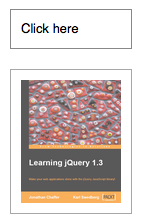
  </code></pre>
    <p class="image four-across">
      <img src="/resources/0042_06_21.png" alt=""/>
      <img src="/resources/0042_06_22.png" alt=""/>
      <img src="/resources/0042_06_23.png" alt=""/>
      <img src="/resources/0042_06_24.png" alt=""/>
    </p>
    <h4 id="easing">Easing</h4>
    <p><strong>As of jQuery 1.4.3</strong>, an optional string naming an easing function may be used. Easing functions specify the speed at which the animation progresses at different points within the animation. The only easing implementations in the jQuery library are the default, called <code>swing</code>, and one that progresses at a constant pace, called <code>linear</code>. More easing functions are available with the use of plug-ins, most notably the <a href="http://jqueryui.com">jQuery UI suite</a>.</p>
    <h4 id="callback-function">Callback Function</h4>
    <p>If supplied, the callback is fired once the animation is complete. This can be useful for stringing different animations together in sequence. The callback is not sent any arguments, but <code>this</code> is set to the DOM element being animated. If multiple elements are animated, it is important to note that the callback is executed once per matched element, not once for the animation as a whole.</p>
    <p><strong>As of jQuery 1.6</strong>, the <code><a href="http://api.jquery.com/promise/">.promise()</a></code> method can be used in conjunction with the <code><a href="http://api.jquery.com/deferred.done/">deferred.done()</a></code> method to execute a single callback for the animation as a whole when <em>all</em> matching elements have completed their animations ( See the <a href="http://api.jquery.com/promise/#example-1">example for .promise()</a> ).  </p>
  </longdesc>
  <note>
			All jQuery effects, including <code>.slideUp()</code>, can be turned off globally by setting <code>jQuery.fx.off = true</code>, which effectively sets the duration to 0. For more information, see <a href="http://api.jquery.com/jquery.fx.off">jQuery.fx.off</a>.
		</note>
  <note>
			If <code>.slideDown()</code> is called on an unordered list (<code>&lt;ul&gt;</code>) and its <code>&lt;li&gt;</code> elements have position (relative, absolute, or fixed), the effect may not work properly in IE6 through at least IE9 unless the <code>&lt;ul&gt;</code> has "layout." To remedy the problem, add the <code>position: relative;</code> and <code>zoom: 1;</code> CSS declarations to the <code>ul</code>.
		</note>
  <example>
    <desc>Animates all divs to slide up, completing the animation within 400 milliseconds.</desc>
    <code>
  $(document.body).click(function () {
    if ($("div:first").is(":hidden")) {
      $("div").show("slow");
    } else {
      $("div").slideUp();
    }
  });

  </code>
    <css>
  div { background:#3d9a44; margin:3px; width:80px;
    height:40px; float:left; }
  </css>
    <html>Click me!
  &lt;div&gt;&lt;/div&gt;
  &lt;div&gt;&lt;/div&gt;
  &lt;div&gt;&lt;/div&gt;
  &lt;div&gt;&lt;/div&gt;

  &lt;div&gt;&lt;/div&gt;</html>
  </example>
  <example>
    <desc>Animates the parent paragraph to slide up, completing the animation within 200 milliseconds. Once the animation is done, it displays an alert.</desc>
    <code>
  $("button").click(function () {
    $(this).parent().slideUp("slow", function () {
      $("#msg").text($("button", this).text() + " has completed.");
    });
  });

</code>
    <css>
 div { margin:2px; }
</css>
    <html>&lt;div&gt;
  &lt;button&gt;Hide One&lt;/button&gt;
  &lt;input type="text" value="One" /&gt;

&lt;/div&gt;
&lt;div&gt;
  &lt;button&gt;Hide Two&lt;/button&gt;
  &lt;input type="text" value="Two" /&gt;

&lt;/div&gt;
&lt;div&gt;
  &lt;button&gt;Hide Three&lt;/button&gt;
  &lt;input type="text" value="Three" /&gt;

&lt;/div&gt;
&lt;div id="msg"&gt;&lt;/div&gt;</html>
  </example>
  <category slug="effects/sliding"/>
  <category slug="version/1.0"/>
  <category slug="version/1.4.3"/>
</entry><entry type="method" name="stop" return="jQuery">
  <title>.stop()</title>
  <desc>Stop the currently-running animation on the matched elements.</desc>
  <signature>
    <added>1.2</added>
    <argument name="clearQueue" type="Boolean" optional="true">
      <desc>A Boolean indicating whether to remove queued animation as well. Defaults to <code>false</code>.</desc>
    </argument>
    <argument name="jumpToEnd" type="Boolean" optional="true">
      <desc>A Boolean indicating whether to complete the current animation immediately. Defaults to <code>false</code>.</desc>
    </argument>
  </signature>
  <signature>
    <added>1.7</added>
    <argument name="queue" type="String" optional="true">
      <desc>The name of the queue in which to stop animations.</desc>
    </argument>
    <argument name="clearQueue" type="Boolean" optional="true">
      <desc>A Boolean indicating whether to remove queued animation as well. Defaults to <code>false</code>.</desc>
    </argument>
    <argument name="jumpToEnd" type="Boolean" optional="true">
      <desc>A Boolean indicating whether to complete the current animation immediately. Defaults to <code>false</code>.</desc>
    </argument>
  </signature>
  <longdesc>
    <p>When <code>.stop()</code> is called on an element, the currently-running animation (if any) is immediately stopped. If, for instance, an element is being hidden with <code>.slideUp()</code> when <code>.stop()</code> is called, the element will now still be displayed, but will be a fraction of its previous height. Callback functions are not called.</p>
    <p>If more than one animation method is called on the same element, the later animations are placed in the effects queue for the element. These animations will not begin until the first one completes. When <code>.stop()</code> is called, the next animation in the queue begins immediately. If the <code>clearQueue</code> parameter is provided with a value of <code>true</code>, then the rest of the animations in the queue are removed and never run.</p>
    <p>If the <code>jumpToEnd</code> argument is provided with a value of <code>true</code>, the current animation stops, but the element is immediately given its target values for each CSS property. In our above <code>.slideUp()</code> example, the element would be immediately hidden. The callback function is then immediately called, if provided.</p>
    <p><strong>As of jQuery 1.7</strong>, if the first argument is provided as a string, only the animations in the queue represented by that string will be stopped.</p>
    <p>The usefulness of the <code>.stop()</code> method is evident when we need to animate an element on <code>mouseenter</code> and <code>mouseleave</code>:</p>
    <pre><code>&lt;div id="hoverme"&gt;
  Hover me
  &lt;img id="hoverme" src="book.png" alt="" width="100" height="123" /&gt;
&lt;/div&gt;</code></pre>
    <p>We can create a nice fade effect without the common problem of multiple queued animations by adding <code>.stop(true, true)</code> to the chain:</p>
    <pre><code>$('#hoverme-stop-2').hover(function() {
  $(this).find('img').stop(true, true).fadeOut();
}, function() {
  $(this).find('img').stop(true, true).fadeIn();
});</code></pre>
    <h2>Toggling Animations</h2>
    <p><strong>As of jQuery 1.7,</strong> stopping a toggled animation prematurely with <code>.stop()</code> will trigger jQuery's internal effects tracking. In previous versions, calling the <code>.stop()</code> method before a toggled animation was completed would cause the animation to lose track of its state (if jumpToEnd was false). Any subsequent animations would start at a new "half-way" state, sometimes resulting in the element disappearing. To observe the new behavior, see the final example below.</p>
    <div class="warning">
      <p>Animations may be stopped globally by setting the property <code>$.fx.off</code> to <code>true</code>. When this is done, all animation methods will immediately set elements to their final state when called, rather than displaying an effect.</p>
    </div>
  </longdesc>
  <example>
    <desc>Click the Go button once to start the animation, then click the STOP button to stop it where it's currently positioned.  Another option is to click several buttons to queue them up and see that stop just kills the currently playing one.</desc>
    <code>
/* Start animation */
$("#go").click(function(){
$(".block").animate({left: '+=100px'}, 2000);
});

/* Stop animation when button is clicked */
$("#stop").click(function(){
$(".block").stop();
});

/* Start animation in the opposite direction */
$("#back").click(function(){
$(".block").animate({left: '-=100px'}, 2000);
});

</code>
    <html>&lt;button id="go"&gt;Go&lt;/button&gt;
&lt;button id="stop"&gt;STOP!&lt;/button&gt;
&lt;button id="back"&gt;Back&lt;/button&gt;
&lt;div class="block"&gt;&lt;/div&gt;</html>
    <css>div {
position: absolute;
background-color: #abc;
left: 0px;
top:30px;
width: 60px;
height: 60px;
margin: 5px;
}
</css>
  </example>
  <example>
    <desc>Click the slideToggle button to start the animation, then click again before the animation is completed. The animation will toggle the other direction from the saved starting point.</desc>
    <code>
var $block = $('.block');
/* Toggle a sliding animation animation */
$('#toggle').on('click', function() {
    $block.stop().slideToggle(1000);
});
</code>
    <html>&lt;button id="toggle"&gt;slideToggle&lt;/button&gt;
&lt;div class="block"&gt;&lt;/div&gt;</html>
    <css>.block {
background-color: #abc;
border: 2px solid black;
width: 200px;
height: 80px;
margin: 10px;
}
</css>
  </example>
  <category slug="effects/custom-effects"/>
  <category slug="version/1.2"/>
  <category slug="version/1.7"/>
</entry><entry type="selector" name="submit" return="">
  <title>:submit Selector</title>
  <sample>:submit</sample>
  <signature>
    <added>1.0</added>
  </signature>
  <desc>Selects all elements of type submit.</desc>
  <longdesc>
    <p>The <code>:submit</code> selector typically applies to button or input elements. Note that some browsers treat <code>&lt;button&gt;</code> element as <code>type="submit"</code> implicitly while others (such as Internet Explorer) do not. To ensure that markup works consistently across all browsers and guarantee that it is possible to consistently select buttons that will submit a form, always specify a <code>type</code> property.</p>
  </longdesc>
  <note>
			Because <code>:submit</code> is a jQuery extension and not part of the CSS specification, queries using <code>:submit</code> cannot take advantage of the performance boost provided by the native DOM <code>querySelectorAll()</code> method. For better performance in modern browsers, use <code>input[type="submit"], button[type="submit"]</code> instead.
		</note>
  <example>
    <desc>Finds all submit elements that are descendants of a td element.</desc>
    <code>
var submitEl = $("td :submit")
  .parent('td')
  .css({background:"yellow", border:"3px red solid"})
.end();

$('#result').text('jQuery matched ' + submitEl.length + ' elements.');

// so it won't submit
$("form").submit(function () { return false; });

// Extra JS to make the HTML easier to edit (None of this is relevant to the ':submit' selector
$('#exampleTable').find('td').each(function(i, el) {
    var inputEl = $(el).children(),
        inputType = inputEl.attr('type') ? ' type="' + inputEl.attr('type') + '"' : '';
    $(el).before('&lt;td&gt;' + inputEl[0].nodeName + inputType + '&lt;/td&gt;');
})
</code>
    <css>
  textarea { height:45px; }
  </css>
    <html>
&lt;form&gt;
&lt;table id="exampleTable" border="1" cellpadding="10" align="center"&gt;
  &lt;tr&gt;
    &lt;th&gt;
      Element Type
    &lt;/th&gt;
    &lt;th&gt;
      Element
    &lt;/th&gt;
  &lt;/tr&gt;
  &lt;tr&gt;
    &lt;td&gt;
      &lt;input type="button" value="Input Button"/&gt;
    &lt;/td&gt;
  &lt;/tr&gt;
  &lt;tr&gt;
    &lt;td&gt;
      &lt;input type="checkbox" /&gt;
    &lt;/td&gt;
  &lt;/tr&gt;
  &lt;tr&gt;
    &lt;td&gt;
      &lt;input type="file" /&gt;
    &lt;/td&gt;
  &lt;/tr&gt;
  &lt;tr&gt;
    &lt;td&gt;
      &lt;input type="hidden" /&gt;
    &lt;/td&gt;
  &lt;/tr&gt;
  &lt;tr&gt;
    &lt;td&gt;
      &lt;input type="image" /&gt;
    &lt;/td&gt;
  &lt;/tr&gt;
  &lt;tr&gt;
    &lt;td&gt;
      &lt;input type="password" /&gt;
    &lt;/td&gt;
  &lt;/tr&gt;
  &lt;tr&gt;
    &lt;td&gt;
      &lt;input type="radio" /&gt;
    &lt;/td&gt;

  &lt;/tr&gt;
  &lt;tr&gt;
    &lt;td&gt;
      &lt;input type="reset" /&gt;
    &lt;/td&gt;
  &lt;/tr&gt;
  &lt;tr&gt;
    &lt;td&gt;
      &lt;input type="submit" /&gt;
    &lt;/td&gt;
  &lt;/tr&gt;
  &lt;tr&gt;
    &lt;td&gt;
      &lt;input type="text" /&gt;
    &lt;/td&gt;
  &lt;/tr&gt;
  &lt;tr&gt;
    &lt;td&gt;
      &lt;select&gt;&lt;option&gt;Option&lt;/option&gt;&lt;/select&gt;
    &lt;/td&gt;
  &lt;/tr&gt;
  &lt;tr&gt;
    &lt;td&gt;
      &lt;textarea&gt;&lt;/textarea&gt;
    &lt;/td&gt;
  &lt;/tr&gt;
  &lt;tr&gt;
    &lt;td&gt;
      &lt;button&gt;Button&lt;/button&gt;
    &lt;/td&gt;
  &lt;/tr&gt;
  &lt;tr&gt;
    &lt;td&gt;
      &lt;button type="submit"&gt;Button type="submit"&lt;/button&gt;
    &lt;/td&gt;
  &lt;/tr&gt;

&lt;/table&gt;
&lt;/form&gt;
&lt;div id="result"&gt;&lt;/div&gt;
</html>
  </example>
  <category slug="selectors/form-selectors"/>
  <category slug="selectors/jquery-selector-extensions"/>
  <category slug="version/1.0"/>
</entry><entry type="method" name="submit" return="jQuery">
  <title>.submit()</title>
  <desc>Bind an event handler to the "submit" JavaScript event, or trigger that event on an element.</desc>
  <signature>
    <added>1.0</added>
    <argument name="handler(eventObject)" type="Function">
      <desc>A function to execute each time the event is triggered.</desc>
    </argument>
  </signature>
  <signature>
    <added>1.4.3</added>
    <argument name="eventData" type="PlainObject" optional="true">
      <desc>An object containing data that will be passed to the event handler.</desc>
    </argument>
    <argument name="handler(eventObject)" type="Function">
      <desc>A function to execute each time the event is triggered.</desc>
    </argument>
  </signature>
  <signature>
    <added>1.0</added>
  </signature>
  <longdesc>
    <p>This method is a shortcut for <code>.on('submit', handler)</code> in the first variation, and <code>.trigger('submit')</code> in the third.</p>
    <p>The <code>submit</code> event is sent to an element when the user is attempting to submit a form. It can only be attached to <code>&lt;form&gt;</code> elements. Forms can be submitted either by clicking an explicit <code>&lt;input type="submit"&gt;</code>, <code>&lt;input type="image"&gt;</code>, or <code>&lt;button type="submit"&gt;</code>, or by pressing <kbd>Enter</kbd> when certain form elements have focus.</p>
    <div class="warning">
      <p>Depending on the browser, the Enter key may only cause a form submission if the form has exactly one text field, or only when there is a submit button present. The interface should not rely on a particular behavior for this key unless the issue is forced by observing the keypress event for presses of the Enter key.</p>
    </div>
    <p>For example, consider the HTML:</p>
    <pre><code>&lt;form id="target" action="destination.html"&gt;
  &lt;input type="text" value="Hello there" /&gt;
  &lt;input type="submit" value="Go" /&gt;
&lt;/form&gt;
&lt;div id="other"&gt;
  Trigger the handler
&lt;/div&gt;</code></pre>
    <p>The event handler can be bound to the form:</p>
    <pre><code>$('#target').submit(function() {
  alert('Handler for .submit() called.');
  return false;
});</code></pre>
    <p>Now when the form is submitted, the message is alerted. This happens prior to the actual submission, so we can cancel the submit action by calling <code>.preventDefault()</code> on the event object or by returning <code>false</code> from our handler. We can trigger the event manually when another element is clicked:</p>
    <pre><code>$('#other').click(function() {
  $('#target').submit();
});</code></pre>
    <p>After this code executes, clicks on <samp>Trigger the handler</samp> will also display the message. In addition, the default <code>submit</code> action on the form will be fired, so the form will be submitted.</p>
    <p>The JavaScript <code>submit</code> event does not bubble in Internet Explorer. However, scripts that rely on event delegation with the <code>submit</code> event will work consistently across browsers as of jQuery 1.4, which has normalized the event's behavior. </p>
  </longdesc>
  <note>
			Forms and their child elements should not use input names or ids that conflict with properties of a form, such as <code>submit</code>, <code>length</code>, or <code>method</code>. Name conflicts can cause confusing failures. For a complete list of rules and to check your markup for these problems, see <a href="http://kangax.github.com/domlint/">DOMLint</a>.
		</note>
  <example>
    <desc>If you'd like to prevent forms from being submitted unless a flag variable is set, try:</desc>
    <code>

$("form").submit(function() {
  if ($("input:first").val() == "correct") {
    $("span").text("Validated...").show();
    return true;
  }
  $("span").text("Not valid!").show().fadeOut(1000);
  return false;
});
</code>
    <css>

  p { margin:0; color:blue; }
  div,p { margin-left:10px; }
  span { color:red; }
  </css>
    <html>&lt;p&gt;Type 'correct' to validate.&lt;/p&gt;
  &lt;form action="javascript:alert('success!');"&gt;
    &lt;div&gt;
      &lt;input type="text" /&gt;

      &lt;input type="submit" /&gt;
    &lt;/div&gt;
  &lt;/form&gt;
  &lt;span&gt;&lt;/span&gt;</html>
  </example>
  <example>
    <desc>If you'd like to prevent forms from being submitted unless a flag variable is set, try:</desc>
    <code>$("form").submit( function () {
  return this.some_flag_variable;
} );</code>
  </example>
  <example>
    <desc>To trigger the submit event on the first form on the page, try:</desc>
    <code>$("form:first").submit();</code>
  </example>
  <category slug="events/form-events"/>
  <category slug="forms"/>
  <category slug="version/1.0"/>
  <category slug="version/1.4.3"/>
</entry><entry type="selector" name="text" return="">
  <title>:text Selector</title>
  <sample>:text</sample>
  <signature>
    <added>1.0</added>
  </signature>
  <desc>Selects all elements of type text.</desc>
  <longdesc>
    <p><code>$(':text')</code> allows us to select all <code>&lt;input type="text"&gt;</code> elements. As with other pseudo-class selectors (those that begin with a ":") it is recommended to precede it with a tag name or some other selector; otherwise, the universal selector ("*") is implied. In other words, the bare <code>$(':text')</code> is equivalent to <code>$('*:text')</code>, so <code>$('input:text')</code> should be used instead. </p>
    <p><strong>Note:</strong> As of jQuery 1.5.2, <code>:text</code> selects <code>input</code> elements that have no specified <code>type</code> attribute (in which case <code>type="text"</code> is implied).  </p>
    <p>This difference in behavior between <code>$(':text')</code> and <code>$('[type=text]')</code>, can be seen below:</p>
    <pre><code>$('&lt;input&gt;').is('[type=text]'); // false
$('&lt;input&gt;').is(':text'); // true
</code></pre>
  </longdesc>
  <note>
			Because <code>:text</code> is a jQuery extension and not part of the CSS specification, queries using <code>:text</code> cannot take advantage of the performance boost provided by the native DOM <code>querySelectorAll()</code> method. For better performance in modern browsers, use <code>[type="text"]</code> instead.
		</note>
  <example>
    <desc>Finds all text inputs.</desc>
    <code>
var input = $("form input:text").css({background:"yellow", border:"3px red solid"});
$("div").text("For this type jQuery found " + input.length + ".")
        .css("color", "red");
$("form").submit(function () { return false; }); // so it won't submit
</code>
    <css>
  textarea { height:25px; }
  </css>
    <html>&lt;form&gt;
    &lt;input type="button" value="Input Button"/&gt;
    &lt;input type="checkbox" /&gt;

    &lt;input type="file" /&gt;
    &lt;input type="hidden" /&gt;
    &lt;input type="image" /&gt;

    &lt;input type="password" /&gt;
    &lt;input type="radio" /&gt;
    &lt;input type="reset" /&gt;

    &lt;input type="submit" /&gt;
    &lt;input type="text" /&gt;
    &lt;select&gt;&lt;option&gt;Option&lt;/option&gt;&lt;/select&gt;

    &lt;textarea&gt;&lt;/textarea&gt;
    &lt;button&gt;Button&lt;/button&gt;
  &lt;/form&gt;
  &lt;div&gt;
  &lt;/div&gt;</html>
  </example>
  <category slug="selectors/form-selectors"/>
  <category slug="selectors/jquery-selector-extensions"/>
  <category slug="version/1.0"/>
</entry><entry type="method" name="text" return="String">
    <title>.text()</title>
    <signature>
      <added>1.0</added>
    </signature>
    <desc>Get the combined text contents of each element in the set of matched elements, including their descendants.</desc>
    <longdesc>
      <p>Unlike the <code>.html()</code> method, <code>.text()</code> can be used in both XML and HTML documents. The result of the <code>.text()</code> method is a string containing the combined text of all matched elements. (Due to variations in the HTML parsers in different browsers, the text returned may vary in newlines and other white space.) Consider the following HTML:</p>
      <pre><code>&lt;div class="demo-container"&gt;
      &lt;div class="demo-box"&gt;Demonstration Box&lt;/div&gt;
  &lt;ul&gt;
  &lt;li&gt;list item 1&lt;/li&gt;
  &lt;li&gt;list &lt;strong&gt;item&lt;/strong&gt; 2&lt;/li&gt;
  &lt;/ul&gt;
  &lt;/div&gt;
</code></pre>
      <p>The code <code>$('div.demo-container').text()</code> would produce the following result:</p>
      <p>
        <code>Demonstration Box list item 1 list item 2</code>
      </p>
      <p>The <code>.text()</code> method cannot be used on form inputs or scripts.  To set or get the text value of <code>input</code> or <code>textarea</code> elements, use the <a href="/val"><code>.val()</code></a> method. To get the value of a script element, use the <a href="/html"><code>.html()</code></a> method.</p>
      <p>As of jQuery 1.4, the <code>.text()</code> method returns the value of text and CDATA nodes as well as element nodes.</p>
    </longdesc>
    <example>
      <desc>Find the text in the first paragraph (stripping out the html), then set the html of the last paragraph to show it is just text (the red bold is gone).</desc>
      <code>
var str = $("p:first").text();
$("p:last").html(str);
</code>
      <css>
  p { color:blue; margin:8px; }
  b { color:red; }
  </css>
      <html>&lt;p&gt;&lt;b&gt;Test&lt;/b&gt; Paragraph.&lt;/p&gt;
  &lt;p&gt;&lt;/p&gt;</html>
    </example>
    <category slug="manipulation/dom-insertion-inside"/>
    <category slug="version/1.0"/>
    <category slug="version/1.4"/>
  </entry><entry type="method" name="text" return="jQuery">
    <signature>
      <added>1.0</added>
      <argument name="textString" type="String">
        <desc>A string of text to set as the content of each matched element.</desc>
      </argument>
    </signature>
    <signature>
      <added>1.4</added>
      <argument name="function(index, text)" type="Function">
        <desc>A function returning the text content to set. Receives the index position of the element in the set and the old text value as arguments.</desc>
      </argument>
    </signature>
    <desc>Set the content of each element in the set of matched elements to the specified text.</desc>
    <longdesc>
      <p>Unlike the <code>.html()</code> method, <code>.text()</code> can be used in both XML and HTML documents. </p>
      <p>We need to be aware that this method escapes the string provided as necessary so that it will render correctly in HTML. To do so, it calls the DOM method <code>.createTextNode()</code>, does not interpret the string as HTML.  Consider the following HTML:</p>
      <pre><code>&lt;div class="demo-container"&gt;
  &lt;div class="demo-box"&gt;Demonstration Box&lt;/div&gt;
  &lt;ul&gt;
    &lt;li&gt;list item 1&lt;/li&gt;
    &lt;li&gt;list &lt;strong&gt;item&lt;/strong&gt; 2&lt;/li&gt;
  &lt;/ul&gt;
&lt;/div&gt;
</code></pre>
      <p>The code <code>$('div.demo-container').text('&lt;p&gt;This is a test.&lt;/p&gt;');</code> will produce the following DOM output:</p>
      <pre><code>&lt;div class="demo-container"&gt;
&amp;lt;p&amp;gt;This is a test.&amp;lt;/p&amp;gt;
&lt;/div&gt;</code></pre>
      <p>It will appear on a rendered page as though the tags were exposed, like this:</p>
      <pre><code>&lt;p&gt;This is a test&lt;/p&gt;</code></pre>
      <p>The <code>.text()</code> method cannot be used on input elements.  For input field text, use the <a href="/val">.val()</a> method.</p>
      <p>As of jQuery 1.4, the <code>.text()</code> method allows us to set the text content by passing in a function.</p>
      <pre><code>$('ul li').text(function(index) {
  return 'item number ' + (index + 1);
});</code></pre>
      <p>Given an unordered list with three <code>&lt;li&gt;</code> elements, this example will produce the following DOM output:</p>
      <pre><code>&lt;ul&gt;
  &lt;li&gt;item number 1&lt;/li&gt;
  &lt;li&gt;item number 2&lt;/li&gt;
  &lt;li&gt;item number 3&lt;/li&gt;
&lt;/ul&gt;
</code></pre>
    </longdesc>
    <example>
      <desc>Add text to the paragraph (notice the bold tag is escaped).</desc>
      <code>$("p").text("&lt;b&gt;Some&lt;/b&gt; new text.");</code>
      <css>

  p { color:blue; margin:8px; }
  </css>
      <html>&lt;p&gt;Test Paragraph.&lt;/p&gt;</html>
    </example>
    <category slug="manipulation/dom-insertion-inside"/>
    <category slug="version/1.0"/>
    <category slug="version/1.4"/>
  </entry><entry type="method" name="toArray" return="Array">
  <title>.toArray()</title>
  <signature>
    <added>1.4</added>
  </signature>
  <desc>Retrieve all the DOM elements contained in the jQuery set, as an array.</desc>
  <longdesc>
    <p><code>.toArray()</code> returns all of the elements in the jQuery set:</p>
    <pre><code>alert($('li').toArray());</code></pre>
    <p>All of the matched DOM nodes are returned by this call, contained in a standard array:</p>
    <p>
      <span class="result">[&lt;li id="foo"&gt;, &lt;li id="bar"&gt;]</span>
    </p>
  </longdesc>
  <example>
    <desc>Selects all divs in the document and returns the DOM Elements as an Array, then uses the built-in reverse-method to reverse that array.</desc>
    <code>
function disp(divs) {
  var a = [];
  for (var i = 0; i &lt; divs.length; i++) {
    a.push(divs[i].innerHTML);
  }
  $("span").text(a.join(" "));
}

disp( $("div").toArray().reverse() );
</code>
    <css>
  span { color:red; }
  </css>
    <html>Reversed - &lt;span&gt;&lt;/span&gt;

  &lt;div&gt;One&lt;/div&gt;
  &lt;div&gt;Two&lt;/div&gt;
  &lt;div&gt;Three&lt;/div&gt;</html>
  </example>
  <category slug="miscellaneous/dom-element-methods"/>
  <category slug="version/1.4"/>
</entry><entry type="method" name="toggle" return="jQuery" deprecated="1.8" removed="1.9">
  <title>.toggle()</title>
  <desc>Bind two or more handlers to the matched elements, to be executed on alternate clicks.</desc>
  <signature>
    <added>1.0</added>
    <argument name="handler(eventObject)" type="Function">
      <desc>A function to execute every even time the element is clicked.</desc>
    </argument>
    <argument name="handler(eventObject)" type="Function">
      <desc>A function to execute every odd time the element is clicked.</desc>
    </argument>
    <argument name="handler(eventObject)" optional="true" type="Function">
      <desc>Additional handlers to cycle through after clicks.</desc>
    </argument>
  </signature>
  <longdesc>
    <div class="warning">
      <p>Note: This method signature was deprecated in jQuery 1.8 and removed in jQuery 1.9. jQuery also provides an animation method named <a href="http://api.jquery.com/toggle/">.toggle()</a> that toggles the visibility of elements. Whether the animation or the event method is fired depends on the set of arguments passed.</p>
    </div>
    <p>The <code>.toggle()</code> method binds a handler for the <code>click</code> event, so the rules outlined for the triggering of <code>click</code> apply here as well.</p>
    <pre><code>For example, consider the HTML:
&lt;div id="target"&gt;
  Click here
&lt;/div&gt;</code></pre>
    <p>Event handlers can then be bound to the <code>&lt;div&gt;</code>:</p>
    <pre><code>$('#target').toggle(function() {
  alert('First handler for .toggle() called.');
}, function() {
  alert('Second handler for .toggle() called.');
});</code></pre>
    <p>As the element is clicked repeatedly, the messages alternate:</p>
    <p>
      <samp>First handler for .toggle() called.</samp>
      <br/>
      <samp>Second handler for .toggle() called.</samp>
      <br/>
      <samp>First handler for .toggle() called.</samp>
      <br/>
      <samp>Second handler for .toggle() called.</samp>
      <br/>
      <samp>First handler for .toggle() called.</samp>
    </p>
    <p>If more than two handlers are provided, <code>.toggle()</code> will cycle among all of them. For example, if there are three handlers, then the first handler will be called on the first click, the fourth click, the seventh click, and so on.</p>
    <p>The <code>.toggle()</code> method is provided for convenience. It is relatively straightforward to implement the same behavior by hand, and this can be necessary if the assumptions built into <code>.toggle()</code> prove limiting. For example, <code>.toggle()</code> is not guaranteed to work correctly if applied twice to the same element. Since <code>.toggle()</code> internally uses a <code>click</code> handler to do its work, we must unbind <code>click</code> to remove a behavior attached with <code>.toggle()</code>, so other <code>click</code> handlers can be caught in the crossfire. The implementation also calls <code>.preventDefault()</code> on the event, so links will not be followed and buttons will not be clicked if <code>.toggle()</code> has been called on the element.</p>
  </longdesc>
  <example>
    <desc>Toggle a style on table cells. (Not recommended. Use .toggleClass() instead.):</desc>
    <code>$("td").toggle(
  function () {
    $(this).addClass("selected");
  },
  function () {
    $(this).removeClass("selected");
  }
);</code>
  </example>
  <category slug="events/mouse-events"/>
  <category slug="version/1.0"/>
  <category slug="deprecated/deprecated-1.8"/>
  <category slug="removed"/>
</entry><entry type="method" name="toggle" return="jQuery">
  <title>.toggle()</title>
  <desc>Display or hide the matched elements.</desc>
  <signature>
    <added>1.0</added>
    <argument name="duration" default="400" optional="true">
	<desc>A string or number determining how long the animation will run.</desc>
	<type name="Number"/>
	<type name="String"/>
</argument>
    <argument name="complete" type="Function" optional="true">
	<desc>A function to call once the animation is complete.</desc>
</argument>
  </signature>
  <signature>
    <added>1.0</added>
    <argument name="options" type="PlainObject">
	<desc>A map of additional options to pass to the method.</desc>
	<property name="duration" default="400">
		<desc>A string or number determining how long the animation will run.</desc>
		<type name="Number"/>
		<type name="String"/>
	</property>
	<property name="easing" type="String" default="swing">
		<desc>A string indicating which easing function to use for the transition.</desc>
	</property>
	<property name="queue" default="true">
		<desc>A Boolean indicating whether to place the animation in the effects queue. If false, the animation will begin immediately. <strong>As of jQuery 1.7</strong>, the queue option can also accept a string, in which case the animation is added to the queue represented by that string. When a custom queue name is used the animation does not automatically start; you must call <code>.dequeue("queuename")</code> to start it.</desc>
		<type name="Boolean"/>
		<type name="String"/>
	</property>
	<property name="specialEasing" type="PlainObject" added="1.4">
		<desc>A map of one or more of the CSS properties defined by the properties argument and their corresponding easing functions.</desc>
	</property>

	<property name="step" type="Function">
		<desc>A function to be called for each animated property of each animated element. This function provides an opportunity to modify the Tween object to change the value of the property before it is set.</desc>
		<argument name="now" type="Number">
			<desc>The numeric value of the property being animated at each step</desc>
		</argument>
		<argument name="tween" type="Tween">
			<desc>An object of properties related to the animation and the element being animated. For information about the tween object and its properties, see <a href="/jQuery.Tween/">jQuery.Tween</a></desc>
		</argument>
	</property>

	<property name="progress" type="Function" added="1.8">
		<desc>A function to be called after each step of the animation, only once per animated element regardless of the number of animated properties.</desc>
		<argument name="animation" type="Promise">
			<desc>An enhanced Promise object with additional properties for the animation</desc>
		</argument>
		<argument name="progress" type="Number">
			<desc>A number from 0 to 1 indicating the progress of the animation</desc>
		</argument>
		<argument name="remainingMs" type="Number">
			<desc>A number indicating the remaining number of milliseconds until the scheduled end of the animation</desc>
		</argument>
	</property>
	<property name="complete" type="Function">
		<desc>A function to call once the animation is complete.</desc>
		
	</property>
	<property name="done" type="Function" added="1.8">
		<desc>A function to be called when the animation completes (its Promise object is resolved).</desc>
		<argument name="animation" type="Promise">
			<desc>An enhanced Promise object with additional properties for the animation</desc>
		</argument>
		<argument name="jumpedToEnd" type="Boolean">
			<desc>Indicates whether the animation jumped to the end</desc>
		</argument>
	</property>
	<property name="fail" type="Function" added="1.8">
		<desc>A function to be called when the animation fails to complete (its Promise object is rejected).</desc>
		<argument name="animation" type="Promise">
			<desc>An enhanced Promise object with additional properties for the animation</desc>
		</argument>
		<argument name="jumpedToEnd" type="Boolean">
			<desc>Indicates whether the animation jumped to the end</desc>
		</argument>
	</property>
	<property name="always" type="Function" added="1.8">
		<desc>A function to be called when the animation completes or stops without completing (its Promise object is either resolved or rejected).</desc>
		<argument name="animation" type="Promise">
			<desc>An enhanced Promise object with additional properties for the animation</desc>
		</argument>
		<argument name="jumpedToEnd" type="Boolean">
			<desc>Indicates whether the animation jumped to the end</desc>
		</argument>
	</property>

</argument>
  </signature>
  <signature>
    <added>1.4.3</added>
    
    <argument name="duration" default="400">
      <desc>A string or number determining how long the animation will run.</desc>
      <type name="Number"/>
      <type name="String"/>
    </argument>
    <argument name="easing" type="String" default="swing" optional="true">
	<desc>A string indicating which easing function to use for the transition.</desc>
</argument>
    <argument name="complete" type="Function" optional="true">
	<desc>A function to call once the animation is complete.</desc>
</argument>
  </signature>
  <signature>
    <added>1.3</added>
    <argument name="showOrHide" type="Boolean">
      <desc>A Boolean indicating whether to show or hide the elements.</desc>
    </argument>
  </signature>

  <longdesc>
    <div class="warning">
      <p>Note: The event handling suite also has a method named <a href="http://api.jquery.com/toggle-event/">.toggle()</a>. Which one is fired depends on the set of arguments passed.</p>
    </div>
    <p>With no parameters, the <code>.toggle()</code> method simply toggles the visibility of elements:</p>
    <pre><code>$('.target').toggle();</code></pre>
    <p>The matched elements will be revealed or hidden immediately, with no animation, by changing the CSS <code>display</code> property. If the element is initially displayed, it will be hidden; if hidden, it will be shown. The <code>display</code> property is saved and restored as needed. If an element has a <code>display</code> value of <code>inline</code>, then is hidden and shown, it will once again be displayed <code>inline</code>.</p>
    <p>When a duration, a plain object, or a <em>single</em> "complete" function is provided, <code>.toggle()</code> becomes an animation method. The <code>.toggle()</code> method animates the width, height, and opacity of the matched elements simultaneously. When these properties reach 0 after a hiding animation, the <code>display</code> style property is set to <code>none</code> to ensure that the element no longer affects the layout of the page.</p>
    <p>Durations are given in milliseconds; higher values indicate slower animations, not faster ones. The strings <code>'fast'</code> and <code>'slow'</code> can be supplied to indicate durations of <code>200</code> and <code>600</code> milliseconds, respectively.</p>
    <p>As of jQuery 1.4.3, an optional string naming an easing function may be used. Easing functions specify the speed at which the animation progresses at different points within the animation. The only easing implementations in the jQuery library are the default, called <code>swing</code>, and one that progresses at a constant pace, called <code>linear</code>. More easing functions are available with the use of plug-ins, most notably the <a href="http://jqueryui.com">jQuery UI suite</a>.</p>
    <p>If supplied, the callback is fired once the animation is complete. This can be useful for stringing different animations together in sequence. The callback is not sent any arguments, but <code>this</code> is set to the DOM element being animated. If multiple elements are animated, it is important to note that the callback is executed once per matched element, not once for the animation as a whole.</p>
    <p>We can animate any element, such as a simple image:</p>
    <pre><code>&lt;div id="clickme"&gt;
  Click here
&lt;/div&gt;
&lt;img id="book" src="book.png" alt="" width="100" height="123" /&gt;
</code></pre>
    <p>We will cause <code>.toggle()</code> to be called when another element is clicked:</p>
    <pre><code>$('#clickme').click(function() {
  $('#book').toggle('slow', function() {
    // Animation complete.
  });
});
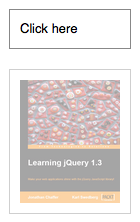
</code></pre>
    <p>With the element initially shown, we can hide it slowly with the first click:
    </p>
    <p class="image four-across">
      <img src="/resources/0042_06_09.png" alt=""/>
      <img src="/resources/0042_06_10.png" alt=""/>
      <img src="/resources/0042_06_11.png" alt=""/>
      <img src="/resources/0042_06_12.png" alt=""/>
    </p>
    <p>A second click will show the element once again:</p>
    <p class="image four-across">
      <img src="/resources/0042_06_13.png" alt=""/>
      <img src="/resources/0042_06_14.png" alt=""/>
      <img src="/resources/0042_06_15.png" alt=""/>
      <img src="/resources/0042_06_16.png" alt=""/>
    </p>
    <p>The second version of the method accepts a Boolean parameter. If this parameter is <code>true</code>, then the matched elements are shown; if <code>false</code>, the elements are hidden. In essence, the statement:
    </p>
    <pre><code>$('#foo').toggle(showOrHide);</code></pre>
    <p>is equivalent to:</p>
    <pre><code>if ( showOrHide == true ) {
  $('#foo').show();
} else if ( showOrHide == false ) {
  $('#foo').hide();
}
</code></pre>
  </longdesc>
  <note>
			All jQuery effects, including <code>.toggle()</code>, can be turned off globally by setting <code>jQuery.fx.off = true</code>, which effectively sets the duration to 0. For more information, see <a href="http://api.jquery.com/jquery.fx.off">jQuery.fx.off</a>.
		</note>
  <example>
    <desc>Toggles all paragraphs.</desc>
    <code>

$("button").click(function () {
$("p").toggle();
});
</code>
    <html>&lt;button&gt;Toggle&lt;/button&gt;
&lt;p&gt;Hello&lt;/p&gt;
&lt;p style="display: none"&gt;Good Bye&lt;/p&gt;</html>
  </example>
  <example>
    <desc>Animates all paragraphs to be shown if they are hidden and hidden if they are visible, completing the animation within 600 milliseconds.</desc>
    <code>
$("button").click(function () {
$("p").toggle("slow");
});
</code>
    <css>
p { background:#dad;
font-weight:bold;
font-size:16px; }
</css>
    <html>&lt;button&gt;Toggle 'em&lt;/button&gt;

&lt;p&gt;Hiya&lt;/p&gt;
&lt;p&gt;Such interesting text, eh?&lt;/p&gt;</html>
  </example>
  <example>
    <desc>Shows all paragraphs, then hides them all, back and forth.</desc>
    <code>
var flip = 0;
$("button").click(function () {
$("p").toggle( flip++ % 2 == 0 );
});
</code>
    <html>&lt;button&gt;Toggle&lt;/button&gt;
&lt;p&gt;Hello&lt;/p&gt;
&lt;p style="display: none"&gt;Good Bye&lt;/p&gt;</html>
  </example>
  <category slug="effects/basics"/>
  <category slug="version/1.0"/>
  <category slug="version/1.3"/>
  <category slug="version/1.4.3"/>
</entry><entry type="method" name="toggleClass" return="jQuery">
  <title>.toggleClass()</title>
  <signature>
    <added>1.0</added>
    <argument name="className" type="String">
      <desc>One or more class names (separated by spaces) to be toggled for each element in the matched set.</desc>
    </argument>
  </signature>
  <signature>
    <added>1.3</added>
    <argument name="className" type="String">
      <desc>One or more class names (separated by spaces) to be toggled for each element in the matched set.</desc>
    </argument>
    <argument name="switch" type="Boolean">
      <desc>A Boolean (not just truthy/falsy) value to determine whether the class should be added or removed.</desc>
    </argument>
  </signature>
  <signature>
    <added>1.4</added>
    <argument name="switch" optional="true" type="Boolean">
      <desc>A boolean value to determine whether the class should be added or removed.</desc>
    </argument>
  </signature>
  <signature>
    <added>1.4</added>
    <argument name="function(index, class, switch)" type="Function">
      <desc>A function that returns class names to be toggled in the class attribute of each element in the matched set. Receives the index position of the element in the set, the old class value, and the switch as arguments.</desc>
    </argument>
    <argument name="switch" optional="true" type="Boolean">
      <desc>A boolean value to determine whether the class should be added or removed.</desc>
    </argument>
  </signature>
  <desc>Add or remove one or more classes from each element in the set of matched elements, depending on either the class's presence or the value of the switch argument.</desc>
  <longdesc>
    <p>This method takes one or more class names as its parameter. In the first version, if an element in the matched set of elements already has the class, then it is removed; if an element does not have the class, then it is added. For example, we can apply <code>.toggleClass()</code> to a simple <code>&lt;div&gt;</code>: </p>
    <pre><code>&lt;div class="tumble"&gt;Some text.&lt;/div&gt;
    </code></pre>
    <p>The first time we apply <code>$('div.tumble').toggleClass('bounce')</code>, we get the following:</p>
    <pre><code>&lt;div class="tumble bounce"&gt;Some text.&lt;/div&gt;
    </code></pre>
    <p>The second time we apply <code>$('div.tumble').toggleClass('bounce')</code>, the <code>&lt;div&gt;</code> class is returned to the single <code>tumble</code> value:</p>
    <pre><code>&lt;div class="tumble"&gt;Some text.&lt;/div&gt;</code></pre>
    <p>Applying <code>.toggleClass('bounce spin')</code> to the same <code>&lt;div&gt;</code> alternates between <code>&lt;div class="tumble bounce spin"&gt;</code> and <code>&lt;div class="tumble"&gt;</code>.</p>
    <p>The second version of <code>.toggleClass()</code> uses the second parameter for determining whether the class should be added or removed. If this parameter's value is <code>true</code>, then the class is added; if <code>false</code>, the class is removed. In essence, the statement:</p>
    <pre><code>$('#foo').toggleClass(className, addOrRemove);</code></pre>
    <p>is equivalent to:</p>
    <pre><code>if (addOrRemove) {
    $('#foo').addClass(className);
  }
  else {
    $('#foo').removeClass(className);
  }
  </code></pre>
    <p><strong>As of jQuery 1.4</strong>, if no arguments are passed to <code>.toggleClass()</code>, all class names on the element the first time <code>.toggleClass()</code> is called will be toggled. Also as of jQuery 1.4, the class name to be toggled can be determined by passing in a function.</p>
    <pre><code>$('div.foo').toggleClass(function() {
  if ($(this).parent().is('.bar')) {
    return 'happy';
  } else {
    return 'sad';
  }
});</code></pre>
    <p>This example will toggle the <code>happy</code> class for <code>&lt;div class="foo"&gt;</code> elements if their parent element has a class of <code>bar</code>; otherwise, it will toggle the <code>sad</code> class.</p>
  </longdesc>
  <example>
    <desc>Toggle the class 'highlight' when a paragraph is clicked.</desc>
    <code>
    $("p").click(function () {
      $(this).toggleClass("highlight");
    });
</code>
    <css>

  p { margin: 4px; font-size:16px; font-weight:bolder;
      cursor:pointer; }
  .blue { color:blue; }
  .highlight { background:yellow; }
  </css>
    <html>&lt;p class="blue"&gt;Click to toggle&lt;/p&gt;
  &lt;p class="blue highlight"&gt;highlight&lt;/p&gt;
  &lt;p class="blue"&gt;on these&lt;/p&gt;
  &lt;p class="blue"&gt;paragraphs&lt;/p&gt;</html>
  </example>
  <example>
    <desc>Add the "highlight" class to the clicked paragraph on every third click of that paragraph, remove it every first and second click.</desc>
    <code>
var count = 0;
$("p").each(function() {
  var $thisParagraph = $(this);
  var count = 0;
  $thisParagraph.click(function() {
    count++;
    $thisParagraph.find("span").text('clicks: ' + count);
    $thisParagraph.toggleClass("highlight", count % 3 == 0);
  });
});

</code>
    <css>
  p { margin: 4px; font-size:16px; font-weight:bolder;
      cursor:pointer; }
  .blue { color:blue; }
  .highlight { background:red; }
  </css>
    <html>&lt;p class="blue"&gt;Click to toggle (&lt;span&gt;clicks: 0&lt;/span&gt;)&lt;/p&gt;
  &lt;p class="blue highlight"&gt;highlight (&lt;span&gt;clicks: 0&lt;/span&gt;)&lt;/p&gt;
  &lt;p class="blue"&gt;on these (&lt;span&gt;clicks: 0&lt;/span&gt;)&lt;/p&gt;

  &lt;p class="blue"&gt;paragraphs (&lt;span&gt;clicks: 0&lt;/span&gt;)&lt;/p&gt;</html>
  </example>
  <example>
    <desc>Toggle the class name(s) indicated on the buttons for each div.
  </desc>
    <css>
.wrap &gt; div { float: left; width: 100px; margin: 1em 1em 0 0;
              padding=left: 3px; border: 1px solid #abc; }
div.a { background-color: aqua; }
div.b { background-color: burlywood; }
div.c { background-color: cornsilk; }
</css>
    <html>
&lt;div class="buttons"&gt;
  &lt;button&gt;toggle&lt;/button&gt;
  &lt;button class="a"&gt;toggle a&lt;/button&gt;
  &lt;button class="a b"&gt;toggle a b&lt;/button&gt;
  &lt;button class="a b c"&gt;toggle a b c&lt;/button&gt;
  &lt;a href="#"&gt;reset&lt;/a&gt;
&lt;/div&gt;
&lt;div class="wrap"&gt;
  &lt;div&gt;&lt;/div&gt;
  &lt;div class="b"&gt;&lt;/div&gt;
  &lt;div class="a b"&gt;&lt;/div&gt;
  &lt;div class="a c"&gt;&lt;/div&gt;
&lt;/div&gt;
</html>
    <code>
var cls = ['', 'a', 'a b', 'a b c'];
var divs = $('div.wrap').children();
var appendClass = function() {
  divs.append(function() {
    return '&lt;div&gt;' + (this.className || 'none') + '&lt;/div&gt;';
  });
};

appendClass();

$('button').on('click', function() {
  var tc = this.className || undefined;
  divs.toggleClass(tc);
  appendClass();
});

$('a').on('click', function(event) {
  event.preventDefault();
  divs.empty().each(function(i) {
    this.className = cls[i];
  });
  appendClass();
});
</code>
  </example>
  <category slug="attributes"/>
  <category slug="manipulation/class-attribute"/>
  <category slug="css"/>
  <category slug="version/1.0"/>
  <category slug="version/1.3"/>
  <category slug="version/1.4"/>
</entry><entry type="method" name="trigger" return="jQuery">
  <title>.trigger()</title>
  <desc>Execute all handlers and behaviors attached to the matched elements for the given event type.</desc>
  <signature>
    <added>1.0</added>
    <argument name="eventType" type="String">
      <desc>A string containing a JavaScript event type, such as <code>click</code> or <code>submit</code>.</desc>
    </argument>
    <argument name="extraParameters" optional="true">
      <type name="Array"/>
      <type name="PlainObject"/>
      <desc>Additional parameters to pass along to the event handler.</desc>
    </argument>
  </signature>
  <signature>
    <added>1.3</added>
    <argument name="event" type="Event">
      <desc>A <a href="http://api.jquery.com/category/events/event-object/"><code>jQuery.Event</code></a> object.</desc>
    </argument>
    <argument name="extraParameters" optional="true">
      <type name="Array"/>
      <type name="PlainObject"/>
      <desc>Additional parameters to pass along to the event handler.</desc>
    </argument>
  </signature>
  <longdesc>
    <p>Any event handlers attached with <code>.on()</code> or one of its shortcut methods are triggered when the corresponding event occurs. They can be fired manually, however, with the <code>.trigger()</code> method. A call to <code>.trigger()</code> executes the handlers in the same order they would be if the event were triggered naturally by the user:</p>
    <pre><code>$('#foo').on('click', function() {
      alert($(this).text());
    });
    $('#foo').trigger('click');</code></pre>
    <p>As of jQuery 1.3, <code>.trigger()</code>ed events bubble up the DOM tree; an event handler can stop the bubbling by returning <code>false</code> from the handler or calling the <a href="http://api.jquery.com/event.stopPropagation/"><code>.stopPropagation()</code></a> method on the event object passed into the event. Although <code>.trigger()</code> simulates an event activation, complete with a synthesized event object, it does not perfectly replicate a naturally-occurring event.</p>
    <p>To trigger handlers bound via jQuery without also triggering the native event, use <a href="http://api.jquery.com/triggerHandler/"><code>.triggerHandler()</code></a> instead. </p>
    <p>When we define a custom event type using the <code>.on()</code> method, the second argument to <code>.trigger()</code> can become useful. For example, suppose we have bound a handler for the <code>custom</code> event to our element instead of the built-in <code>click</code> event as we did above:</p>
    <pre><code>$('#foo').on('custom', function(event, param1, param2) {
  alert(param1 + "\n" + param2);
});
$('#foo').trigger('custom', ['Custom', 'Event']);
</code></pre>
    <p>The event object is always passed as the first parameter to an event handler. An array of arguments can also be passed to the .trigger() call, and these parameters will be passed along to the handler as well following the event object. As of jQuery 1.6.2, single string or numeric argument can be passed without being wrapped in an array.</p>
    <p>Note the difference between the extra parameters passed here and the <code>eventData</code> parameter to the <a href="/on/">.on()</a> method. Both are mechanisms for passing information to an event handler, but the <code>extraParameters</code> argument to <code>.trigger()</code> allows information to be determined at the time the event is triggered, while the <code>eventData</code> argument to <code>.on()</code> requires the information to be already computed at the time the handler is bound.</p>
    <p>The <code>.trigger()</code> method can be used on jQuery collections that wrap plain JavaScript objects similar to a pub/sub mechanism; any event handlers bound to the object will be called when the event is triggered. </p>
    <div class="warning"><strong>Note:</strong> For both plain objects and DOM objects other than <code>window</code>, if a triggered event name matches the name of a property on the object, jQuery will attempt to invoke the property as a method if no event handler calls <code>event.preventDefault()</code>. If this behavior is not desired, use <code>.triggerHandler()</code> instead.</div>
  </longdesc>
  <example>
    <desc>Clicks to button #2 also trigger a click for button #1.</desc>
    <code>
$("button:first").click(function () {
update($("span:first"));
});
$("button:last").click(function () {
$("button:first").trigger('click');

update($("span:last"));
});

function update(j) {
var n = parseInt(j.text(), 10);
j.text(n + 1);
}
</code>
    <css>

button { margin:10px; }
div { color:blue; font-weight:bold; }
span { color:red; }
</css>
    <html>&lt;button&gt;Button #1&lt;/button&gt;
&lt;button&gt;Button #2&lt;/button&gt;
&lt;div&gt;&lt;span&gt;0&lt;/span&gt; button #1 clicks.&lt;/div&gt;

&lt;div&gt;&lt;span&gt;0&lt;/span&gt; button #2 clicks.&lt;/div&gt;</html>
  </example>
  <example>
    <desc>To submit the first form without using the submit() function, try:</desc>
    <code>$("form:first").trigger("submit")</code>
  </example>
  <example>
    <desc>To submit the first form without using the submit() function, try:</desc>
    <code>var event = jQuery.Event("submit");
$("form:first").trigger(event);
if ( event.isDefaultPrevented() ) {
// Perform an action...
}</code>
  </example>
  <example>
    <desc>To pass arbitrary data to an event:</desc>
    <code>$("p").click( function (event, a, b) {
// when a normal click fires, a and b are undefined
// for a trigger like below a refers to "foo" and b refers to "bar"

} ).trigger("click", ["foo", "bar"]);</code>
  </example>
  <example>
    <desc>To pass arbitrary data through an event object:</desc>
    <code>var event = jQuery.Event("logged");
event.user = "foo";
event.pass = "bar";
$("body").trigger(event);</code>
  </example>
  <example>
    <desc>Alternative way to pass data through an event object:</desc>
    <code>$("body").trigger({
type:"logged",
user:"foo",
pass:"bar"

});</code>
  </example>
  <category slug="events/event-handler-attachment"/>
  <category slug="version/1.0"/>
</entry><entry type="method" name="triggerHandler" return="Object">
  <title>.triggerHandler()</title>
  <desc>Execute all handlers attached to an element for an event.</desc>
  <signature>
    <added>1.2</added>
    <argument name="eventType" type="String">
      <desc>A string containing a JavaScript event type, such as <code>click</code> or <code>submit</code>.</desc>
    </argument>
    <argument name="extraParameters" optional="true" type="Array">
      <desc>An array of additional parameters to pass along to the event handler.</desc>
    </argument>
  </signature>
  <longdesc>
    <p>The <code>.triggerHandler()</code> method behaves similarly to <code>.trigger()</code>, with the following exceptions:</p>
    <ul>
      <li>The <code>.triggerHandler()</code> method does not cause the default behavior of an event to occur (such as a form submission).</li>
      <li>While <code>.trigger()</code> will operate on all elements matched by the jQuery object, <code>.triggerHandler()</code> only affects the first matched element.</li>
      <li>Events created with <code>.triggerHandler()</code> do not bubble up the DOM hierarchy; if they are not handled by the target element directly, they do nothing.</li>
      <li>Instead of returning the jQuery object (to allow chaining), <code>.triggerHandler()</code> returns whatever value was returned by the last handler it caused to be executed. If no handlers are triggered, it returns <code>undefined</code></li>
    </ul>
    <p>For more information on this method, see the discussion for <code><a href="/trigger">.trigger()</a></code>.</p>
  </longdesc>
  <example>
    <desc>If you called .triggerHandler() on a focus event - the browser's default focus action would not be triggered, only the event handlers bound to the focus event.</desc>
    <code>

$("#old").click(function(){
$("input").trigger("focus");
});
$("#new").click(function(){
$("input").triggerHandler("focus");
});
$("input").focus(function(){
$("&lt;span&gt;Focused!&lt;/span&gt;").appendTo("body").fadeOut(1000);
});

</code>
    <html>&lt;button id="old"&gt;.trigger("focus")&lt;/button&gt;
&lt;button id="new"&gt;.triggerHandler("focus")&lt;/button&gt;&lt;br/&gt;&lt;br/&gt;

&lt;input type="text" value="To Be Focused"/&gt;</html>
  </example>
  <category slug="events/event-handler-attachment"/>
  <category slug="version/1.2"/>
</entry><entry type="method" name="unbind" return="jQuery">
  <title>.unbind()</title>
  <desc>Remove a previously-attached event handler from the elements.</desc>
  <signature>
    <added>1.0</added>
    <argument name="eventType" type="String" optional="true">
      <desc>A string containing a JavaScript event type, such as <code>click</code> or <code>submit</code>.</desc>
    </argument>
    <argument name="handler(eventObject)" type="Function" optional="true">
      <desc>The function that is to be no longer executed.</desc>
    </argument>
  </signature>
  <signature>
    <added>1.4.3</added>
    <argument name="eventType" type="String">
      <desc>A string containing a JavaScript event type, such as <code>click</code> or <code>submit</code>.</desc>
    </argument>
    <argument name="false" type="Boolean">
      <desc>Unbinds the corresponding 'return false' function that was bound using <code>.bind( eventType, false )</code>.</desc>
    </argument>
  </signature>
  <signature>
    <added>1.0</added>
    <argument name="event" type="Object">
      <desc>A JavaScript event object as passed to an event handler.</desc>
    </argument>
  </signature>
  <longdesc>
    <p>Event handlers attached with <code>.bind()</code> can be removed with <code>.unbind()</code>. (As of jQuery 1.7, the <a href="http://api.jquery.com/on"><code>.on()</code></a> and <a href="http://api.jquery.com/off"><code>.off()</code></a> methods are preferred to attach and remove event handlers on elements.) In the simplest case, with no arguments, <code>.unbind()</code> removes all handlers attached to the elements:</p>
    <pre><code>$('#foo').unbind();</code></pre>
    <p>This version removes the handlers regardless of type. To be more precise, we can pass an event type:</p>
    <pre><code>$('#foo').unbind('click');</code></pre>
    <p>By specifying the <code>click</code> event type, only handlers for that event type will be unbound. This approach can still have negative ramifications if other scripts might be attaching behaviors to the same element, however. Robust and extensible applications typically demand the two-argument version for this reason:</p>
    <pre><code>var handler = function() {
  alert('The quick brown fox jumps over the lazy dog.');
};
$('#foo').bind('click', handler);
$('#foo').unbind('click', handler);
</code></pre>
    <p>By naming the handler, we can be assured that no other functions are accidentally removed. Note that the following will <em>not</em> work:</p>
    <pre><code>$('#foo').bind('click', function() {
  alert('The quick brown fox jumps over the lazy dog.');
});

// will NOT work
$('#foo').unbind('click', function() {
  alert('The quick brown fox jumps over the lazy dog.');
});</code></pre>
    <p>Even though the two functions are identical in content, they are created separately and so JavaScript is free to keep them as distinct function objects. To unbind a particular handler, we need a reference to that function and not a different one that happens to do the same thing.</p>
    <div class="warning">
      <p><strong>Note:</strong> Using a proxied function to unbind an event on an element will unbind all proxied functions on that element, as the same proxy function is used for all proxied events. To allow unbinding a specific event, use unique class names on the event (e.g. <code>click.proxy1</code>, <code>click.proxy2</code>) when attaching them.</p>
    </div>
    <h4>Using Namespaces</h4>
    <p>Instead of maintaining references to handlers in order to unbind them, we can namespace the events and use this capability to narrow the scope of our unbinding actions. As shown in the discussion for the <code>.bind()</code> method, namespaces are defined by using a period (<code>.</code>) character when binding a handler:</p>
    <pre><code>$('#foo').bind('click.myEvents', handler);</code></pre>
    <p>When a handler is bound in this fashion, we can still unbind it the normal way:</p>
    <pre><code>$('#foo').unbind('click');</code></pre>
    <p>However, if we want to avoid affecting other handlers, we can be more specific:</p>
    <pre><code>$('#foo').unbind('click.myEvents');</code></pre>
    <p>We can also unbind all of the handlers in a namespace, regardless of event type:</p>
    <pre><code>$('#foo').unbind('.myEvents');</code></pre>
    <p>It is particularly useful to attach namespaces to event bindings when we are developing plug-ins or otherwise writing code that may interact with other event-handling code in the future.</p>
    <h4>Using the Event Object</h4>
    <p>The third form of the <code>.unbind()</code> method is used when we wish to unbind a handler from within itself. For example, suppose we wish to trigger an event handler only three times:</p>
    <pre><code>var timesClicked = 0;
$('#foo').bind('click', function(event) {
  alert('The quick brown fox jumps over the lazy dog.');
  timesClicked++;
  if (timesClicked &gt;= 3) {
    $(this).unbind(event);
  }
});
</code></pre>
    <p>The handler in this case must take a parameter, so that we can capture the event object and use it to unbind the handler after the third click. The event object contains the context necessary for <code>.unbind()</code> to know which handler to remove.
This example is also an illustration of a closure. Since the handler refers to the <code>timesClicked</code> variable, which is defined outside the function, incrementing the variable has an effect even between invocations of the handler.</p>
  </longdesc>
  <example>
    <desc>Can bind and unbind events to the colored button.</desc>
    <code>
function aClick() {
$("div").show().fadeOut("slow");
}
$("#bind").click(function () {
// could use .bind('click', aClick) instead but for variety...
$("#theone").click(aClick)
  .text("Can Click!");
});
$("#unbind").click(function () {
$("#theone").unbind('click', aClick)
  .text("Does nothing...");
});

</code>
    <css>
button { margin:5px; }
button#theone { color:red; background:yellow; }
</css>
    <html>&lt;button id="theone"&gt;Does nothing...&lt;/button&gt;
&lt;button id="bind"&gt;Bind Click&lt;/button&gt;
&lt;button id="unbind"&gt;Unbind Click&lt;/button&gt;

&lt;div style="display:none;"&gt;Click!&lt;/div&gt;</html>
  </example>
  <example>
    <desc>To unbind all events from all paragraphs, write:</desc>
    <code>$("p").unbind()</code>
  </example>
  <example>
    <desc>To unbind all click events from all paragraphs, write:</desc>
    <code>$("p").unbind( "click" )</code>
  </example>
  <example>
    <desc>To unbind just one previously bound handler, pass the function in as the seco