jQuery API

.slideToggle()

.slideToggle( [duration] [, callback] ) Returns: jQuery

Description: Display or hide the matched elements with a sliding motion.

  • version added: 1.0.slideToggle( [duration] [, callback] )

    durationA string or number determining how long the animation will run.

    callbackA function to call once the animation is complete.

  • version added: 1.4.3.slideToggle( [duration] [, easing] [, callback] )

    durationA string or number determining how long the animation will run.

    easingA string indicating which easing function to use for the transition.

    callbackA function to call once the animation is complete.

The .slideToggle() method animates the height of the matched elements. This causes lower parts of the page to slide up or down, appearing to reveal or conceal the items. If the element is initially displayed, it will be hidden; if hidden, it will be shown. The display property is saved and restored as needed. If an element has a display value of inline, then is hidden and shown, it will once again be displayed inline. When the height reaches 0 after a hiding animation, the display style property is set to none to ensure that the element no longer affects the layout of the page.

Durations are given in milliseconds; higher values indicate slower animations, not faster ones. The strings 'fast' and 'slow' can be supplied to indicate durations of 200 and 600 milliseconds, respectively.

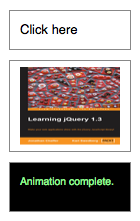
We can animate any element, such as a simple image:

<div id="clickme">
  Click here
</div>
<img id="book" src="book.png" alt="" width="100" height="123" />

We will cause .slideToggle() to be called when another element is clicked:

$('#clickme').click(function() {
  $('#book').slideToggle('slow', function() {
    // Animation complete.
  });
});

With the element initially shown, we can hide it slowly with the first click:

A second click will show the element once again:

Easing

As of jQuery 1.4.3, an optional string naming an easing function may be used. Easing functions specify the speed at which the animation progresses at different points within the animation. The only easing implementations in the jQuery library are the default, called swing, and one that progresses at a constant pace, called linear. More easing functions are available with the use of plug-ins, most notably the jQuery UI suite.

Callback Function

If supplied, the callback is fired once the animation is complete. This can be useful for stringing different animations together in sequence. The callback is not sent any arguments, but this is set to the DOM element being animated. If multiple elements are animated, it is important to note that the callback is executed once per matched element, not once for the animation as a whole.

As of jQuery 1.6, the .promise() method can be used in conjunction with the deferred.done() method to execute a single callback for the animation as a whole when all matching elements have completed their animations ( See the example for .promise() ).

Additional Notes:

  • All jQuery effects, including .slideToggle(), can be turned off globally by setting jQuery.fx.off = true, which effectively sets the duration to 0. For more information, see jQuery.fx.off.

Examples:

Example: Animates all paragraphs to slide up or down, completing the animation within 600 milliseconds.

<!DOCTYPE html>
<html>
<head>
  <style>
  p { width:400px; }
  </style>
  <script src="http://code.jquery.com/jquery-latest.js"></script>
</head>
<body>
  <button>Toggle</button>

  <p>
    This is the paragraph to end all paragraphs.  You
    should feel <em>lucky</em> to have seen such a paragraph in
    your life.  Congratulations!
  </p>
<script>
    $("button").click(function () {
      $("p").slideToggle("slow");
    });
</script>

</body>
</html>

Demo:

Example: Animates divs between dividers with a toggle that makes some appear and some disappear.

<!DOCTYPE html>
<html>
<head>
  <style>
  div { background:#b977d1; margin:3px; width:60px; 
        height:60px; float:left; }
  div.still { background:#345; width:5px; }
  div.hider { display:none; }
  span { color:red; }
  p { clear: left; }</style>
  <script src="http://code.jquery.com/jquery-latest.js"></script>
</head>
<body>
  <div></div>
<div class="still"></div>
<div style="display:none;">
</div><div class="still"></div>
<div></div>
<div class="still"></div>
<div class="hider"></div>
<div class="still"></div>
<div class="hider"></div>
<div class="still"></div>
<div></div>
<p><button id="aa">Toggle</button> There have been <span>0</span> toggled divs.</p>
<script>
  $("#aa").click(function () {
    $("div:not(.still)").slideToggle("slow", function () {
      var n = parseInt($("span").text(), 10);
      $("span").text(n + 1);
    });
  });

</script>

</body>
</html>

Demo:

Support and Contributions

Need help with .slideToggle() or have a question about it? Visit the jQuery Forum or the #jquery channel on irc.freenode.net.

Think you've discovered a jQuery bug related to .slideToggle()? Report it to the jQuery core team.

Found a problem with this documentation? Report it on the GitHub issue tracker

  • http://ciantic.blogspot.com/ Ciantic

    There is bug in this, it appears to calculate height incorrectly on some situations where height is not known, causing the animation being jumpy.

    Here is fix: http://blog.pengoworks.com/index.cfm/2009/4/21/…

  • http://www.xtermedia.com/ Xtermedia

    Just by setting a width to the element we want to animate, avoids the jump bug.

    • http://robkellas.com Rob Johnson

      Perfect, I wish I found your post an hr ago. Serves me right for not looking here first! Thanks.

  • Anonymous

    Is there a something like “clickIntent” that would not send the clicks if I go on a clicking rampage?

    cause if I click 10 times, the animation just goes back and forth and back and forth…

    • Anonymous

      .stop(true,{true/false}) ?
      It won’t stop sending clicks, but I found it wery helpful with very fast mouse over/out.

      • WeHaw

        I’m having the same issue, I’m using it on a hover, so you can end up stacking 15 of these and it just continuasly animates. What do you mean by “.stop(true,{true/false})”?

        • Jared

          By chaining .stop(true,true) right before my .slideToggle() I was able to stop the madness. So the end result looked like this:

          $('ul.campus-list').stop(true,true).slideToggle();

          • Wkunaiyu

            Thanks,”.stop(true,{true/false}) ?” works well

    • http://www.learningjquery.com/ Karl Swedberg

      You could also check if the element is currently being animated and only call the animation if it isn’t:$('someelement').click(function() { if ( !$('#foo').is(':animated') ) { $('#foo').slideToggle(); }});

  • Manjit

    Can I use the slide toggle without using the javascript file given as a source file through the link
    http://code.jquery.com/jquery-latest.js.What alternate code I will have to write.

    • Anonymous

      no you can’t. the file you mensioned includes all needed classes, that executes all the effects

  • rvwoens

    How about easing? Some websites say the easingmethod can be given as an argument, but I can’t find it here. But strangely, this works:

    SlideToggle(‘slow’,'easeInOutQuart’); (with easing lib loaded)

    • Anonymous

      How did you get this to work? I’m having difficulty implementing easing with slideToggle

      • http://www.learningjquery.com/ Karl Swedberg

        You need to include an easing plugin as well.

    • http://www.learningjquery.com/ Karl Swedberg

      Please see my response to the same question about .fadeOut() at http://api.jquery.com/fadeOut/#comment-67205633

  • rvwoens

    How about easing? Some websites say the easingmethod can be given as an argument, but I can’t find it here. But strangely, this works:

    SlideToggle(‘slow’,'easeInOutQuart’); (with easing lib loaded)

  • Ryan

    I am trying to use the slideToggle method for an unordered list to show. the problem is I have multiple nested lists and I can get one to open, but when I click the second, it opens the 2nd nested list, and closes the parent list at the same time, then when I click the parent list link again, the it shows my main list, plus the (opened ) nested list as well.

    Anyone have any ideas, other than giving an ID to every single list? (can't do this. have WAYY to much information to name every list) Is there a way to set in the script ('ul:first”) lbah blah blah, ul:second… etc?

  • Pompom

    Hello!
    I'm using onclick=slideToggle on a table with display:none and sometimes after clicking my table blinks for a millisecond, then slides normally.
    I've tested it in Firefox 3.6.6 and Google Chrome 5.
    Table has fixed width.
    Can anyone suggest me something?

  • Shakey

    I had a problem using this with IE7. It would animate the slide and then the content would disappear. So what I had to do was use the .animate method instead:
    .animate({ height: “toggle”, opacity: “toggle”}, “fast” )
    I'm not totally sure why this worked and the slideToggle didn't. But it seemed to do the trick.

    • m;

      Same here, had to replace it with .toggle().

  • Shakey

    I had a problem using this with IE7. It would animate the slide and then the content would disappear. So what I had to do was use the .animate method instead:
    .animate({ height: “toggle”, opacity: “toggle”}, “fast” )
    I'm not totally sure why this worked and the slideToggle didn't. But it seemed to do the trick.

  • http://cinnak.se Simon K. Rönnqvist

    Please note: initialy adding display:none; inside the html tag or directly to the css is bad practice, since users with JS disabled won't be able to see the content. Instead you should run an .each() function and add the css property, like this:
    $('div.slide').each().css('display','none');

  • Simon Snow

    setting the height/width of the component you want to slide fixes a bug that causes “jumpyness” using a line like:
    $('#slider').css('height', $('#slider').height() + 'px');
    works great.

    • joe

      Thanks, this helped a lot! Just for reference, I was sliding a div vertically and experiencing the “jumpyness” problem under Chrome and Firefox. Setting the width (I couldn't know the height since the content was dynamic) fixed everything. I guess the extra constraint helped the rendering engine somehow.

      • Matt

        Thanks, came here looking for a fix for exactly this problem.

    • http://www.vgreano.com Victor Reano

      Yeah, this definitely fixed a flicker problem I was having. Thank you for being you.

  • TheAtticShow

    How do I change the directing it slides in? I'm working on a 'global' footer (like facebook chat) that has content you can toggle on and off, but it's sliding in from above the bar, not from the bar up.

  • jbie

    I have a little problem.
    In this exemple when you click it works perfectly http://geekr.fr/a/
    But in this one http://geekr.fr/b/ when the green div is too high there is a jump bug.

  • EON

    slideToggle on table tbodies (when there are other tbodies present, at least) can screw up your td widths royally (using Firefox 3.6.10 on XP). I found that when using slideToggle, all the table cells in the toggled tbody collapsed to their minimal width regardless of the table’s width and the usual way table cells distribute themselves across the table, and regardless of set percentage widths for the tds (cells). Regular toggle does not. Only solution appears to be NOT using slideToggle for this situation.

    • http://pediddle.net/ Peter Davis

      Is there any fix for this issue planned?

      Issue is slideToggle (and apparently all other animate() functions) only support display:inline or display:block. Animating tbody, tr, or td will reset the display property to ‘block’, when it should preserve ‘table-body’, ‘table-row’, or ‘table-cell’ respectively. I’m not sure if there are other issues beyond this, but it would be nice to be able to apply this effect to table rows in particular.

      • http://www.learningjquery.com/ Karl Swedberg

        In jQuery 1.4.3, elements' display properties are reset to the proper value. However, there are still major issues with animating the height of table rows or cells. I would strongly advise either no animation or animation on the opacity property (which might have issues in IE).

  • Kevin R.

    I have an issue whereby I have a background color set on a container and the min-height is 270px. Now when I click on my button to slidetoggle some content, the background decreases in size even though it has content on it.

    • kidcharlemagne

      I had an issue like this. My container div (parent) had a child div that was slideToggled. The parent had a min-height set, but when I toggled the child div, the parent would shrink from the bottom by a few pixels (only saw this in IE8, not FF). The parent had padding on the top and sides, but bottom padding was 0. Setting a padding on the bottom fixed my issue. Hope this helps.

  • http://www.ontwerpexpert.net OntwerpExpert

    The regular state is an open div, when clicked it wil disappear.

    How can I set the regular state as closed and click to open?

    • http://www.unce.us/ unceus

      Set the display value of the div to false.

    • unceus

      none, rather.

    • Bunnyfeet

      Since this script just toggles the element's state, set the intial state for the element you wish to hid to “display:none” using CSS. Or, for better search engine optimization, set the left margin for that element somewhere off the page, such as “margin-left:-10000px”. To the user, the effect will be the same, but this way element's text will be visible to search engines.

      • Bolek

        Hmm. I used “margin-left” to hide the div, but how can I show it again when user click and start slideToggle function?

  • http://www.ontwerpexpert.net OntwerpExpert

    Placed code to style the div works :D

    ( I used this one display: none; )

    Thanx for setting direction where to edit/look :D

  • http://michaelstorer.com Mike

    How do I slide from off the right side, horizontally, to the image having its left top corner at page center or about 585px and perhaps 200px below the top of screen? What function produces a horizontal slide?

  • Prashantdfrnd4u

    I have created project in asp.net, there is an image to toggle div. The div gets visible but on second click the div is not getting hide. Any solution..??

  • akanghuda

    so wonderfull :)

  • Bolek

    I have a website with a glossary. All terms on one page. Term decription shows after user clicks a term – usng slideToggle function. But how can I force the script to close an open decription div, when another term is clicked?

    • yamikowebs

      track whats shown/hidden with classes
      e.g.

      //function on click of the term
      $(“#term”).click(function
      {
      //find any description currently shown
      //slide up and remove class
      $(“.shownDescription”).slideUp(slow).removeClass('.shownDescription');
      //slide down selected description
      //add class for tracking
      $(this).slideDown(slow).addClass('shownDescription');
      })

  • http://twitter.com/WookieeBoy Shawn Parker

    I ended up writing a jQuery plugin to handle this: http://github.com/Gipetto/jquery.togglr.js

    Maybe it is what you're looking or.