.show()Returns: jQuery
Description: Display the matched elements.
-
version added: 1.0.show()
- This signature does not accept any arguments.
-
version added: 1.0.show( [duration ] [, complete ] )
-
duration (default:
400)A string or number determining how long the animation will run. -
completeType: Function()A function to call once the animation is complete, called once per matched element.
-
-
version added: 1.0.show( options )
-
optionsType: PlainObjectA map of additional options to pass to the method.
-
duration (default:
400)A string or number determining how long the animation will run. -
easing (default:
swing)Type: StringA string indicating which easing function to use for the transition. -
queue (default:
true)A Boolean indicating whether to place the animation in the effects queue. If false, the animation will begin immediately. As of jQuery 1.7, the queue option can also accept a string, in which case the animation is added to the queue represented by that string. When a custom queue name is used the animation does not automatically start; you must call.dequeue("queuename")to start it. -
specialEasingType: PlainObjectAn object containing one or more of the CSS properties defined by the properties argument and their corresponding easing functions. (version added: 1.4)
-
stepA function to be called for each animated property of each animated element. This function provides an opportunity to modify the Tween object to change the value of the property before it is set.
-
progressA function to be called after each step of the animation, only once per animated element regardless of the number of animated properties. (version added: 1.8)
-
completeType: Function()A function that is called once the animation on an element is complete.
-
startA function to call when the animation on an element begins. (version added: 1.8)
-
doneA function to be called when the animation on an element completes (its Promise object is resolved). (version added: 1.8)
-
failA function to be called when the animation on an element fails to complete (its Promise object is rejected). (version added: 1.8)
-
alwaysA function to be called when the animation on an element completes or stops without completing (its Promise object is either resolved or rejected). (version added: 1.8)
-
-
-
version added: 1.4.3.show( duration [, easing ] [, complete ] )
-
duration (default:
400)A string or number determining how long the animation will run. -
easing (default:
swing)Type: StringA string indicating which easing function to use for the transition. -
completeType: Function()A function to call once the animation is complete, called once per matched element.
-
With no parameters, the .show() method is the simplest way to display an element:
|
1
|
|
The matched elements will be revealed immediately, with no animation. This is roughly equivalent to calling .css( "display", "block" ), except that the display property is restored to whatever it was initially. If an element has a display value of inline, then is hidden and shown, it will once again be displayed inline.
Note: If using !important in your styles, such as display: none !important, .show() will not override !important.
It is recommended to use different classes with .addClass(), .removeClass() or .toggleClass(). Another approach is using .attr( "style", "display: block !important;" ); be careful, though, as it overwrites the style attribute of the element.
When a duration, a plain object, or a "complete" function is provided, .show() becomes an animation method. The .show() method animates the width, height, and opacity of the matched elements simultaneously.
Durations are given in milliseconds; higher values indicate slower animations, not faster ones. The strings 'fast' and 'slow' can be supplied to indicate durations of 200 and 600 milliseconds, respectively.
As of jQuery 1.4.3, an optional string naming an easing function may be used. Easing functions specify the speed at which the animation progresses at different points within the animation. The only easing implementations in the jQuery library are the default, called swing, and one that progresses at a constant pace, called linear. More easing functions are available with the use of plug-ins, most notably the jQuery UI suite.
If supplied, the callback is fired once the animation is complete. This can be useful for stringing different animations together in sequence. The callback is not sent any arguments, but this is set to the DOM element being animated. If multiple elements are animated, it is important to note that the callback is executed once per matched element, not once for the animation as a whole.
Note: This method may cause performance issues, especially when used on many elements. If you're encountering such issues, use performance testing tools to determine whether this method is causing them. Moreover, this method can cause problems with responsive layouts if the display value differs at different viewport sizes.
We can animate any element, such as a simple image:
|
1
2
3
4
5
6
7
8
9
10
|
|
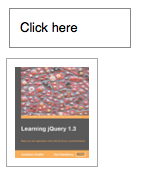

show() effectAdditional Notes:
-
All jQuery effects, including
.show(), can be turned off globally by settingjQuery.fx.off = true, which effectively sets the duration to 0. For more information, see jQuery.fx.off.
Examples:
Example 1
Animates all hidden paragraphs to show slowly, completing the animation within 600 milliseconds.
|
1
2
3
4
5
6
7
8
9
10
11
12
13
14
15
16
17
18
19
20
21
22
23
24
25
|
|
Demo:
Example 2
Show the first div, followed by each next adjacent sibling div in order, with a 200ms animation. Each animation starts when the previous sibling div's animation ends.
|
1
2
3
4
5
6
7
8
9
10
11
12
13
14
15
16
17
18
19
20
21
22
23
24
25
26
27
28
29
30
31
32
33
34
35
36
37
38
39
40
|
|
Demo:
Example 3
Show all span and input elements with an animation. Change the text once the animation is done.
|
1
2
3
4
5
6
7
8
9
10
11
12
13
14
15
16
17
18
19
20
21
22
23
24
25
26
27
28
29
30
31
32
33
34
35
36
37
38
39
40
41
42
43
44
45
46
47
48
49
50
51
52
|
|